VirusTotal
Last updated on:
In this page
Advanced threat analytics add-on in the product
VirusTotal terms of service:
Users can access VirusTotal API in two ways:
- Public API: Provides free access with specific limitations, including constraints on request frequency and access with lower priority.
- Premium API: Provides exclusive access without limitations on request frequency and prioritized access, complemented by additional benefits.
Recommendation: For business workflows it is recommended to use Premium API for integration.
To learn more about VirusTotal, their terms of service, privacy policy, and API usage, please visit their website.
Configuration
Once you have purchased the Advanced Threat Analytics add-on and applied the license, head to the Advanced Threat Analytics page.
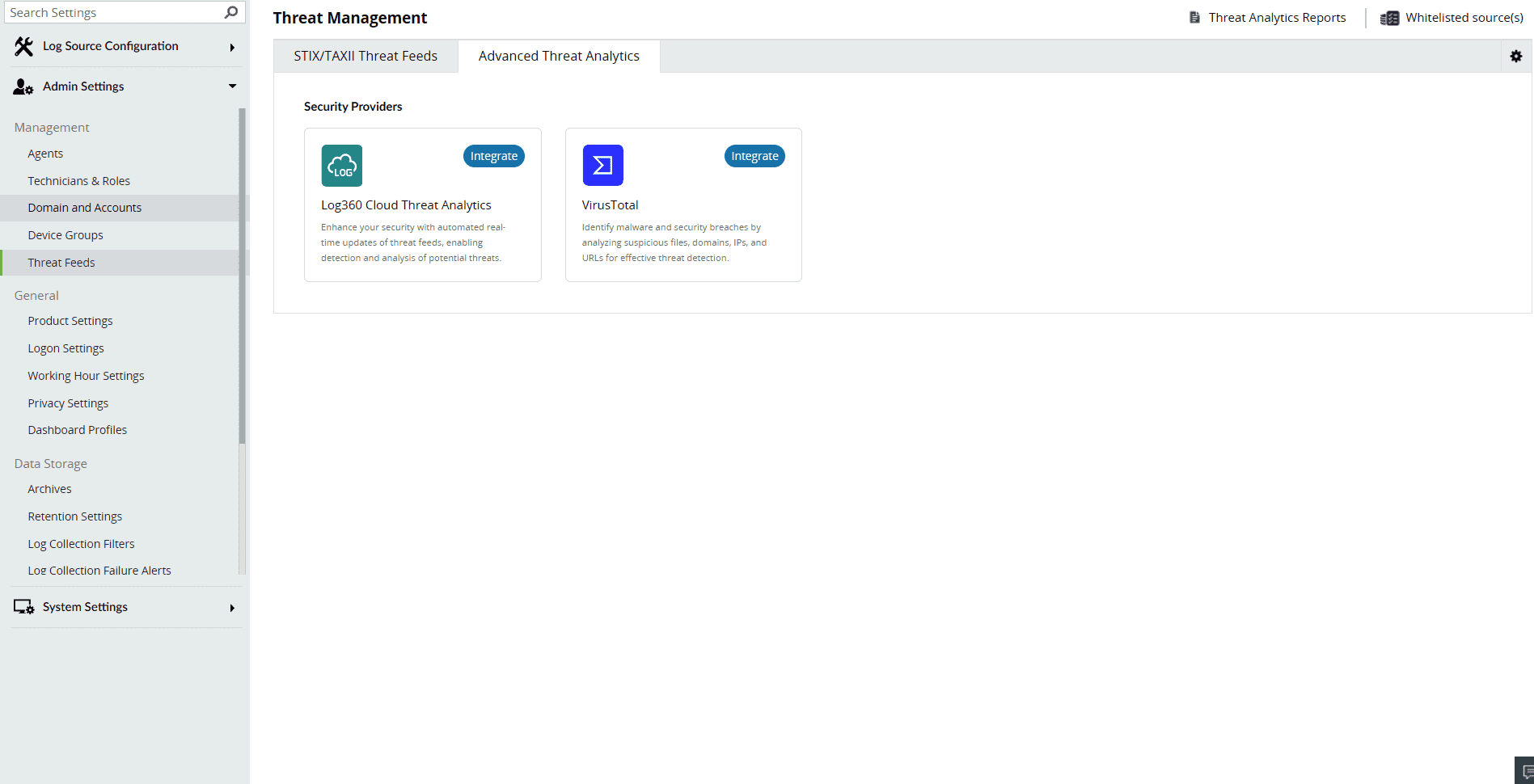
To get the API key:
- Visit https://www.virustotal.com and sign up for a VirusTotal account.
- Sign in to VirusTotal and find your API key and go to your Username→ Settings→API Key.
- Use the API Key provided by VirusTotal for integrating with the product.
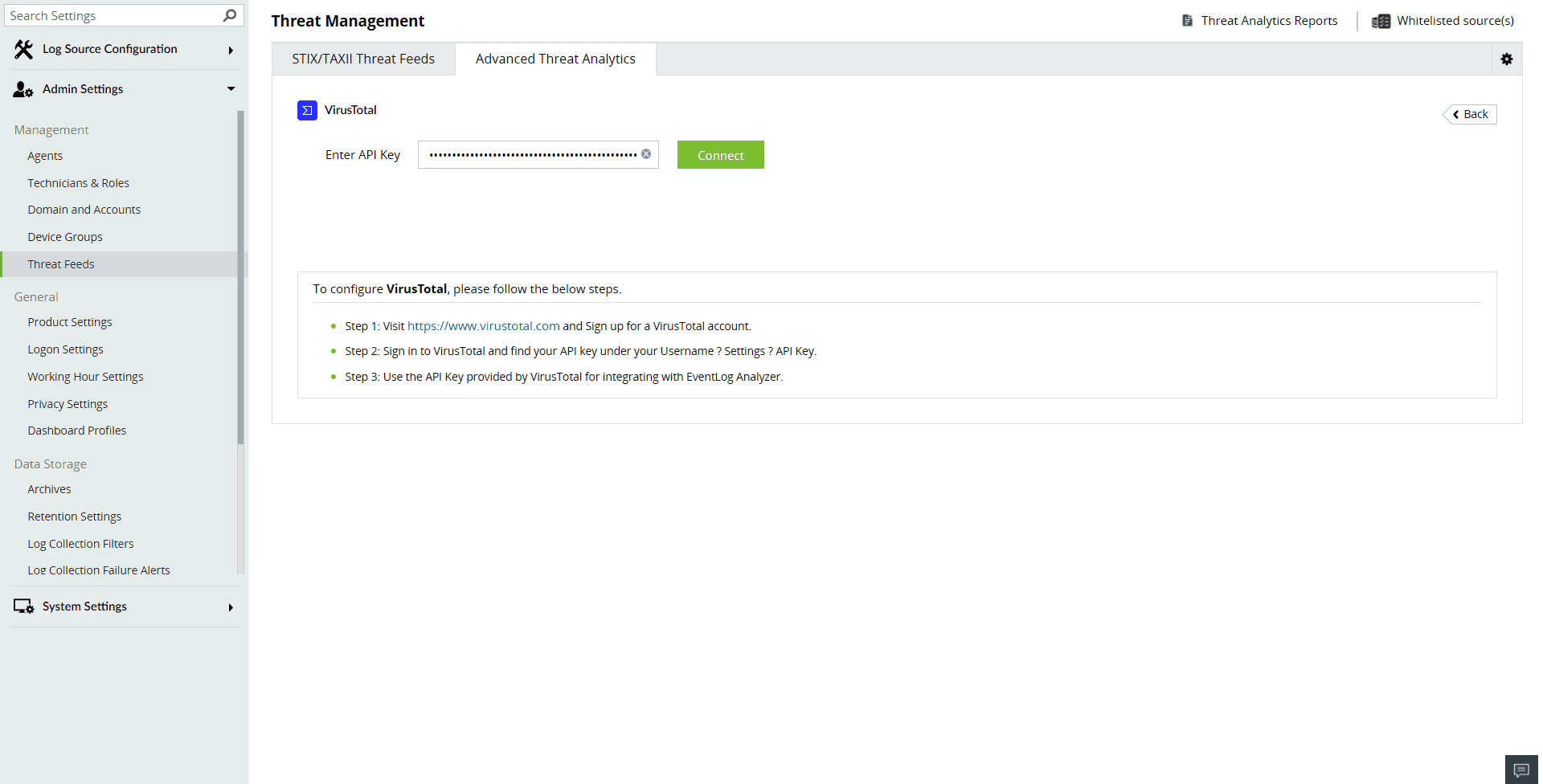
- Paste the API key and click on Connect to finish configuring VirusTotal.
Analysis
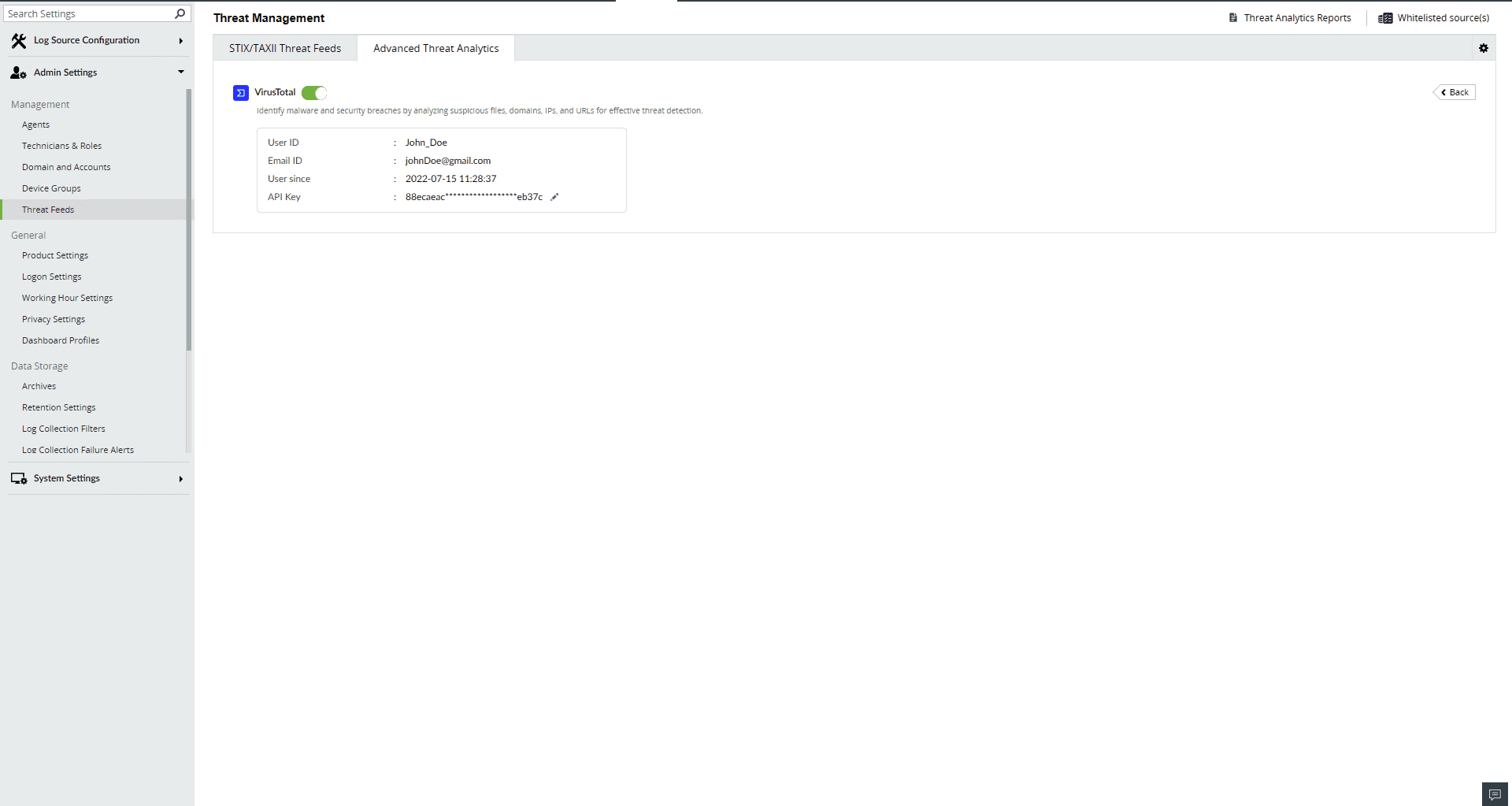
In the product, users can access the data from VirusTotal through the Incident Workbench. Learn how to invoke the Incident Workbench from different dashboards of the product.
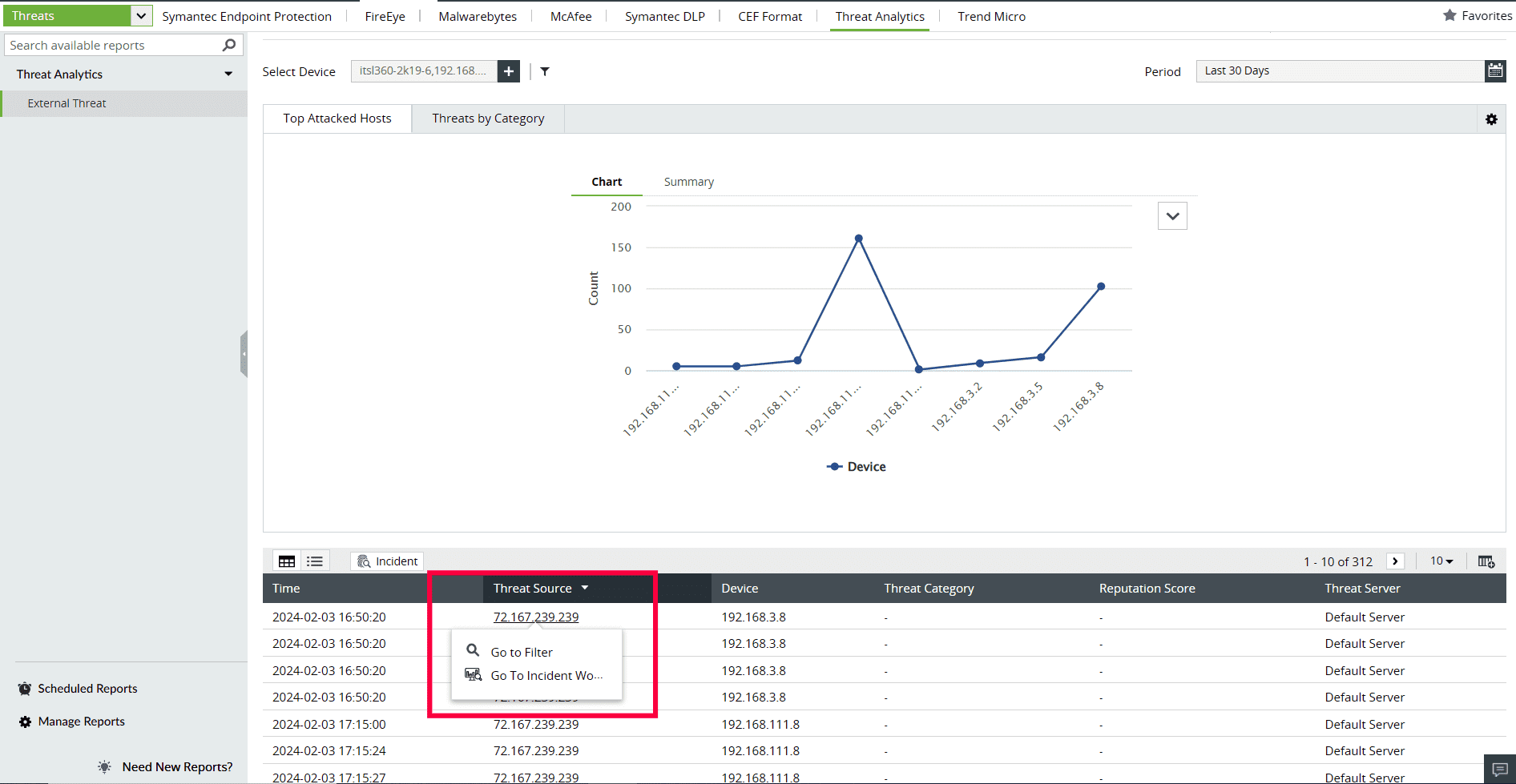
Select any IP, URL, or Domain to analyze in the Workbench. You can access the following data:
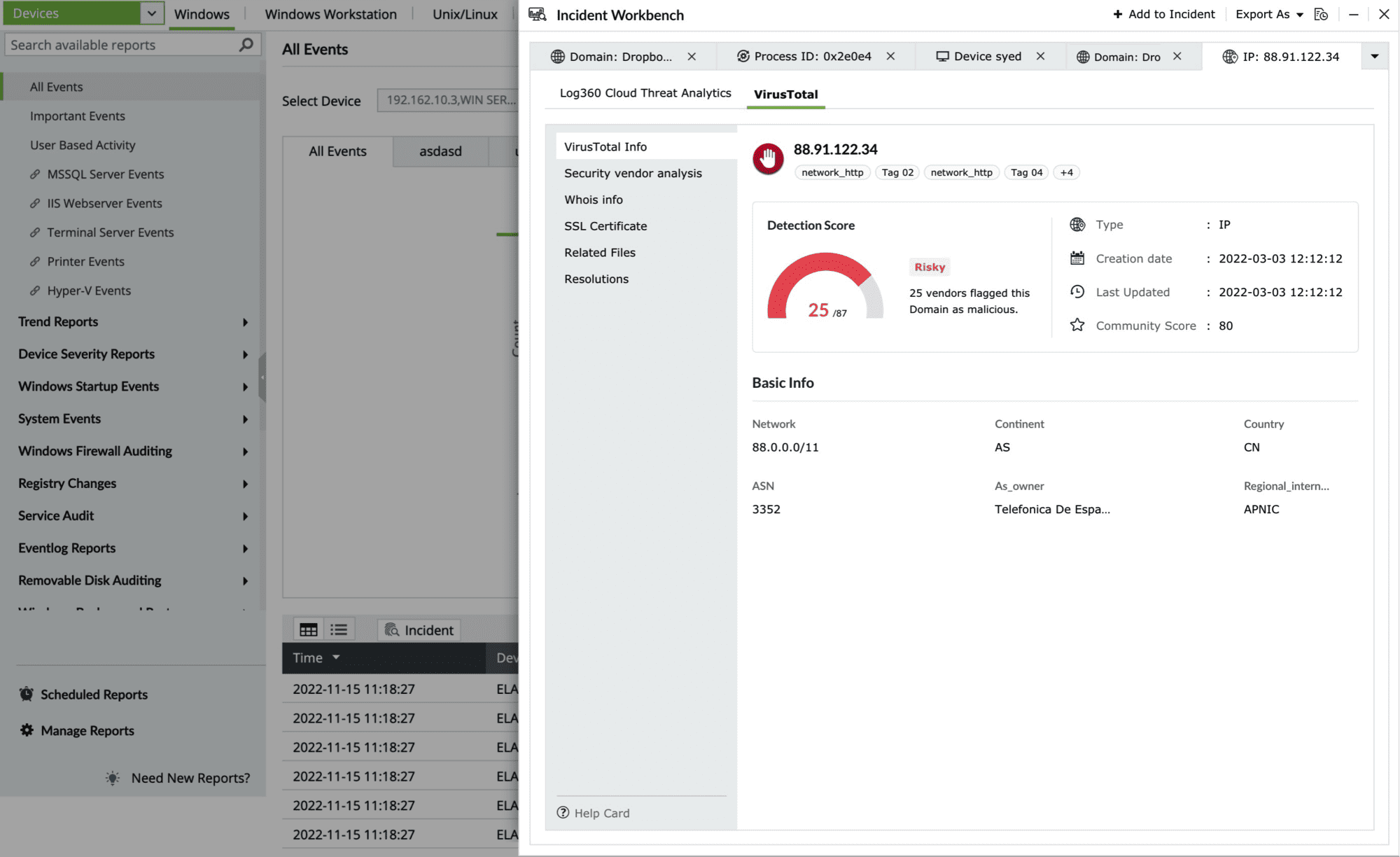
- VirusTotal note-box
This section contains the Detection Score of the Threat Source, which is the number of security vendors who have flagged the source as risky out of all the security vendors. Along with this, the basic details and the geo note-box of the Threat Source are also available.
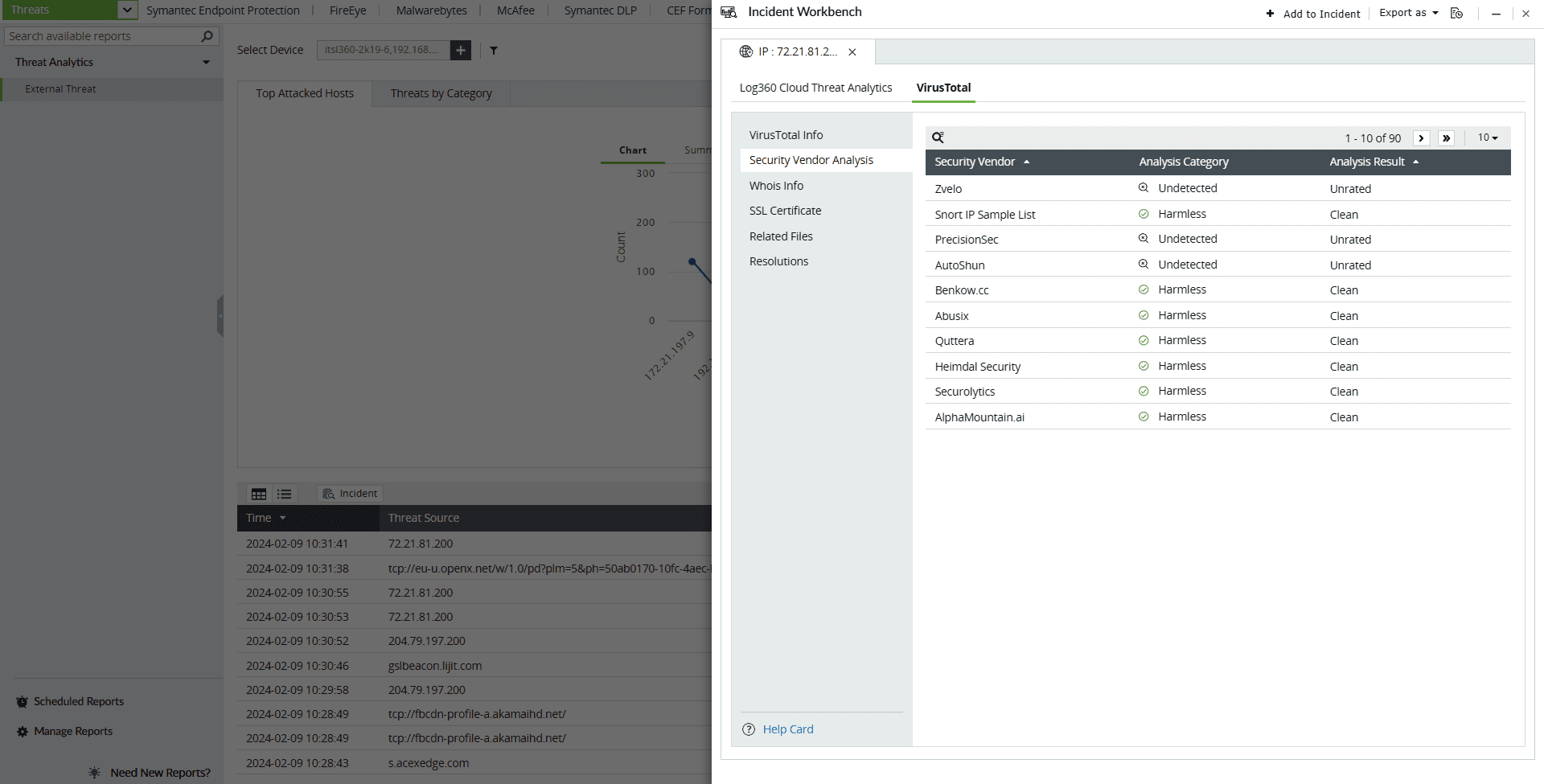
- Security Vendor analysis
This section contains the individual analysis of 85+ security vendors such as SOCRadar, Fortinet, Forcepoint ThreatSeeker, and ArcSight Threat Intelligence.
- Malicious
- Suspicious
- Harmless
- Undetected
- Timeout
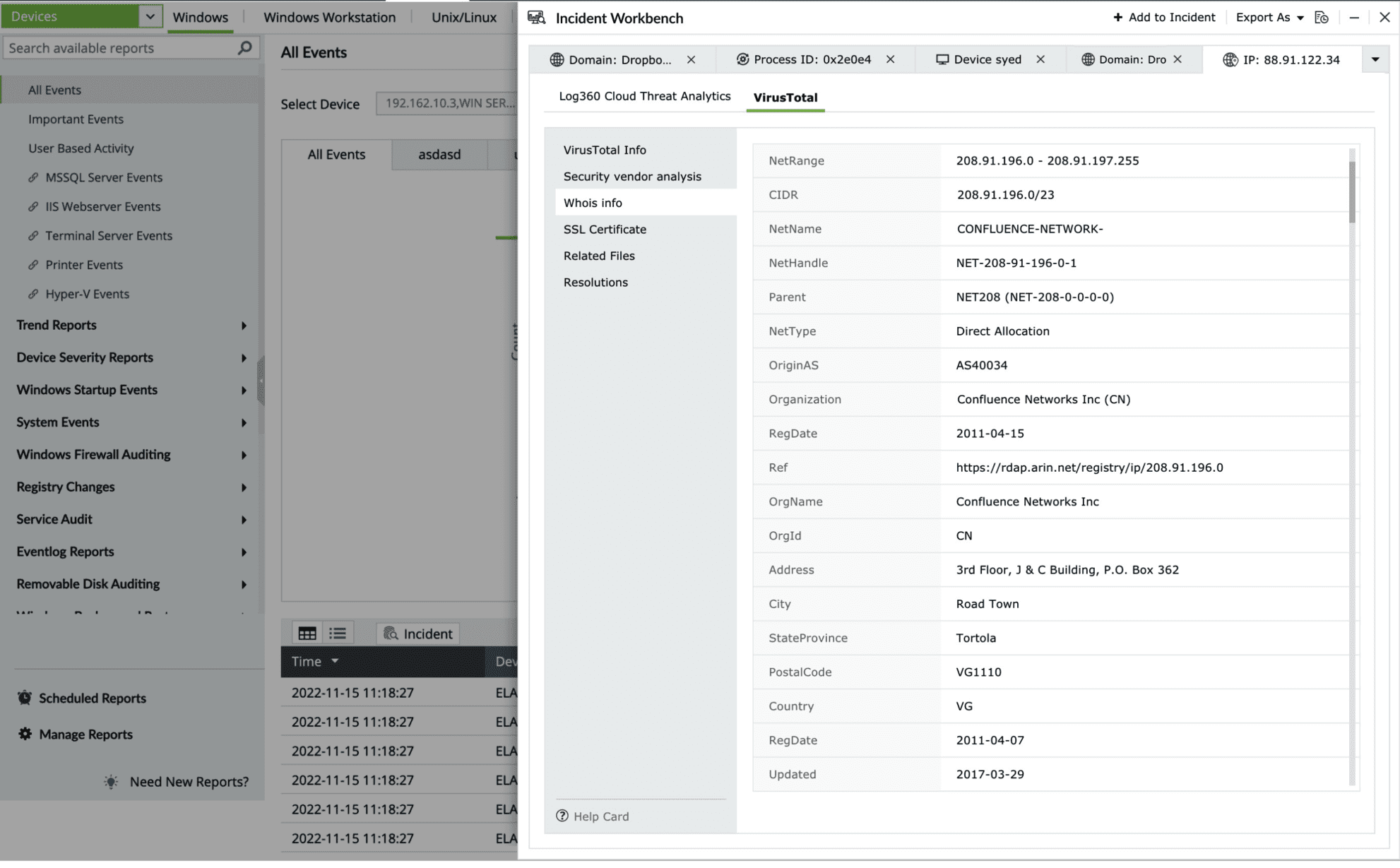
- Whois note-box
This section contains the Whois note-boxrmation of the threat source domain.
- SSL Certificate
This section contains details of the SSL certificate issued to the Threat Source and who issued it.
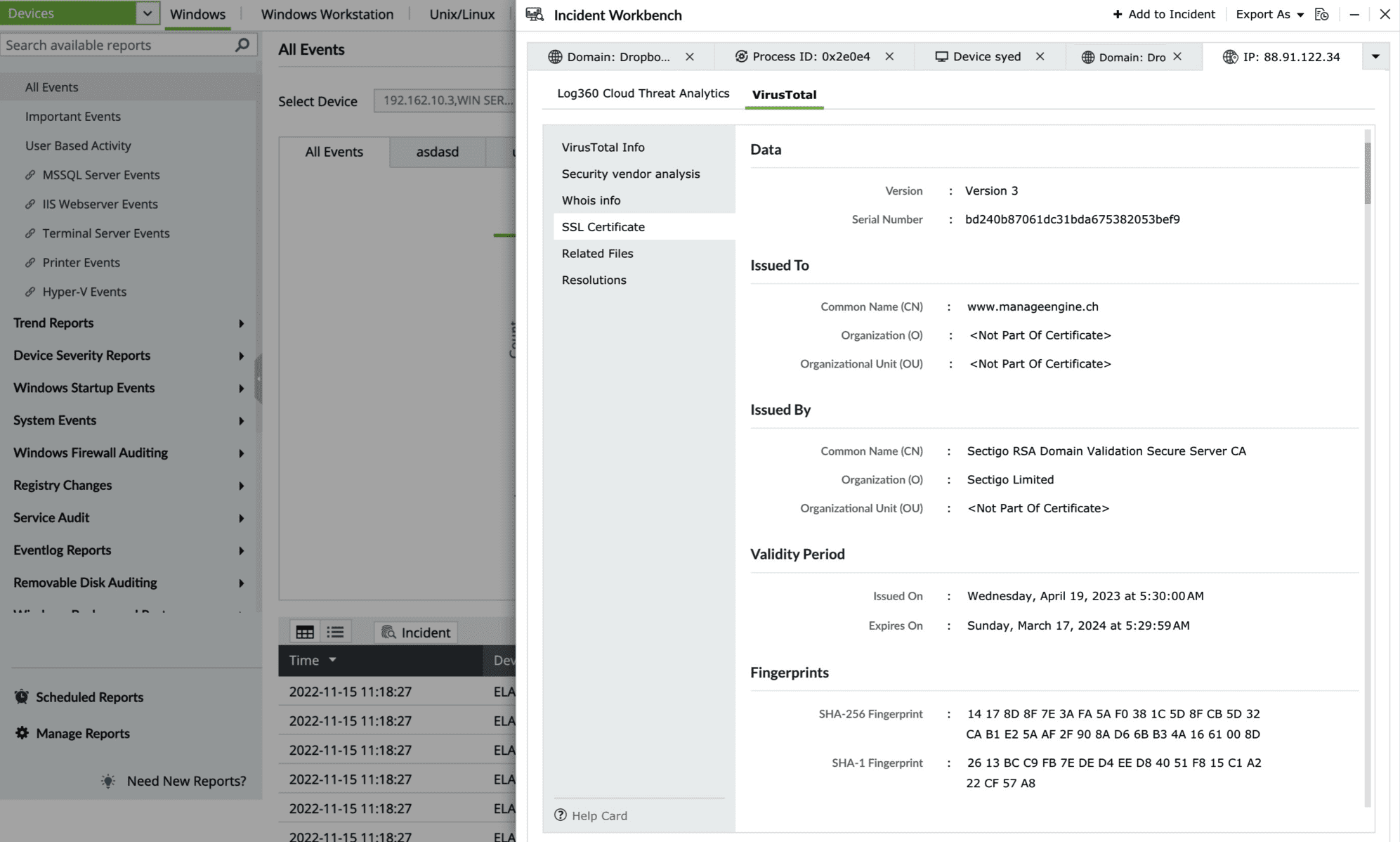
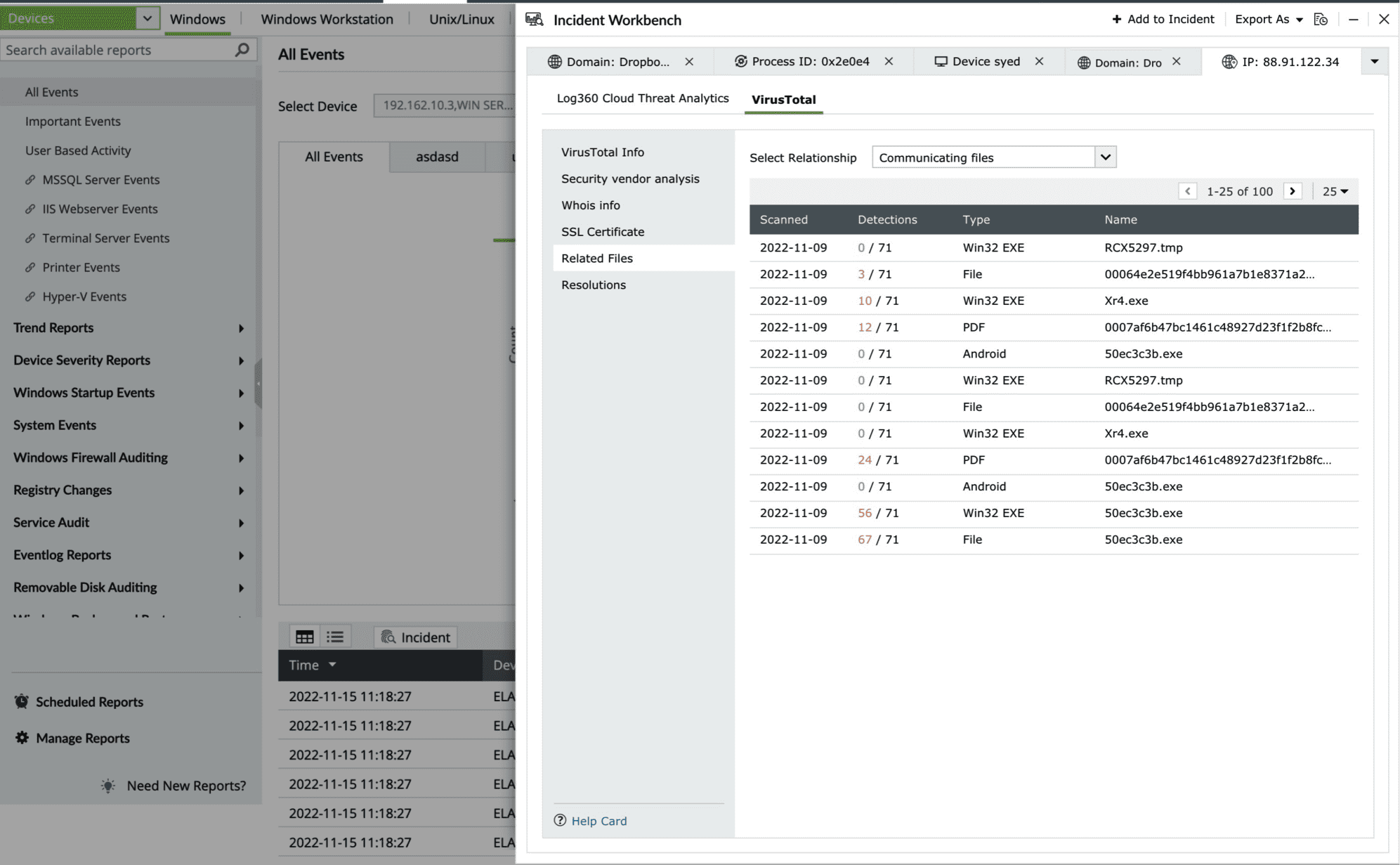
- Related Files
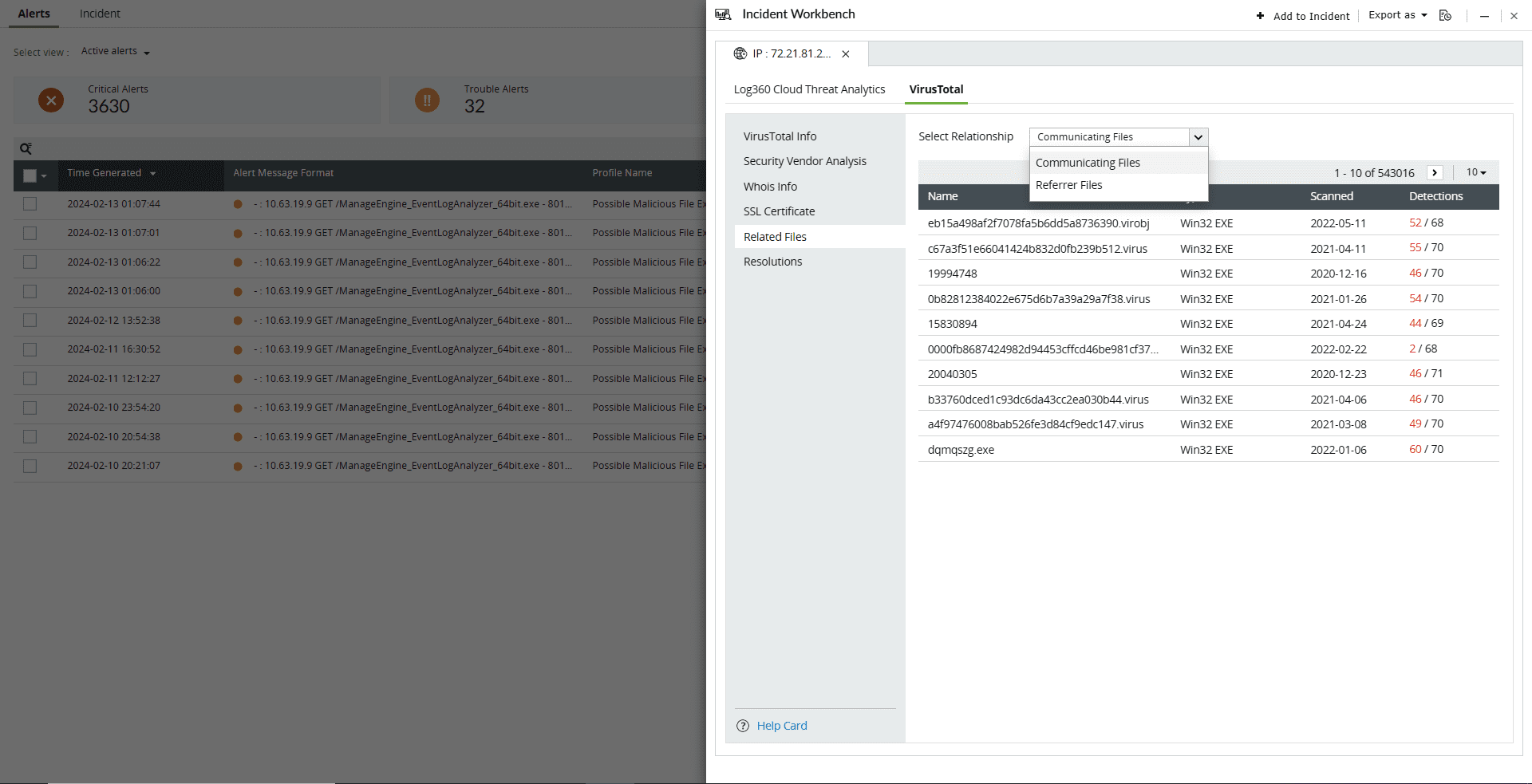
This section maps the relationship of the files to the IP address in following ways:
- Files communicating with the IP address
- Files downloaded from the IP address
- Files containing the IP address
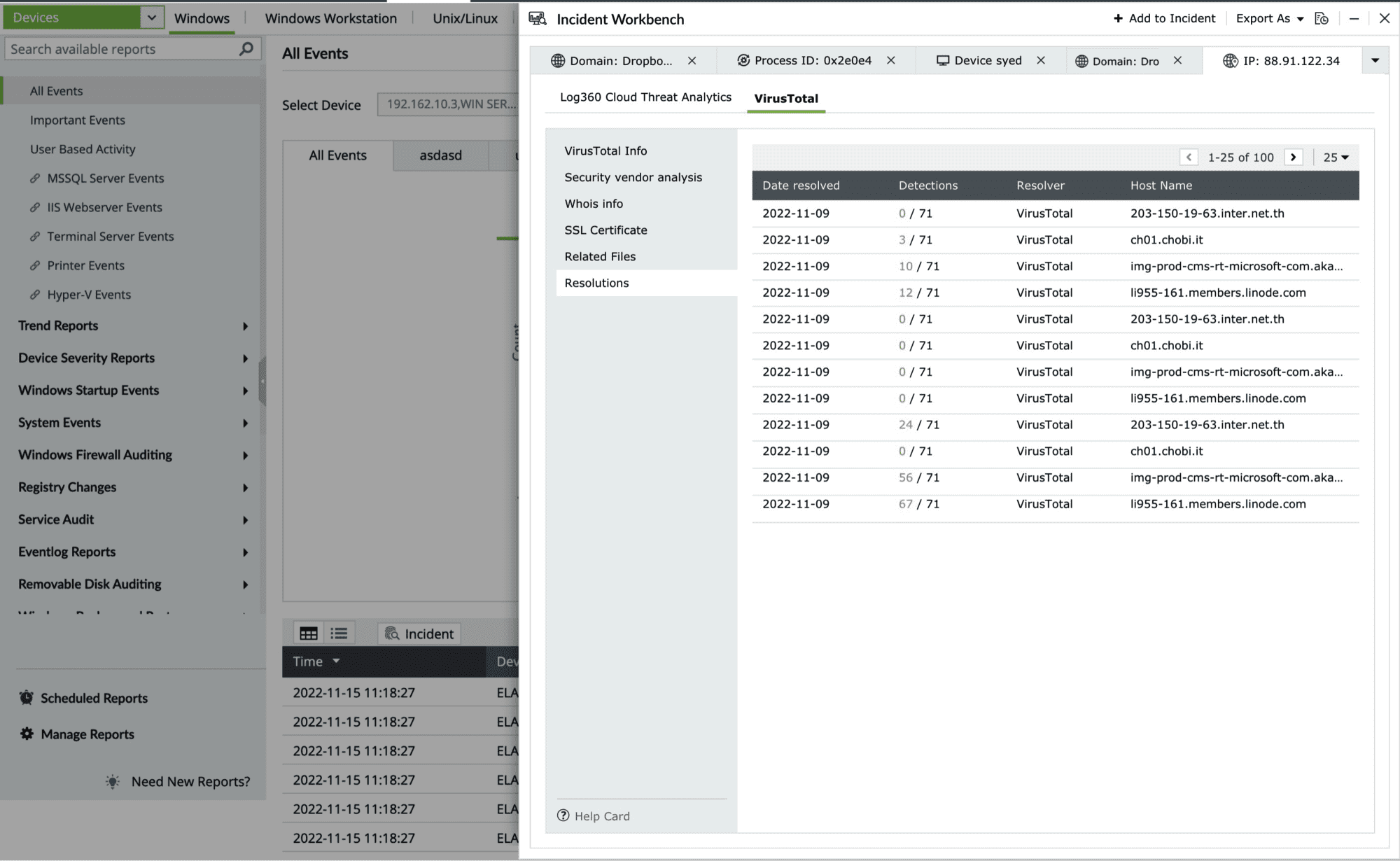
- Resolutions
This section contains the past and current IP resolutions for a particular domain.
Click on the search icon in the top left corner to filter based on Security Vendor, Analysis Category, and Analysis Result.
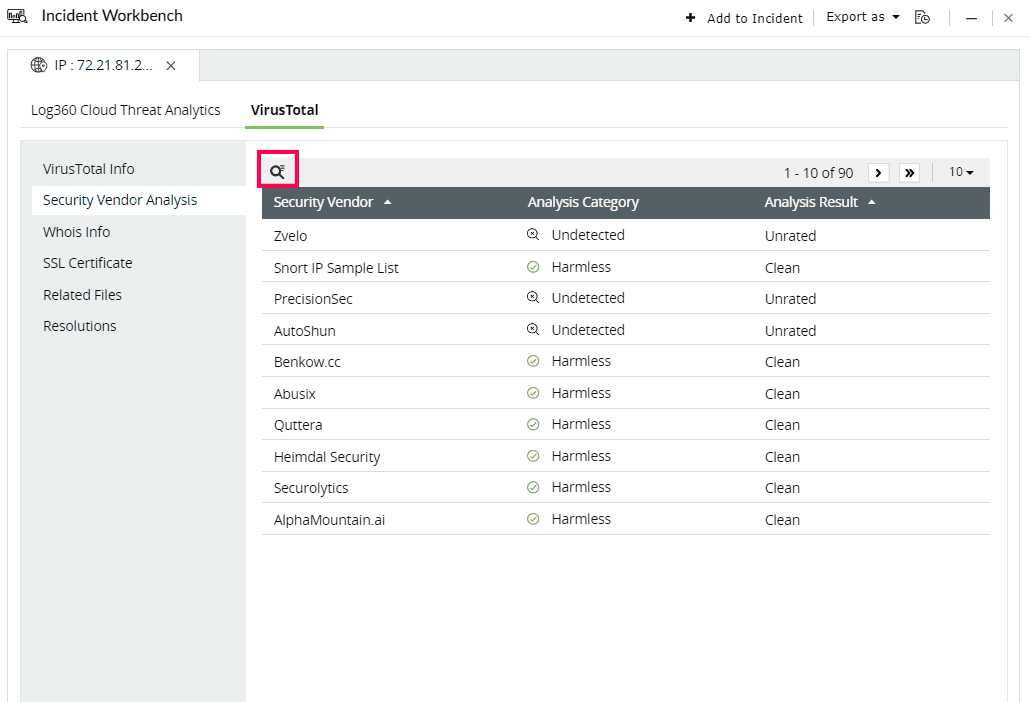
Here are the Analysis Categories: