
Alert notification and remediation
Last updated on:
In this page
Overview
The Alert notification and remediation section enables you to configure how alerts are communicated and remediated. Notifications ensure that administrators and security teams are informed in real time, while playbooks provide automated remediation for faster response to threats.
Notification settings
- Navigate to the Alerts tab and select the required alert profile.
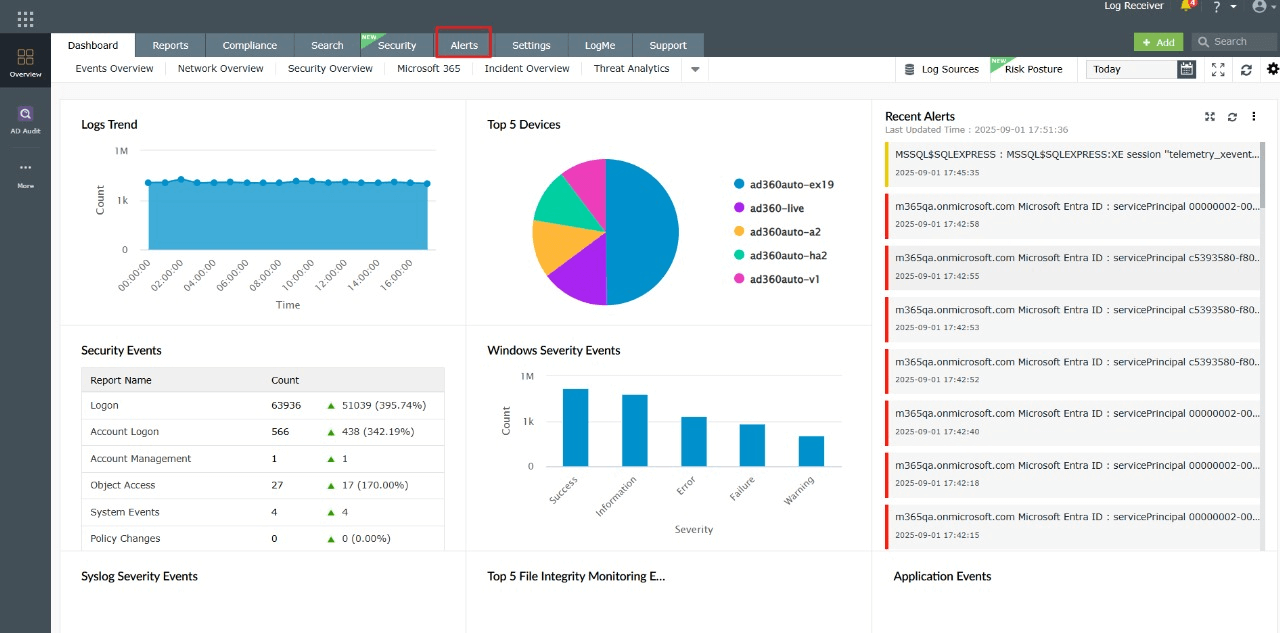
Image 1: Alerts module via the dashboard - Under the Notification Settings tab, you can configure how notifications should be delivered.
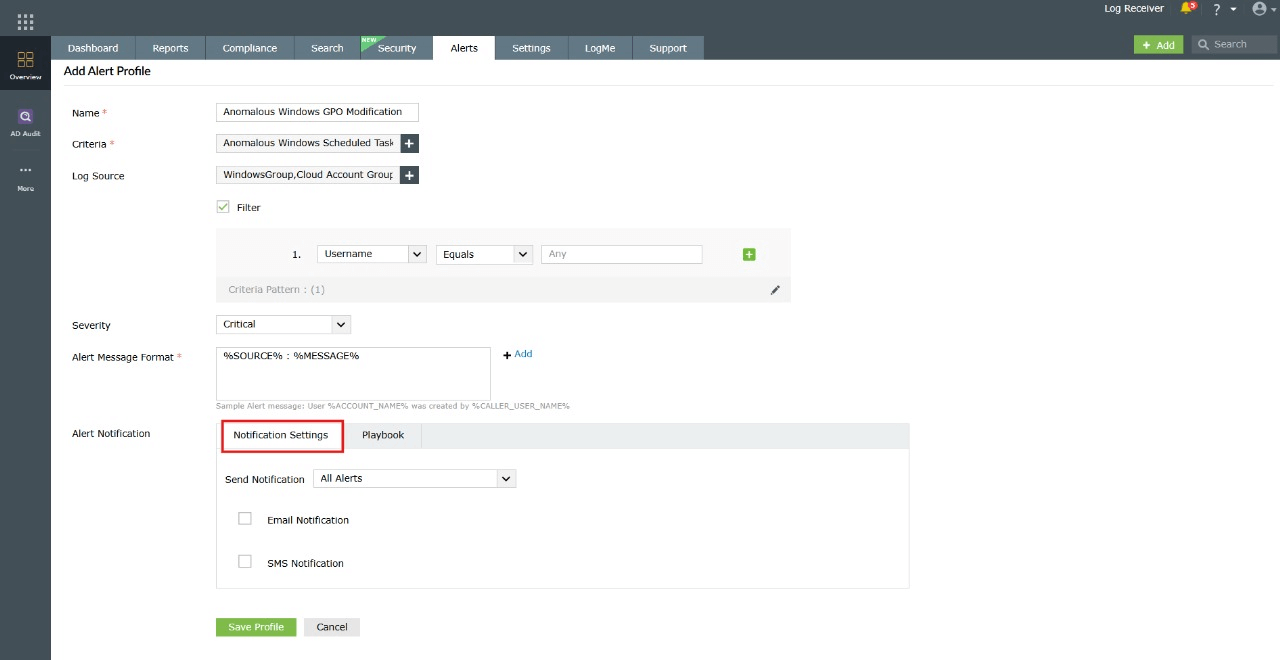
Image 2: Notification settings configuration Options available:
- Send Notification drop-down: Choose whether notifications should be sent for all alerts continuously or paused for a specific duration after a notification is triggered.
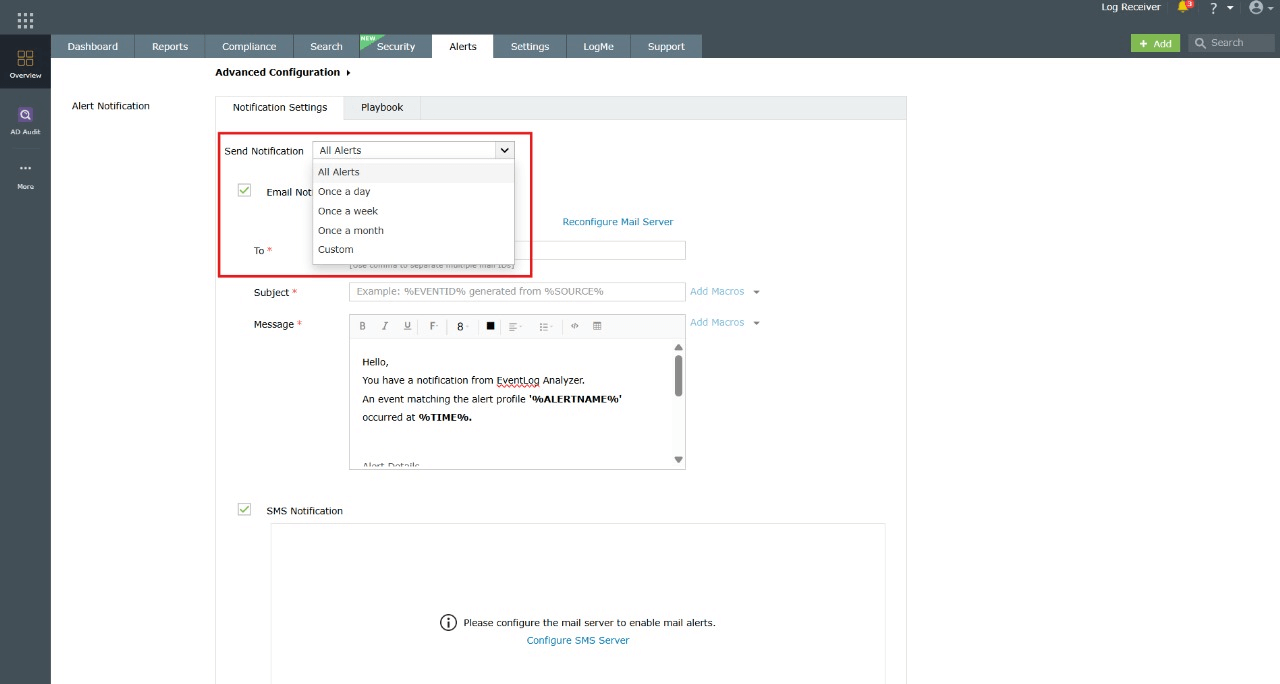
Image 3: Notification settings configuration - Email notifications: Enable email alerts by entering recipients, subject lines, and customizable message templates with dynamic macros.
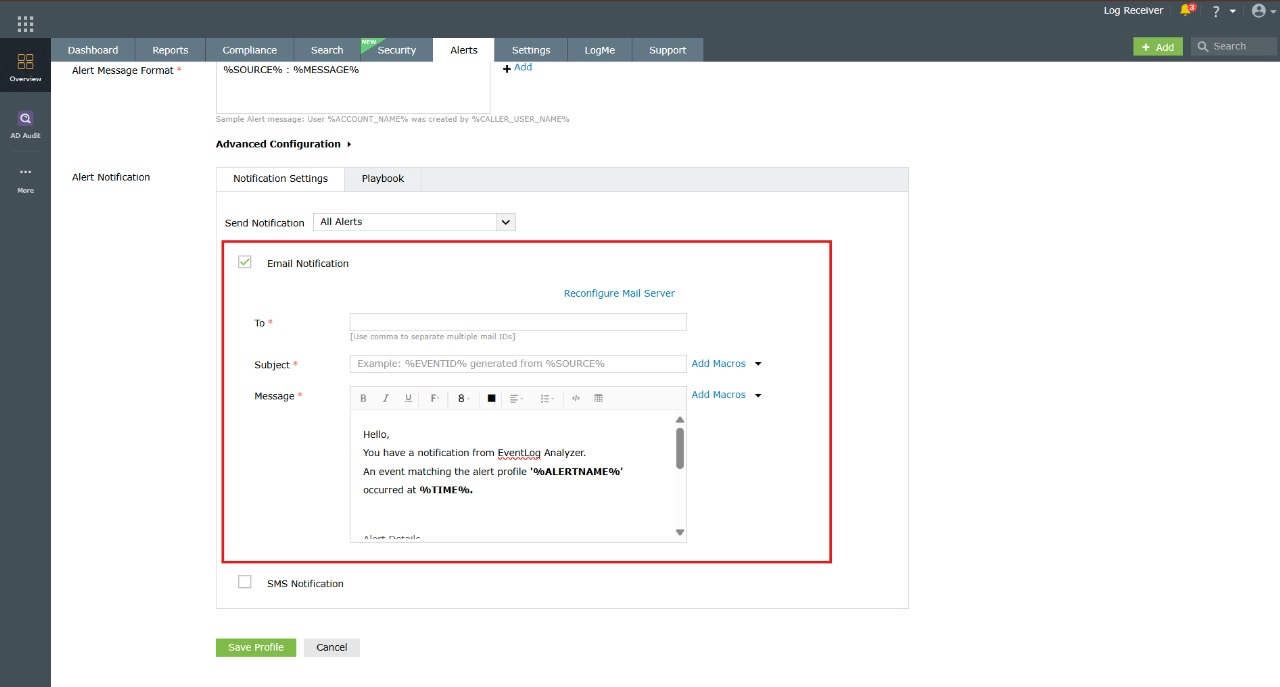
Image 4: Email notification settings configuration - When you select Email Notification, the following fields can be configured:
- To: Enter the recipient email addresses. Multiple addresses can be added by separating them with commas. Example: admin@example.com, soc@example.com
- Subject: Define the subject line of the email notification. You can use macros to insert dynamic values such as %EVENTID%, %SOURCE%, or %ALERTNAME%. Example: Alert: %EVENTID% generated from %SOURCE%
- Message: Customize the body of the notification email. A default message is provided, but you can edit it to include relevant alert details and instructions. Macros can also be inserted here for dynamic data.
- Macros: The Add Macros option allows you to insert system variables dynamically. Common macros include:
- %SOURCE% → The source generating the event
- %EVENTID% → The event identifier
- %ALERTNAME% → The name of the triggered alert profile
- %TIME% → The time at which the event occurred
- %MESSAGE% → The detailed event message
- Reconfigure Mail Server
If email notifications fail, ensure that the mail server is correctly configured. Use the Reconfigure Mail Server option to update mail server settings.
- SMS notifications: Enable SMS alerts by adding mobile numbers and predefined message formats.
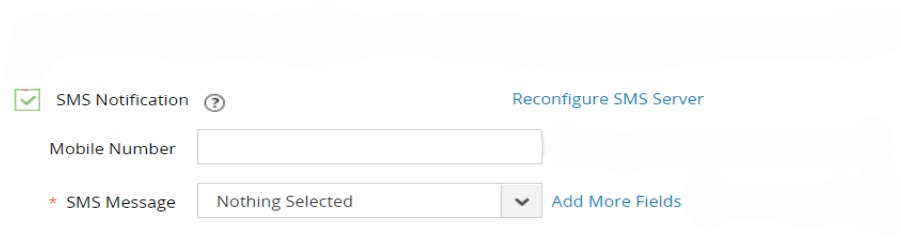
Notifications provide instant visibility of critical alerts, enabling IT and security teams to detect and respond quickly, even when not logged into the console.
- Send Notification drop-down: Choose whether notifications should be sent for all alerts continuously or paused for a specific duration after a notification is triggered.
Remediation
- Navigate to the Playbook tab within the alert profile.
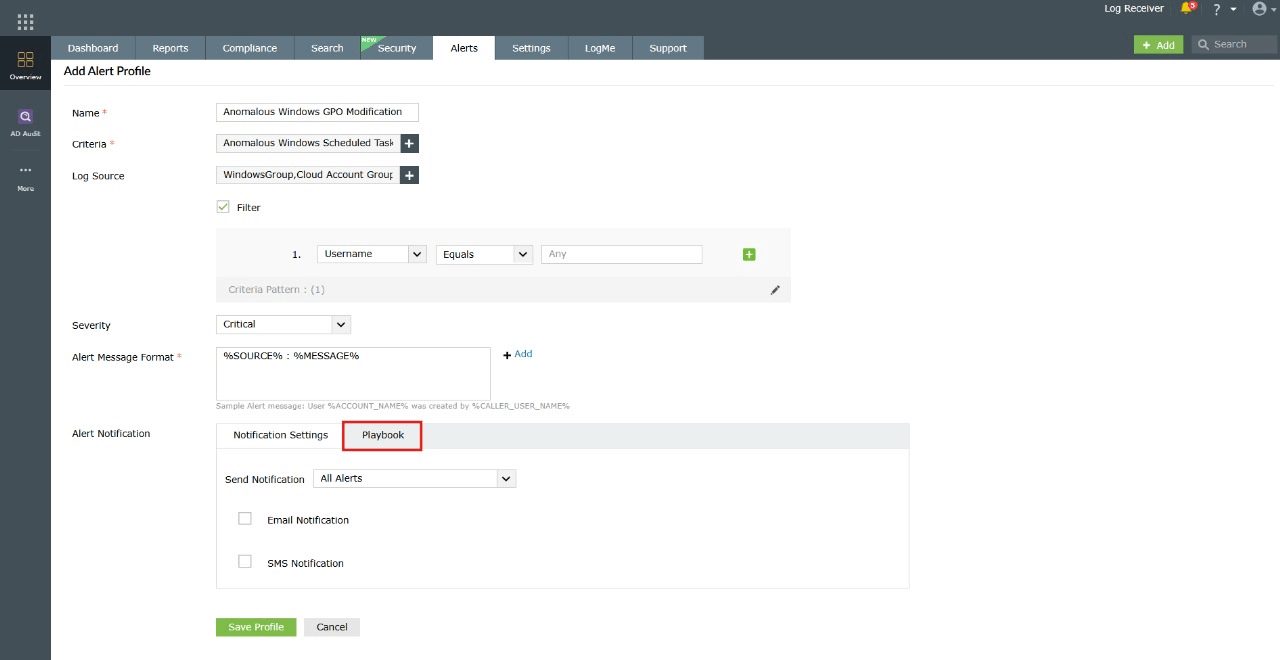
Image 5: Playbook remediations configuration - Check the Enable Playbook option.
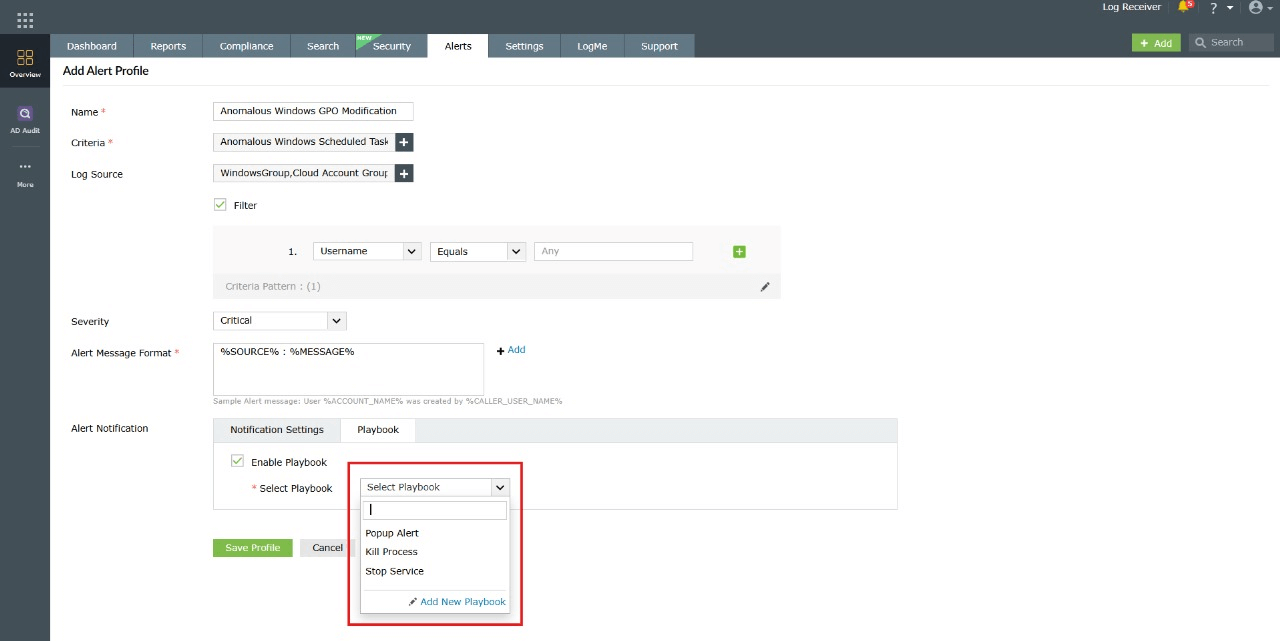
Image 6: Playbook remediations configuration - From here, you can:
- Select from predefined playbooks to automate standard remediation steps.
- Click Add New Playbook to create a custom playbook. A confirmation pop-up will appear. Select OK to continue.
- You will be redirected to the Manage Playbooks module to configure the new playbook.
Examples of playbook actions include:
- Disabling compromised user accounts.
- Blocking malicious IP addresses.
- Killing suspicious processes.
Once configured, the selected playbook executes automatically whenever the alert profile is triggered, reducing response time and minimizing manual intervention.
To learn more about configuring playbooks, refer to the Playbook Management help document.
- Navigate to the Remediation tab within the alert profile.
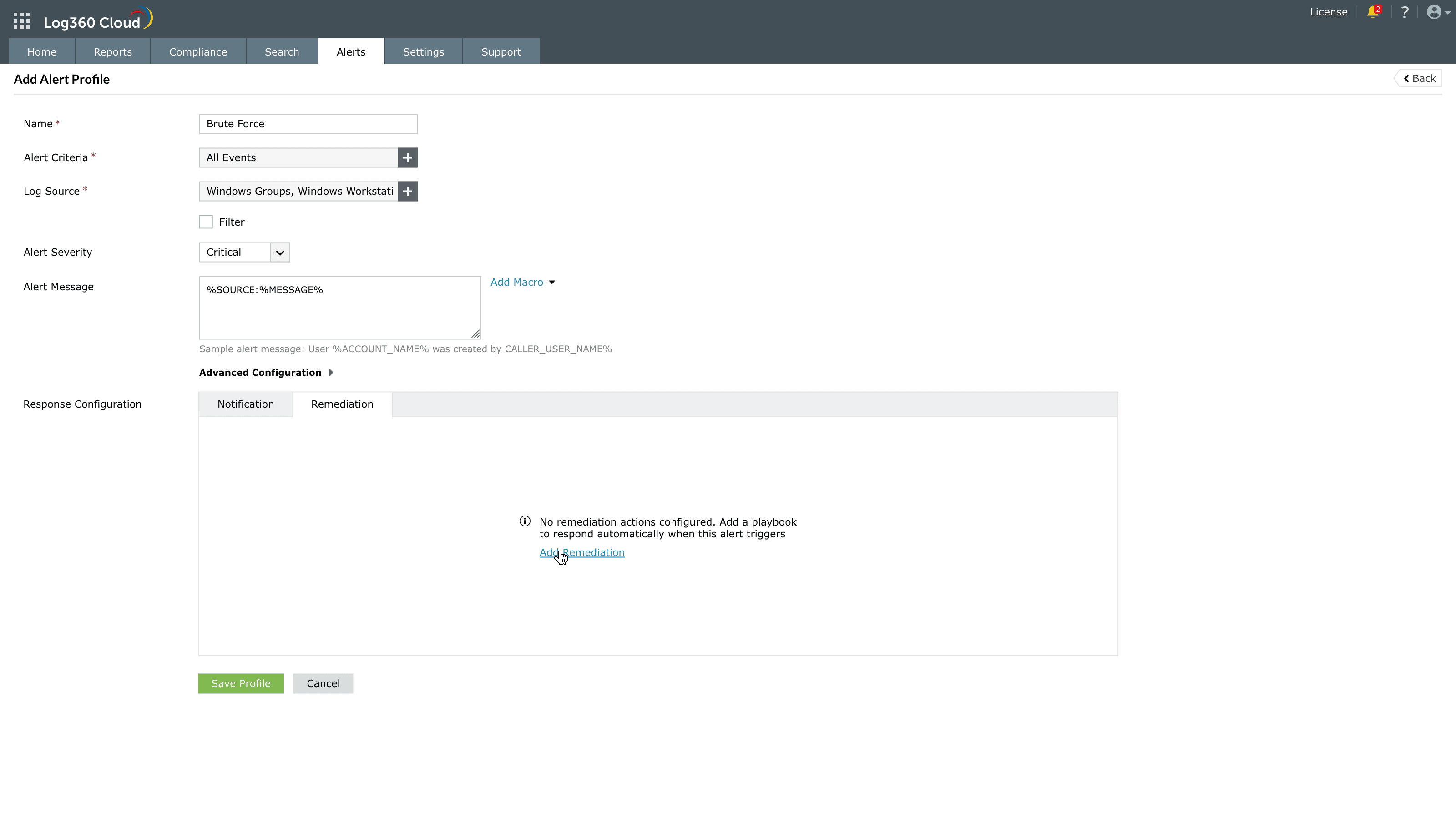
Image 20: Playbook remediation configuration - Click Add Remediation (if no playbooks are configured) or Manage Remediation to configure playbooks for the alert. You can also remove a particular association by clicking on the delete icon
 .
.
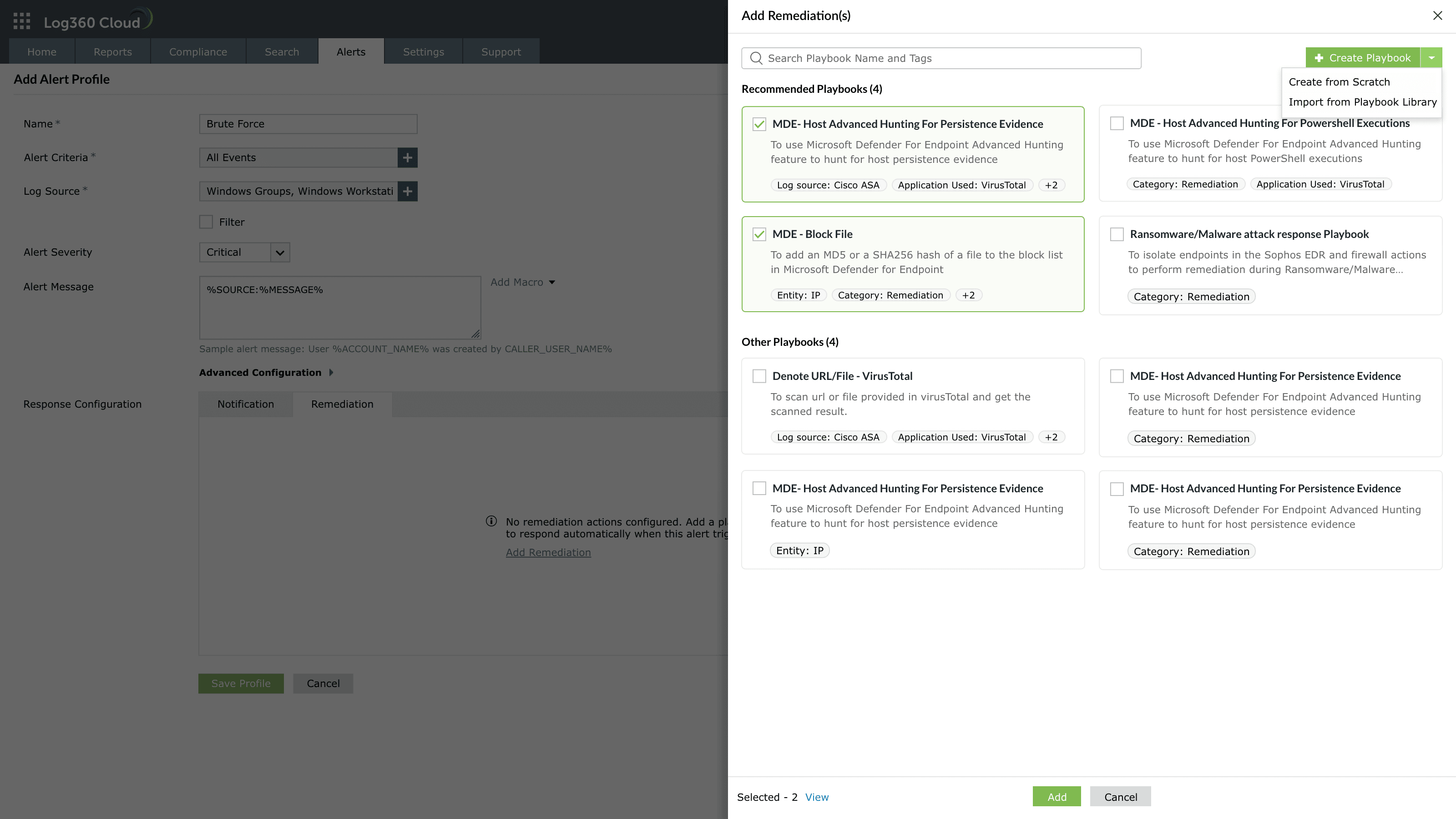
Image 21: Adding playbook remediation 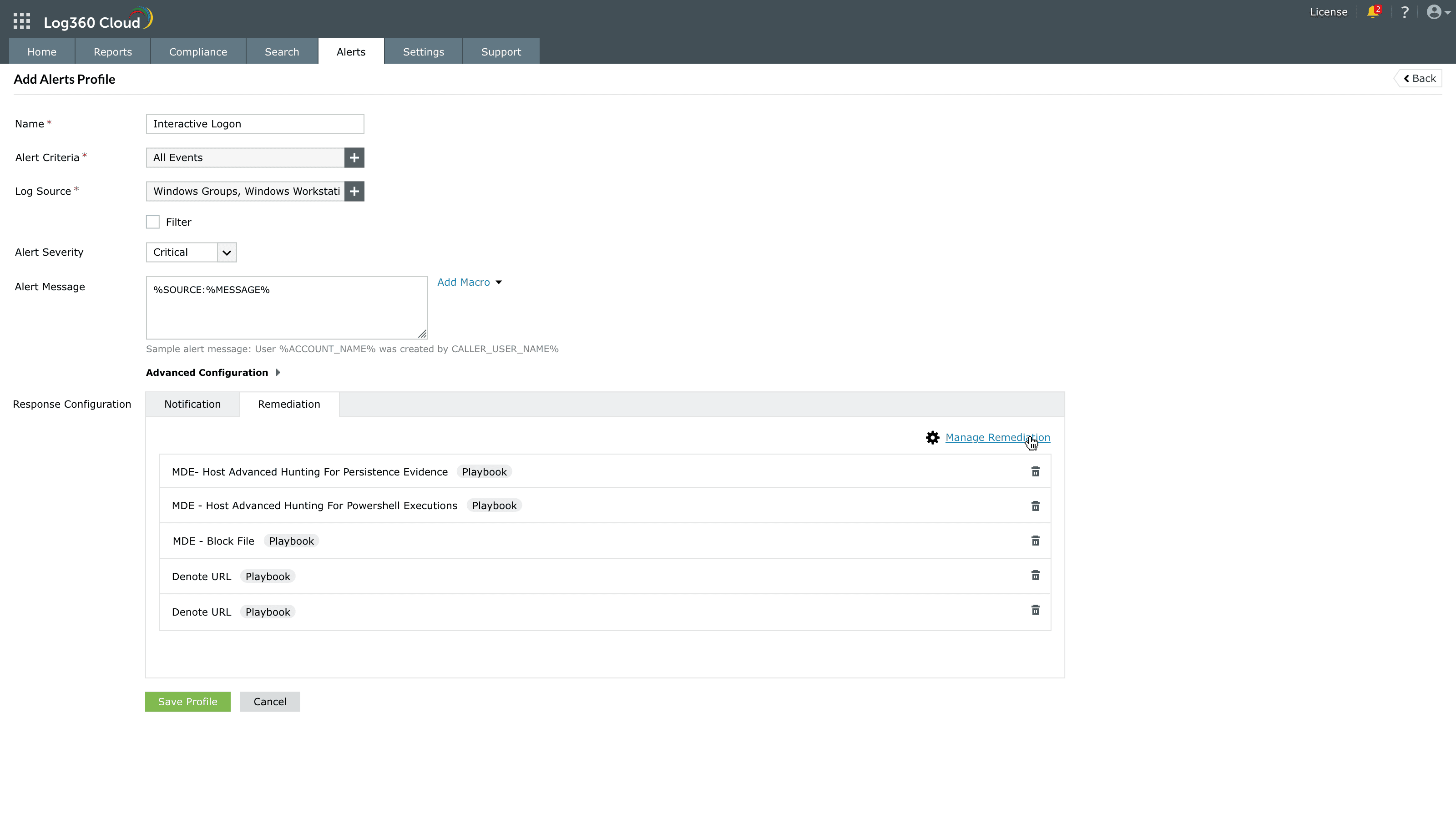
Image 22: Managing playbook remediations - In the Add Remediation(s) window, you can:
- Select the required playbook from the available list.Use the search bar to find specific playbooks.
- Click + Create Playbook to create a new playbook:
- Create from Scratch, or
- Import from Playbook Library.
- After selecting the required playbooks, review them using the Selected count and click View if needed.
- Click Add to attach the selected playbooks.
- If you are modifying existing configurations, click Update instead.
- If you are modifying existing configurations, click Update instead.
- The selected playbooks are listed under the Remediation tab. You can remove any playbook using the delete icon.
Examples of playbook actions include:
- Blocking malicious files or hashes.
- Running advanced hunting queries.
- Scanning URLs or files for threats.
- Performing endpoint or network-level remediation actions.
- Once configured, the selected playbooks execute automatically whenever the alert profile is triggered, reducing response time and minimizing manual intervention.
- If an associated playbook is disabled, it will not be executed when associated alerts are triggered.
- A maximum of only 10 playbooks can be selected for execution at a time.
Read also
This page explained how to configure alert notifications and remediations for the threats detected. Read more about configuring notifications, enabling playbooks, and managing alerts to streamline response and reduce manual effort.