High Availability for Wireless LAN Controller
Following an update to version 12.6.255, OpManager lets you deploy high availability configurations on Wireless LAN Controllers, thereby ensuring uninterrupted availability of the access points within a network. As with conventional high availability clustering configurations, you can set up your WLCs using two different configuration modes. They are:-
- Active - Active Configuration
- Active - Passive Configuration
For steps on how to configure WLCs for high availability, please check this page.
Active-Active Configuration for WLCs
In an active-active high availability configuration for WLCs, you can have two wireless LAN controllers running simultaneously, each with a specific HA role, i.e., primary or secondary. Under normal circumstances, both the WLCs host their respective access points independently. However, since they are mapped to each other, the secondary WLC can take up the role of the primary WLC if it goes down. The access points of the primary WLC are monitored using the secondary WLC. [Read more about Access Point Migration here]
This configuration can be performed from the device snapshot page of the primary WLC using the Configure Secondary Device option. Additionally, information regarding the connectivity and the availability status of the associated secondary device is shown on the device snapshot of the primary device, and vice versa, for seamless navigation between devices of the active-active high availability configuration.
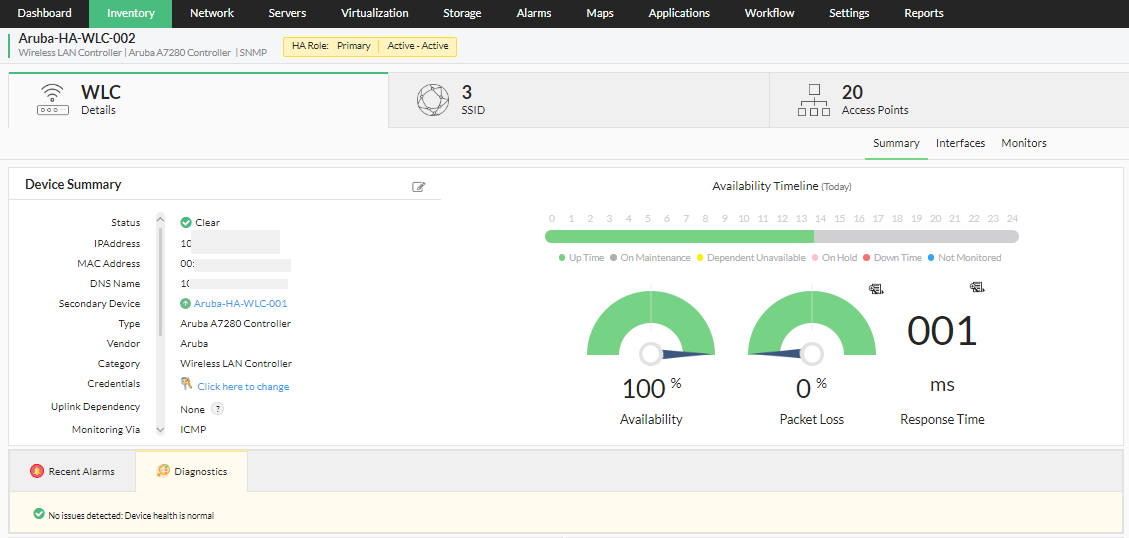
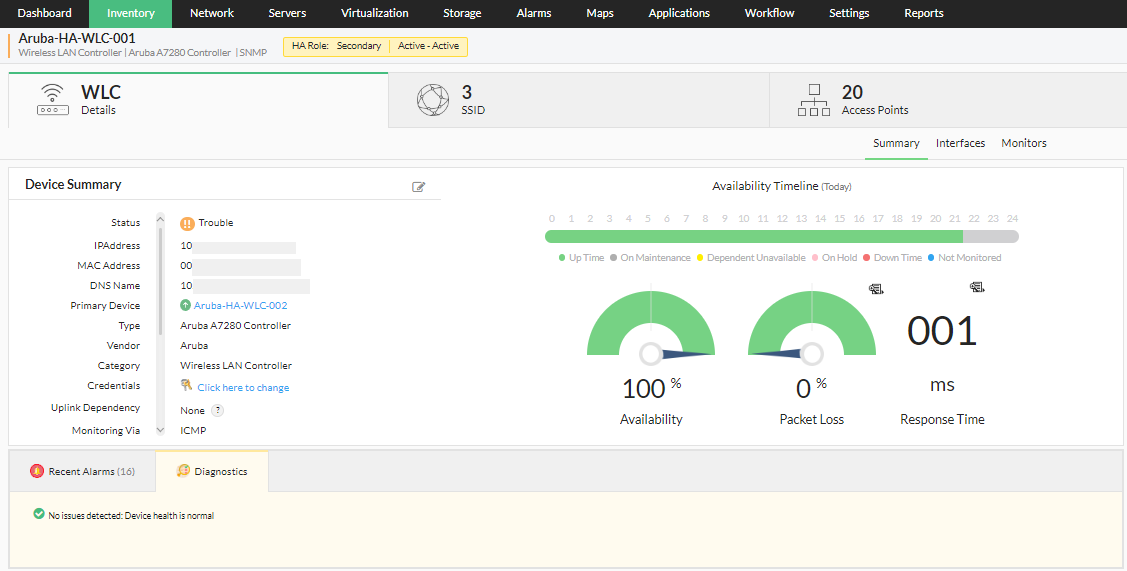
In order for a disaster recovery active-active setup to run seamlessly, it is recommended that both the wireless LAN controllers be configured for redundancy. In other words, the following settings/configurations must be identical on both devices:
- Make and model of both the WLCs
- Number of ports/access points
- OS version
Active-Passive Configuration for WLCs
Similar to an active-active configuration, an active-passive setup also consists of two WLCs, an active, and an idle WLC which is brought online only when its associated primary WLC fails.
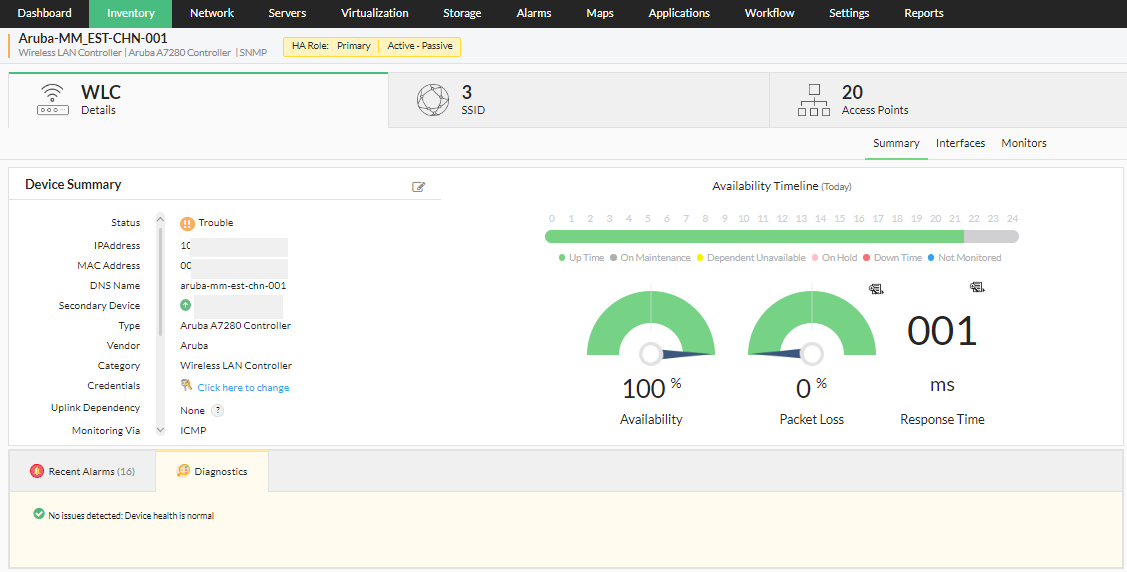
In this configuration, while the primary WLC is active, the secondary WLC is always on standby. The passive (secondary) device serves as a backup that is ready to take over as soon as the active (primary) device is down or unavailable.
As with the active-active configuration, it is crucial that both the primary and secondary devices have exactly the same settings, as shown below:
- The firmware version of both the primary and the secondary devices must be the same.
- The hardware configurations of both the primary and secondary devices must be the same.
- Polling is done using IP address for the devices mapped with high availability.
Access Point Migration
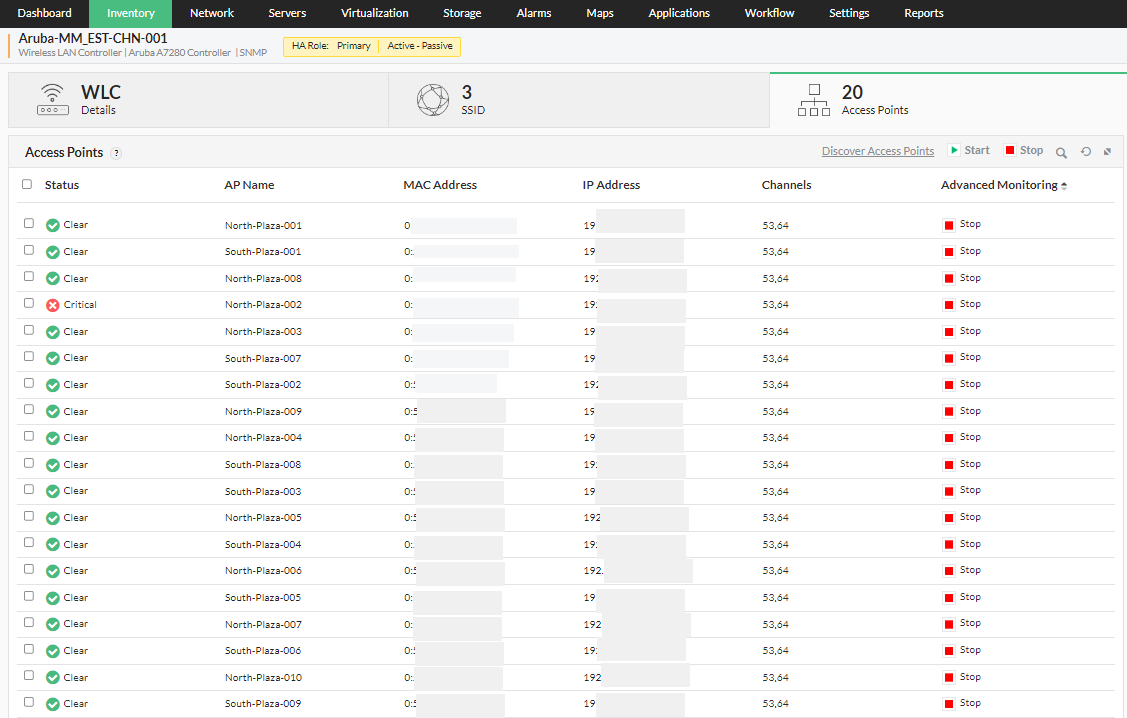
The high availability feature of OpManager helps mitigate failures and reduce downtime faced by the user, by utilizing a secondary standby controller connected to the primary controller via the active-passive HA link over a dedicated redundancy port. In a two node active-passive WLC cluster, the access points are available on only one WLC. If in such case the primary wireless LAN controller goes down, the access points on the controller are instantly moved to the secondary controller instantly, allowing the client devices to continue operations without experiencing any SSID downtime. The security keys of all the client devices connected through the access points, are also transferred to the secondary/standby controller, so the client can re-authenticate automatically.
For steps on how to configure WLCs for high availability, please check this page.