Routing Protocol Monitoring in OpManager
Routing protocols are essential for determining the optimal path for data transmission across networks. With routing protocols such as OSPF (Open Shortest Path First), IS-IS (Intermediate System to Intermediate System), and EIGRP (Enhanced Interior Gateway Routing Protocol), OpManager constantly updates the destination network, next hop, interface, metrics, flaps, polling time, and status of the link. This can be leveraged by network administrators to gain real-time visibility into dynamic routing environments and ensure proactive issue detection.
Table of Contents:
- Discovering and Rediscovering Routing Protocols
- Supported Routing Protocols for Neighbour Monitoring
- Network Flapping in OpManager
- Routing Table
- Neighbours Details Table
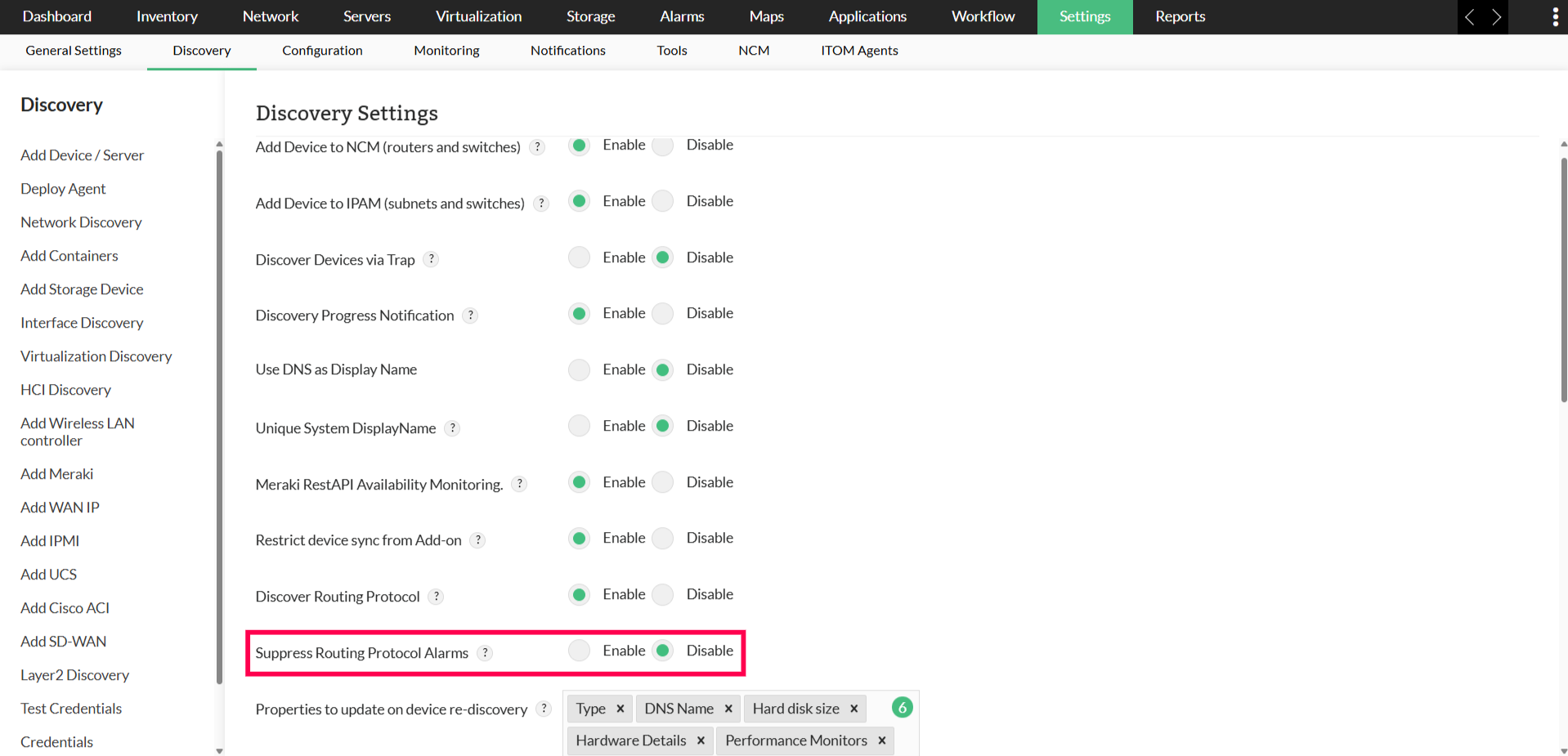
- Routing Protocol - Discovery Settings
Discovering and Rediscovering Routing Protocols
Routing Protocol can be discovered or rediscovered using any of the following methods:
- Enable Discover Routing Protocol in Discovery Settings to automatically discover or update routing data during device discovery and rediscovery.
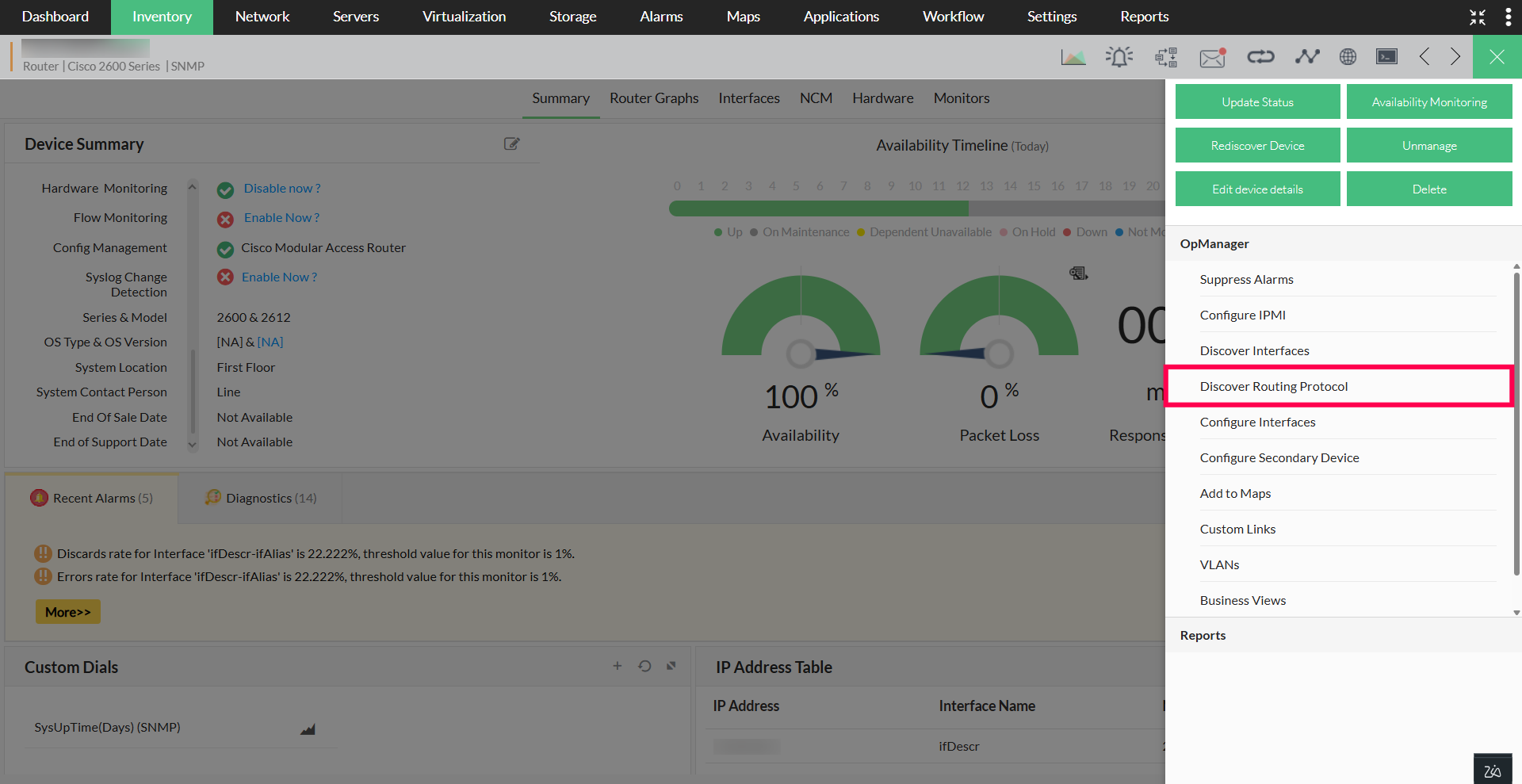
- Choose a device where the routing protocol must be discovered. On the Device Snapshot page, go to More Actions → Discover Routing Protocol.
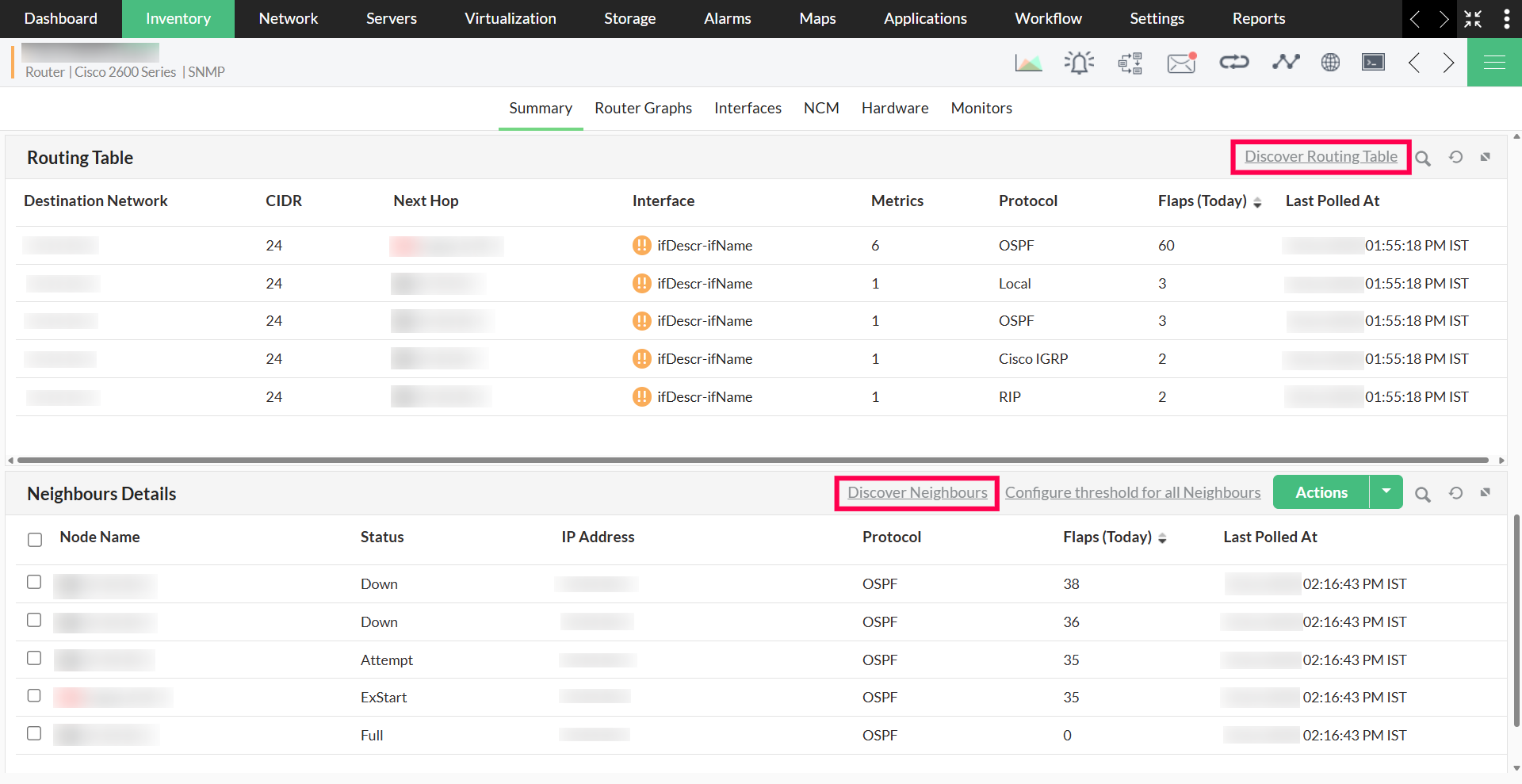
- Use the Discover Routing Protocol option available in the Routing Protocol widget.
Supported Routing Protocols for Neighbour Monitoring
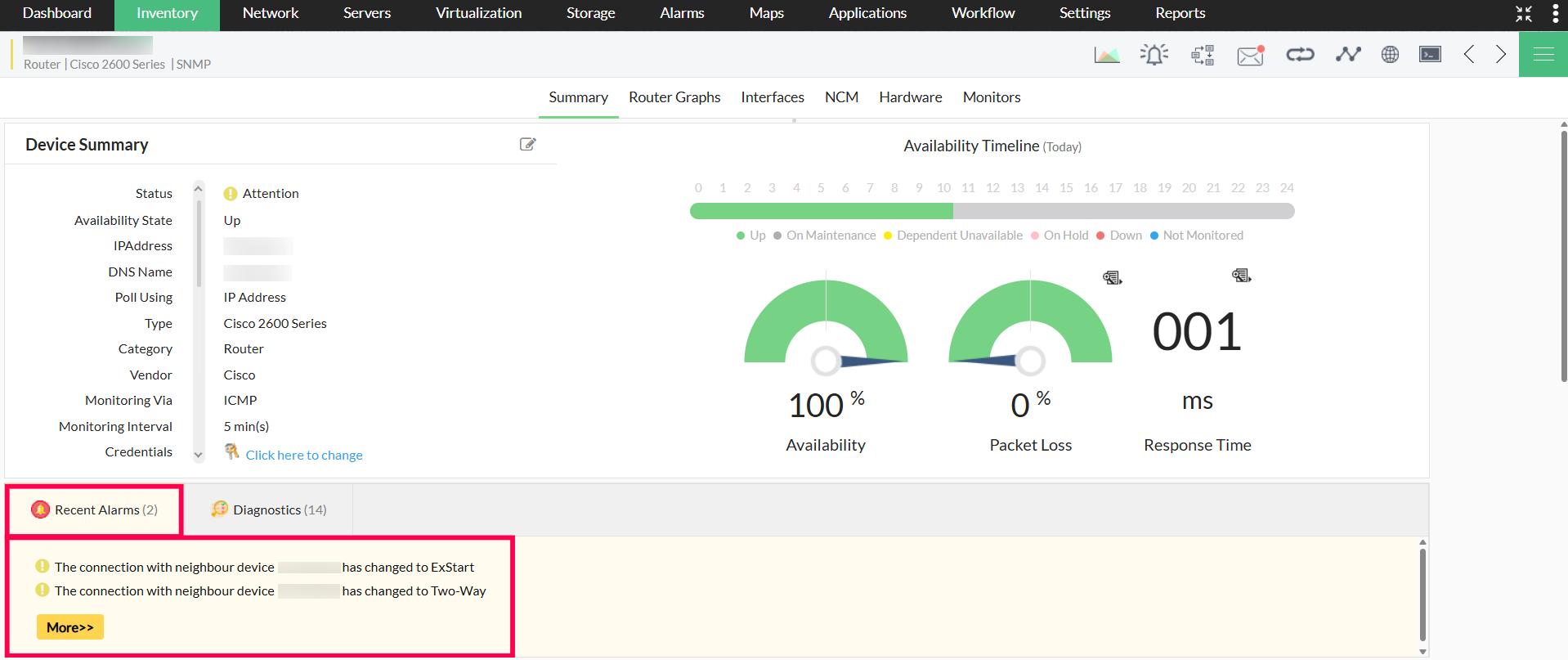
OpManager monitors the neighbours and their states for OSPF, IS-IS, and EIGRP routing protocols. It alerts users in case of state changes and maintains a flap count for the current day. This helps in identifying unstable links or frequent topology changes that may affect routing efficiency.
Network Flapping in OpManager
Flapping refers to frequent changes in routing protocol states (up or down), which indicate network instability. This may result in network disruptions, packet loss, or increased latency. The flap count is included in both the Routing Table and Neighbours Details table. OpManager identifies routing protocol flapping in the following ways:
- Route Flap: A route is considered to have flapped if there is a change in the metric or interface, or if the route is removed and reappears.
- Neighbour Flap: A neighbour is considered to have flapped if there is a change in its relationship state.
Routing Table
Routing protocols dynamically exchange route information between network devices to determine the most efficient path for data transmission. OpManager collects and displays this data, allowing administrators to monitor routing behavior and quickly identify potential bottlenecks.
To view the Routing and Neighbours Details tables, go to Inventory, and select the required device. You will be directed to the device snapshot page. Scroll to the bottom of the page to view the tables.
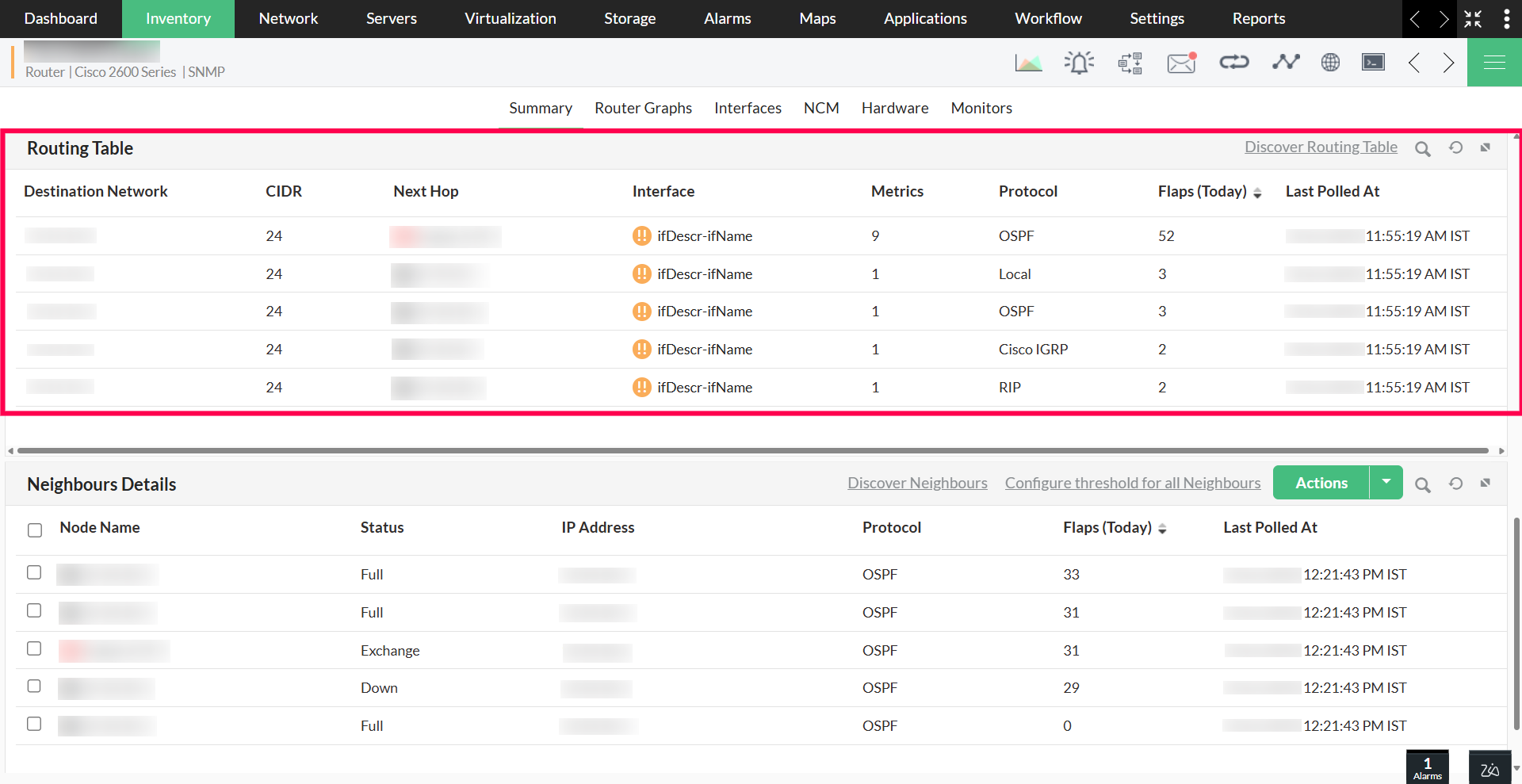
The Routing Table includes the following metrics:
- Destination Network: The subnet where the packet finally reaches.
- CIDR: The subnet mask used to reach the destination.
- Next Hop: The next device in the path toward the destination. Its status is monitored if added to OpManager.
- Interface: The interface through which the packet is routed. Its status is monitored if the interface is added to OpManager.
- Metrics: The cost or distance to reach the destination.
- Protocol: The routing protocol used to transfer packets.
- Flaps: The number of times the route has flapped today.
- Last Polled Time: The last time the routing table was refreshed.
Note: The Routing Table is updated every 30 minutes from the time the service starts. The Neighbours Details table is refreshed based on the device status polling interval.
Neighbours Details Table
OpManager monitors the state of routing neighbours to track connectivity and detect instability in routing paths.
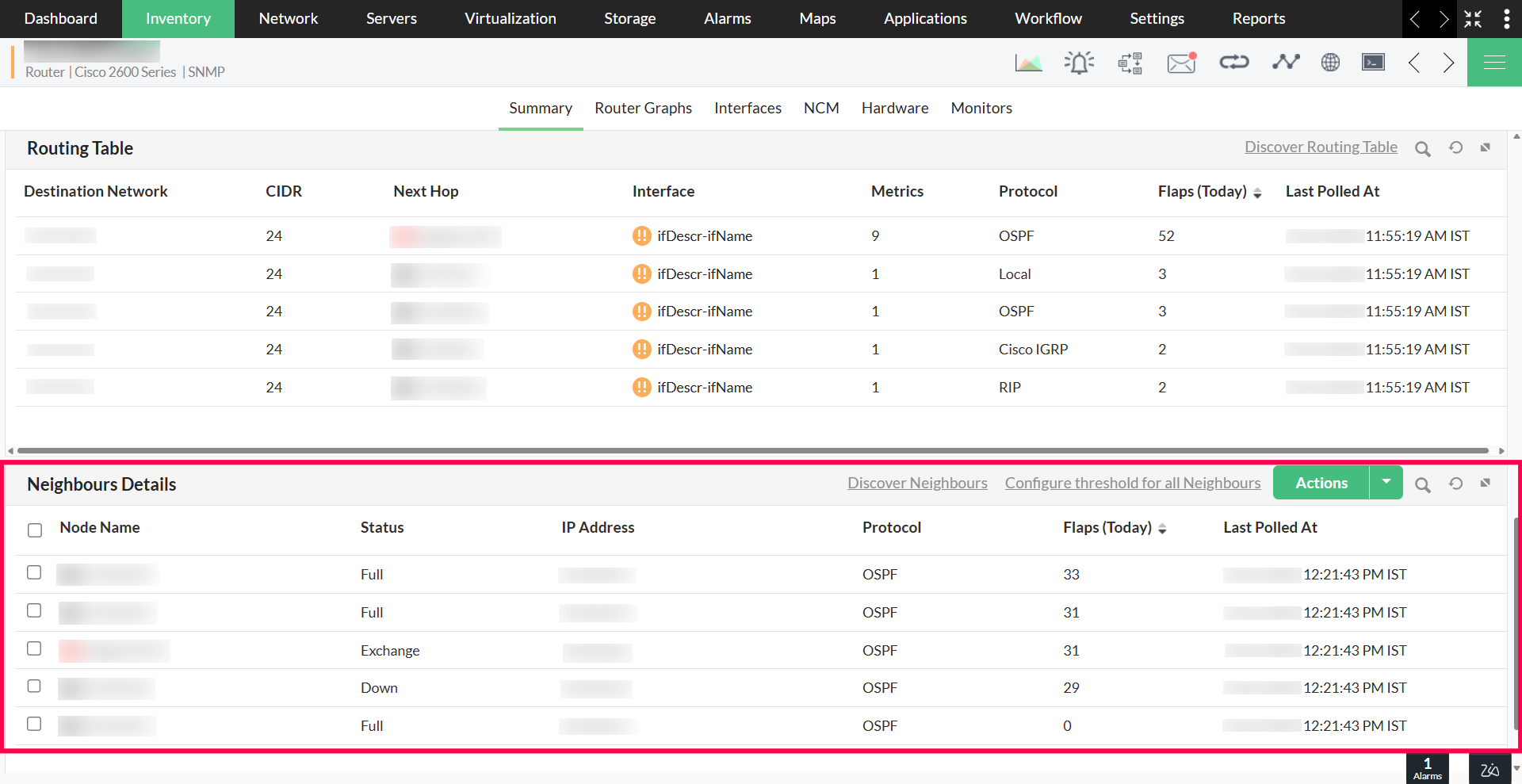
The Neighbours Details table displays the following:
- Neighbour Node: Displays the IP address of the neighbour. If the neighbour device is added in OpManager, its name and status are also shown.
- Status: Indicates the connectivity status between the device and its neighbour.
- Neighbour IP Address: The IP address of the routing neighbour.
- Protocol: The protocol used to establish connectivity with the neighbour.
- Flaps: The number of times the neighbour state has changed today.
- Last Polled Time: The most recent time the neighbour table was refreshed.
More configurable actions in neighbour monitoring:
- Threshold Configuration: Configure flap threshold for all neighbours. By default, this is enabled to trigger an alert if five or more flaps occur within 30 minutes. This setting can be enabled or disabled as needed.

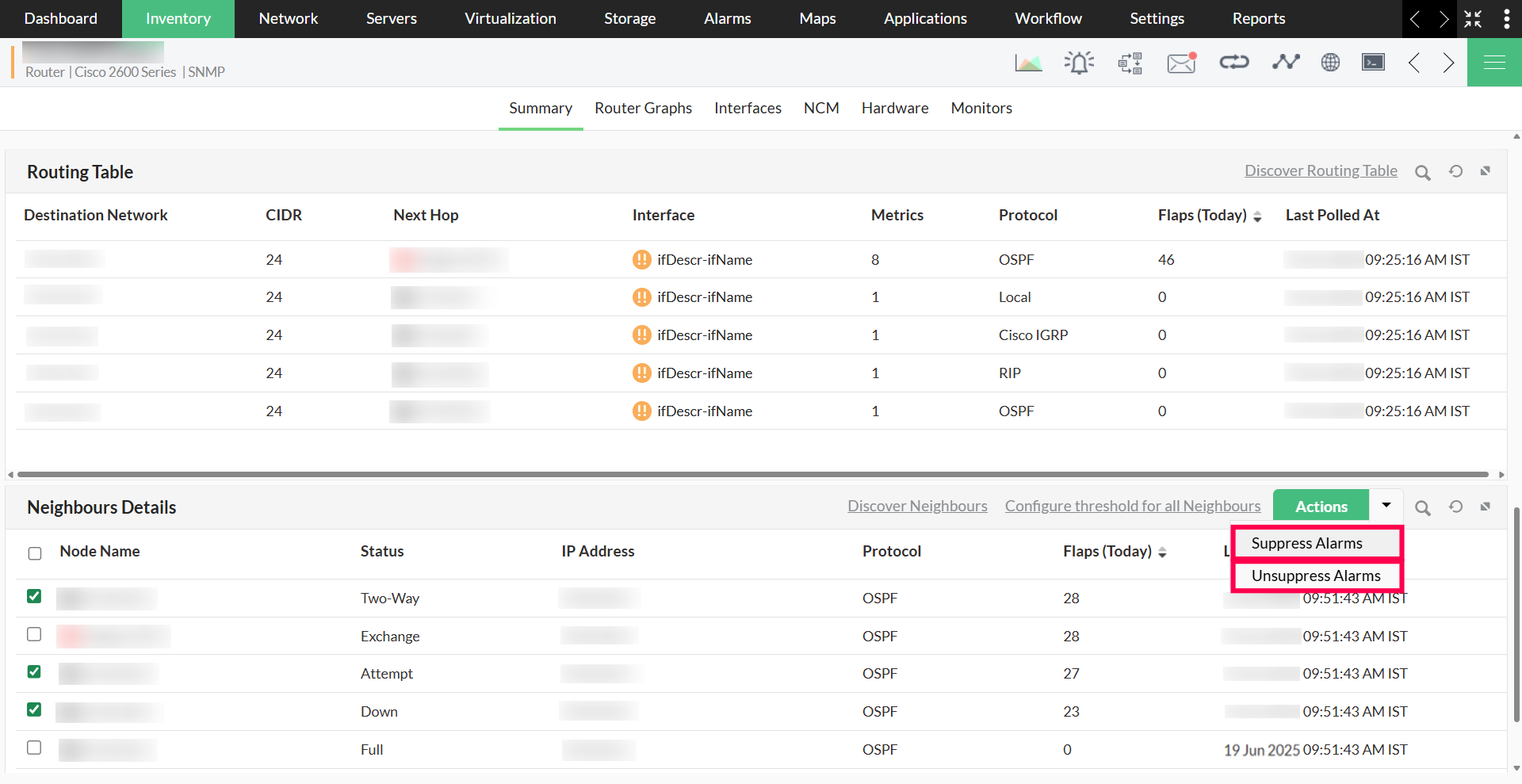
- Suppress/Unsuppress Alarms: Suppressing alarms disables alert generation for neighbour state changes and threshold violations.
Routing Protocol - Discovery Settings
Discover Routing Protocol
When enabled in Discovery Settings, OpManager discovers the Routing Table, Neighbours Details, and BGP Summary during device addition, and updates them during rediscovery. If disabled, these details are not collected for newly added devices. However, for devices where routing data has already been discovered, updates will still be applied. This setting also affects BGP discovery.
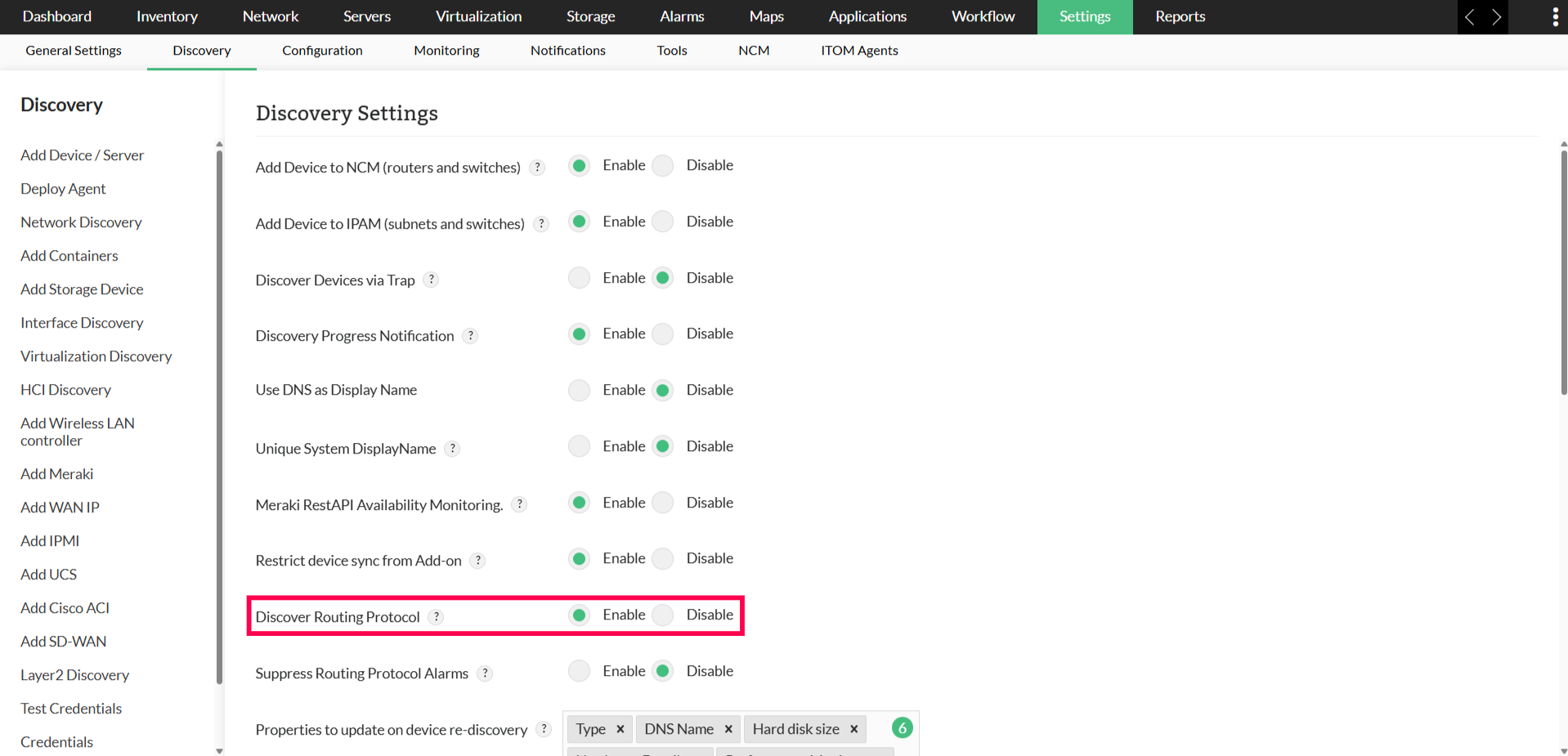
Suppress Routing Protocol Alarms
When enabled, all routing protocol alerts, including state changes, flap alerts, and monitoring-related notifications for all supported protocols, including BGP will be suppressed.