×![]()
×
×![]()
×
×
Rapid7 On-Premises Integration
The Patch Manager Plus and InsightVM (On-Prem) integration streamlines the process from vulnerability detection to remediation. This empowers IT administrators to effortlessly deploy patches from the Patch Manager Plus console for vulnerabilities detected by InsightVM (On-Prem). No more hassle of switching between multiple dashboards or manually correlating vulnerabilities with their patches. The Patch Manager Plus - InsightVM (On-Prem) integration simplifies these tasks and streamlines the entire process.
Steps to integrate InsightVM (On-Prem) with Patch Manager Plus
Configure API Settings in Patch Manager Plus
- Navigate to Admin > Integrations > Threat scanner settings and click on InisghtVM (On-prem).
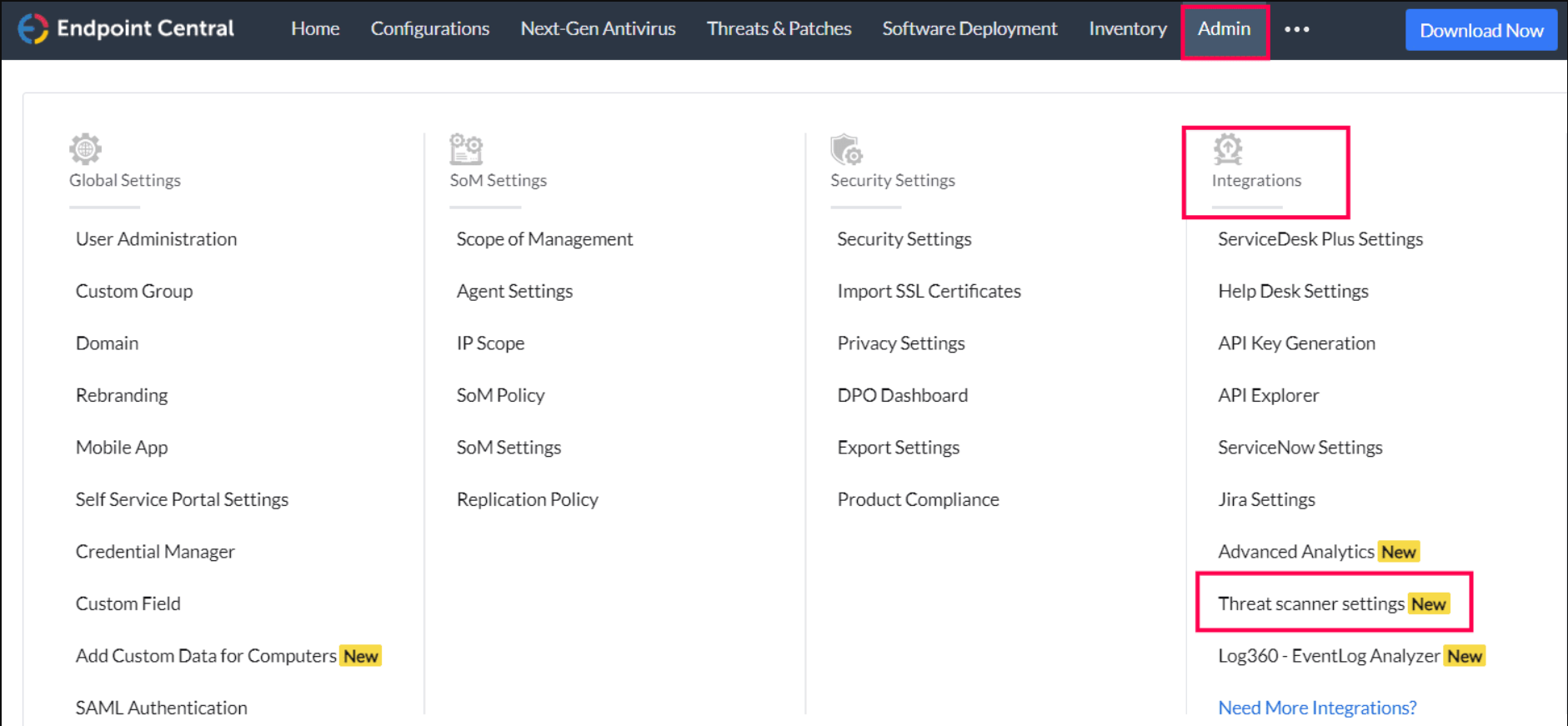
- Enter the login credentials of InsightVM - base URL, Username and Password. User with Basic permissions is sufficient to integrate. Ensure the following permissions are enabled:
- View Site Asset Data
- Create Reports
- View Vulnerability Investigations

- If a proxy is configured to block access to the local InsightVM server, you can enable the Skip Proxy option, but only if the InsightVM hosted server URL is not globally whitelisted. Enabling this option overrides the proxy settings, allowing direct connection to the InsightVM server.
- Configure the frequency at which you want the data sync to happen.
- Click on Save to enable the Integration.
Workflow
- After enabling the Integration, Patch Manager Plus will import the vulnerability details and the affected machine details from Insight VM (on-prem).
- Identify the corresponding patch/fix for the respective vulnerabilities and remediate those vulnerabilities by installing the appropriate patch.
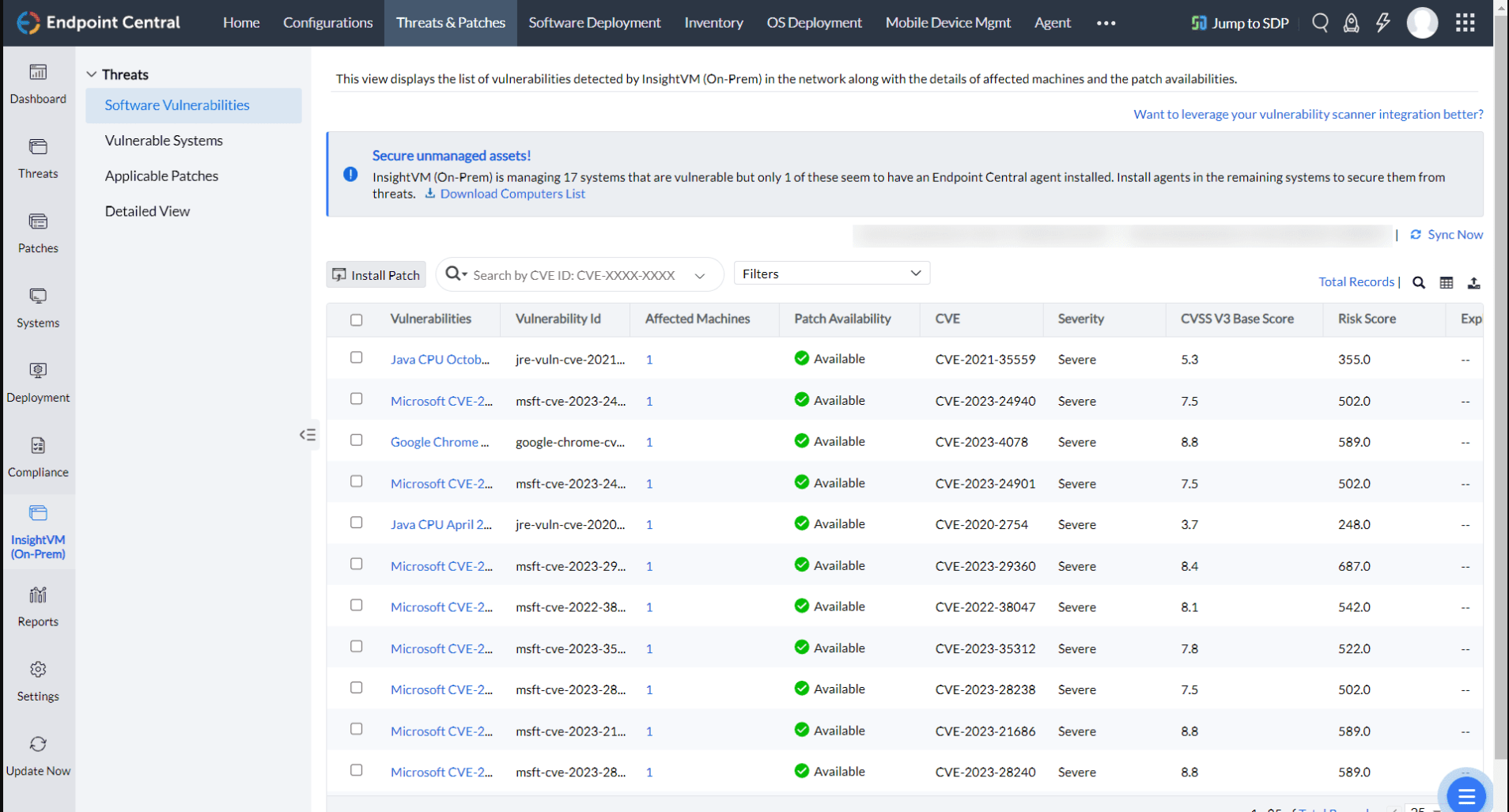
- Threats detected by Insight VM (On-prem), with the patch availability, will be listed under Insight VM (On-prem) Threats. Users can also deploy patches for vulnerabilities from this view.
If you have any further questions, please refer to our Frequently Asked Questions section for more information.