Create Computers Objects Using CSV
Using this feature, can create bulk computer accounts so that these computers can log in to the domain and access the network resources.
Procedure:
First select the domain in which the computers must be created. Then, import the CSV file which contains the necessary computer attributes and click Apply.
Steps:
- Click AD Mgmt tab → Computer Management → Create Computers.
- From the drop down menu, select the domain in which the computers are located (Note: If you know the OU in which the computers are located, click the add OUs button and select the appropriate OU)
- Import the CSV file with relevant computer attributes and click Next.
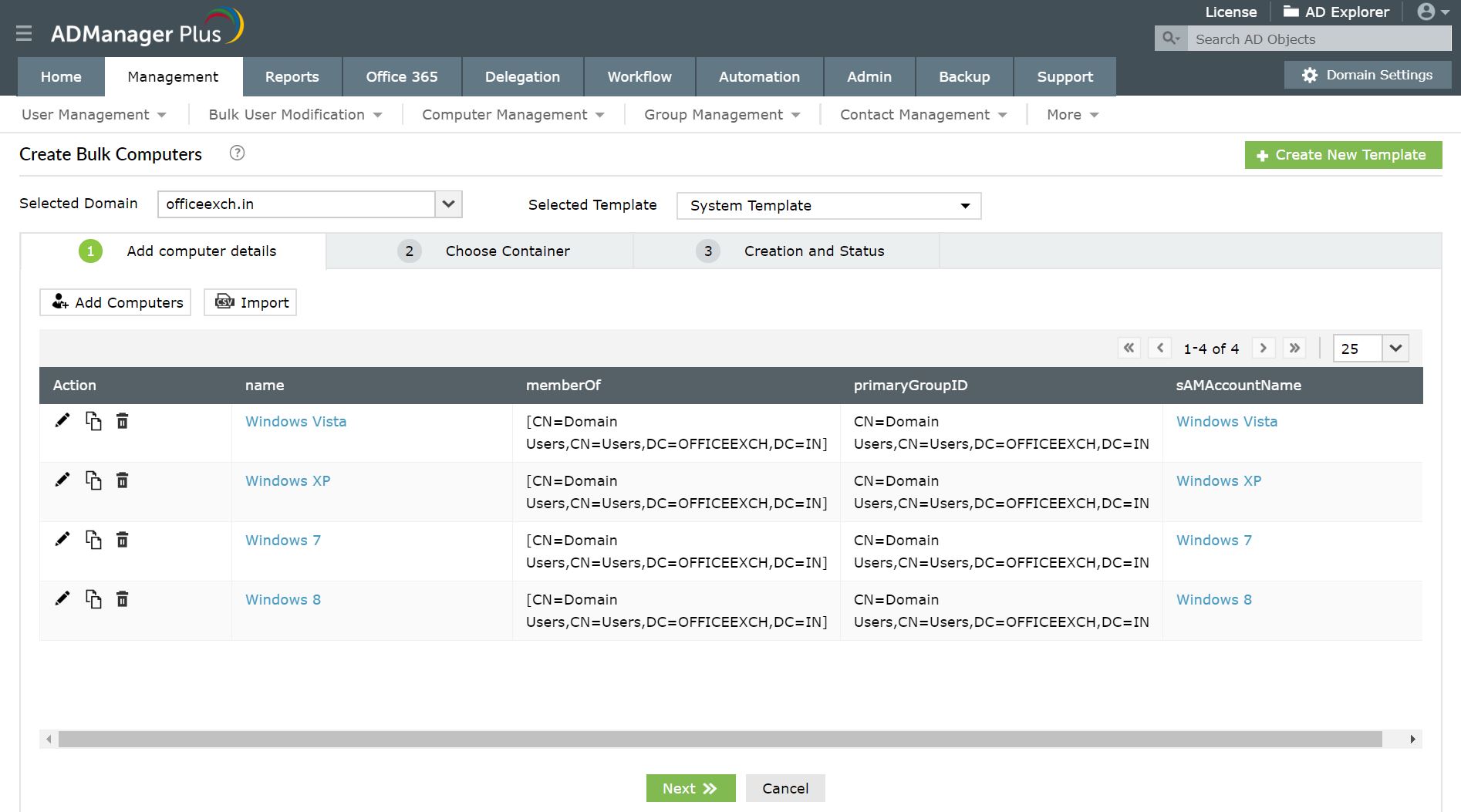
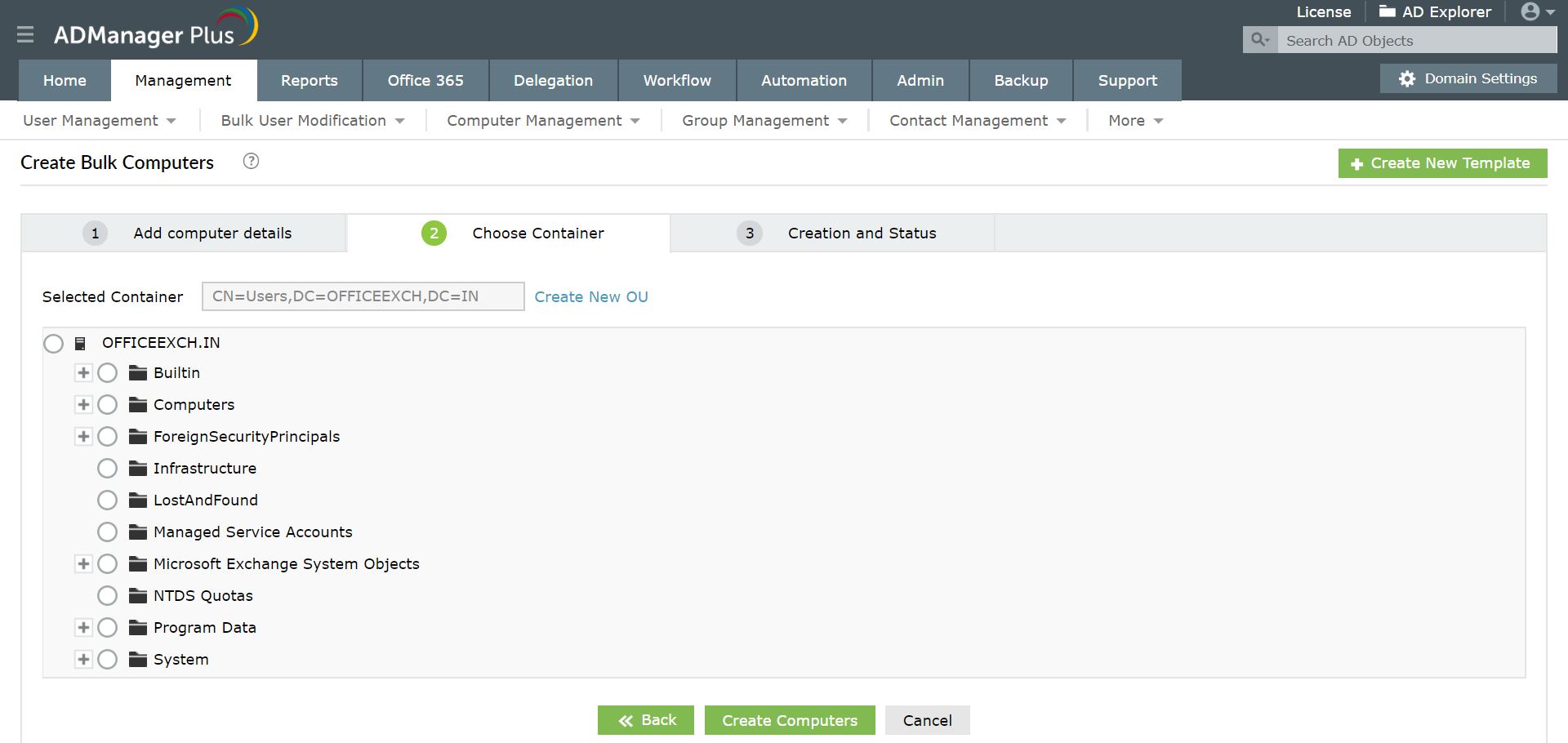
- Now, Select the container in which you want to create the computers and click "Create Computers" button.
- Thus the computers have been created successfully created.
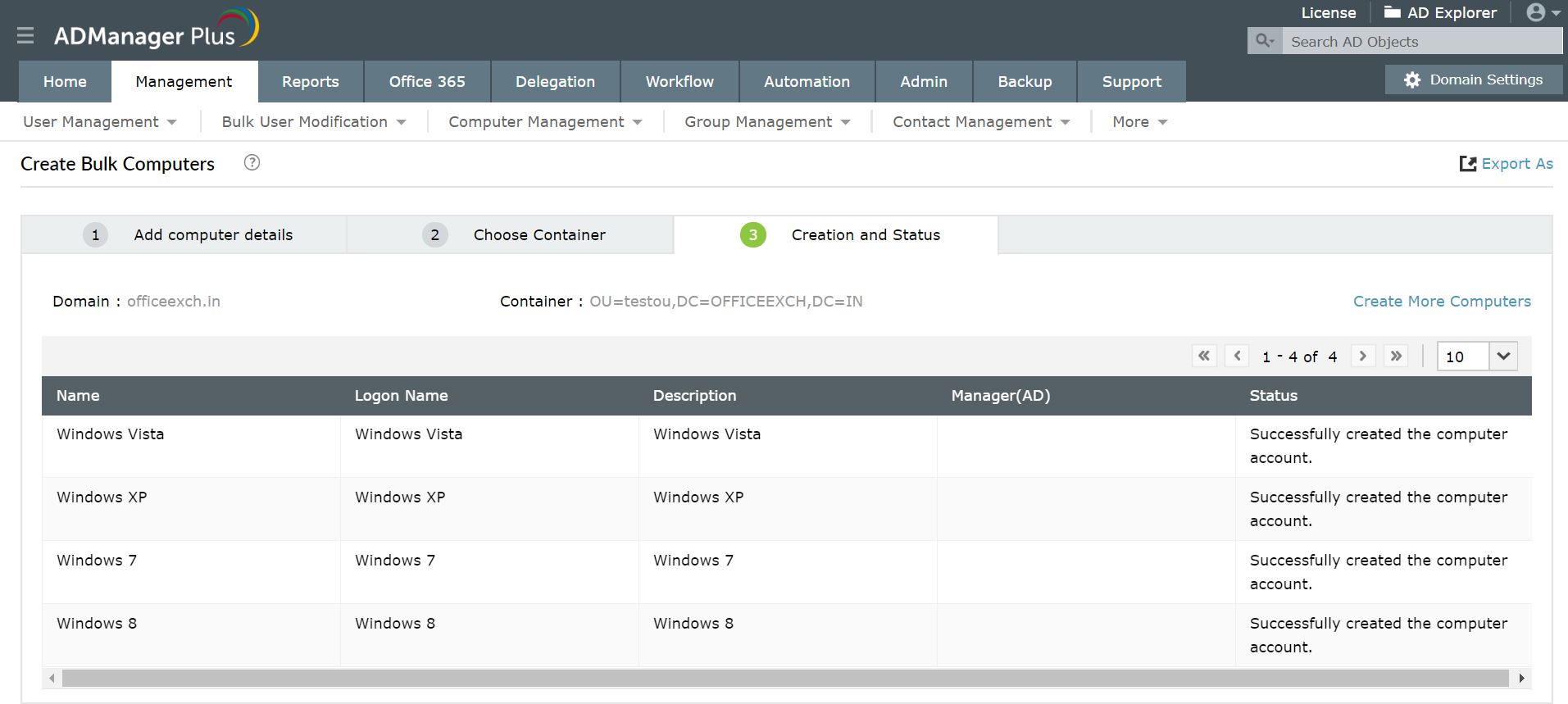
The change summary and the status of the modification can be verified.