Patch Installation Failure - "Error 1612"
Problem
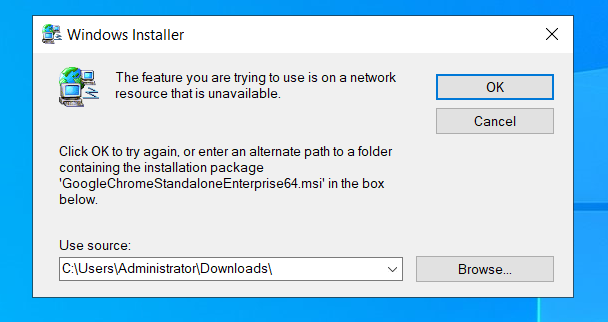
Patch installation fails with a fatal error. The root cause of this, is the error 1612 caused because the feature you are trying to use is not available on the network resource or the installation source of the product is unavailable.
Cause
Typically when an MSI-based product is uninstalled, repaired, or upgraded, the previous installer (.msi file) must be available to complete the operation. During installation, the Windows installer usually copies the MSI file to C:\Windows\Installer. When you uninstall a product, Windows Installer will first try to perform the uninstall using the MSI file saved in C:\Windows\Installer. If the MSI file does not exist in C:\Windows\Installer, it will uninstall following the original path used to perform the install. If the MSI file doesn’t exist in the C:\Windows\Installer or original source folder, we will receive this error.
Resolution
- If only a few systems are affected by this error, you may manually run the troubleshooter pack suggested by Microsoft to uninstall the products
Microsoft's fix for uninstalling products If not, you can resolve this by using the old installer file and placing it in the same location before installing the new version. This can be done using the Software Deployment option in Endpoint Central, by following the steps below:
- Create the latest package of the software (For example: Google chrome) from its template available under Software deployment.
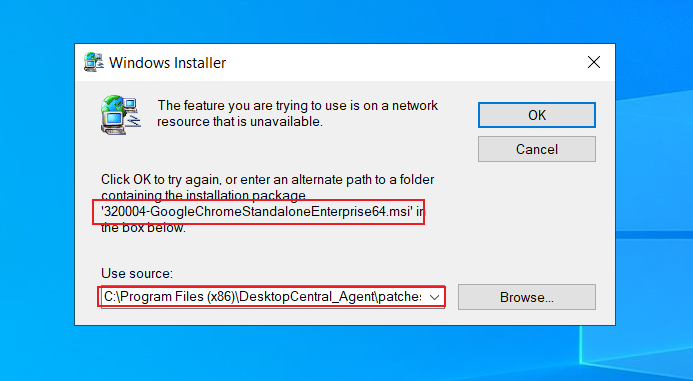
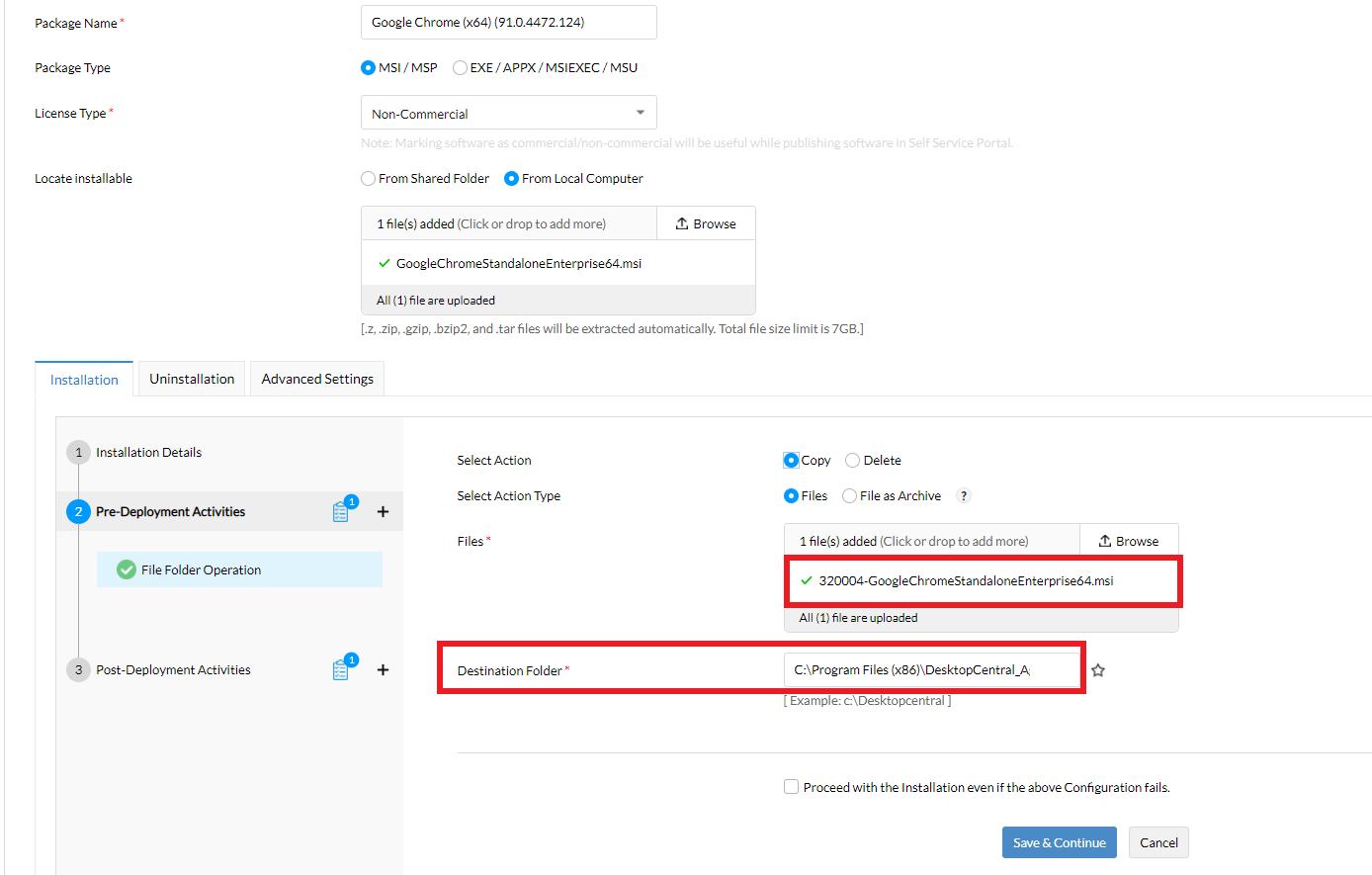
- Modify the package and in Pre-Deployment Activities, choose the File Folder Operation option and upload the file (File name and the file path should be the same as seen in the Error screenshot that you get).
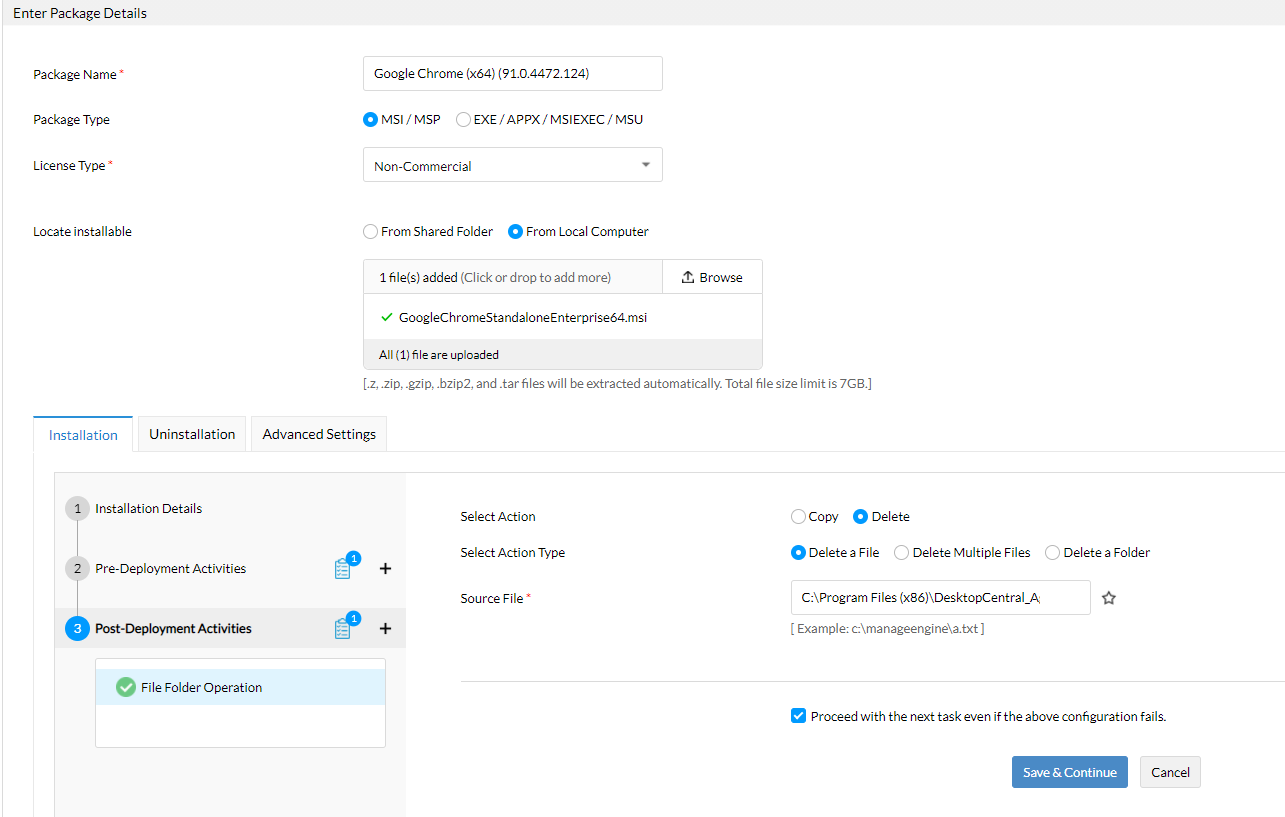
- Then in Post-Deployment Activities, choose File Folder Operation, and select the delete option to delete the file from the location it was copied to after installation of new version.
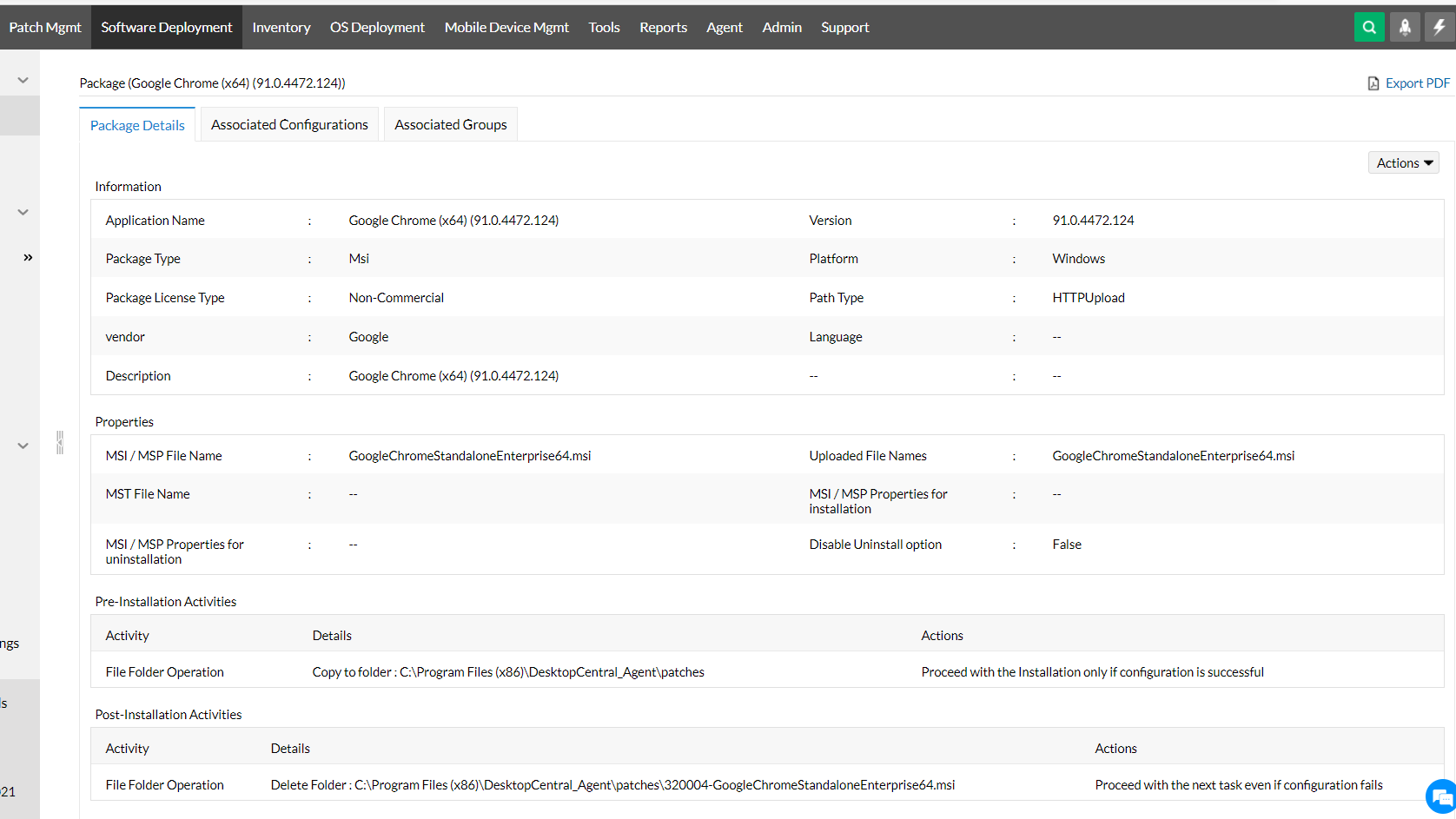
- Deploy this package to all your affected machines.
If the installation fails even after using the link given above, kindly contact support with the following details:
- Operating system version
- Explain your problem step-by-step in detail (This is optional)
- If you get error messages, please provide a screenshot