Installing and starting the HighPerf add-on
Pre-requisites
Click here to find out what the pre-requisites are for installing the HighPerf add-on.
Installation
By UI (From version 12.7)
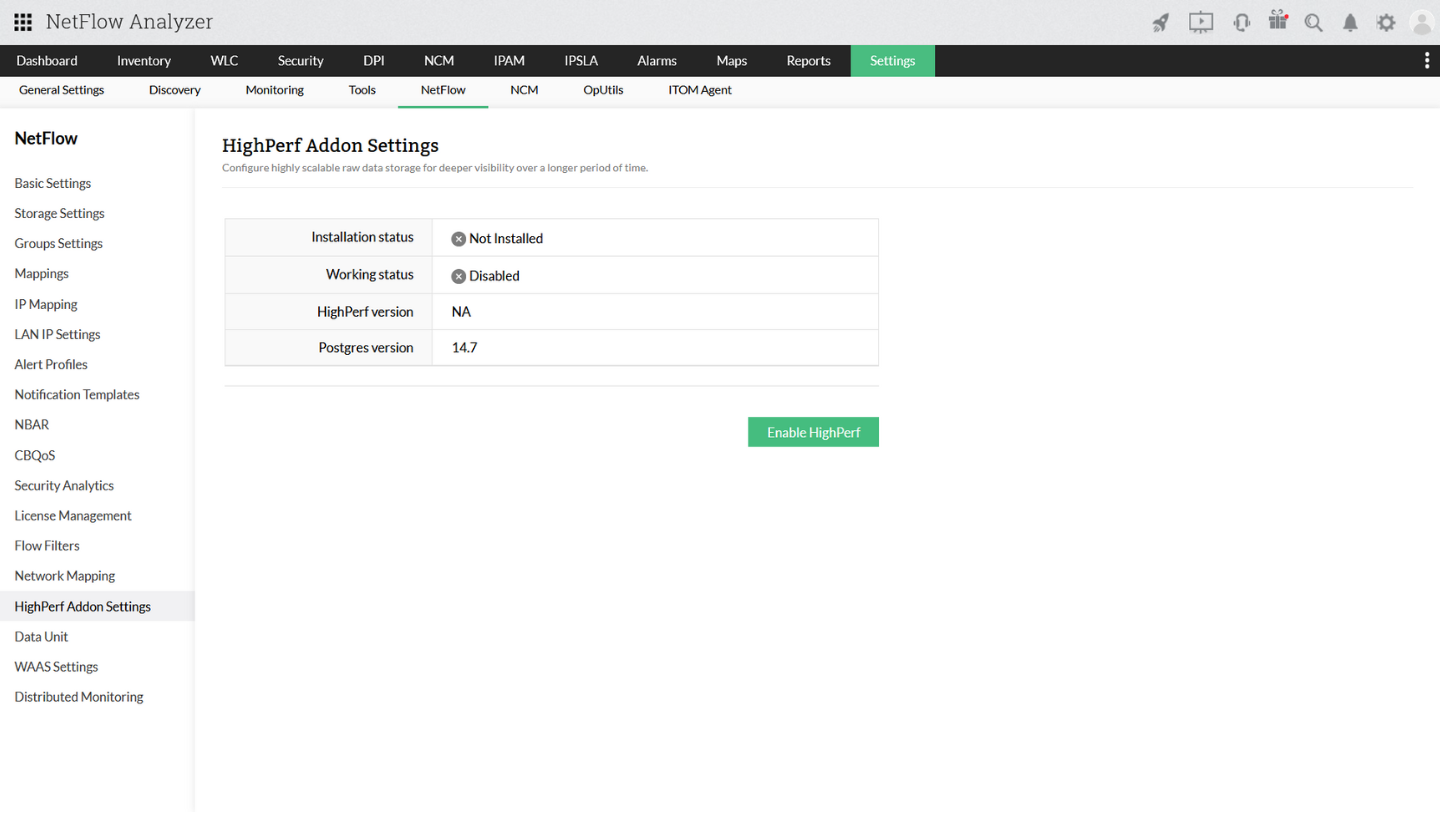
- Go to Settings > NetFlow > HighPerf Addon Settings
- Click on 'Enable HighPerf'
- On successful enabling, service restart message will be shown
- Restart NetFlow Service, to start using HighPerf database
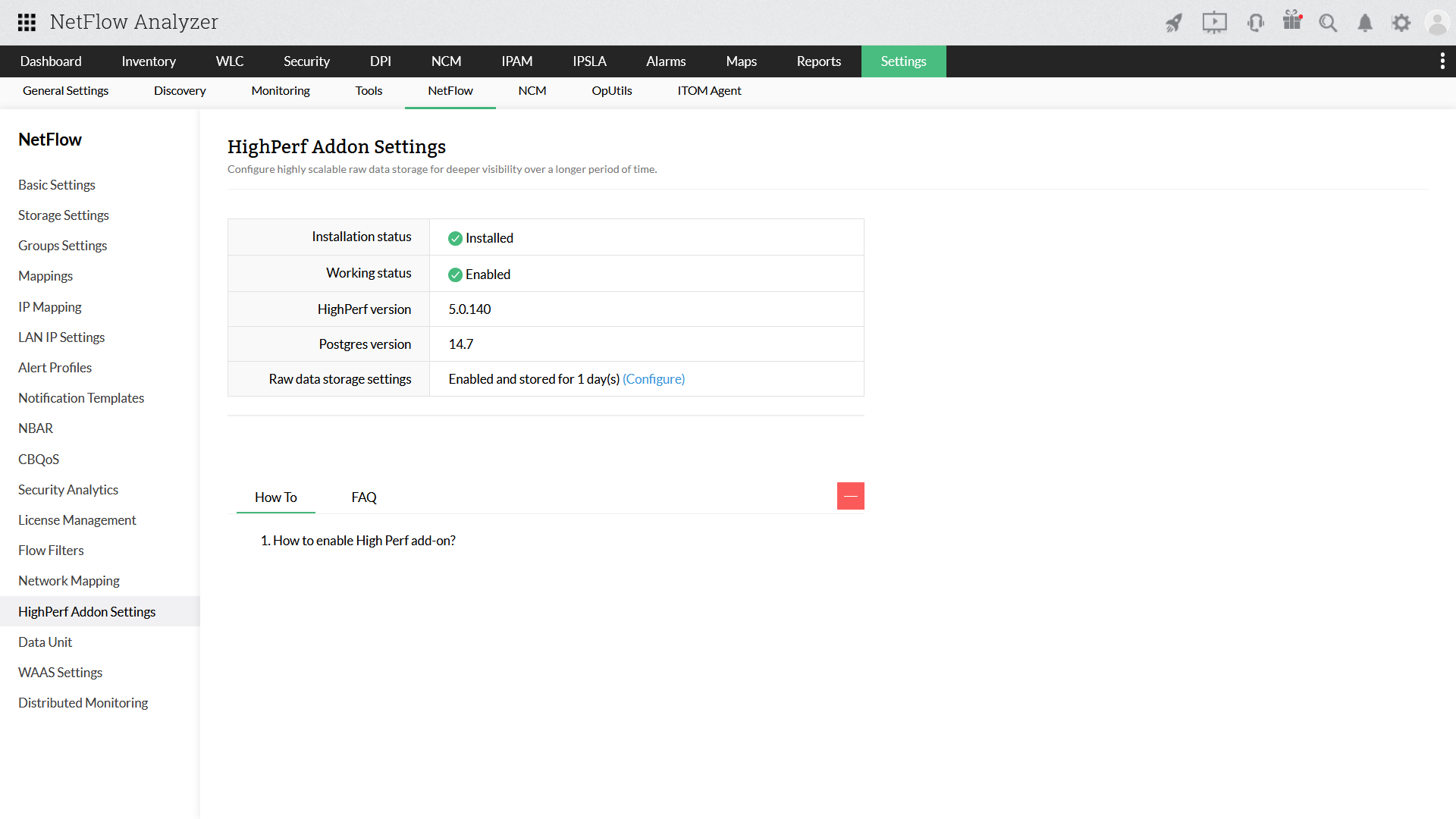
After restarting NetFlow service, go to Settings > NetFlow > HighPerf Addon Settings, to check the status of HighPerf Addon.
By PPM
Note: Applicable only till version 12.6.309
The HighPerf add-on is available to users as a PPM on request. Contact support at netflowanalyzer-support@manageengine.com for PPM or for a free, personalized demo of the add-on.
To install the HighPerf add-on,
- Download the PPM file.
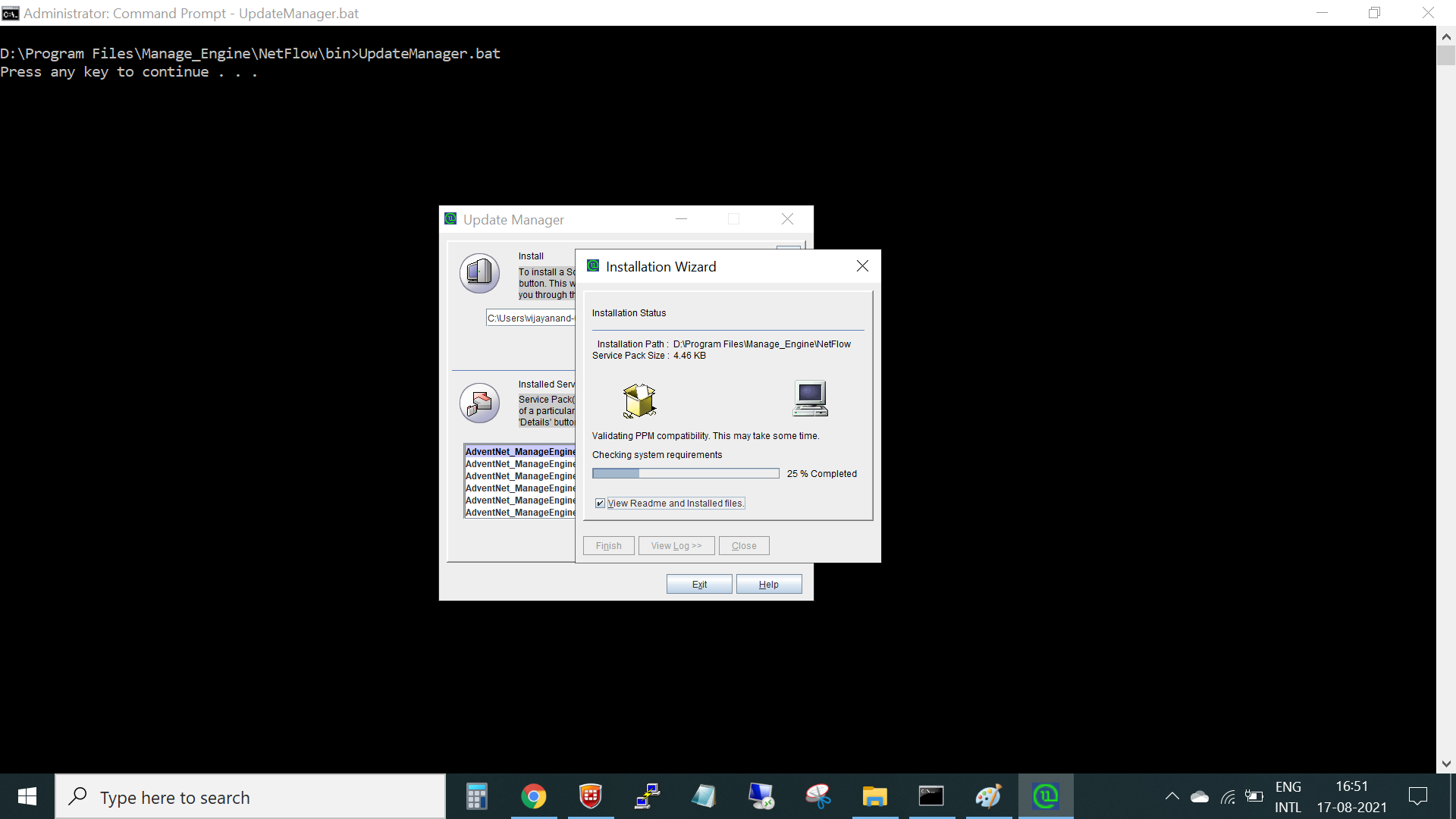
- Open Update Manager.
- Upload the PPM file and click Install.
- Once the installation is complete, click Finish.
To configure and setup,
- Login to NetFlow Analyzer and navigate to Settings > NetFlow > HighPerf Addon Settings.
- This page will show you the
- Installation and Working status
- HighPerf and database versions
- HighPerf tables migration status - which gives you the migration status of existing raw data tables
- Raw data storage period
- You can enable Raw data and select the raw data storage period under Settings > NetFlow > Storage Settings > Raw Data.
- Once HighPerf is installed and raw data is enabled, you can increase raw data storage capacity and start generating insightful reports with higher accuracy. The HighPerf add-on ensures improved data compression, minimum downtime, better capacity planning and bandwidth management, and faster troubleshooting.
Note:
1. Existing HighPerf and Deep Packet Inspection users can contact netflowanalyzer-support@manageengine.com for support.
2. Try a free, personalized demo or to get a price quote.
Thank you for your feedback!