×![]()
×
×![]()
×
×
Focus Mode

Theme Switcher

Creating a remote office with distribution server
OS deployment being a primary need in an organization, deploying OS across different remote offices is an essential and crucial task for IT administrators. The OS deployment add-on in Endpoint Central would help administrators in deploying the images created in a local office to various remote offices. This document will explain the steps to perform remote office OS deployment.
To create a remote office, follow the steps given below:
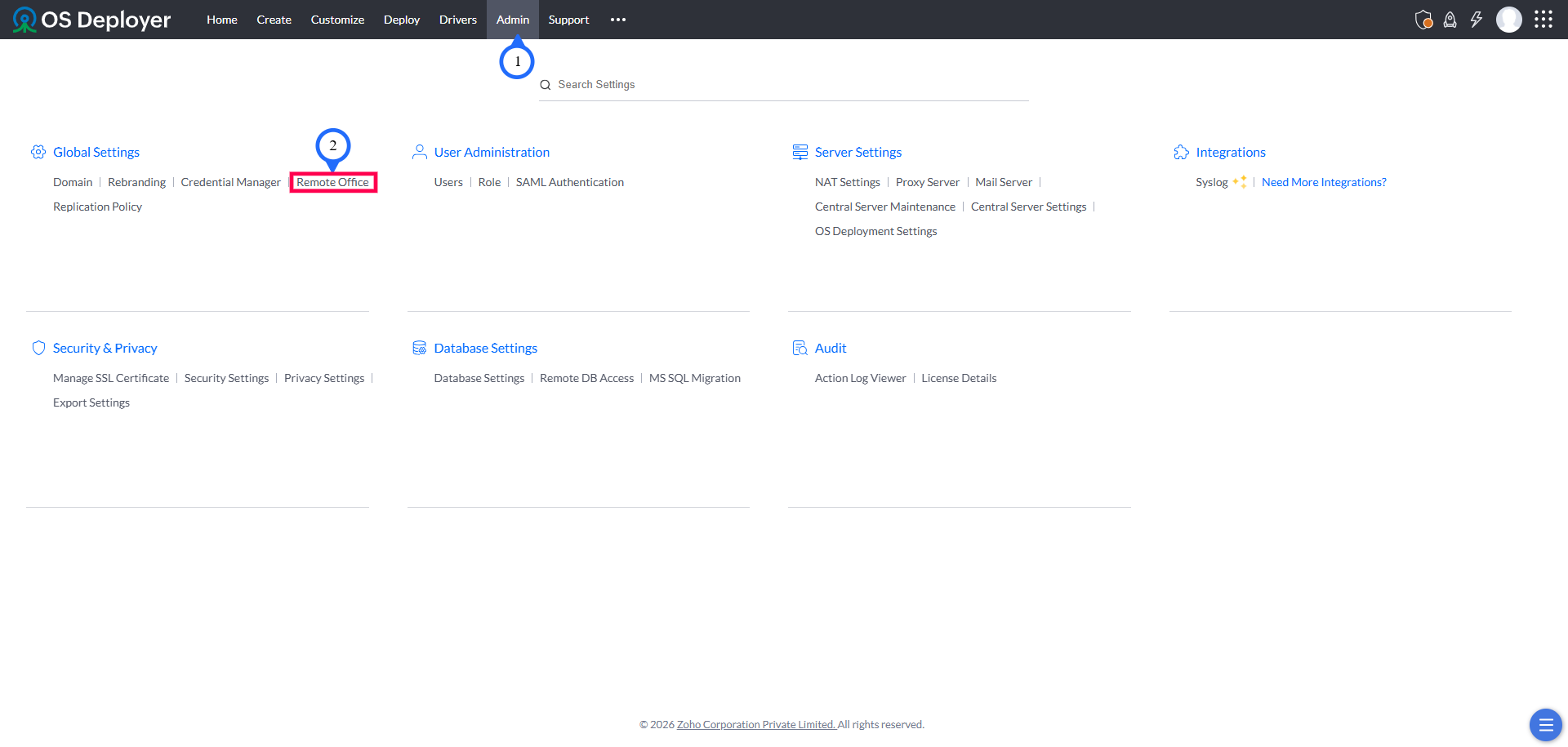
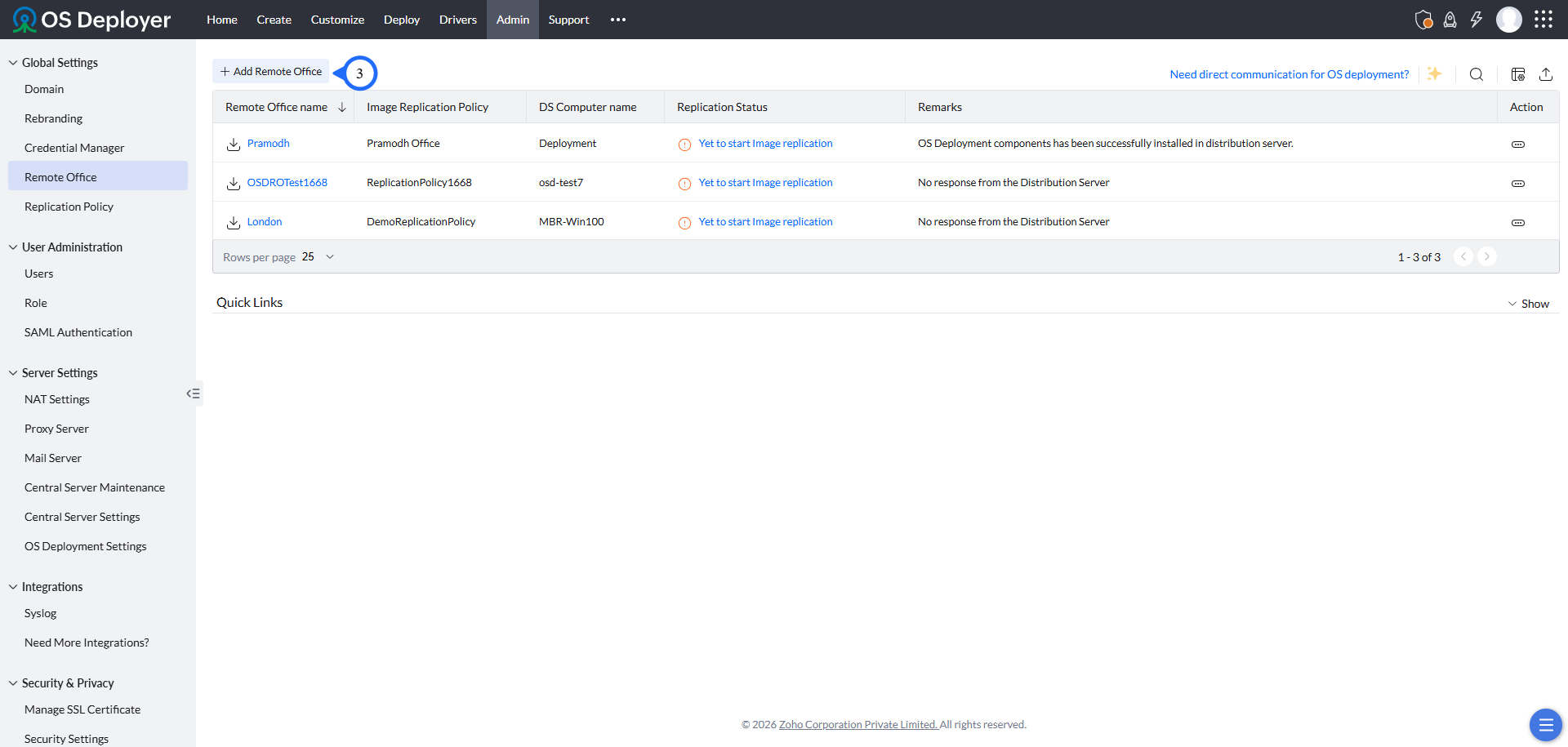
- Go to Admin tab > Remote Office under Global Settings and select Add Remote office.
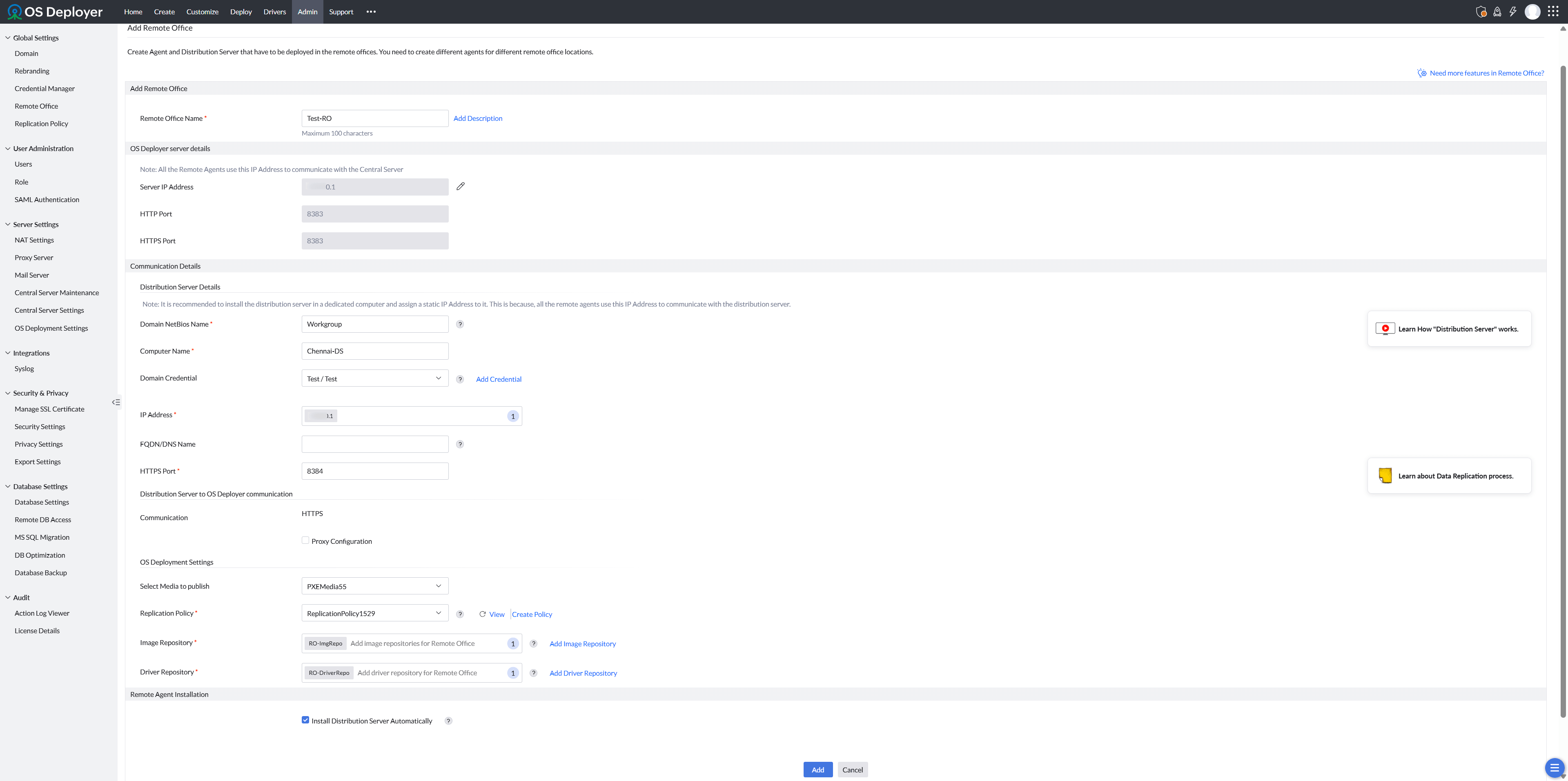
- Specify a unique name for the remote office and add the product server details.
- Specify the required details of the distribution server.
- Configure OS deployment settings to deploy OS in remote offices.
Note
Please note that OS deployment in remote offices must be done via the Distribution Server. The Distribution Server acts as an intermediary, replicating images and drivers from the local office to the remote office, and it also ensures the accuracy of image repositories in the remote office.
 Yes No
Visit Community