Remotely control - Android mobile devices
As businesses prioritize mobile operations, the surge in mobile device usage spans enterprises of all sizes. Yet, this transition presents unique challenges related to mobile devices, often demanding IT administrators to physically access them for efficient troubleshooting. This becomes particularly cumbersome for remote offices or non-technical field workers. With ManageEngine's Remote Access Plus, our support has been enhanced to enable remote control and troubleshooting of Android mobile devices, erasing physical barriers. Witness how tech experts seamlessly oversee and manage mobile screens from their own computers. From advanced remote control sessions to power options and beyond, we've perfected the solution for all your troubleshooting needs.
Key Benefits
Initiate remote sessions
Effortlessly gain remote access to and manage your clients' Android devices. This enables you to troubleshoot effectively and resolve any issues regardless of your location, ensuring seamless problem-solving and customer satisfaction.
Securely transfer files
The file transfer feature in Remote Access Plus empowers technicians and end users alike to transfer files of any format seamlessly, facilitating efficient collaboration and problem-solving.
Collaborate through instant chat
Utilize our chat feature to enhance clarity and seamlessly assist customers in finding solutions. Foster rapport with your clients by engaging in prompt and relevant conversations.
Compliance
We have ensured strict adherence to compliance standards such as HIPAA, PCI DSS, and the GDPR, solidifying our product as a trusted and secure solution.
How it works?
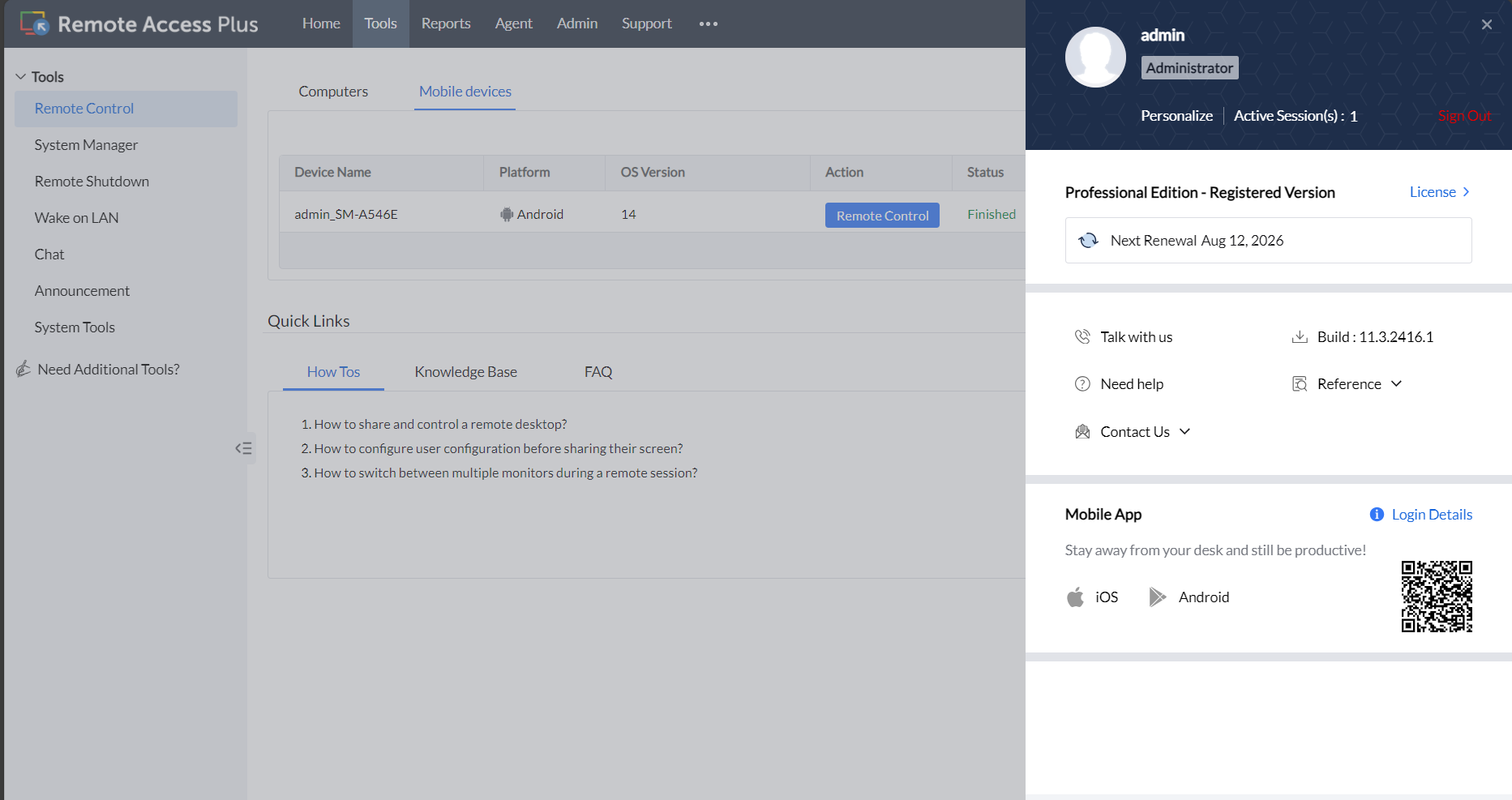
Direct your customer or user to download the Remote Access Plus agent app from the Google Play Store or through the product console
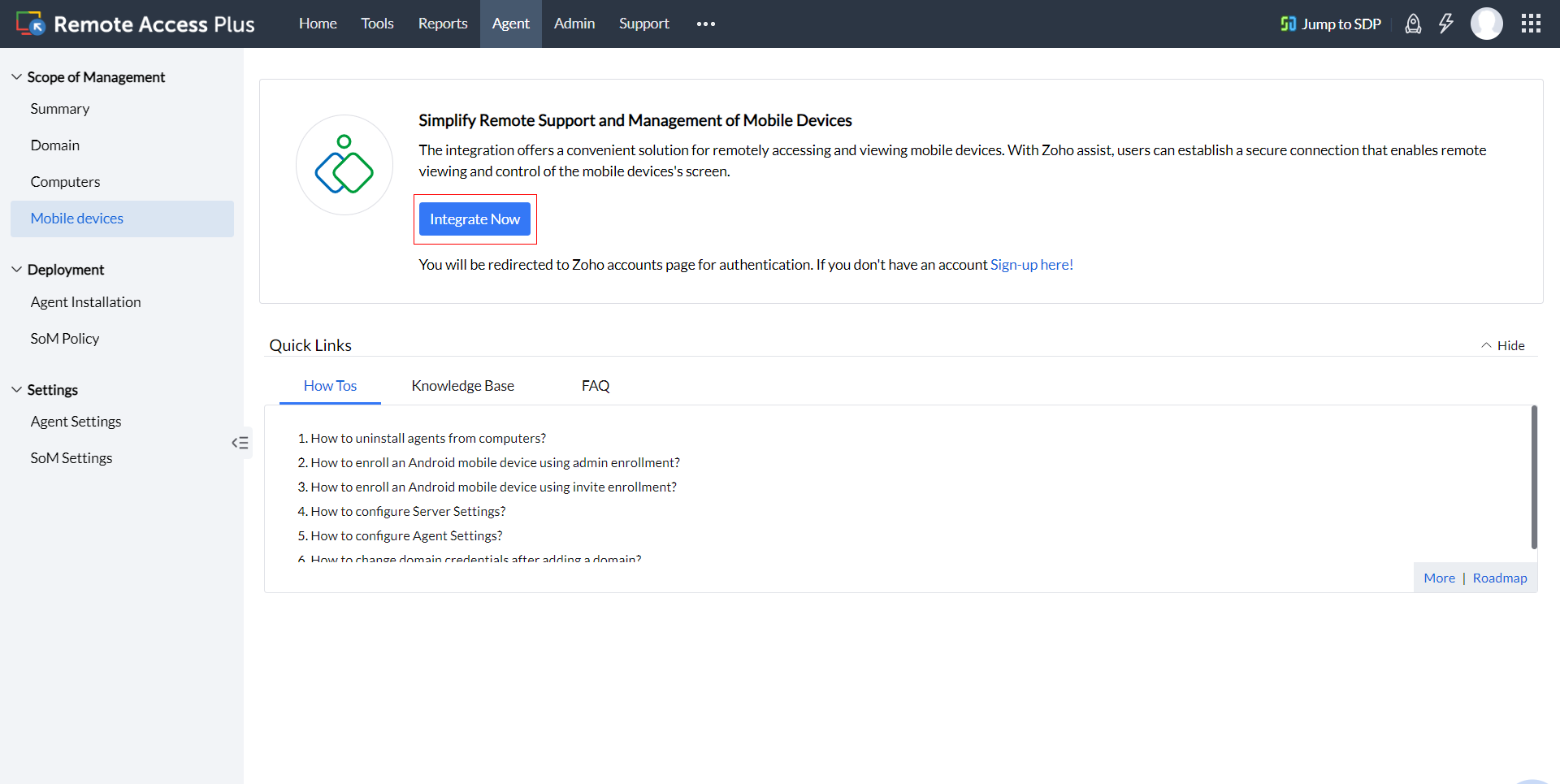
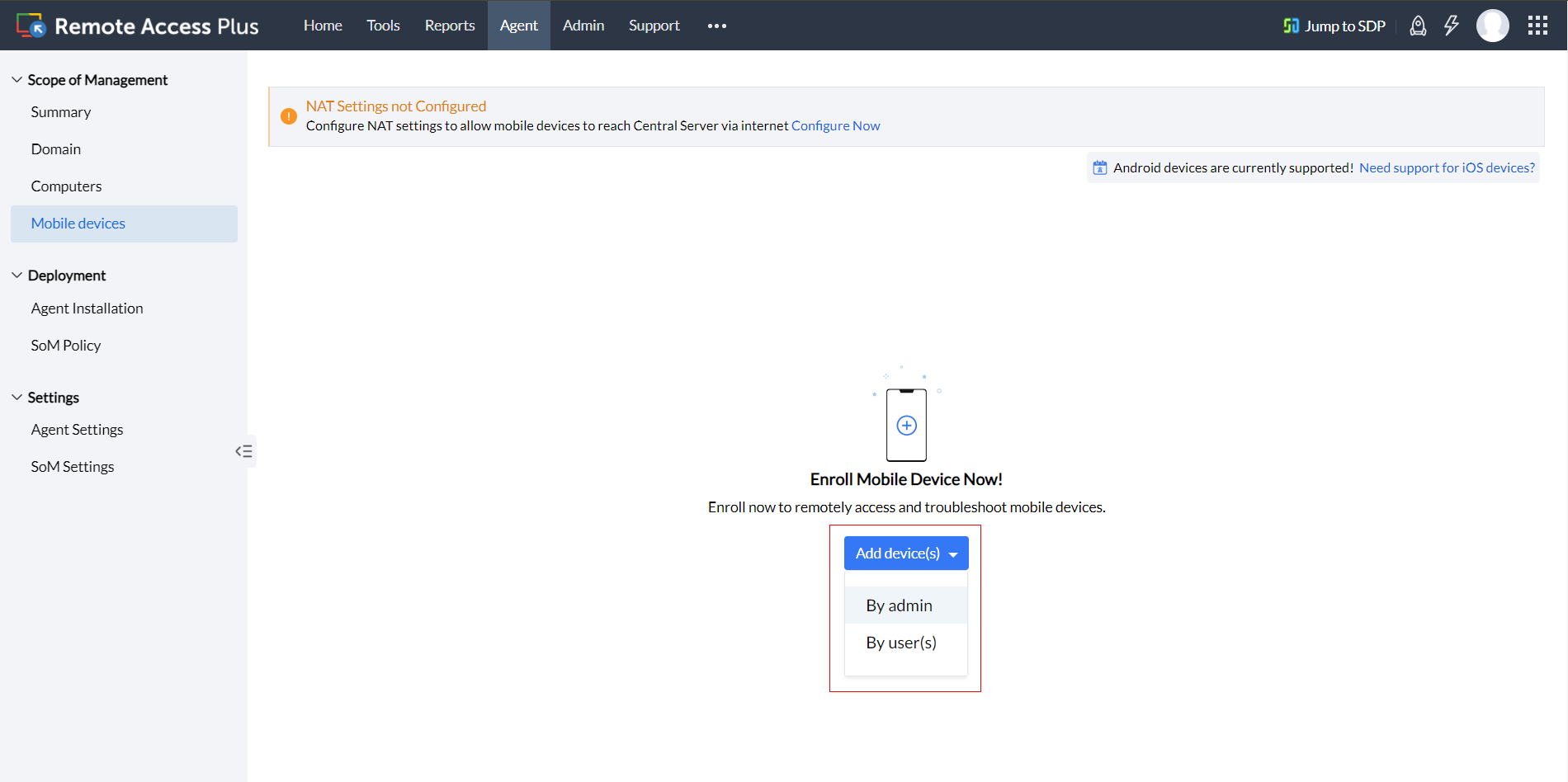
Enroll your mobile devices through an admin enrollment or an invite enrollment.
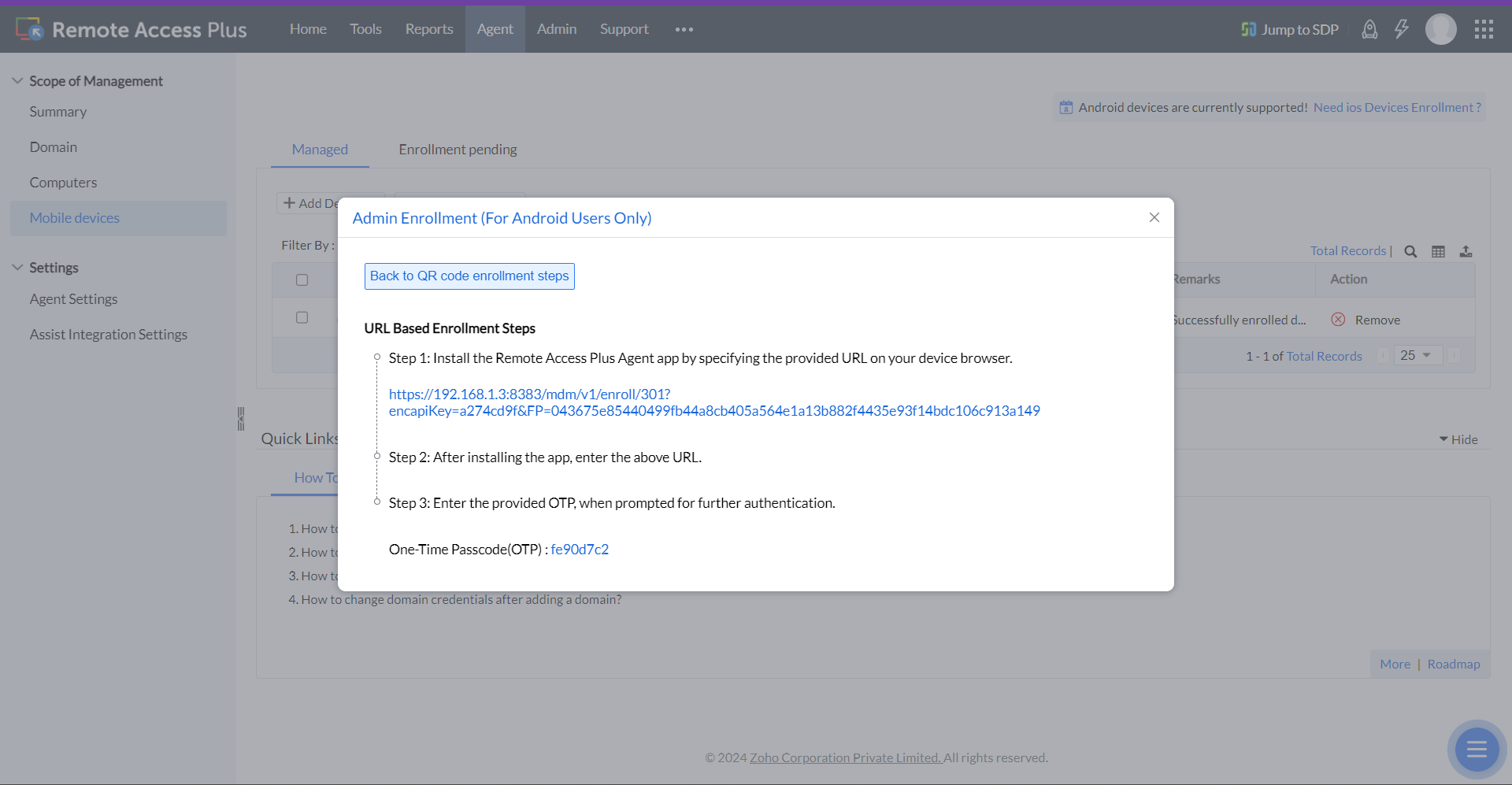
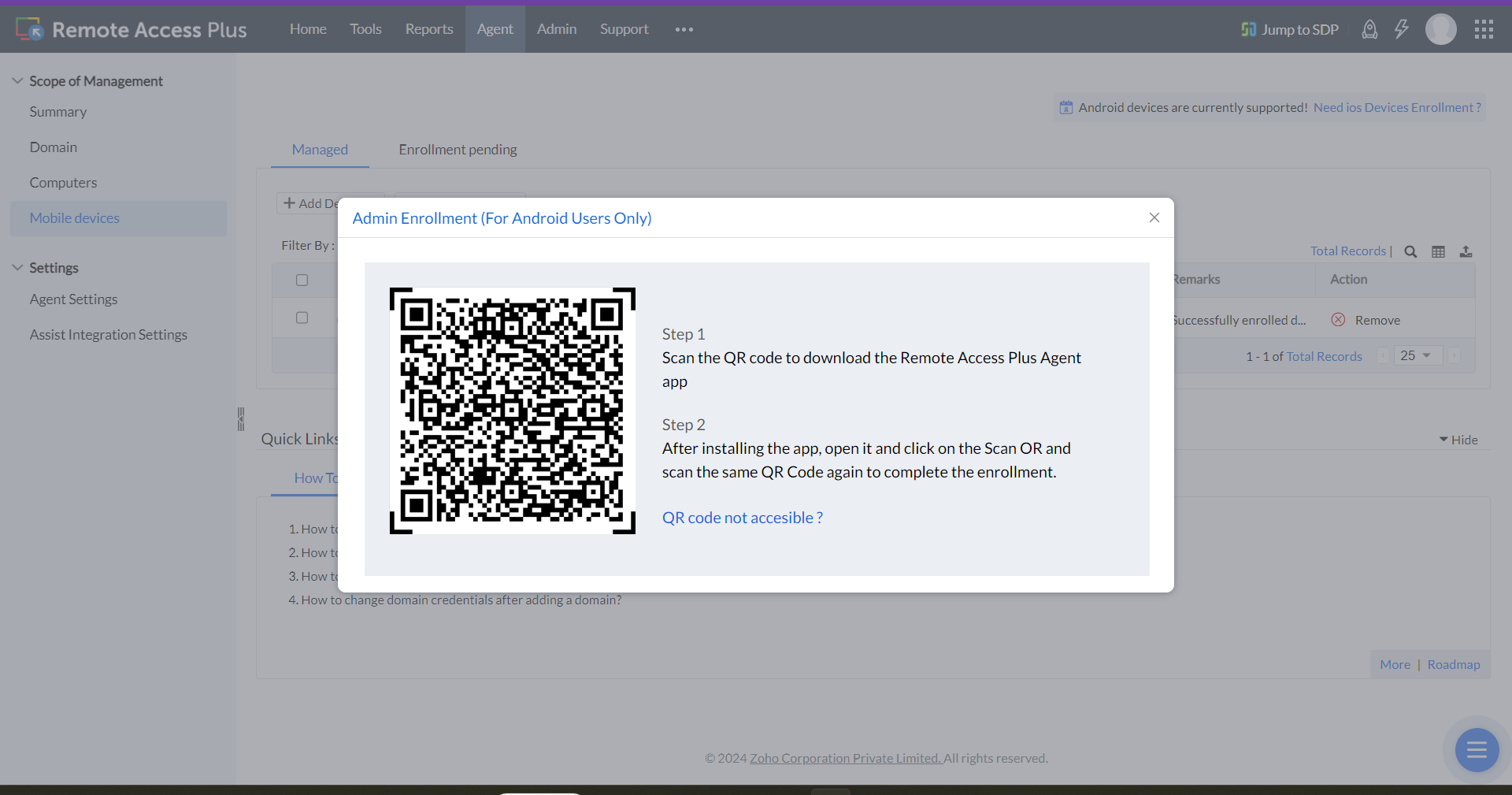
.After successful enrollment, you can commence a remote support session
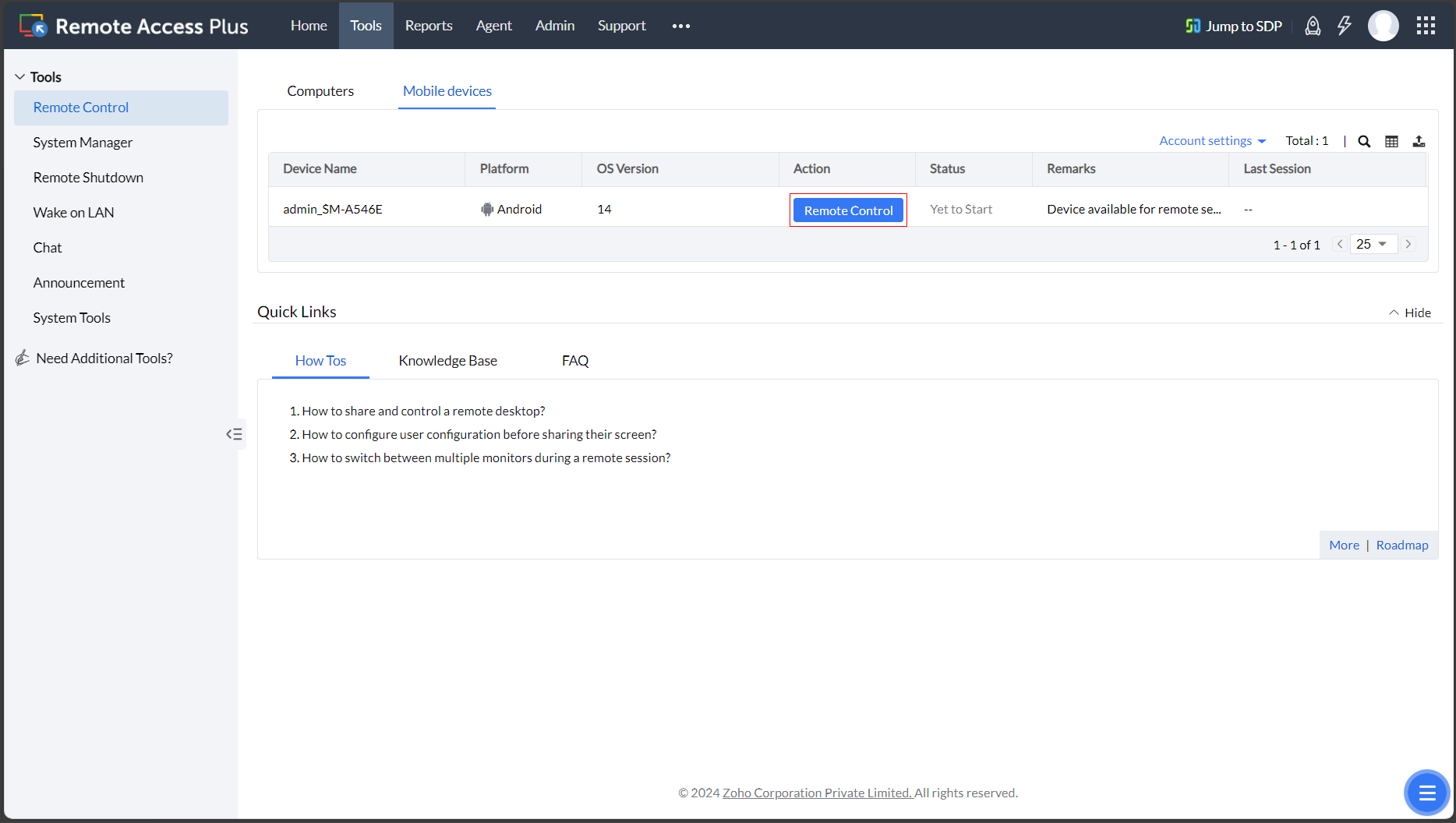
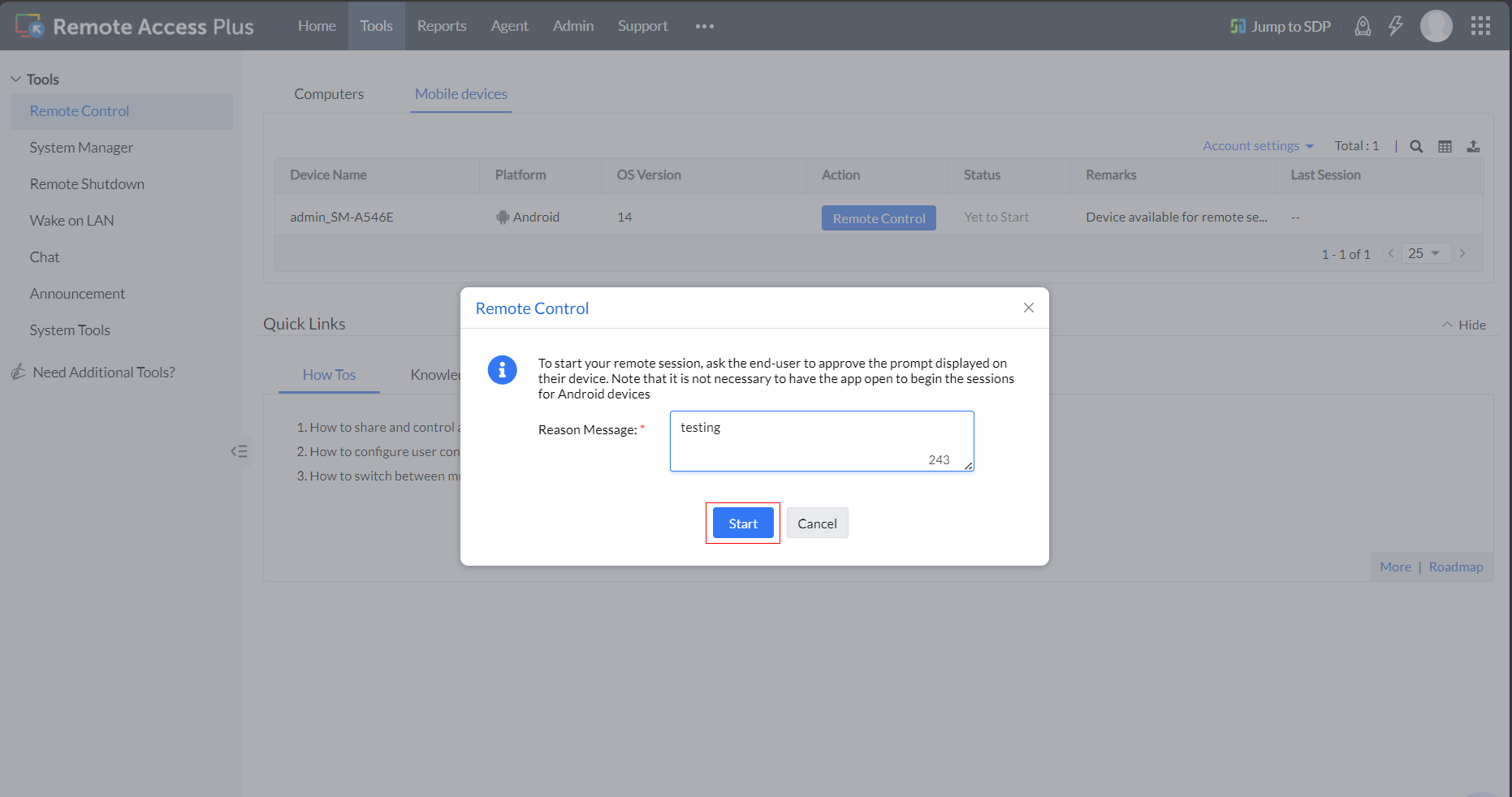
If the admin has activated the prompt for user confirmation, the remote session will only begin once the end-user accepts the session invitation.
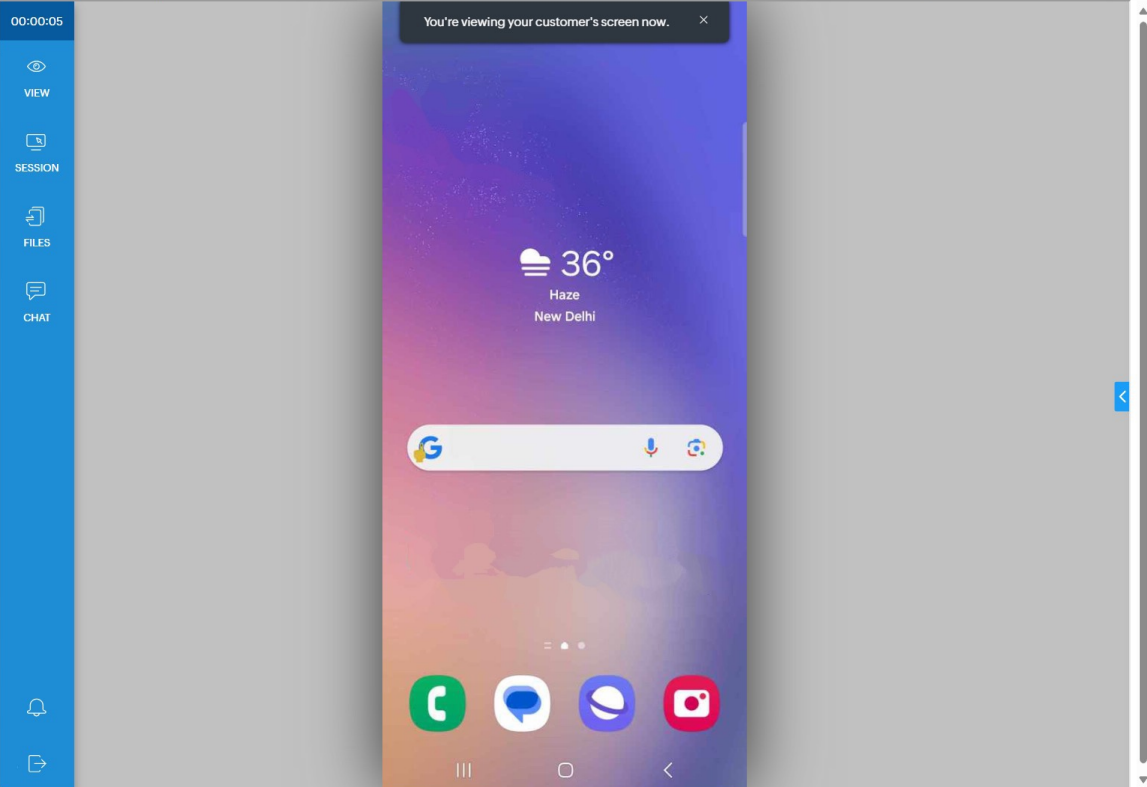
The admin/technician will now be equipped to troubleshoot your device.
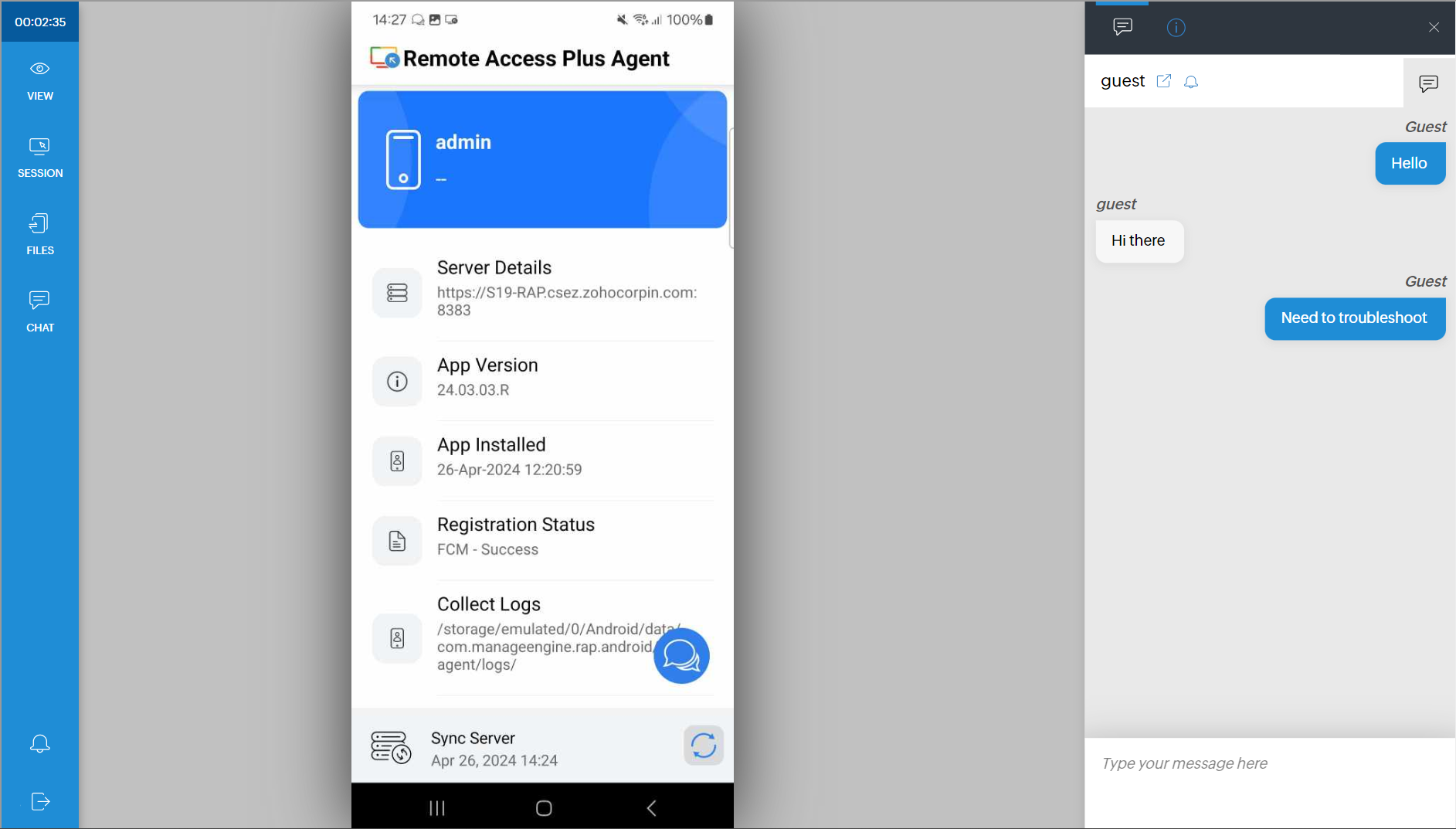
Engage with your end-users at any point during the session using our integrated chat featured.
This feature is available in all editions of Remote Access Plus. Please note that this feature is currently available only in the on-prem version, but we're actively working on enabling it for the cloud version as well. We appreciate your patience.
Learn More
To learn more about remote control of android mobile devices, watch the step-by-step video guide below.