Understanding Privilege Management
A technical reference covering agent processes, scanning behavior, policy deployment mechanics, enforcement logic, and rule type support for EPM.
Agent process specifications
Four background processes handle admin account scanning, elevation enforcement, notification, and configuration delivery.
Agent process resource usage
Admin Accounts Scan
How the agent identifies local administrator accounts on each endpoint.
Recurring admin account scanning
After agent installation, a one-time scan runs to identify local administrator accounts using DRAdminUsers.exe. This scan focuses exclusively on local admin accounts and runs again during every subsequent 90-minute refresh cycle — ensuring the Admin Rights Summary remains current as accounts are added or removed.
Policy deployment and agent-server synchronization
How EPM policies move from the server to managed endpoints.
Deployment options and refresh behavior
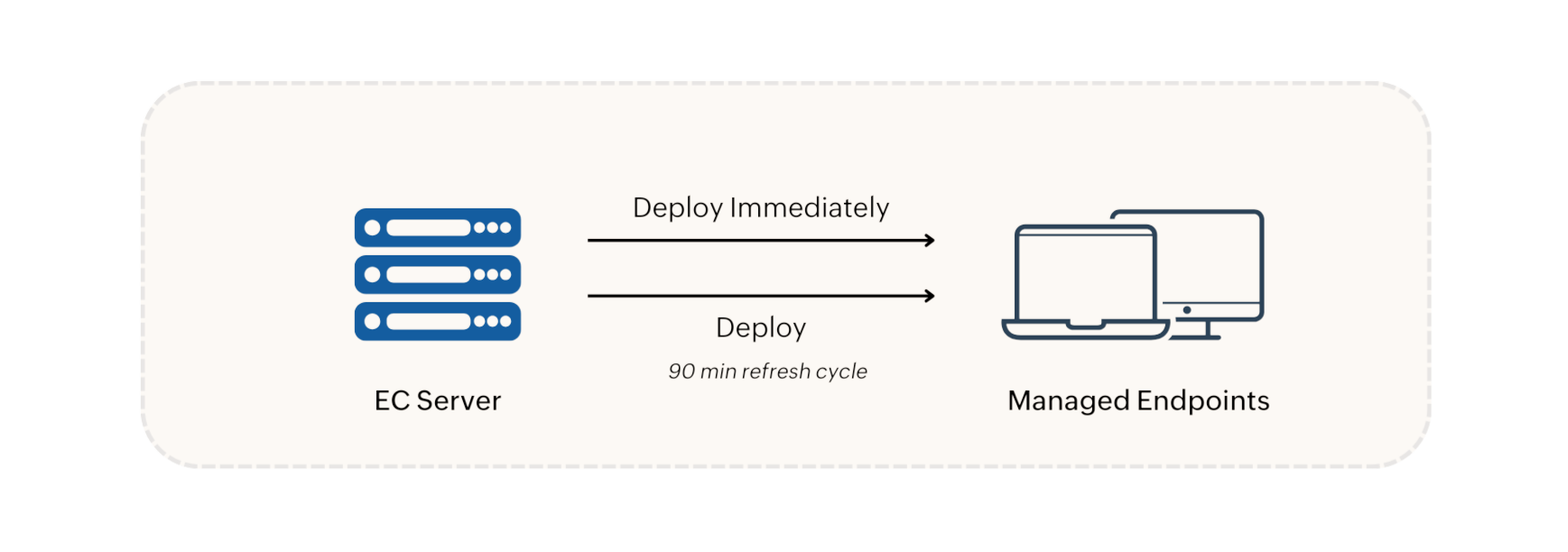
When an EPM policy is created, dcconfig.exe delivers it via one of two options:
- Deploy Immediately — pushes the policy to currently online agents. For custom groups larger than 200 machines, the policy is applied to 200 machines first; the remaining machines receive the policy in the next refresh cycle.
- Deploy — schedules the policy for the next 90-minute refresh cycle.
Policy modifications, deletions, group changes, and unmanaged application updates are all synchronized during refresh cycles. In environments with a Distribution Server, changes are replicated there first, then pushed to agents.
Policy enforcement, removal, and JIT workflow
How the agent applies elevation policies, revokes admin accounts, and handles time-bound JIT access.
Policy enforcement in the agent
After the agent receives a policy, VerifyTrustedFiles.exe invokes Privileger.exe to elevate processes according to the deployed policy. Elevated application events are posted during the 90-minute refresh cycle and updated every 7 days.
Admin accounts removal
When manual or automatic admin rights removal is configured, DRAdminUsers.exe removes the specified local admin accounts on target machines during the next refresh cycle.
Just-In-Time Access workflow
JIT policies grant time-bound elevation for specified applications. When a JIT policy is deployed, VerifyTrustedFiles.exe invokes Privileger.exe to elevate the processes on the target machine or for the target user. Elevated privileges are automatically terminated when the specified duration expires — no administrator action is required.
Rule type and extension support
Not every rule type applies to every file extension — consult this table when building elevation rules.