×![]()
×
×![]()
×
×
Distribute Extensions
Bulk-deploy browser extensions to groups of computers at once instead of installing them one machine at a time.
Deployment
Distributing extensions
Group similar websites and web apps together, then push extensions to many targets in one action.
Bulk-deploy extensions to targets
Similar websites and web applications can be grouped for easier management, which enables efficient deployment to multiple targets at the same time. Distribute Extensions builds on this by letting you bulk-deploy extensions to target machines in a single operation, saving time over installing them individually.
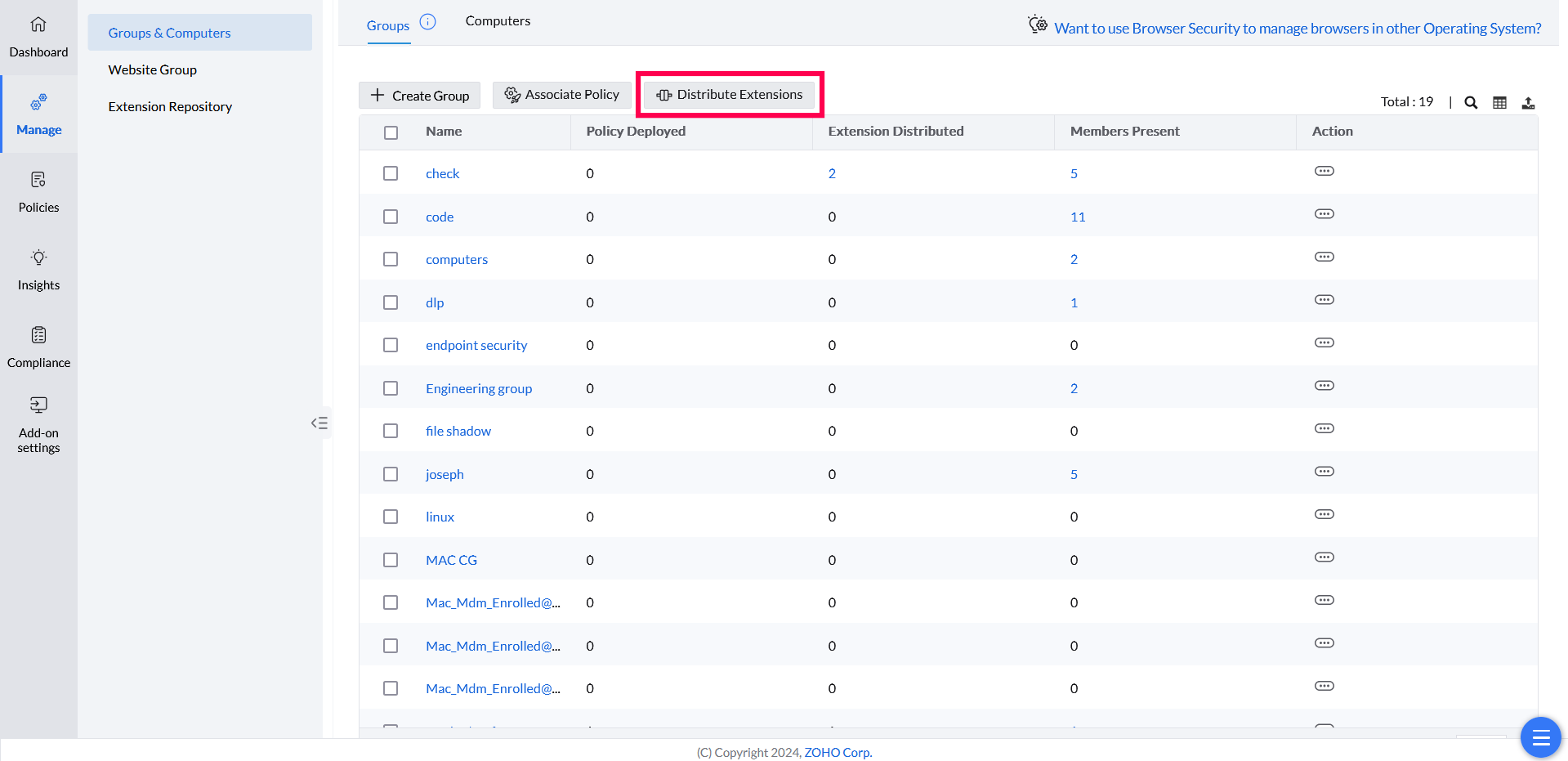
- In the Endpoint Central MSP console, go to Browsers → Manage → Groups & Computers.
- See creating the extension repository for how to set one up.
- Select the custom groups to distribute the extensions to. To target individual computers instead, go to Computers and select the desired devices.
- Click Distribute Extensions.
- Choose the extensions to distribute. Available extensions are listed under Available Extensions; extensions you've chosen appear under Selected Extensions.
- Once you've selected the extensions to distribute to the groups or computers, click Distribute.