×![]()
×
×![]()
×
×
Integrate with Analytics Plus
What are the advantages of Endpoint Central-Analytics Plus Integration?
The Endpoint Central MSP - Analytics Plus integration offers a variety of options to visualize and analyze endpoint monitoring data including AI-powered report generation, rich visual analysis, powerful data blending, accurate trend forecasting, dynamic data analysis, real-time collaboration, and secure sharing options. Analytics Plus helps you gain meaningful insights from your endpoint analytics that can help you better manage and secure your endpoint devices.
What are the pre-requisites to follow?
- You should be on Endpoint Central MSP build 10.0.361 or above.
- Endpoint Central MSP should be accessible from the server on which Endpoint Central MSP is running. You can check this by launching the Analytics Plus web console (using a web browser) from the Endpoint Central MSP server. You don't have to worry about accessibility if you're running both applications on the same server.
- Endpoint Central MSP and Analytics Plus should be running in the same time zone.
- The user account used to connect must have admin privileges in Endpoint Central MSP.
How to integrate Endpoint Central with Analytics Plus?
To integrate Endpoint Central MSP and MangeEngine Analytics Plus, follow the steps given below:
- Download and install Analytics Plus.
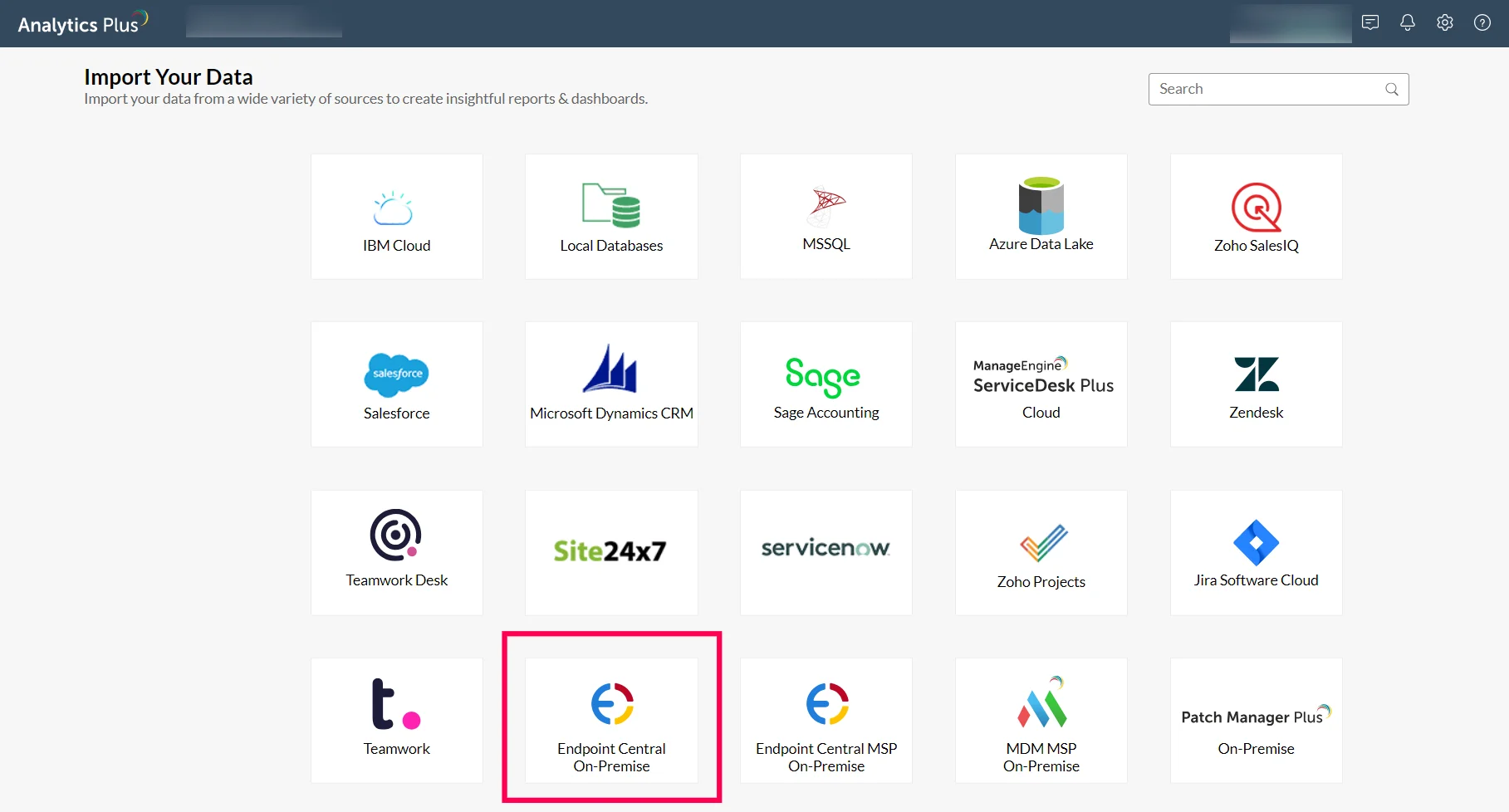
- In your Analytics Plus instance, click Import your data from the home screen, and select the Endpoint Central MSP tile.
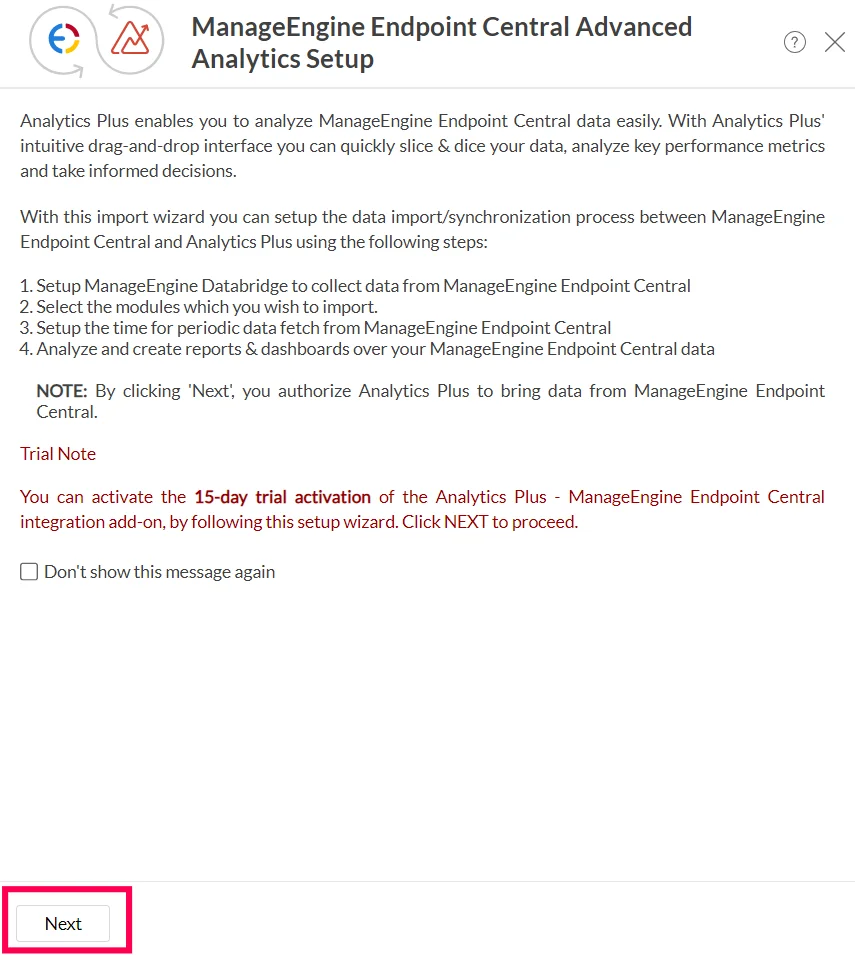
- Click Next in the intro page.
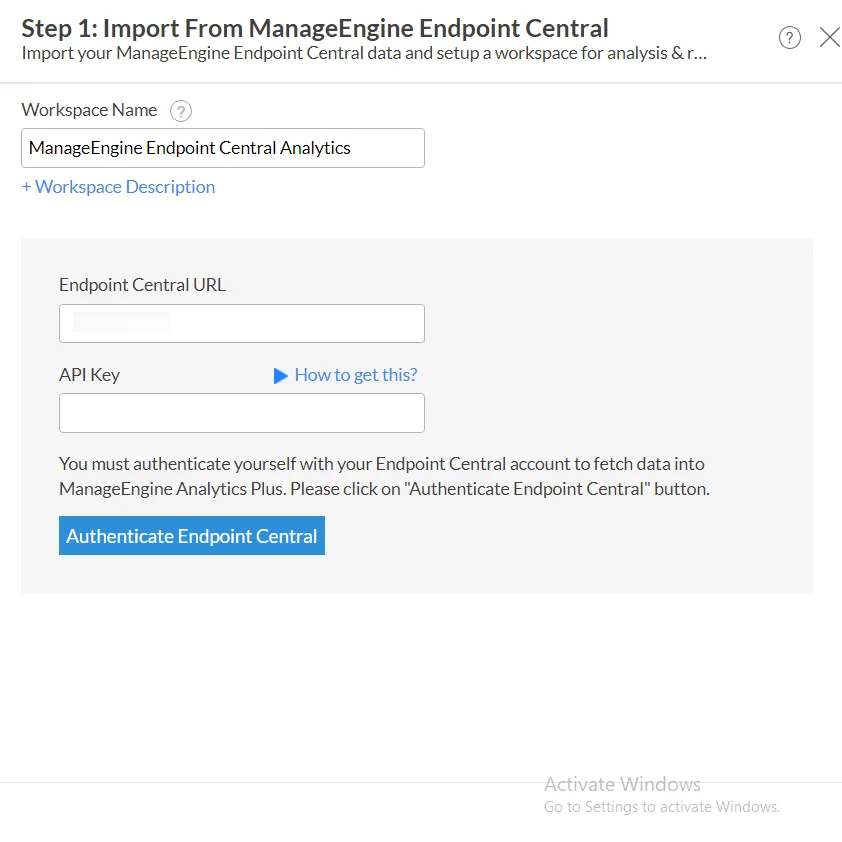
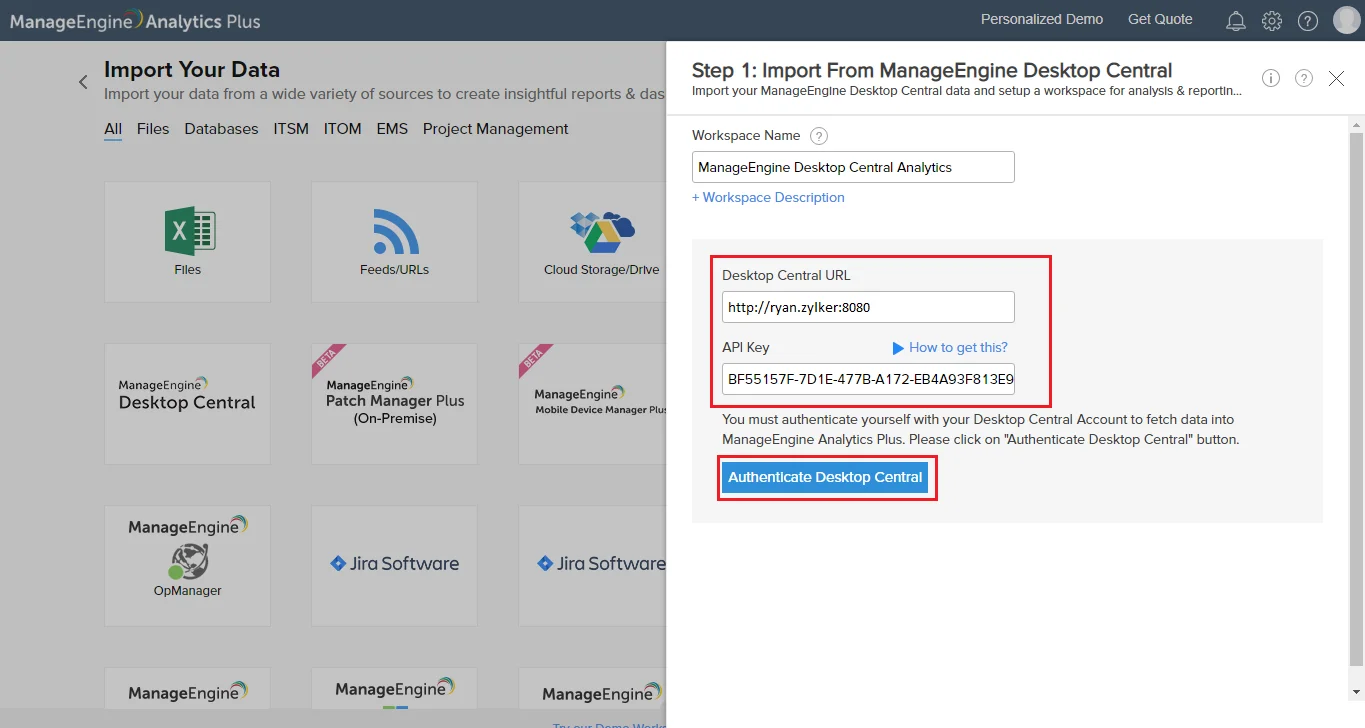
- Enter the Endpoint Central MSP server URL and API Key.
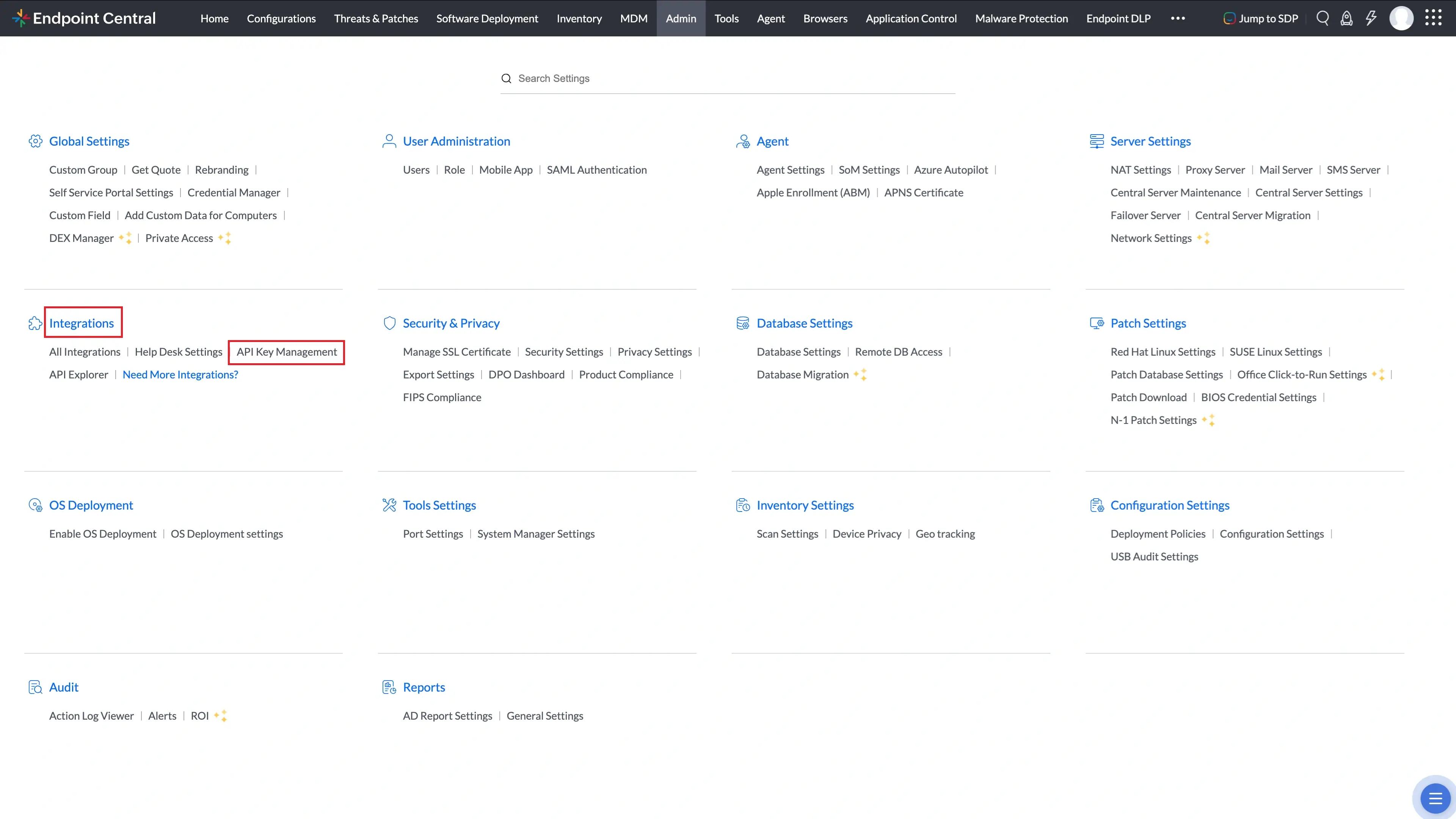
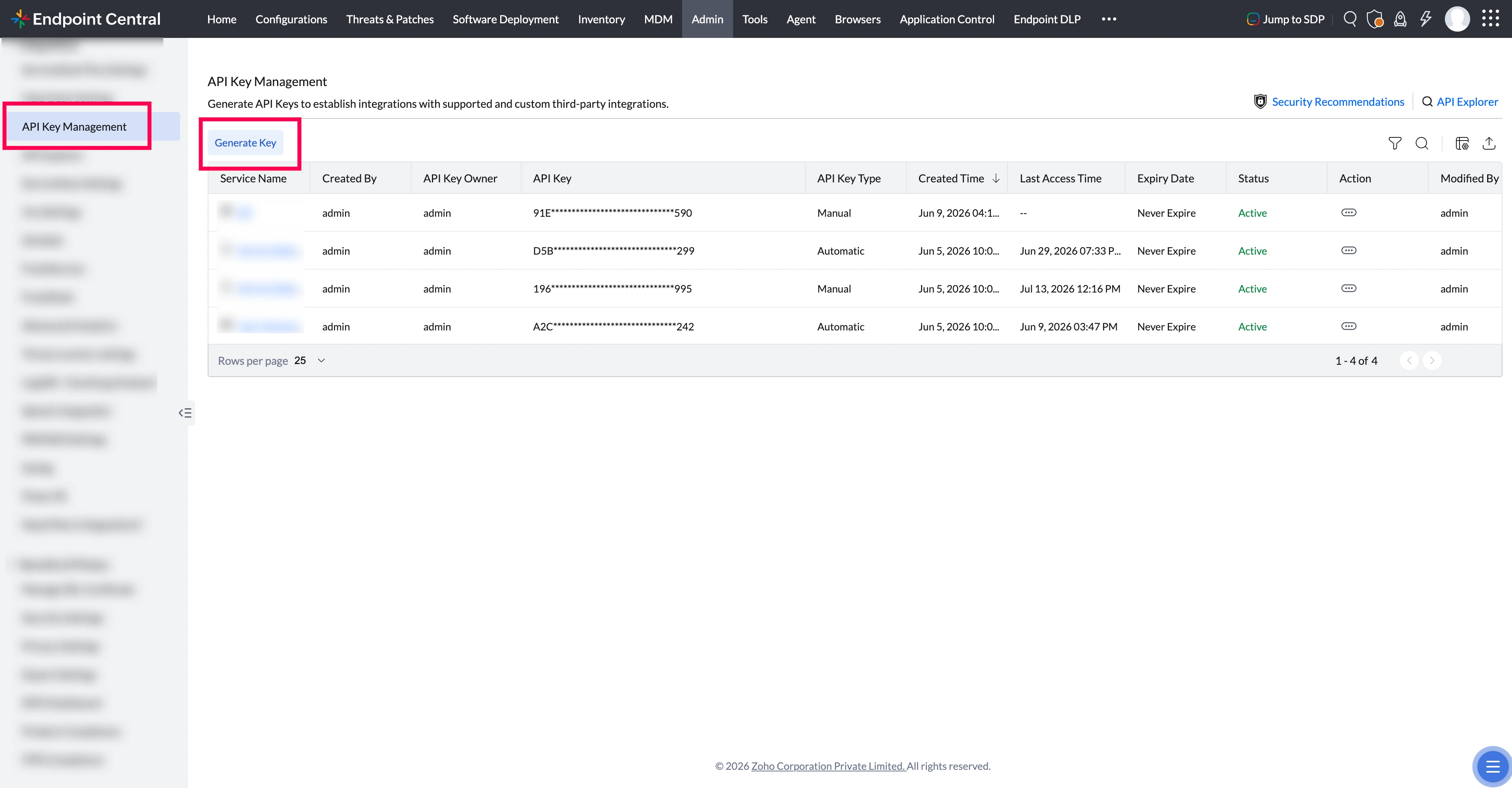
- To generate API Key, open your your Endpoint Central MSP console, and navigate to Admin -> API Key Management.
- Click Generate Key.
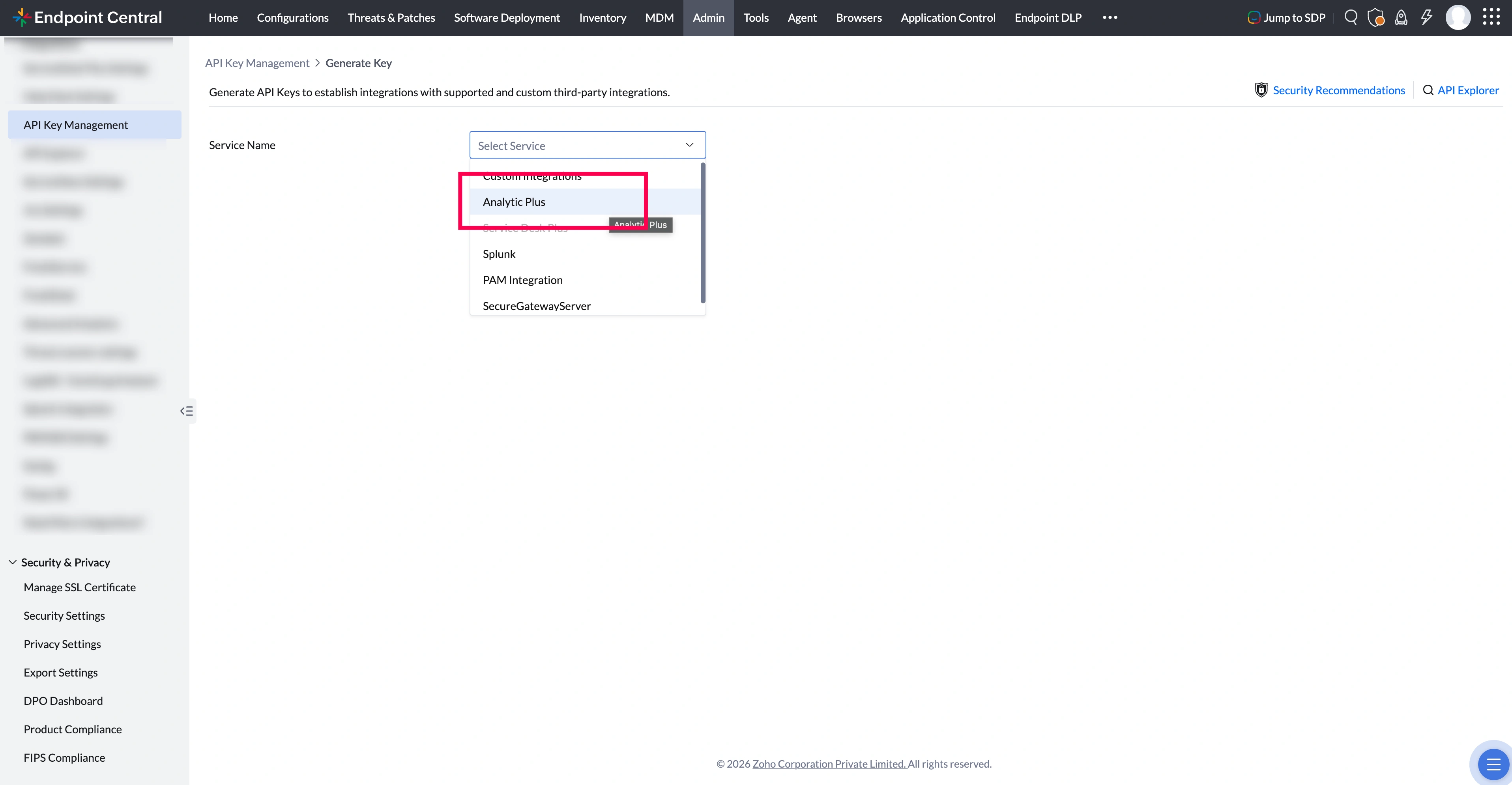
- Select Analytics Plusfrom the drop-down.
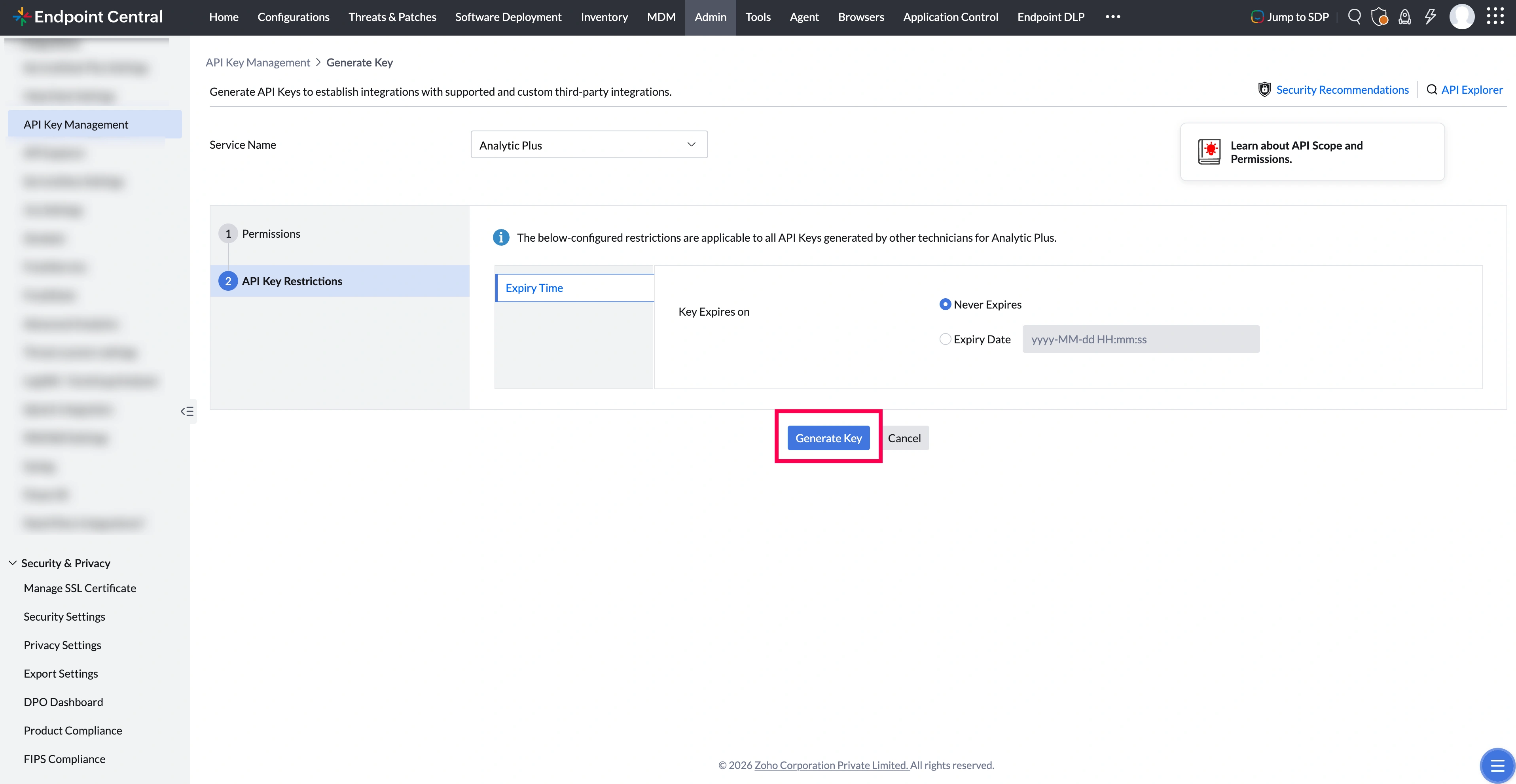
- Set necessary permissions and click Generate.
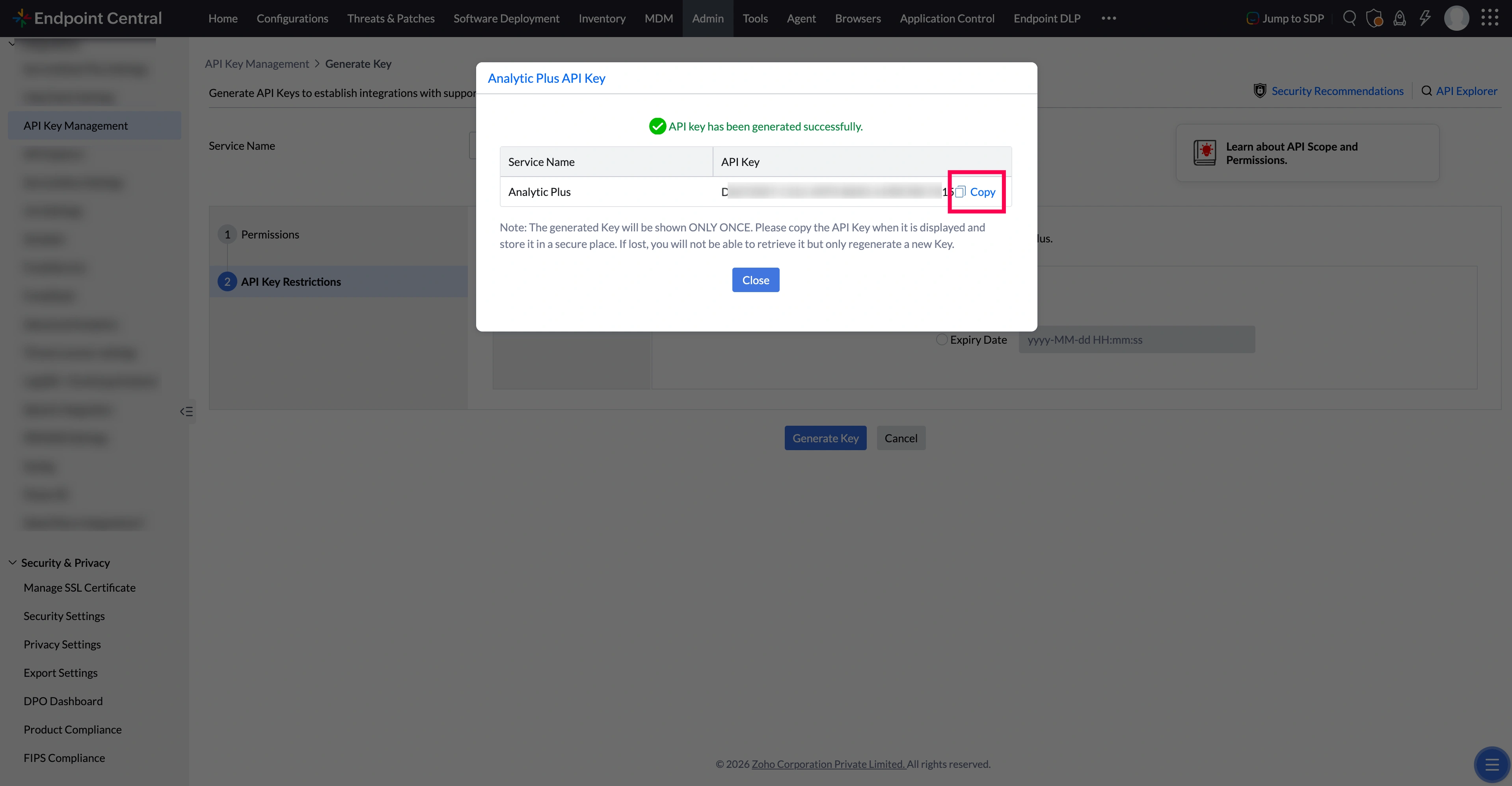
- Copy the generated API key.
- Go back to your Analytics Plus console. Paste the API key and the Endpoint Central MSP URL in the respective input fields. Endpoint Central MSP URL is the web-address you use to access Endpoint Central MSP. Click Authenticate Endpoint Central MSP.
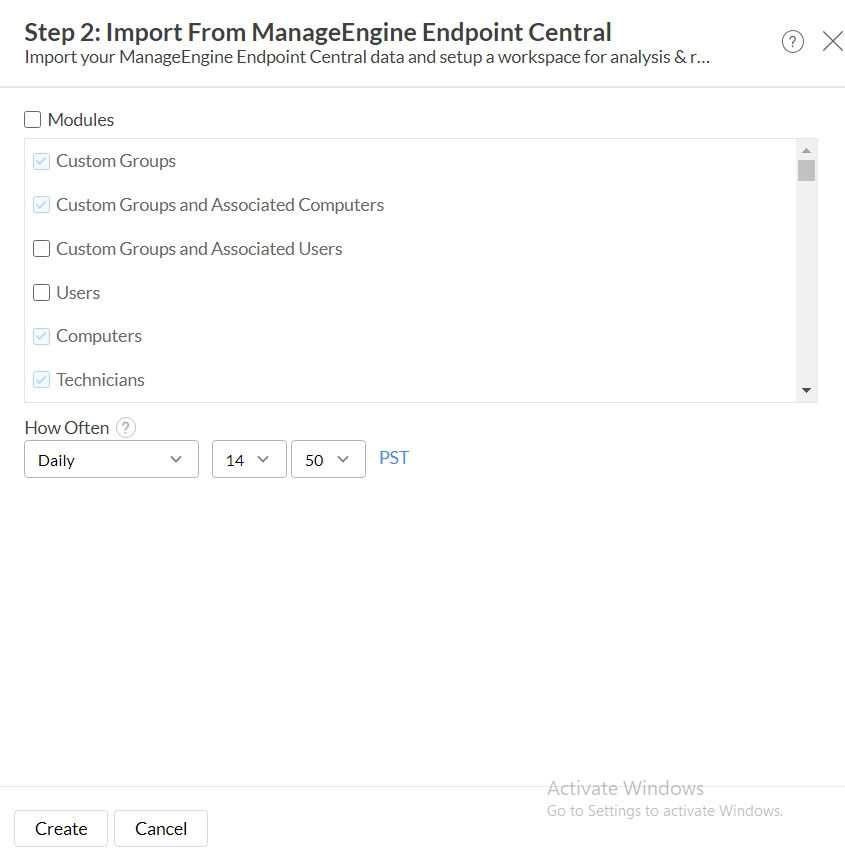
- Choose the modules you wish to import and set up a synchronization interval. It is recommended to select all modules. Click Create to complete the set up.
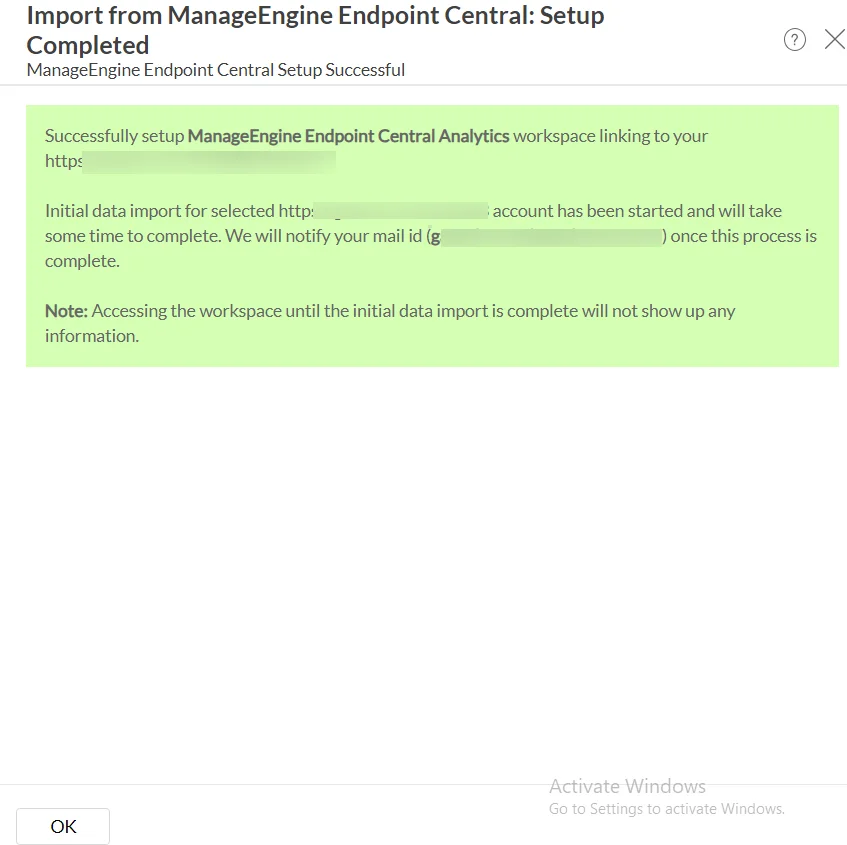
- A success message will be displayed. Click OK to view the out-of-the-box Endpoint Central MSP analytics. Depending on the volume of data in Endpoint Central MSP, it may take a few minutes to populate metrics in all the reports and dashboards.
You have successfully integrated Endpoint Central MSP with Analytics Plus!
Related articles: