×![]()
×
×![]()
×
×
Understanding User Roles in Device Control Plus
This document will explain the User Roles and permissions which can be mapped for users. Creating various users with only certain roles and permissions allow you to have a more robust control over who does what with the product. For a detailed understanding about the various user roles and the associated scope offered by the product, refer to the doc on Role differences
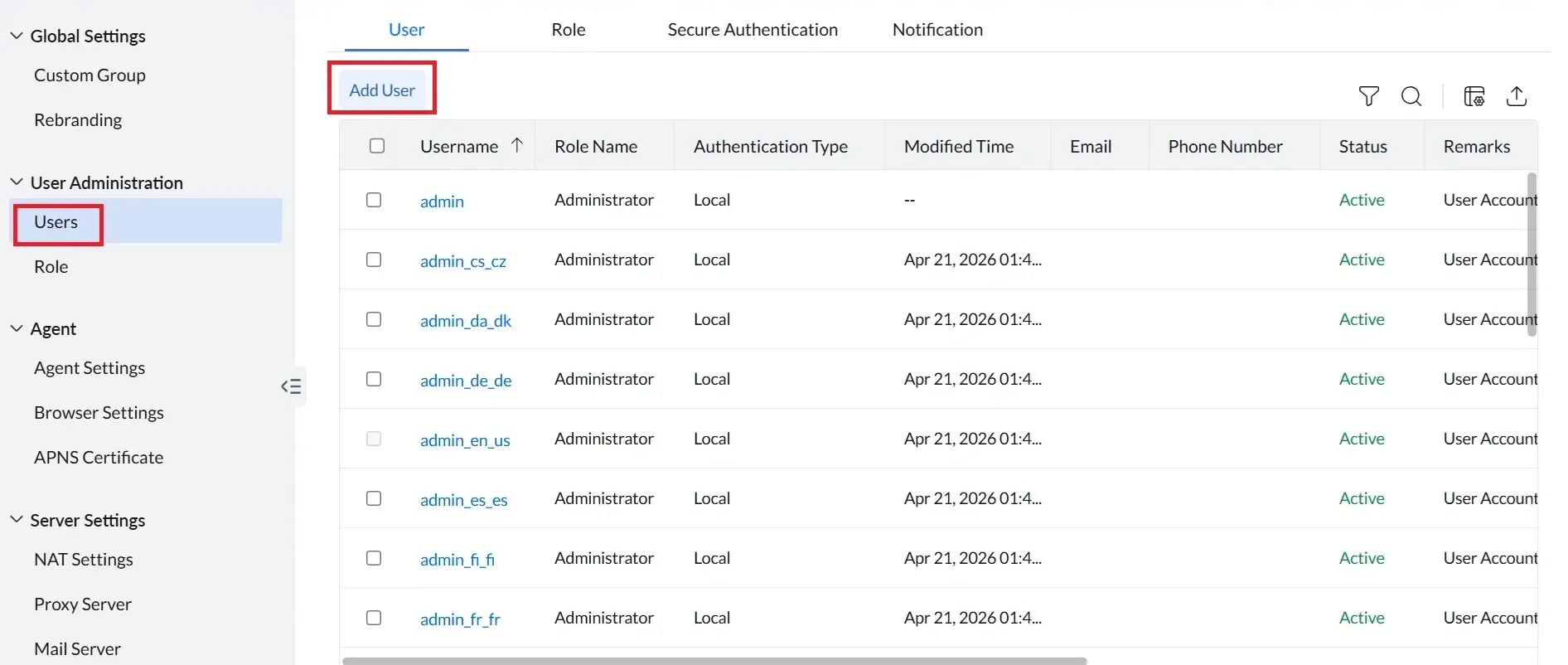
To create a new user, navigate to Admin -> General Settings -> User Administration -> Add User
To create a new role, navigate to Admin -> General Settings -> User Administration -> Add Role
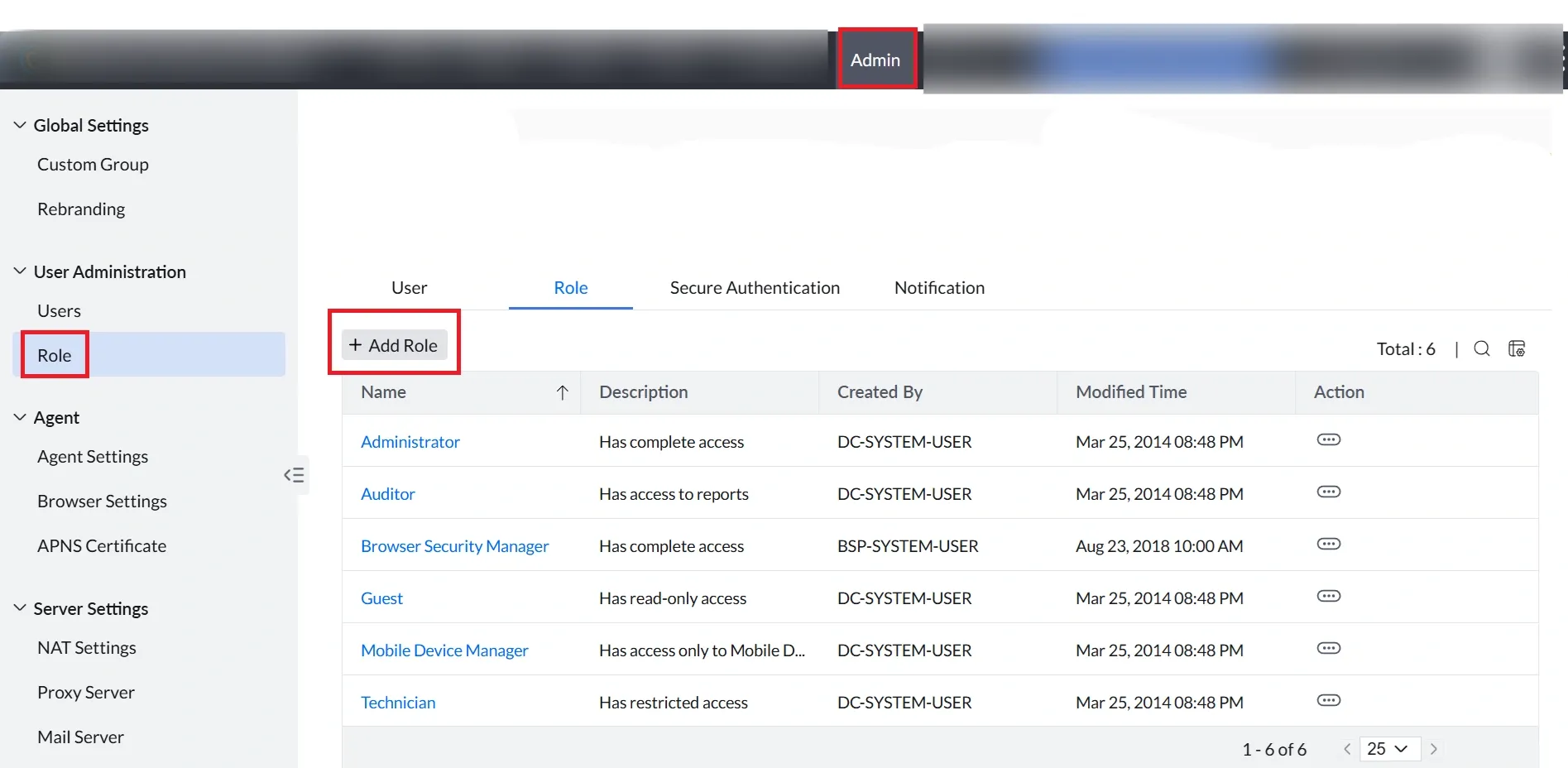
The following are the roles within the Endpoint Security.
Note
Apart from these predefined roles, you can create multiple custom roles based on your organization's access requirements. You are not limited to one role of each type, multiple roles can be created to suit different access needs within your organization.