☰
Related Products
 ADManager Plus
 ADAudit Plus
 ADSelfService Plus
 Exchange Reporter Plus
 M365 Manager Plus
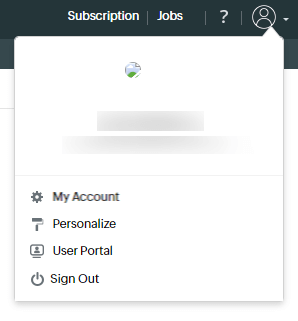
Click the user icon at the top-right corner of the Identity360 portal to modify your account information, personalize your portal, access the user portal, and sign out of your account.
This option can be used to modify your profile information.
Customize your portal easily with this option to adjust general settings, appearance, and enable support access for assistance from our Identity360 team.
As an administrator, you have the option of switching between the Admin Portal and the User Portal.
Copyright © 2025, ZOHO Corp. All Rights Reserved.
 Previous Topic