
Rule management overview
Last updated on:
In this page
Overview
This page covers why and how rule management plays a crucial role in anomaly detection within your network. By managing rules you effectively optimize Log360's UEBA engine to monitor specific behaviors you want to watch for. This helps in narrowing down the scope and saving time and resources by focusing on relevant events and thus receiving alerts as per the conditions defined. When the defined conditions are met, the ML model detects and flags the behavior as anomalous.
Rule Management
- Functionality: The Rule Management capability is a centralized platform designed to streamline the management of all rule types, including ATA (Advanced Threat Analytics), MITRE, Correlation, and UEBA (User and Entity Behavior Analytics). This unified interface eliminates the need for navigating disparate tools, providing a seamless and efficient experience for users managing security rules.
- Rule management allows you to define the conditions under which a specific user or entity will be flagged as anomalous. The Machine Learning model first establishes a baseline behavior of all the users and entities in your network during the training phase in order to be able to differentiate the deviation from the usual behavior. Rule configuration provides the foundation for the ML model to spot these deviations, thus providing a framework for the anomaly detection logic.
Why is Rule Management important for threat detection?
Probing into every event log out of the hundreds that are collected each day is a tedious and near-impossible task. Rules help narrow down the scope for threat detection by targeting specific or widely known risky and unusual behaviors in your environment for threats like insider attacks, brute-force attacks, data exfiltration, etc. Rule configuration will add an advantage of being able to scan such threats from every angle, like monitoring the usual login times, performing an unusually high number of actions in a time range, or specific files being modified or accessed, and so on.
In short, rules will allow your security admins to specify what to watch for in logs to automatically raise an alert when those specific events occur.
Predefined Rules
The product offers a set of built-in rules that will help you get started with threat detection and security analysis of your enterprise network. These pre-defined rules are tailored to meet all the criteria of some of the most common threat patterns like privilege escalations, malware indicators, etc.
From a user's point of view, these rules not only save your time but also serve as templates for you to clone and customize as per your organization's growing needs via custom rule creation. Fine-tune the anomaly detection scope by optimizing event filter criteria, severity, specific actions to be targeted, etc.
Pre-defined rules are installed in an enabled state by default. For On-Premise (OP) deployments, there are no restrictions. However, for On-Demand (OD) deployments, if the license count is exceeded, the rules will be installed in a disabled state.Rule enablement on installation:
- High-severity rules are enabled by default after installation, provided a valid license is available.
- Rules that require high computational resources will also be enabled automatically.
- Standard rules are enabled by default.
Types of Rules
There are three categories of rules provided:
- Standard Rules
Standard rules are simple rules which serve the purpose of filtering and identifying specific events based on the action chosen in the configuration.
- Anomaly Rules
These rules are single-event/action based rules that leverage the anomaly model. They trigger when the specified event or action exceeds the configured limit or violates the conditions defined in the anomaly model.
- Advanced Rules
These are rules whose scope of anomaly detection is broader as they are configured with a set of sequential events/actions that serve as the criteria. These rules are designed to detect complex, multi-step attack patterns.
How does rule management logic guide anomaly detection?
The UEBA engine uses rule management logic to scan for anomalies in two ways:
- Real-time, as soon as event logs are collected. For this, Real-time anomaly detection (RT) must be enabled.
- Scheduled logs, by default, are scheduled for intervals of one hour each. Therefore, all the logs in the span of the past hour will be forwarded for anomaly detection.
- Intelligent mode: When an anomaly action is selected, the rule’s default execution mode is set to Intelligent.
1. Event ingestion: Event logs are collected by the log collector in real-time (or in scheduled batches.)
2. Event queuing: The incoming events are parsed and then queued for analysis.
3. Rule evaluation: Each queued event is analyzed by the ML model against the currently active set of rules. Anomaly rules analyze events using the anomaly models configured within the rules, while Advanced rules are inclusive of multiple actions or criteria or; sequences linked to multiple actions.
4. Anomaly detection and risk scoring: The ML model uses the behavioral baselines it gathered during its training phase in order to detect anomalies, if any. Any match of events with the active rules contributes to the risk score attribution to the users and entities associated with those events.
In this way, rule management ensures that relevant anomalies are triggered as soon as such events are logged and the configured behavioral patterns and thresholds are matched
How to configure rules?
To configure the rules, follow the below steps:
- In the product console, navigate to the Security tab.
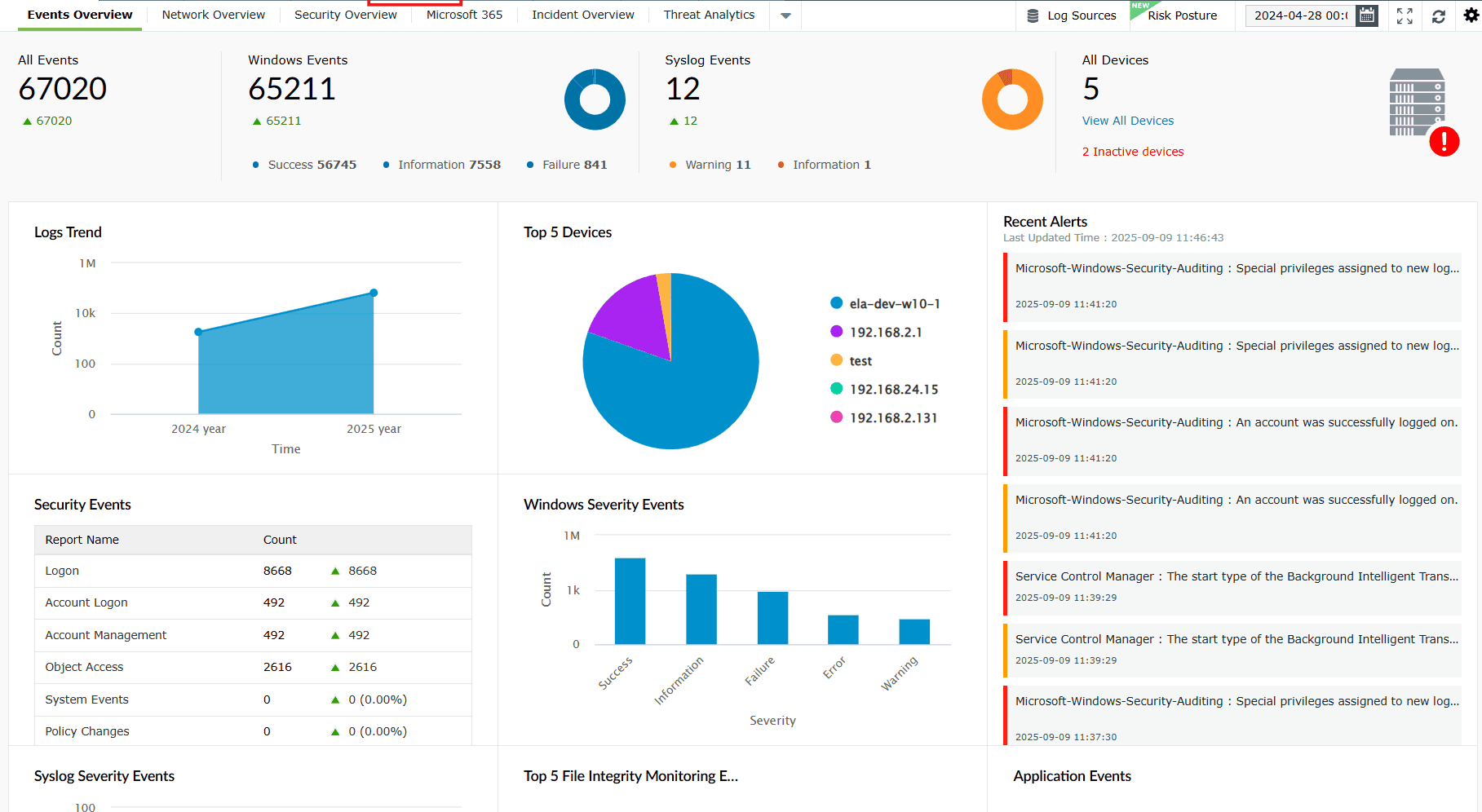
Image 1: Security tab in dashboard - Click on the Manage Rule button on the extreme right of the sub-tabs ribbon.
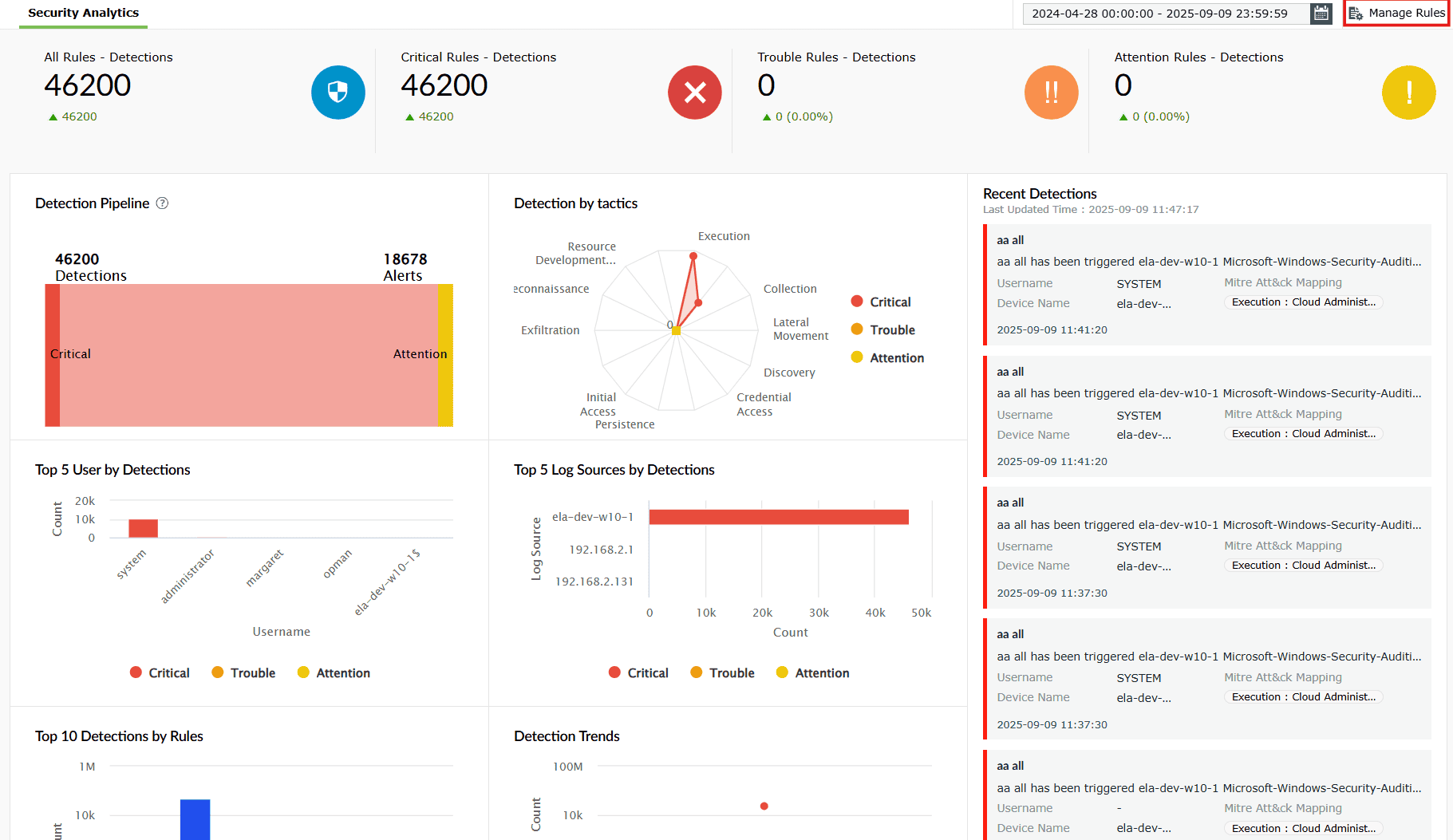
Image 2: Manage rules in security dashboard - You will then be taken to the Manage Rules module. This is the centralized hub for managing rules, rule creation, editing, etc.
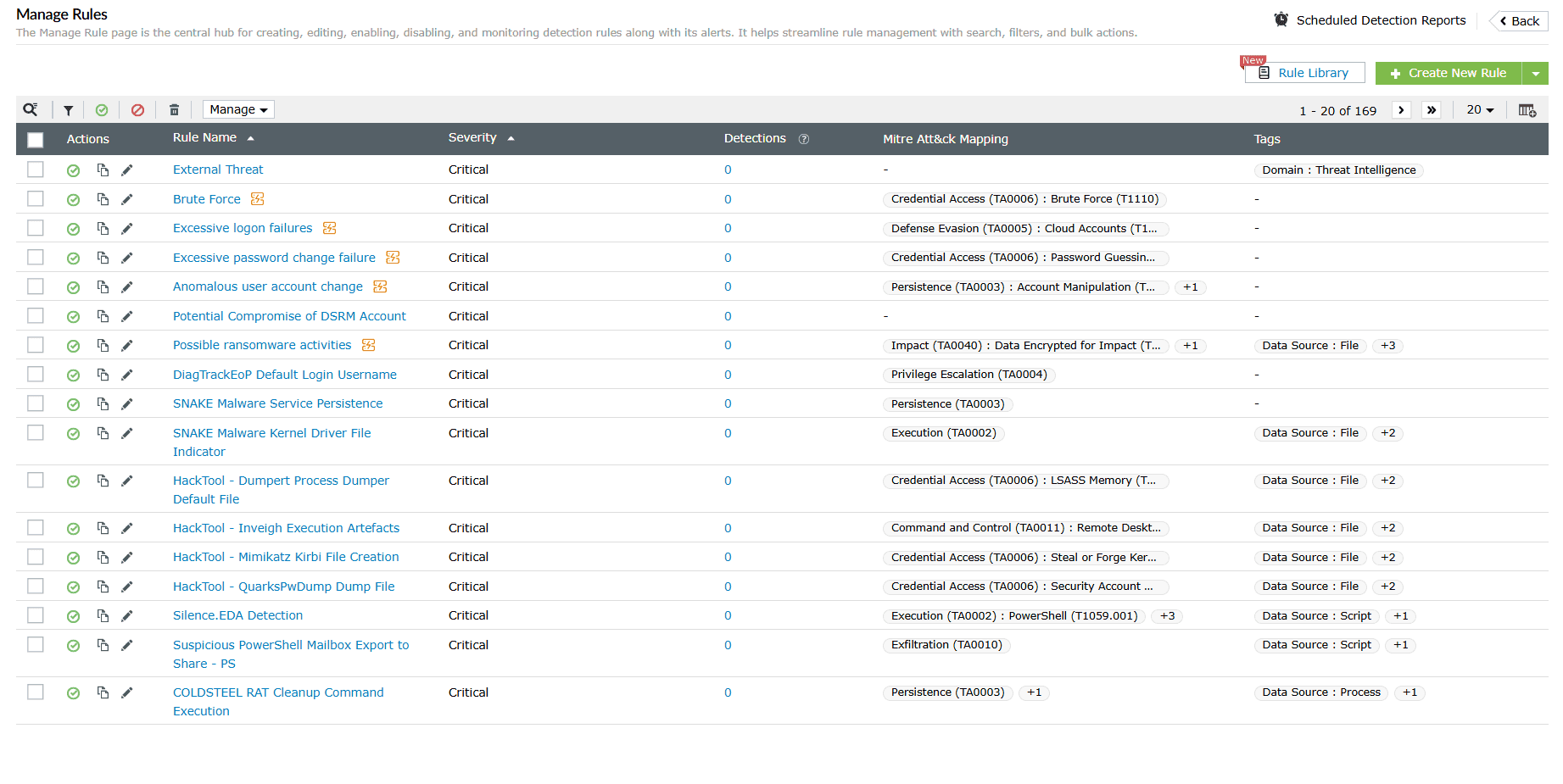
Image 3: Manage rules module via the security dashboard
Use Cases
Template-based onboarding of rule coverage for new teams
Use case
A new business unit with similar operational workflows is onboarded into the organization's cloud environment.
With effective rule management
Administrators can clone pre-defined rules like "Unusual login location" or "Failed logons", customize them for the new users and entities, and activate those rules. Once active, the rules start monitoring activity based on the configured logic, helping speed up deployment while maintaining consistent monitoring standards across the organization.
Detecting account takeover attempts - Privilege Escalation
Use case
A user with read-only access is now suddenly involved in admin-level activities like modifying user permissions or security settings.
With effective rule management
Pre-defined rule associated with privilege escalation can be activated and tailored (if needed) with filters like device type, or role-based user group to monitor such spikes in privilege use which could be potential Insider Threat. The ML model flags such activities against the user's usual behavioral baselines, enabling a speedy remediation.
Focused Anomaly detection for critical roles or systems
Use case
The finance department is the integral aspect of an organization, demanding attention and scrutiny.
For example: Access to payroll files during non-business hours.
Scenario A- Anomaly rules: A sales user attempts to access the payroll files.
Scenario B- Advanced rules: A sales user attempts to access the payroll files, that too during non-business hours.
With effective rule management
Security admins can configure rules to be role-specific and monitor abnormal activity specifically focusing on the finance department.
The ML engine formulates and uses the baseline behavior per role to involve contextual accuracy in anomaly detection.
Read also
This document explained how rule management helps optimize anomaly detection, from using predefined rules to configuring advanced rules for complex attack patterns.