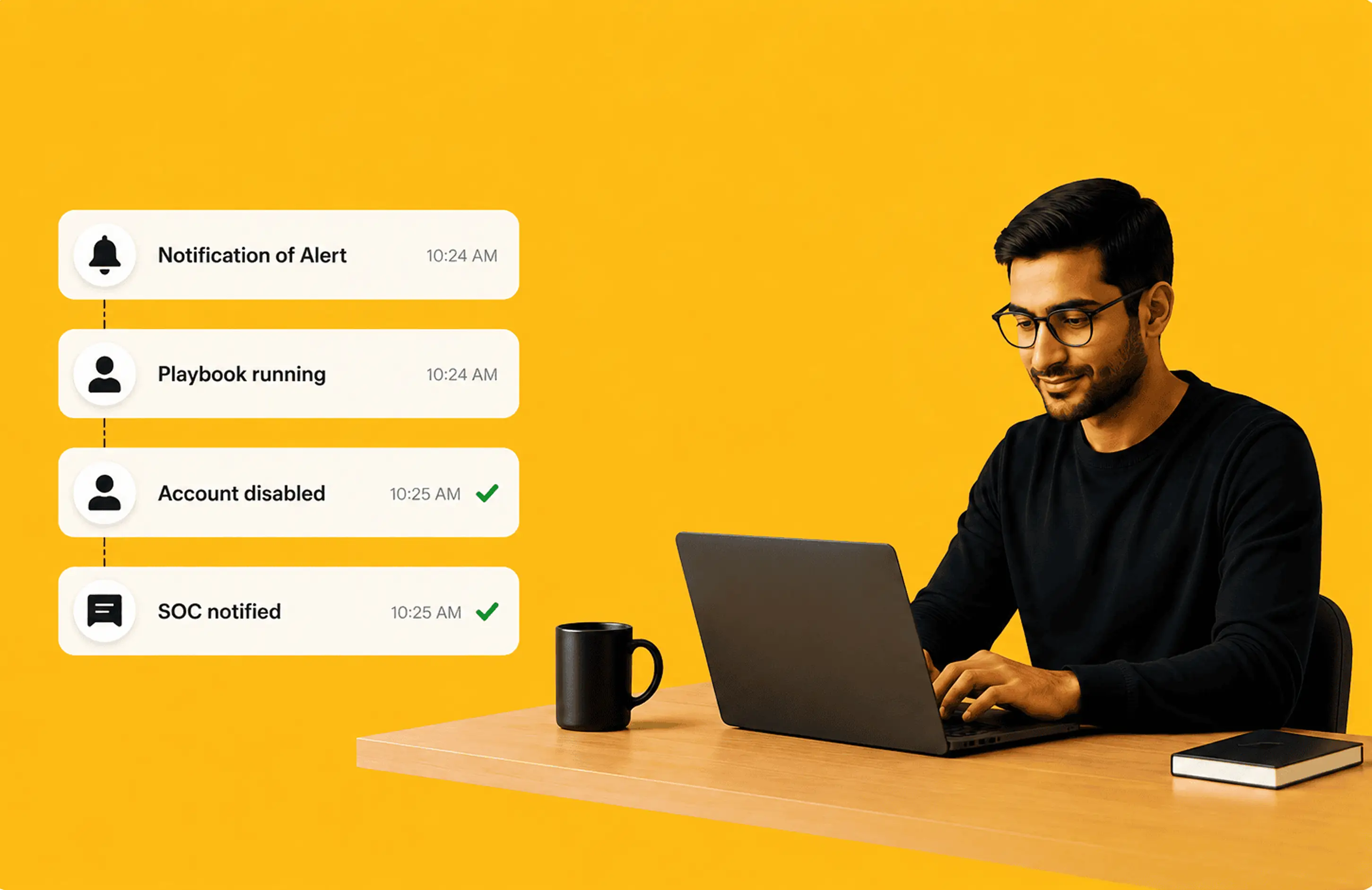
Build visual playbooks; execute response workflows; and remediate threats across endpoints, networks, and identities, all inside the same Log360 platform. No separate product. No per-execution fee.
We have received your request for a personalized demo and will contact you shortly.
See how Log360 SOAR can cut your MTTR.
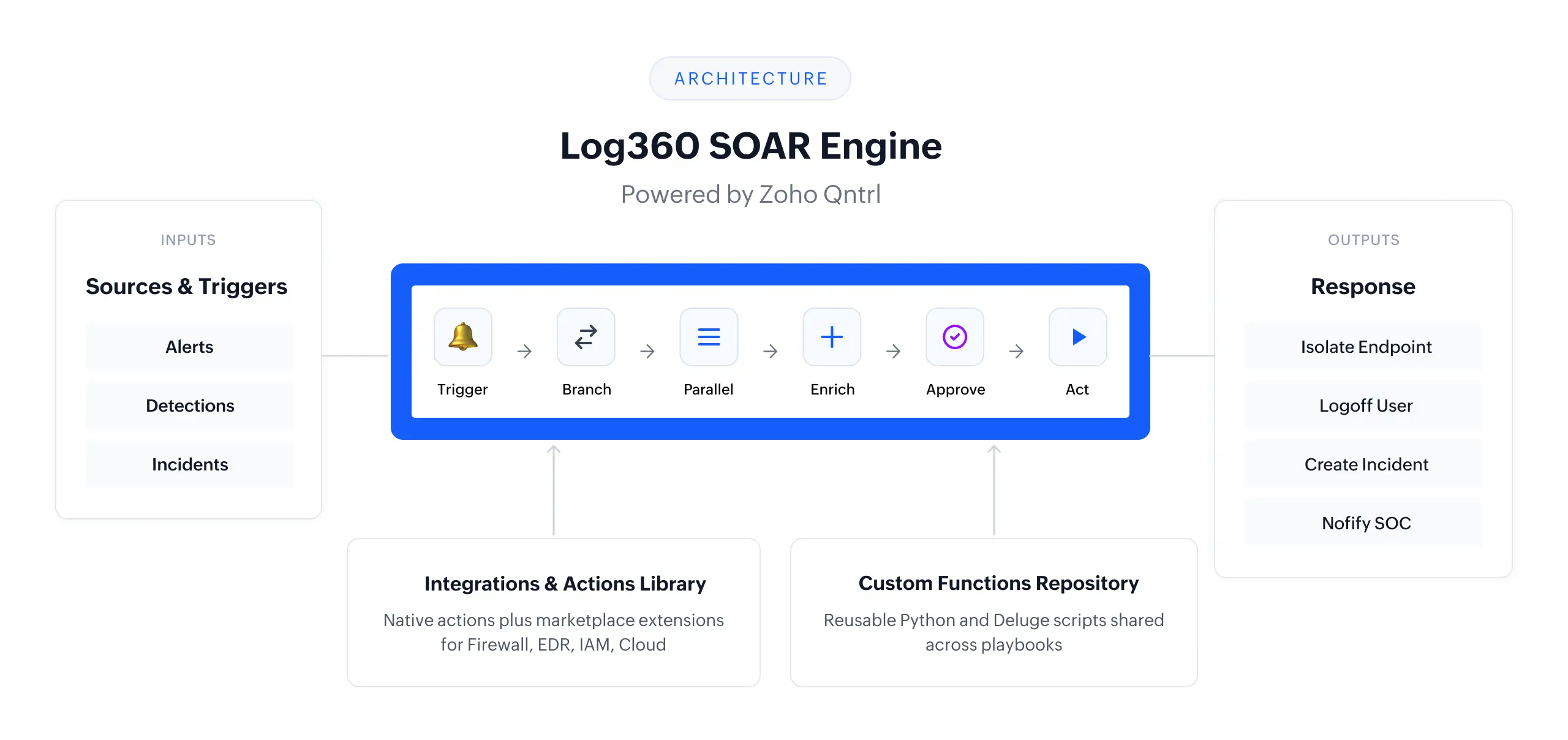
SOAR in Log360 is built across orchestration, automation, and remediation, not bolted on as a separate module.
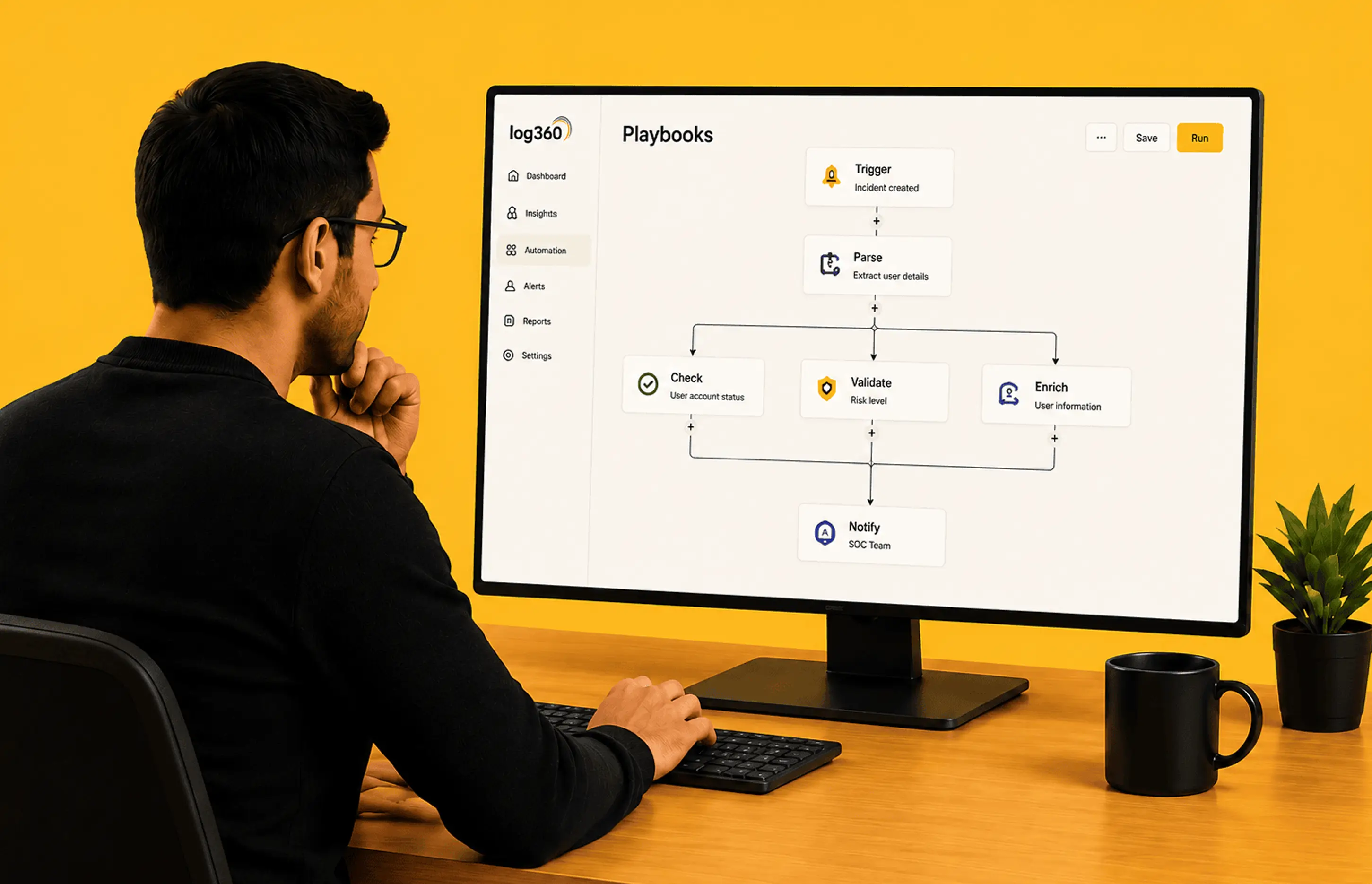
Log360 pulls in data from AD, network devices, endpoints, cloud sources, and security tools into a single context. Use playbooks to dynamically enrich alerts with deep context and orchestrate response across your entire ecosystem.
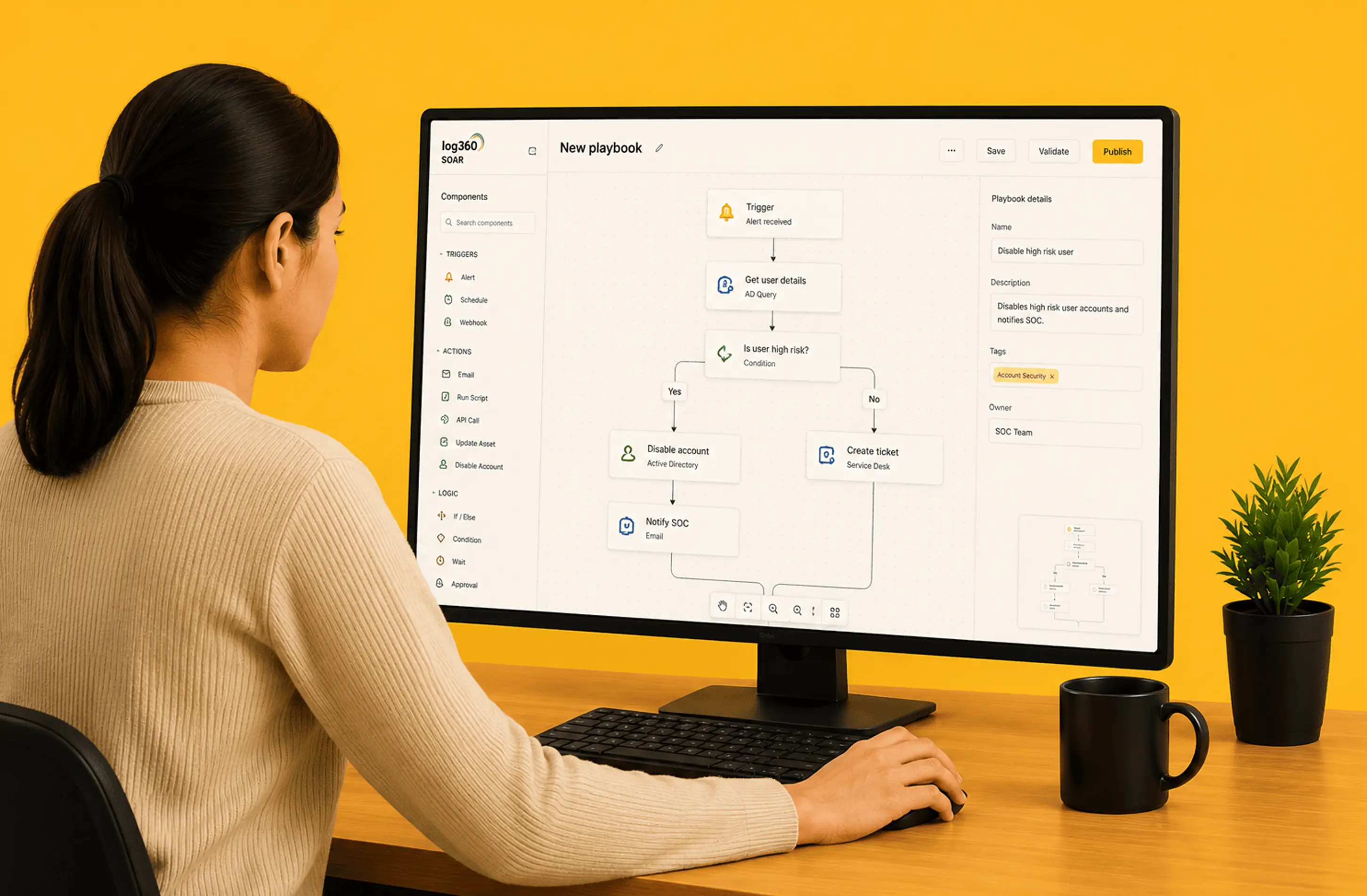
Powered by the Zoho Qntrl orchestration engine, the drag-and-drop visual builder lets you construct full response workflows using Branch, Parallel, Wait, Batch, and Sub-playbook states. Drop in custom Python functions when you need low-code extensibility. Import from the built-in library and deploy in minutes.
Playbook actions execute on endpoints via the ManageEngine agent: restart, shut down, disable USB, log off users, stop services, or run scripts. Every action is logged with full audit trail.
| Feature | Status | Details |
|---|---|---|
| Visual drag-and-drop builder | Available | Branch, Parallel, Wait, Batch, and Sub-playbook states, all shipping now |
| Prebuilt playbook library | Available | Over 60 predefined playbook templates and a content server delivery, growing with each release; import, customize, and deploy workflows |
| Python custom scripting | Available | Standard Python; Deluge also supported for Zoho ecosystem users |
| Custom functions | Available | Reusable Python and Deluge functions, shared across playbooks and centrally managed |
| MSSP multi-tenant support | Available | Tenant-isolated execution, client read-only portal, and admin and operator role separation |
Log360’s builder is powered by the Zoho Qntrl orchestration engine, an enterprise-grade foundation that brings mature state management and visual design to SOC automation. Build workflows by dragging and connecting states on the canvas to set conditions.
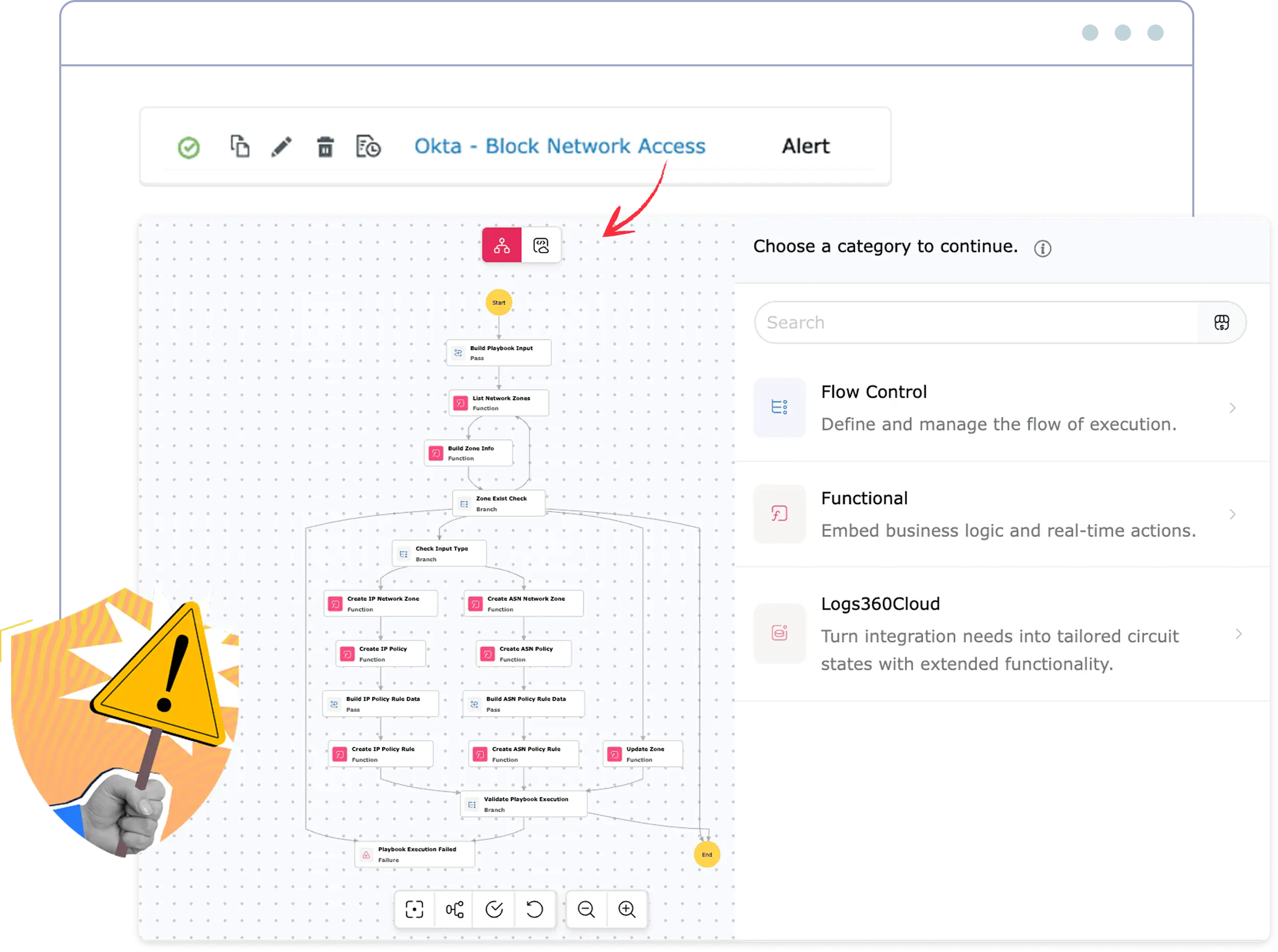
Log360 ships a curated library built for the security use cases SOCs actually run. Skip the blank canvas, import a playbook, adapt it to your environment, and deploy in minutes.
Access a library of more than 60 ManageEngine-curated playbooks delivered via our content server, offering prebuilt workflows that stay updated as the threat landscape evolves.
Log360 automatically maps and resolves all extension and sub-playbook dependencies during import, ensuring required functions are updated and ready.
Import a playbook from the library, adapt it to your environment, and promote it to production. Use the dedicated test execution mode to validate your workflows before going live.
Build playbooks once and run them across client tenants. Clients get read-only portal visibility into execution results. MSSPs retain full create and edit control.
Delegate playbook execution to analysts while restricting administrative controls and builder access to authorized admins. Ensure full accountability through granular audit logs and permission-based visibility into all automated response histories.
Log360 provides three months of execution retention per organization, offering a comprehensive step-by-step trace of all inputs, outputs, and timestamps that can be easily filtered by playbook, alert, or date range.
Join our product team for a 45-minute working session on building, testing, and scaling playbooks across real SOC use cases. Includes a live Q&A.
Relies on integrations with endpoint tools (e.g., EDR platforms) to execute actions. Endpoint response depends on external tools and their licensing.
Advanced endpoint remediation is powered through Microsoft Defender for Endpoint. Full response capabilities typically depend on Defender licensing.
The existing ManageEngine agent supports both IT operations and security remediation. No additional agents or endpoint tools required.
Log360 executes endpoint actions through the existing ManageEngine agent, enabling direct remediation without additional software or separate security tools.
Reduce tool sprawl, avoid extra licensing layers, and respond faster using what's already deployed.
Every playbook in the library is tagged to MITRE ATT&CK tactics and D3FEND countermeasures, giving SOC teams full attack-to-defense traceability inside the same workflow.
ATT&CK tells you what the adversary did. D3FEND maps what your defensive action does about it. When both are on the same playbook, you can answer audit questions precisely:
That dual mapping turns every automated response into a verifiable, framework-aligned control, useful for incident reviews, audit prep, and SOC maturity reporting.
Quick takes and highlights. From the official Log360 SOAR launch to expert insights from our product team.
SIEM collects, correlates, and alerts on log data from across your environment. SOAR takes that alert and executes a defined response (enrichment, containment, notification, or ticketing) automatically. Log360 does both in the same platform, so the alert context flows directly into the playbook without any handoff.
Python is the primary scripting language for custom playbook functions. Deluge (Zoho's scripting language) is also supported for teams already in the Zoho ecosystem. For any cross-platform or team, we recommend leading with Python.
The limit is 500 playbooks per organization. Most mid-market SOCs operate with 20 to 50 active playbooks, so this provides substantial headroom.
Three months. This covers operational review and incident retrospectives for most use cases. For compliance audit requirements, note that the SIEM log data (not the SOAR execution log) is the authoritative audit record. SIEM retention follows your configured policy.
Yes, for Log360 Cloud. SOAR is included in the Enterprise plan at no additional cost. There is no per-playbook or per-execution fee.
Log360 Cloud gives you threat detection, behavioral analytics, and automated response in a single platform. No add-ons, no per-execution billing.