Azure Premium Storage Monitoring
Track storage performance, reduce latency issues, and keep your Azure Storage services running at peak efficiency.
- Real-time throughput and latency monitoring
- Capacity and utilization tracking for files and blobs
- Smart alerts for performance drops and request failures
- Automated root-cause analysis for faster troubleshooting
- Supports Azure Blob and File Storage monitoring
Proactive monitoring for Azure Premium Storage performance
Microsoft Azure offers a premium storage service that ensures the high availability and performance of applications that demand intense workloads. Azure premium storage outshines its standard counterpart by delivering data at a faster rate and providing more storage space. These storage services would be the ideal choice for building applications that deal with a large number of transactions as low latency and high throughput storage performance becomes essential.
However, such a work-intensive component warrants the need for a tracking tool that can aid in proactively resolving storage system issues. Applications Manager's Azure Storage monitoring is one such tool that offers a wide range of features to monitor your Azure Premium Storage service environment, ensuring seamless operations.
Monitoring Azure Premium Storage services with Applications Manager
To ensure that business SLAs for the service is met, Applications Manager offers a dedicated Azure premium storage monitoring feature with an intuitive dashboard for tracking the performance of KPIs. The Microsoft Azure storage solutions monitored by Applications Manager include blobs and files. By implementing robust azure storage monitoring, IT teams can visualize real-time data and prevent bottlenecks before they impact end-users.
Azure Storage performance overview
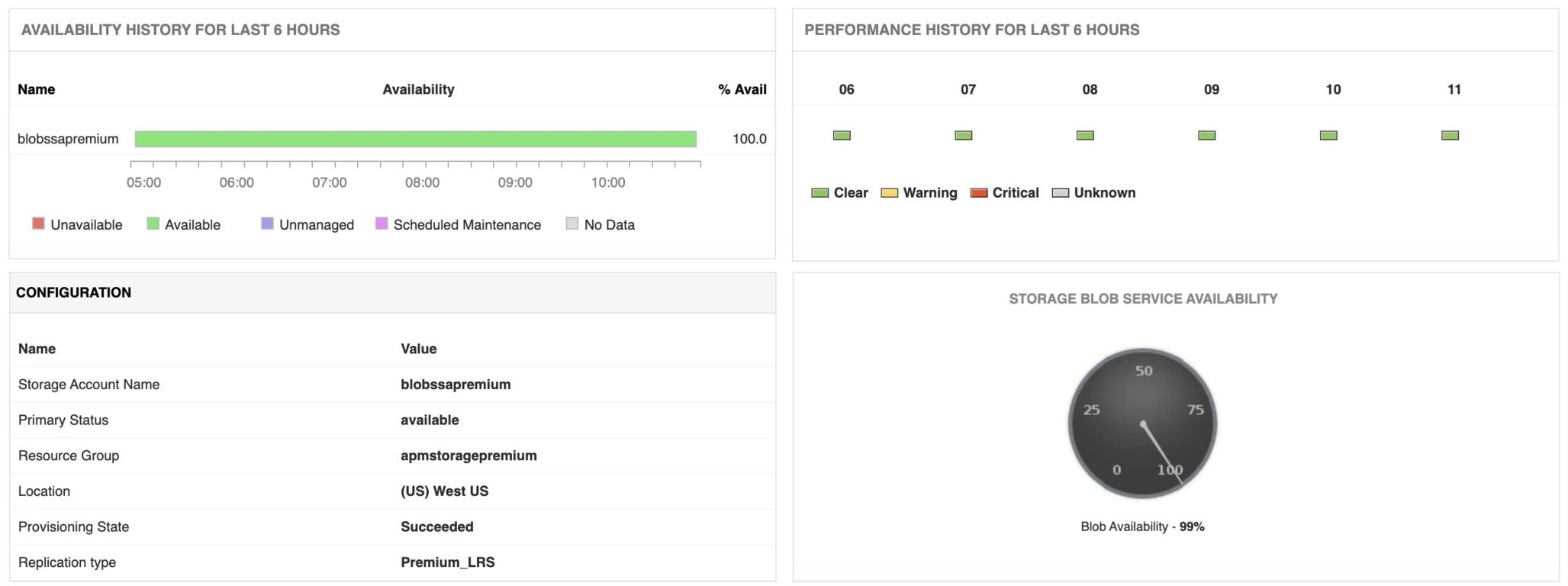
Applications Manager's Azure Premium Storage monitor has an overview panel that gives a visual understanding of how each storage service is performing at a glance. A sudden drop in performance experienced by any of the Azure Storage services would instantly be reflected on the overview dashboard and an alert notification would be sent to the responsible IT administrative teams. The admins can then isolate the problematic storage service with the help of Applications Manager's root cause analysis feature for troubleshooting.
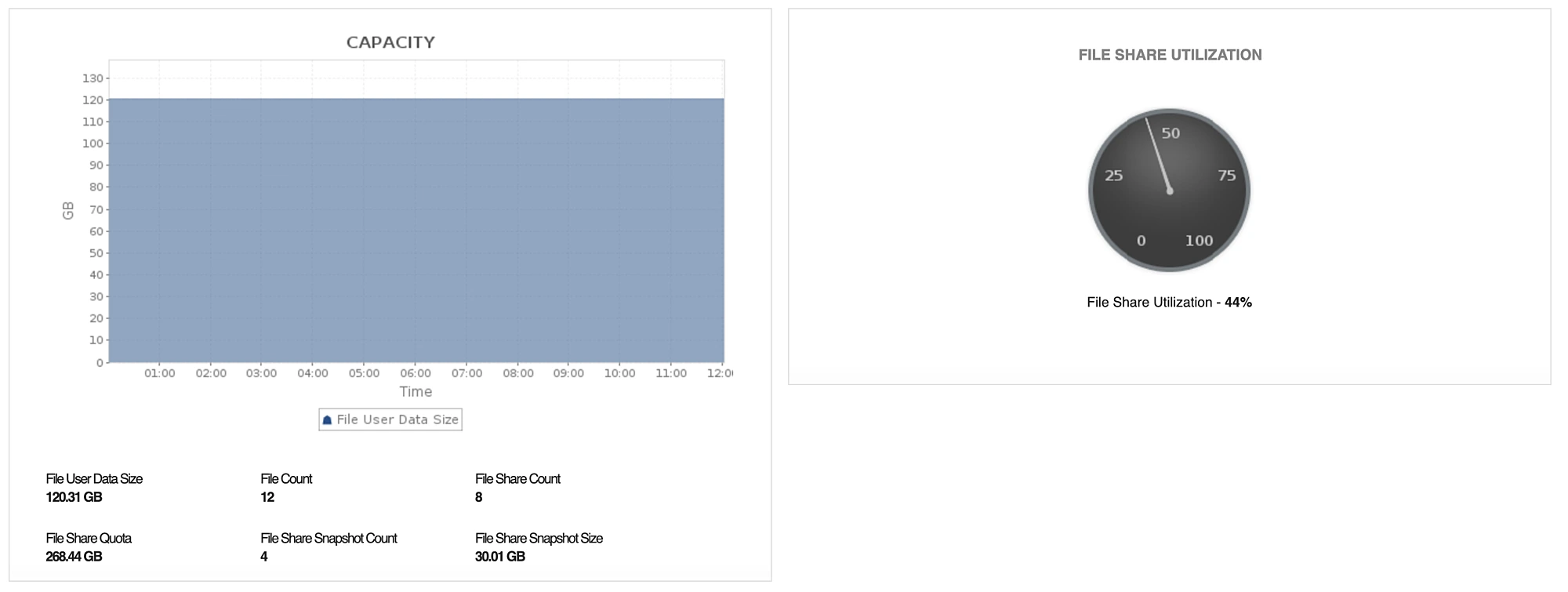
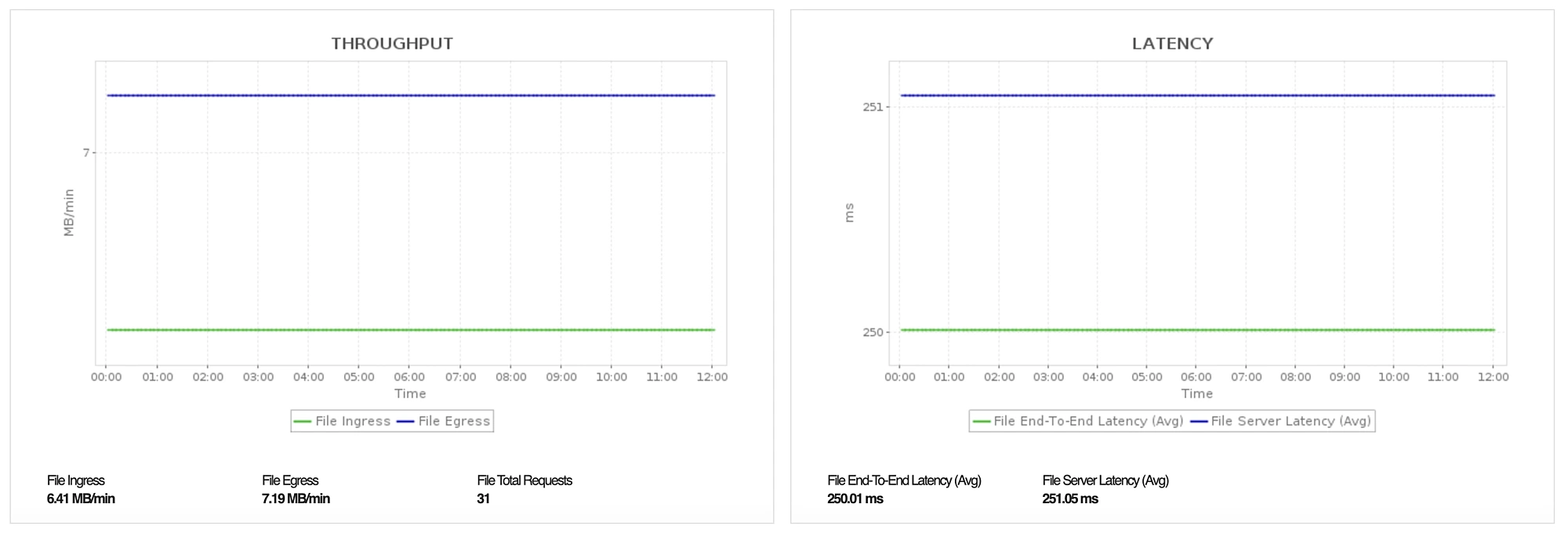
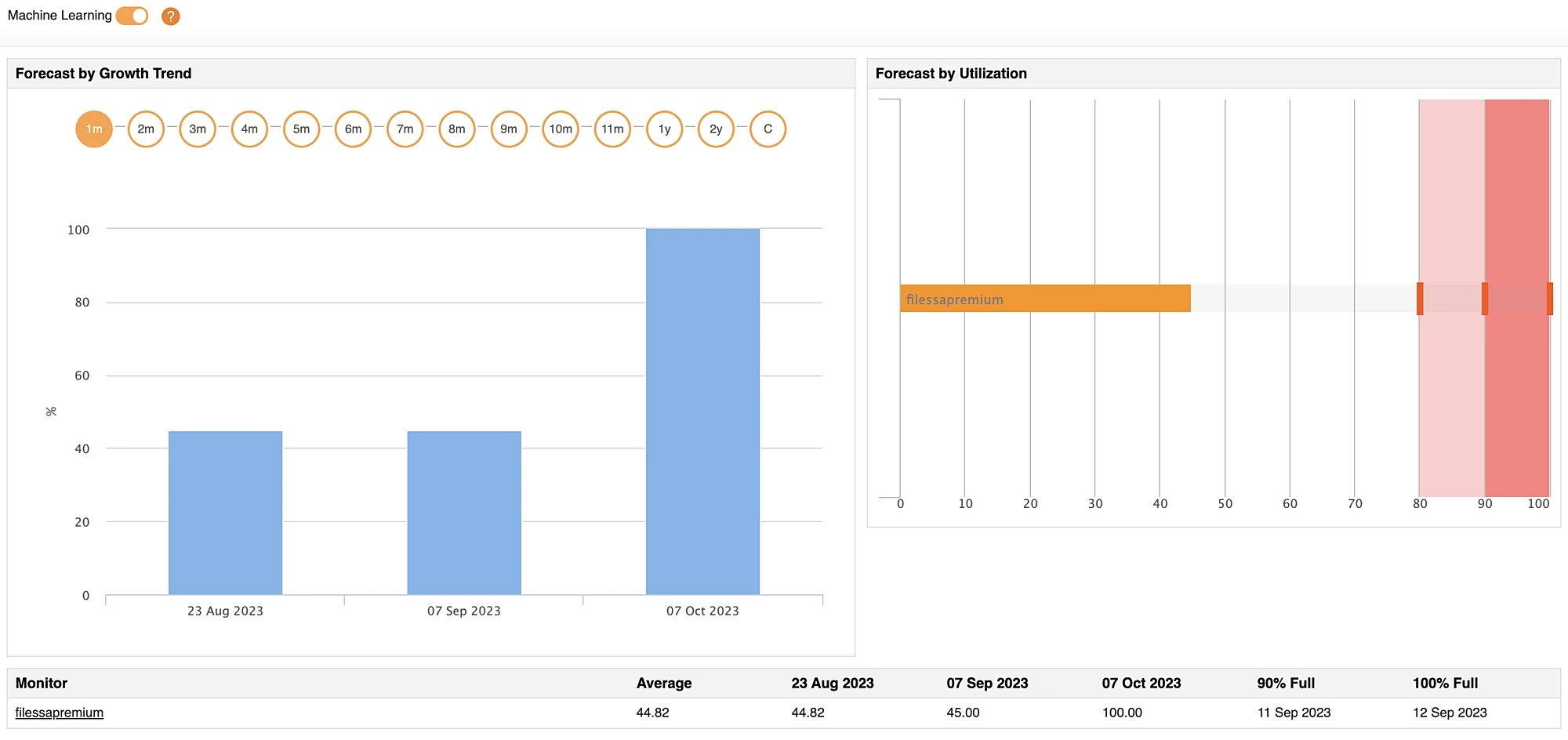
Beyond basic metrics, the Azure Premium Storage monitor can also be used to gather the configuration details of the service that is being monitored including its primary status, location, provisioning state, and much more. Infrastructure components must be able to enjoy uninterrupted access to different Azure Storage services. To ensure this, Applications Manager's Azure Storage monitoring has separate overview panels for files and blobs where one can track the capacity, throughput, and latency parameters to help administrators understand the rate at which the storage services are being utilized.
Azure Blob Storage monitoring
When dealing with a service that handles an enormous amount of unstructured data, it is wise to keep a close watch on the performance output on a granular level. Azure Blob Storage is one such service that is often employed to access data through a URL. This warrants a need for an Azure blob monitor such as ManageEngine's Applications Manager to gain insights on the performance from both the server and client end.
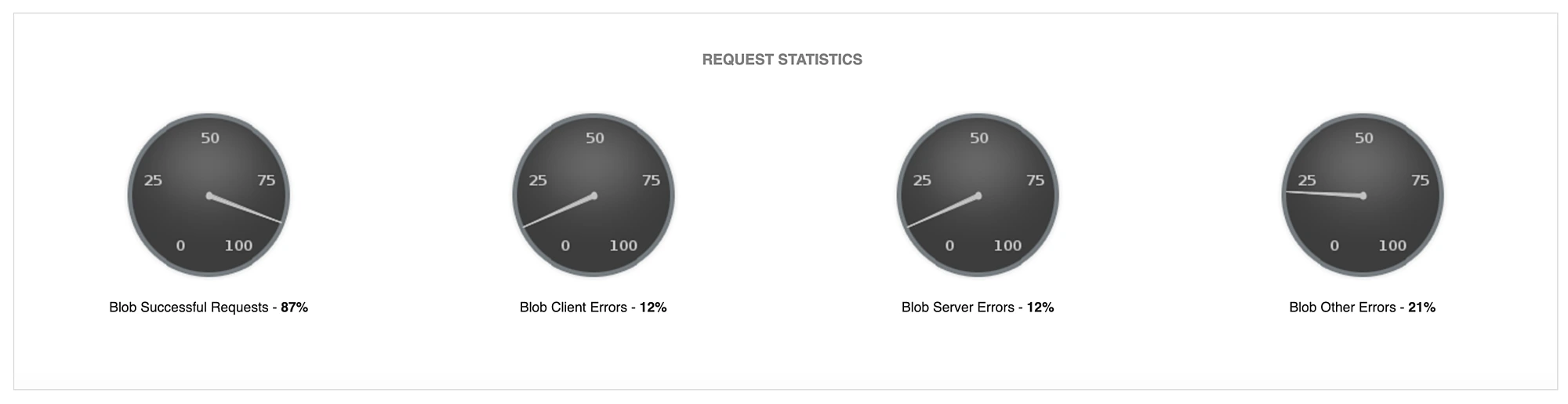
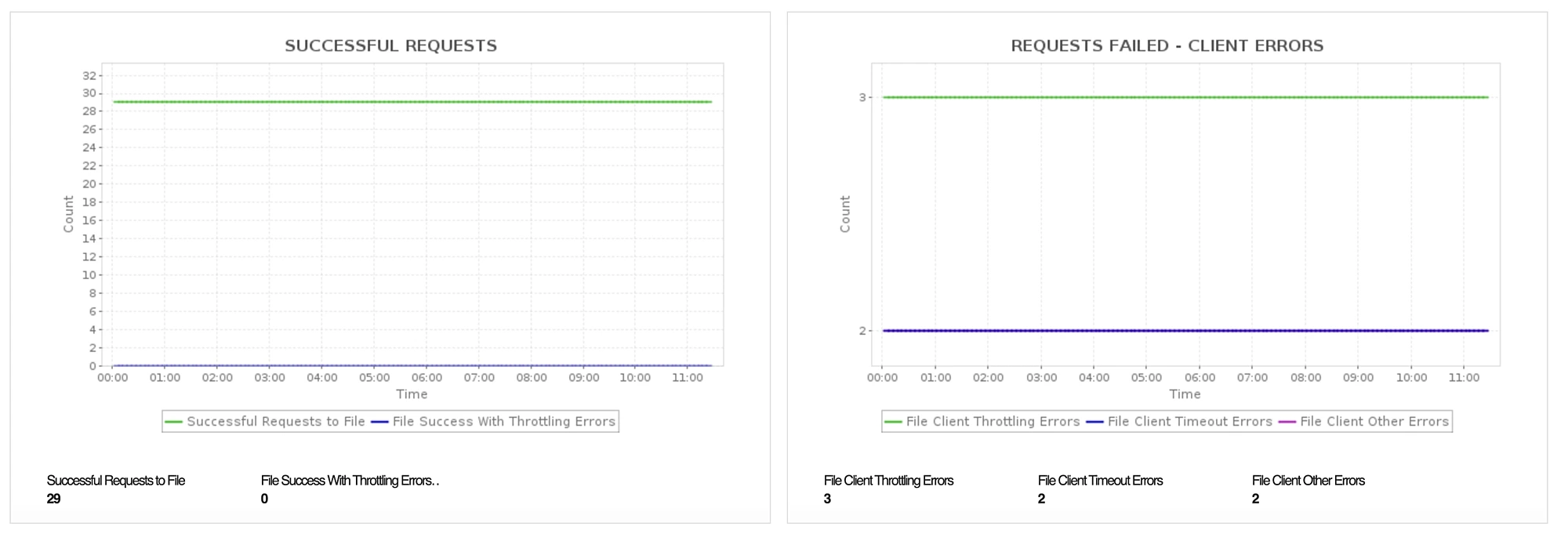
When the monitor detects a sudden shift in latency or throughput, it can be configured to perform a corrective action or raise an alarm to prevent performance degradation of the application that is availing the service. With the aid of Applications Manager's Azure Storage monitoring, you can track the complete performance of your blob storage for transaction, authentication, and request statistics.
Azure File Storage monitoring
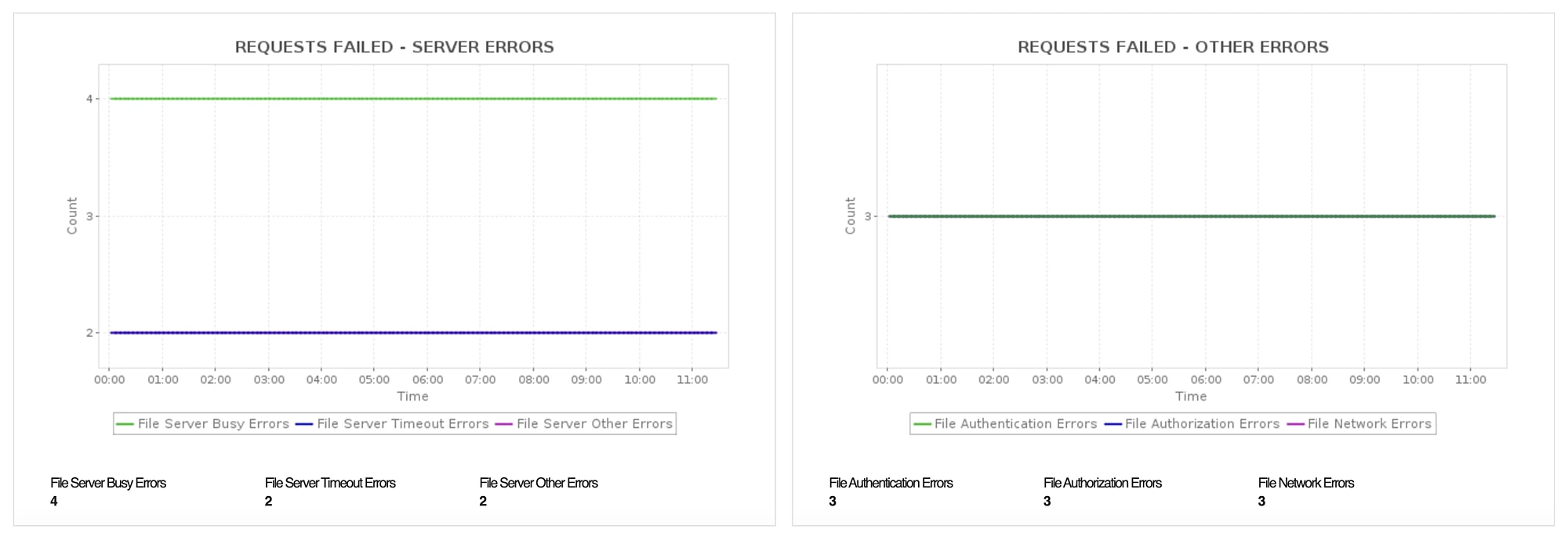
Applications Manager's Azure Storage monitoring also tracks the Azure file share system which helps ensure that high workload applications get uninterrupted access to critical file data without delay. Our application performance monitoring capabilities simplify the storage management process by constantly tracking file storage metrics so that data availability never gets compromised. The Azure Storage monitoring tool instantly detects request errors that result in reduced availability of the storage service and escalates the issue so that it doesn't affect critical business operations.
Alarms & reports on Azure Premium Storage
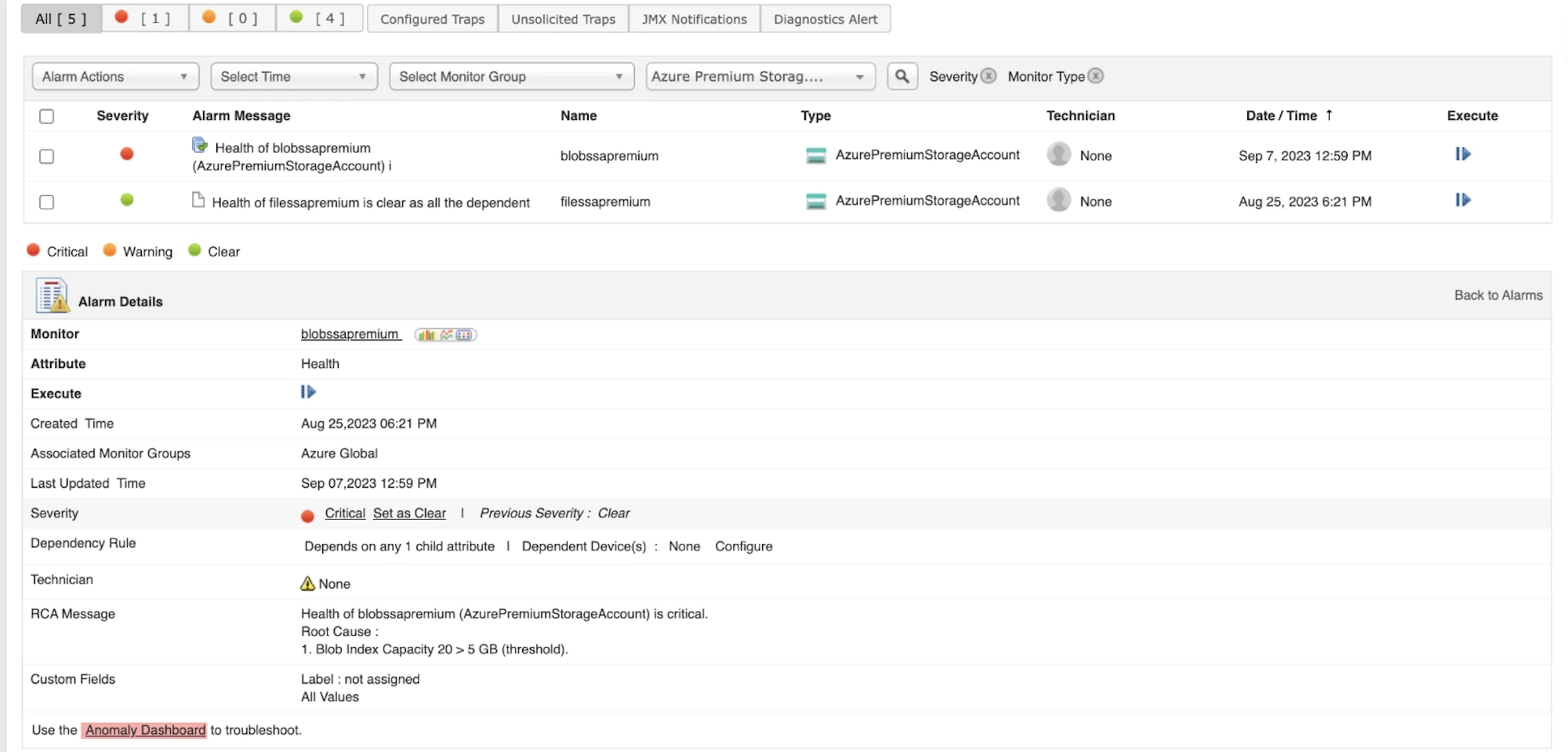
Applications Manager features a comprehensive alarms dashboard which displays an entire list of alarms that have been raised and cleared. For easier fault management, Applications Manager allows system administrators to assign technicians in the alarm console so that the issue gets escalated and resolved on time. Admins can also configure each alarm to perform an automated action such as sending an email, SMS, or Slack notifications, executing a program or Webhook, creating a new ticket in an ITSM solution, and more.
Start monitoring your Azure premium storage services in one place!
Applications Manager's Azure monitoring supports a wide range of Azure cloud services within a single console. For a more hands-on experience, Applications Manager offers a 30-day free trial where you can easily setup your own monitor for Azure Premium Storage and other cloud services. Download 30-day free trial now!
More on Azure Premium Storage monitoring
What is Azure Premium Storage Monitoring?
+Azure Premium Storage Monitoring is the process of tracking the performance, availability, and capacity of Microsoft's high-performance solid-state drives (SSDs) used in Azure cloud environments. It helps IT administrators ensure low latency and high throughput for workload-intensive applications.
Why is Azure Storage monitoring important?
+Proactive Azure Storage monitoring ensures that your cloud infrastructure continuously meets SLA requirements, prevents unexpected downtime, and optimizes cloud storage costs by easily identifying underutilized or bottle-necked resources.
Can ManageEngine Applications Manager monitor both blob and file storage?
+Yes, Applications Manager provides dedicated monitoring dashboards for both Azure Blob and Azure File storage. It offers granular insights into request statistics, latency, throughput, and potential request errors.