Windows Event Log Monitoring
Event Log Monitoring in Applications Manager enables you to track and respond to important Windows system events in real time. Applications Manager will scan Windows Event Logs during each data collection cycle. Events that match the defined log rules—such as specific event types, sources, or messages—will be captured and displayed on the Windows Monitor Details page.
In addition to viewing events, you can configure automated alarms based on these rules. For example, if an event of the type Error appears in the System Log, a critical alarm can be triggered in Applications Manager. This alarm will then impact the overall health status of the Windows monitor, allowing administrators to identify quickly and respond to potential issues.
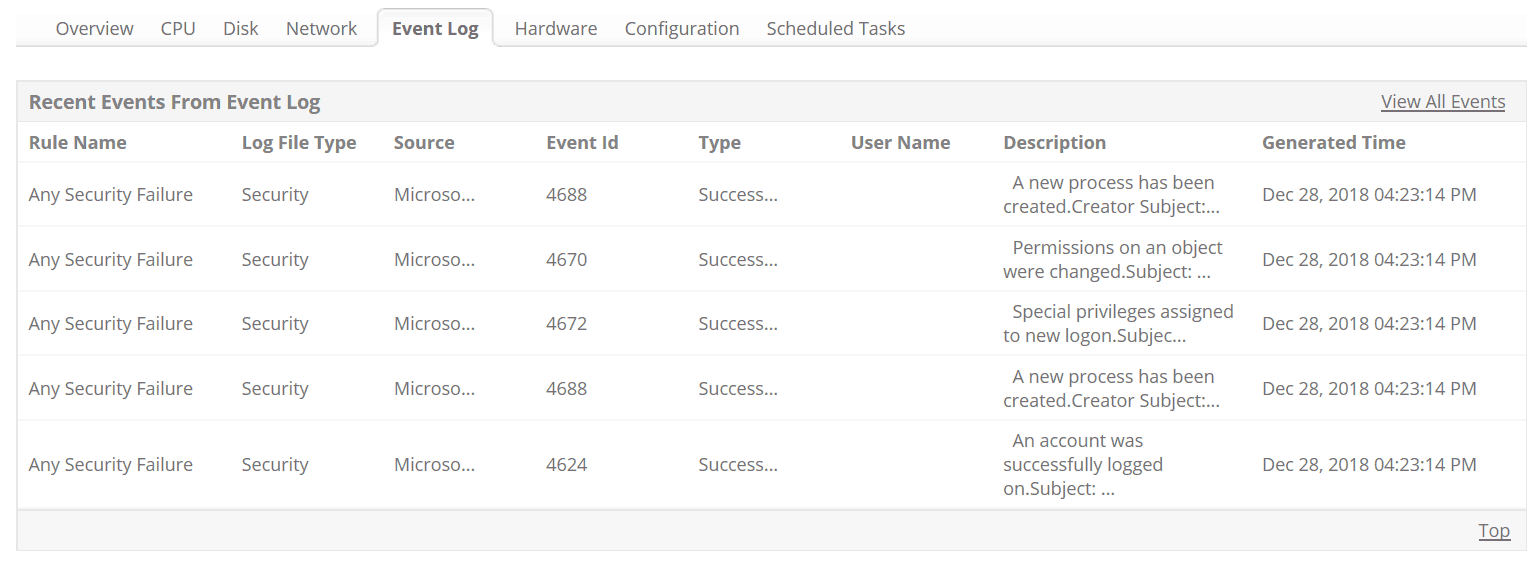
Note: Event Log Monitoring is supported only in WMI mode and is not available via SNMP or other monitoring modes. To receive and monitor Windows events in Applications Manager, you must first configure the Event Log Rules. These rules define which types of events should be captured and displayed based on criteria such as event type, source, and message content. For detailed instructions on setting up Event Log Rules, please refer to the following documentation: Event Log Rules Configuration Guide
| Related Monitoring : | |
|---|---|
ManageEngine provides an exclusive Windows Event Log and Syslog Monitoring solution, EventLog Analyzer, for internal threat monitoring and exhaustive compliance reports. If you are interested in Log Monitoring/Security Information Management (SIM) solution, then take a look at our EventLog Analyzer product - http://www.eventloganalyzer.com/
"The Applications Manager tool has assisted our small team of solution providers to monitor our applications independently of the multitude of other services offered within our corporate network. Setting up our monitors has been a relatively easy process, and where we got stuck we have benefited from the support provided by the local partner in South Africa (ONSoft) and your Manageengine support team. The additional functionality offered by SLA manager will assist us to validate system availability to our internal customers."
Tim Jobson
Shared Solutions Support Team
Metropolitan Life - South Africa

