APM Insight PHP agent - Checksum Validation
You can verify the authenticity of the downloaded APM Insight agent with SHA256 checksum validation. This ensures that the downloaded agent is credible and is not tampered with by any malicious code or software.
To verify the authenticity of the agent, follow the steps given below:
Download the required agent provided here- Windows, Linux (glibc), Linux (glibc arm), and Linux (musl).
Note: For older PHP agent versions, download the corresponding SHA file from this page.
- Follow the steps below to validate the checksum value:
For Linux systems, execute the following command:
Upto APM Insight PHP Agent v3.5.1:
Linux (glibc)
sha256sum agent_php.zipLinux (glibc arm)
sha256sum agent_php_arm.zipLinux (musl)
sha256sum agent_php_alpine.zip
Upto APM Insight PHP Agent v4.1:
Linux (glibc)
sha256sum agent_php_glibc_amd64.zipLinux (glibc arm)
sha256sum agent_php_glibc_arm64.zipLinux (musl)
sha256sum agent_php_musl_amd64.zip
- For Windows, you can use either of the following commands:
Open Command Prompt and execute the following command:
Upto APM Insight PHP Agent v3.5.1
certutil -hashfile agent_php.msi SHA256From APM Insight PHP Agent v4.1
certutil -hashfile agent_php_v16700.msi SHA256Open Windows Powershell and execute the following command:
Upto APM Insight PHP Agent v3.5.1
Get-FileHash agent_php.msi -Algorithm SHA256From APM Insight PHP Agent v4.1
Get-FileHash agent_php_v16700.msi -Algorithm SHA256
After executing the commands, you will obtain a checksum value. Compare this value with the one downloaded from the checksum file.
Sample Output:

Note: If the checksum values differ, do not unzip or open the file.
Agent Signature Verfication
All the agent files are signed with a Zoho Corp. certificate.
To verify the signature, follow the steps below:
Note: Downloading the PGP key for the signature file verification is important. Without the PGP key, the verification may not be successful. This functionality is available up to APM Insight PHP Agent v3.5.1.
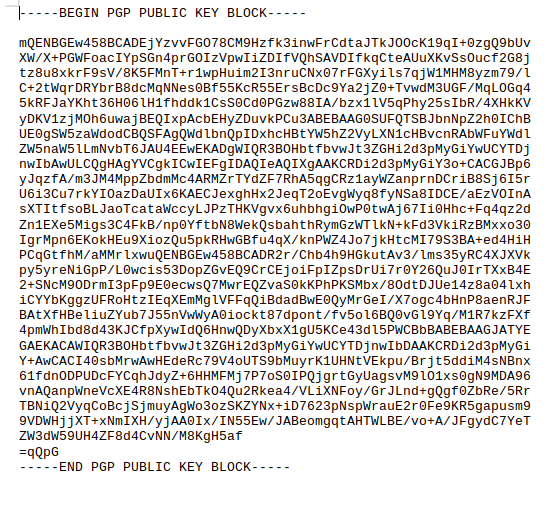
Download the Applications Manager PHP agent public key (appmgrphp.pub) file. It should be similar to the following output.
Import the public key to your trusted keystore (use .pub or .asc to save the aforementioned key).
"gpg --import appmgrphp.pub"[or]"gpg --import appmgrphp.asc"
Download the signature file (agent_php.zip.sig) and verify the downloaded zip with its signature.
"gpg --verify agent_php.zip.sig agent_php.zip"

