SiliconFlow Integration
SiliconFlow is a cloud platform that hosts a large catalog of open AI models (DeepSeek, Qwen, GLM, and more) and makes them available through a single API. With SiliconFlow, you can generate AI-assisted summaries and insights in Applications Manager using SiliconFlow-hosted models for Generative AI (GenAI)-powered features.
Prerequisites
- Ensure that you have a SiliconFlow account.
- Create or use an API key from the SiliconFlow console.
- Ensure that billing, credits, and usage limits are configured in your SiliconFlow account.
How to configure SiliconFlow in Applications Manager
- Go to Settings →; Product Settings →; Integrations (Add-On Settings).
- Under the AIOps category, select SiliconFlow. This opens the SiliconFlow integration configuration page.
- Enter the Organization Name. This is a display name used to identify the integration in Applications Manager.
- Enter the API Key generated from the SiliconFlow console. Refer to SiliconFlow API keys to create or copy an API key.
- Click Fetch Models to retrieve the available SiliconFlow models for the configured account. You can refer to the SiliconFlow models list before selecting models.
- Select the models you want to make available for GenAI-powered features.
- Click Add Models to add the selected models to the integration.
- Click the star (⭐) icon to set a model as the default, if required. Only one model across all configured GenAI providers should be treated as the default.
- Review and accept the privacy consent statement, then click Save.
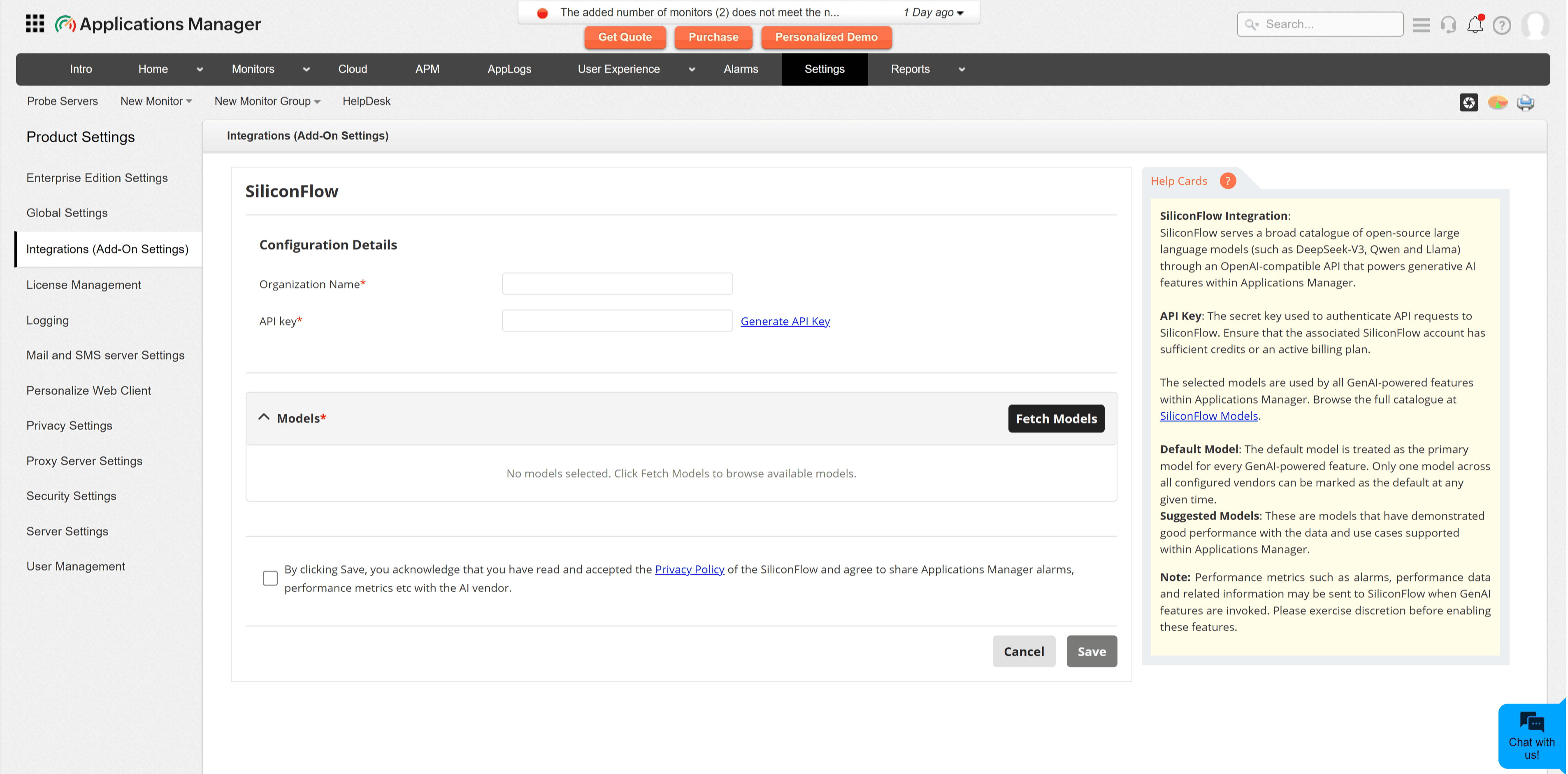
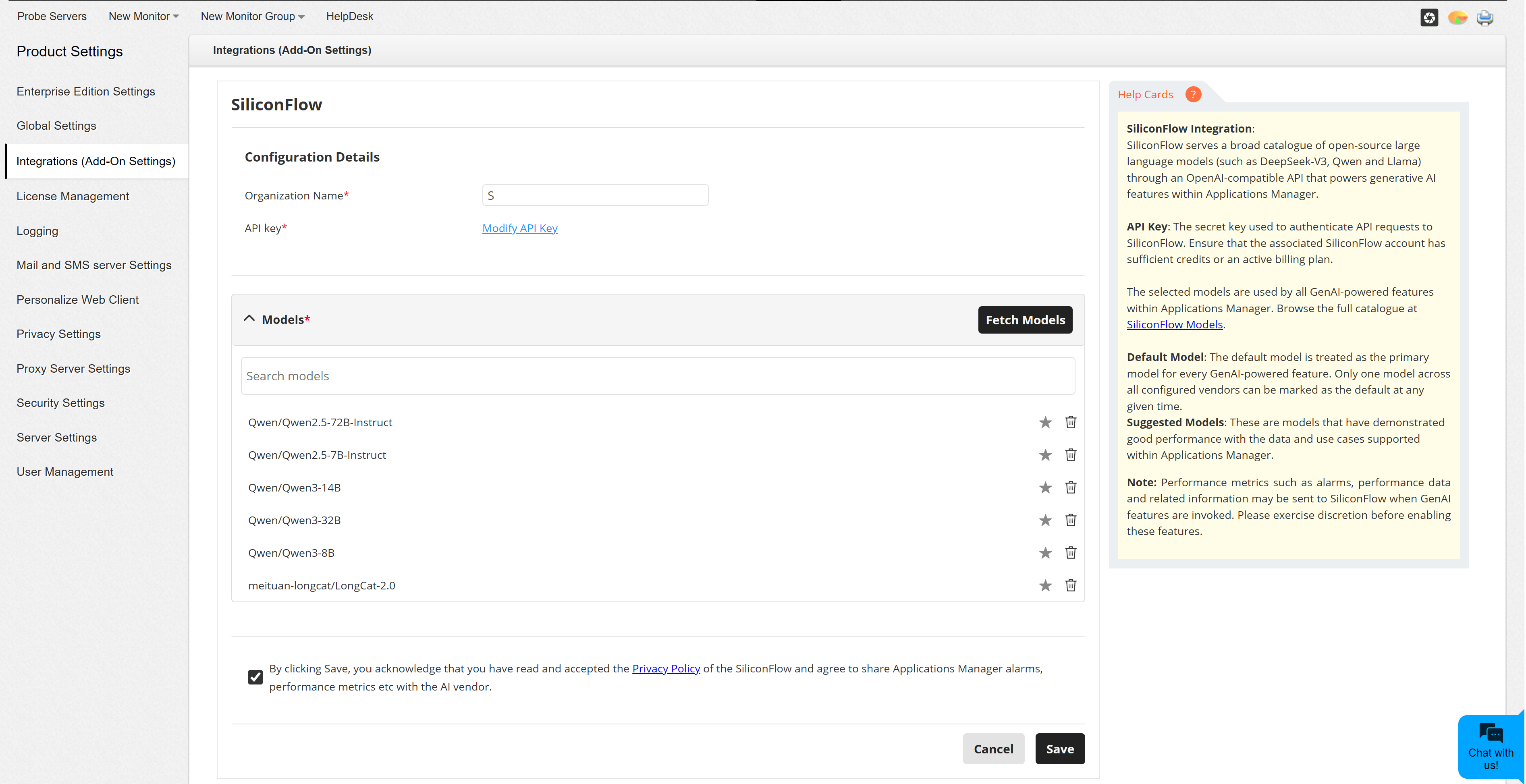
Configuration fields
| Field | Description |
|---|---|
| Organization Name | A friendly name for identifying this SiliconFlow integration in Applications Manager. |
| API Key | The secret key used to connect Applications Manager with SiliconFlow. Keep this key private and rotate it according to your organization's security policy. |
| Models | The SiliconFlow-hosted models that Applications Manager can use for GenAI-powered features. |
| Default Model | The primary model used when a GenAI-powered feature does not require a specific model selection. |
Note:
- Data required for GenAI-powered features may be sent to SiliconFlow when those features are used.
- Review generated output before acting on it.
- If Fetch Models fails, verify the API key, SiliconFlow account status, billing, credits, usage limits, and network access from the Applications Manager server.