Agent Uninstallation Methods
The Endpoint Central Agent can be uninstalled in many ways. However it is important to note here that agent uninstallation is only recommended in cases where you want to remove old agents (agents that are no longer in contact with the server)and not in scenarios where there is a communication issue or an upgradation failure.
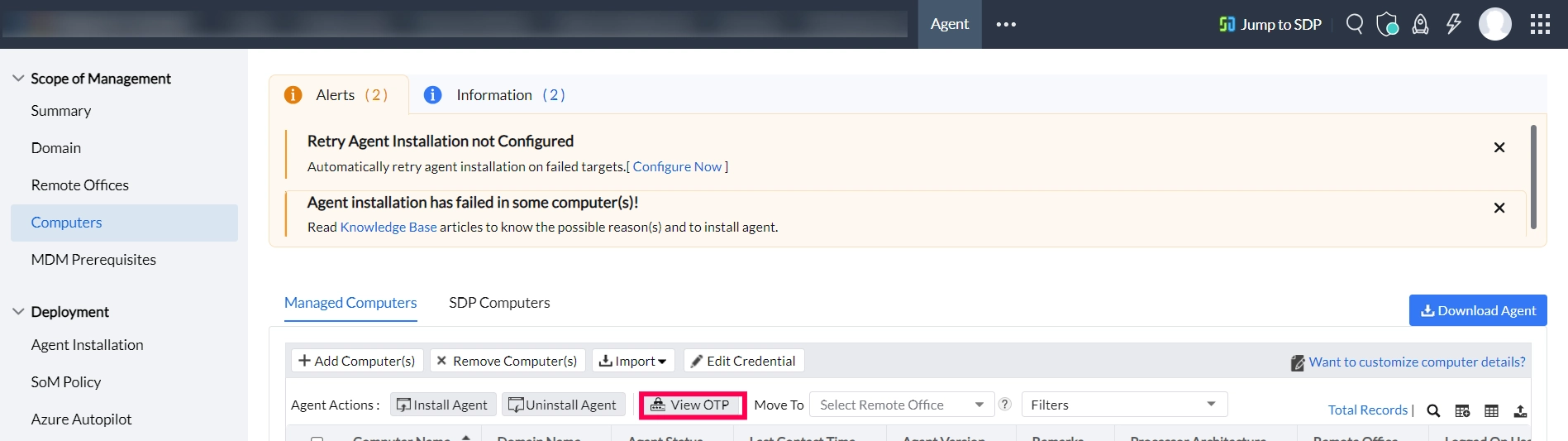
If you have enabled Agent Protection Settings, when you try to uninstall agent you will be prompted for an OTP. You can find it by navigating to Agent tab > Computers under Scope of Management > View OTP
Agent Uninstallation from Console
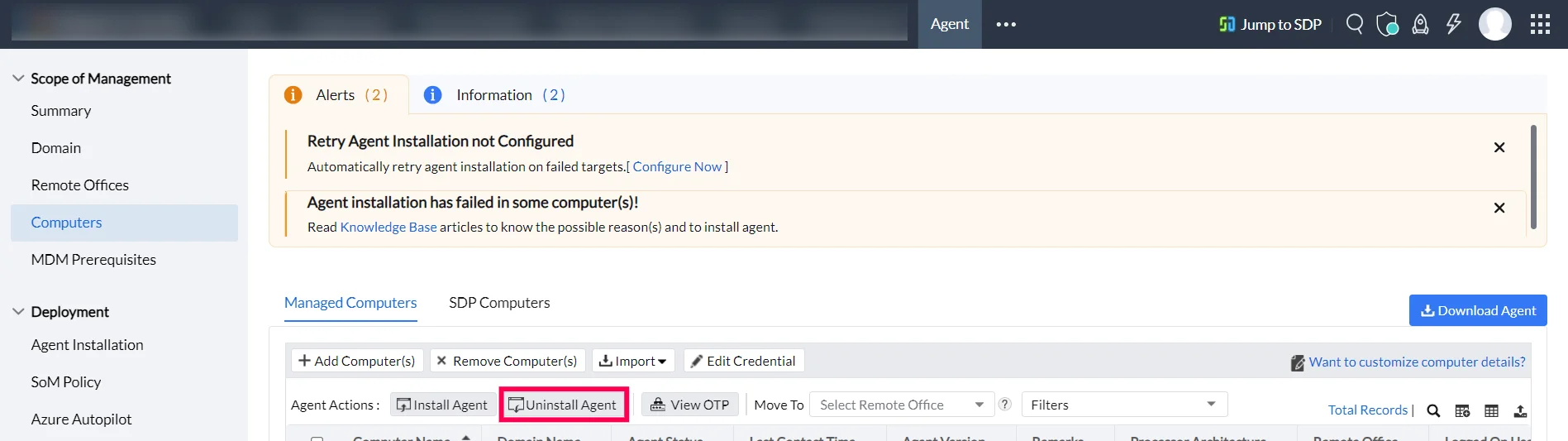
You can uninstall agents from machines using the Endpoint Central Server by navigating to the Agent tab --> Scope of Management --> Computers --> Uninstall Agent.
By clicking on Uninstall agent, you will only be able to uninstall agents from machines where the status of the agent is live.
Manual Agent Uninstallation
You can restrict agent uninstallation and agent service from the Endpoint Central Server console by following the steps mentioned below:
To configure OTP for agent uninstallation, log in to the Endpoint Central Server console and navigate to Agent --> Agent Settings --> Agent Protection Settings.
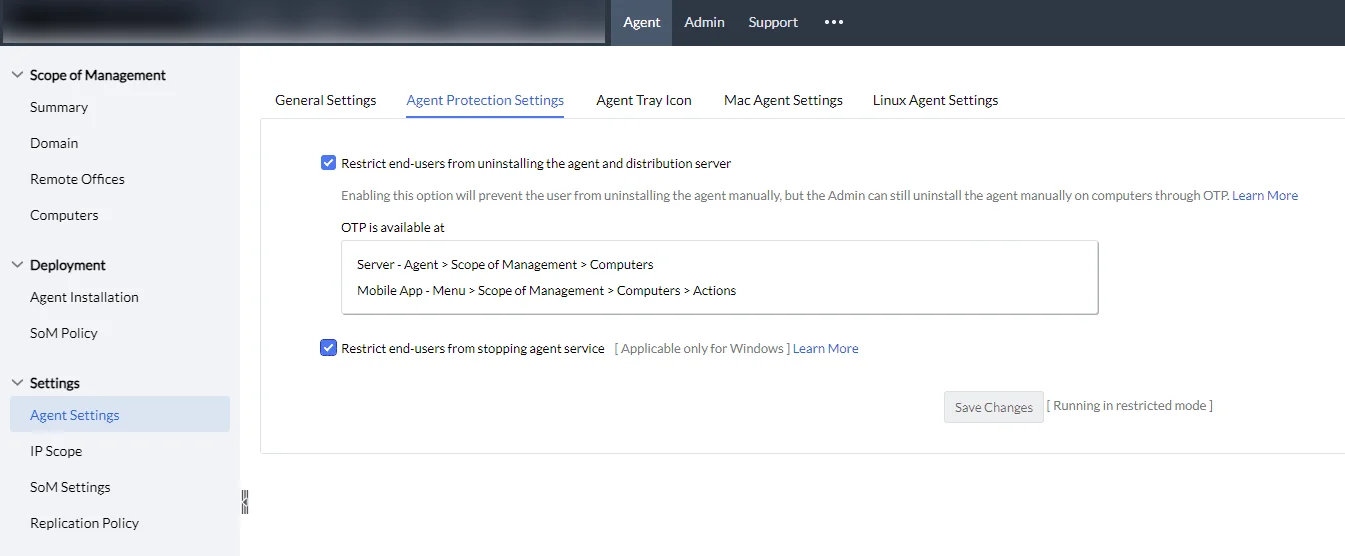
After enabling the settings, you will see that the restrictions will be enabled in the control panel. (The restrictions will be applied during the 90 minutes refresh cycle)
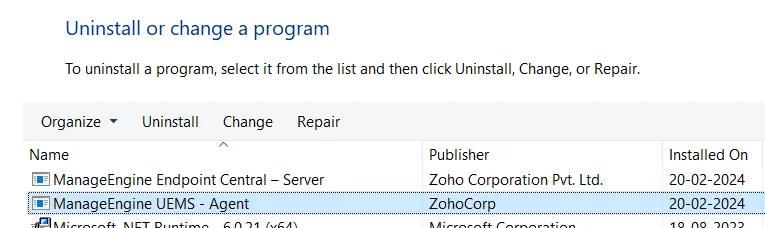
When you are trying to uninstall the agent from the control panel, you will be required to enter the OTP.
To view the OTP from the console, log in to the Endpoint Central web console and navigate to Agent tab > Computers under Scope of Management > View OTP.
Agent Uninstallation using the GPO Tool
To know more about uninstalling an agent using the GPO tool, click here.
Agent Uninstallation using the IP Tool
You can uninstall an Endpoint Central agent using the IP tool. To know more, click here.
Agent Uninstallation using the AgentCleanupTool
The AgentCleanupTool is a manual removal method recommended when the agent no longer appears in Control Panel/Installed Programs, standard uninstallation methods have failed, or the device needs a completely clean removal before reinstalling. To know how to uninstall an agent using the AgentCleanupTool, click here.
Agent Uninstallation via Intune
To know how to uninstall an agent via intune, click here.
Mac Agent Uninstallation Method
To uninstall Mac agents, kindly refer here.
Linux Agent Uninstallation Method
To uninstall Linux agents, kindly refer here.