×![]()
×
×![]()
×
×
Integrate with AssetExplorer
Integration Benefits
AssetExplorer aids you with complete lifecycle management of IT assets and Endpoint Central is a unified endpoint management solution for managing and securing endpoints from one central location. The Endpoint Central - AssetExplorer integration empowers your IT help desk engineers with comprehensive asset details of endpoints.
Businesses can acquire advantages from this integration in the following ways:
- Real time Asset Management
- IT Visibility and Control
- Actionable Insights
Endpoint Central will post the inventory details immediately to AssetExplorer in the following scenarios :
- During every system startup
- User logon
- After every successful scan (manual & scheduled)
- Whenever a new software application is installed/uninstalled
Integration Steps
Follow the below-mentioned steps to integrate Endpoint Central with AssetExplorer:
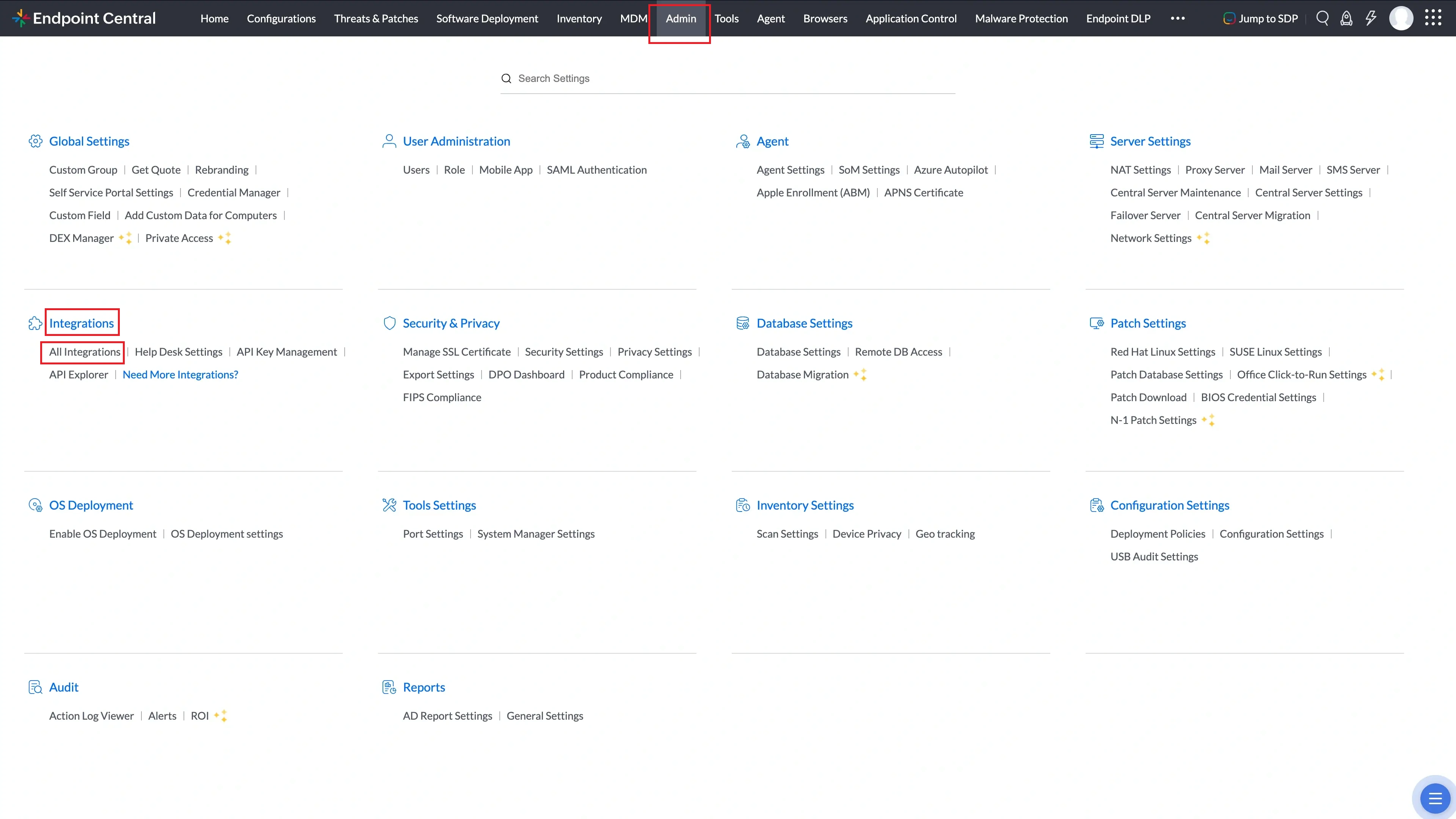
- Login to Endpoint Central and navigate to Admin --> Integrations --> All Integrations.
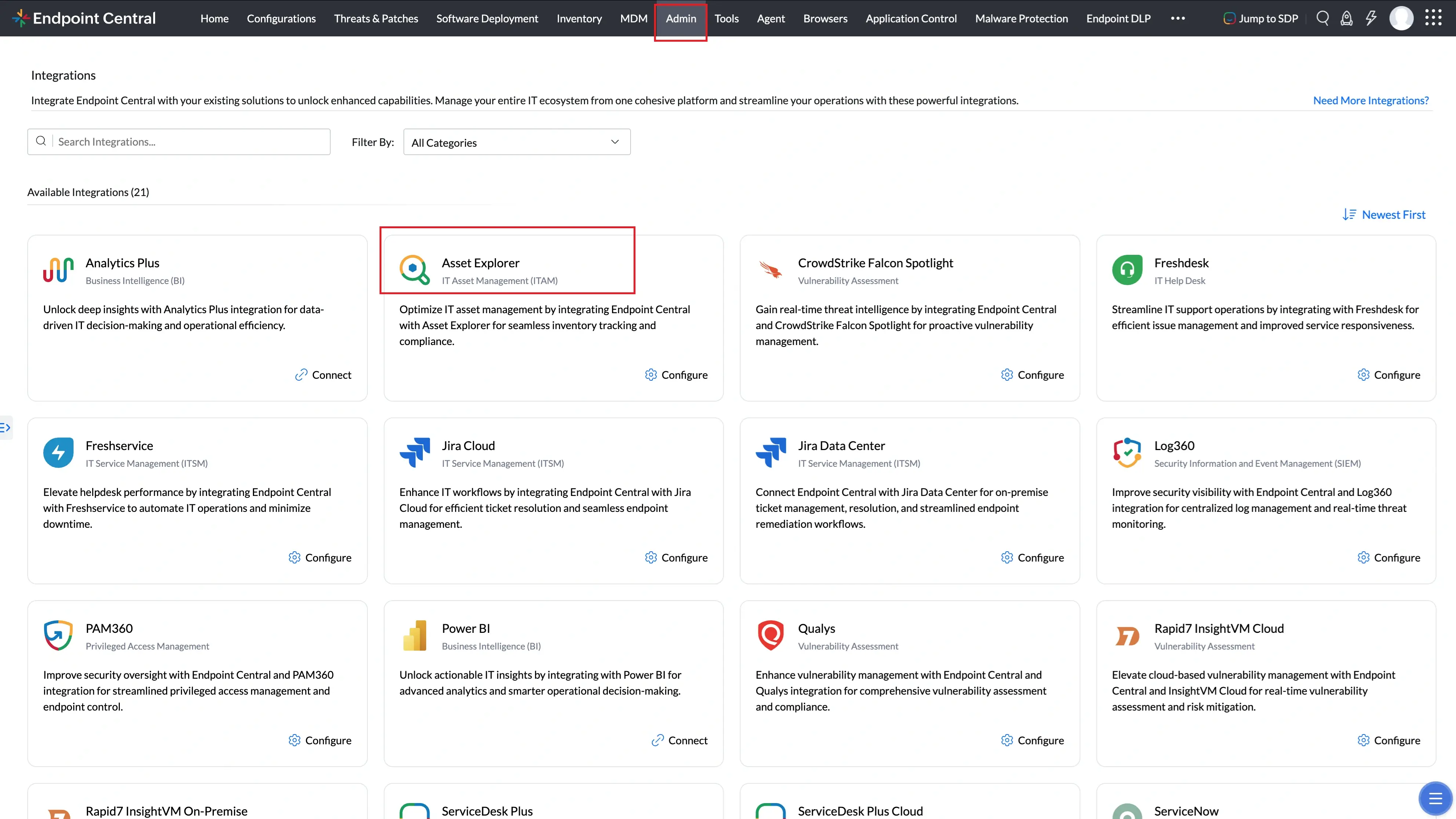
- Search for AssetExplorer and click Configure.
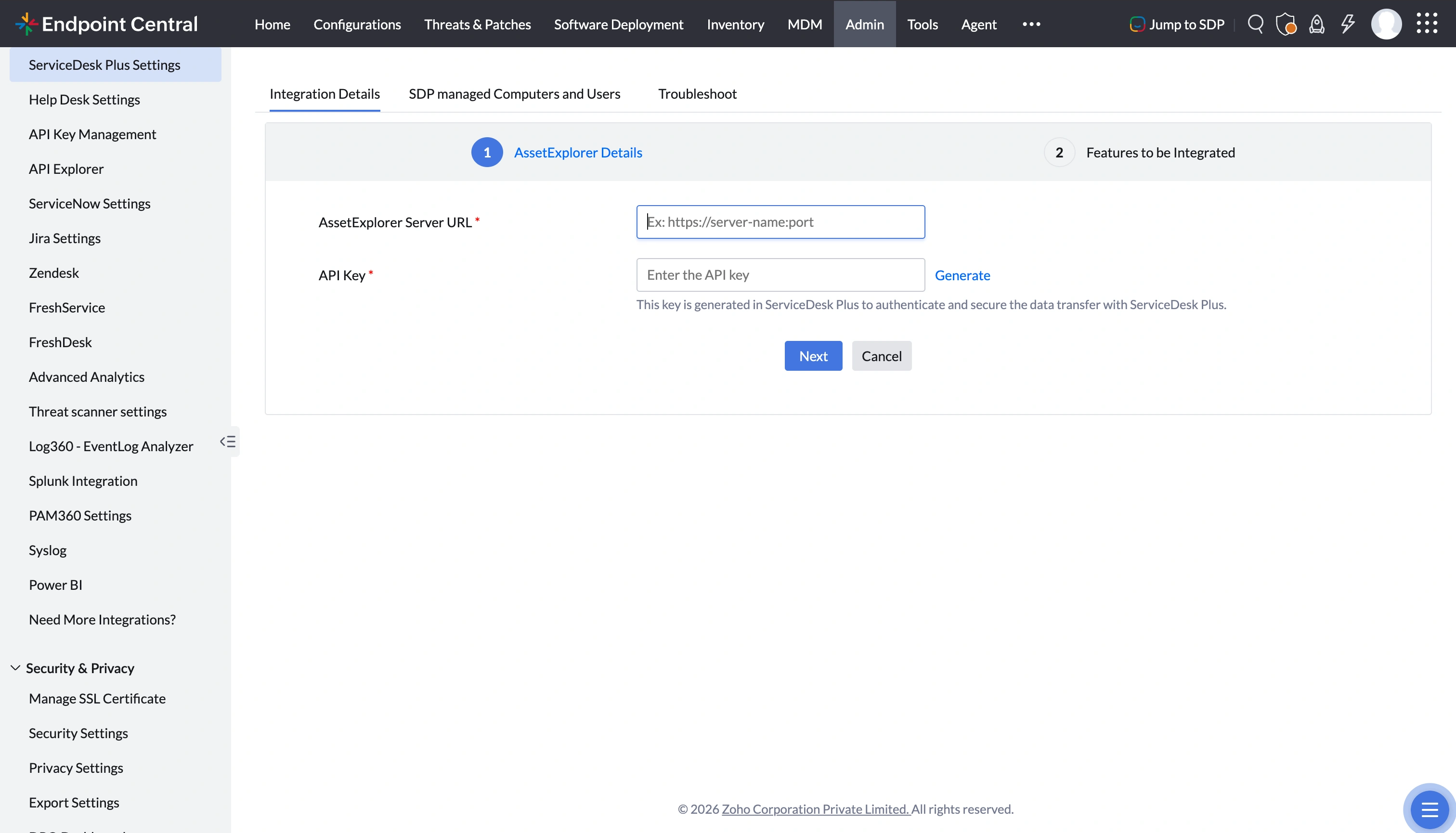
- Enter the AssetExplorer server URL, generate and enter the API key for AssetExplorer, and then click Next.
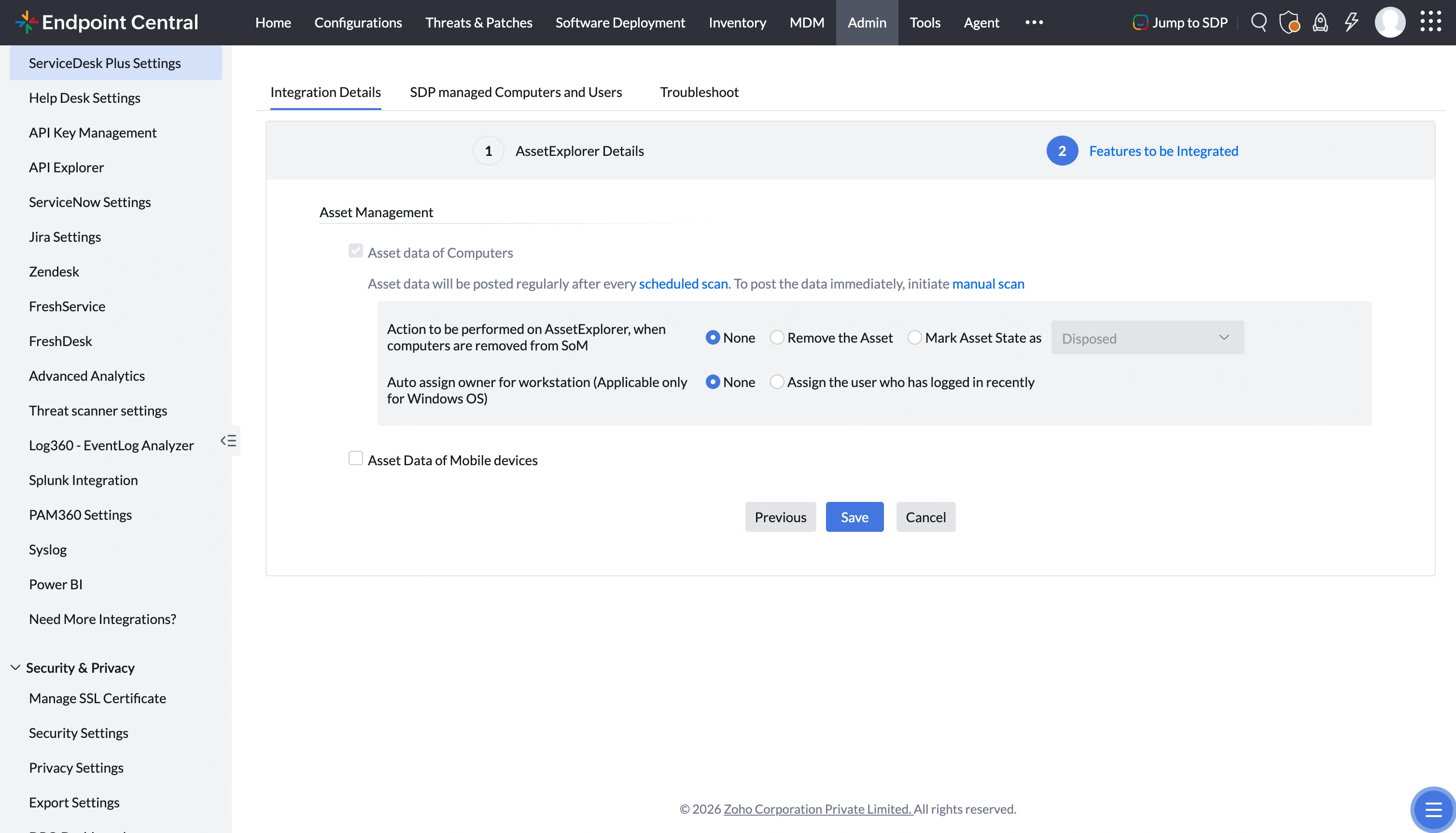
- Select the desired features that you wish to enable, and click on Save to finish the integration.
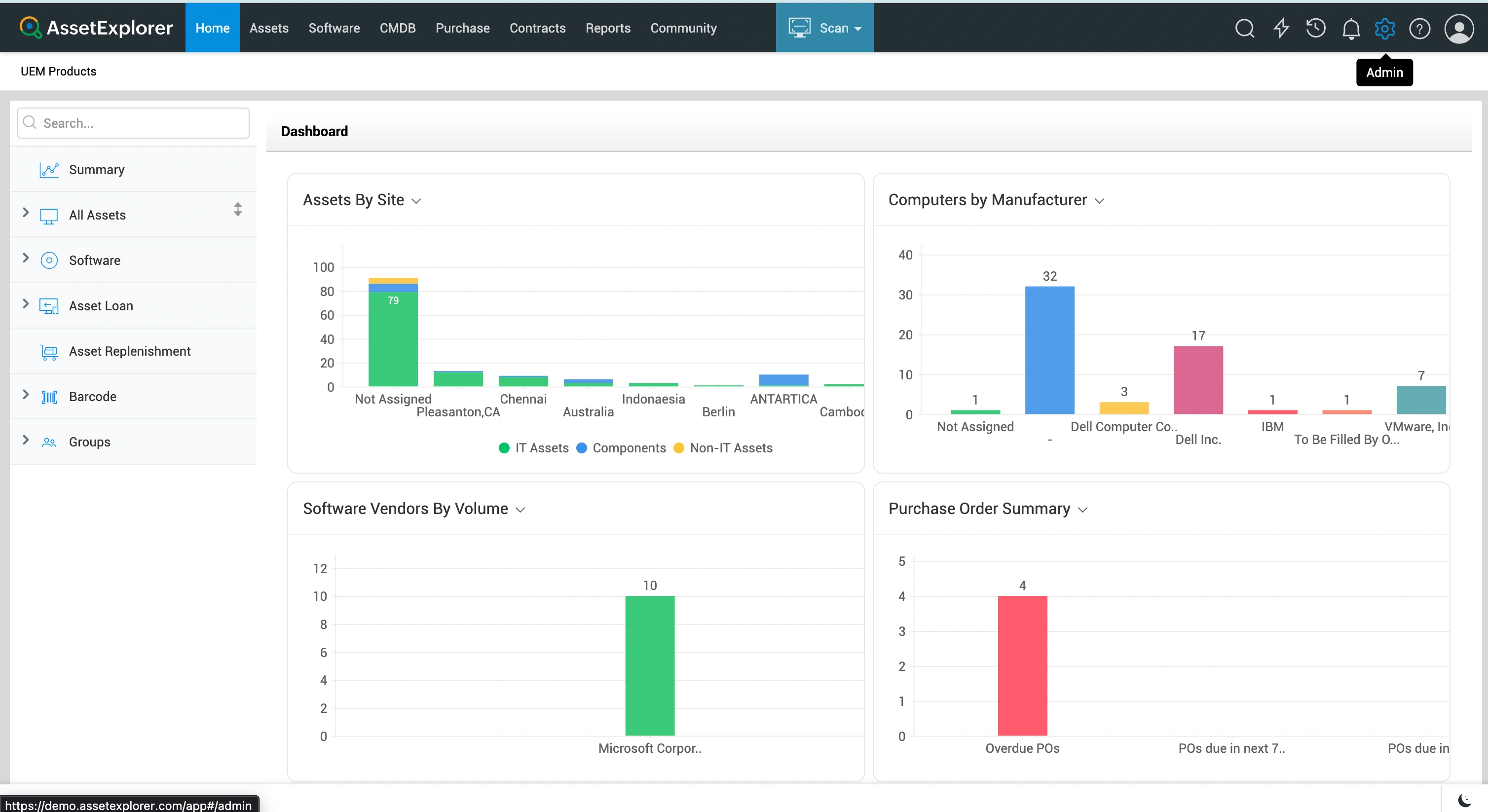
- Login to AssetExplorer console and navigate to Admin.
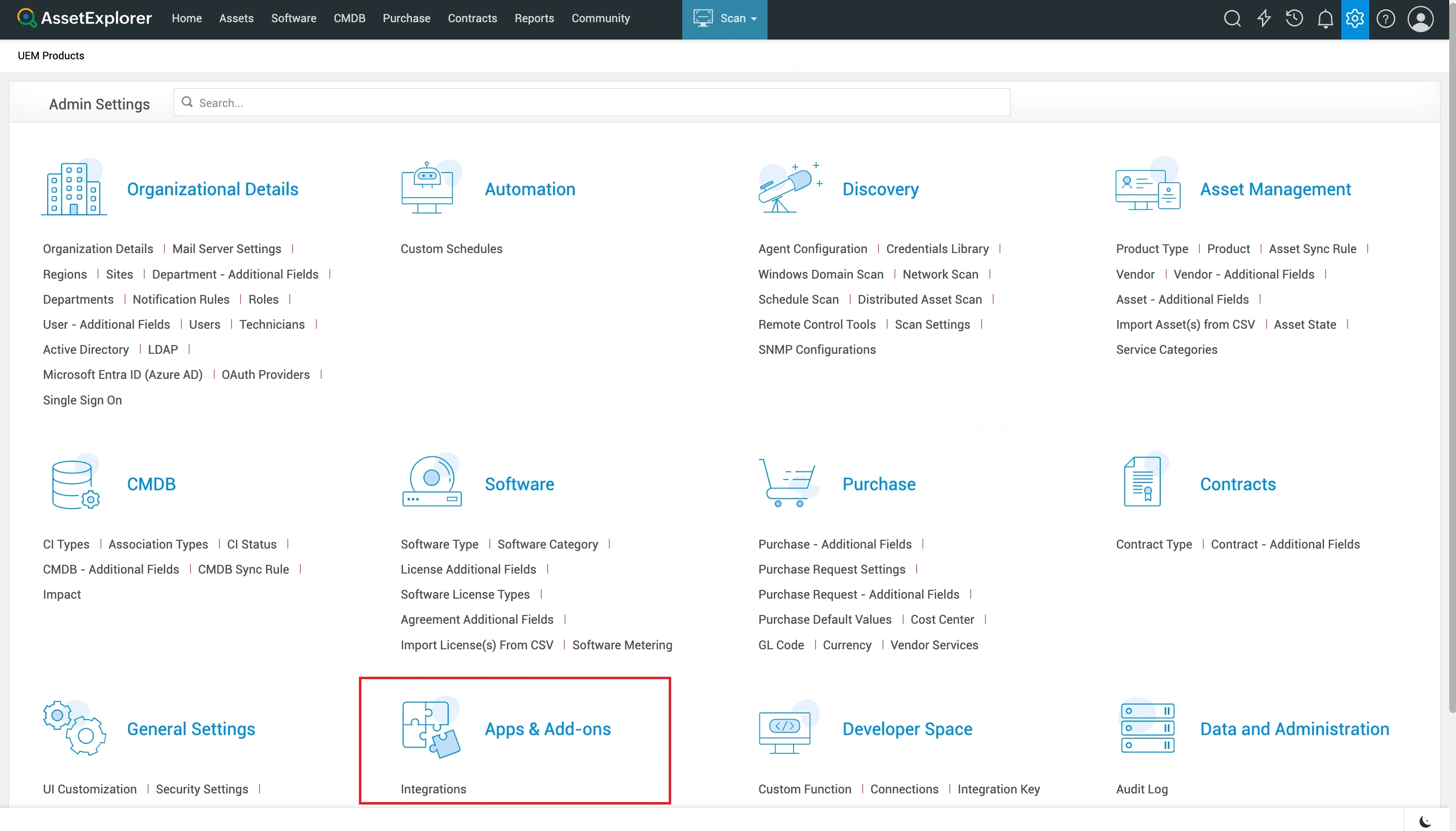
- Click on Integrations under Apps & Add-ons.
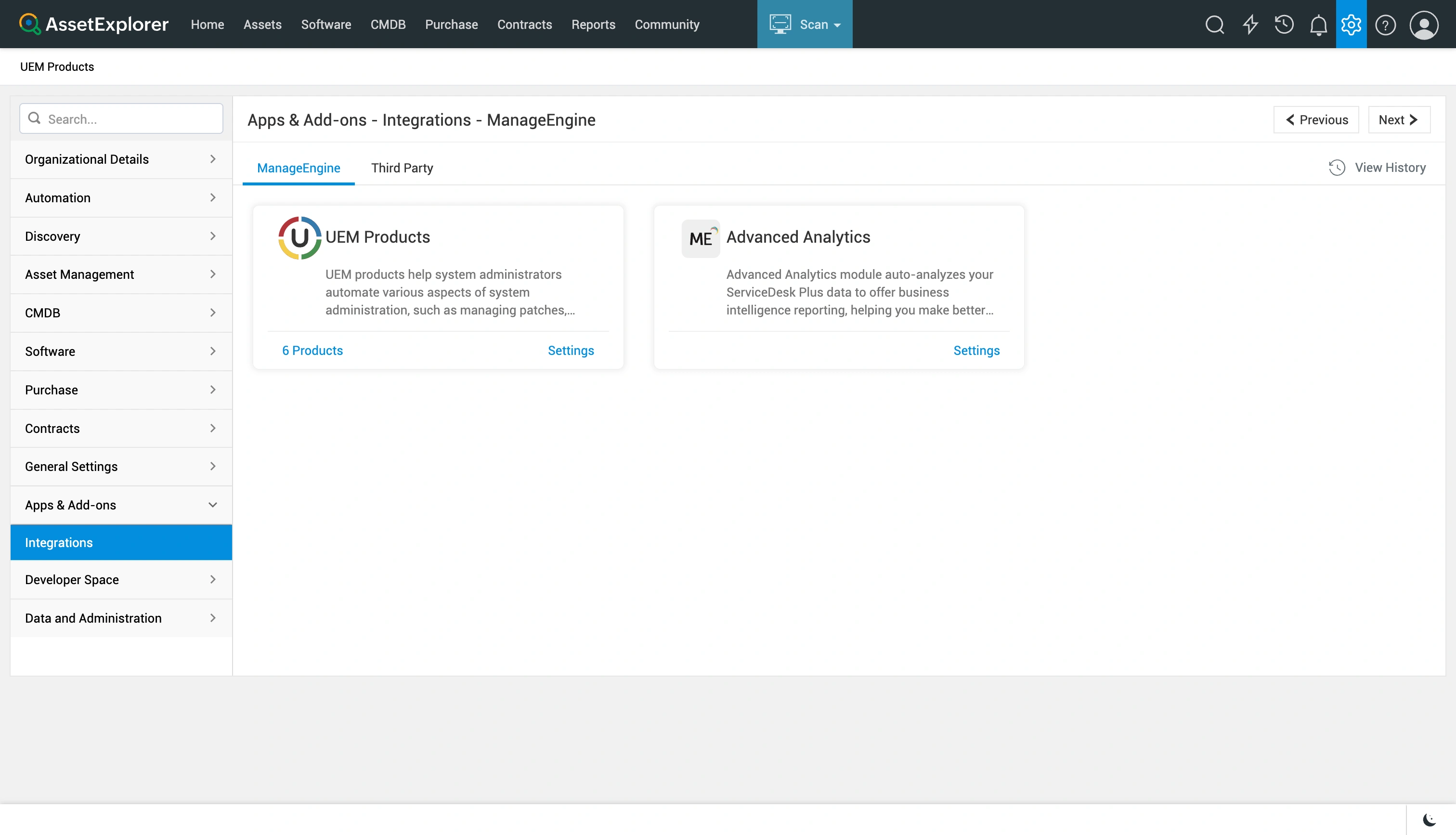
- Select UEM products settings under ManageEngine tab.
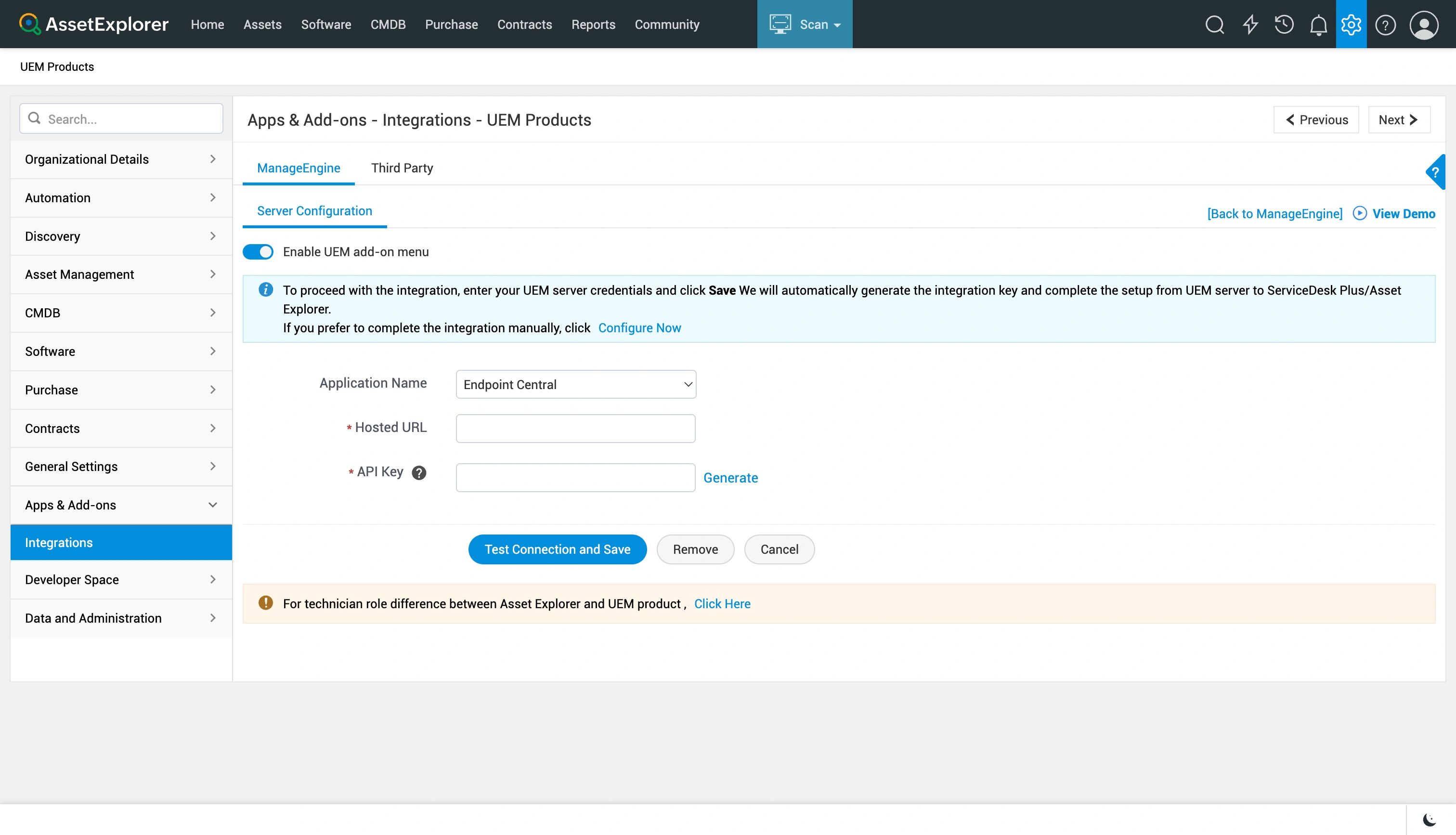
- Select the Application Name and Hosted URL.
- Generate Endpoint Central API key and click Test Connection and Save.
To perform integration from AssetExplorer console,
You have successfully integrated Endpoint Central with AssetExplorer.
Resources to aid the integration: