User Logon Reports
What Are User Logon Reports?
User Logon Reports provide detailed information about users' login activity, along with their complete logon history. Generated by Endpoint Central agents installed on client systems, these reports capture each user's logon time, logoff time, the computer they logged on from, and the domain controller they reported to.
Why Use User Logon Reports?
In an Active Directory—based network, enterprises typically use multiple domain controllers that synchronize only at regular intervals - often just once a week. As a result, logon details pulled directly from a domain controller may be outdated, and are usually limited to little more than the user name and last logon time. Because User Logon Reports are collected directly from the client systems, they reflect current, accurate activity rather than data waiting on the next sync.
To view these reports, navigate to Reports tab > Other Reports > User Logon Reports
Different types of user logon reports
The different types of user logon reports are as follows:
- General Reports
- Currently Logged on Users
- Currently Logged on Computers
- Usage Reports
- Computers with No User Logon
- History Reports
- User Logon History
- User Logon History by Computers
- User Logon History on Domain Controller
- Domain Controllers with Reported Users
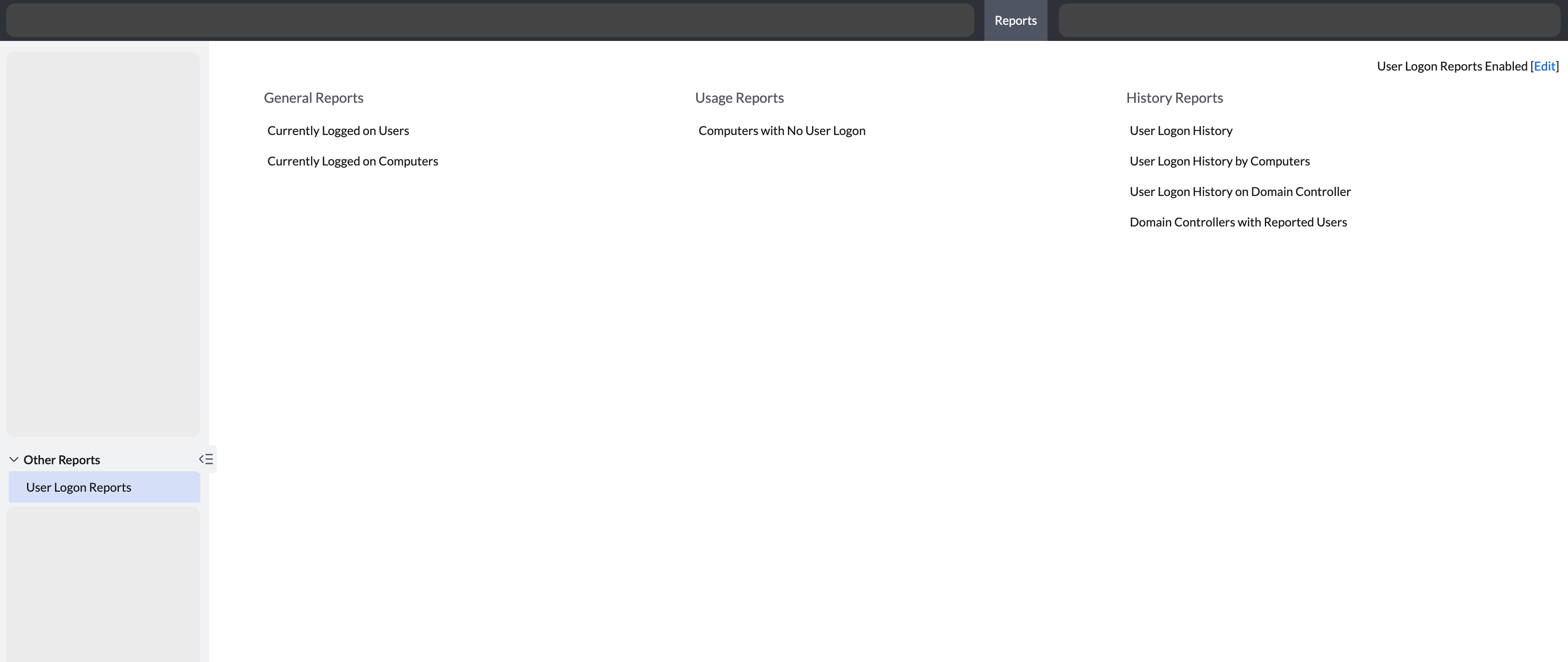
General reports
Currently Logged on Users
Provides the list of users who are currently logged on to the domain. To view the currently logged on users report:
- Navigate to the Reports tab > User Logon Reports > General Reports category > Currently Logged on Users
Currently Logged on Computers
Provides the list of computers that are currently logged on to the domain. To view the Currently logged on computers report,
- Navigate to the Reports tab > User Logon Reports > General Reports category > Currently Logged on Computers
Usage reports
Computers with No User Logon
Provides the list of computers where no user has logged on. To view the Computers with no User logon report,
- Navigate to the Reports tab > User Logon Reports > Usage Reports category > Computers with No User Logon
History reports
User Logon History
Provides the list of history of users who have logged on to the domain in the specified number of days. This is configurable from the Report Settings. To view the User Logon History report:
- Navigate to the Reports tab > User Logon Reports > History Reports category > User Logon History Reports
User Logon History by Computers
Provides the list of computers and their corresponding user logon history in the specified number of days. This is configurable from the Report Settings. To view the User Logon History by Computers report:
- Navigate to the Reports tab > User Logon Reports > History Reports category > User Logon History by Computers
User Logon History on Domain Controllers
Provides the list of users logged onto the list of domain controllers. Additionally, it provides details on user logon count, logon user name and the last logon and logoff time. To view the User Logon History on Domain Controllers report:
- Navigate to the Reports tab > User Logon Reports > History Reports category > User Logon History on Domain Controllers
Domain Controllers with Reported Users
Provides the list of domain controllers and their corresponding user logon history. It provides information on the name of the domain controller, the domain and the user logon count in each domain controller. To view the Domain Controllers with Reported Users report:
- Navigate to the Reports tab > User Logon Reports > History Reports category > Domain Controllers with Reported Users