- Related Products
- Log360
- AD360
- ADManager Plus
- ADAudit Plus
- ADSelfService Plus
- Exchange Reporter Plus

 Click here to expand
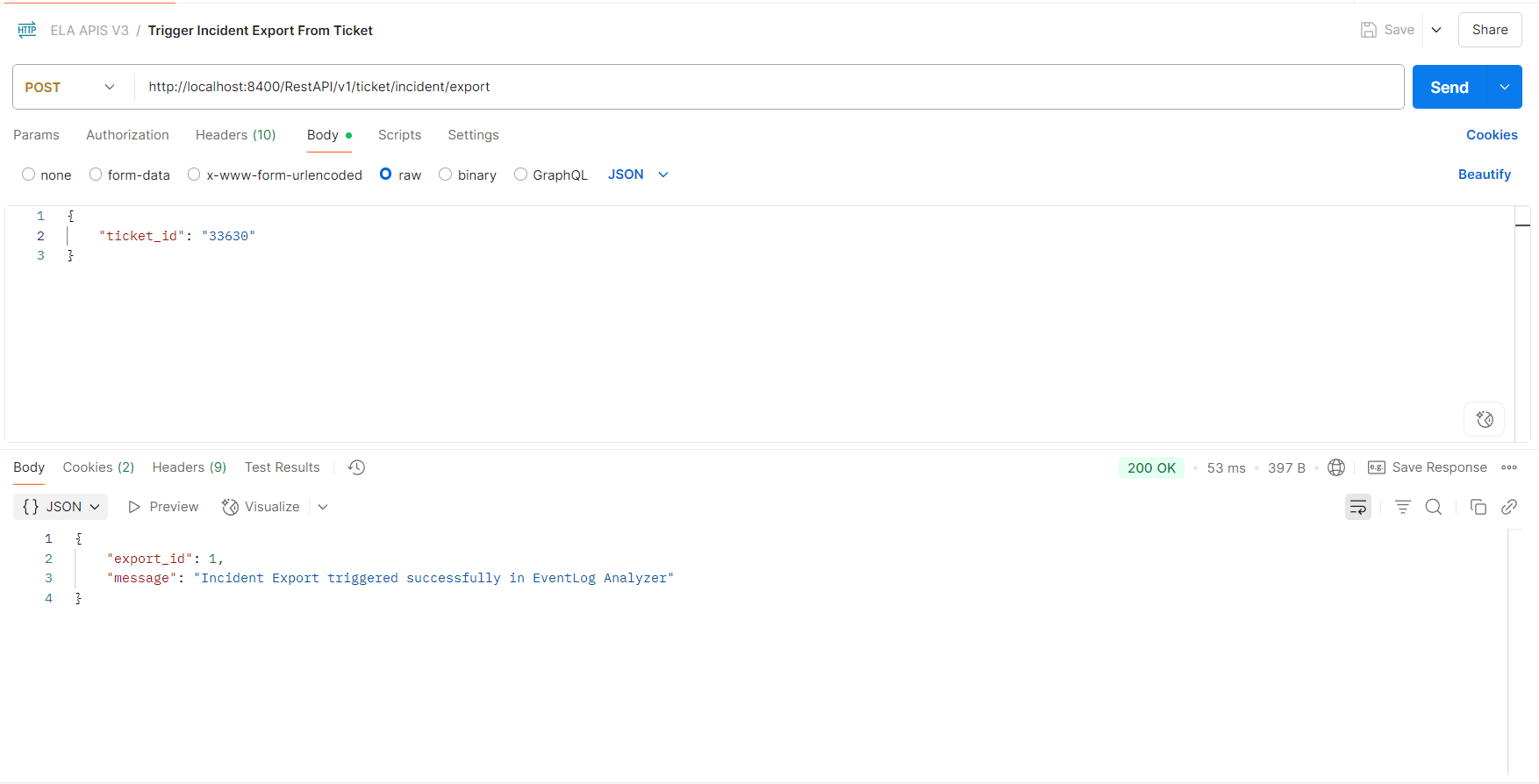
The API allows you to trigger an incident export based on the ticket.
| Header name | Value | Mandatory | Description |
| Authorization | Bearer {{AuthToken}} | Yes | AuthToken generated from the API Settings page.
e.g., Bearer abcd1234xyz |
The request body must be sent in JSON format and include the following key/value parameters:
| Parameter Name | Mandatory | Type | Description |
| ticket_id | Yes | String | ID of the ticket whose incident needs to be exported. |
The response will be a JSON object with the following key/value pairs:
| Parameter name | Description |
| export_id | ID of the triggered export request |
| message | Result of the update incident request. |
curl --location 'http://localhost:8400/RestAPI/v1/ticket/incident/export' \ --header 'Content-Type: application/json' \
--header 'Authorization: Bearer abcd1234xyz' \ --data '{ "ticket_id": "33630" }'{"export_id":2,"message":"Incident Export triggered successfully in EventLog Analyzer"}
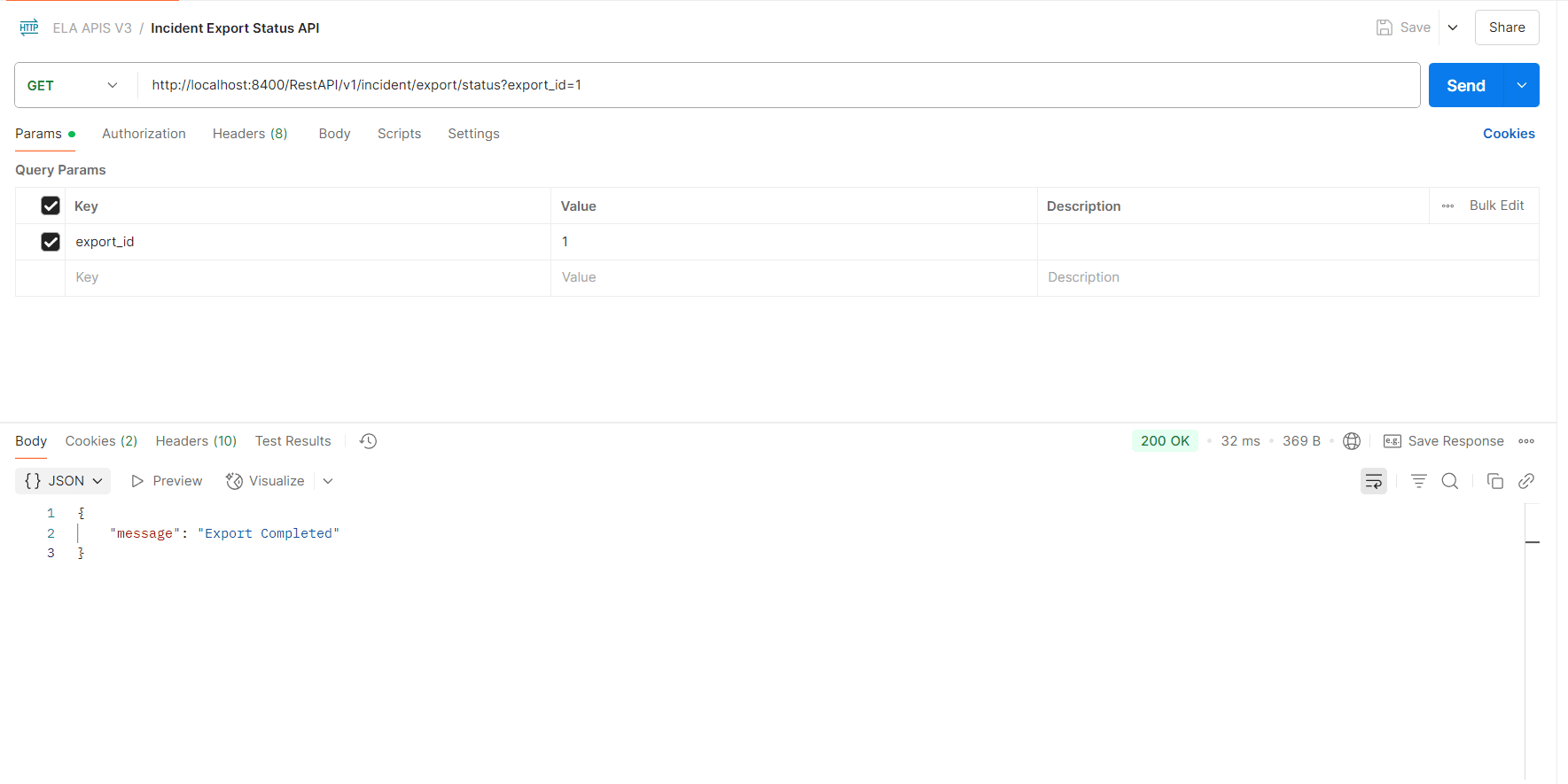
The API allows you to fetch the status of the triggered incident export.
| Header name | Value | Mandatory | Description |
| Authorization | Bearer {{AuthToken}} | Yes | AuthToken generated from the API Settings page.
e.g., Bearer abcd1234xyz |
| Parameter Name | Mandatory | Type | Description |
| export_id | Yes | Long | ID of the triggered incident export. |
The response will be a JSON object with the following key/value pair:
| Parameter name | Description |
| message | Status of the triggered incident export. |
curl --location 'http://localhost:8400/RestAPI/v1/incident/export/status?export_id=1' \
--header 'Authorization: Bearer abcd1234xyz'
{"message":"Export Completed"}
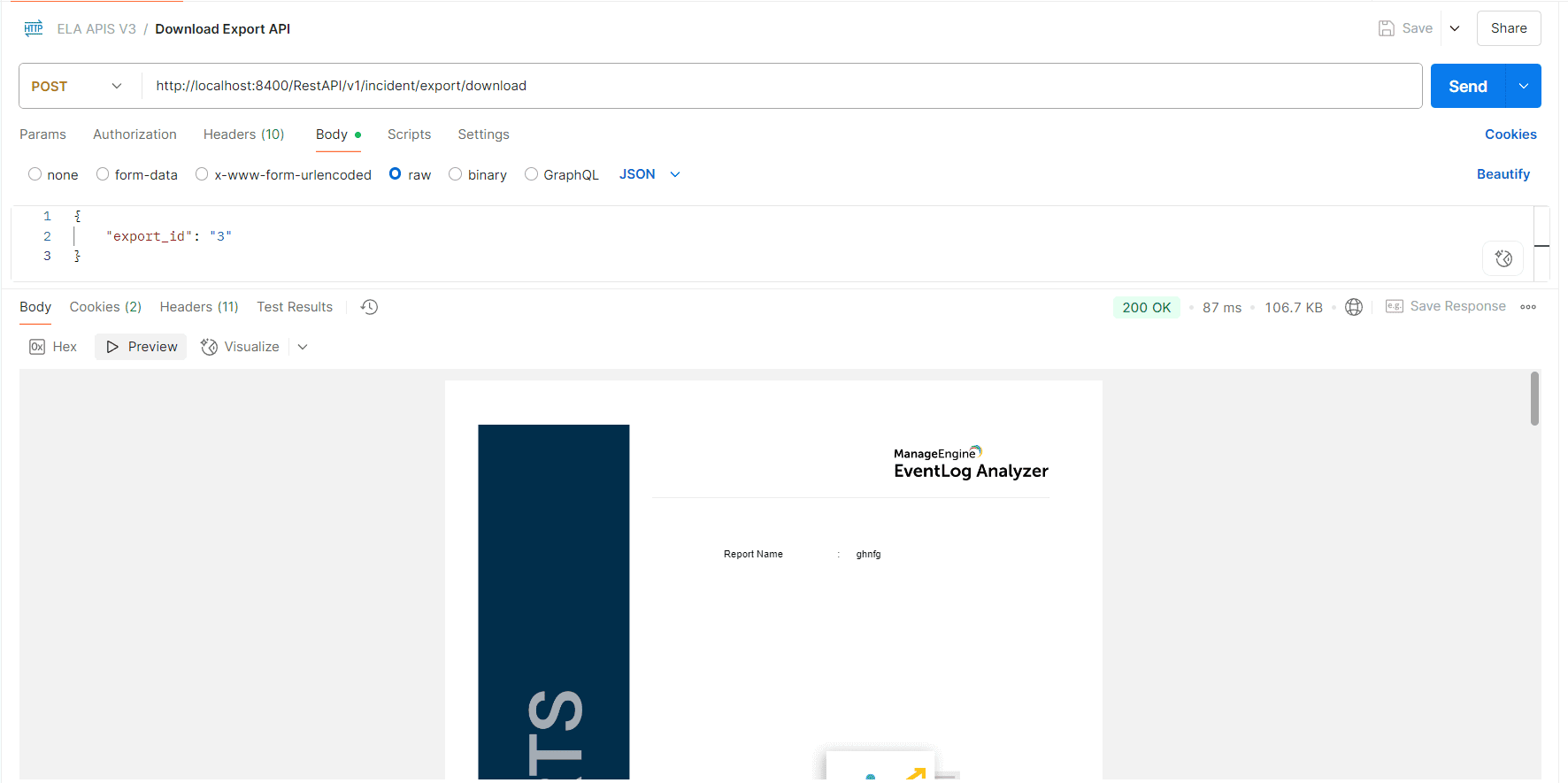
The API allows you to download the triggered export.
| Header name | Value | Mandatory | Description |
| Authorization | Bearer {{AuthToken}} | Yes | AuthToken generated from the API Settings page.
e.g., Bearer abcd1234xyz |
| Parameter Name | Mandatory | Type | Description |
| export_id | Yes | Long | ID of the triggered incident export. |
The triggered incident export will be saved as a PDF file.
curl --location 'http://localhost:8400/RestAPI/v1/incident/export/download' --header 'Content-Type: application/json' --header 'Authorization: Bearer abcd1234xyz' --data '{
"export_id": "1"
}' --output export.pdf
Note: The exported PDF will be saved in the same directory from where the command is executed.
Check the location where the curl command is executed. The incident will be exported as a PDF named export.pdf
Copyright © 2020, ZOHO Corp. All Rights Reserved.
 Download PDF