How to integrate NetFlow Analyzer with Applications Manager?
The NetFlow Analyzer-Applications Manager integration helps technicians easily map, and monitor bandwidth and network traffic activity of their Applications Manager apps and services from the NetFlow Analyzer UI. NetFlow Analyzer integrates with ManageEngine Applications Manager via REST API.
Steps to configure Applications Manager:
- Login to the NetFlow Analyzer UI.
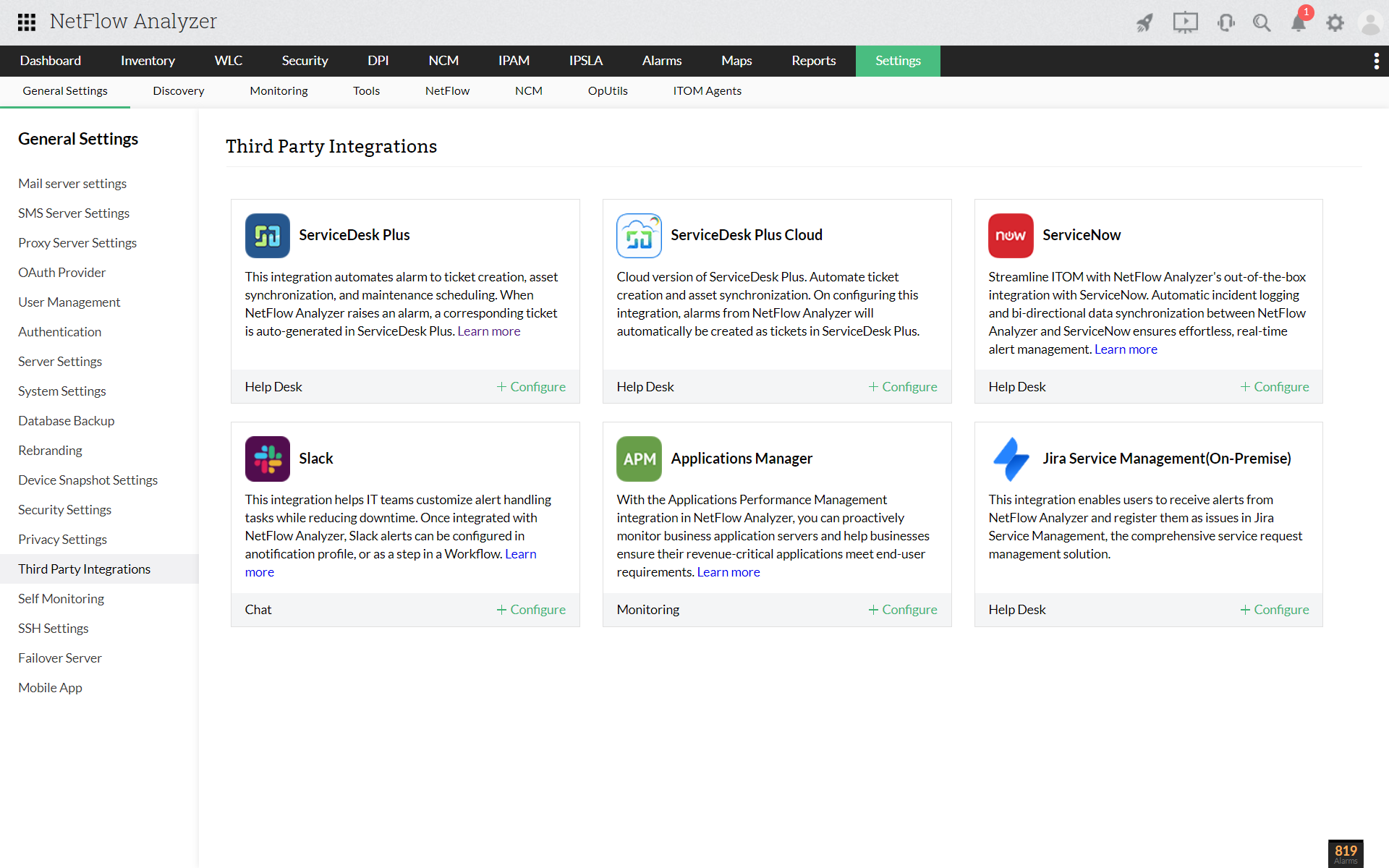
- Navigate to Settings > General Settings > Third Party Integrations and click +Configure under Applications Manager.
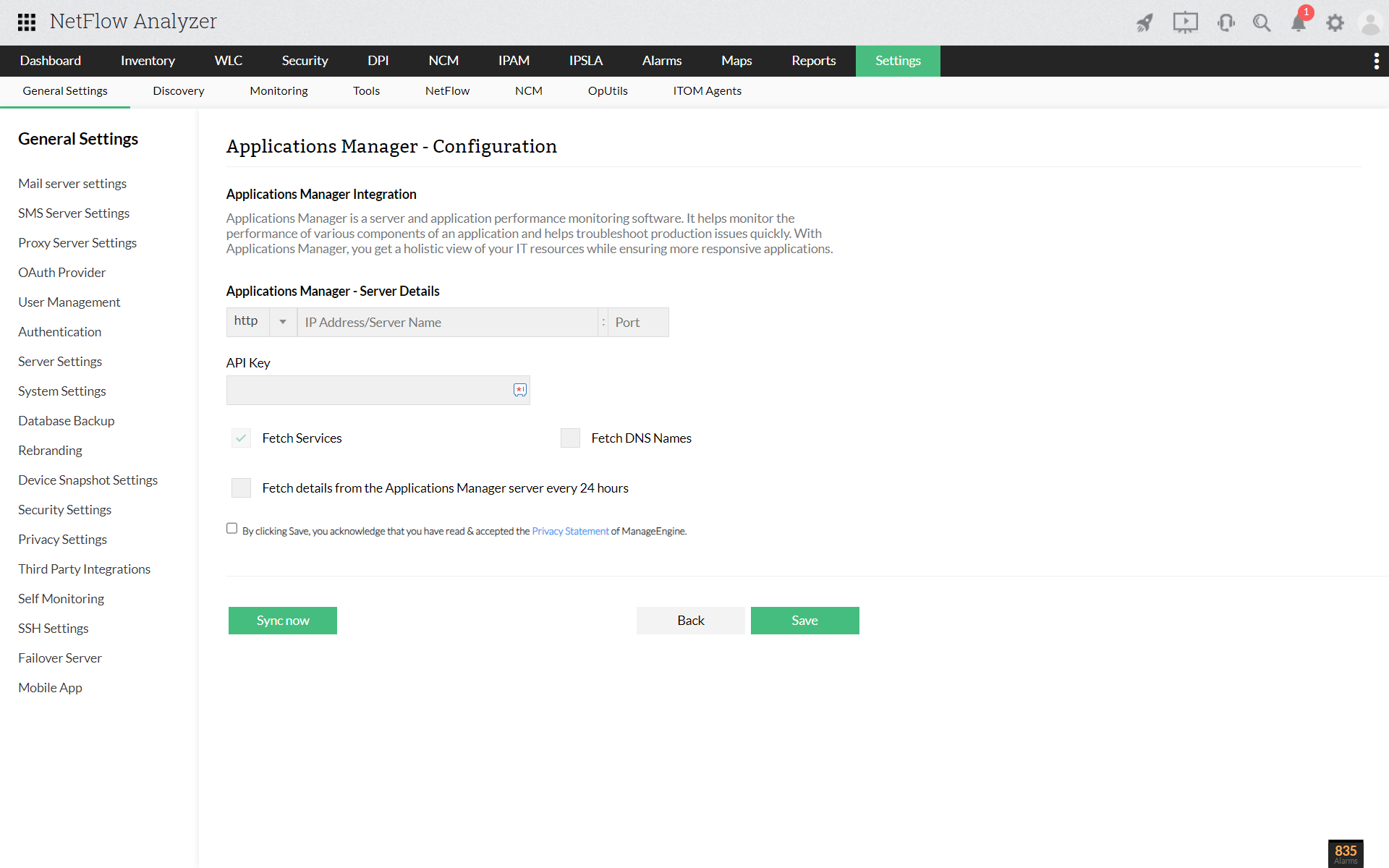
- Enter the URL(protocol, IP address or server name, port) and API Key from Applications Manager.
- Select Fetch Services, Fetch DNS Names.
- You can choose to fetch details from the APM server every 24 hours to automate the process.
- Save the settings.
Thank you for your feedback!
