×![]()
×
×![]()
×
×
Focus Mode

Theme Switcher

Communication failed between target machine and central server
Problem
During imaging/deployment, the target machine is unable to communicate with the Central Server.
Cause
- The target machine does not have a valid IP Address.
- The network on which the target machine is connected might have blocked the Central Server.
Resolution
To resolve this problem, follow the step-by-step process given below:
Step 1. Ensure that a valid IP is assigned to the target machine
- Go to command prompt.
- Execute the following command:
ipconfig /all - Under Ethernet adapter, check if a valid IP address (IPv4 Address) is assigned. A valid IP will have the preferred tag with it.
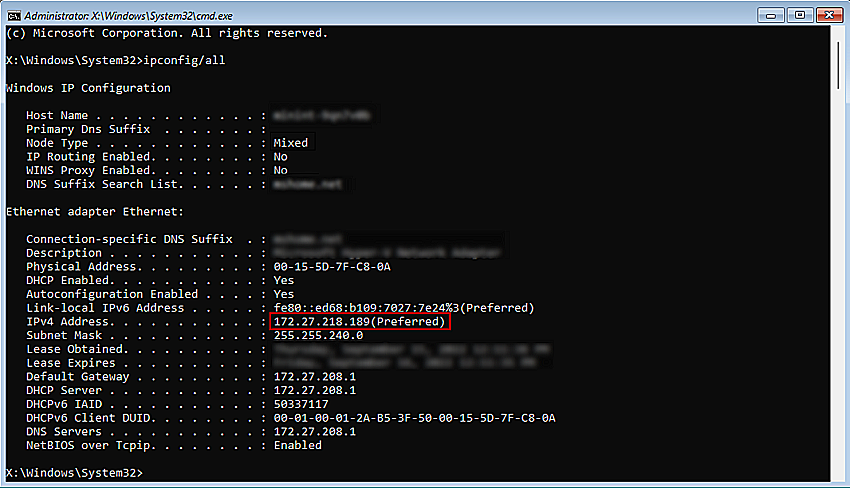
- If the IP address is not valid, contact your network administrator.
Step 2. The network on which the target machine is connected might have blocked the Central Server
- Check whether the target machine is connected to the internet.
- Whitelist the domains listed in this link in your network
 Yes No
Visit Community