Enterprise network monitoring is the practice of proactively monitoring and managing a business network to ensure seamless performance and boost reliability. Layers of the network are continuously monitored and analyzed for availability, health and performance. However, the network monitoring software you choose should be able to meet business requirements. All network monitoring tools can not be used for enterprise networks. They can not scale to the requirements of the enterprise networks. Enterprise networks need network monitoring tools that are sophisticated and reliable.
Why OpManager is the best enterprise network monitoring tool
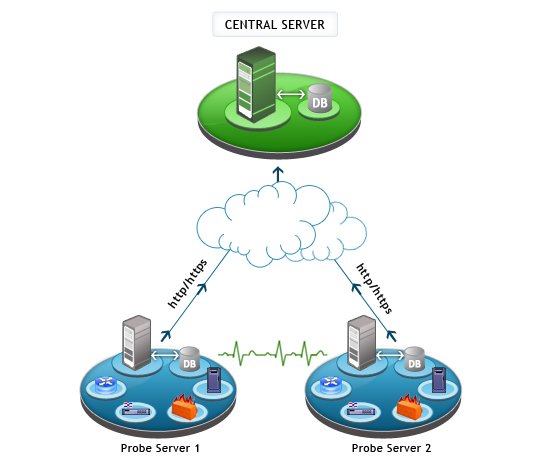
OpManager Enterprise Edition is designed to scale the network monitoring and management needs of large enterprises. The Probe–Central architecture makes it possible for robust enterprise monitoring. It allows to scale your network monitoring solution as and when an enterprise grows and expands, without compromising on the reliability.
Using OpManager Enterprise Edition, you can perform distributed network monitoring at ease and manage multiple remote locations. It lets you distribute the polling engine by adding more probes for enterprise network monitoring. The central server is designed to provide the required network visibility across locations, easily scale, consolidate, and report network health over multiple remote probes.
Compare network monitoring options, best suited for your organization requirements from here.
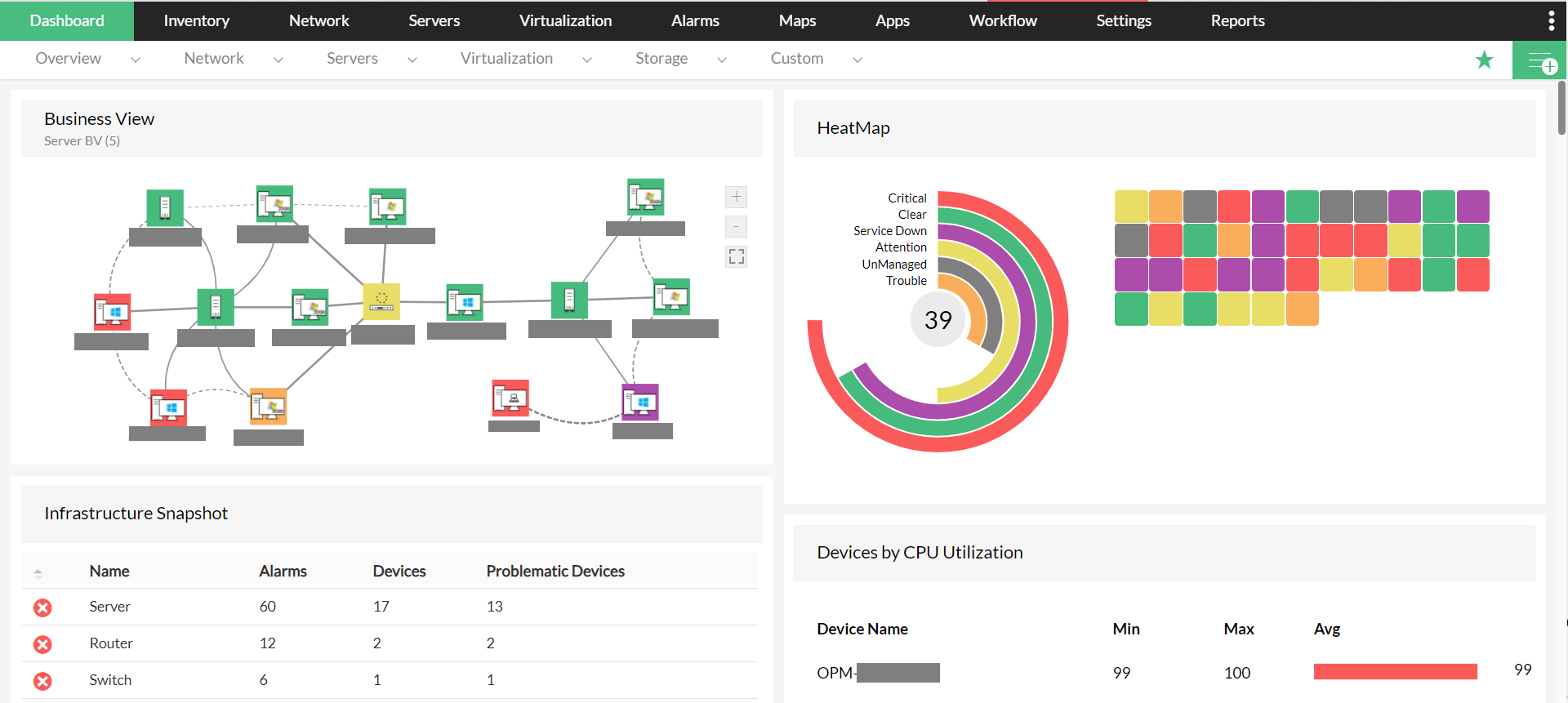
The central server dashboard provides overall network health & performance data across the probes.
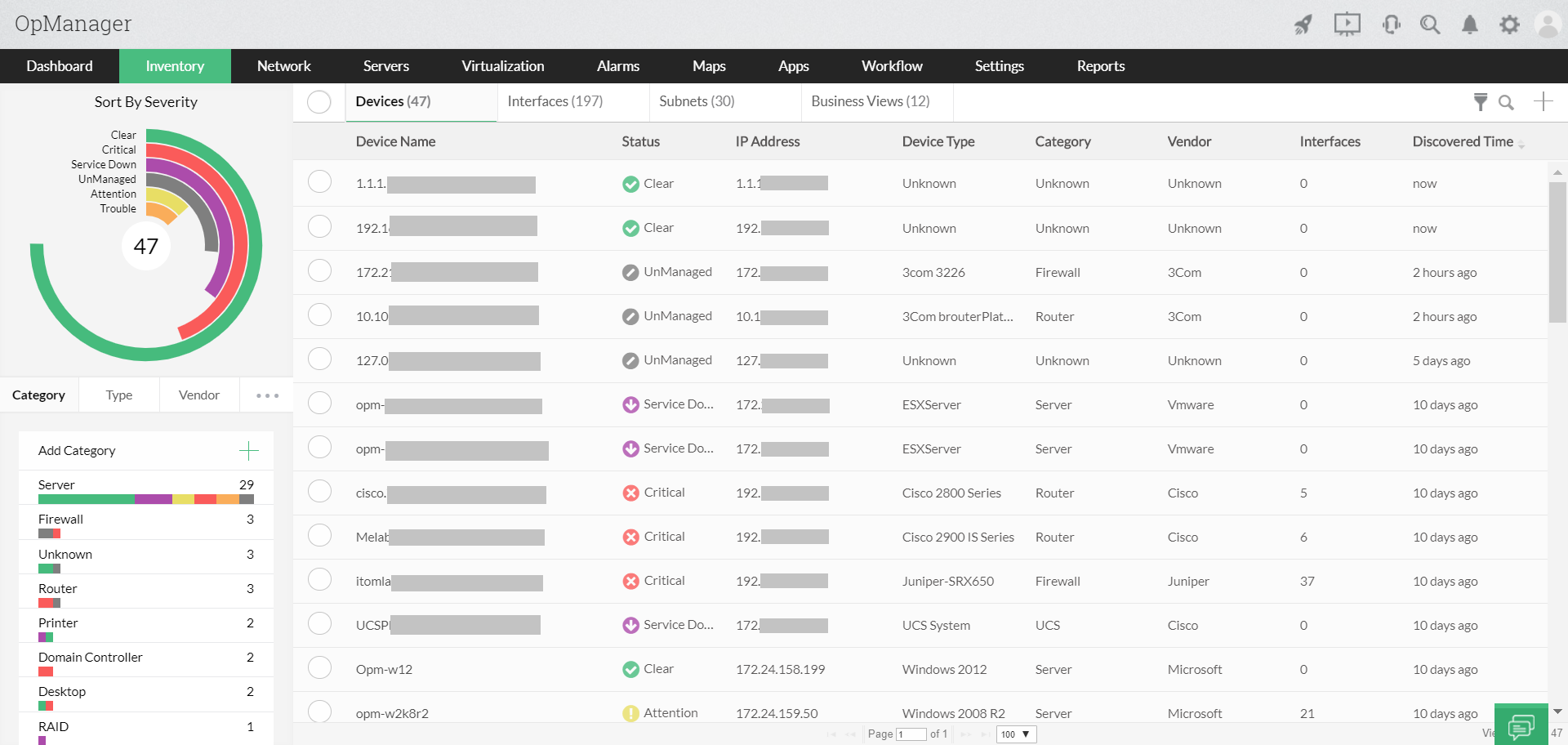
Get a single inventory across all the remote probes with an option to filter by a probe name.
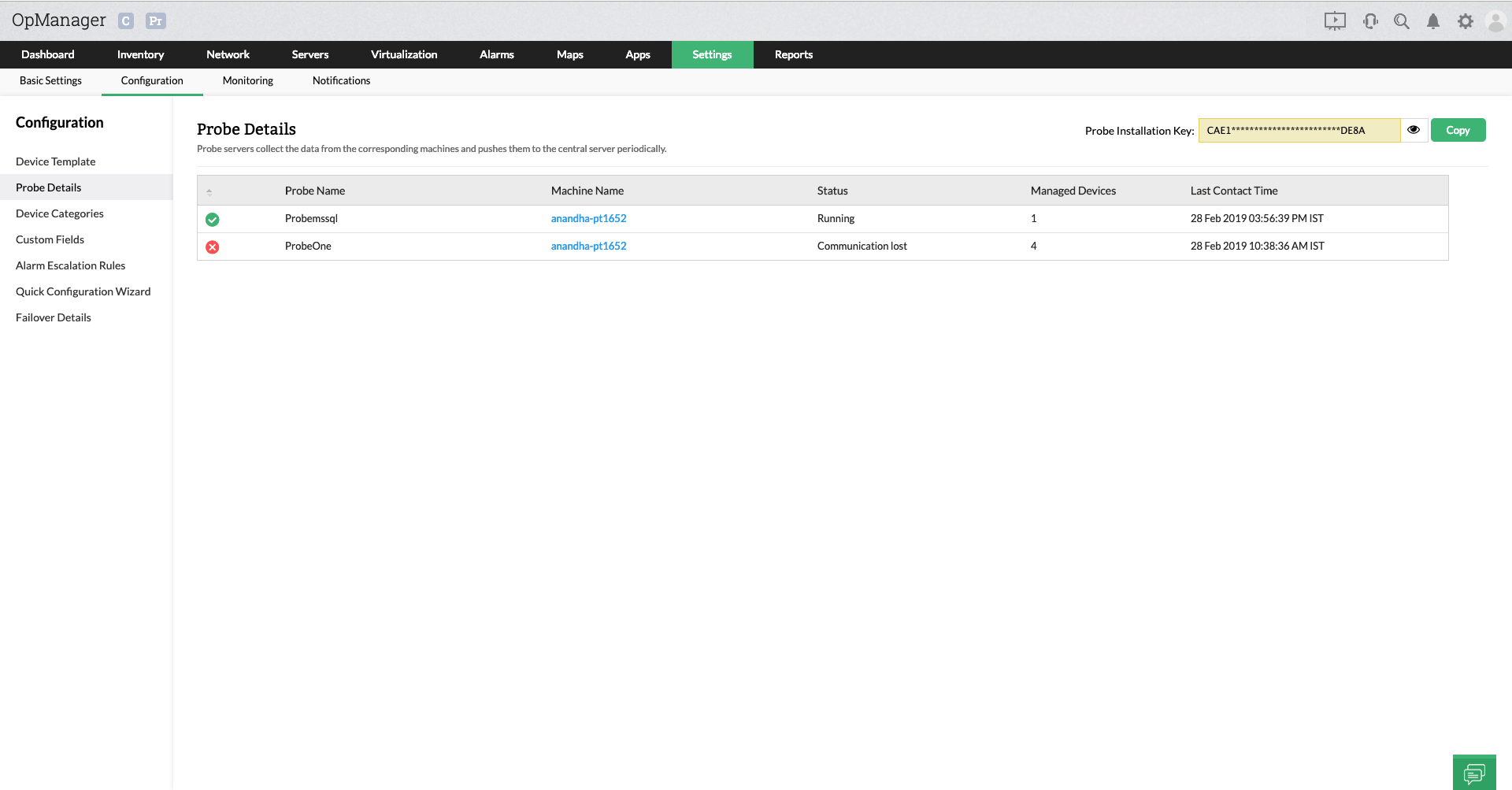
View the list of probes that you have deployed for managing your network.
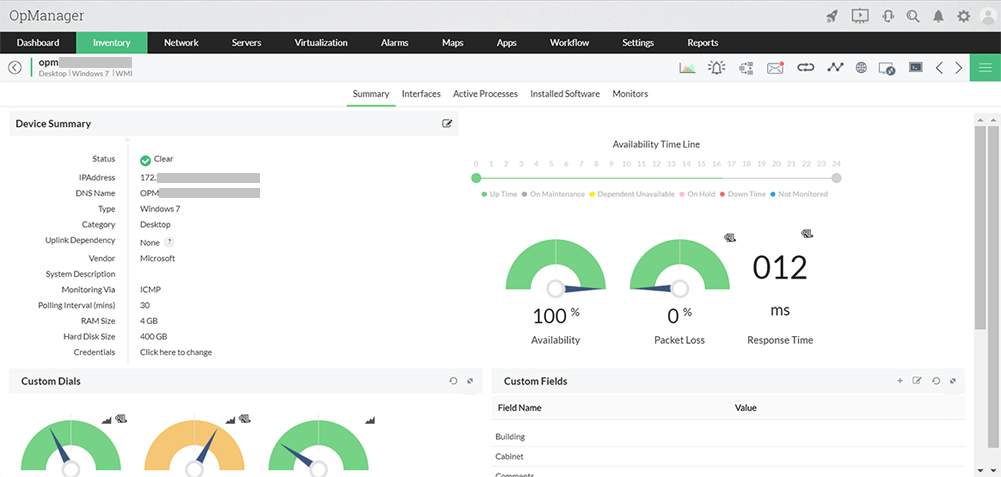
You can now view the snapshot page of a device that belongs to a probe from the central server web client itself.
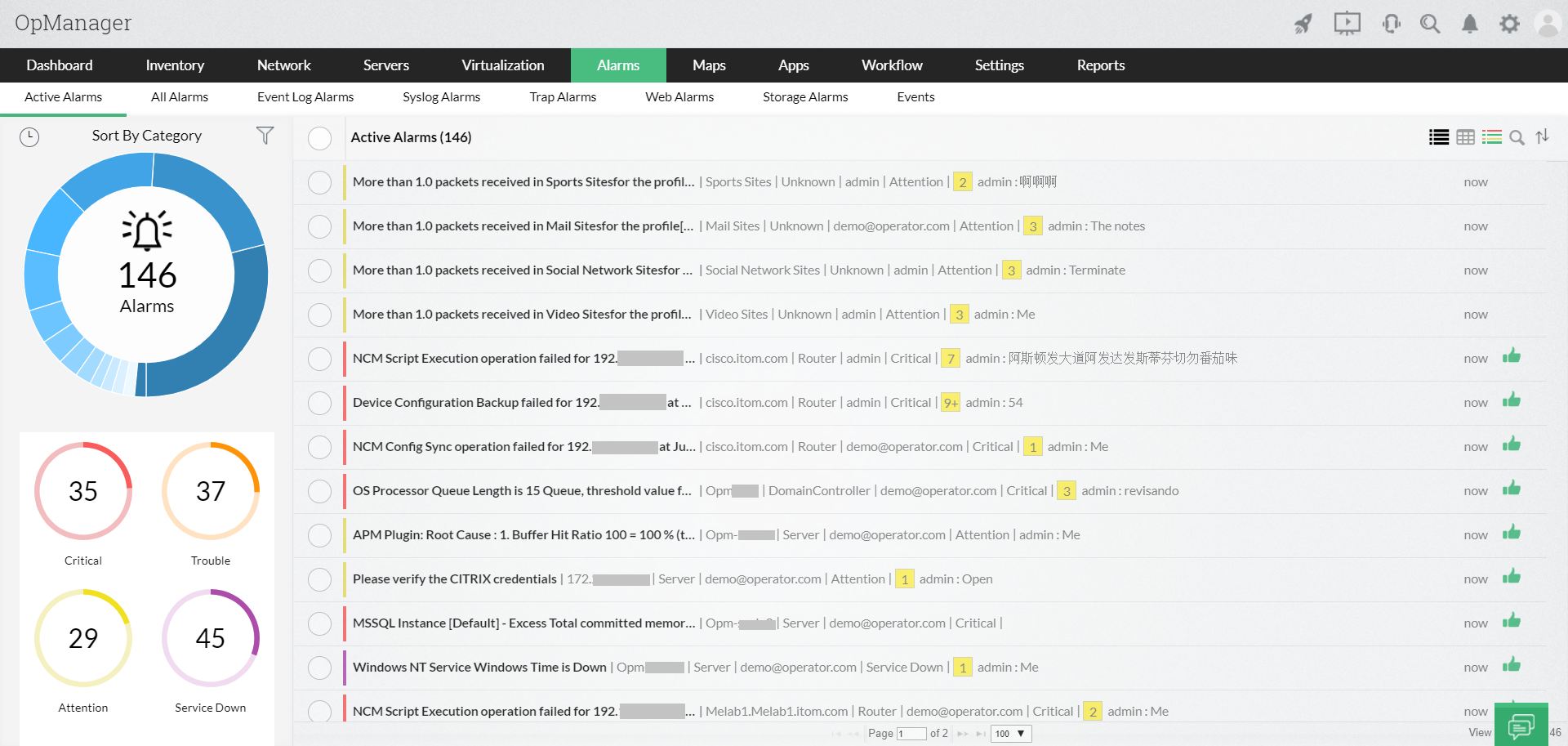
View all the alarms generated across the probes in the central web client for quick fault management.
Here are the major highlights apart from regular monitoring features.
- Highly scalable engine.
- High availability engine using hot-standby⁄ fail–over mechanism.
- A secure and robust communication between the central and the remote probe servers through XML over HTTPS⁄ HTTP connection.
- 100% data integrity, even when there is a connection loss between the central & probe servers using local database support.
- A centralized console to visualize performance hiccups across the complete IT infrastructure and also for a specific remote site.
- Reduced application maintenance costs with intelligent probe upgrades from the central server.
- Ability to scale the network monitoring needs as the company grows by switching a stand–alone instance of OpManager to a remote probe on–the–fly.
- Easy to deploy and use. Integration with IT management systems like ServiceDeskPlus, Service Desk Plus cloud, Jira etc and other third party tools.
- No more feature catch–ups! Always in sync with the features, functions, and upgrades offered by OpManager standalone versions.
Top 4 features that makes OpManager a robust enterprise network monitoring tool
Scalability
The ability to distribute the network discovery and monitoring load across multiple probes, helps OpManager scale many interfaces. You can enable remote network monitoring by deploying the probes in remote sites. You can also deploy multiple probes in the same site or even in the same network for scalability. Learn more.
Remote Network Monitoring
The remote probes are designed to work even behind the firewalls and proxy servers, enabling the administrator to monitor even a wide, geographically distributed networks. The probe deployed at each site performs all the network–facing tasks such as discovery, mapping, and fault monitoring to report these back to the central server located at the Operating Center/ NOC/ Datacenter. As mentioned above, even a connectivity loss between central and probe server will not lead to any data loss. The data gets stored locally in the probe database and is sent to the central server as soon as the connectivity is restored. This distributed architecture therefore ensures 100% data integrity. Learn more.
High Availability
Uninterrupted enterprise monitoring is possible with a good disaster recovery plan that factors in system outage and also an entire site outage (triggered either by a natural calamity or human error). A hot standby for both the central and probe ensures you enjoy high availability of your network monitoring software. You need not worry even in the event of a connectivity loss between the probe and the central server because the probe persists the collected data in a local database and pushes a copy to the central server as soon as the connectivity is restored. OpManager has a ton of features.
Integrations:
An enterprise network is not a one-size-fits-all infrastructure where monitoring a specific set of metrics alone is sufficient. Extend the scope of monitoring with our in-house integrations that seamlessly integrate with OpManager and all you need to do is to enable them within the product. These integrations don't just enhance the monitoring capabilities, but also centralizes the processes for streamlined operations. Learn more
Download our free, fully functional, 30-day trial today. Or sign up for a personalized demo and talk with one of our product experts.