Customizable network management console
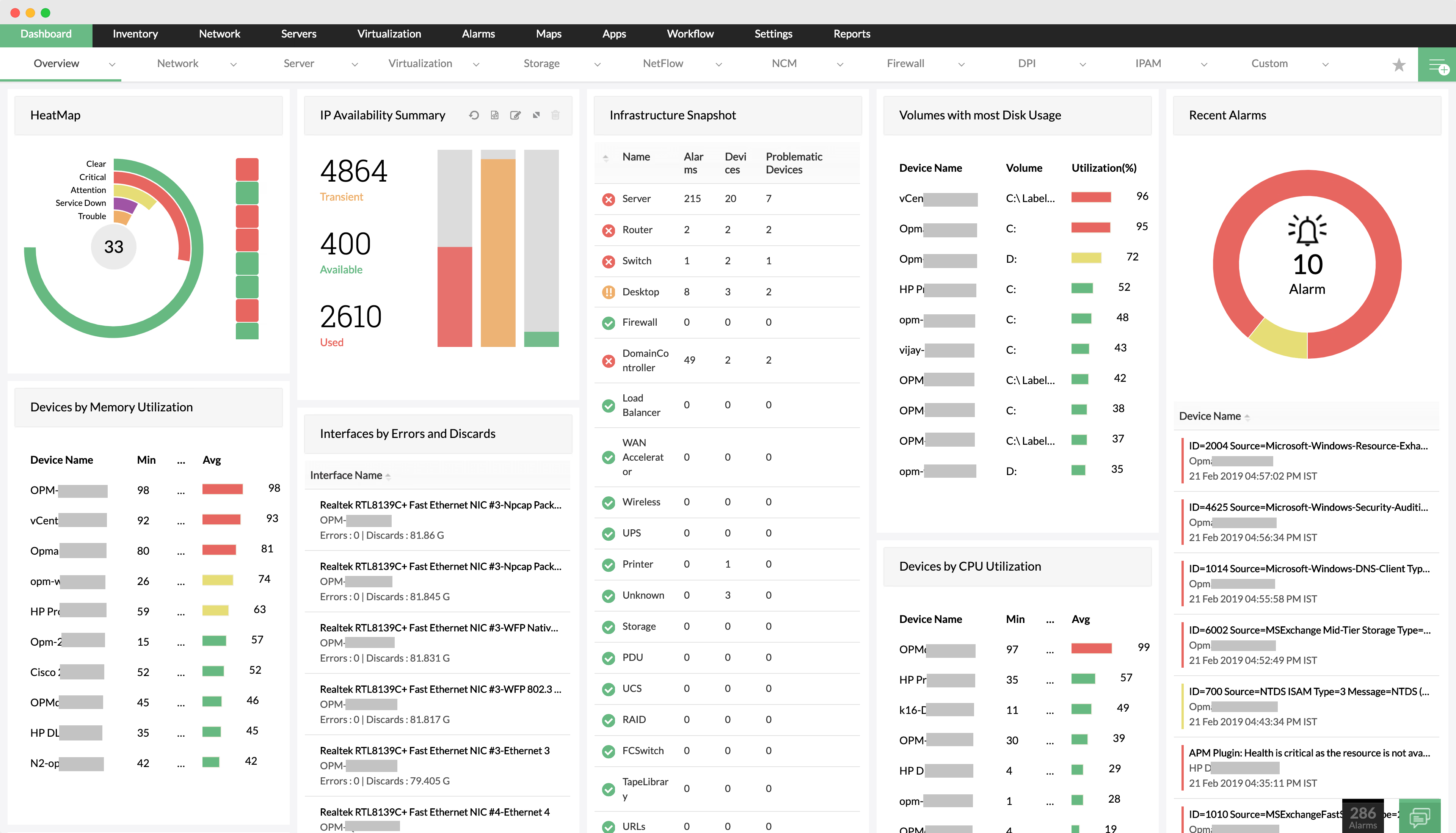
Data becomes useful only when it is presented clearly to the right audience. Apart from presentation , instantly identifying network faults and performance makes IT admins' jobs more simple. All this can be done with the help of a network monitoring dashboard or a network management dashboard. OpManager, a comprehensive network management system has an extensively customizable dashboard that helps transform monitored data into actionable intelligence for the enterprise IT department. With over 90 widgets, this network management software offers an centralized network management console that allows the administrators to customize the dashboard to their requirements as well as scale it to meet whole IT management needs.
Users can make and set their own dashboard to be displayed as home page so as to know on critical metrics as soon as they log in. Consider the below server monitoring dashboard employed by a network performance administrator and see how he troubleshoots slow performance on the Order Processing System of the company:
- Custom dashboard shows high response time for OPS server which is running the Order Processing System, under ‘Devices with Alarms’
- ‘Device by CPU Utilization’ and ‘This week Disk utilization’ show no trouble with the OPS server.
- Administrator notices high memory Utilization in the OPS server under ‘Devices by Memory Utilization’.
- ‘Interfaces by Bandwidth Utilization’ show normal trend in OPS server traffic.
Clearly, it was high memory utilization in the OPS server that caused the unusual response time spike in the Order Processing System.
The network performance management dashboard provides an at-a-glance overview of the current status of your network, with critical metrics from routers, switches, firewalls, servers, services, application, URLs, printer, UPS and other Infrastructure devices. One-click data refreshment ensures you're always working with the most up-to-date information. With real-time performance graphs readily available, administrators can also quickly troubleshoot problem devices remotely.
The custom dashboard provides a powerful network management console containing:
- Network alarms and events so as to highlight the device which needs immediate attention
- Availability and response time on devices, URLs, WAN links and services
- Health and performance statistics of
- Network devices
- Servers, Services and Applications
- Interface/ port availability and performance
- Real Time Graphs for critical network resource and links
- Maps grouped by vendors or by device types (infrastructure snapshot)
- Business views (Custom device grouping based on geographical location or business services or a logical mapping)
- SLA Widgets
- Other custom text or HTML links
- Exclusive plasma views which cast-out the dashboard to project it on a separate window, with the ability to rotate favorite dashboards over equal time intervals.