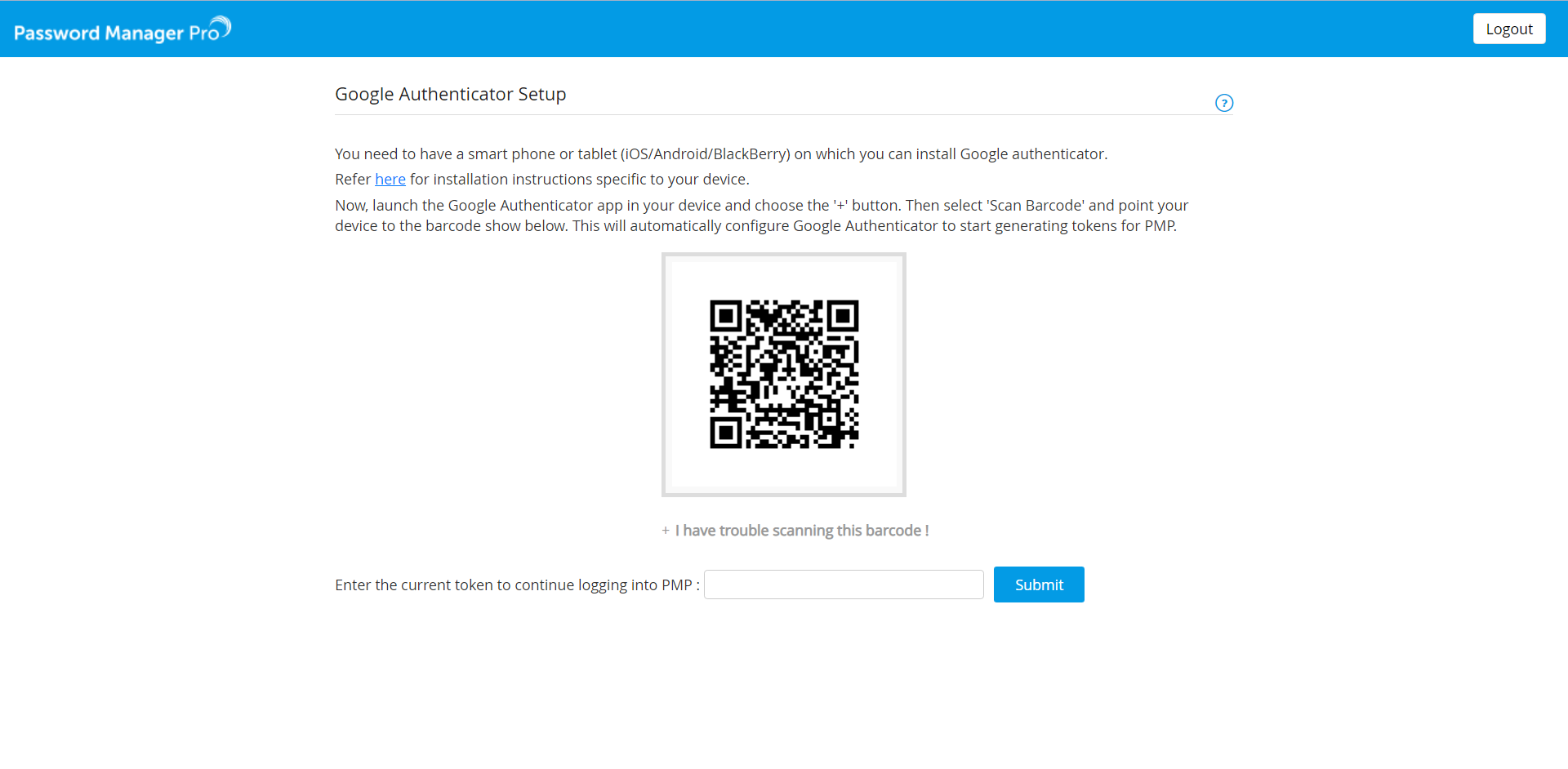
Setting up Two-Factor Authentication
Password Manager Pro stores sensitive administrative passwords of enterprise resources in encrypted form in the database. Access to the data was earlier restricted by a single level of authentication - local authentication of Password Manager Pro or the authentication of third party identity stores like ActiveDirectory or LDAP.
To introduce an extra level of security, Password Manager Pro provides two-factor authentication. Users will have to authenticate through two successive stages to access the Password Manager Pro web-interface. While the first authentication will be through the usual native authentication or AD / LDAP, the second level of authentication could be one of the following:
- Leveraging PhoneFactor - a phone-based authentication service
- Leveraging RSA SecurID authentication as the second level of authentication
- Google Authenticator
- Microsoft Authenticator
- Zoho OneAuth Authenticator
- Oracle Mobile Authenticator
- Okta Verify Authenticator
- RADIUS server or Any RADIUS-compliant Authentication
- Duo security
- YubiKey
- A one-time, randomly generated unique password sent by PMP to the user by Email
This document explains about the following topics:
- Two-Factor Authentication - Various Options
- Enable Two-Factor Authentication
- Reset Two-Factor Authentication
1. Two-Factor Authentication - Various Options
Before enabling the Two-Factor Authentication, decide on the technology you wish to use. At present Password Manager Pro supports TFA through the following options:
- PhoneFactor Authentication
- RSA SecurID
- Google Authenticator
- Microsoft Authenticator
- Zoho OneAuth Authenticator
- Oracle Mobile Authenticator
- Okta Verify TFA
- RADIUS server or Any RADIUS-compliant Authentication
- Duo security TFA
- YubiKey
- Unique password generated and sent through Email
Click the respective links to know more and proceed setting up the required TFA technology.
2. Enabling Two-Factor Authentication
Enabling Two-Factor Authentication in Password Manager Pro consists of two steps:
- Setting up Two-Factor Authentication.
- Specifying the users for whom the Two-Factor Authentication is to be enforced.
Note: Two-Factor Authentication will take effect only if both the two steps are performed. Also, Two-Factor Authentication will be applicable only for the users for whom it is enforced through Step 2. All other users will be allowed to login to PMP through the usual way.
3. Reset Two-Factor Authentication
(This feature is applicable from build 12100 and later only)
Note: This feature is available only for Google Authenticator, Microsoft Authenticator, Yubikey and Okta Verify.
Password Manager Pro now allows administrators and users with appropriate permissions to reset Two-Factor Authentication.
To reset Two-Factor Authentication for a particular user,
- Log in to Password Manager Pro as an Administrator and navigate to the Users tab.
- Click the User Actions icon beside the desired user and click Reset Two Factor Authentication.
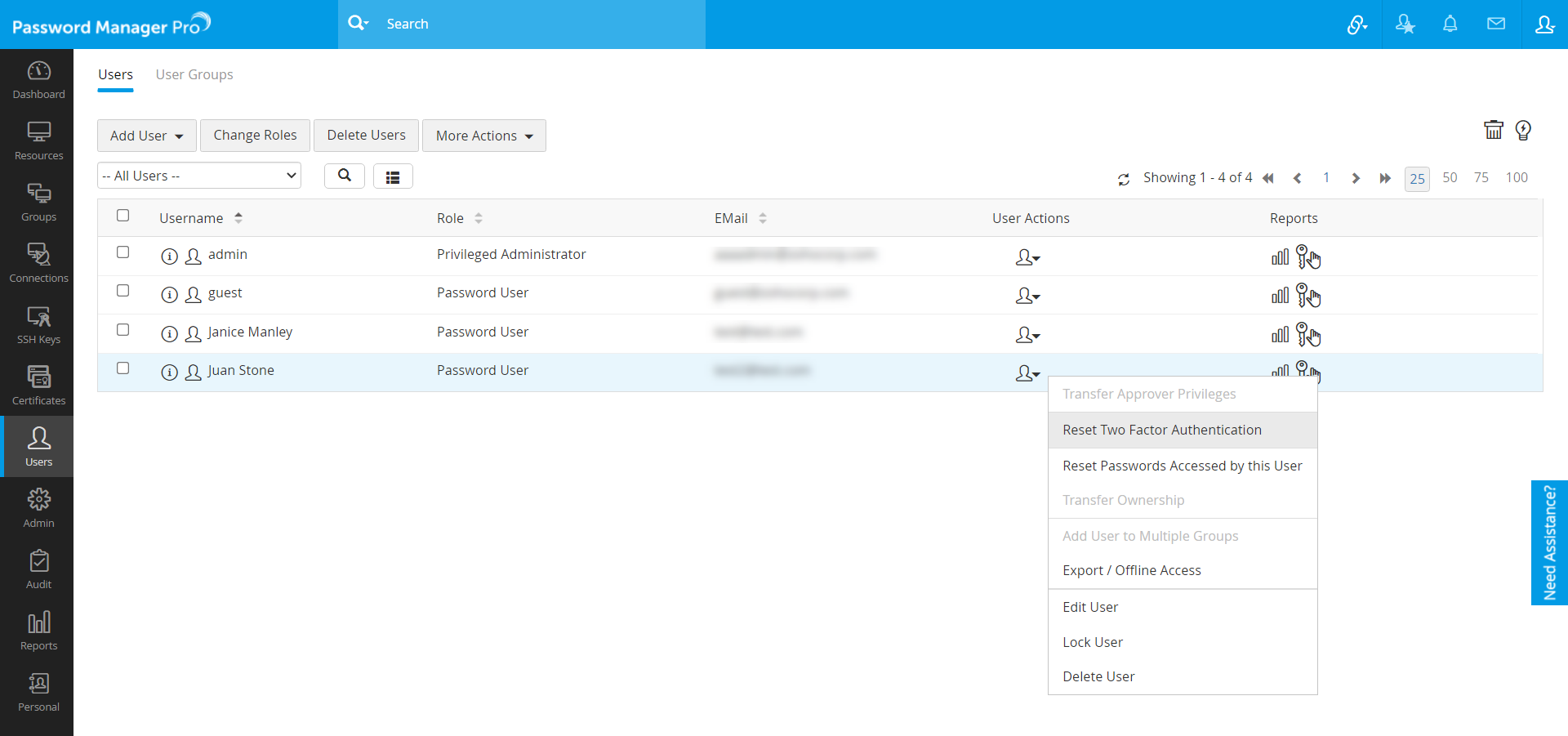
- Click Reset in the pop-up that appears.
Now, the user will be able to reconfigure Two-Factor Authentication while logging in to Password Manager Pro.
To allow users to reset Two-Factor Authentication,
- Log in to Password Manager Pro as an Administrator and navigate to Admin >> Settings >> General Settings >> User Management.
- Select Allow Users to reset Two-Factor Authentication and click Save.
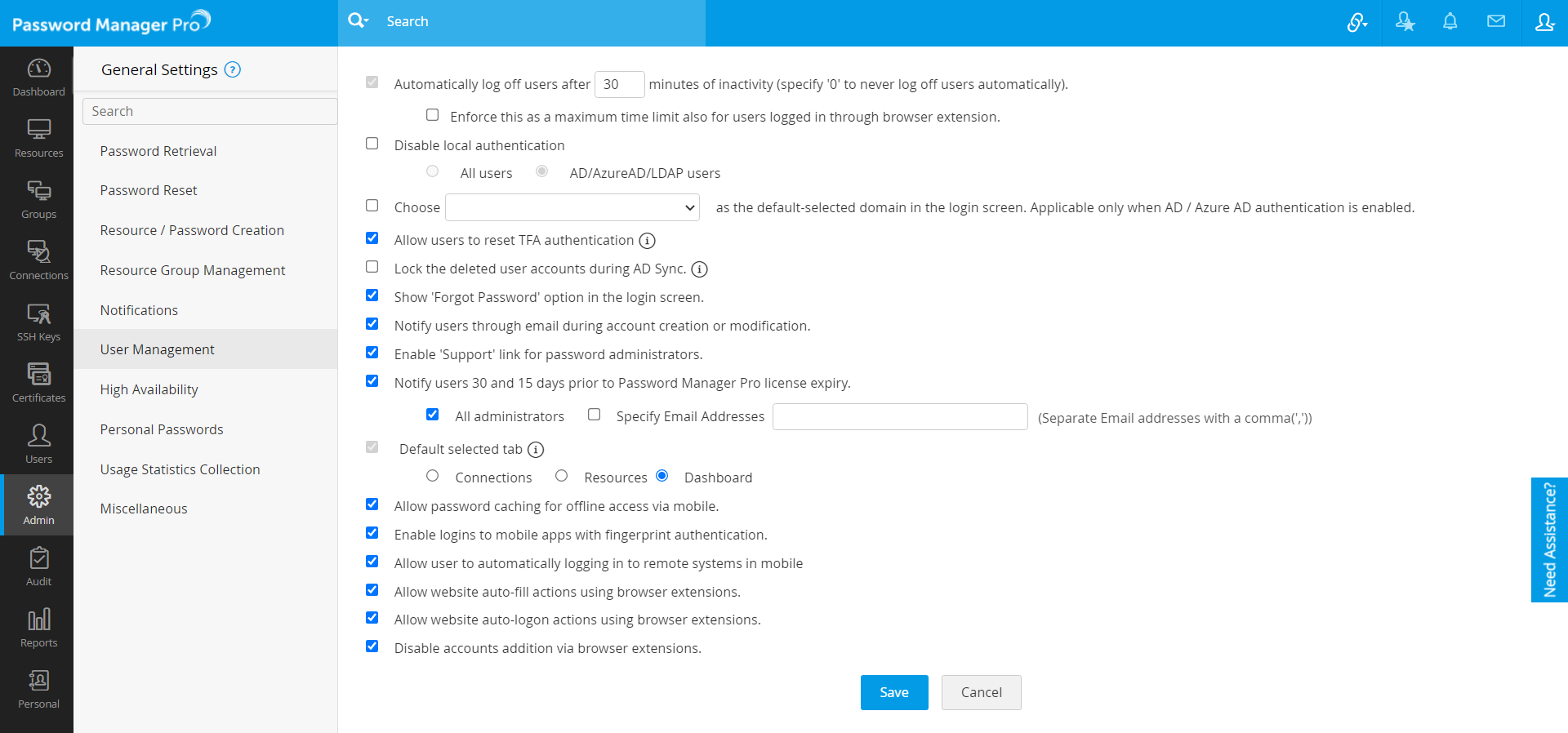
This allows the users to reset and reconfigure Two-Factor Authentication by themselves.
To reset Two-Factor Authentication as a user,
- Mention the Username and Password to log in to Password Manager Pro.
- Click Having trouble using <enabled TFA>?
(Example: Having trouble using Google Authenticator?)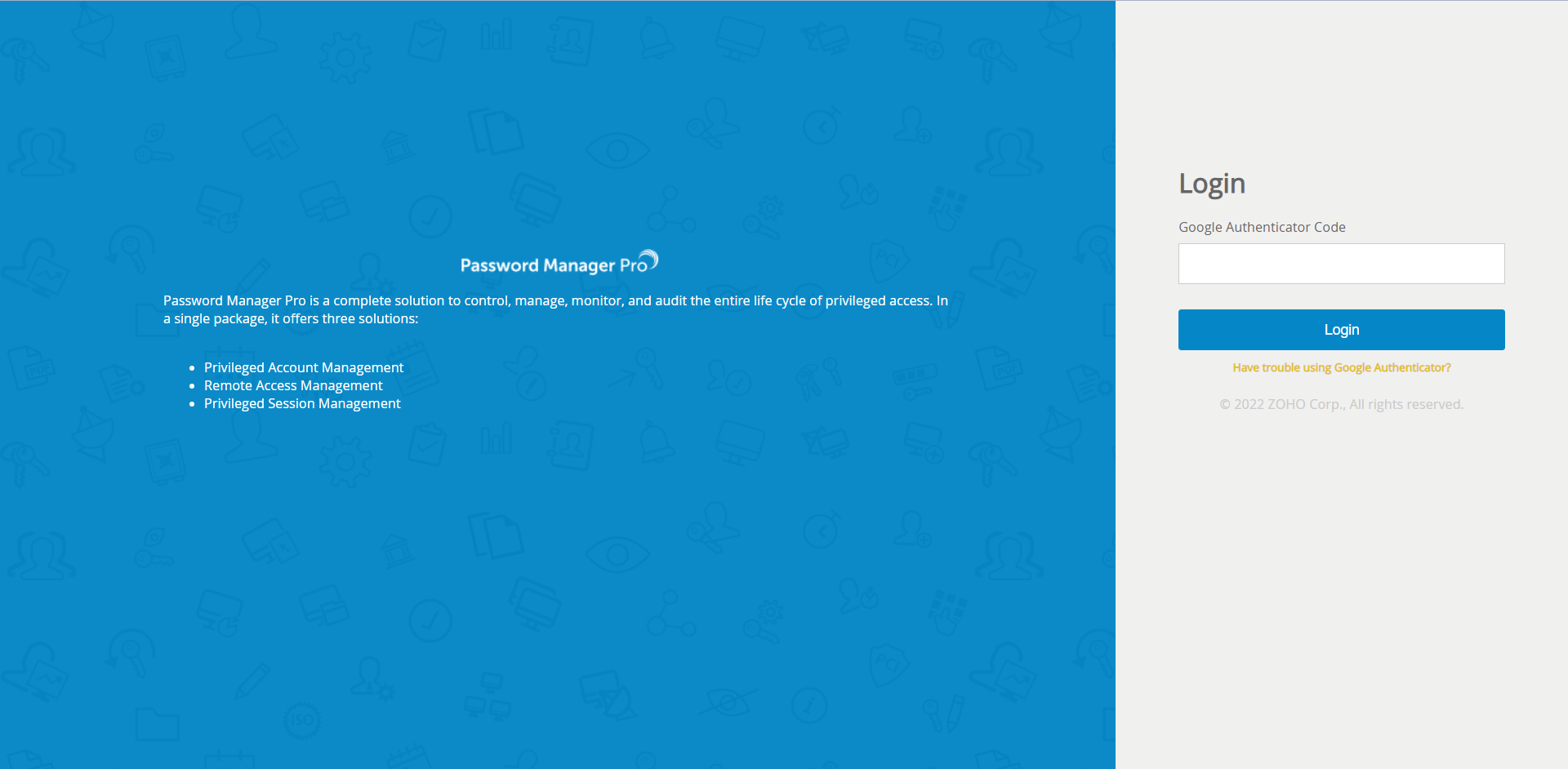
- In pop-up that appears, mention the User Name, E-mail Id and click Send.
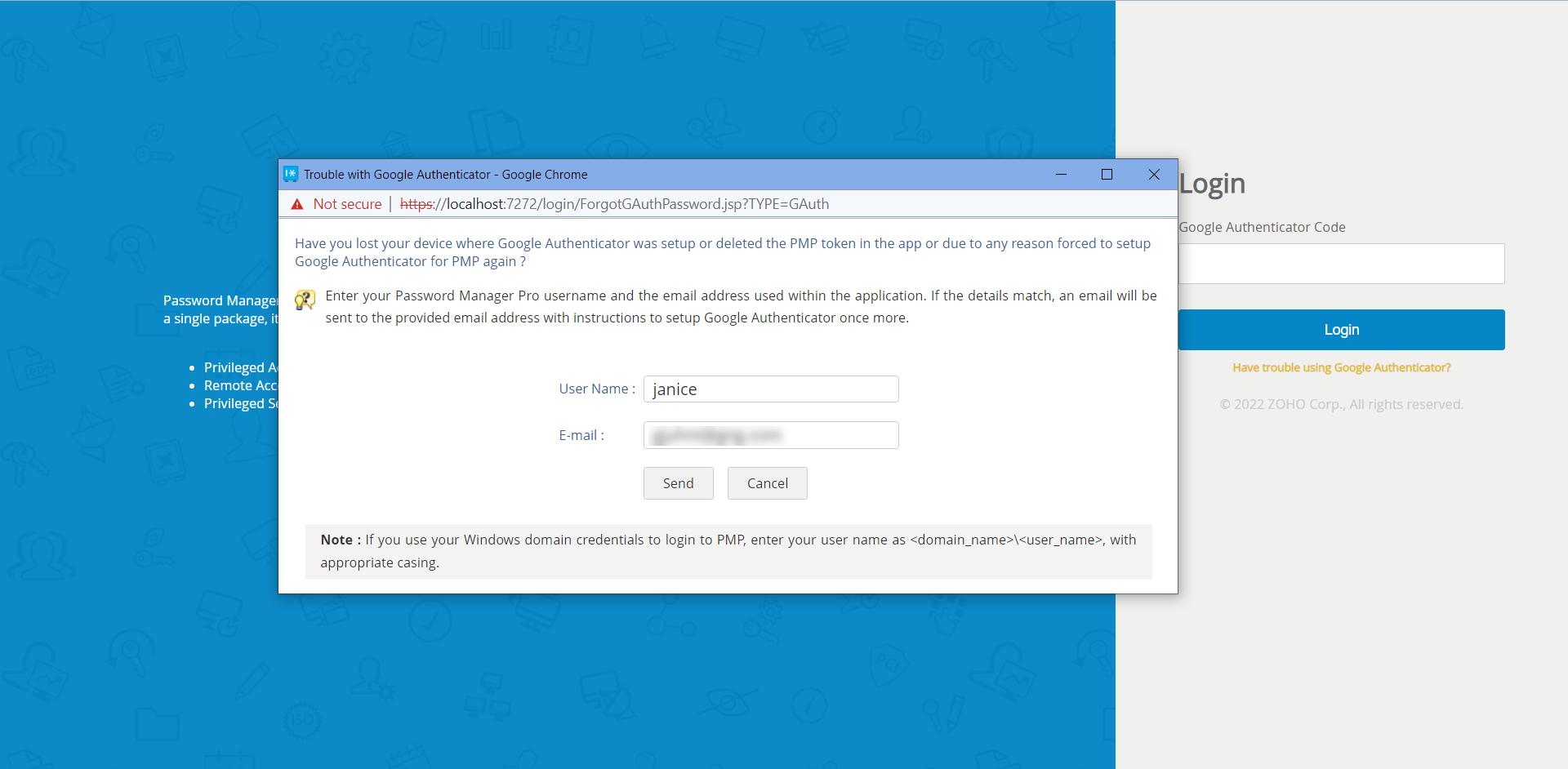
- A link to set up Two-Factor Authentication will be sent to the above mentioned E-mail Id.
- Now, open the E-mail and click the link to reset Two Factor Authentication. A success message appears on the screen.
- Now, log in to Password Manager Pro and you will be able to reconfigure your Two-Factor Authentication.