Windows Service Account Password Reset
(Feature available only in Premium and Enterprise Editions)
Windows Service Accounts, used by system programs to run application software services or processes, often possess higher or even excessive privileges than normal user accounts. These are indeed very powerful accounts that run critical business processes and services. Many third-party services or scheduled tasks or processes might make use of the same service account, resulting in a complex interconnection.
Typically, specific windows domain accounts are used as service accounts in services running in Windows servers, that need network access. Password Manager Pro has the ability to identify the service accounts associated with a particular domain account. While resetting the password of a domain account managed in Password Manager Pro, it will find out the services which use that particular domain account as service account. It will automatically reset the service account password when the domain password is changed.
In certain cases, you will require to restart the services for the service account password reset to take effect. The windows service account password reset feature of Password Manager Pro helps achieve this precisely, fully automated.
Here in this document you will learn the following:
- How does Windows Service Account Reset Work?
- Steps to Setup Windows Service Account Password Reset
- Steps to configure Windows Service Account Password Reset
- Steps to View Service Account Status
1. How does Windows Service Account Reset Work?
For every Windows domain account for which the service account reset is enabled, Password Manager Pro will find out the services which use that particular domain account as service account, and automatically reset the service account password if this domain password is changed.
2. Steps to Setup Windows Service Account Password Reset
2.1 Prerequisite:
The following are mandatory:
- Microsoft .Net framework 4.5.2 or above must be installed.
- Microsoft Visual C++ 2015 redistributable must be installed.
- Windows RPC service should have been enabled
- Windows Management Instrumentation (WMI) service should have been enabled.
- Password Manager Pro service should be run with a domain admin account.
Password Manager Pro can fetch the service accounts associated with the services in the domain members (from v8300 and above) during the privileged accounts discovery process. To know more about Windows Service Accounts discovery, click here.
Note: Now, when the domain account password is reset,
- It is modified immediately in the domain.
- Password Manager Pro iterates through the associated resource group and for each resource find the list of services and scheduled tasks which use this domain account as their service account.
- Password Manager Pro uses the domain administrator credentials to log in to the servers and forcefully modify the service account password and scheduled task passwords too and restart the services.
3. Steps to Configure Windows Service Account Password Reset
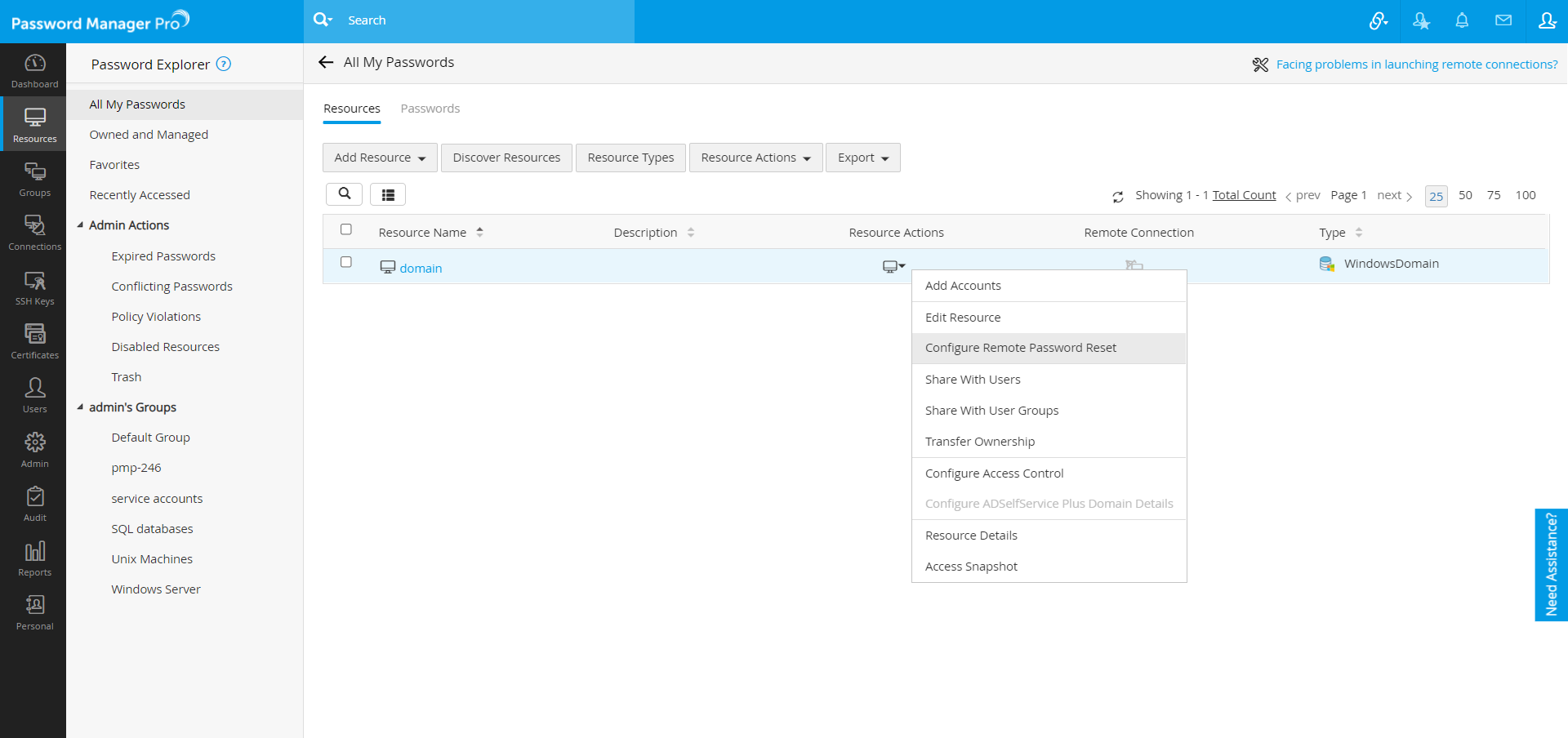
- Navigate to the Resources tab and click the Resource Actions icon against WindowsDomain resource.
- Select Configure Remote Password Reset from the drop down.
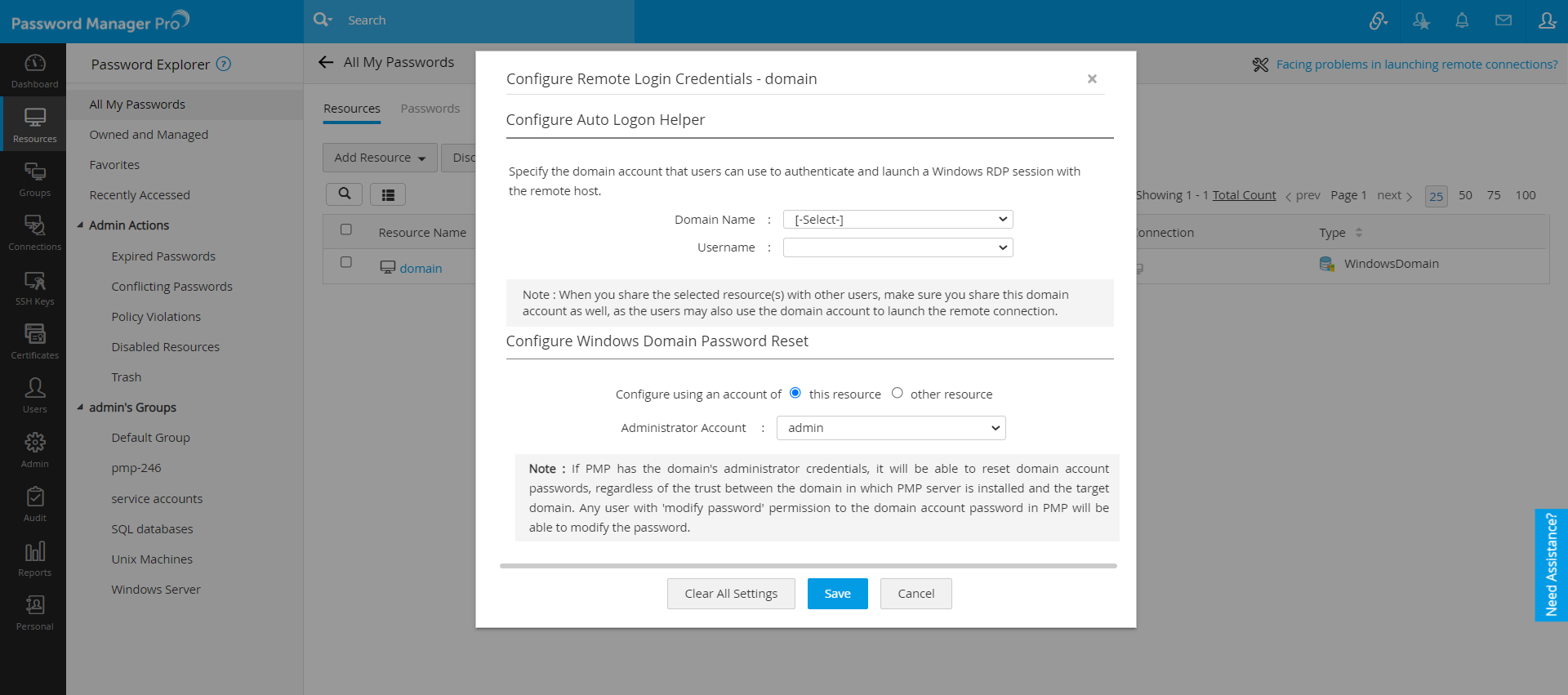
- In the pop-up form that appears, select the Domain Admin account as the Administrator Account.
- Click Save.
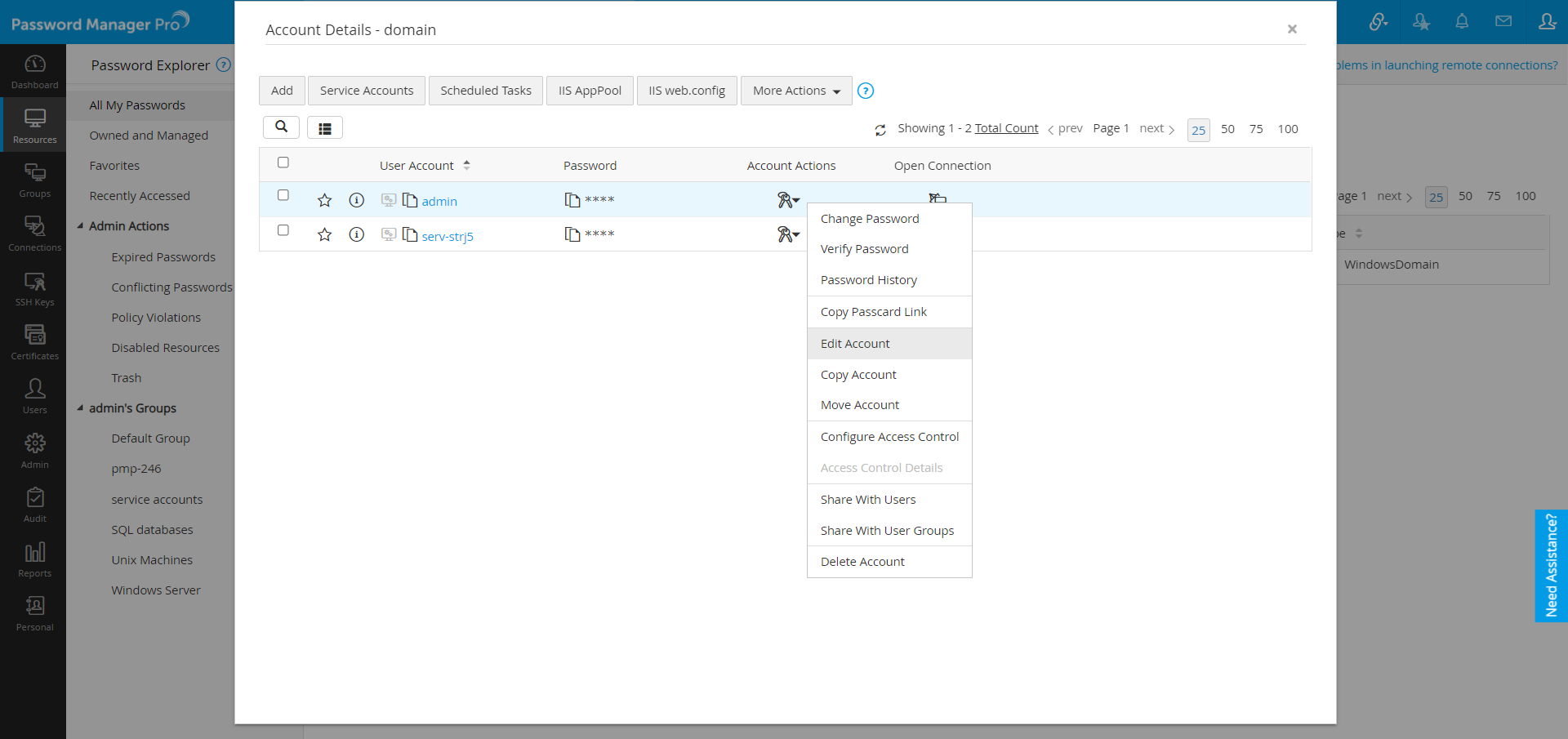
- Click on the WindowsDomain resource name. In the UI that opens, click the "Account Actions" icon against the service account and then select "Edit Account" from the drop down.
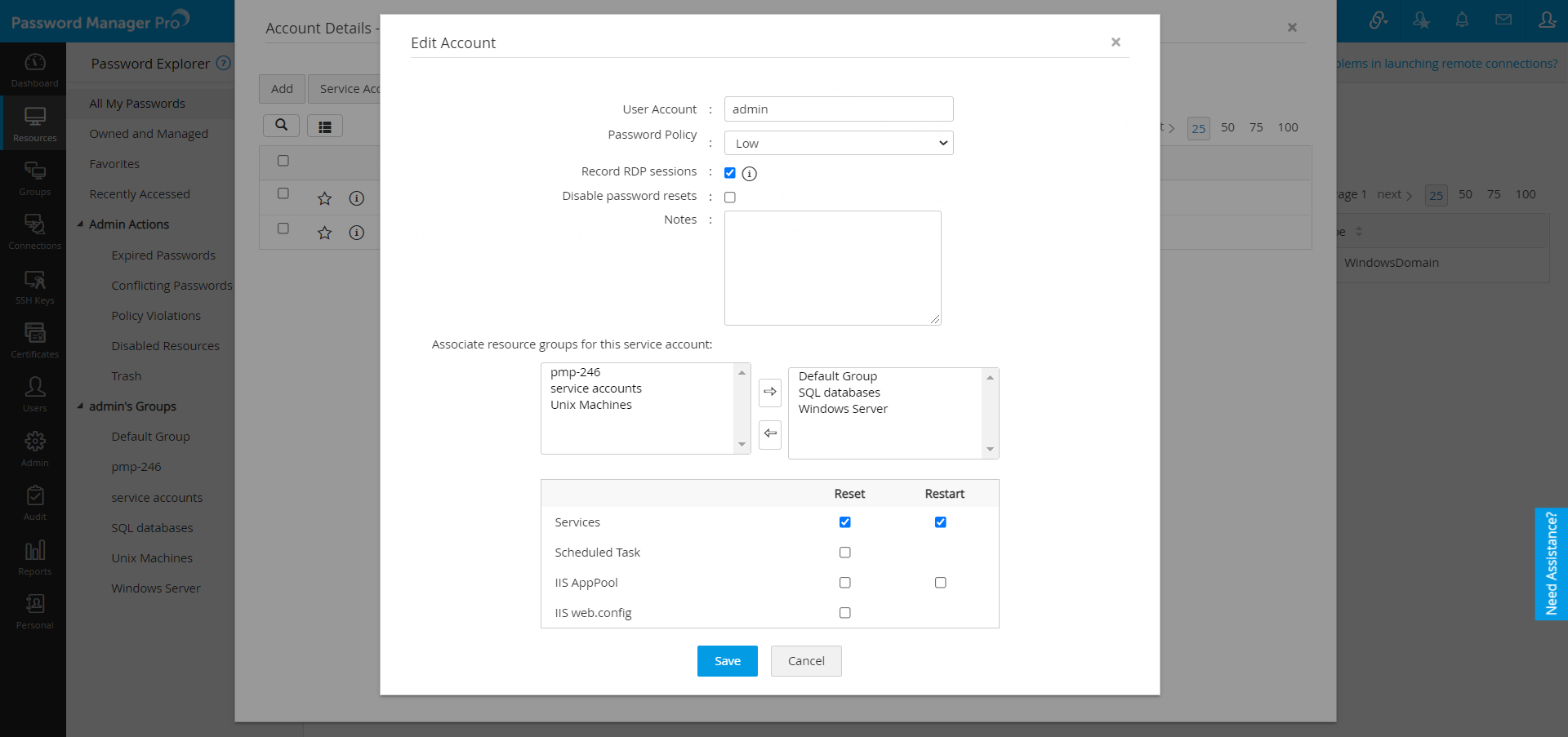
- In the pop-up form that appears, associate resource groups for this service account by moving desired groups to the other box on the right side.
- Also, check Restart options if you would like Password Manager Pro to restart the windows service account immediately after their passwords are updated.
- Check the checkbox for service account which you added in the Windows Domain resource and click Save.
- Select an account and click Service Accounts >> Supported Service Accounts. Here, the Services which uses this service account as log on account will be listed. When you reset the password, it will be reset in the service running in the remote machine as well.
Note: In certain cases, there would be requirements for stopping and starting the services during domain account reset. In such cases, through General Settings you can configure Password Manager Pro to wait for a specified time period (in seconds) between stopping and starting the services.
To configure this,
- Navigate to Admin >> Settings >> General Settinngs.
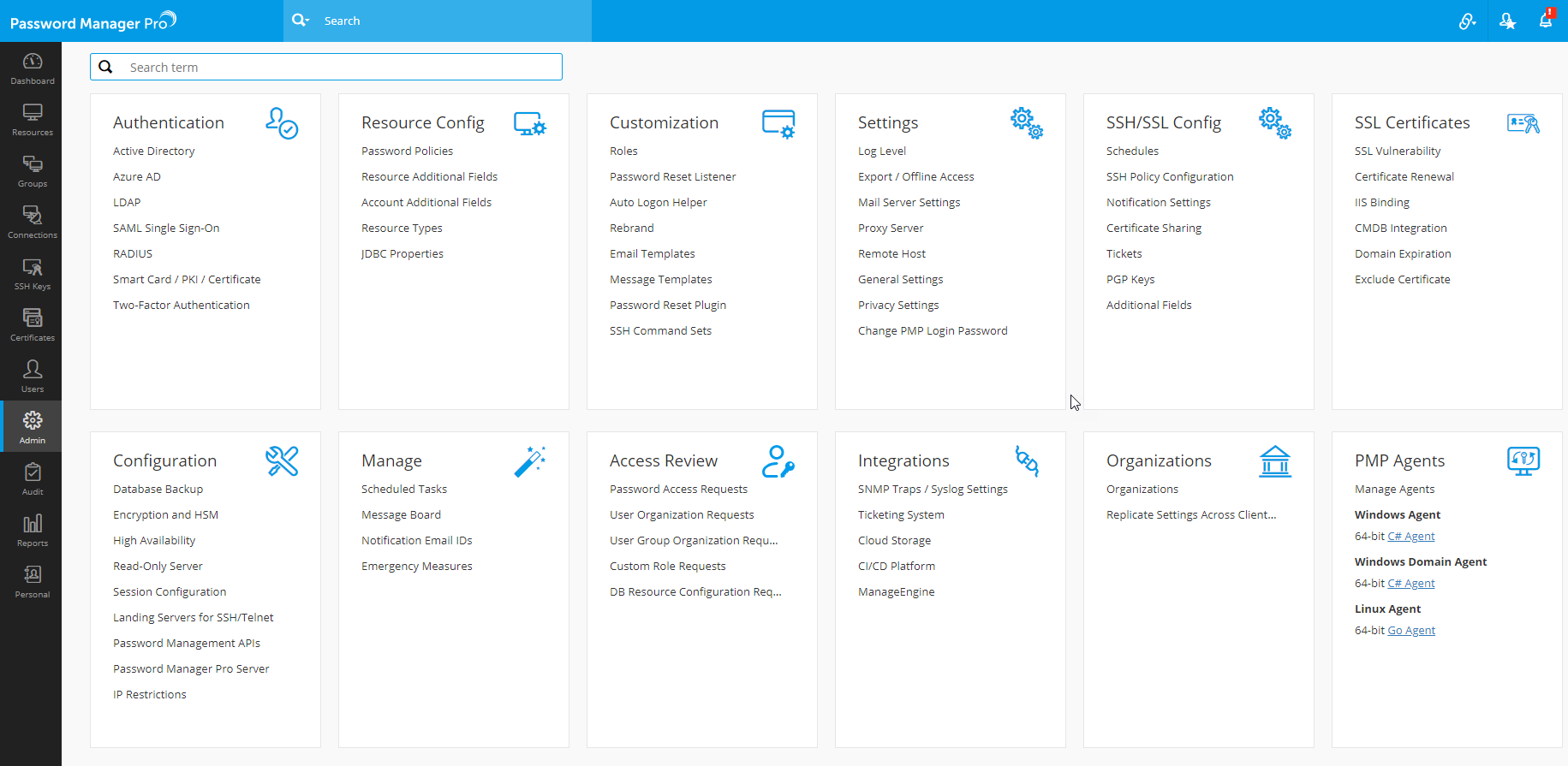
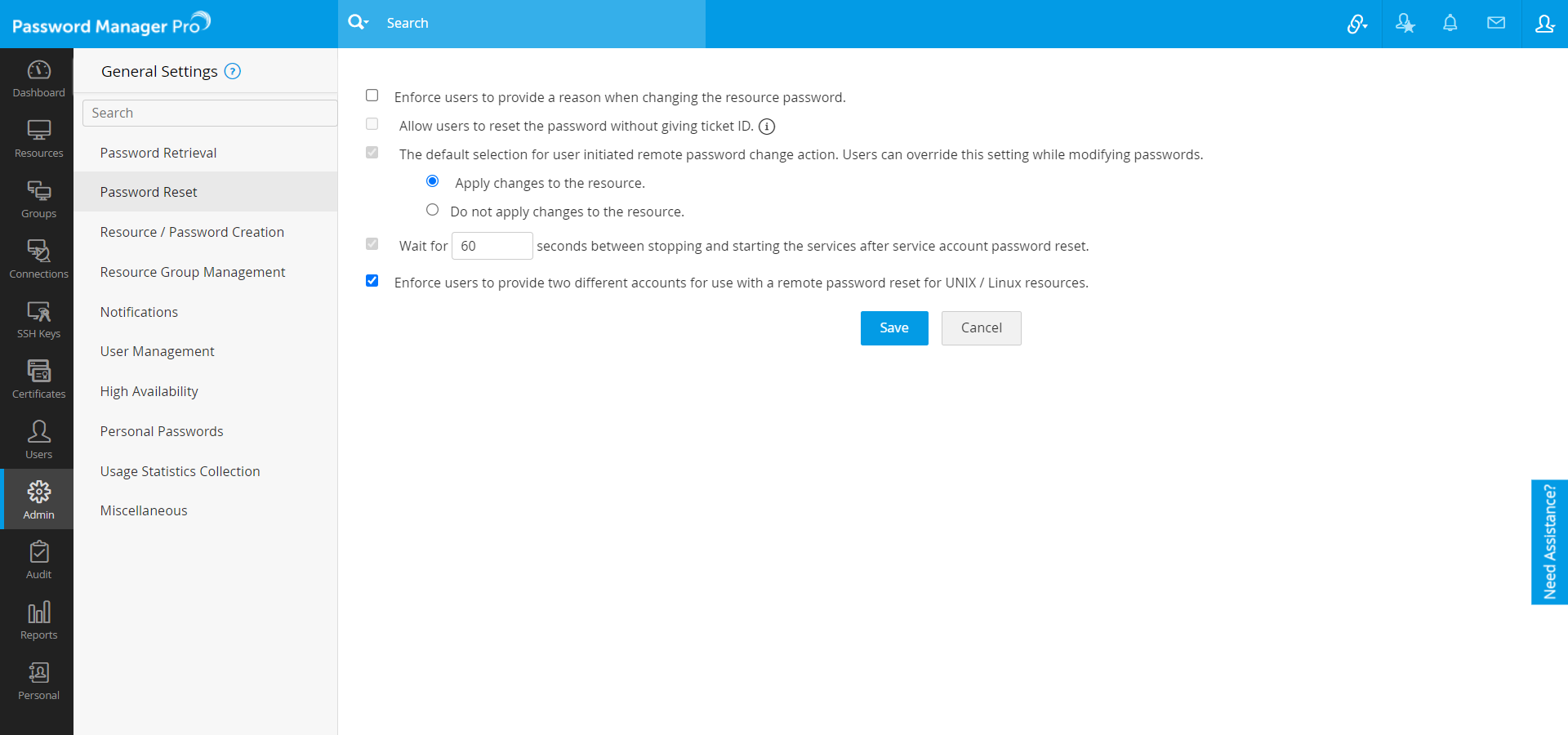
- In the UI that opens, select Password Reset from the options on the left hand side.
- Click the checkbox Wait for a specified time period (in seconds) between stopping and starting the services.
- By default, Password Manager Pro waits for 60 seconds. You may configure it in accordance with your needs.
- Click Save.
4. Steps to View Service Account Status
For any windows domain account (for which you have enabled Windows service account reset), you can view the list of associated service accounts, scheduled tasks and information on whether the service accounts and scheduled tasks were reset upon the corresponding domain account reset.
To view this information,
- Go to Resources tab and click the name of the resource.
- In the UI that opens, select the domain account of the resource for which you wish to know the status of service account reset and click Service Accountbutton at the top of the list of acounts.
- In the dialog box that opens, switch to Service Account Status tab.
Notes:
- Whenever the password of the domain account is changed, the windows service account associated with it will also be changed. In case, you have created schedules for rotating domain accounts, the service account reset will also follow the schedule.
- Once you create Windows Service Account Reset, the passwords of the Windows scheduled tasks associated with the service accounts will also be reset.