Service desk templates

Capture all contextual information at all times for every service.
$ Contact salesplay-blk-icon Book a demo

What are service desk templates or forms?

Service desk templates are tailor-made versions of forms, designed to capture the relevant information, such as whether a ticket is an incident, service request, or change request.

Why are service desk templates important in a PSA tool?

Templates standardize how information is captured, which reduces back-and-forth, speeds up resolution, and enforces consistency across technicians and customer accounts.

Service desk templates in ServiceDesk Plus MSP

ServiceDesk Plus MSP offers a comprehensive template framework covering incidents, service requests, problems, changes, tasks, resolutions, notifications, and knowledge articles. MSPs can tailor each template for each customer account with unique fields, ensuring all necessary details are collected for specialized requests.
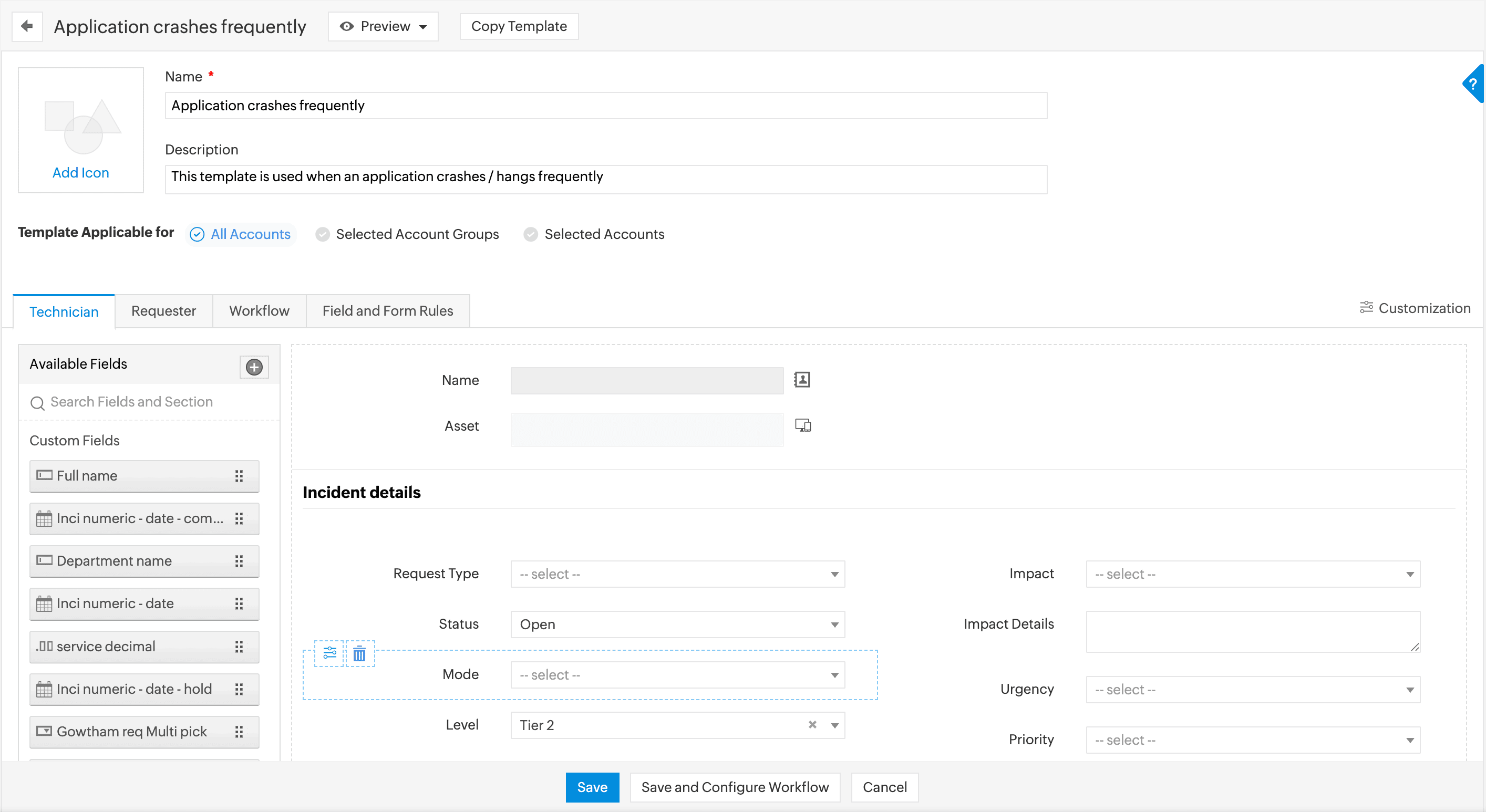
Configuring incident templates in ServiceDesk Plus MSP
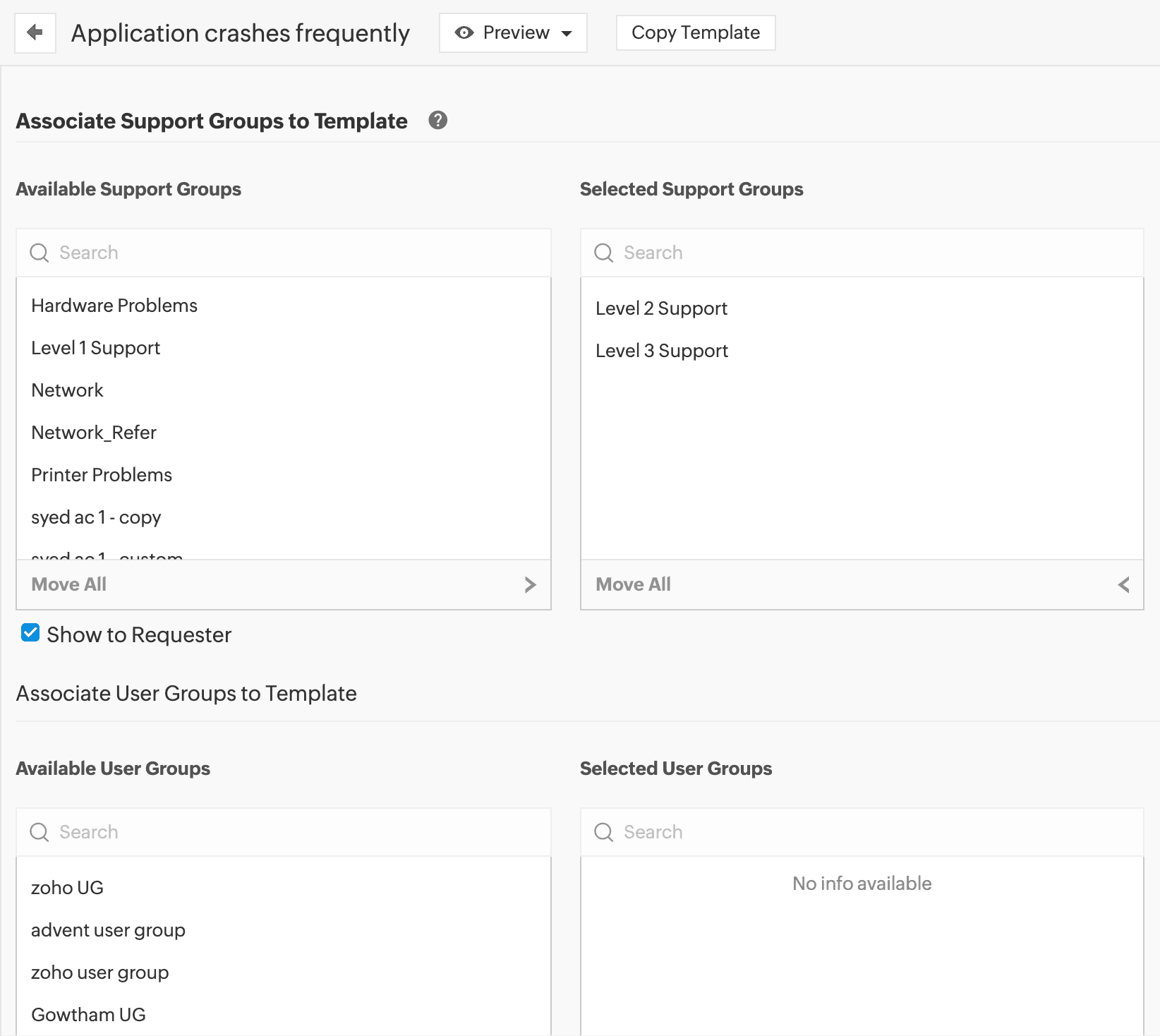
Configuring incident template access in ServiceDesk Plus MSP
Incident template workflow association

Creating an incident template in ServiceDesk Plus MSP.


Accelerate first response with incident templates

  • Pre-populate key fields like category, impact, priority, support group, and site to reduce ticket logging time.
  • Add sections and custom fields for environment, affected asset, business impact, and other relevant context to capture necessary details up front.
  • Utilize field and form rules to dynamically show or hide fields, validate inputs, and automatically set values based on end-user inputs, avoiding field overload—all without writing any code.
  • Associate relevant approvals, SLAs, business rules, life cycles, task templates, and checklists with specific incident types to ensure the right workflow for each customer and incident scenario
  • Restrict template access by customer accounts, user group, or technician group to deliver tailored experiences for each customer.

Streamline service requests for end users with service request templates

  • Use the drag-and-drop form designer to build service request forms with custom fields, resource sections, and dependency fields for different customer environments.
  • Display resources with images and associated costs.
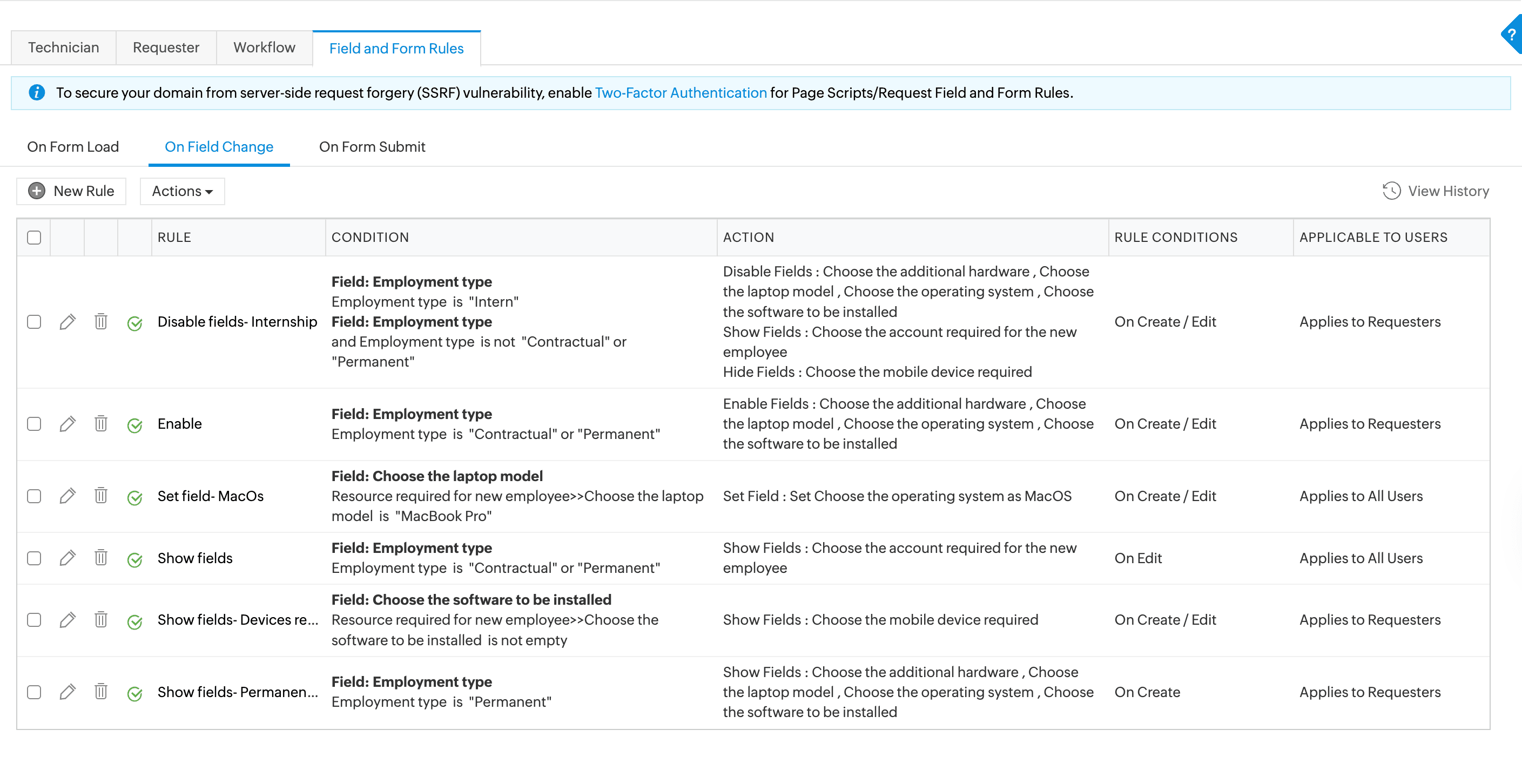
  • Utilize field and form rules to dynamically show or hide fields, validate inputs, and automatically set values based on end-user inputs, avoiding field overload—all without writing any code.
  • Deliver IT services to targeted, specific groups of customers by associating/publishing templates to user groups.
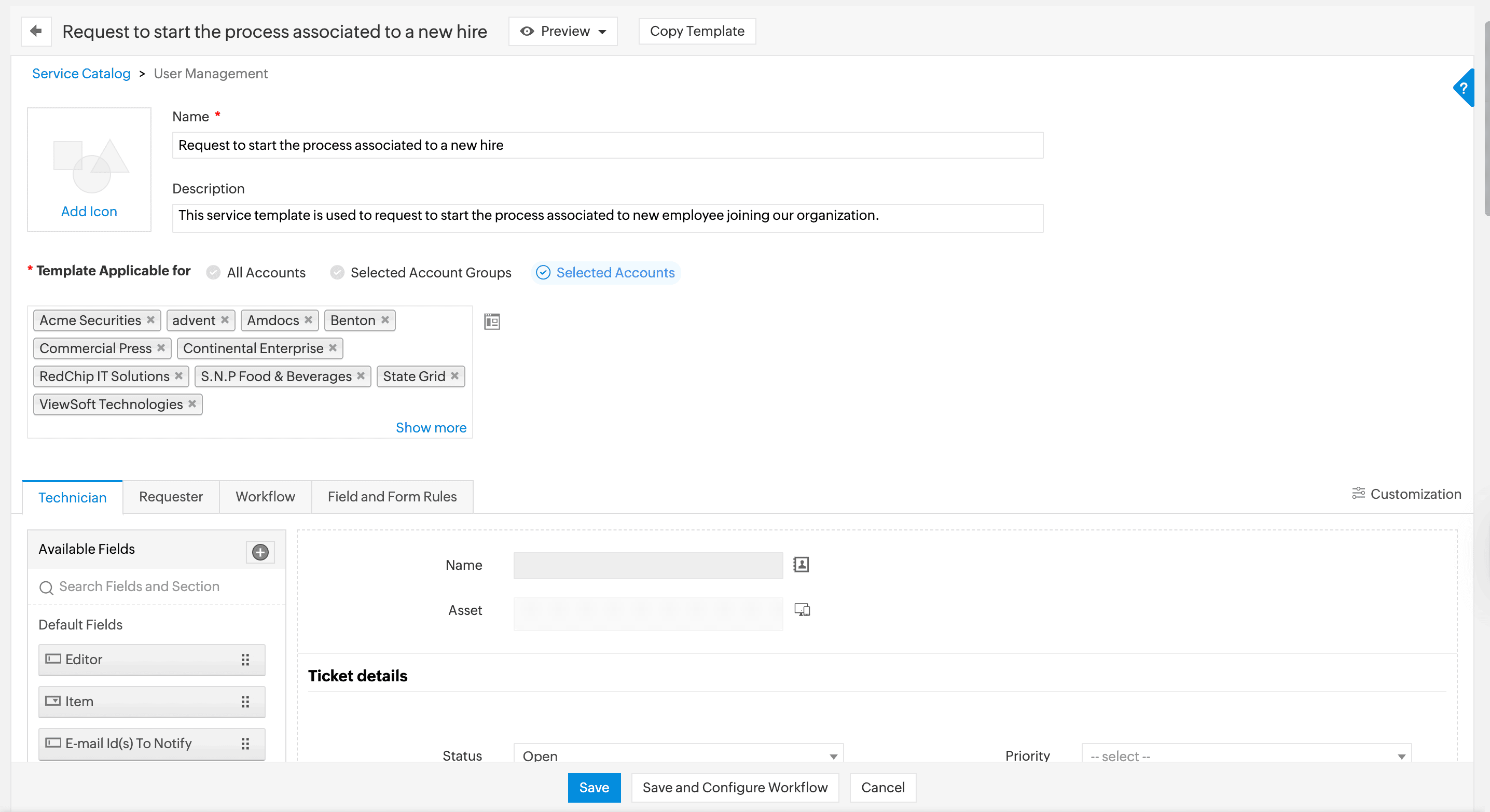
Service request template configuration
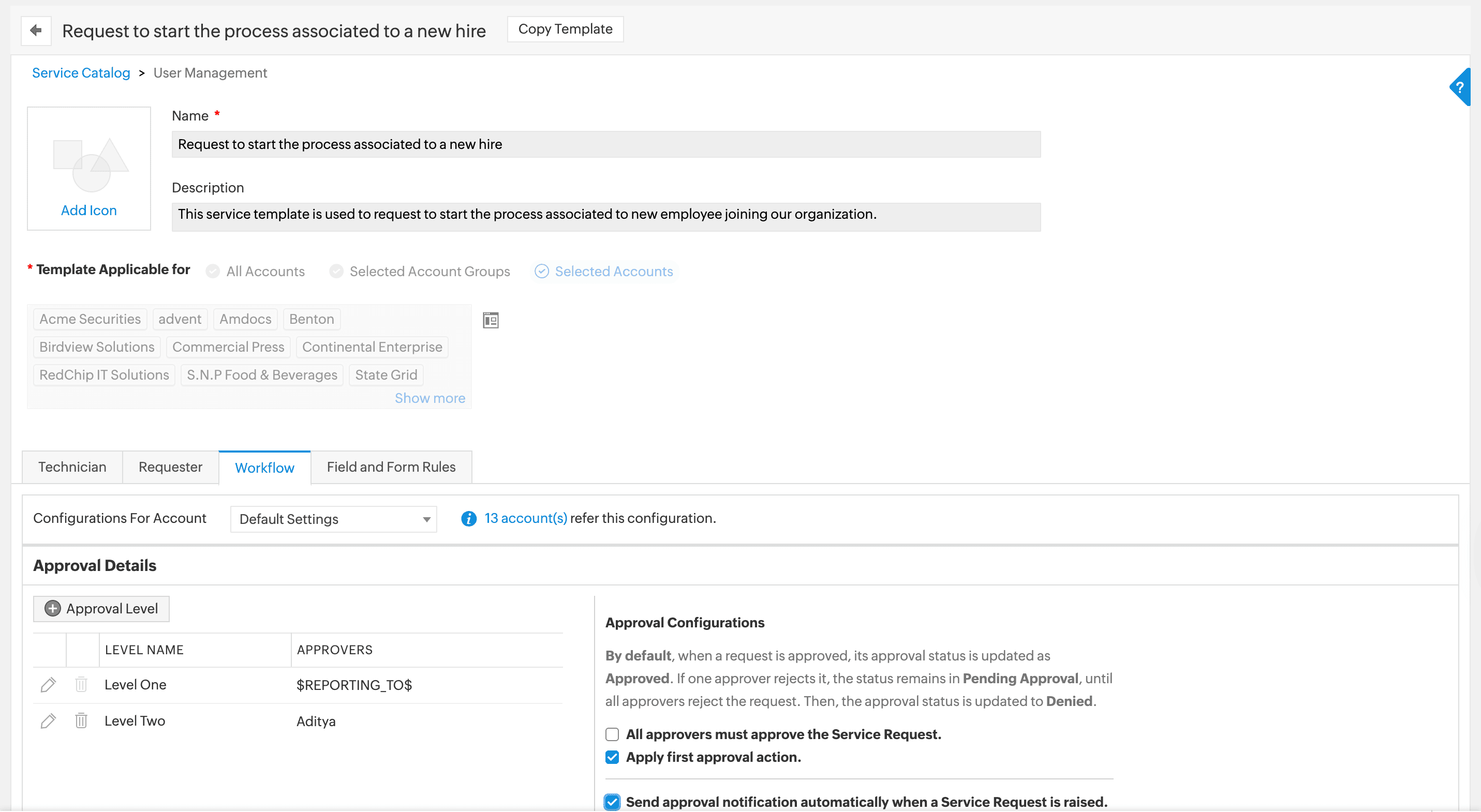
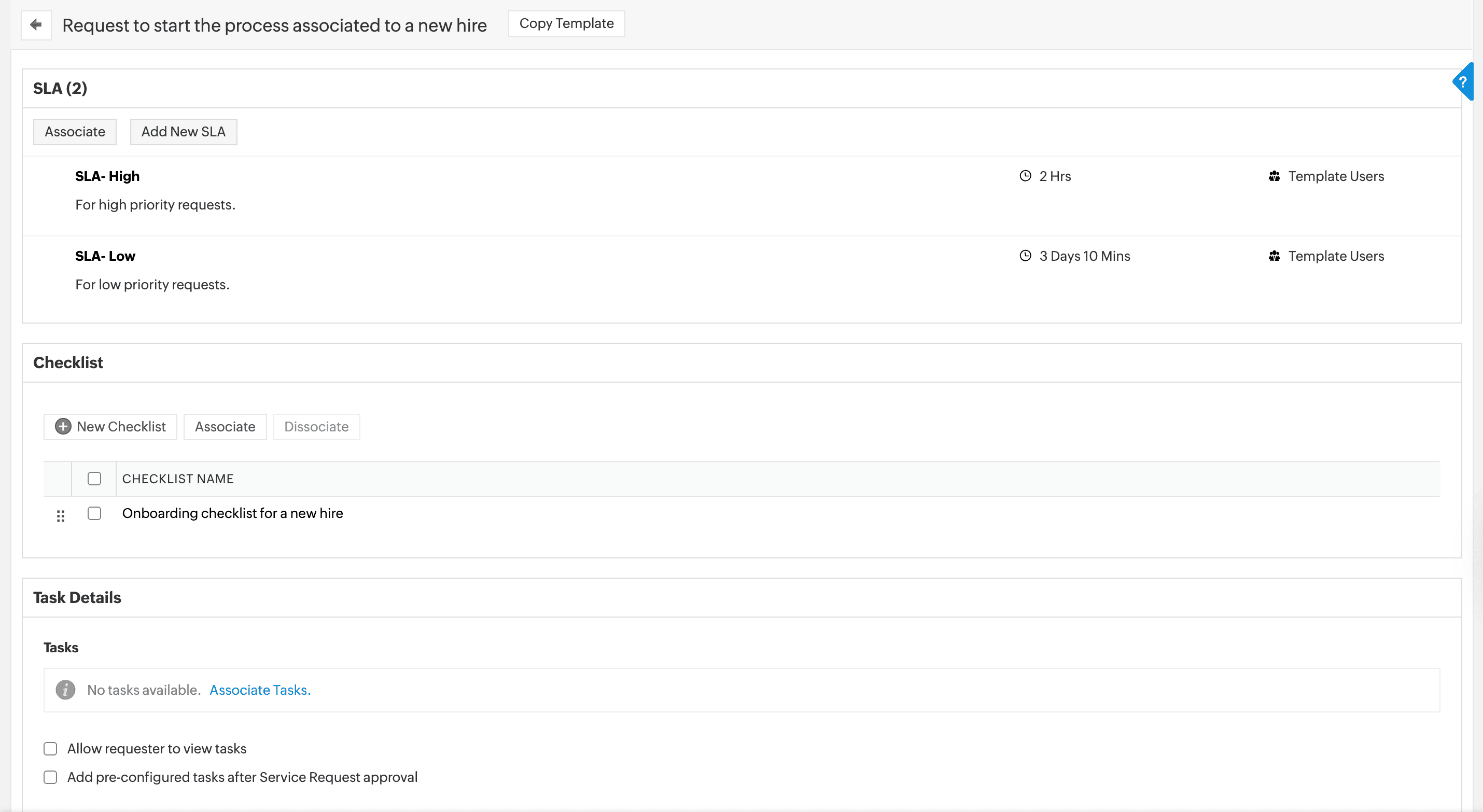
Service request workflow setup
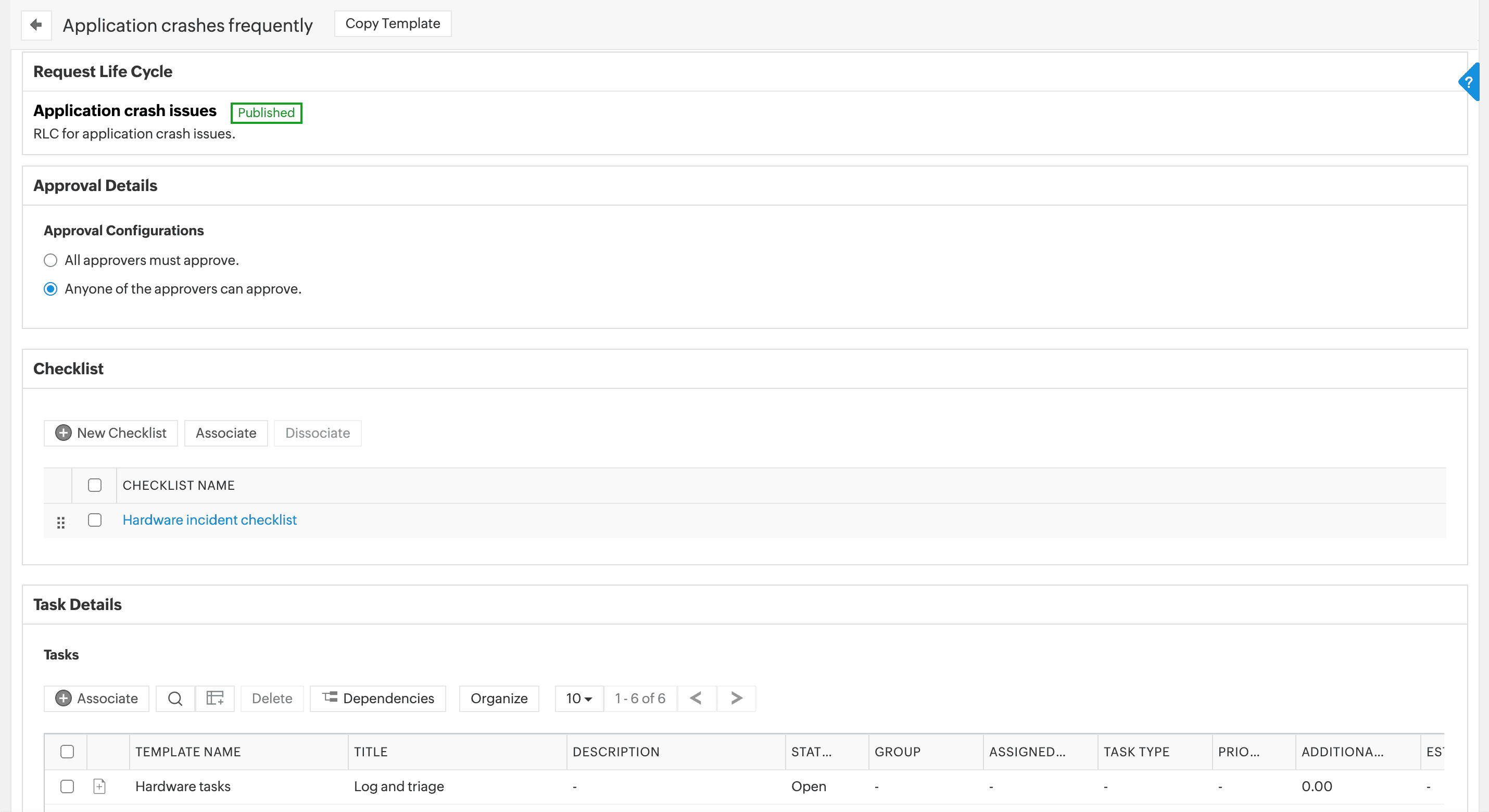
Service request SLA and checklist
 Field and form rules configuration

Creating a service request template in ServiceDesk Plus MSP.


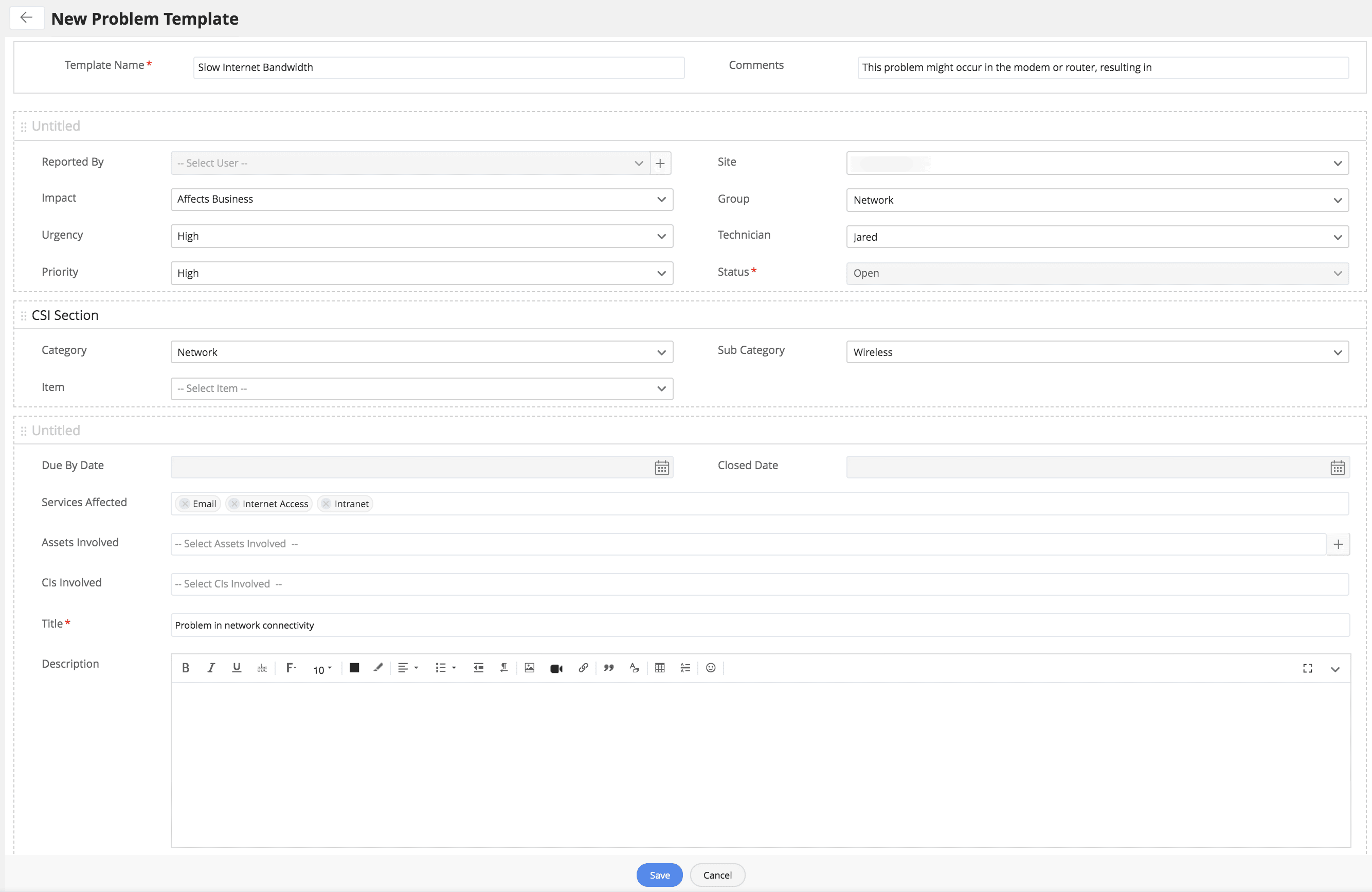
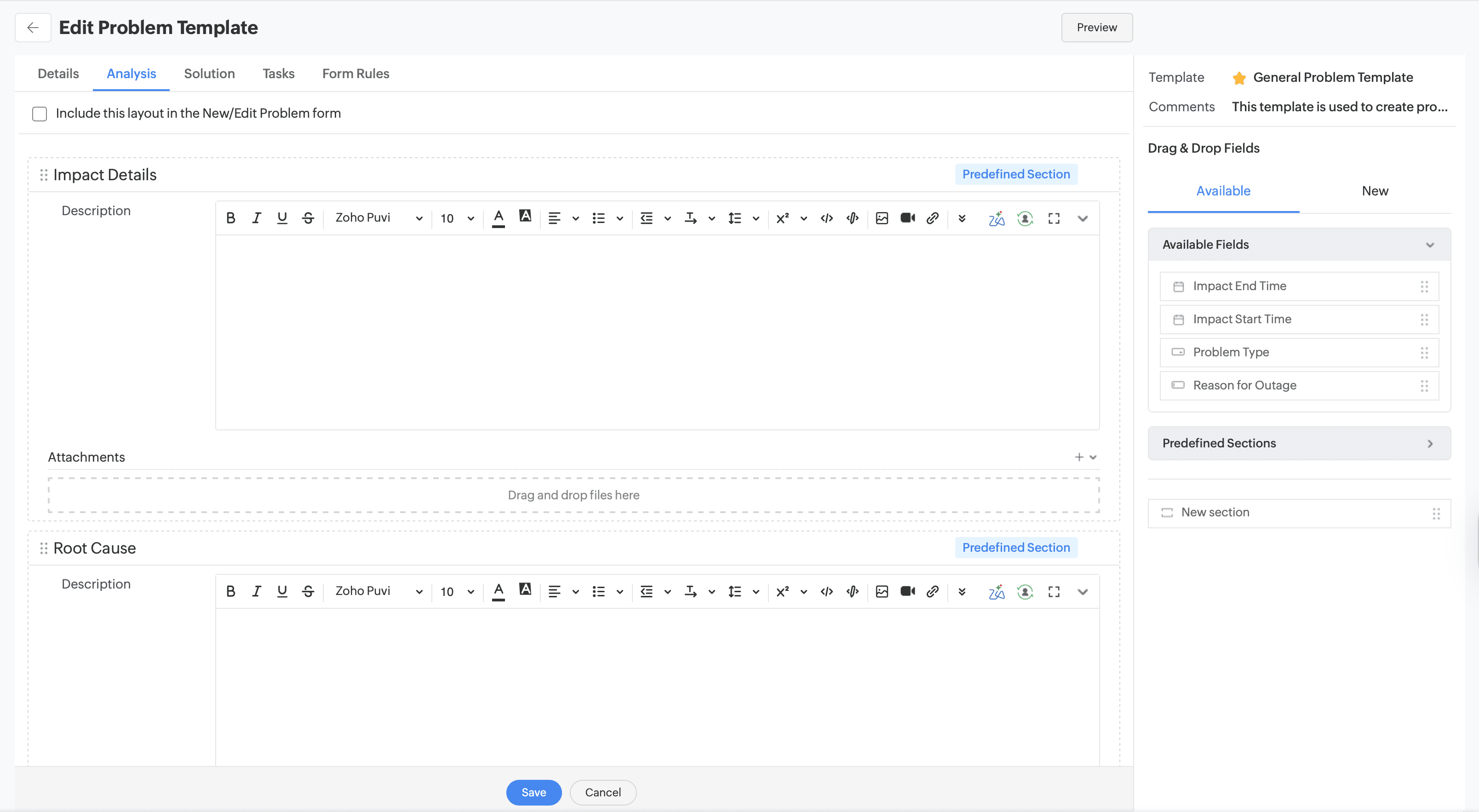
Problem template creation
Problem template analysis

Creating a problem template in ServiceDesk Plus MSP.


Simplify root cause analysis with problem templates

  • Standardize fields for symptoms, root cause, impact, workaround, and permanent fix, plus links to related incidents and changes.
  • Include checklists and task templates for investigation, impact analysis, and post-implementation review so technicians follow a consistent diagnostic approach.
  • Associate knowledge base articles and solutions so technicians can quickly reference known errors and workarounds across all customers.

Ensure controlled change management and seamless roll-outs with change and release templates

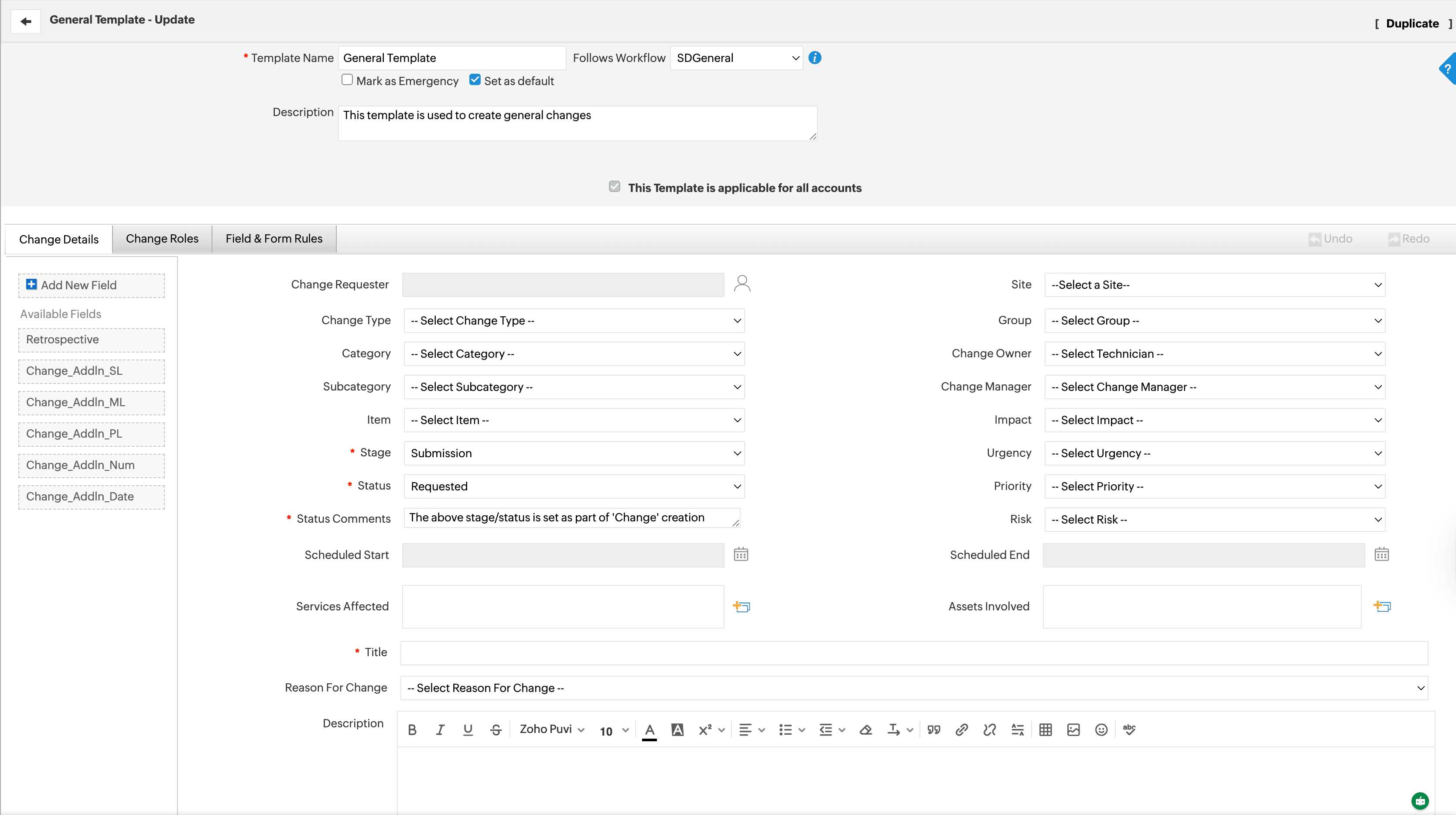
  • Define change and release types with their own fields, stages, and risk or impact attributes aligned to each customer’s policies.
  • Configure stage-level customization (planning, approval, implementation, review) with mandatory fields and tasks at each stage.
  • Associate visual workflows and life cycles with change and release templates to drive approvals, status transitions, and automation rules.
  • Link changes and releases with related incidents, problems, changes/releases, and projects to maintain complete traceability across ITSM processes.
Change template field configuration
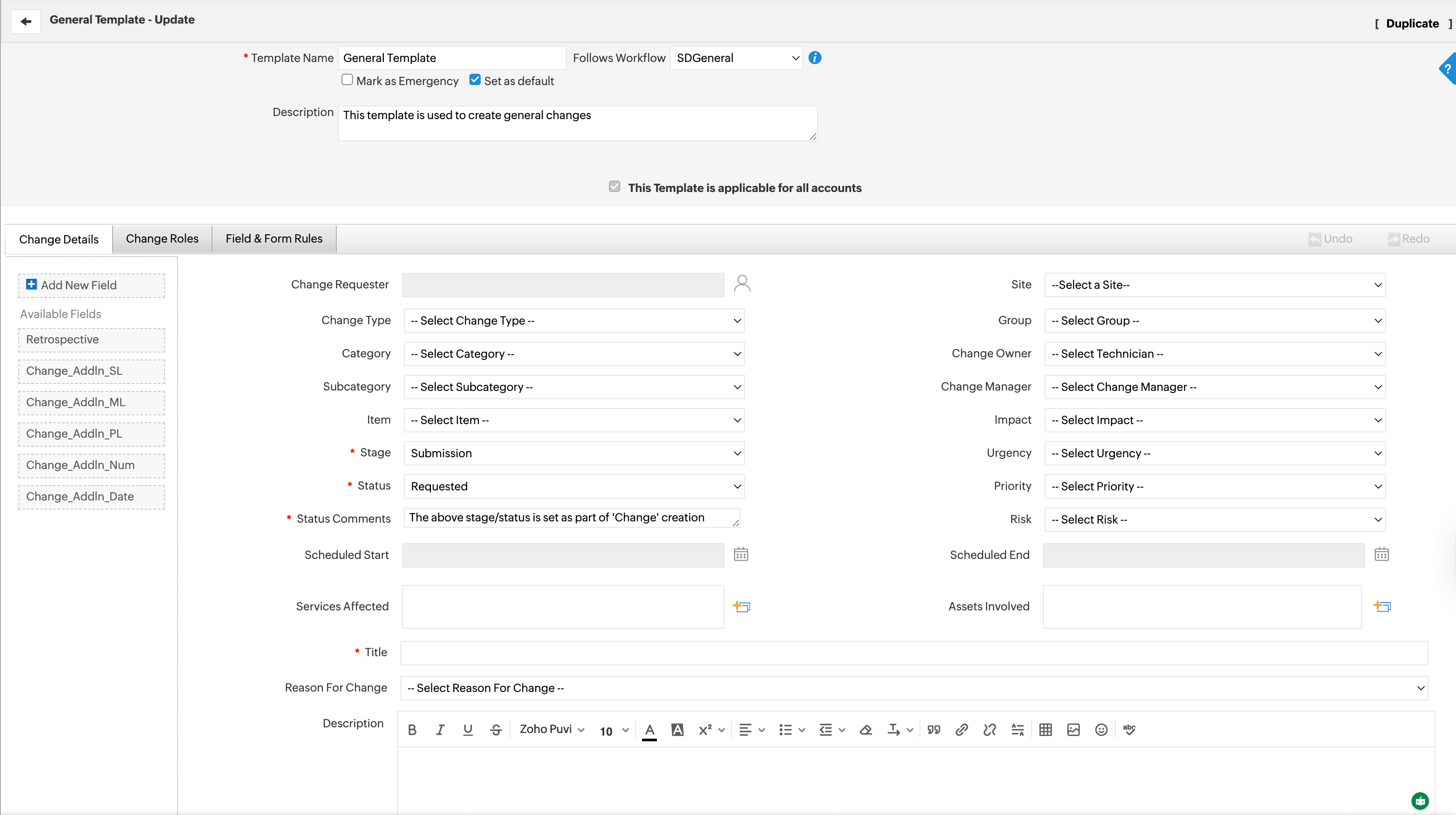
Change template role assignment

Creating a change template in ServiceDesk Plus MSP.


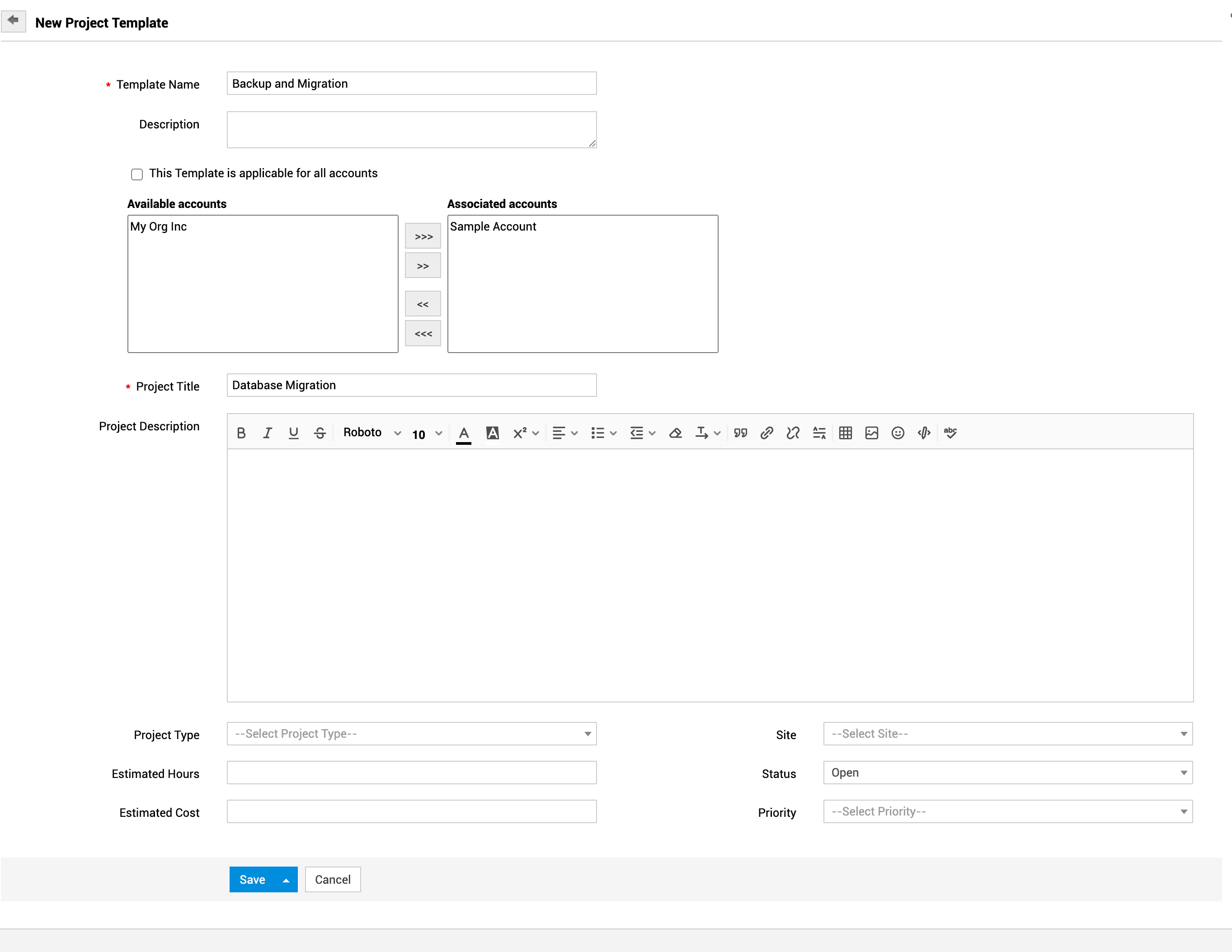
Project template creation
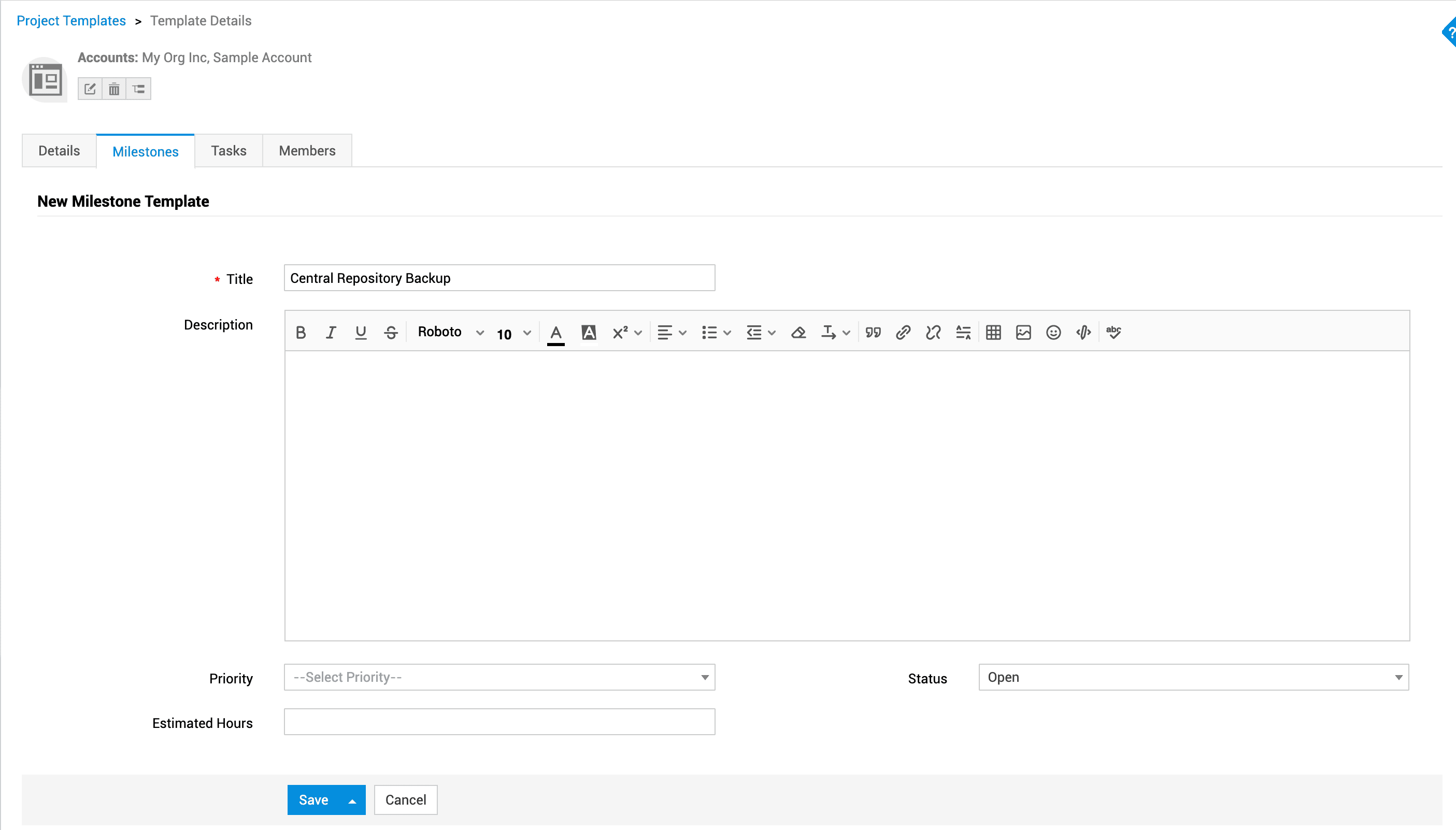
Project template milestone in ServcieDesk Plus MSP
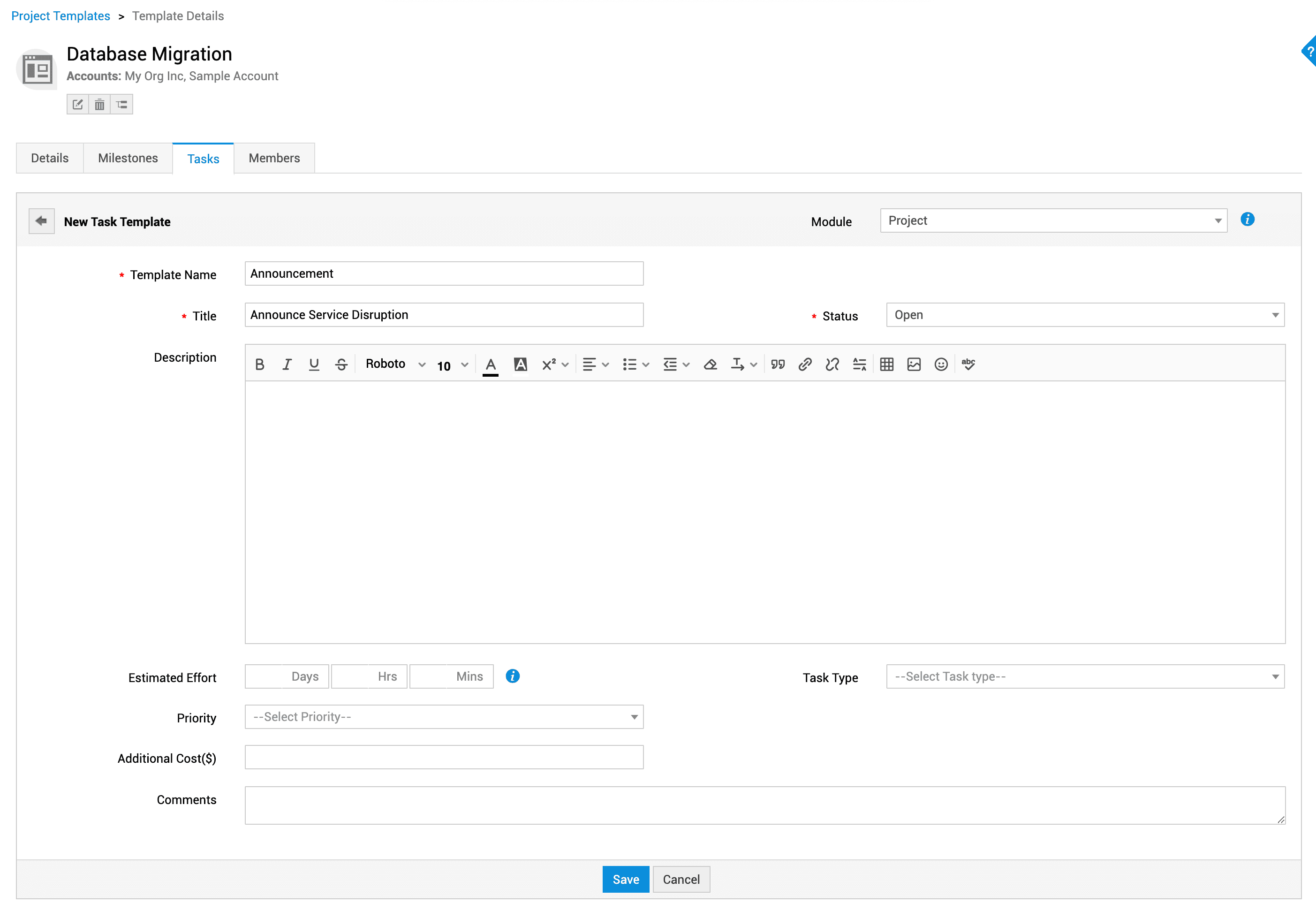
Project task template configuration
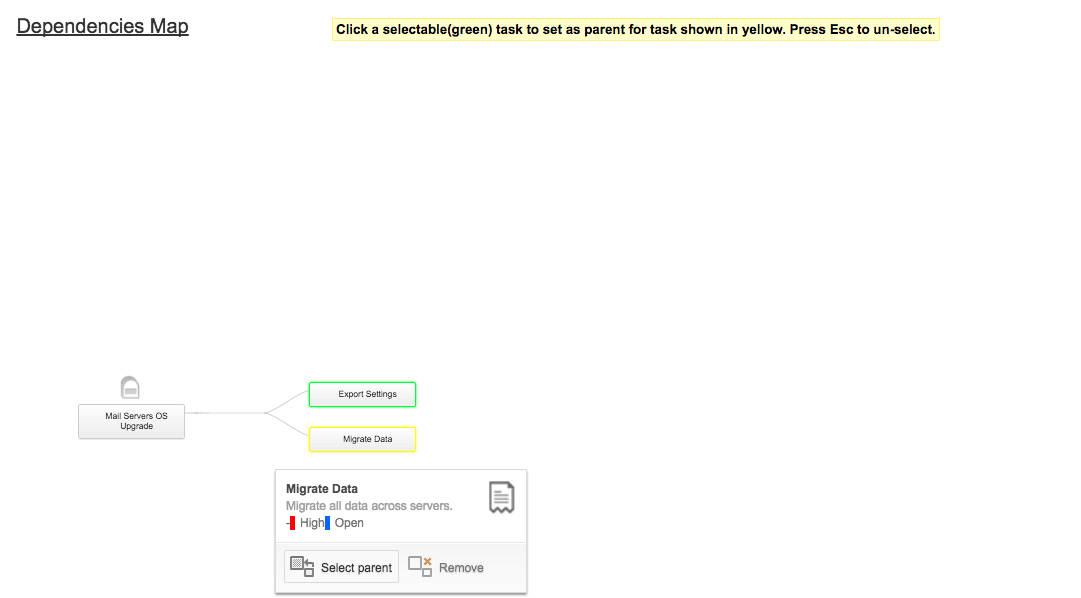
Project task dependency mapping
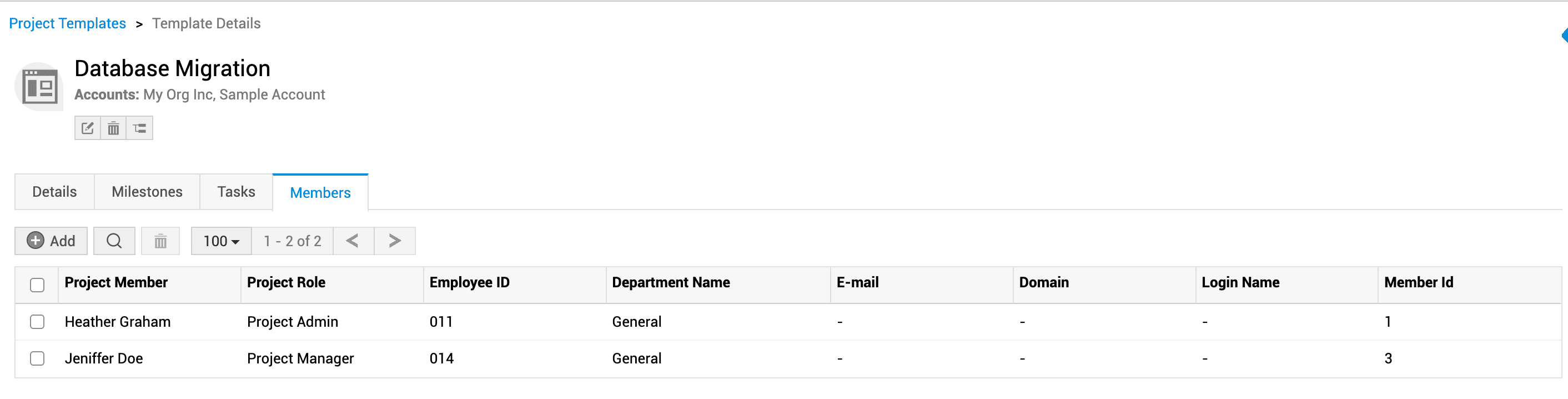
Project template member assignment

Creating a project template in ServiceDesk Plus MSP.


Standardize project deliverables with project templates

  • Build project templates with milestones and tasks for recurring IT projects.
  • Create project templates with tasks, owners, and timelines for various IT projects.
  • Associate relevant requests, incidents, changes, and releases to ensure end-to-end coverage for complex projects.

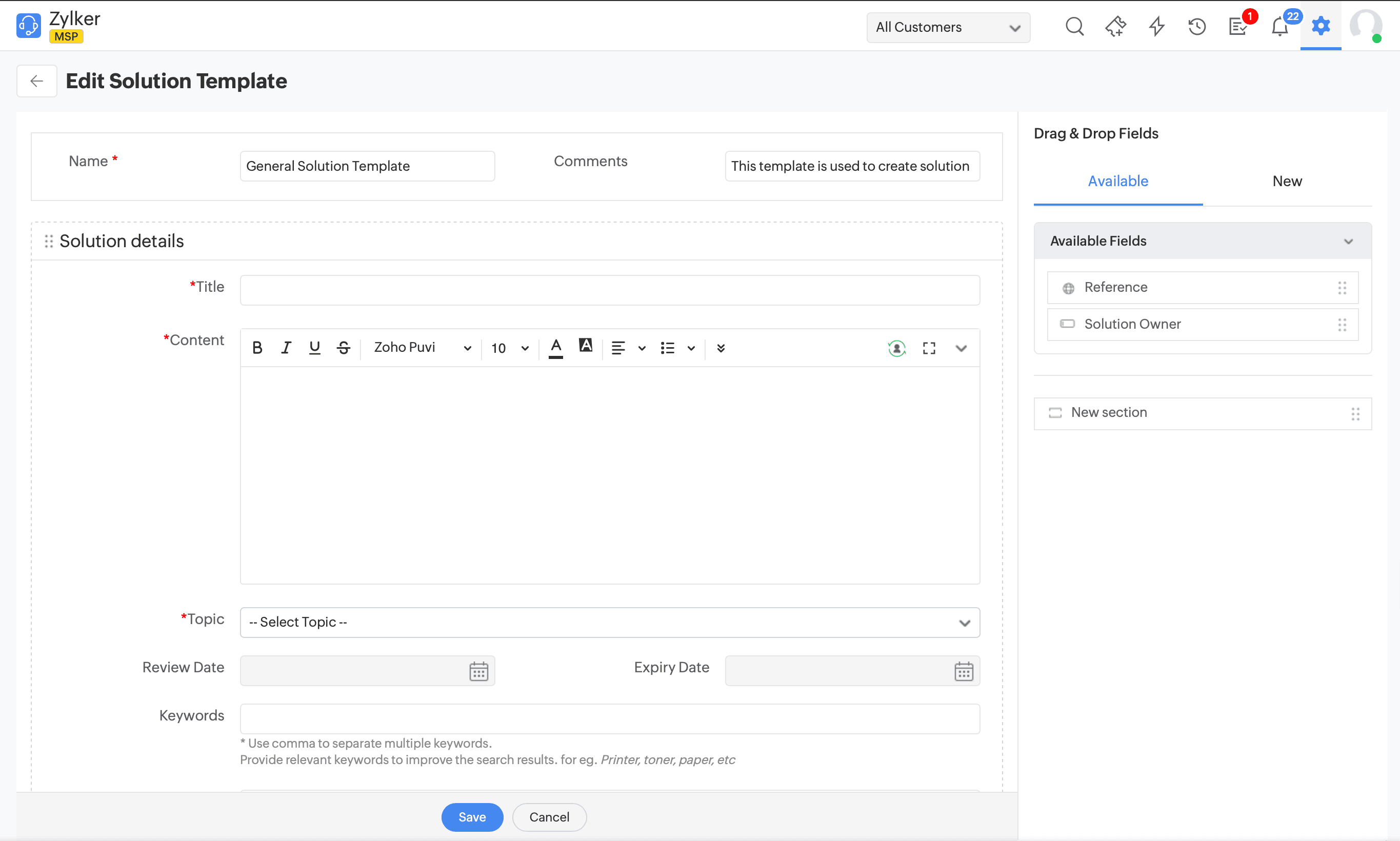
Build a comprehensive knowledge repository with solution templates

  • Standardize sections for problem, cause, workaround, and permanent fix, with tags and categories relevant to each customer. Link solutions to templates so suggested solutions appear contextually during ticket logging and in self-service.

*Note: This template is available only in the Cloud version of ServiceDesk Plus MSP.

Solution template configuration

Creating a solution template in ServiceDesk Plus MSP.

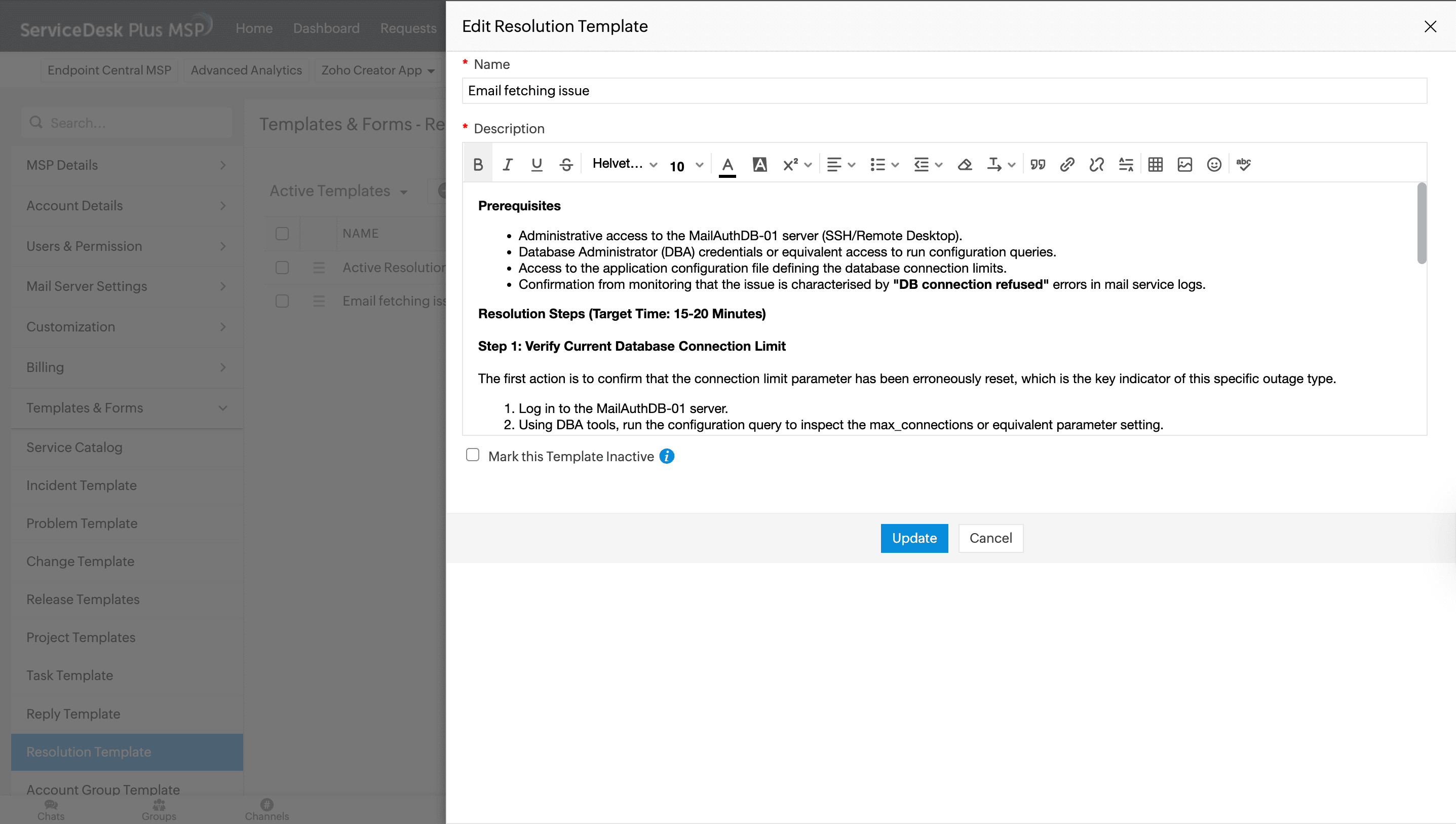
Resolution template configuration

Creating a resolution template in ServiceDesk Plus MSP.

Document fixes consistently with resolution templates

  • Create reusable resolution snippets for common issues and attach them directly to tickets.
  • Include formatted text, links, and troubleshooting steps that can be reused across accounts and sites.
  • Associate resolution templates with incident and service request templates so technicians see recommended resolutions for each scenario.

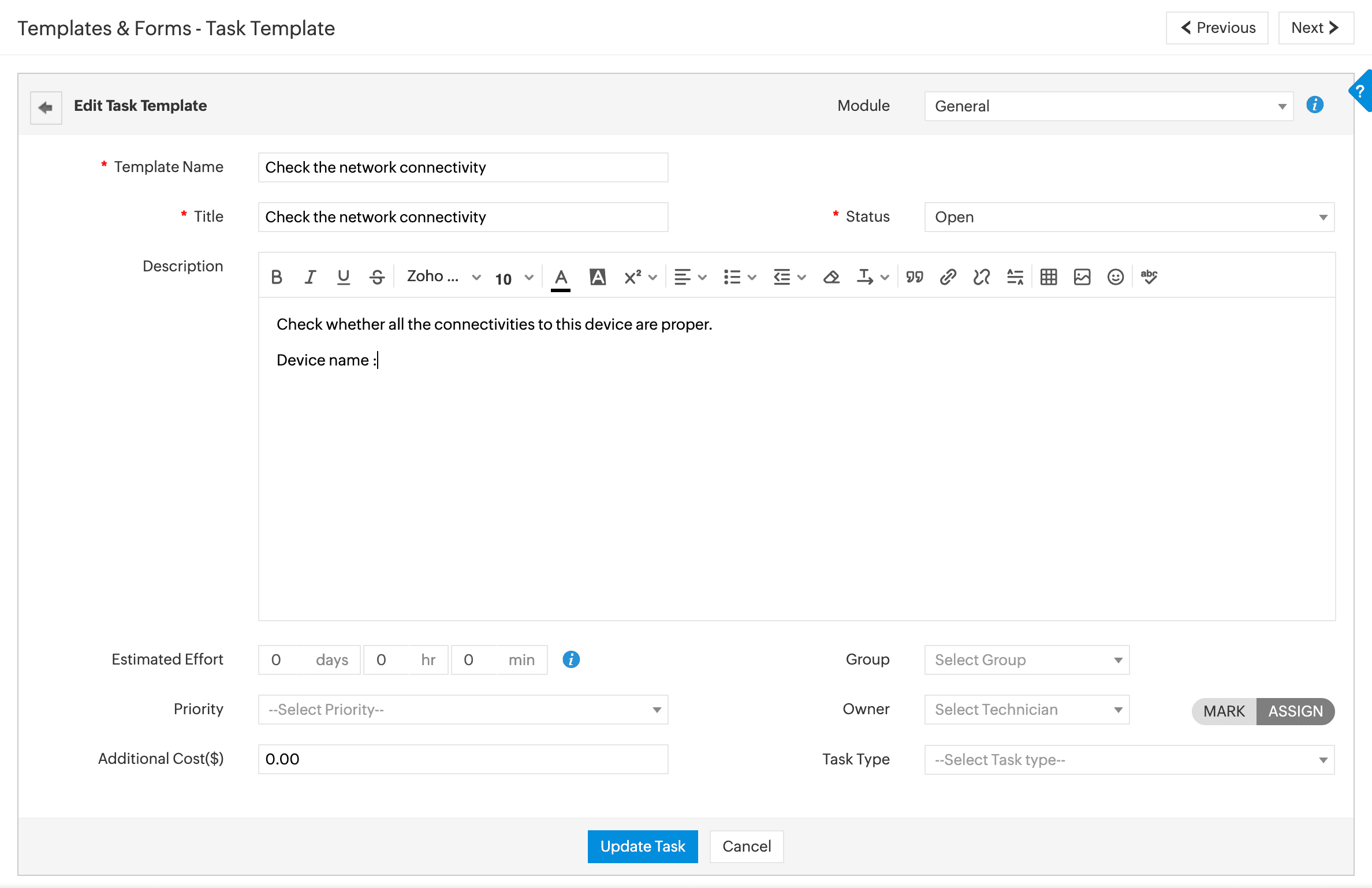
Assign and track tasks effectively with task templates

  • Preconfigure task title, description, owner, type, and execution order to guide technicians handling repetitive tasks.
  • Choose when tasks are created and assigned (on ticket creation, on status change, or manually).
Task template configuration

Creating a task template in ServiceDesk Plus MSP.

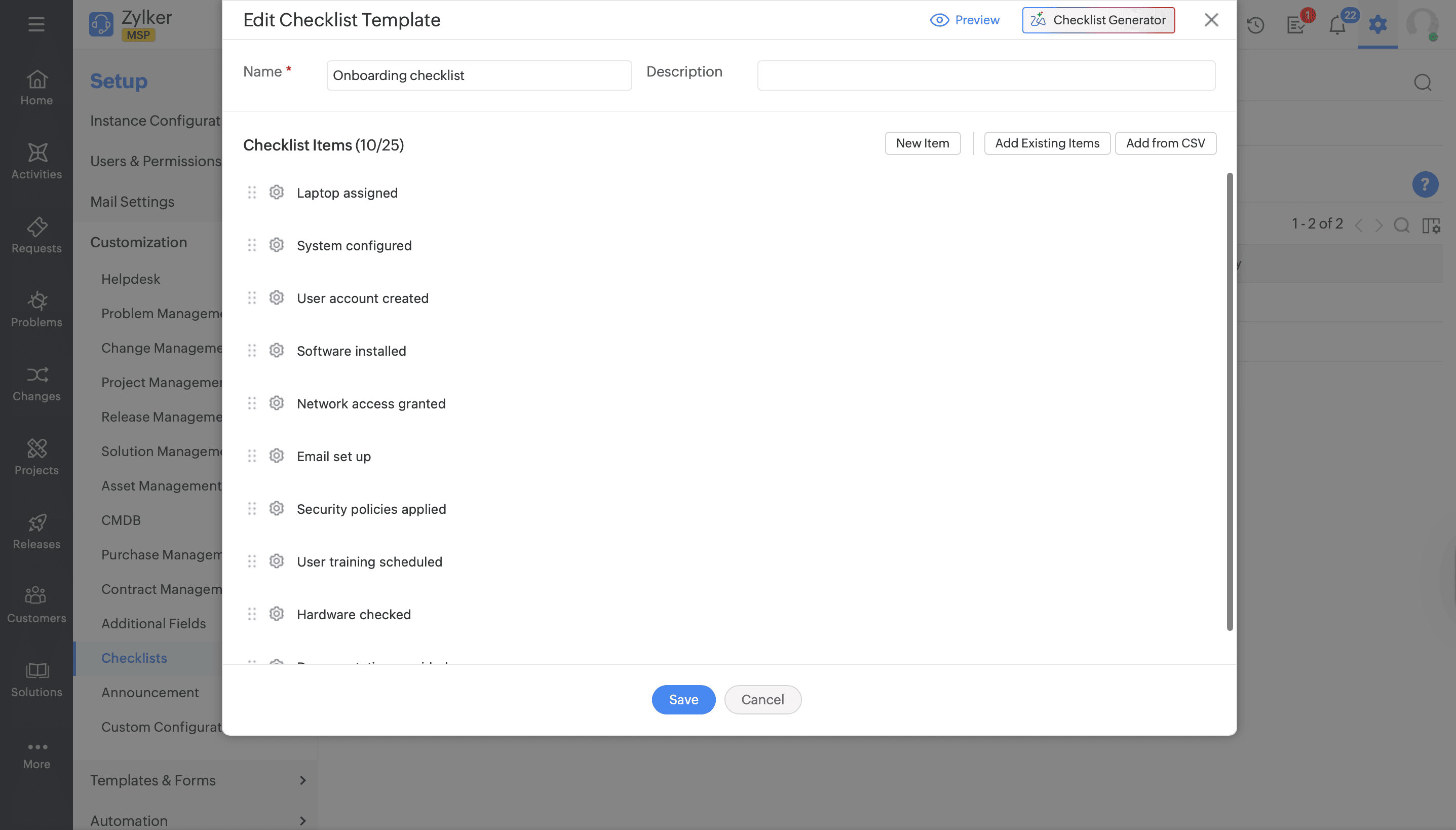
Checklist template configuration

Creating a checklist template in ServiceDesk Plus MSP.

Ensure effective implementation of standard procedures with checklist templates

  • Create reusable checklists for standard procedures such as onboarding, patch rollouts, or scheduled maintenance across multiple sites.
  • Attach checklists to templates so technicians see context-specific steps inside each ticket.

*Note: This template is available only in the Cloud version of ServiceDesk Plus MSP.

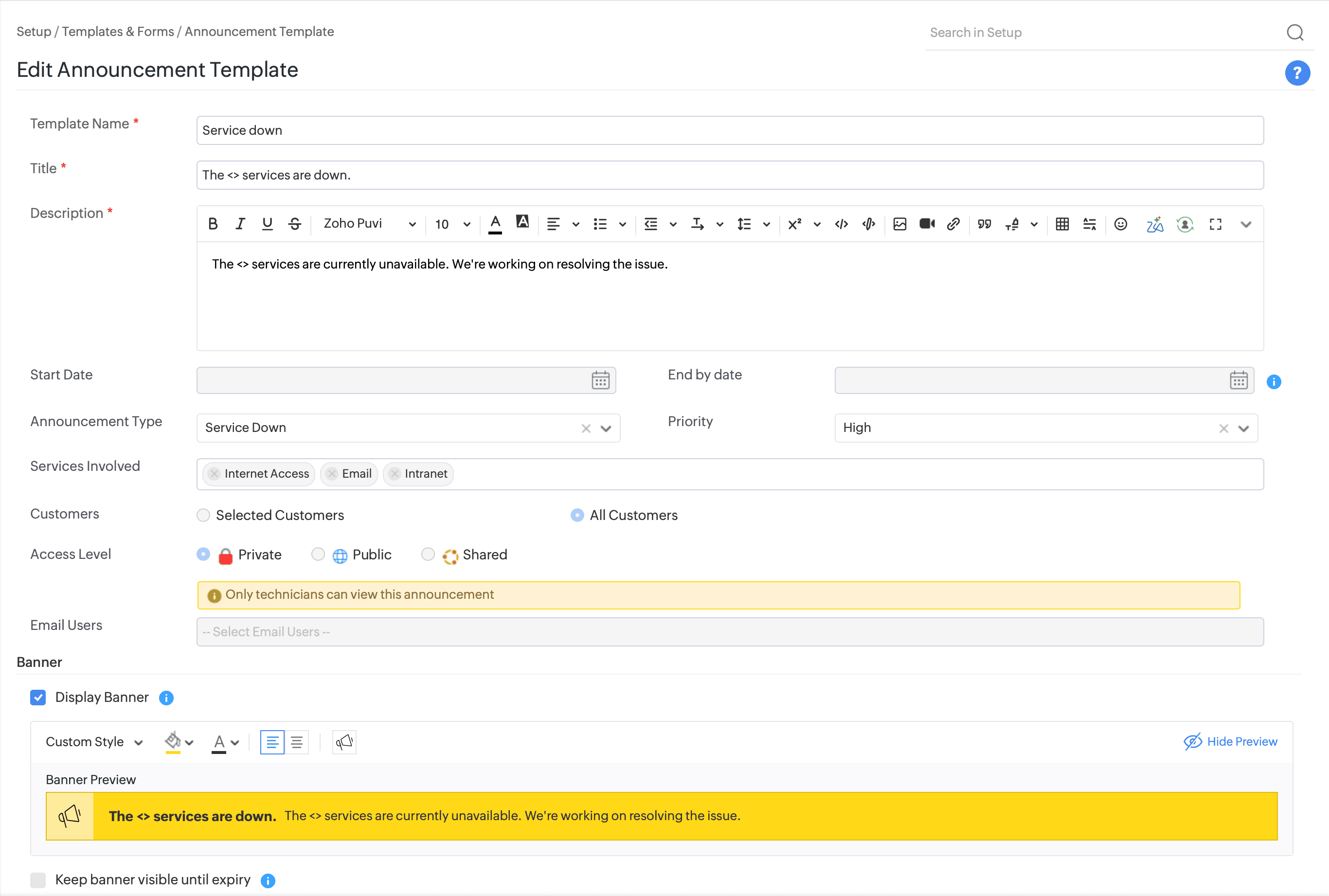
Keep stakeholders informed with announcement template

  • Standardize announcement content with fields for title, message body, audience (accounts, sites, or user groups), and validity period, so communications are clear and time-bound.
  • Choose where announcements appear (e.g., in the requester portal or technician UI) and control visibility per customer account to avoid cross-tenant noise.
  • Reuse templates for recurring communication patterns such as monthly maintenance, release rollouts, or security advisories, cutting down on drafting time.

*Note: This template is available only in the Cloud version of ServiceDesk Plus MSP.

Announcement template configuration

Creating an announcement template in ServiceDesk Plus MSP.
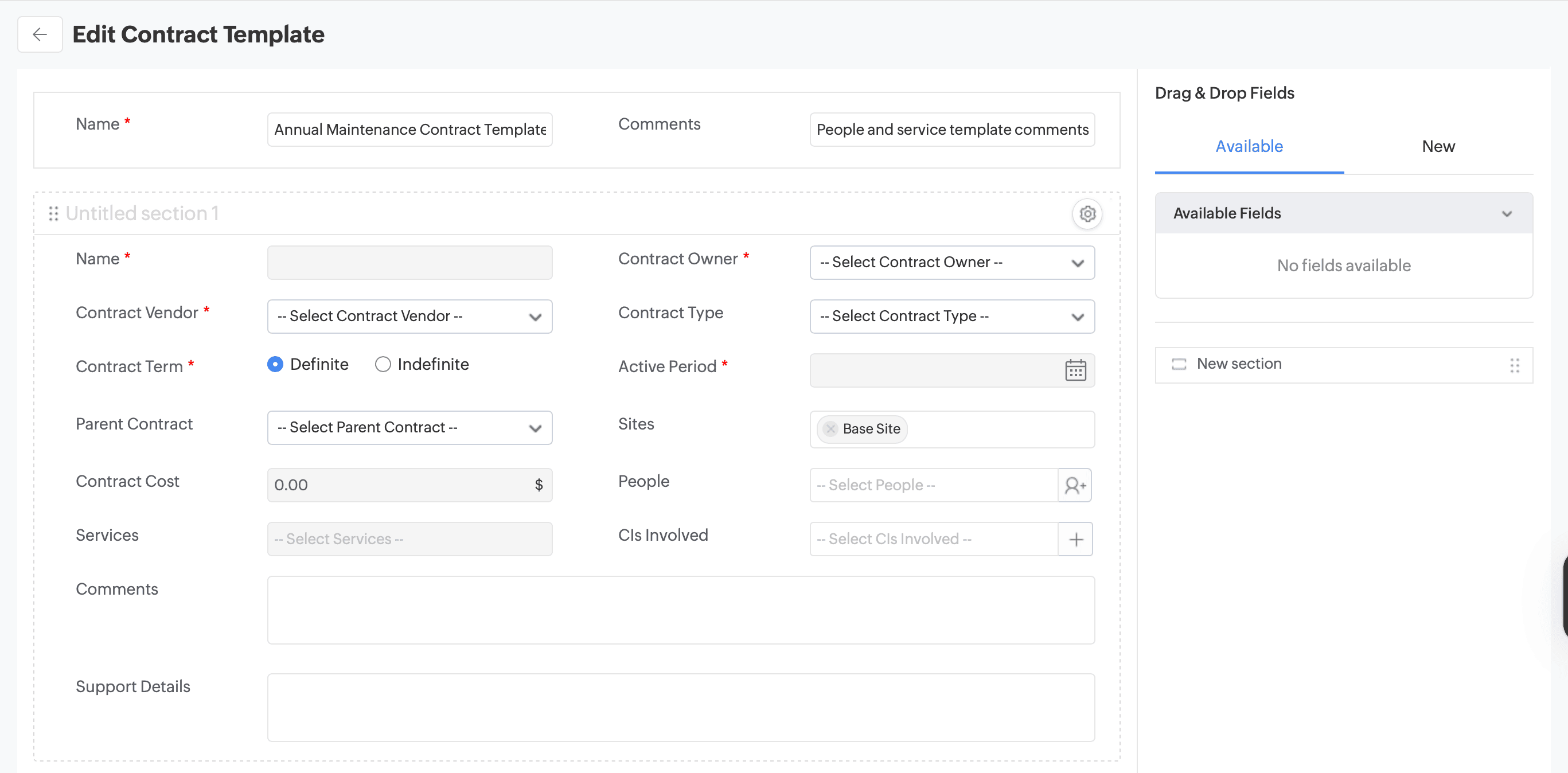
Contract template configuration
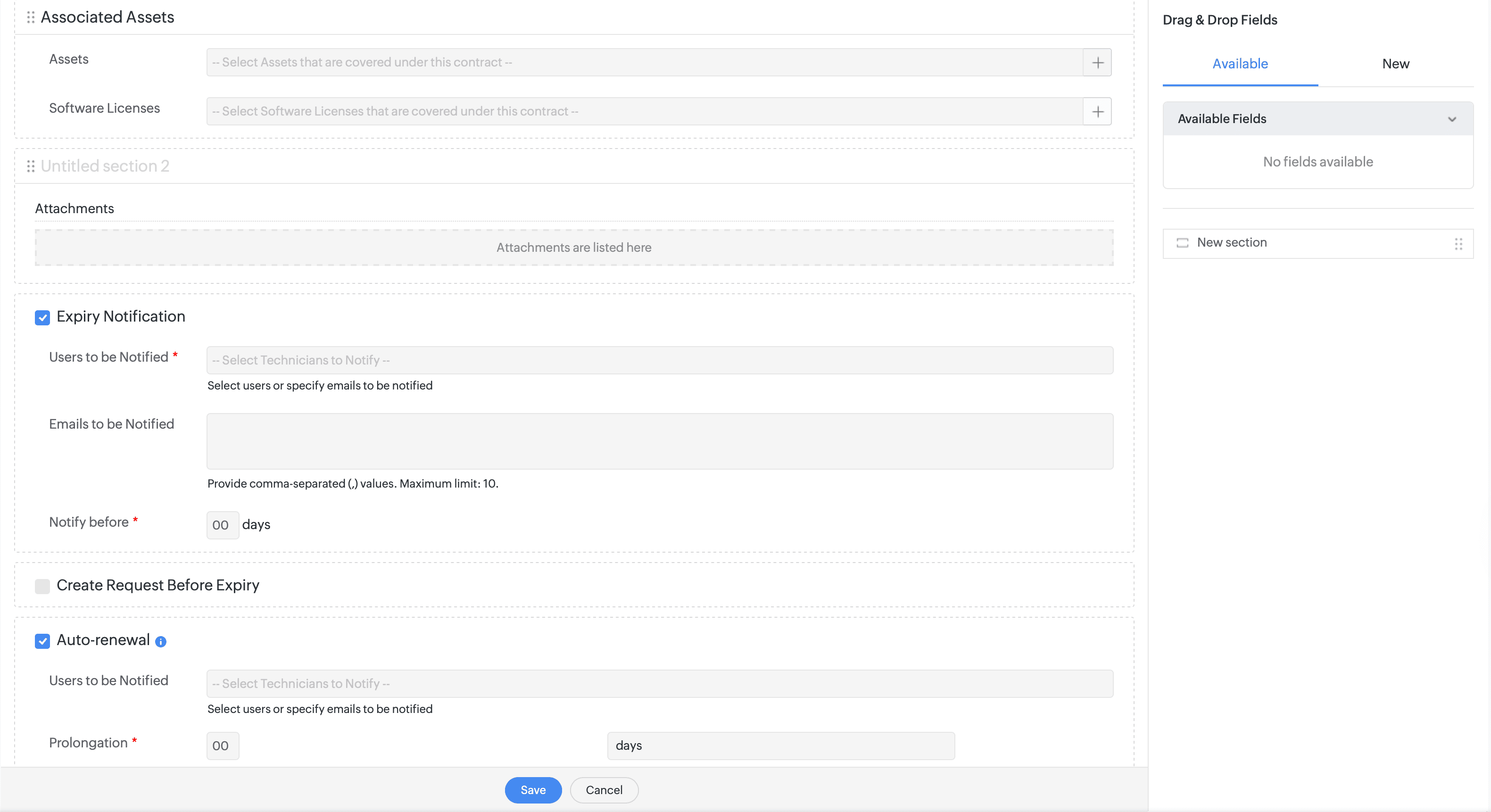
Contract template expiry and renewal settings

Creating a contract template in ServiceDesk Plus MSP.


Keep vendor obligations transparent with contract template

  • Define core contract attributes such as contract type, start and end dates, renewal terms, and associated customer or vendor.
  • Include fields for contract value, billing frequency, and coverage scope, helping align tickets and SLAs with what has been contractually agreed.
  • Attach documents and link contracts to assets, services, or sites so technicians can quickly see which contracts apply to a given customer or device.
  • Configure mandatory fields and additional fields to support different contract models across customers, while still maintaining a consistent data model for reporting.
  • Use contract templates to capture expiry and renewal dates, ensuring the system automatically sends alerts as these dates approach.

*Note: This template is available only in the Cloud version of ServiceDesk Plus MSP.
Drive procurement effectively with purchase order template

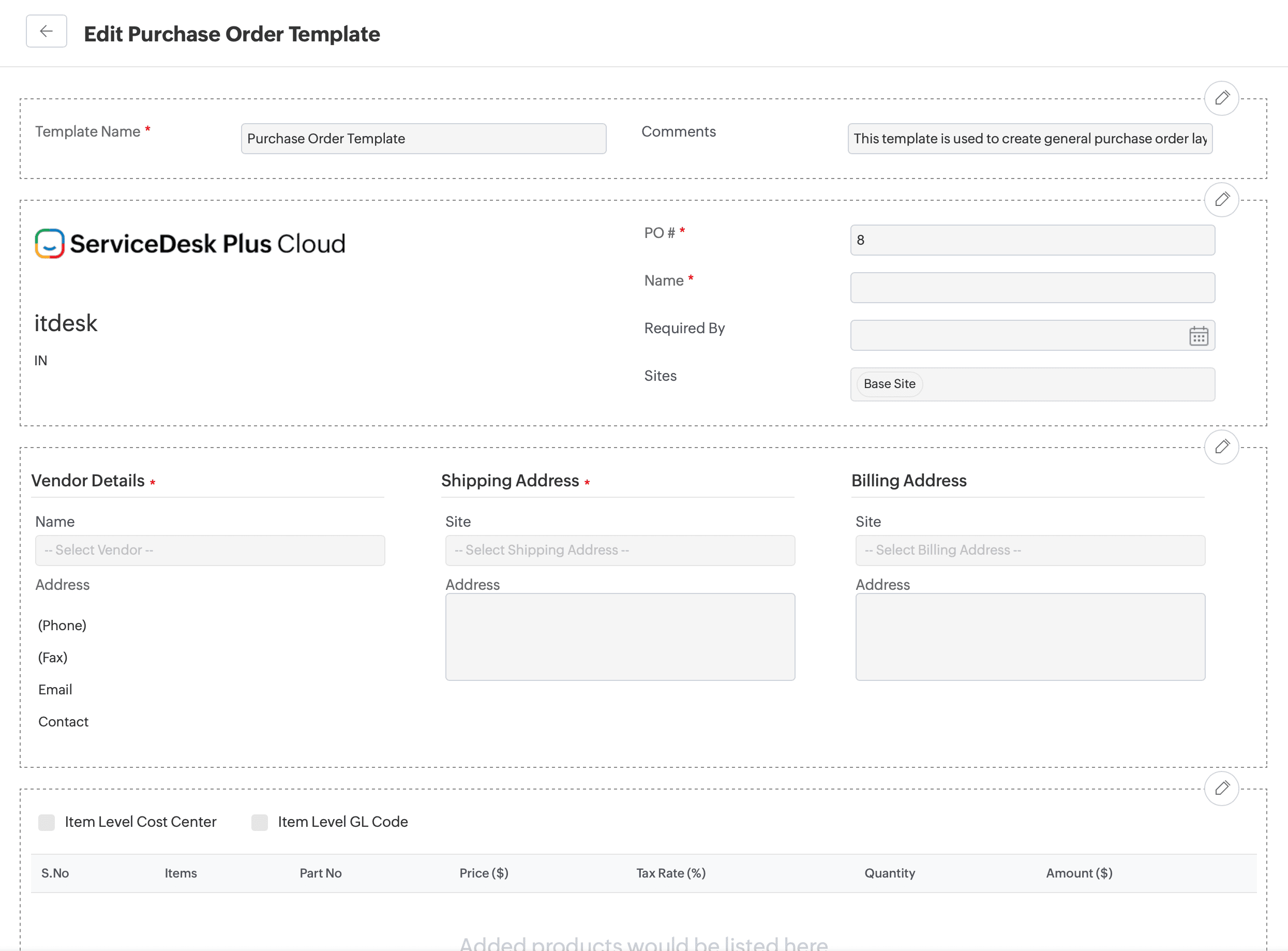
  • Capture all essential purchase order (PO) details—such as PO number, date, currency, requester, and associated vendor—so every purchase is uniquely identifiable and auditable.
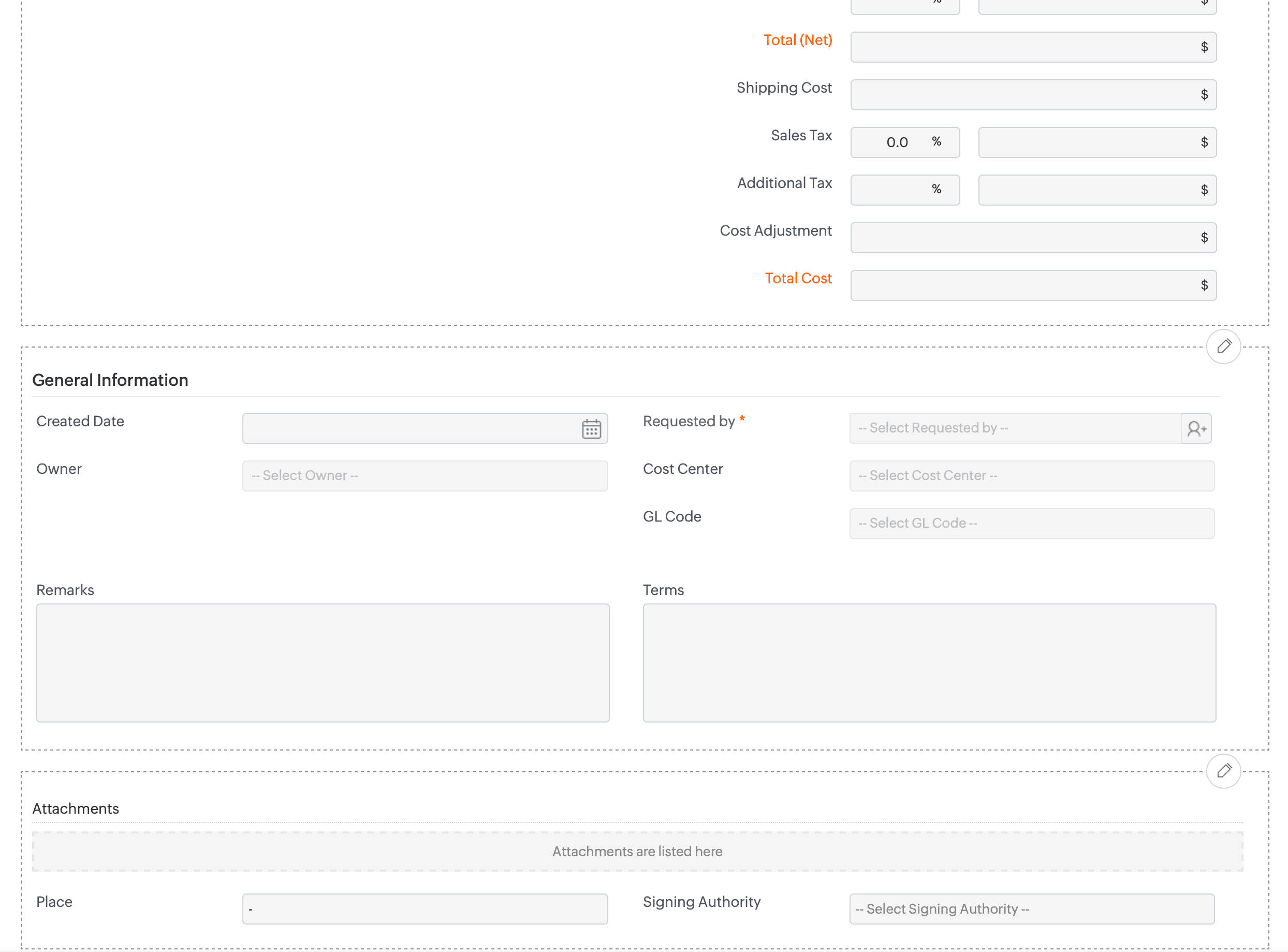
  • Use structured sections for PO details, vendor and shipping details, line items, and billing information to keep product, quantity, tax, and pricing data organized.
  • Add additional fields via the drag-and-drop interface to collect customer-specific or compliance-related information without impacting the core PO layout.
  • Control field behavior by marking fields as mandatory, hiding them, or restricting visibility to vendors, ensuring sensitive information is protected while still available to internal teams.
  • Reuse PO templates across customers while tailoring field visibility and requirements per account, helping MSPs manage centralized procurement with localized nuances.
Purchase order template configuration
Procurement order management details

Creating a purchase order template in ServiceDesk Plus MSP.