Notification Center
AD360 delivers instant alerts and notifications on any event that requires your attention which can be accessed from anywhere within the product.
Click  icon in the top right corner of the screen to view alerts from the product.
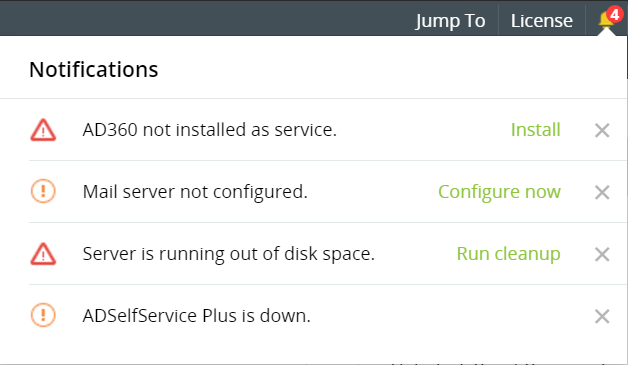
Events that you will be alerted for in AD360
- Reminder to install AD360 as a service
- Reminder to configure mail server to receive mail notifications
- Low disk space alert
- Component down-time alert
Manage Alerts
AD360 allows administrators to easily manage alerts, either by making the process of resolution simpler or by deleting alerts that you feel are not important.
- To resolve, click on the action link corresponding to the alert. You will be directed to the screen where changes have to be made.
- To delete, click the
 icon to hide the alert from your notification tray.