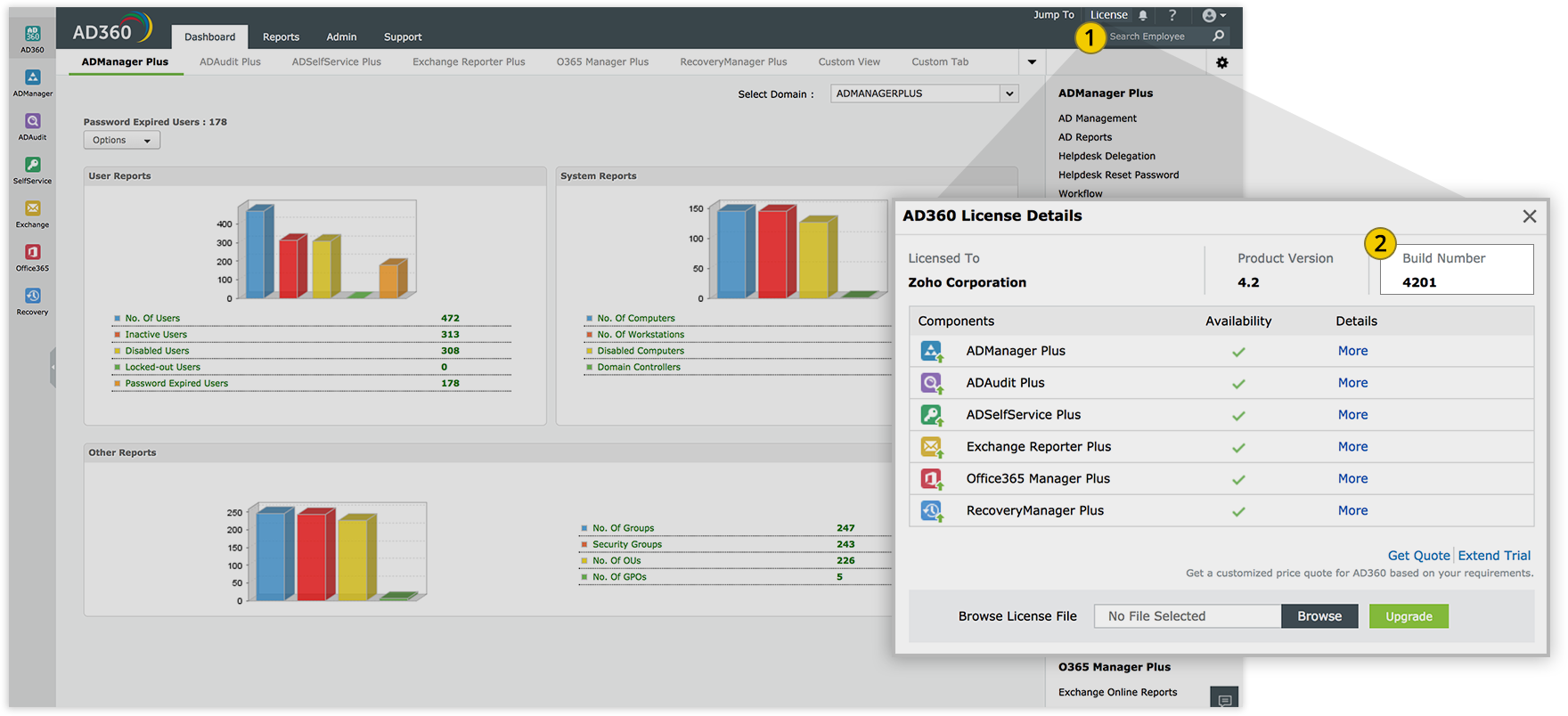
If you receive the error Keystore file not found while updating to build 4400 using the service pack, download and importthis certificate into the Update Manager tool manually.
If the product runs as an application, click Start > All Programs > AD360 > Stop AD360.
2
If the product runs as a Windows service, right-click Start and click Run. Type services.msc in the box provided. From the list that appears, find and stop ManageEngine AD360.
3
Navigate to <AD360>\bin, where <AD360> is the location where the product is installed. Execute the stopDB.bat file.
Step 2: Back up AD360
1
If you have configured an external database server (MS SQL or PostgreSQL) in AD360, back up the external database.
Back up AD360 by zipping the contents of the <AD360> directory.
Step 3: Update AD360
1
Open Command Prompt as an administrator and execute the UpdateManager.bat file stored in the <AD360>\bin directory.
2
Click Browse and select the service pack (.ppm) file that you have downloaded.
3
Click Install. Depending on the amount of data to be migrated, the installation procedure might take a few minutes. Please do not terminate the process prematurely. During this step, the certificate that verifies the service pack's integrity is automatically imported by the Update Manager tool.
If the product runs as an application, click Start > All Programs > AD360 > Start AD360.
2
If the product runs as a Windows service, right-click Start and click Run. Type services.msc in the box provided. From the list that appears, find and start ManageEngine AD360.
1
Shut down both the primary and standby servers.
2
Follow the back up and update steps (Steps 2 and 3) above and apply the service pack on the primary server. After the process is complete, perform the same steps on the standby server.
3
Start the primary server first and then the standby server.
1
Click on the link based on your current build number from the table below to initiate the download process of the appropriate security certificate.
Open Command Prompt as an administrator and execute the UpdateManager.bat file in the <AD360>\bin directory.
3
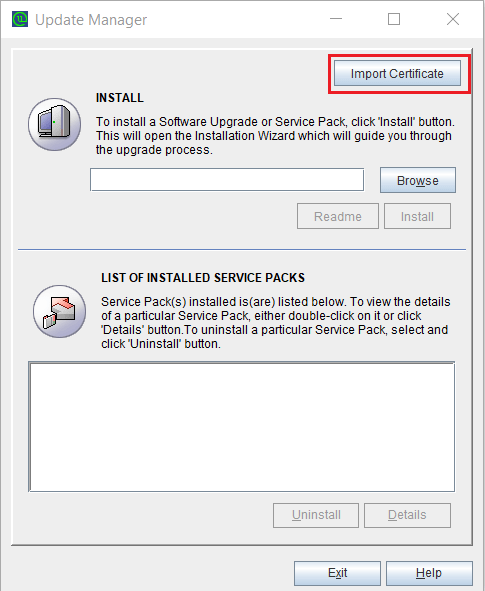
Click Import Certificate in the Update Manager tool to open the Import Certificate wizard.
4
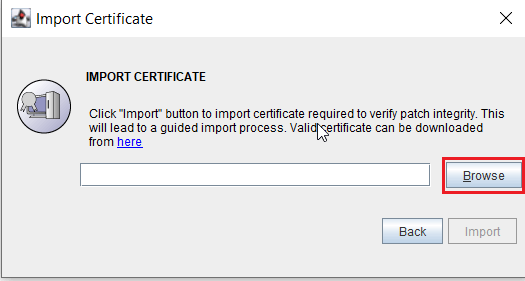
Click Browse and select the downloaded certificate file.
5
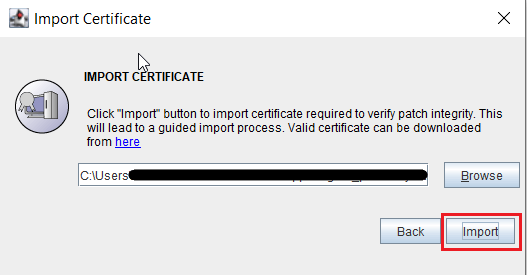
Click Import.
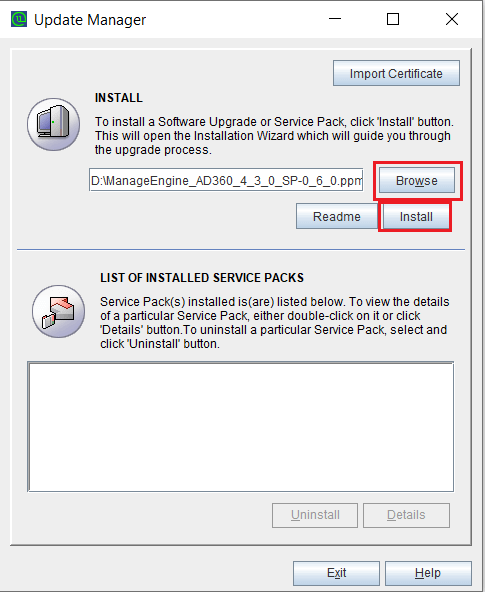
6 Once imported, click Browse and select the downloaded PPM file.
7
Click Install. Depending on the amount of data to be migrated, the installation procedure might take a few minutes. Please do not terminate the process prematurely.
8
Once the installation is complete, click Close and then Exit to quit the Update Manager tool.
9
Start AD360.
Chat now
Hello!
How can we help you?
I have a sales question
I need a personalized demo
I have a product query
E-mail our sales team
Book a meeting
Chat with sales now
Back
Book your personalized demo
Thanks for registering, we will get back at you shortly!
Back
E-mail our sales representative
Thanks for registering, we will get back at you shortly!
Back
Book a meeting
Thanks for registering, we will get back at you shortly!