Free Trial


Export Exchange & Microsoft 365 Mailboxes to PST — Without PowerShell

Export mailboxes in minutes—no scripts, no complexity. Secure, scalable, and
built for IT teams.

  • Perform granular exports with mailbox and folder-level precision
  • Secure and manage PST files with password protection and size control
  • Bulk export multiple mailboxes with advanced filtering and compliance-ready archiving
Download
Demo

Thank you

Thank you for your interest in RecoveryManager Plus. Our support engineers will get in touch to help you with your evaluation.

Your download should begin automatically in 15 seconds, If not click here to download manually.

Fill your details and
Get a free download

  •  
  •  
  • By clicking 'DOWNLOAD NOW' you agree to processing of personal data according to the Privacy Policy.

Thank you

Thank you for your interest in ManageEngine RecoveryManager Plus. We have received your request for a personalized demo and will contact you shortly.

Schedule a
Personalized Web Demo

  •  
  •  
  •  
  •  
  • By clicking 'SCHEDULE A DEMO' you agree to processing of personal data according to the Privacy Policy.

Trusted by over 1300+ worldwide companies


Why invest in an
Exchange & Microsoft 365 PST export tool?

Native export options in Microsoft 365 are primarily designed for basic or manual operations and offer no efficient way to perform large-scale or granular mailbox exports. As a result, exporting specific mailboxes or mailbox data for compliance, migration, or archival purposes becomes a time-consuming and inefficient process.

RecoveryManager Plus helps you overcome these limitations. With RecoveryManager Plus, you can export all mailbox items—including users’ emails, attachments, contacts, tasks, group mailboxes, archive mailboxes, and calendars—to PST with ease. Additionally, you can export data from an entire mailbox, a specific mailbox folder, or even a single mailbox item, such as an email or a contact, ensuring faster and more flexible data management.
Native AD tools vs RecoveryManager Plus

Native PST export tools
Requires complex PowerShell scripts to export emails to PST.
Simple, UI-driven exports with no scripting or technical knowledge required.
Bulk exports are manual or restricted.
Supports efficient bulk exports of multiple mailboxes.
PST splitting relies on complex PowerShell scripts.
Configurable size-based splitting to bypass import size restrictions automatically.
Poor error logging and tracking.
 
Detailed logs and clear export status for easy troubleshooting.

PST export capabilities of RecoveryManager Plus

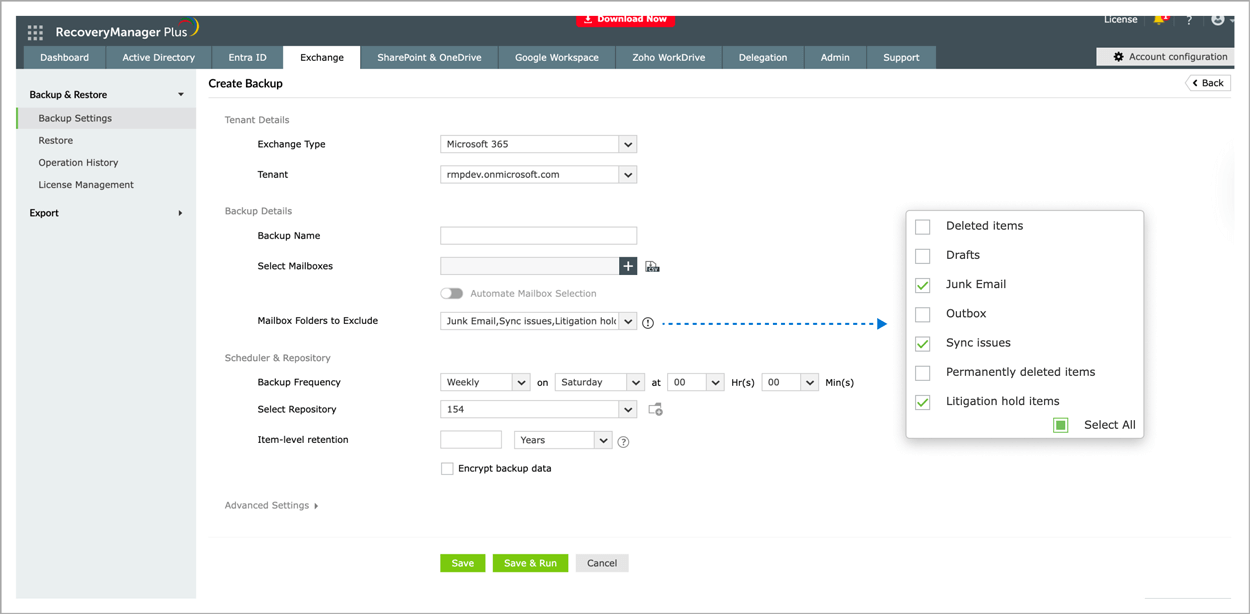
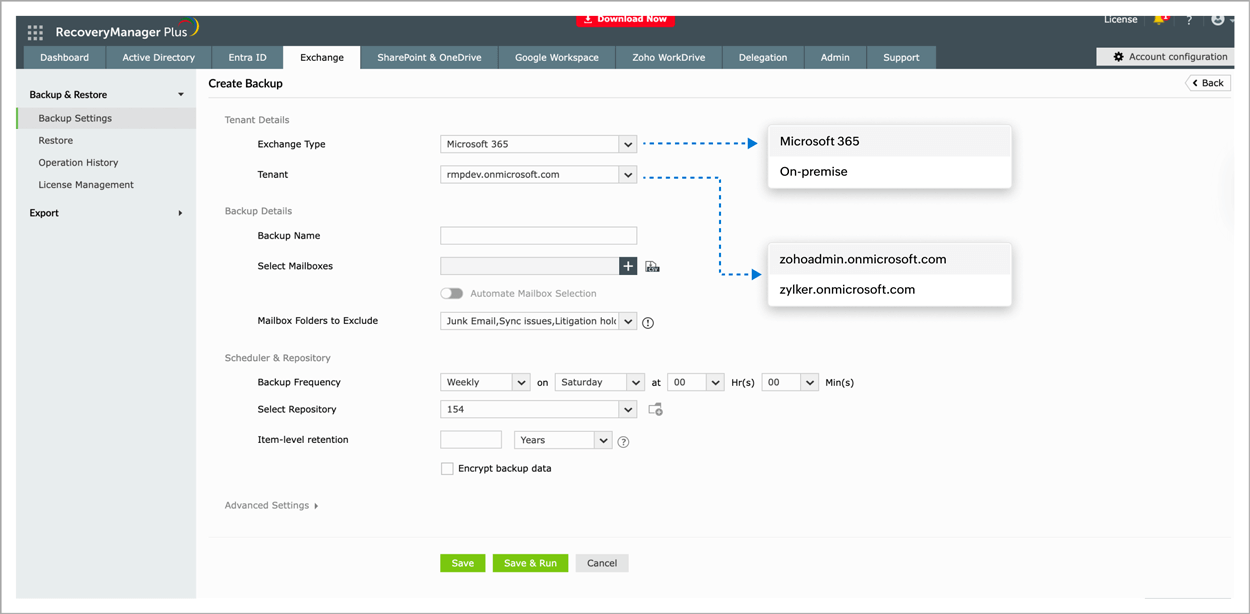
Choose

your Exchange Online tenant.

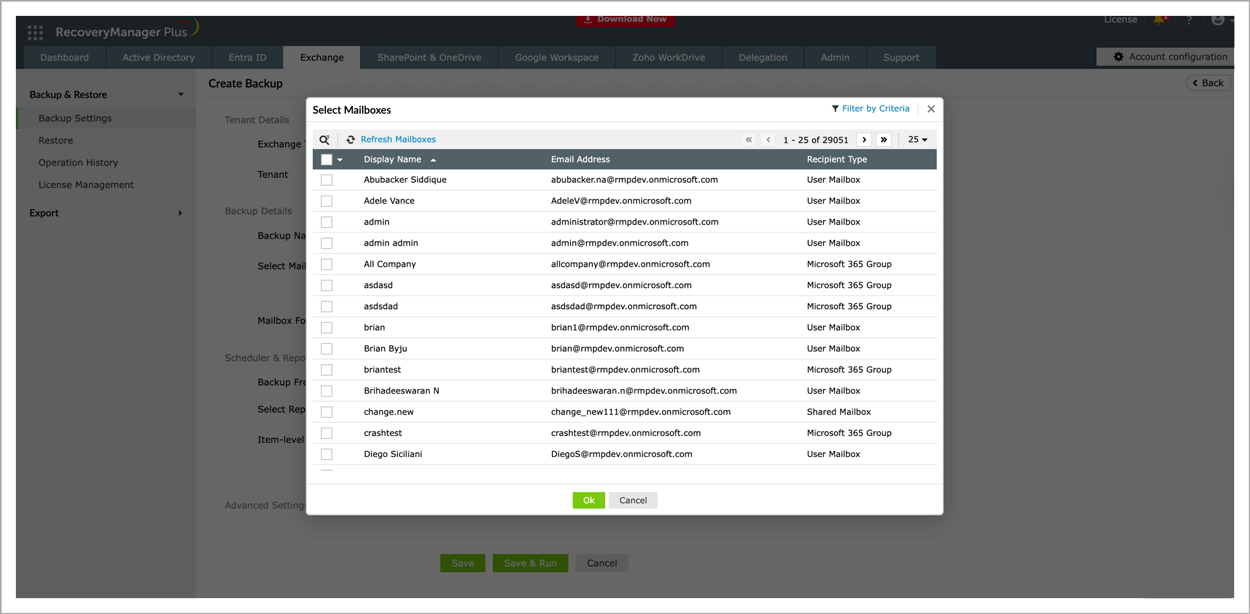
Select

the mailbox that you wish to archive.

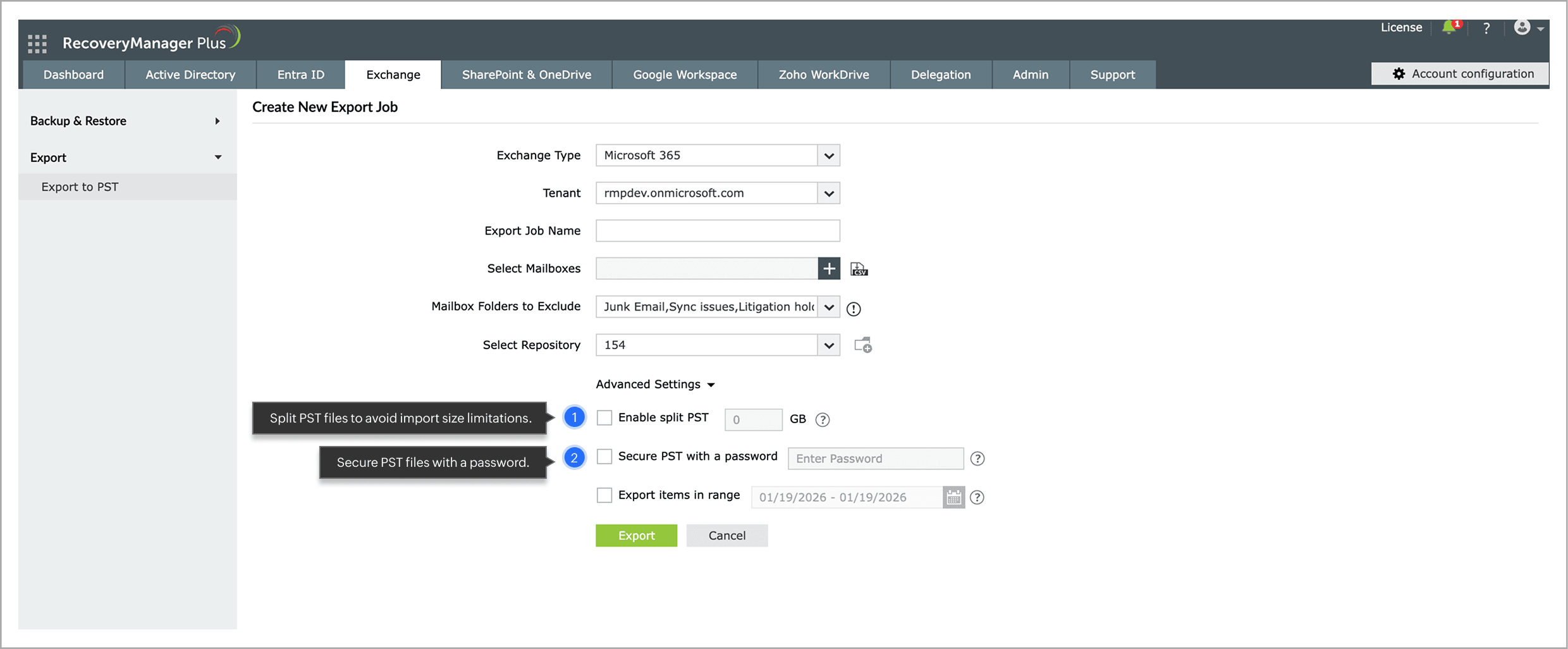
Configure

additional export settings.

Export

mailboxes to PST format

 
East Coast
East Coast
East Coast
East Coast

Use cases for exporting mailbox data to PST

Inactive user mailbox retention

Retain mailbox data after an employee leaves by exporting it to PST, ensuring continued access to business-critical emails without paying for ongoing mailbox licenses.

Compliance and legal requirements

Preserve mailbox content in PST format for audits, investigations, and legal reviews, enabling easy retrieval and long-term storage of required communications.

Mailbox storage optimization

Archive mail from high-traffic mailboxes to PST files to reduce mailbox size, maintain optimal performance, and avoid the need for additional storage.

Along with powerful PST export capabilities, RecoveryManager Plus
also supports comprehensive backup for Microsoft
Exchange Server and Exchange Online.

 Pricing  Get Quote

 , Zoho Corporation Pvt. Ltd. All Rights Reserved.