Configure Federated Login
To configure the federated login:
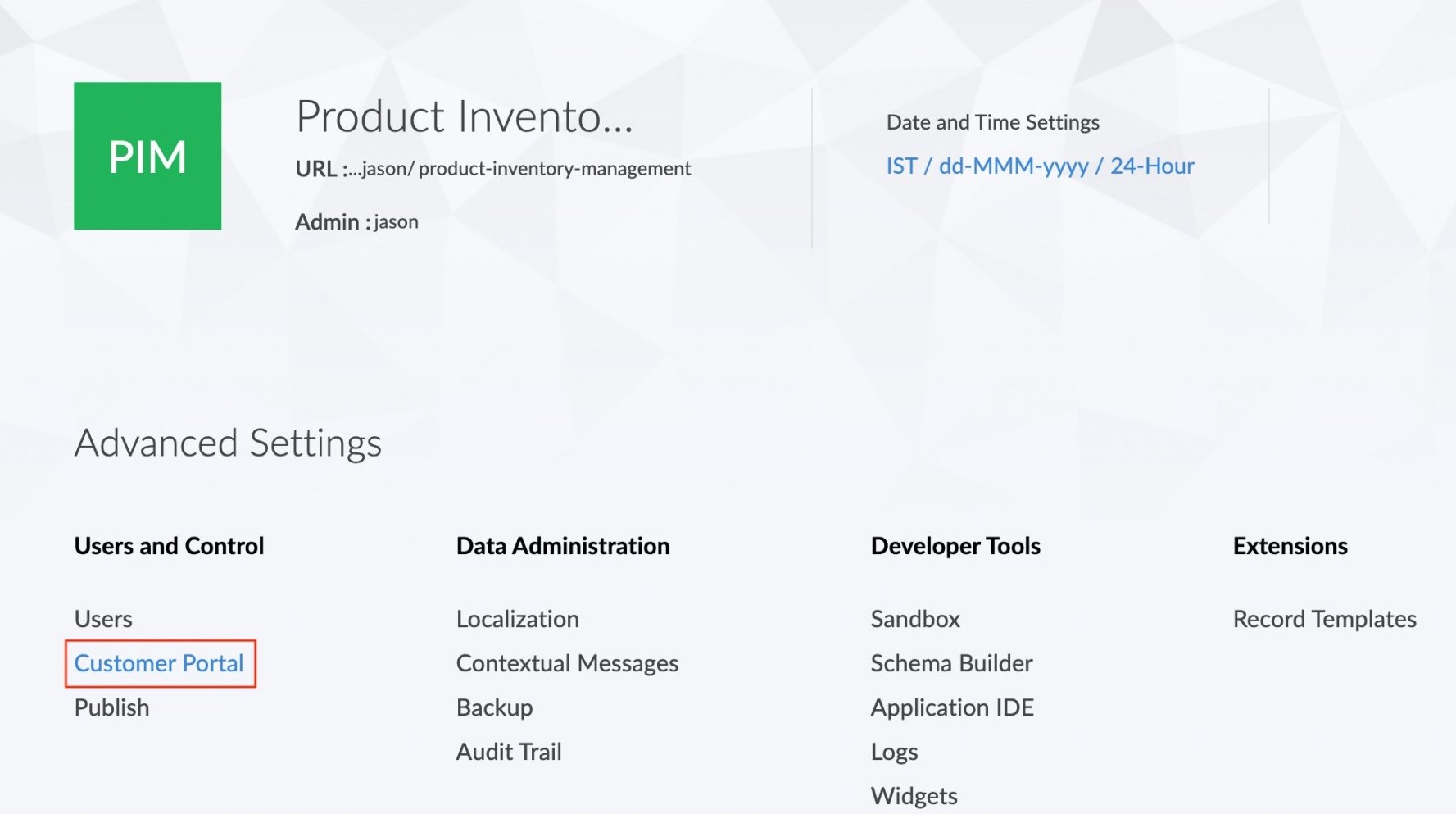
- Navigate to Settings page.
- Click the Customer Portal option found under Users and Control.
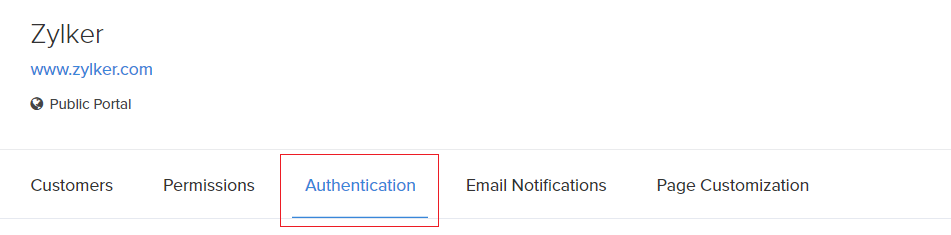
- Click the Authentication option in the Customer portal page.
- Click on the Settings icon found next to the Default portal login option.

- The federated login tab will appear. Click on the +Add button next to the service which you want to add to the federated login.
A step by step guide for configuring Google login is available here.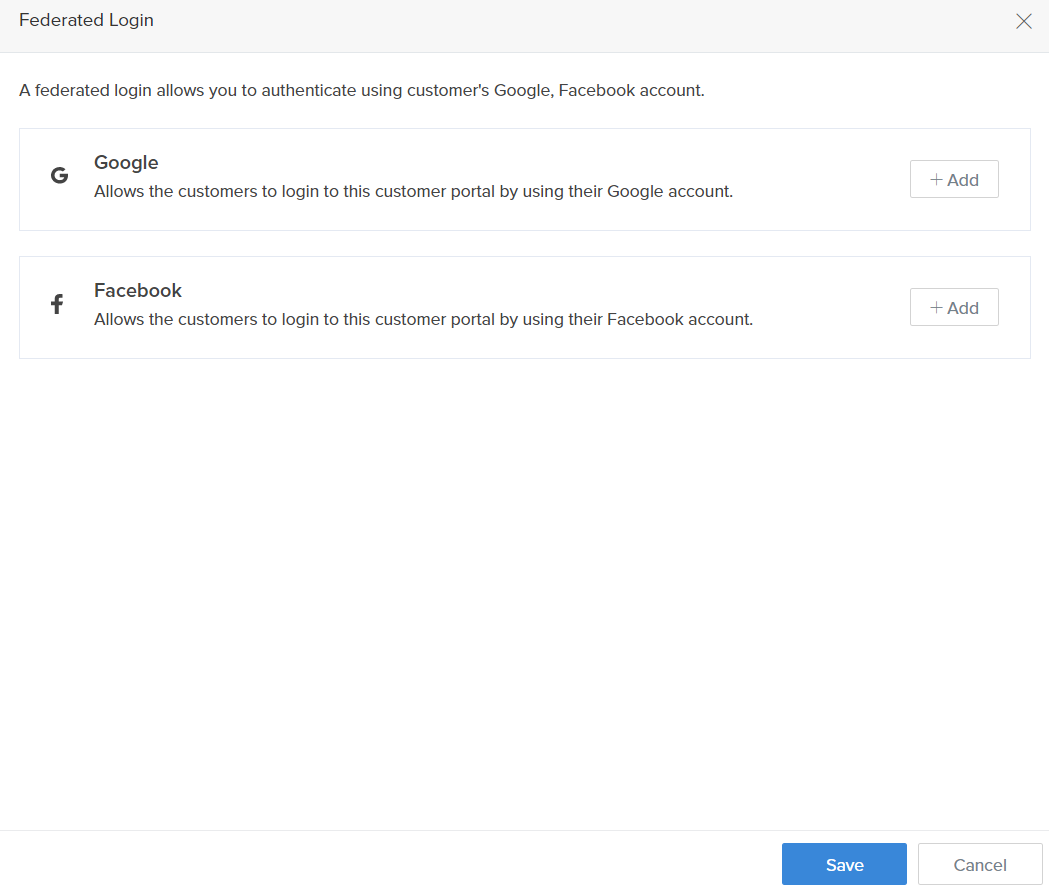
A step by step guide for configuring Facebook login is available here. - The Redirect URI, Client ID and Client Secret fields will be displayed.
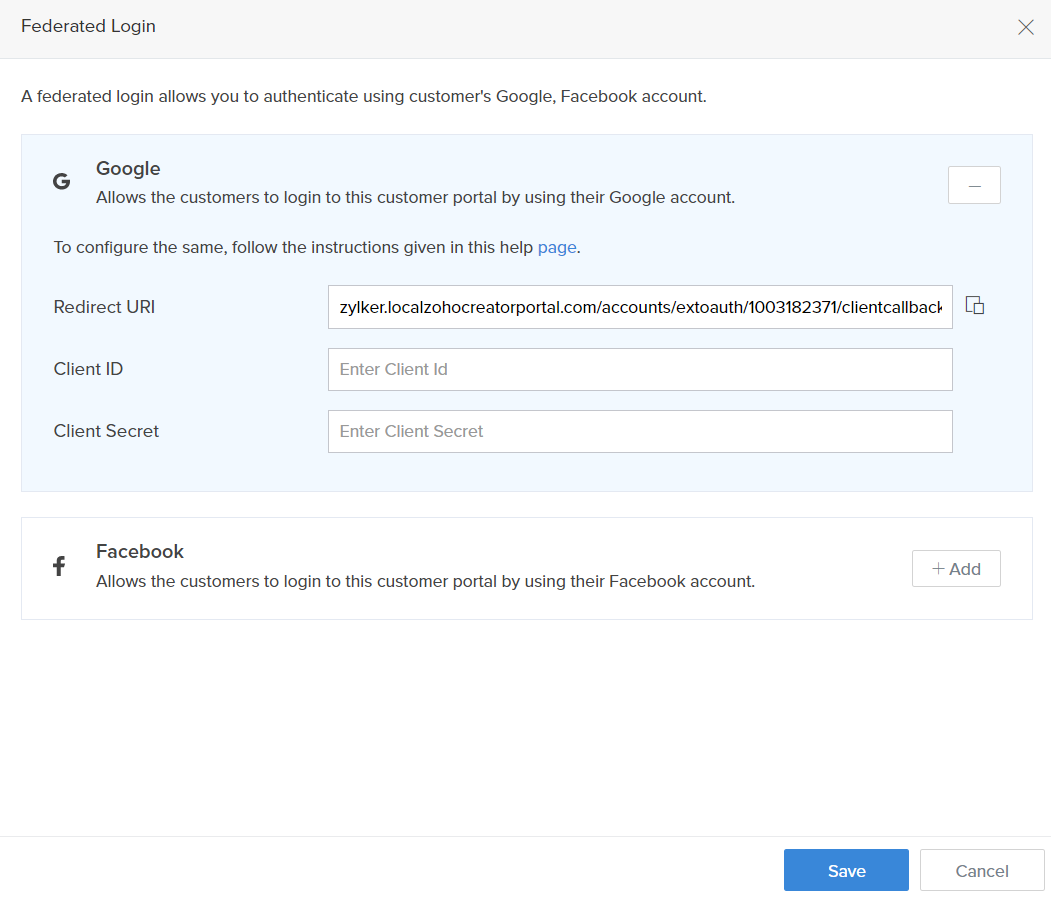
- Now, enter the Client ID and Client Secret.
- Click Save.