Export customers from the customer portal
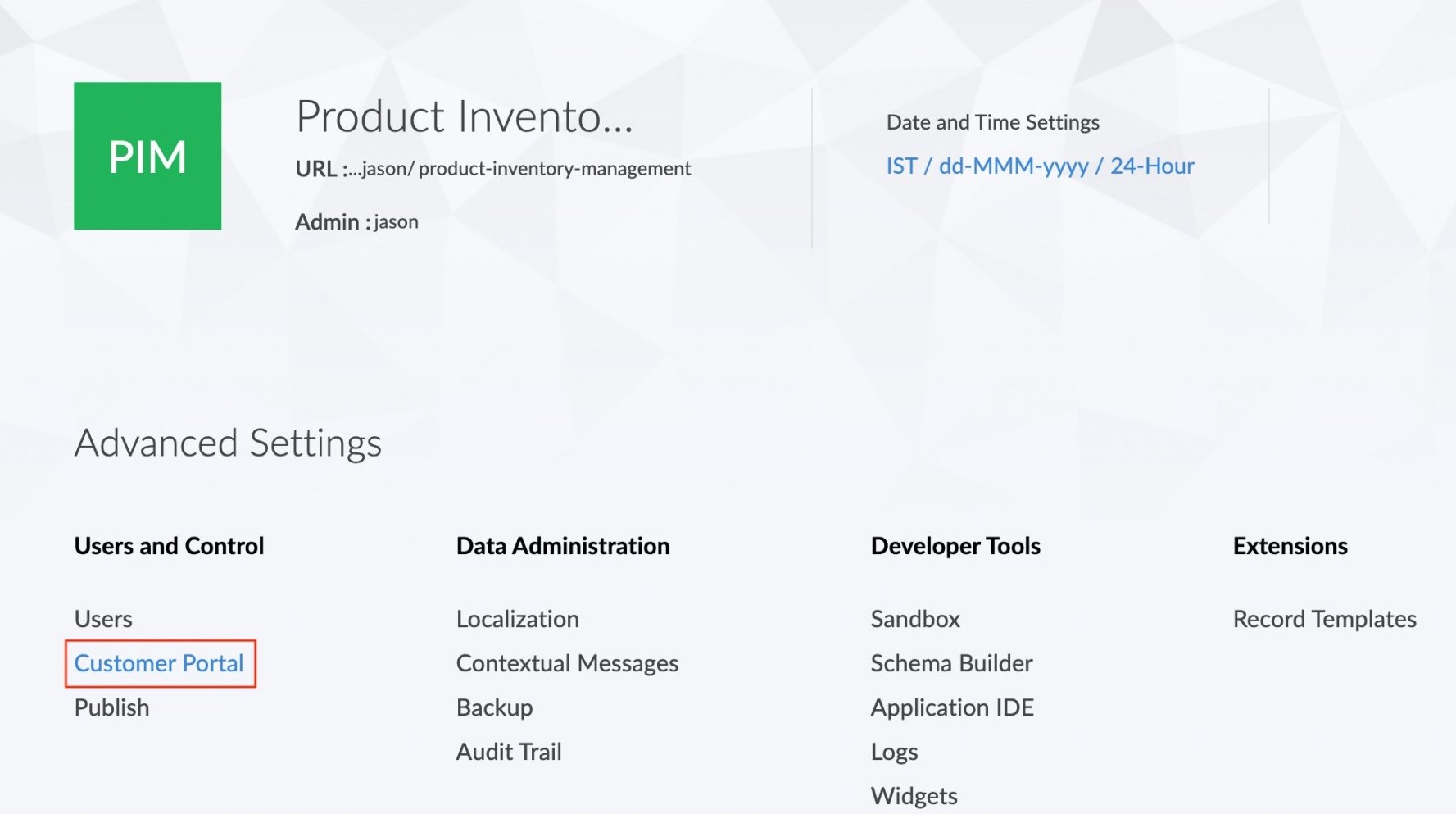
To export customers:- Click the Customer Portal option found under the Users and Control section in the Settings page.
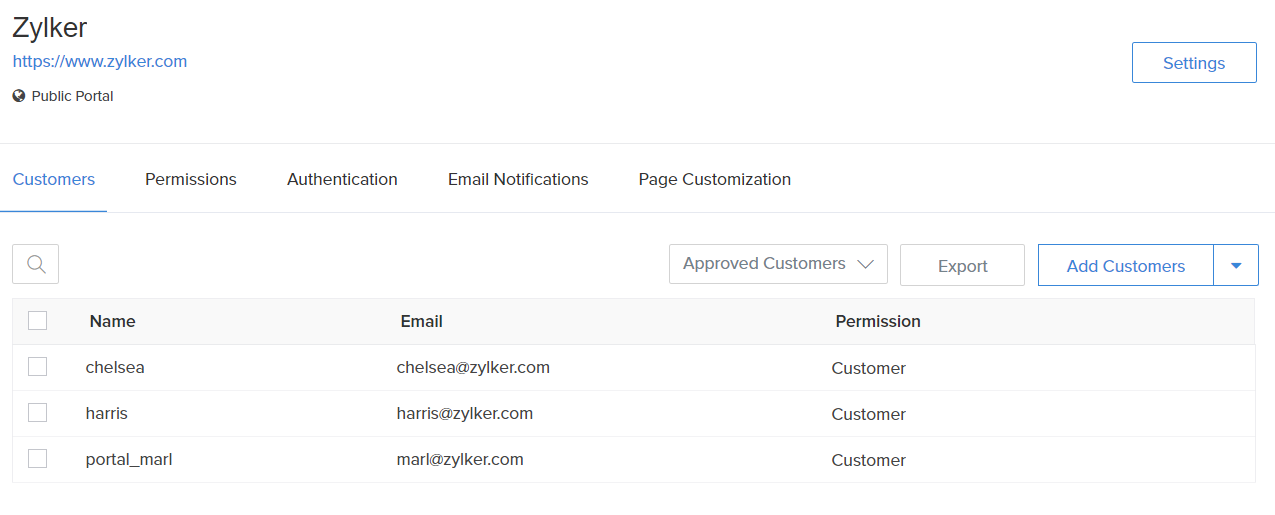
- The Customer portal page will be displayed and all customers will be listed. Click the Export button. .
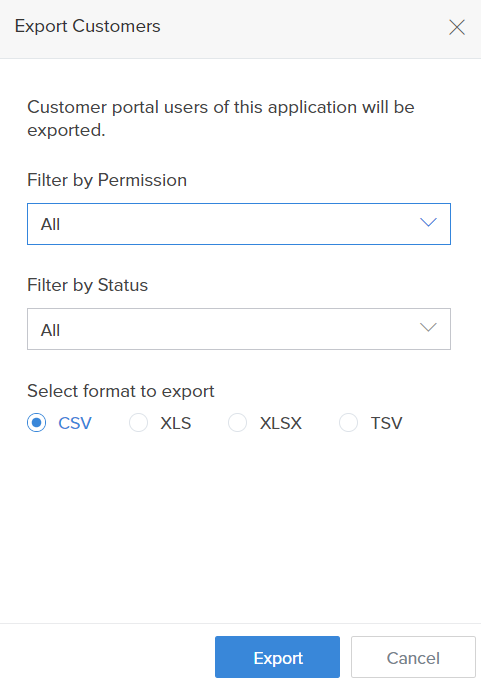
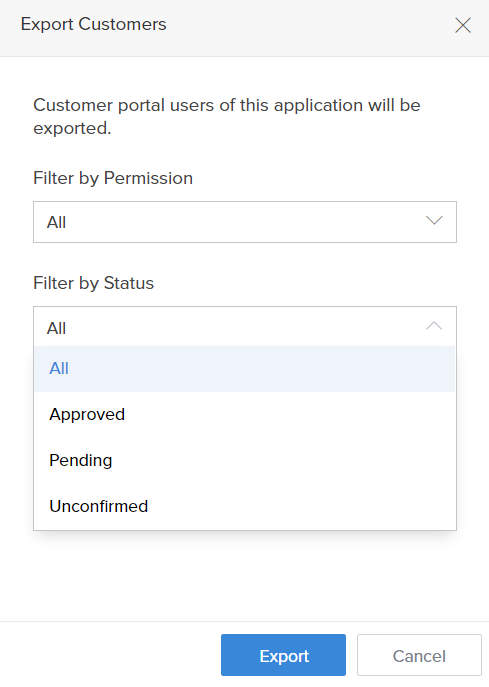
- The Export Customers tab will appear.
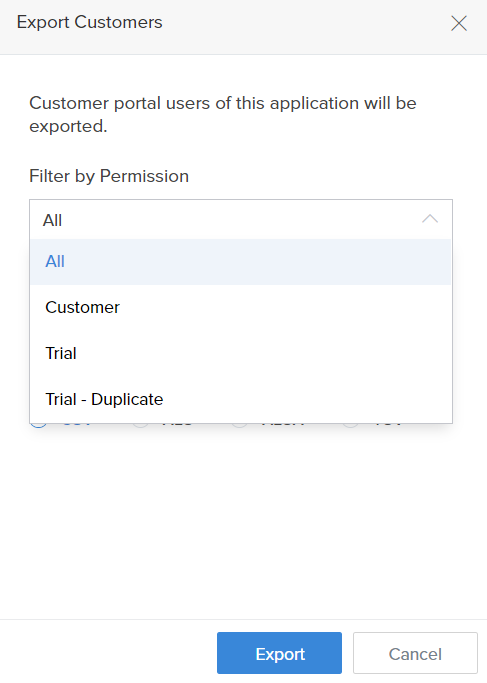
- In the Filter by Permission drop down you can choose the customers to be exported based on their permission.
- In the Filter by Status drop down you can choose the customers based on whether they are approved, pending or unconfirmed.
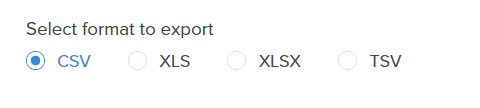
- In the select format to export field choose the file format in which the customers have to be exported. There are four available formats - CSV, XLS, XLX and TSV
- Click on the Export button. The file containing the customers will now get downloaded.