How to Eliminate Admin Rights Without Disrupting End-User Productivity
Key Points
Enable Elevation with Justification for all applications
Identify & remove unnecessary admin accounts
Audit the required applications for elevation and restrict access to only those
Monitor, Review, and Refine
Overview
Removing local administrative privileges is a critical part of enforcing the principle of least privilege—but doing so without disrupting user workflows requires careful planning. If done poorly, standard users will hit roadblocks, generate numerous help-desk tickets, and productivity will suffer.
The smarter approach for tackling this is to provide a controlled alternative for elevated access, remove unnecessary admin accounts, and audit elevated usage to refine policy. To learn how to eliminate admin rights with minimal productivity impact using ManageEngine Application Control Plus, refer to the video guide.
Remove admin rights, keep productivity uninterrupted with Application Control Plus!
Enforce NowEnable Elevation With Justification
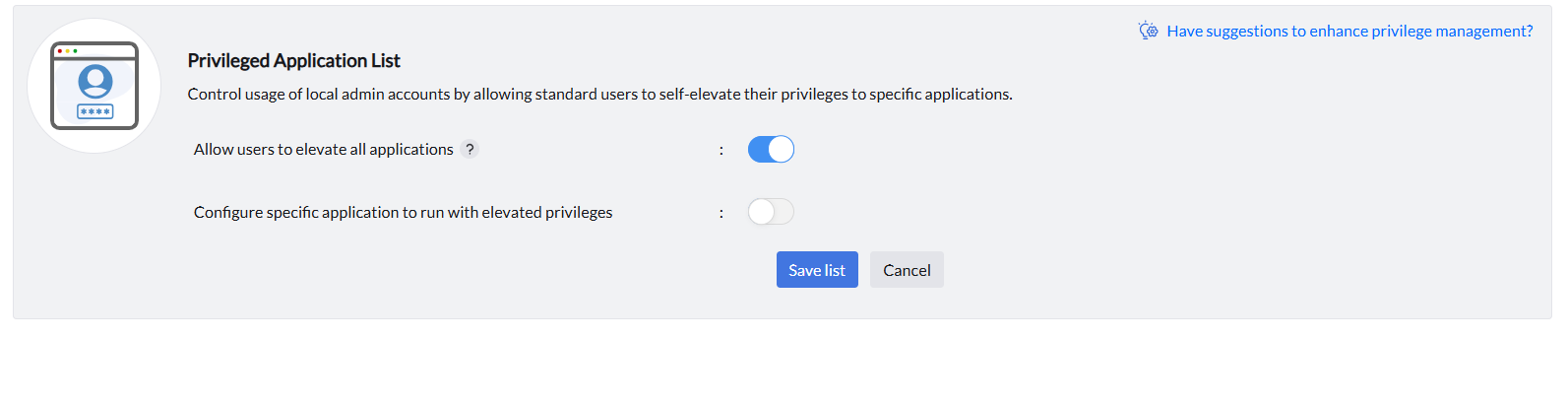
Using Application Control Plus’ Privilege Management, you can configure a policy that lets standard users temporarily elevate all applications by providing a valid justification. This allows IT teams to maintain a least privilege model while still giving users the flexibility they need. Admins can also use this feature to audit which applications are frequently requested with elevated access—making it easier to fine-tune policies and spot trends in usage. Follow the steps below to configure elevation with justification:
- Navigate to Privilege Management and click on Create Policy.
- Enable the toggle for 'Allow users to elevate all applications' and click Save list.
- Associate and deploy the application control policy. Once implemented, end-users can elevate any application by right-clicking and selecting 'Run as ManageEngine'. A prompt will be shown where they provide the reason for elevation, and the application will be elevated.
To audit the elevated applications, follow the steps provided:
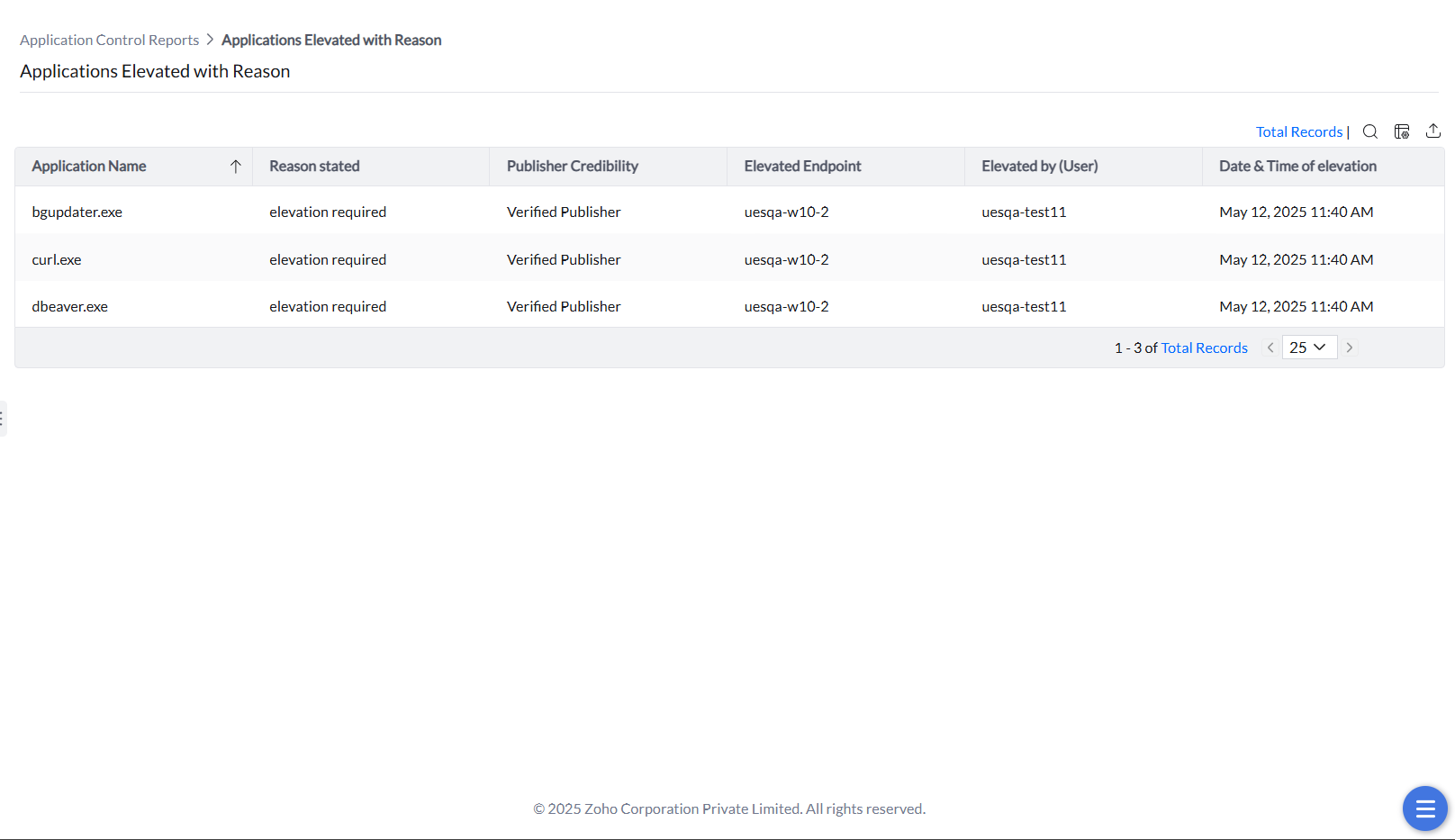
- Navigate to Reports -> Application Control Reports -> Applications Elevated with Reason.
- The applications and executables elevated will be listed along with the justification for elevation provided by the end-user. Admins can analyze the elevation patterns and provide access accordingly in the next steps.
Identify & Remove Unnecessary Local Admin Rights
The cleanup of local admin accounts is simplified with automatic admin rights removal. Once an exclusion policy is configured to protect essential accounts, you can enable automatic removal, and the system takes care of the rest—removing unnecessary admin privileges to reduce your organization’s attack surface, all without manual intervention. It’s all about trimming the excess while keeping critical access in place.
To ease into the transition, consider applying these changes to a specific computer group first. It’s a great way to test the strategy in a controlled environment before rolling it out organization-wide.
Note: The Admin rights feature is applicable only for Windows.
Follow the steps below to identify the essential admin accounts, configure the exclusion policy, and enable automatic removal:
- Navigate to Privilege Management -> Remove Admin Rights. The local admin accounts in your network will be listed under Admin Rights Summary. From this view, the necessary admin accounts can be identified.
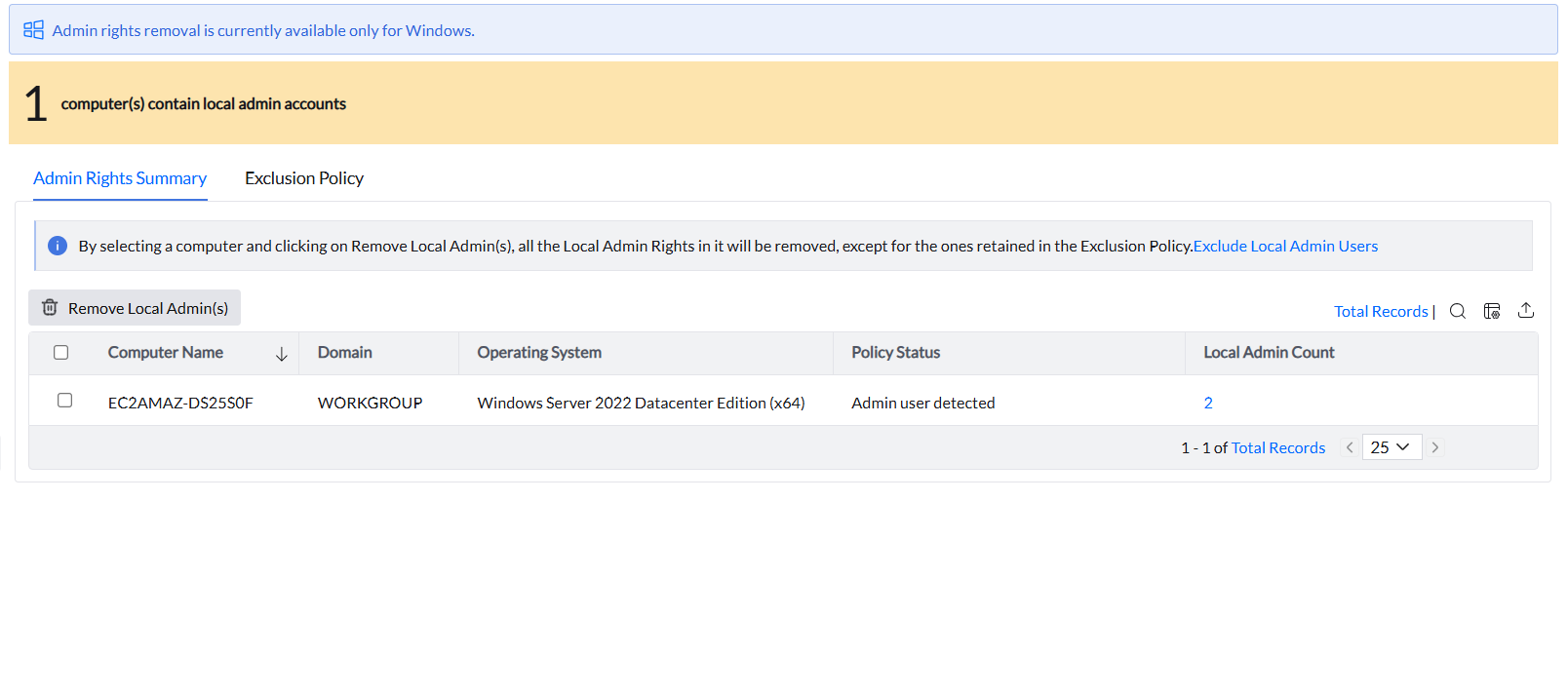
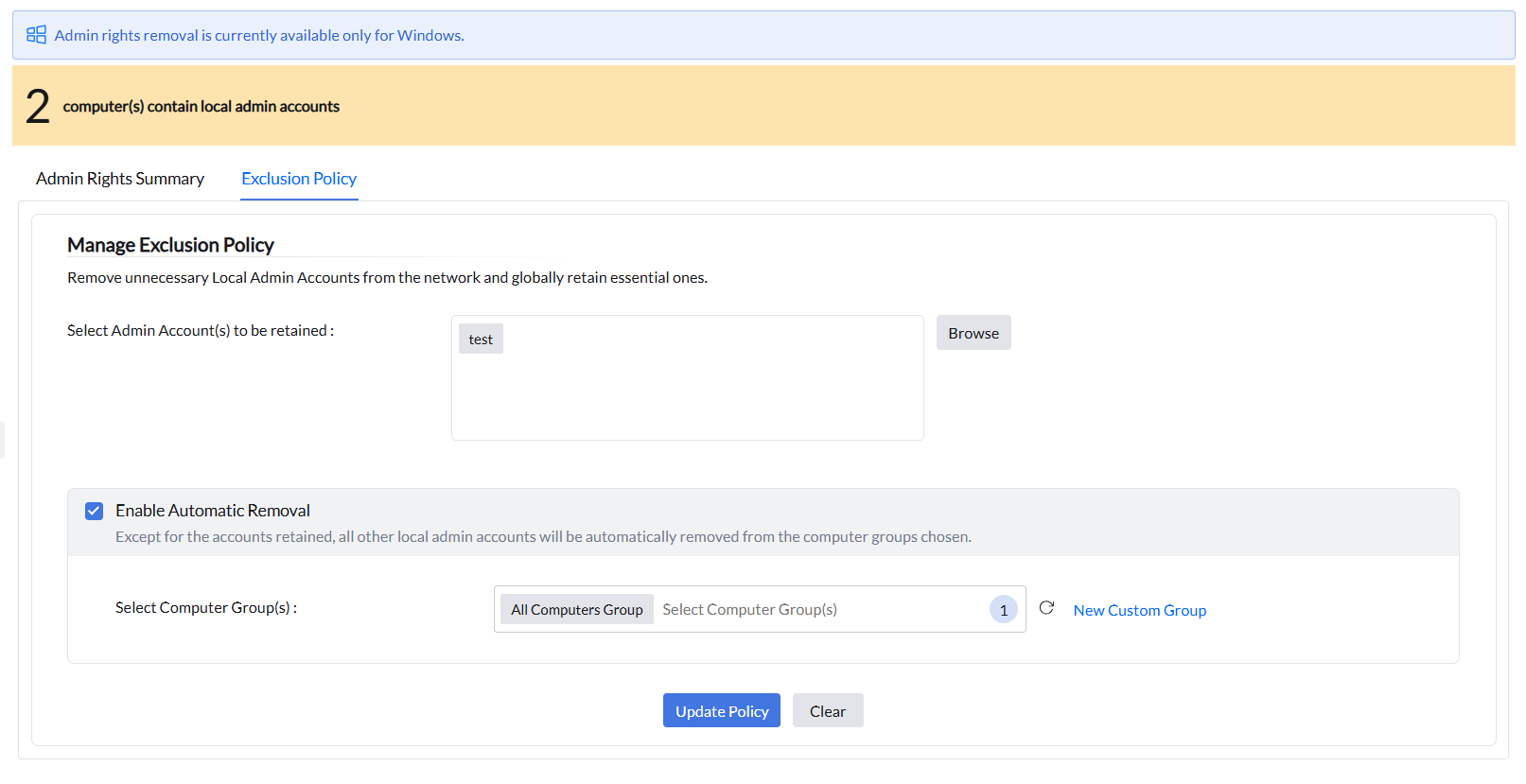
- To protect those accounts, navigate to Exclusion Policy. Browse and select the admin accounts to be retained.
- Click 'Enable Automatic Removal' to eliminate the unnecessary admin accounts and select All Computers Group to implement it to all the endpoints in your network. If you are testing it out on a group first, choose only the test custom group. Click on Update Policy. Admin rights have now been successfully removed, but with no productivity impact.
Limit Privileges to Only What’s Needed
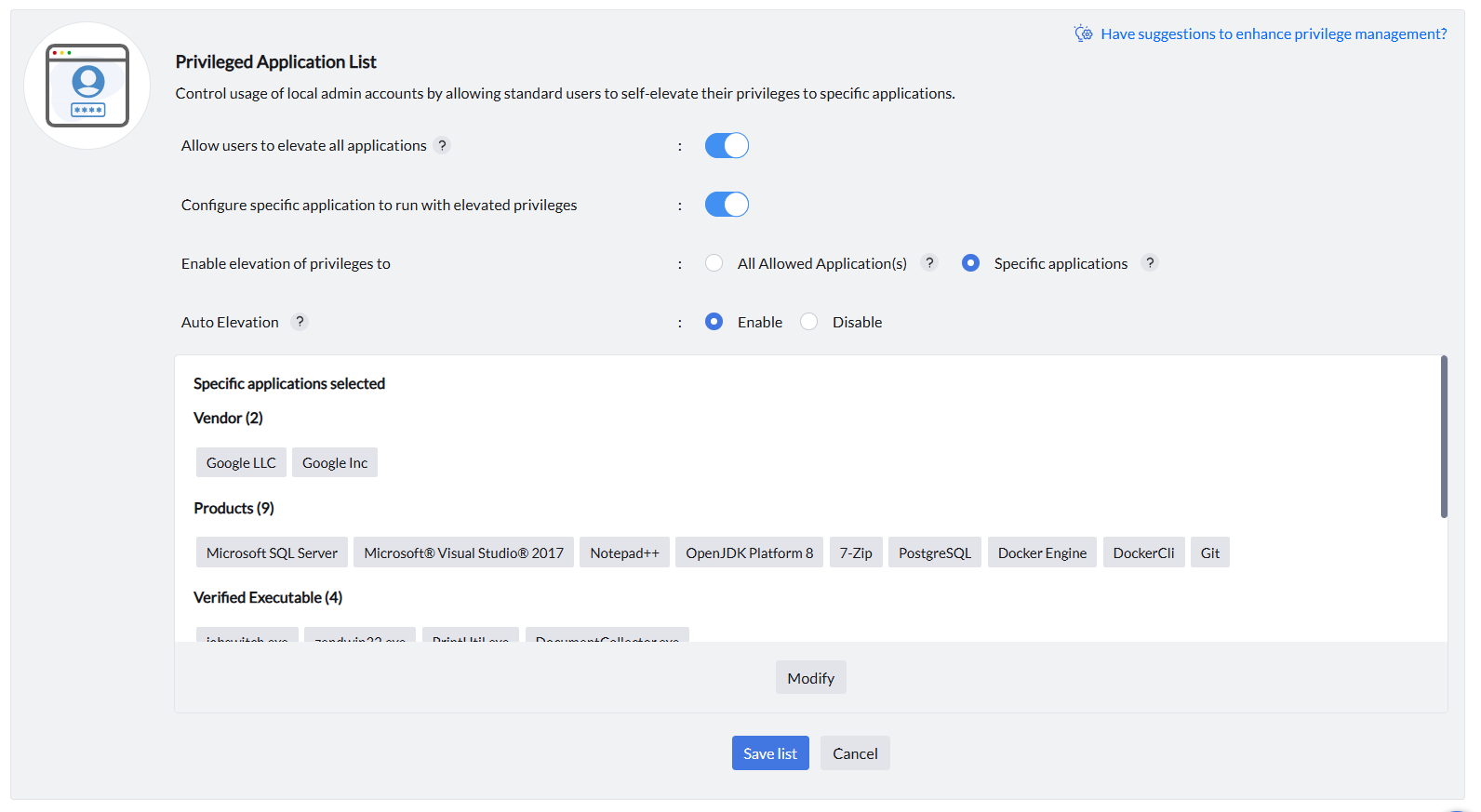
Once you've audited which applications users commonly access with elevated privileges through the Reports, you can fine-tune access by limiting admin rights to just those essential apps. This keeps things secure without disrupting users’ workflows. For any temporary elevation requirement, Just-In-Time Access can be leveraged. The frequently elevated applications can be identified through the Applications Elevated with Reason report, as mentioned above. Follow the steps below to enforce elevation access to only those applications:
- Navigate to Privilege Management and click Modify.
- Disable the 'Allow users to elevate all applications' option and enable the toggle for 'Configure specific application to run with elevated privileges'.
- Enable elevation of privileges to specific applications and select the required applications that need elevation.
- Enable Auto Elevation for users to automatically run the selected applications with elevated privileges.
- Click Save List. Associate and deploy the application control policy.
Monitor, Review, and Refine
- The elevation logs should regularly be reviewed to see how often users are requesting elevation and any repeated patterns indicating a permanent access need.
- If there are any productivity issues or an increase in help-desk tickets correlating with the removal of admin rights, review and adjust the policies to include any new requests and remove the elevation permissions that are no longer needed, to avoid creeping privilege.
- Communicate with end-users to ensure they understand the new model, how to request elevation, and that fewer users have permanent admin rights.
Start your 30-day free trial and manage unlimited endpoints — secure and protected!