Amazon Compute Services Monitoring
Ensure smooth performance of your Amazon Compute services
Amazon Compute services provide scalable and flexible compute power, enabling users to run applications and virtual machines in the cloud. With Applications Manager, you can ensure that applications and workloads run efficiently, resources are optimized, and any potential issues are identified and resolved promptly.
Applications Manager supports monitoring for the following Amazon Compute services:
- Batch
- Elastic Beanstalk
- Elastic Compute Cloud (EC2)
- EC2 Autoscaling
- Elastic Load Balancer (ELB)
- Lambda
- Lightsail Instance
- Lightsail Load Balancer
- WorkSpaces
- WorkSpaces Applications (AppStream 2.0)
AWS Batch Queue monitoring
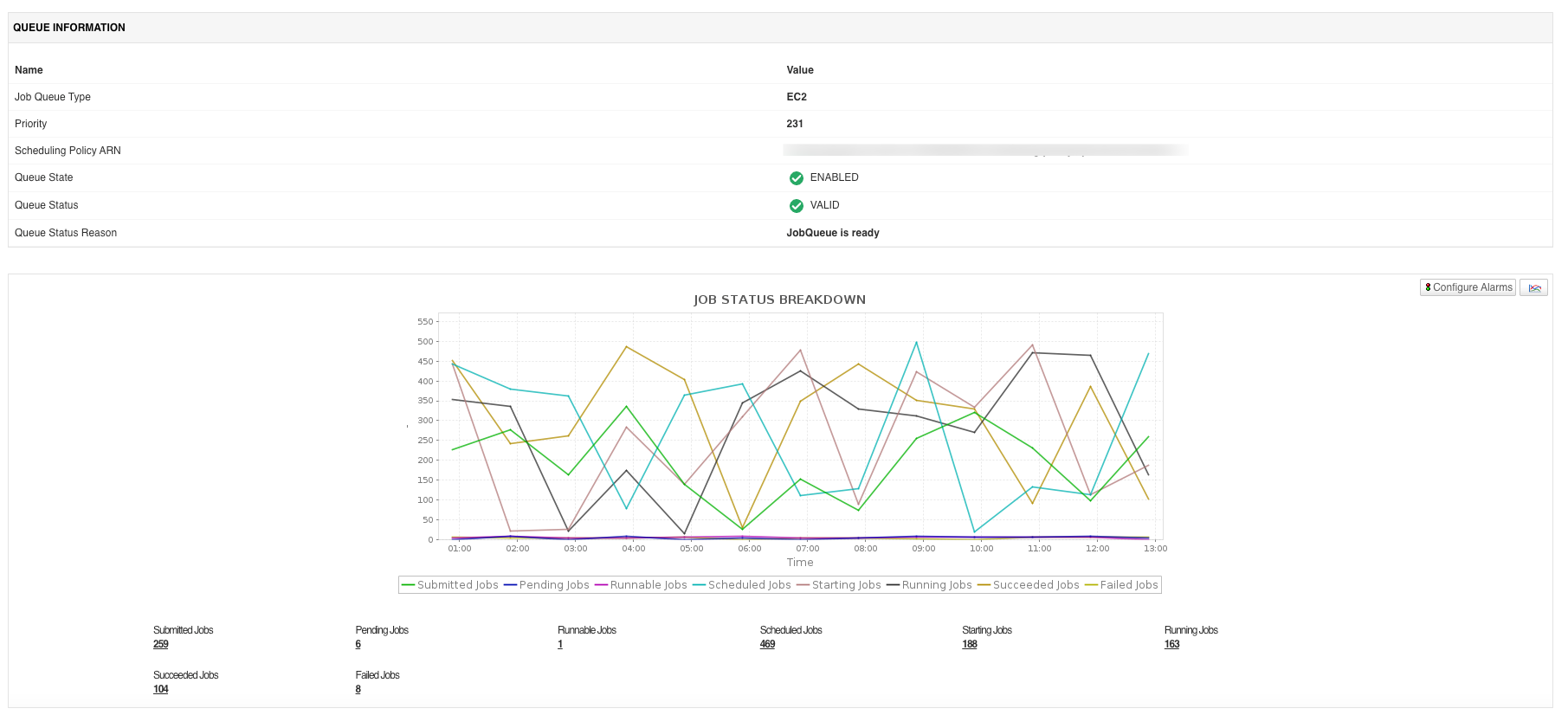
AWS Batch Queue is a fully managed service that plans, schedules, and runs batch computing workloads across AWS compute resources, automatically provisioning the right quantity and type of compute based on the volume and resource requirements of submitted jobs. Monitoring AWS Batch Queue helps you spot stalled queues, failing jobs, and compute environments that are unable to scale.
Applications Manager provides visibility into job queue health, job execution, and compute environment capacity. With Applications Manager's AWS Batch Queue monitor, you can:
- Track job queue type, priority, state, and status, along with a breakdown of jobs by state, including submitted, pending, runnable, scheduled, starting, running, succeeded, and failed jobs.
- Monitor the runnable jobs rate and failed jobs rate, along with the average execution, queue, and end-to-end duration across all jobs in the queue.
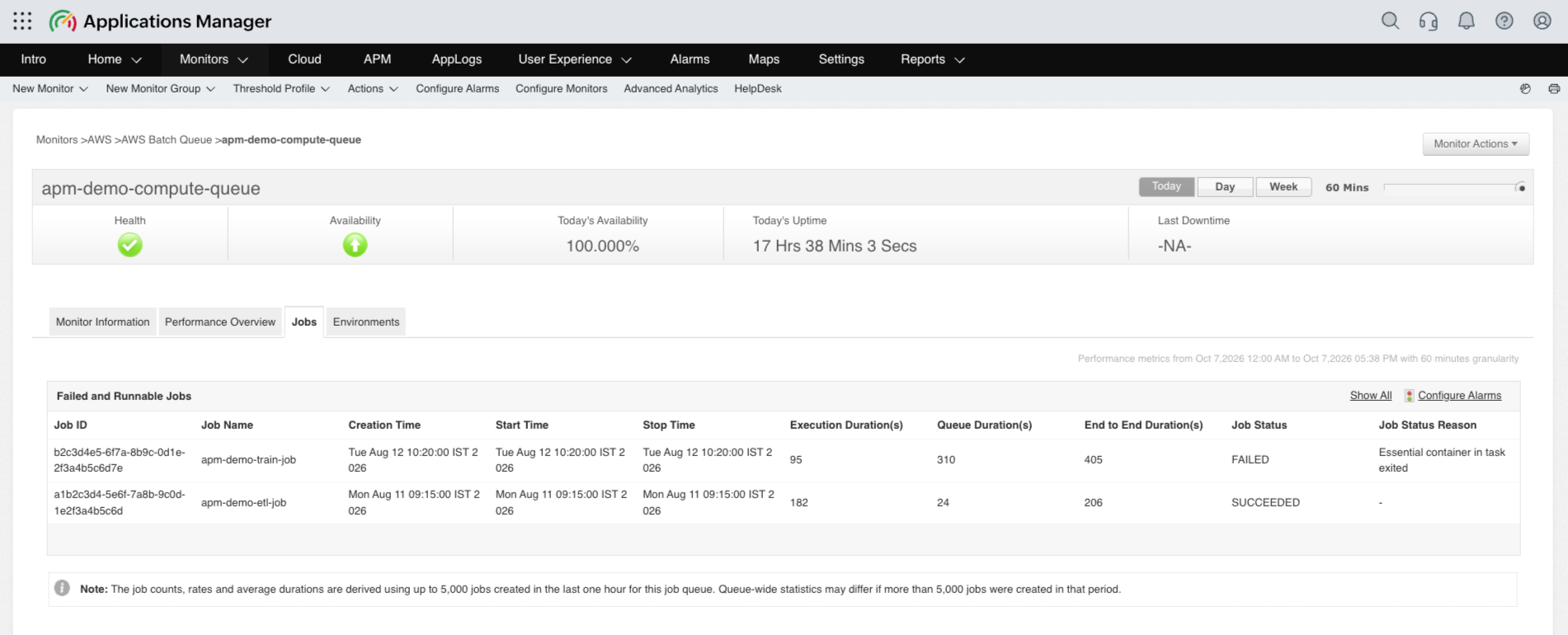
- Review individual failed and runnable jobs, including job ID, name, creation, start, and stop time, execution, queue, and end-to-end duration, and job status with status reason.
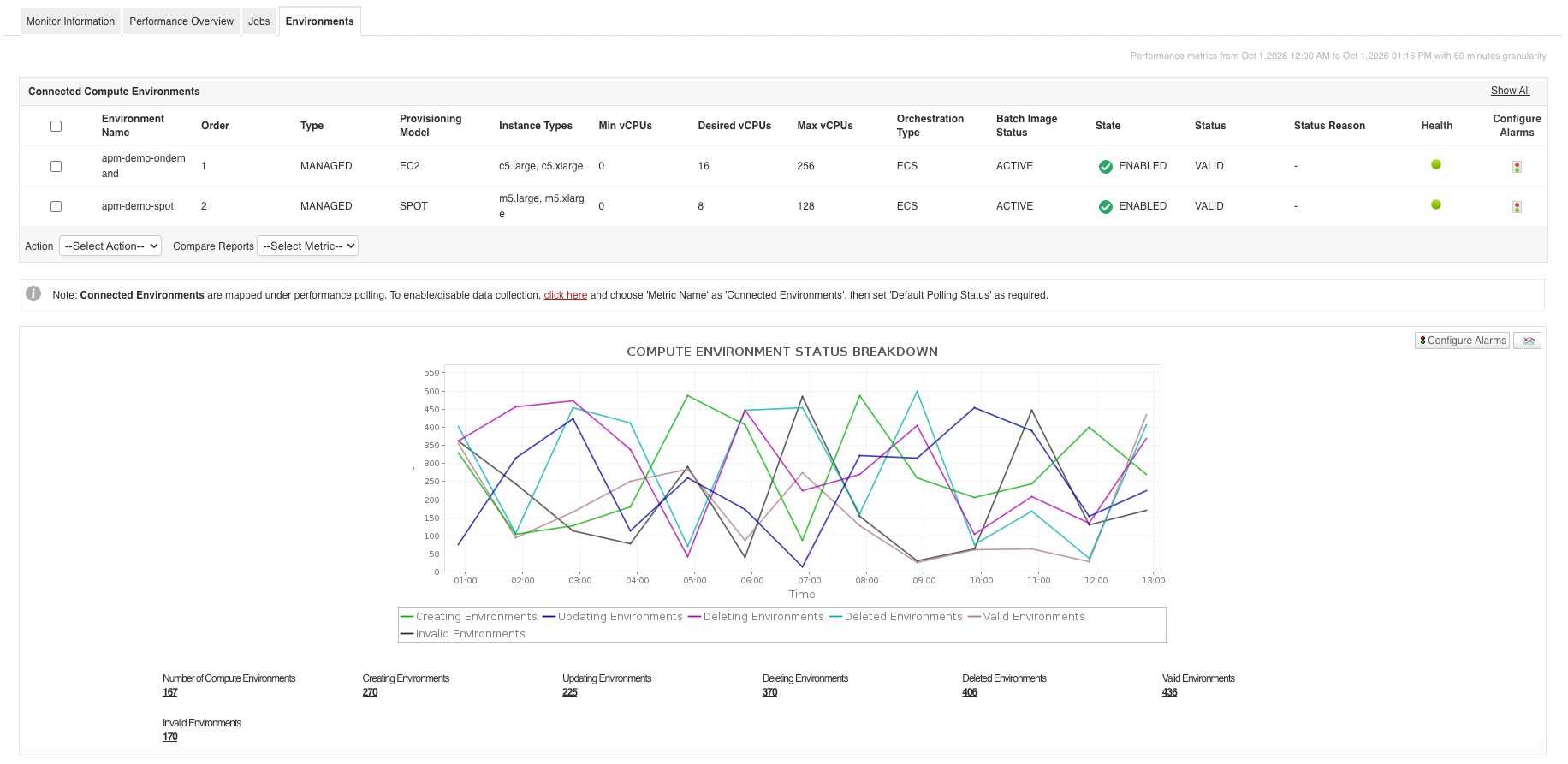
- Monitor the number of connected compute and service environments broken down by creating, updating, deleting, deleted, valid, and invalid states, as well as enabled and disabled environment states.
- Track connected compute and service environment details, including environment order, type, provisioning model, instance types, minimum, desired, and maximum vCPUs, orchestration type, batch image status, state, and status reason.
AWS Elastic Beanstalk monitoring
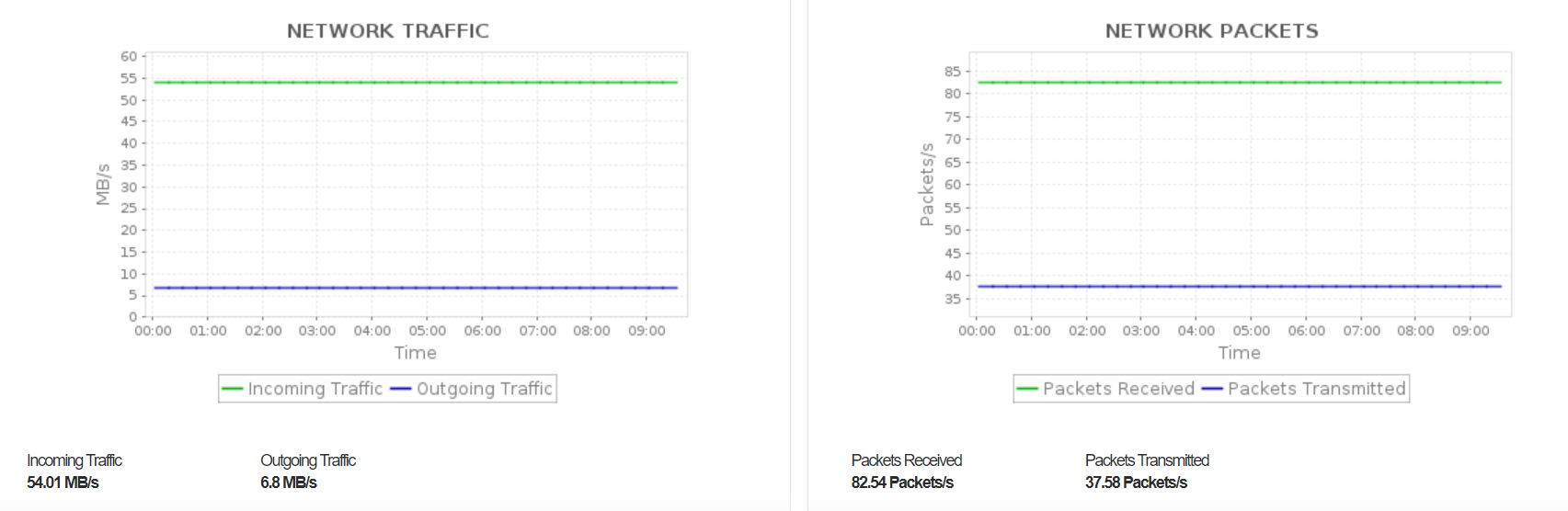
Applications Manager's Elastic Beanstalk monitoring tool offers a unified view of your Beanstalk configurations, making it easy to access key information such as environment details, ARN details, and auto scaling group settings. It also provides insights into events that have occurred in your Beanstalk environment, helping streamline monitoring and management tasks.
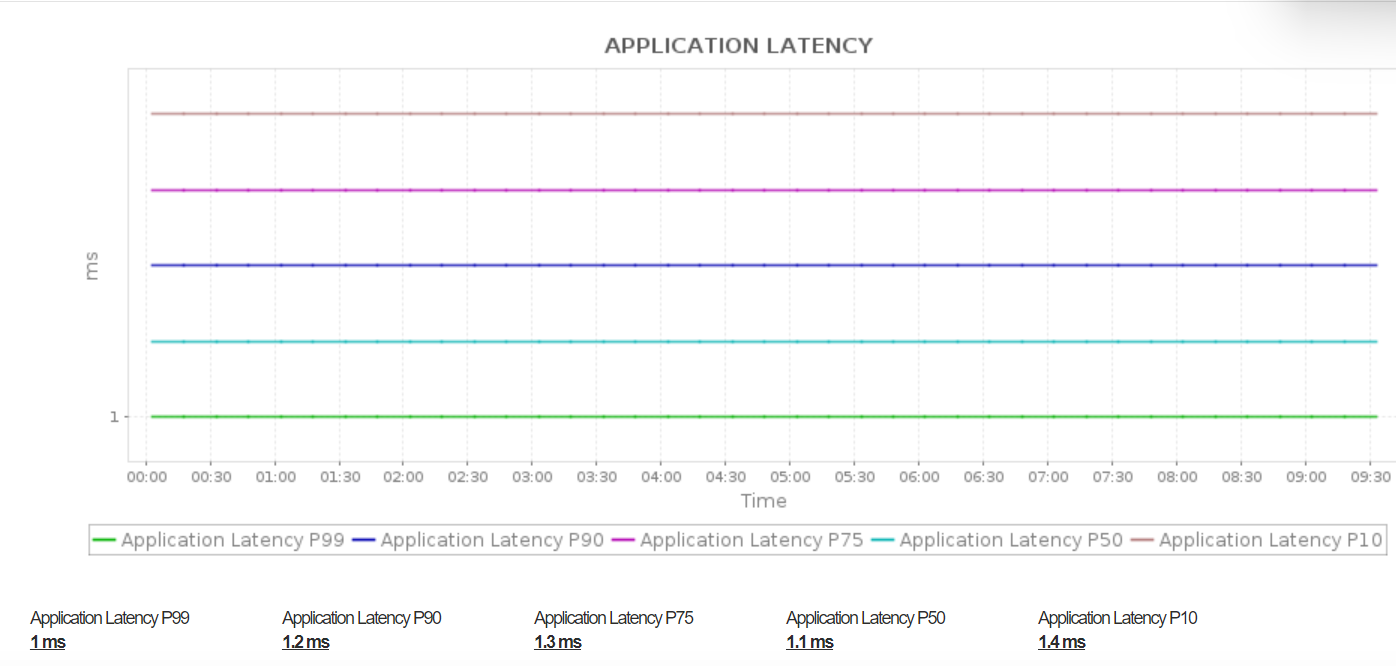
Learn more about Elastic Beanstalk monitoring.
AWS Elastic Compute Cloud (EC2) monitoring
Gain deep insights into the performance of your EC2 instances, detect and resolve issues proactively, and optimize your cloud infrastructure for efficiency. Monitor the current availability and health status of EC2 instances, and troubleshoot issues using the Root Cause Analysis (RCA) window for faster resolution.
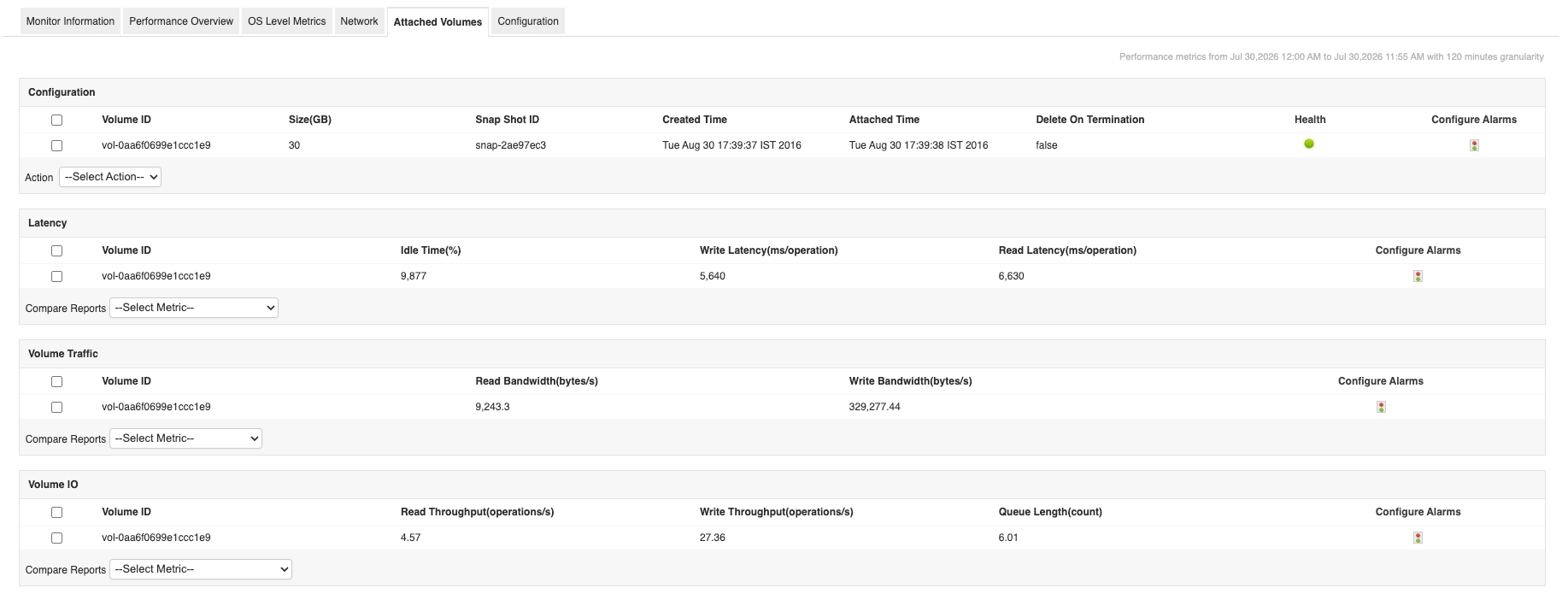
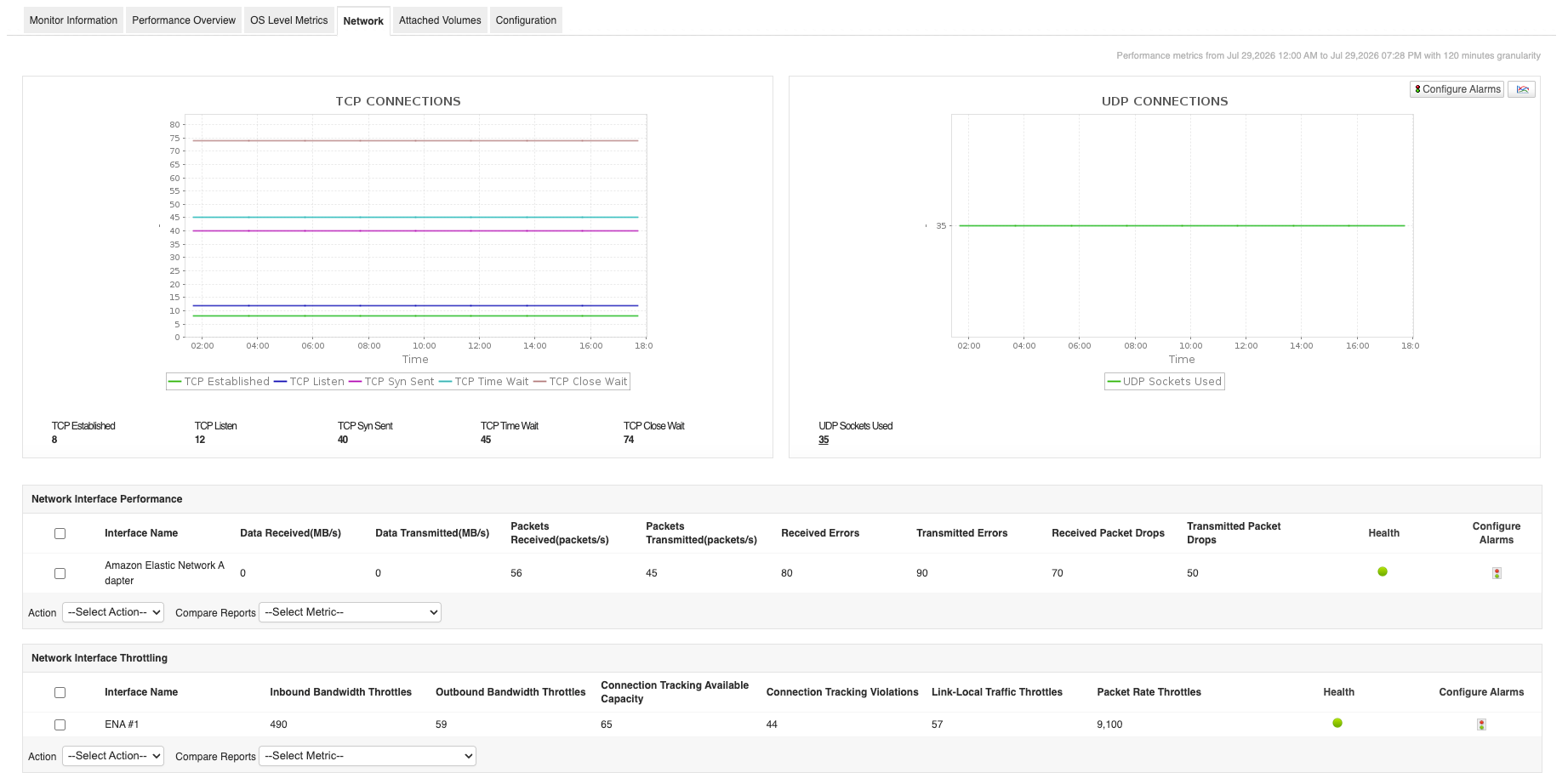
Applications Manager tracks key performance indicators of attached to the monitored EC2 instances. Metrics provided offer insights into volume traffic, latency, volume I/O, bandwidth, throughput, and more.
Learn more about Elastic Compute Cloud (EC2) monitoring.
Amazon EC2 Autoscaling monitoring
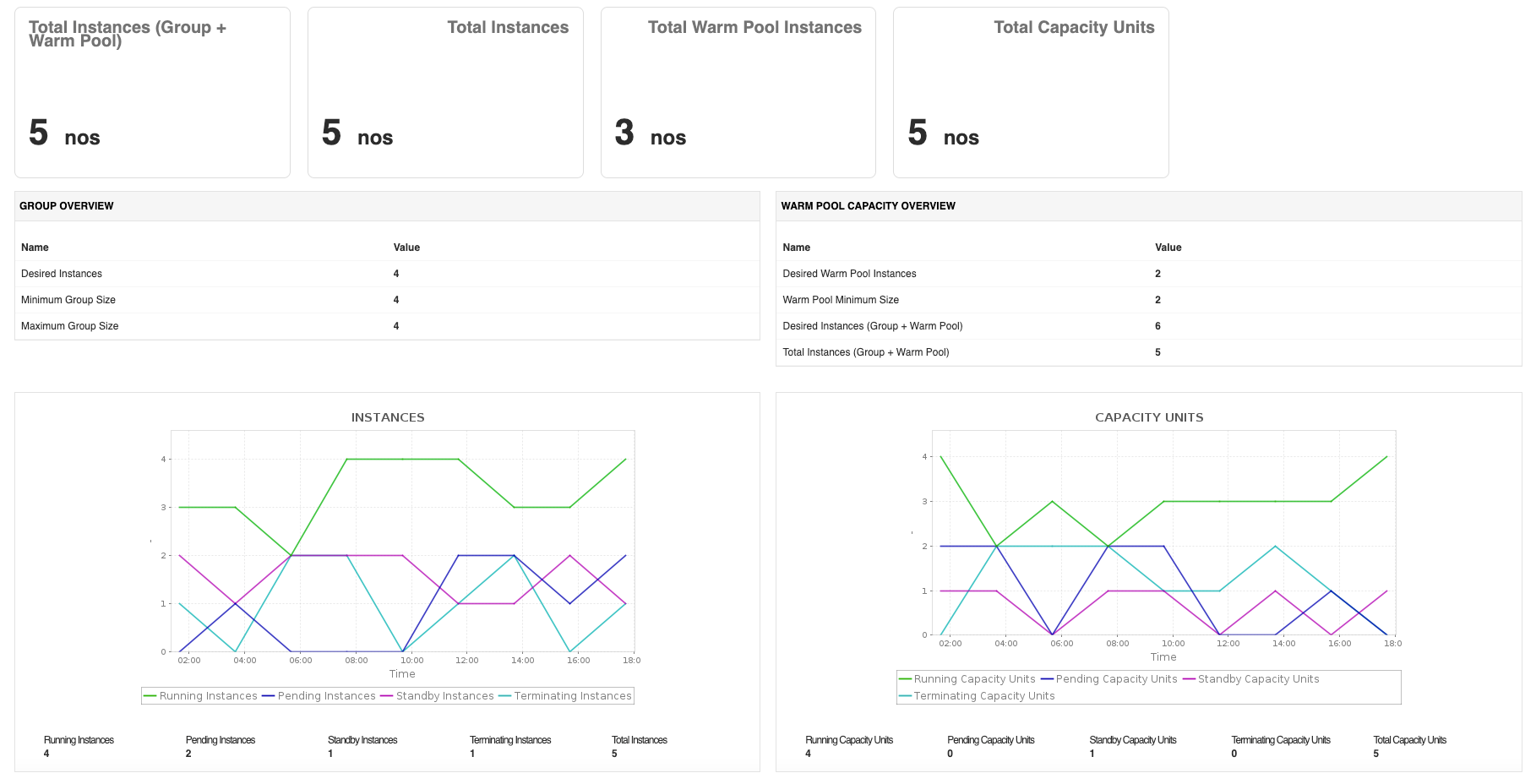
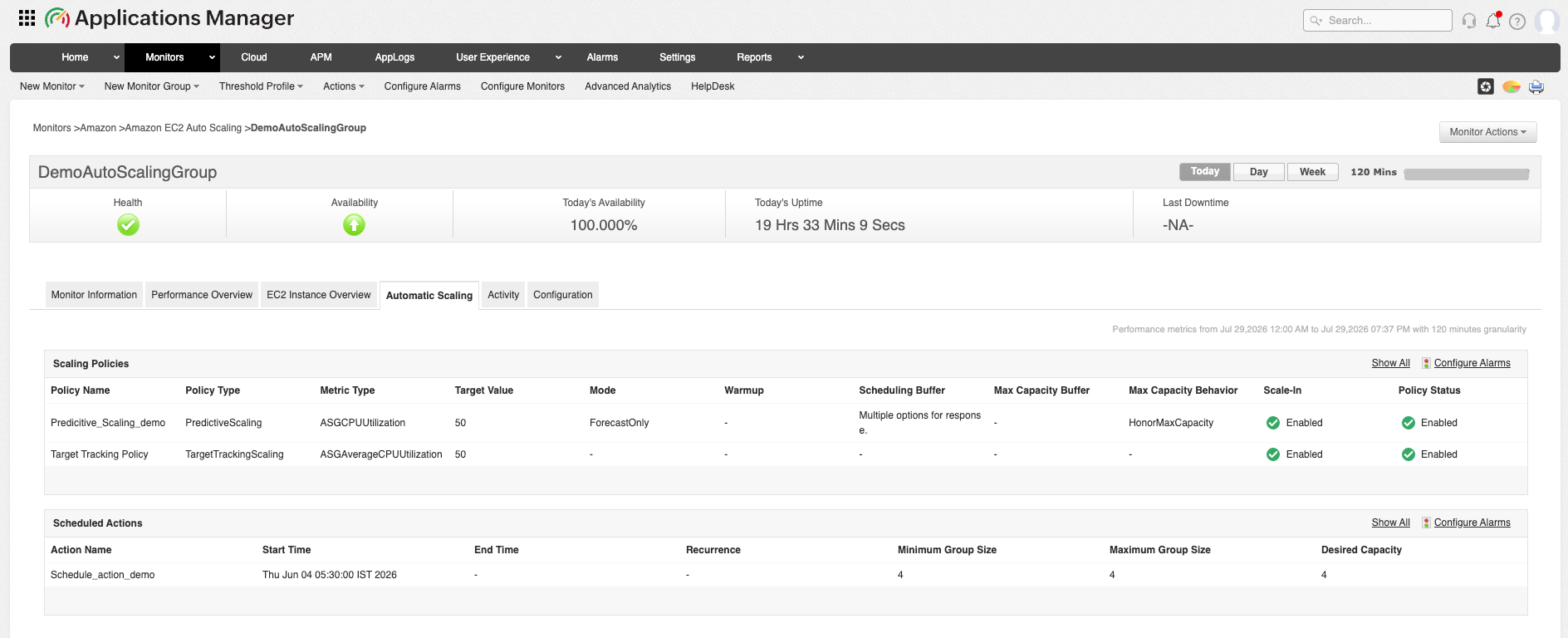
Amazon EC2 Auto Scaling is a fully managed AWS service that automatically adjusts the number of Amazon EC2 instances in an Auto Scaling group based on application demand, predefined scaling policies, or scheduled events. It helps maintain high application availability, improve fault tolerance, and optimize infrastructure costs by ensuring the right amount of compute capacity is available at all times. By dynamically scaling compute capacity, it ensures applications continue to perform efficiently during traffic spikes and periods of low demand.
With Applications Manager, you can:
- Ensure your Auto Scaling groups are operating efficiently by monitoring the desired, minimum, maximum, pending, and in-service instance counts.
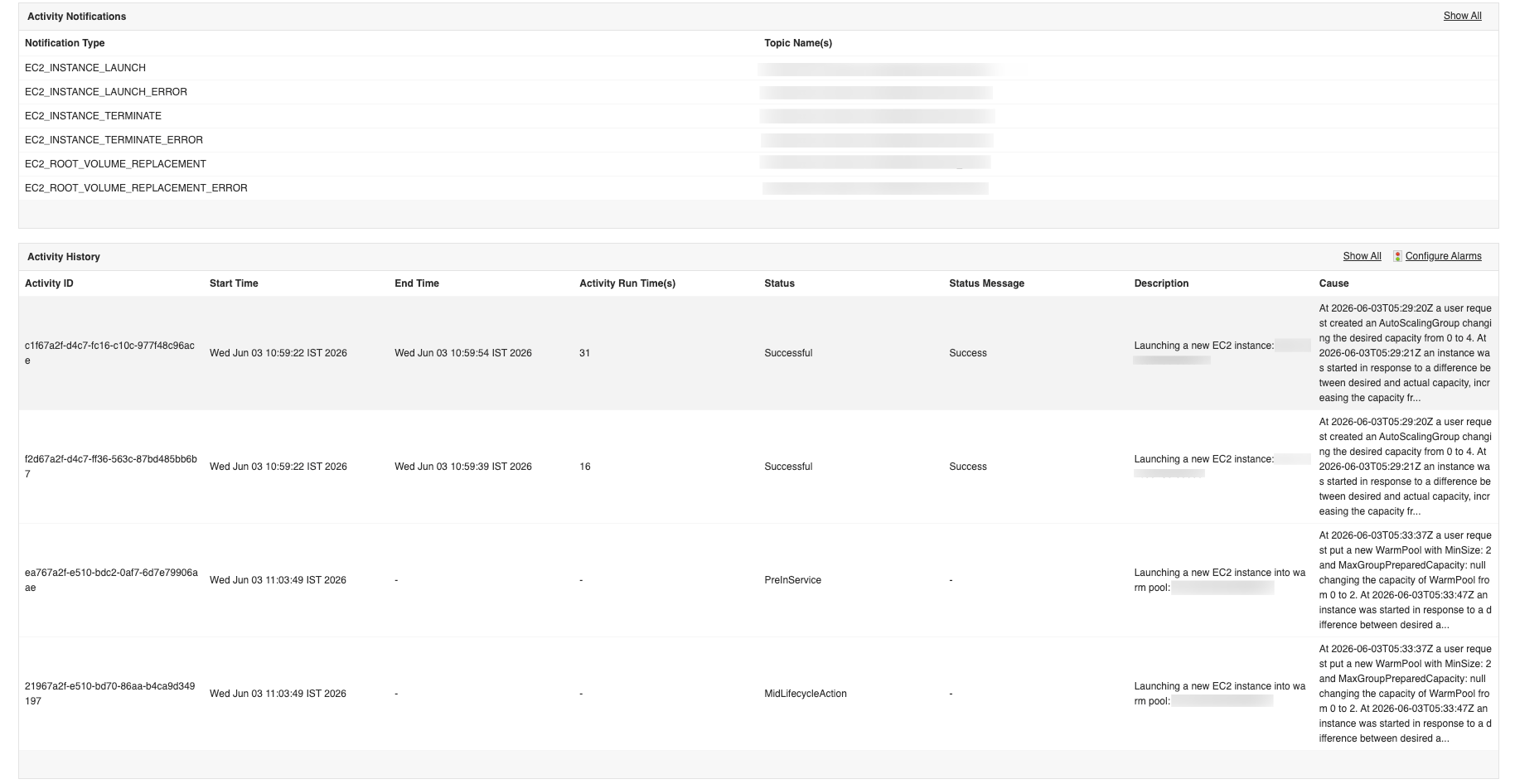
- Track scaling activities in real time to verify that scaling policies respond correctly to workload fluctuations and maintain application availability.
- Identify capacity shortages or over-provisioning by monitoring the number of healthy, unhealthy, terminating, and standby instances across Auto Scaling groups.
- Detect scaling failures proactively by monitoring lifecycle states and instance transitions, enabling faster troubleshooting of scaling issues.
- Optimize infrastructure utilization by analyzing Auto Scaling trends and ensuring compute resources match application demand without unnecessary costs.
AWS Elastic Load Balancer (ELB) monitoring
By leveraging Applications Manager, you can effectively monitor various types of Elastic Load Balancers (ELBs)— Application Load Balancers (ALB), Network Load Balancers (NLB), and Gateway Load Balancers (GLB) — in real time. This helps maintain high availability, optimize traffic routing, and quickly troubleshoot issues.
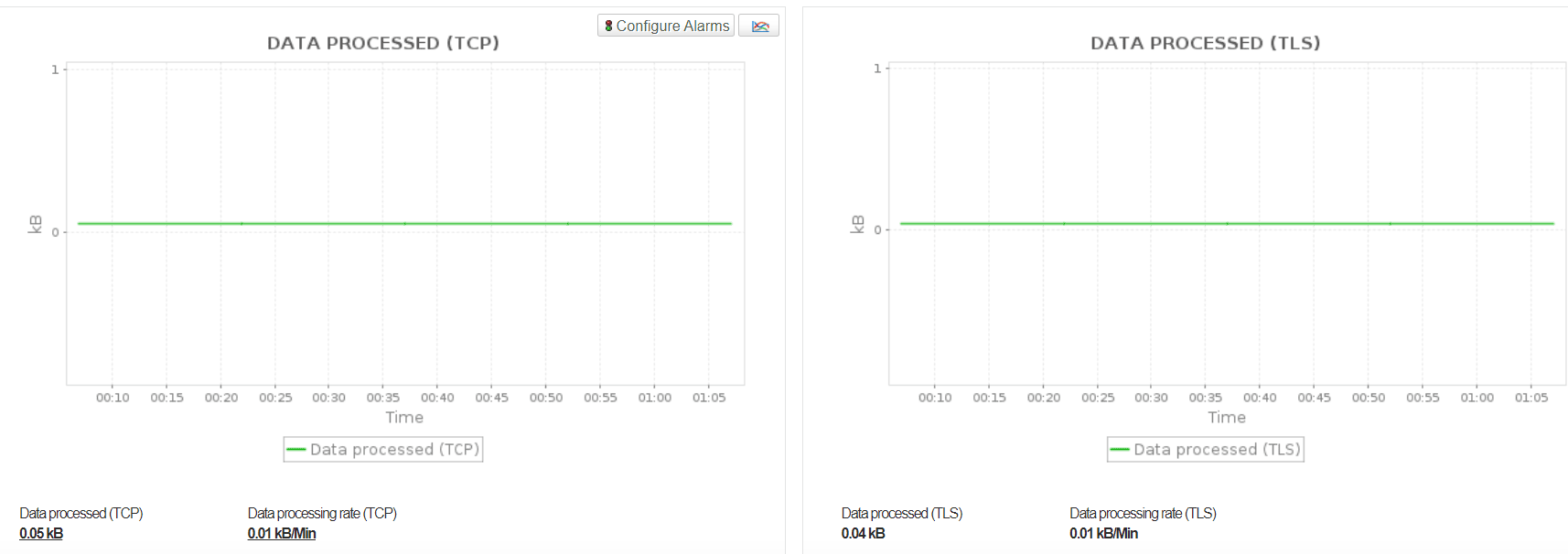
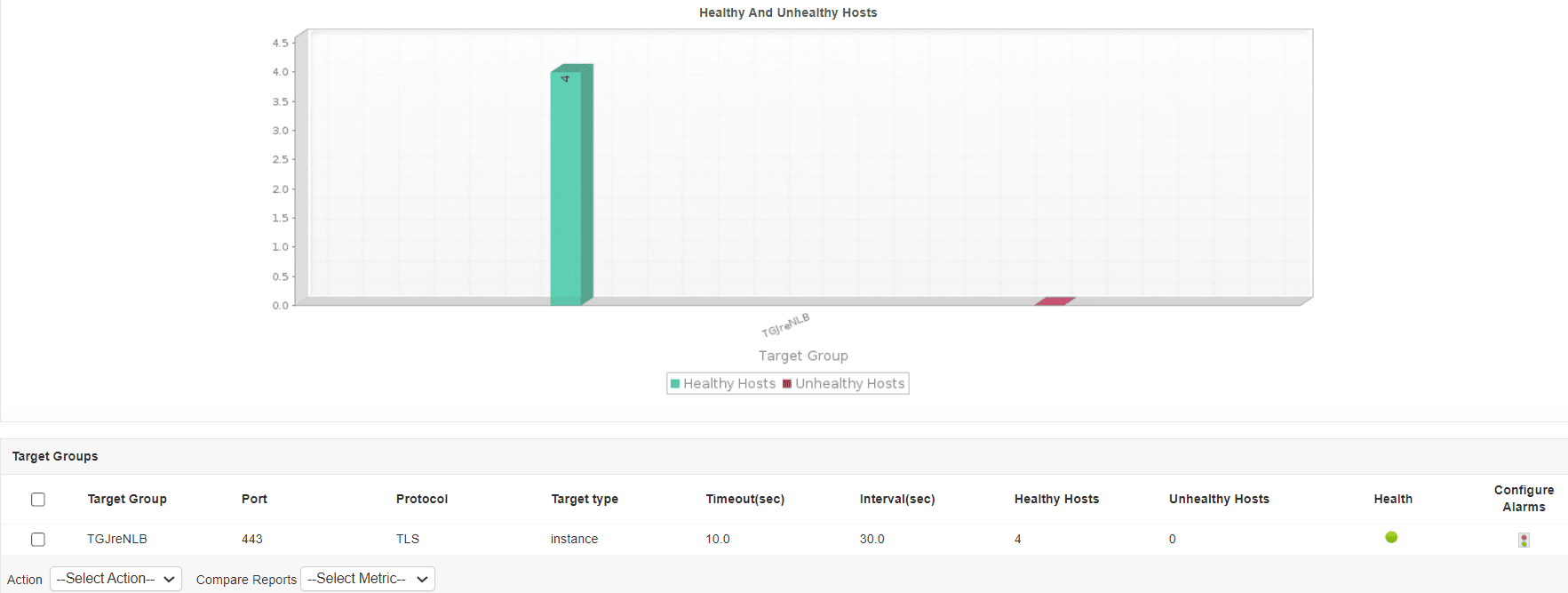
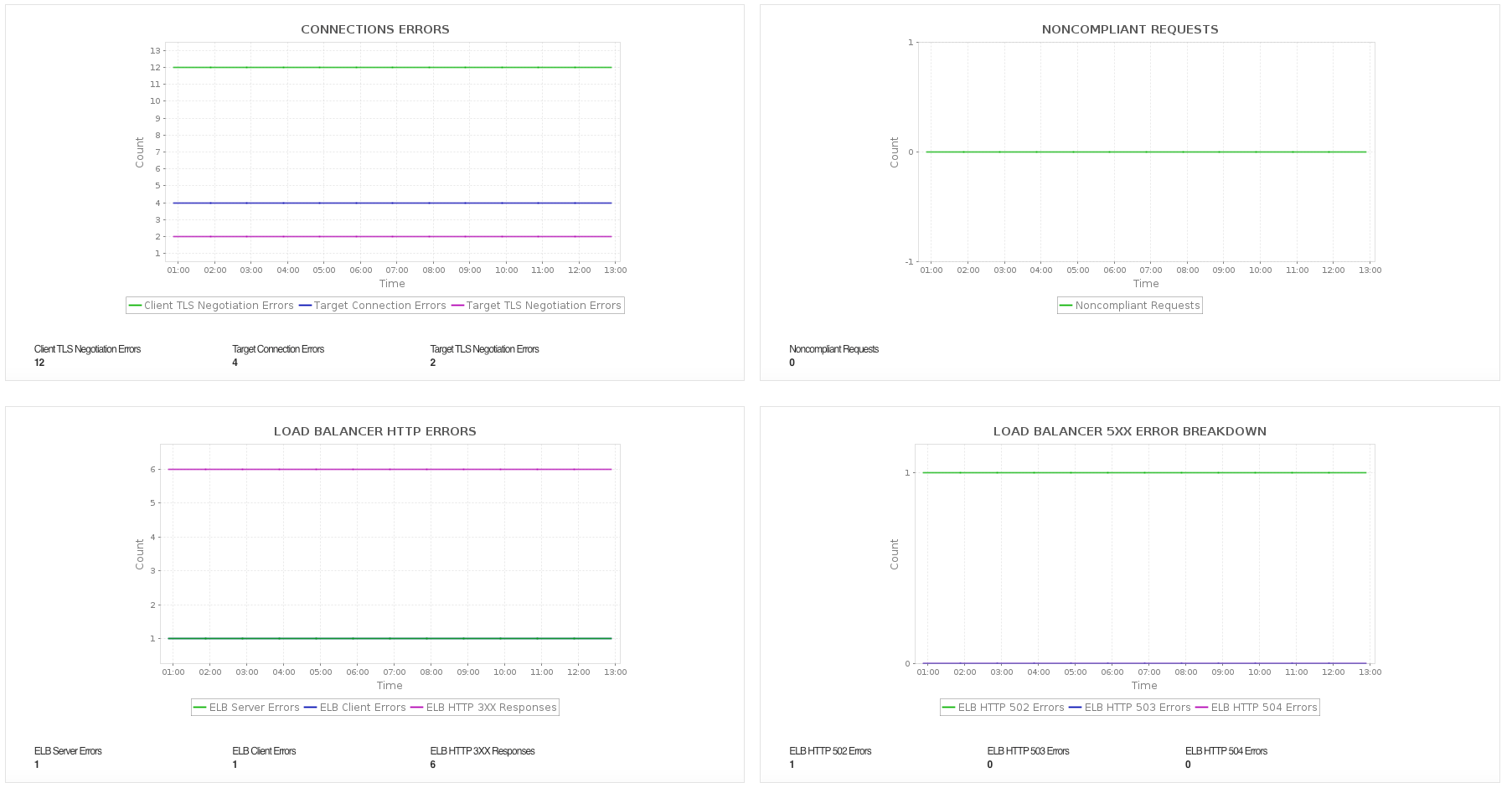
Gain a holistic view of critical ELB metrics such as the number of healthy hosts, latency, request rates, error rates, and more. These metrics can be visualized on dashboards, and you can set up threshold-based alerts. Ensure traffic is evenly distributed across healthy targets, maximizing resource utilization, and preventing individual instances from becoming overloaded.
Learn more about Elastic Load Balancer monitoring.
AWS Lambda monitoring
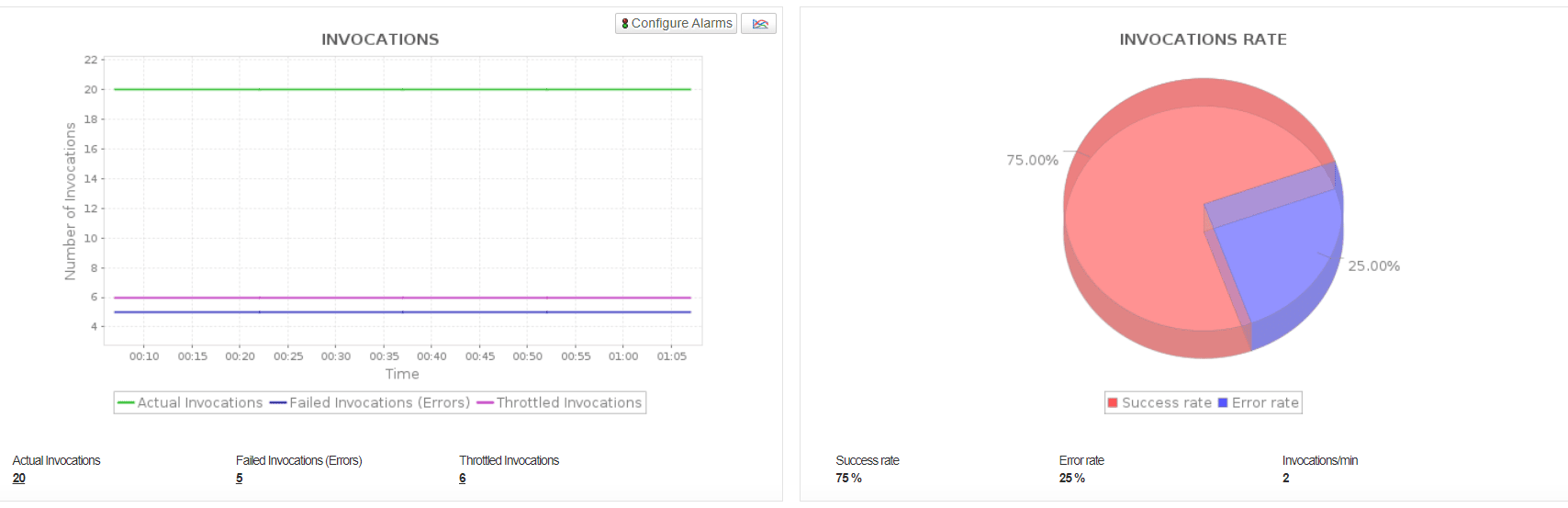
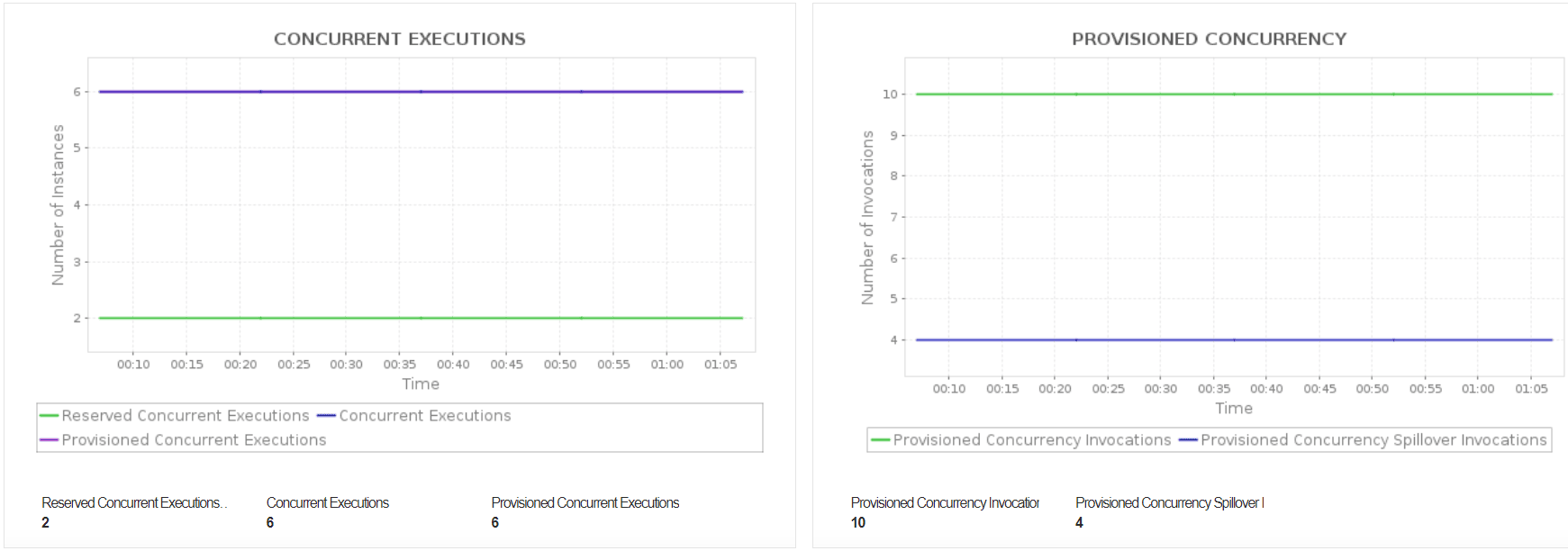
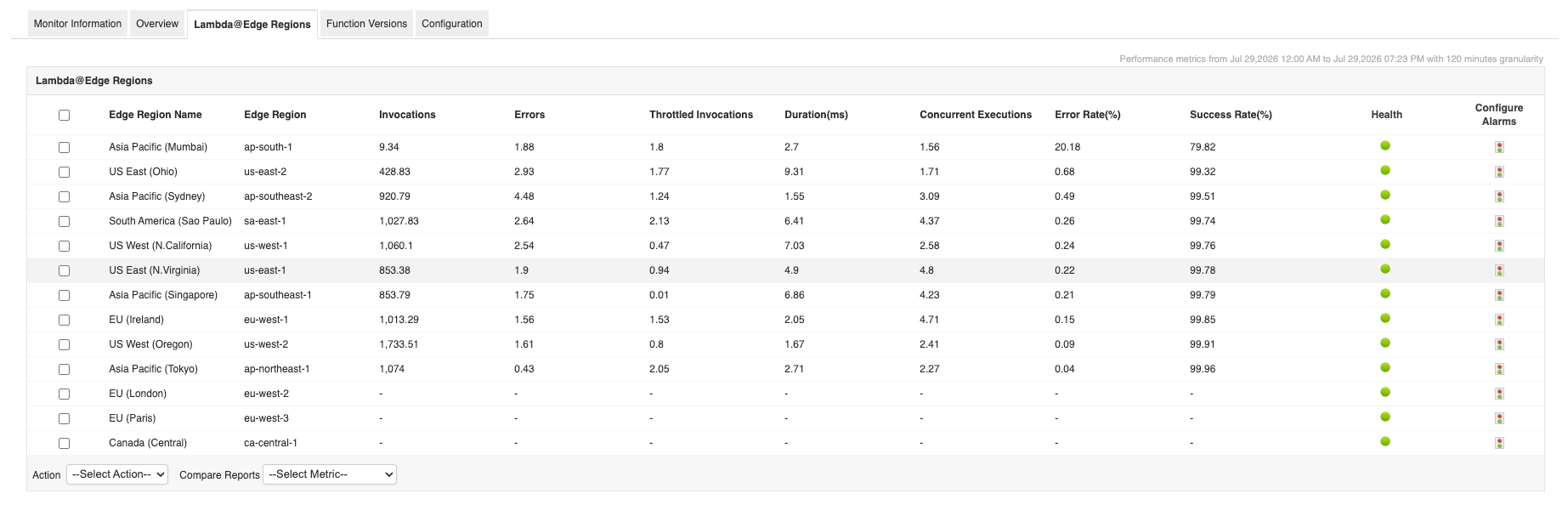
With Applications Manager, you can monitor key AWS Lambda metrics such as invocations, concurrent events, executions, errors, and failures. It provides robust fault management with intuitive analytical reports that enable in-depth root cause analysis for fast issue identification and resolution. Maintain the reliability of globally distributed applications by monitoring Lambda@Edge functions across edge locations, helping you identify region-specific performance issues and ensure consistent user experiences worldwide. Minimize manual intervention by automating corrective actions in response to detected issues.
Learn more about Lambda monitoring.
AWS Lightsail Instance monitoring
AWS Lightsail is a simplified cloud computing service designed to provide virtual private servers (instances), storage, networking, and managed applications with an easy-to-use interface. It helps developers quickly deploy and manage websites, applications, and workloads without complex cloud infrastructure configurations.
With Applications Manager, you can:
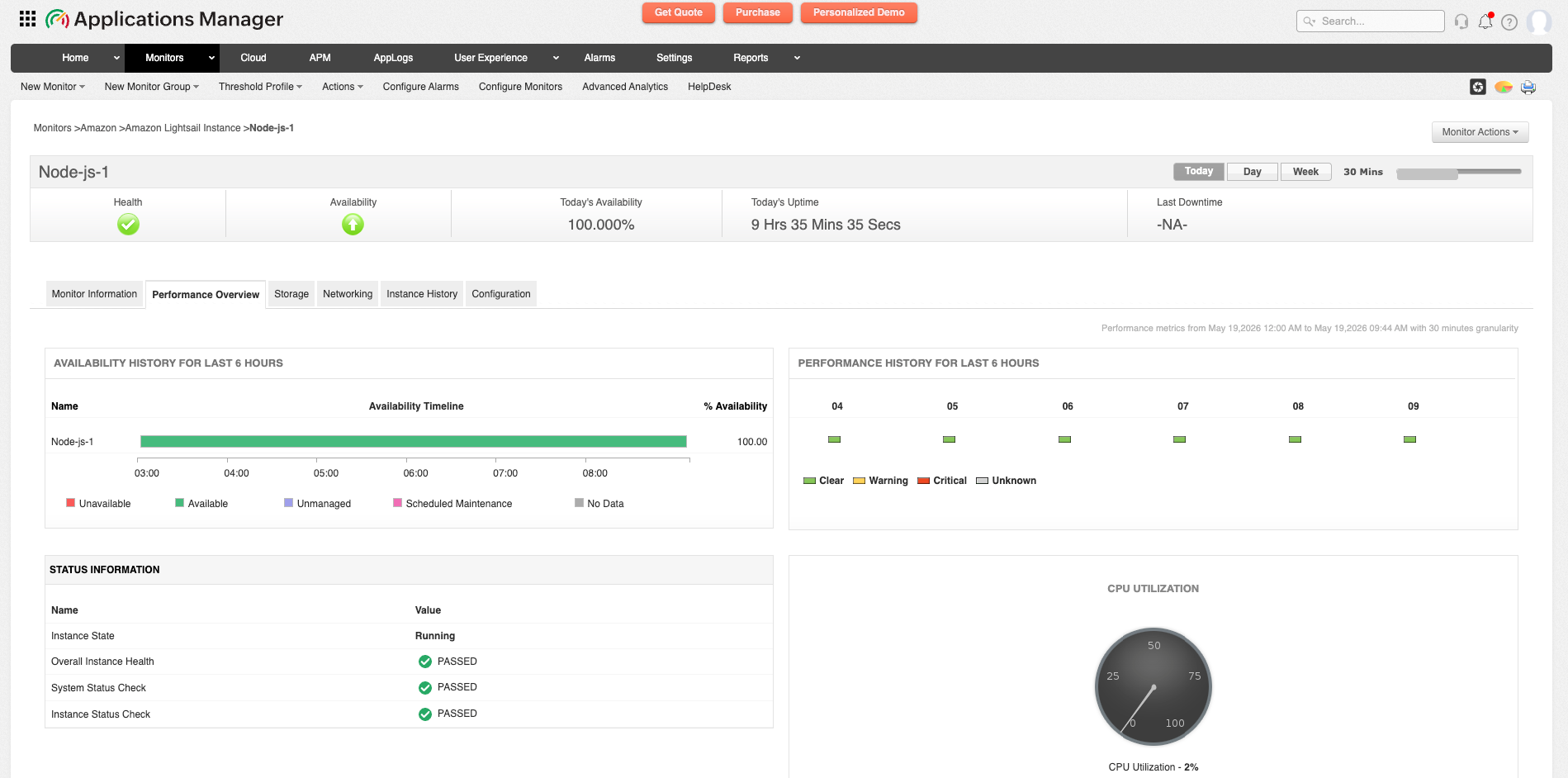
- Maintain application performance and availability by monitoring health and status of system and instance health, ensuring workloads continue running efficiently without unexpected interruptions.
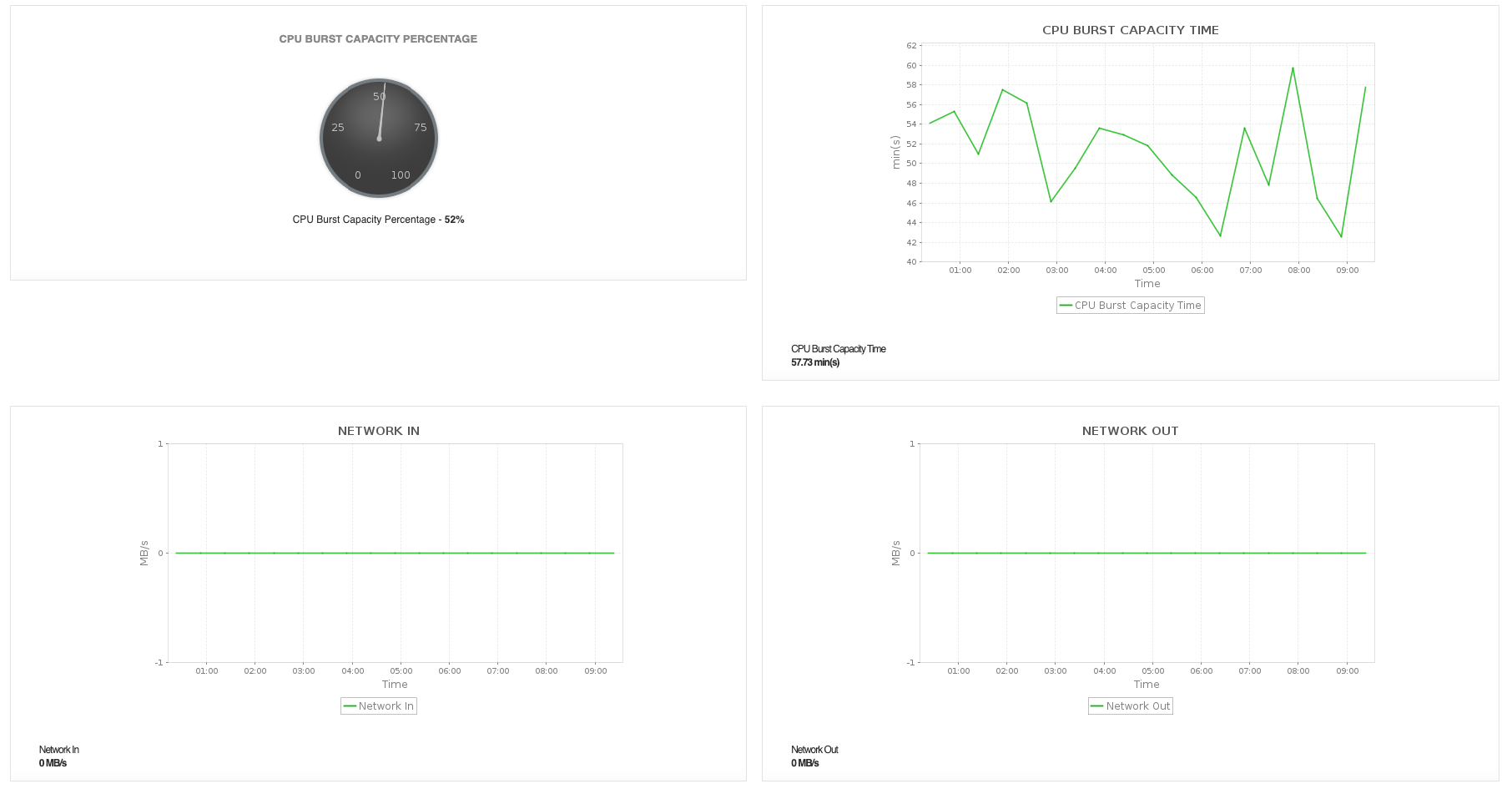
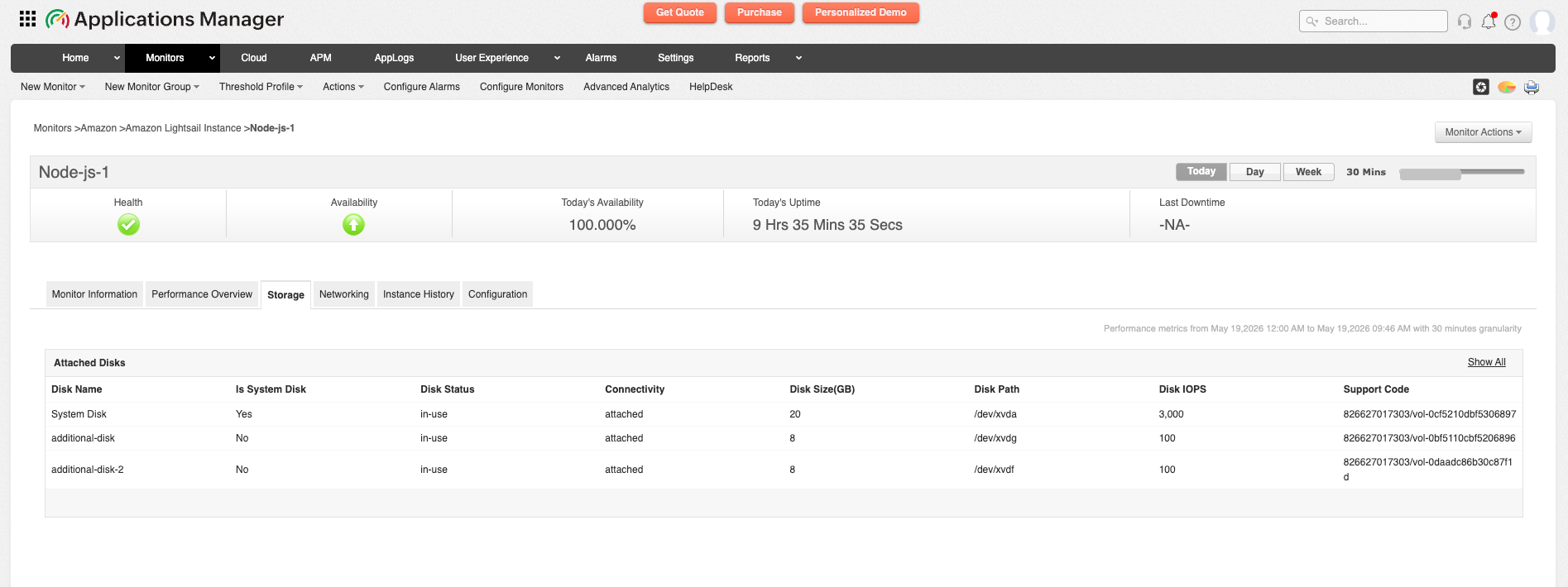
- Optimize resource consumption by tracking CPU utilization, attached disks, and network activity to identify performance bottlenecks early.
- Prevent service degradation by monitoring burst capacity, workload spikes, and metadata no-token requests that can impact application responsiveness.
- Improve infrastructure planning by analyzing performance trends and usage patterns to make informed scaling and capacity decisions.
- Reduce downtime risks by receiving alerts for abnormal resource behavior along with instance history data, enabling proactive troubleshooting and faster issue resolution.
AWS Lightsail Load Balancer monitoring
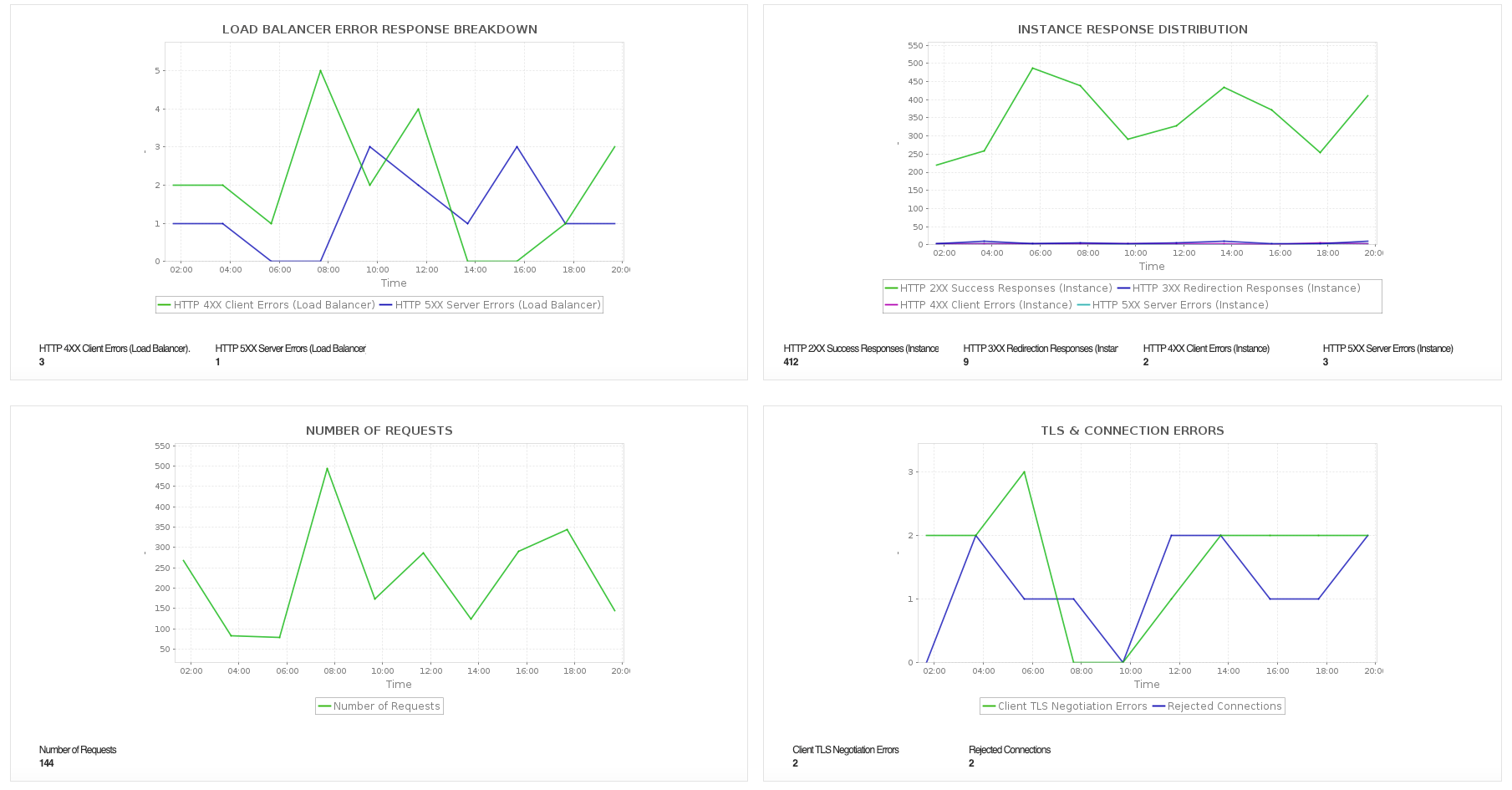
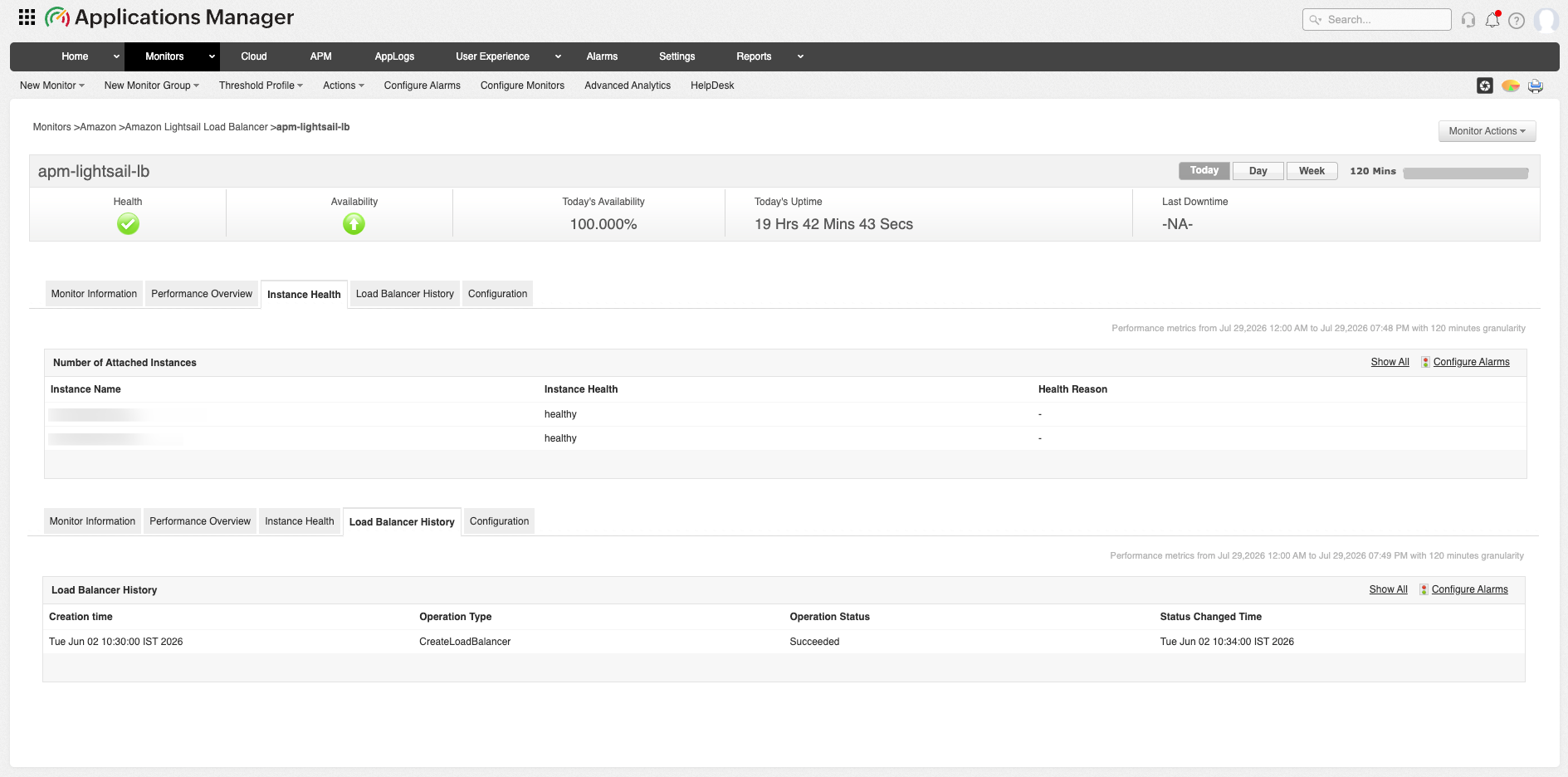
Amazon Lightsail Load Balancer is a fully managed load balancing service that automatically distributes incoming application traffic across multiple Amazon Lightsail instances. It automatically routes client requests to healthy backend instances while supporting SSL/TLS termination and health checks, improving application availability, reliability, and fault tolerance.
With Applications Manager, you can:
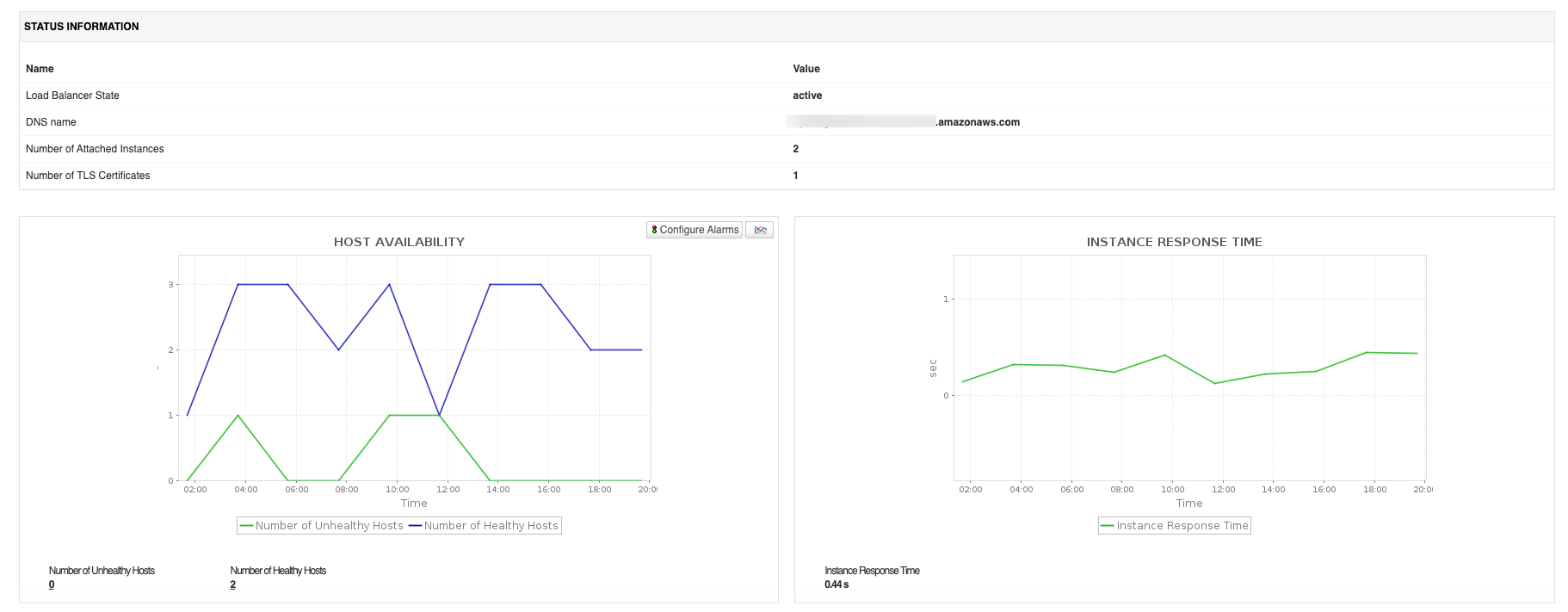
- Ensure consistent application availability by continuously monitoring the health and operational status of your Lightsail Load Balancer.
- Monitor traffic distribution and request handling by tracking active connections, request count, and processed traffic across backend instances.
- Identify performance bottlenecks early by monitoring response latency, backend health, and load balancing efficiency.
- Detect backend failures proactively by tracking healthy and unhealthy instances, enabling faster remediation before users are impacted.
- Optimize application performance by analyzing load balancer throughput, request patterns, and traffic trends to ensure efficient resource utilization.
AWS WorkSpaces monitoring
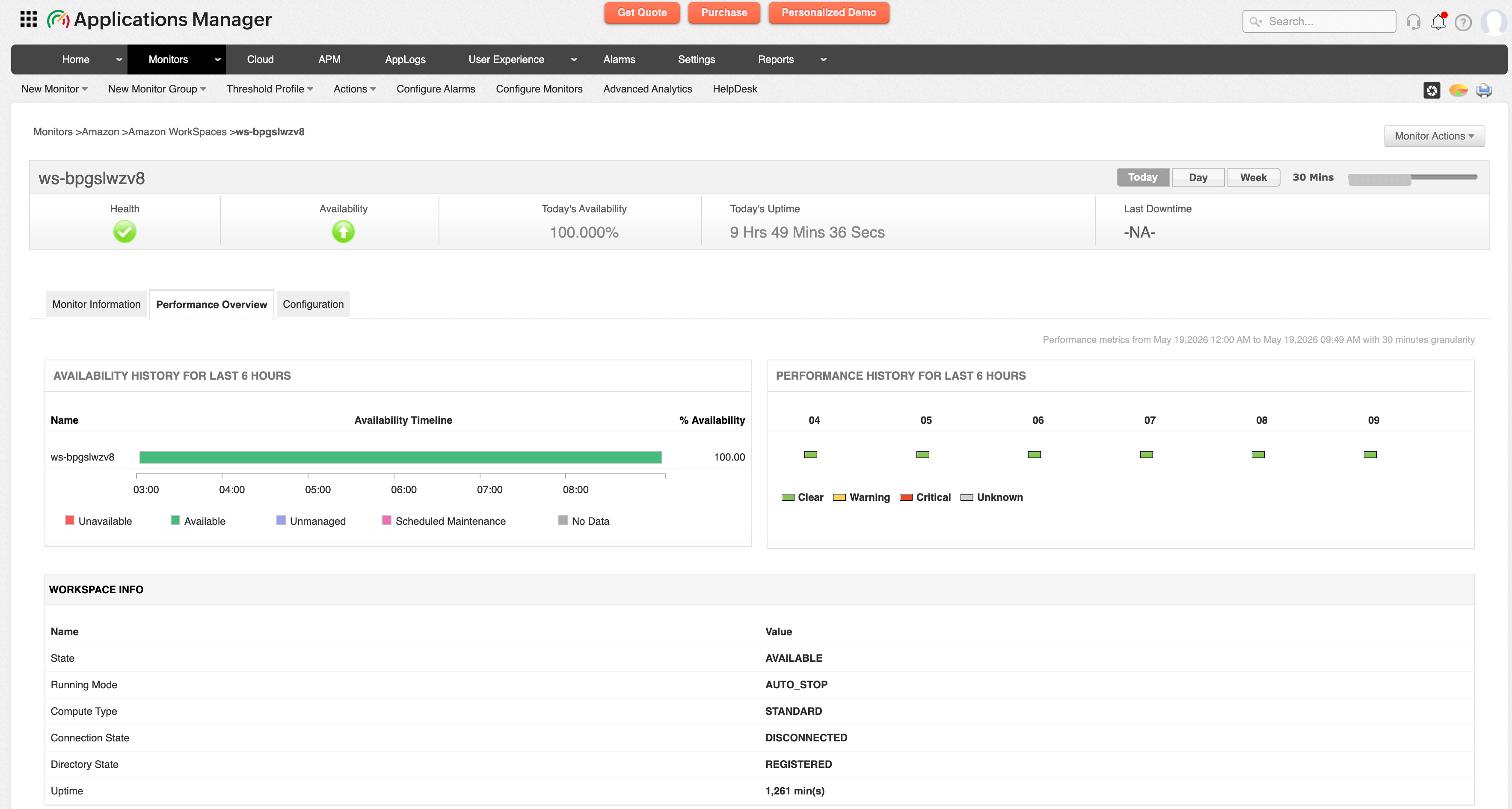
AWS WorkSpaces is a fully managed cloud desktop service that enables organizations to provision secure, scalable, and persistent virtual desktops for users. It allows employees to access applications, data, and resources from anywhere while simplifying desktop infrastructure management and improving operational flexibility.
With Applications Manager, you can:
- Detect availability and connectivity issues proactively by monitoring workspace health, uptime and state details, reducing downtime and disruptions for remote users.
- Maintain optimal resource utilization by tracking CPU, memory, and disk usage to prevent performance degradation and improve workload distribution.
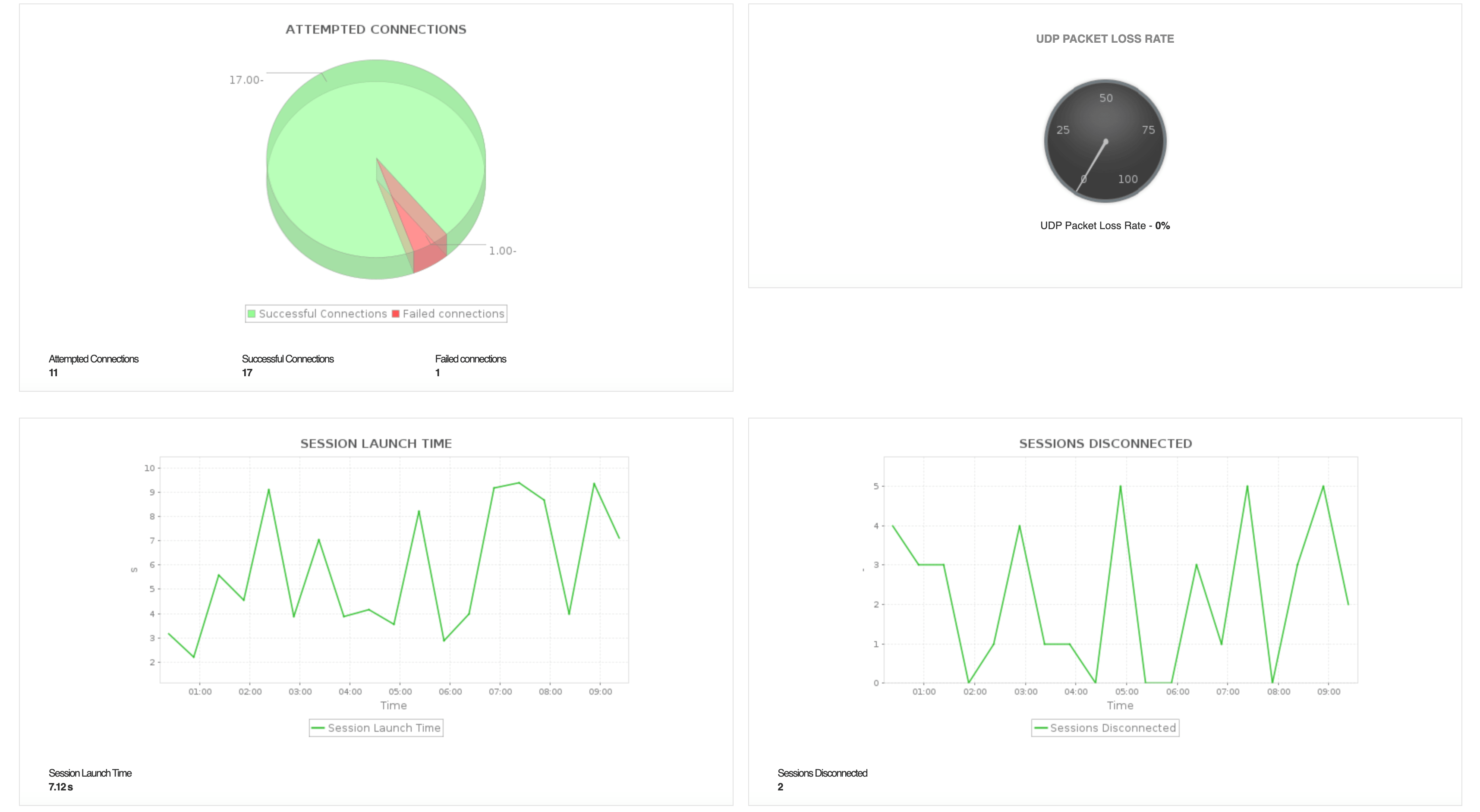
- Ensure consistent end-user experience by analyzing in-session latency, connection stats, session details and packet loss, helping identify resource bottlenecks that affect virtual desktop responsiveness.
- Improve capacity planning by analyzing usage patterns and performance trends to optimize virtual desktop allocation and scaling.
- Minimize operational impact by receiving alerts on abnormal performance behavior, enabling faster troubleshooting and uninterrupted access to virtual workspaces.
AWS WorkSpaces Applications (AppStream 2.0) monitoring
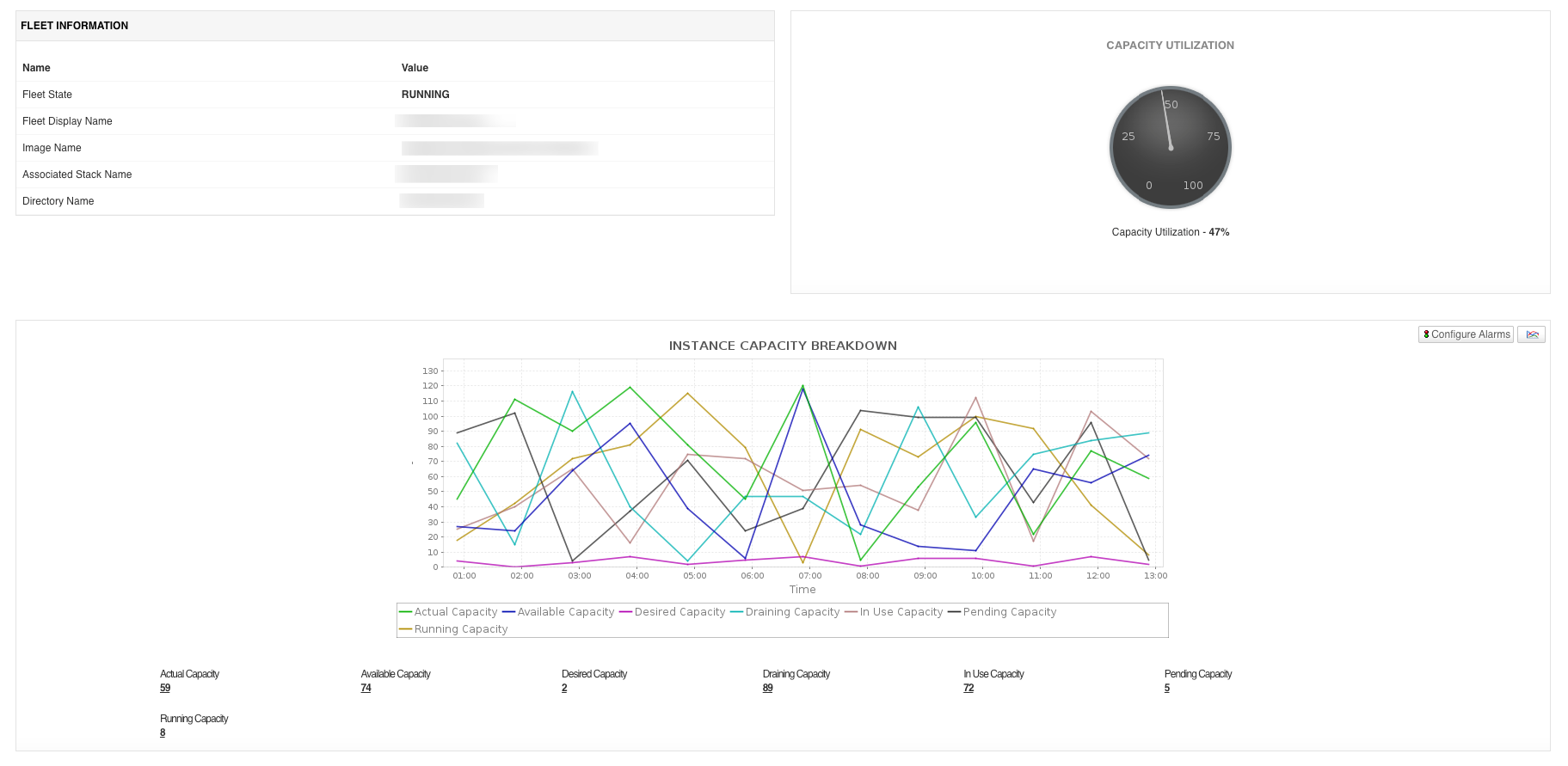
Amazon WorkSpaces Applications (formerly Amazon AppStream 2.0) is a fully managed application streaming service that delivers desktop applications to users from AWS, streaming them to any device running a web browser without rewriting the application. Monitoring WorkSpaces Applications helps you right-size fleets and detect insufficient capacity before it affects end users.
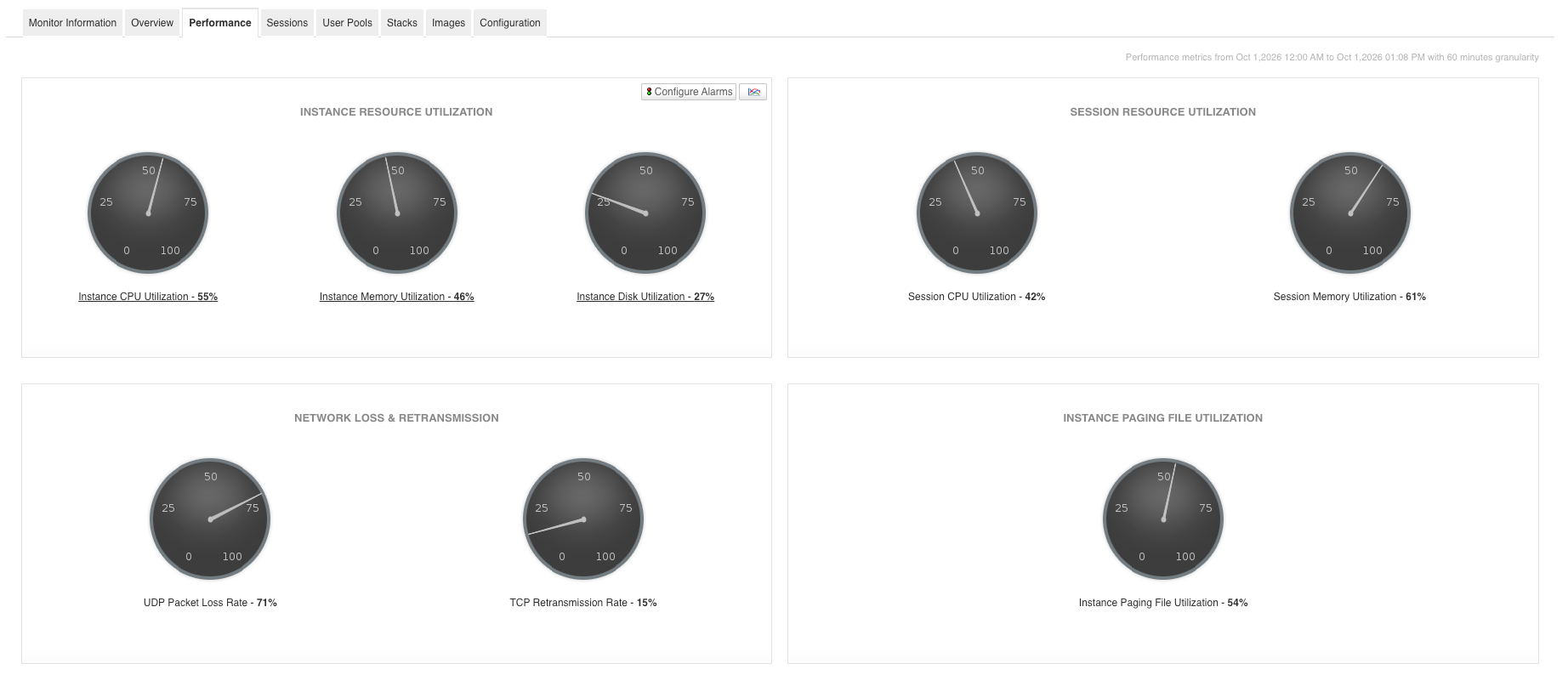
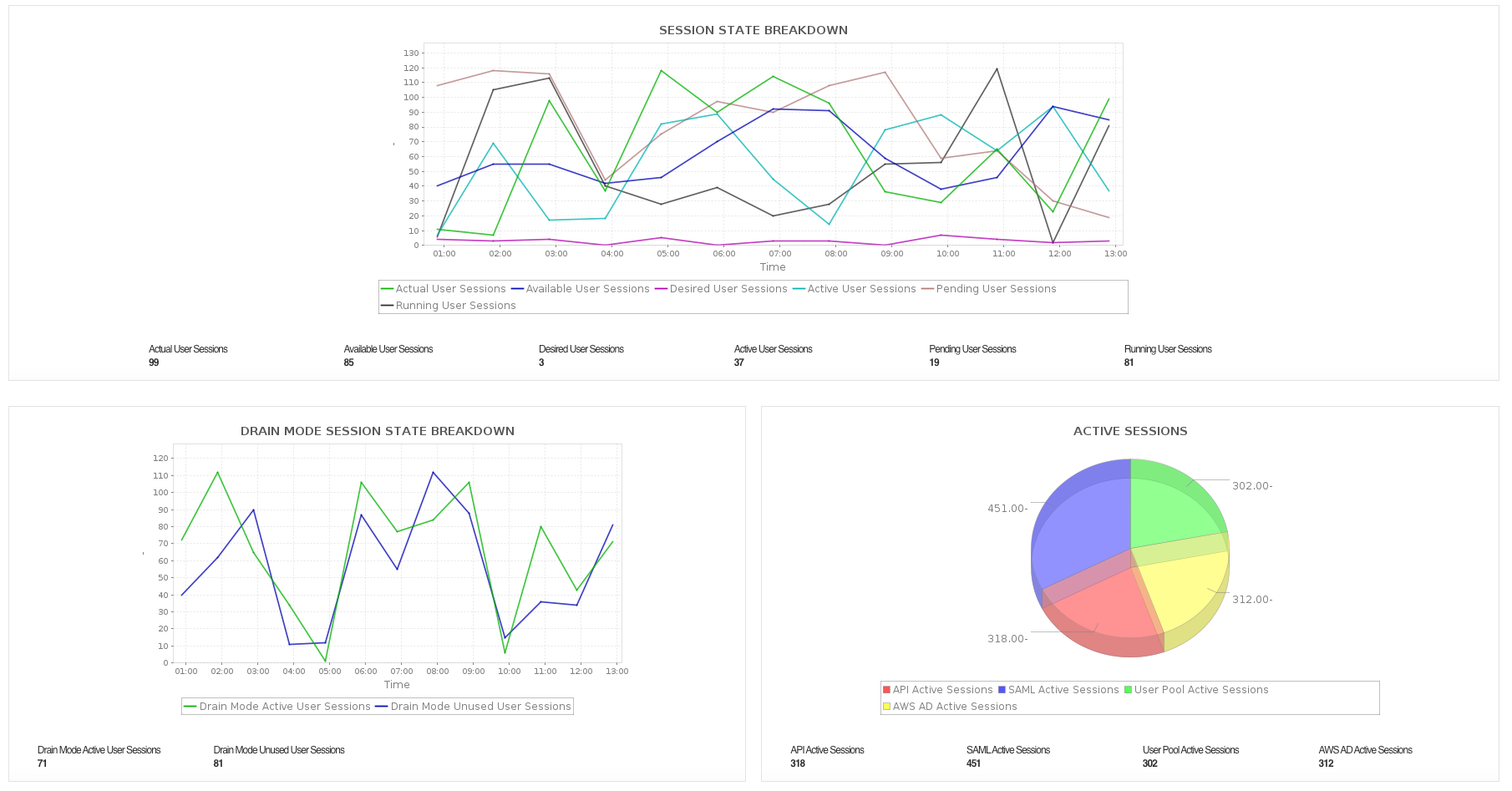
Applications Manager provides visibility into fleet capacity, performance, sessions, user pools, stacks, and images. With Applications Manager's Amazon WorkSpaces Applications monitor, you can:
- Monitor fleet state, image and stack association, and capacity utilization, along with a breakdown of actual, available, desired, draining, in-use, pending, and running fleet instance capacity.
- Detect insufficient capacity and concurrency limit errors to identify streaming session requests that failed due to fleet sizing issues.
- Track instance-level CPU, memory, and disk utilization, session-level CPU and memory utilization, in-session latency, connection duration, network throughput, disk operation rates, streaming frame rate, and UDP packet loss and TCP retransmission rates.
- Monitor session state across actual, available, desired, active, pending, and running user sessions, along with active, expired, and connected user counts by authentication type, including API, SAML, user pool, and AWS Managed Microsoft AD.
- Review user pool details, including email, authentication type, name, status, and notification settings for each user.
- Track stack configuration such as feedback and redirect URLs, user settings, and storage connectors, along with image configuration and status, and fleet configuration details like instance type and fleet type.
Ready to Monitor Your Amazon Compute Services?
Applications Manager offers comprehensive monitoring for a variety of Amazon services. Start your 30-day free trial today!