Understanding Application Control
Learn about Application Control agent processes, scanning behavior, policy deployment, kernel-level enforcement, and conflict resolution.
Agent
Agent process specifications
Six background processes handle discovery, enforcement, and notification on each managed endpoint.
Discovery
Application discovery and data collection
How the agent finds and inventories applications on each endpoint.
One-time scan and continuous monitoring
After agent installation, a one-time scan identifies and collects verified .exe files in the Program Files and Program Files (x86) directories, as well as running processes. Scan duration depends on the number of installed applications. Results appear in the web console once collected.
After an application control policy is deployed, running applications are continuously monitored. Newly installed applications are detected only if a policy is already in place. The central server automatically removes applications that have not been active for 90 days.
Dashboard count definitions
Dashboard counts reflect recorded data within your customer and administrator scope. Open the relevant view to investigate the count.
| Count | Meaning | Review action |
|---|---|---|
| Unregulated Computers | Eligible managed computers without an associated Application Control configuration. | Review the computers and associate the required application groups. Check deployment separately. |
| JIT access policies expiring today | Successfully deployed JIT policies whose expiry falls within the current server-local day. | Open the filtered JIT policy list and review the expiry and deployment status. This is not a count of all failed or pending JIT requests. |
| Custom Groups with App Requests | Custom groups associated with recorded unmanaged-application requests. | Open the groups and review their requested applications. Follow the request-review workflow. |
| Systems with Unmanaged Admin accounts | Managed computers with recorded local administrator accounts outside the configured account exclusions. | Review Admin Rights Summary and the Exclusion Policy before changing any account rights. |
Opening a tile does not resolve its underlying condition. Verify the associated policy, request or account data after you take action.
Deployment
Policy deployment and agent-server synchronization
How policies move from the server to each managed endpoint.
Deployment options and refresh cycles
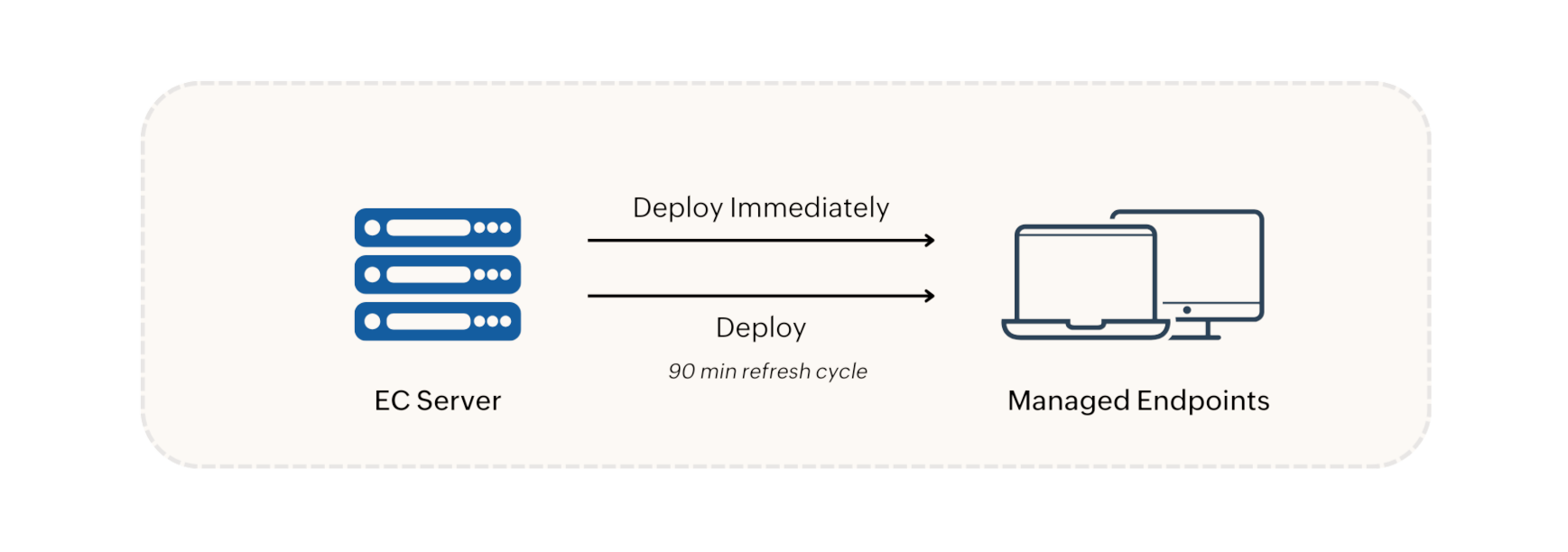
When a policy is created, two deployment options are available:
- Deploy Immediately — pushes the policy to currently online agents. For large custom groups (over 200 machines), the policy is applied to 200 machines initially; the remaining machines receive the policy in the next refresh cycle.
- Deploy — schedules the policy for the next 90-minute refresh cycle.
Policy modifications, deletions, group changes, and unmanaged application updates are all synchronized during refresh cycles. In environments with a Distribution Server, changes are replicated there first, then pushed to agents during the 90-minute cycle.
Application Access Request Workflow
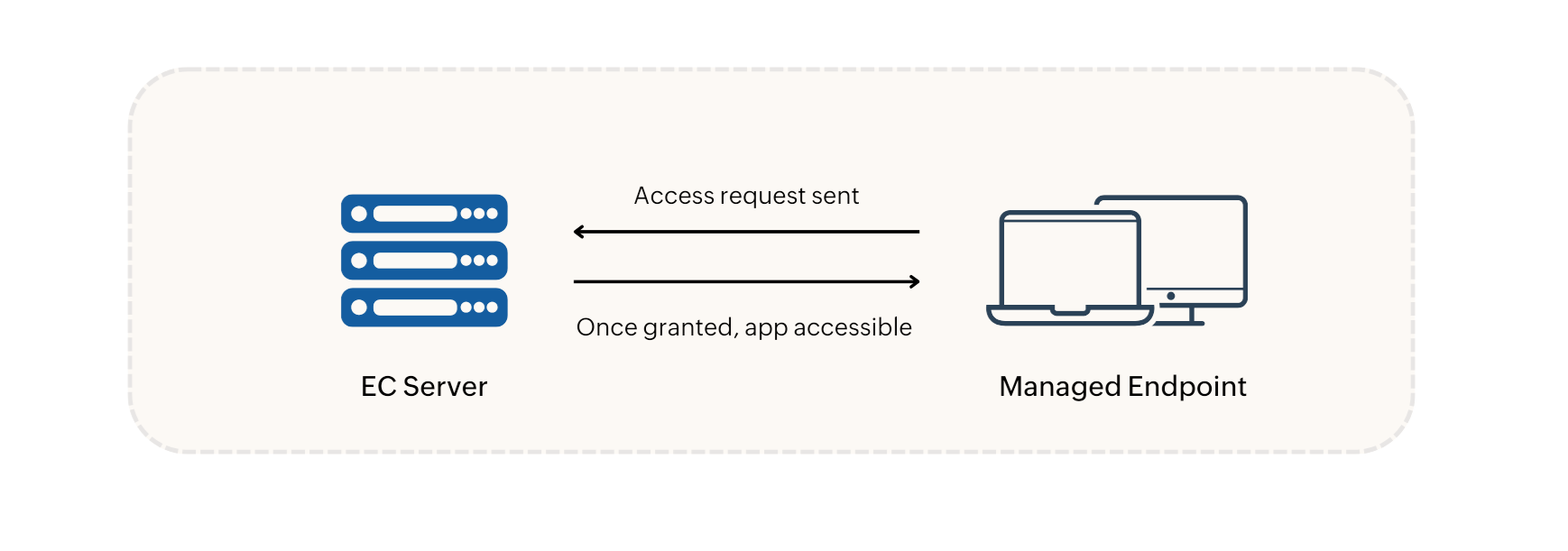
When a user requests access to an unmanaged application, the request is sent to the server immediately for administrator approval. Once approved, the application becomes accessible to the user right away.
- For the Endpoint Central add-on, check that the computer is included in the Endpoint Security add-on scope. Check the intended custom group and confirm that the required application groups are associated with it.
- Check the computer’s agent status and latest contact. Compare the intended policy with the deployment status and remarks.
- For Endpoint Central agent communication problems, use the Agent Troubleshooting Tool. On Windows, open Agent Troubleshoot > Troubleshoot from the agent tray icon. Start troubleshooting and inspect components with warnings or errors.
- After correcting a communication issue, recheck the Application Control deployment result. If you used the tool, run Scan Again to confirm its current results. A successful communication test does not prove policy enforcement.
- If the issue remains, provide the diagnostic results to support. Include the affected computer, custom group, policy, server and agent builds, latest contact, status and remarks. Endpoint Central tool results can be collected with Export.
The normal refresh interval and immediate-deployment batching describe delivery behavior. They do not guarantee recovery from an unresolved communication or policy-application failure.
Enforcement
Policy enforcement in the agent
How the kernel-level driver evaluates and enforces policies on each endpoint.
Kernel-mode driver enforcement
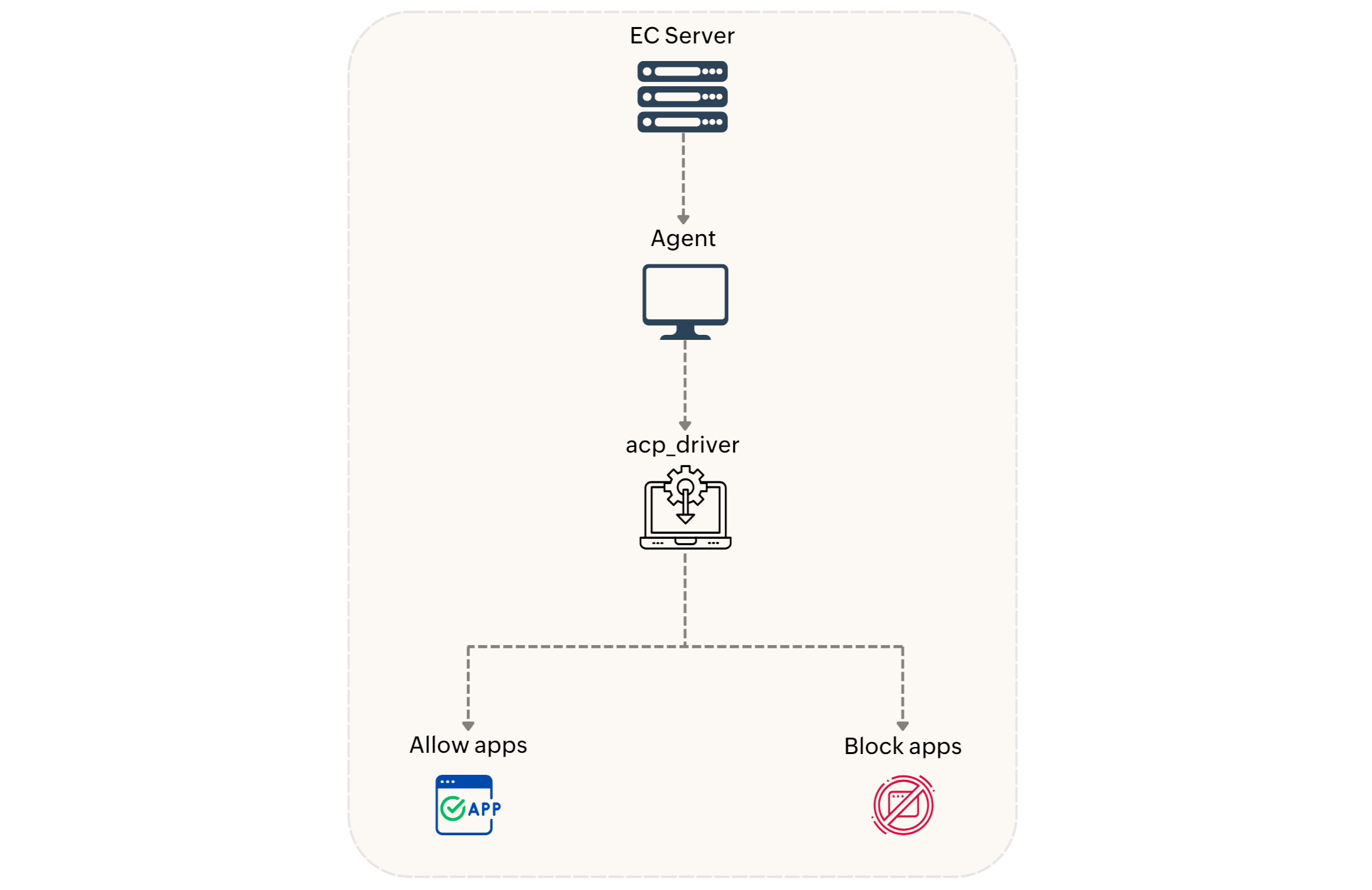
Policies received by the agent are enforced by a kernel-mode driver named acp_driver. The driver intercepts every newly created process and permits only those authorized by the deployed policy. Enforcement applies to .exe and .msi applications. Audited and blocked application events are reported during the 90-minute refresh cycle.
Application policy conflict precedence
When conflicting allowlist and blocklist policies apply to the same target group, blocklisted applications always take precedence over allowlisted ones. The order of precedence, from highest to lowest priority, is:
- Blocklisting using File Hash rule
- Allowlisting using File Hash rule
- Blocklisting using Verified EXE rule
- Allowlisting using Verified EXE rule
- Blocklisting using Product Name rule
- Allowlisting using Product Name rule
- Blocklisting using Vendor rule
- Allowlisting using Vendor rule
- Blocklisting using Folder Path rule
- Allowlisting using Folder Path rule
When an endpoint belongs to multiple custom groups with different policies, those policies are merged into a single consolidated policy. If one group deploys Audit Mode and another deploys Strict Mode, the endpoint uses Strict Mode.
Just-In-Time Access Workflow
JIT policies provide time-bound access to specified applications. The acp_driver facilitates execution of those applications on deployed machines, and access is automatically terminated when the specified duration expires — no administrator action is required to revoke it.