Audit and Eliminate High Risk Software
Endpoint Central lists all end-of-life, remote desktop sharing, and peer-to-peer software present in your managed computers under Threats & Patches → Threats → High Risk Software. Review whether these applications are required for business tasks. The Remote Desktop Sharing and Peer-to-Peer views provide an uninstall action; the End of Life view provides an audit of EOL applications. You can add supported items to exceptions if they are critical for your business and you do not want them to appear in this view.
You can export the High Risk Software view to report detected software and affected systems. This view does not provide a compliance percentage.
Applies to:
- Windows
- Linux
Audit End-of-Life Software (EOL)
Patching can remediate vulnerabilities in applications and operating systems. Applications and operating systems that have reached vendor-defined End-of-Life (EOL) no longer receive security updates. Review business-critical dependencies before deciding whether to keep or remove EOL software.
Endpoint Central identifies EOL software using the lifecycle dates published for the corresponding application. This view is different from Threats & Patches → Systems → EOL Systems, which lists managed systems whose operating system has reached the vendor-defined end-of-life date.
The End of Life view does not provide automatic EOL-triggered application uninstallation. Review application dependencies and plan a supported upgrade or removal workflow separately.
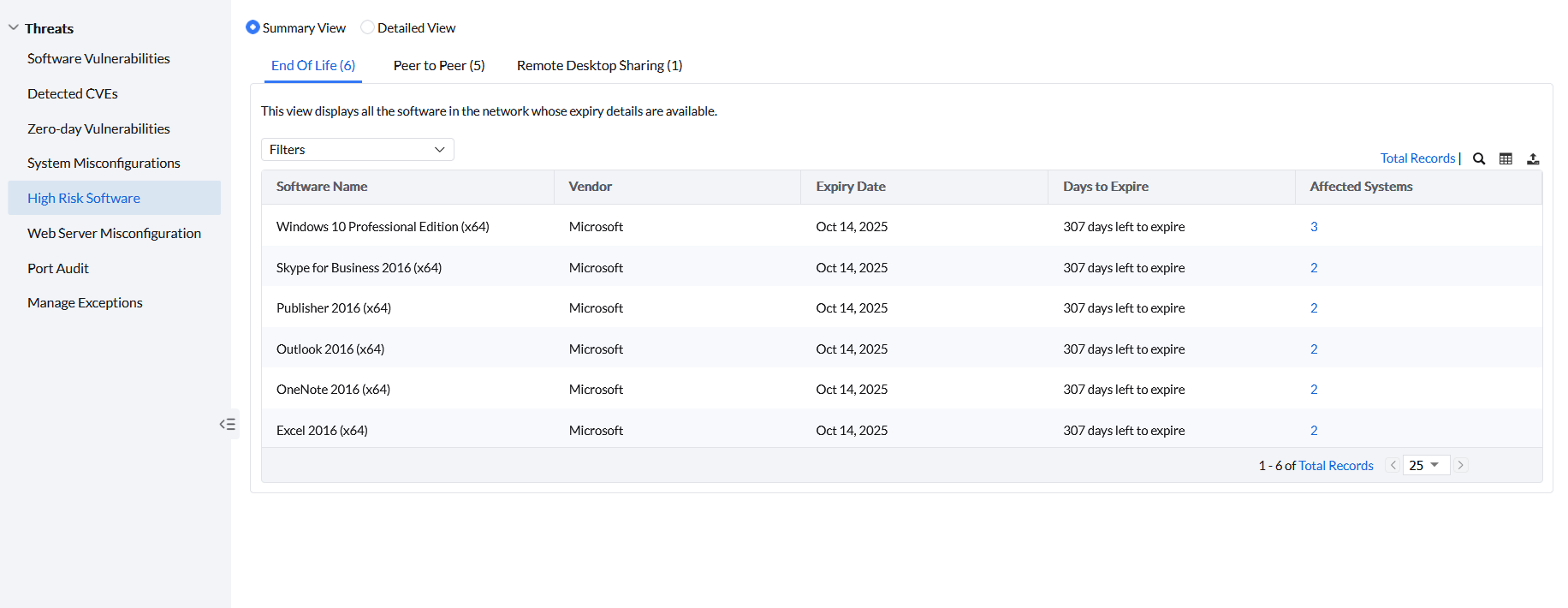
Under High Risk Software, click End of Life to see all End-of-Life software present across managed computers. The following details are listed for each software:
- Vendor
- Expiry Date
- Days to Expiry
- Affected Systems — click the system count to view the individual systems where that specific EOL software is installed.
Residual Windows registry entries can keep an uninstalled application listed under End of Life Software. Remove leftover registry keys for that application, then run a manual patch scan from Threats & Patches so the software list refreshes.
Audit and Eliminate Remote Desktop Sharing Software
Employees might use remote desktop sharing software to connect to a work computer or remote desktop server from their home or a public network. Unsecured connections may expose firewall ports to the public, increasing the risk of malware, ransomware, or data theft. It is therefore advisable to eliminate remote desktop sharing software from your network systems.
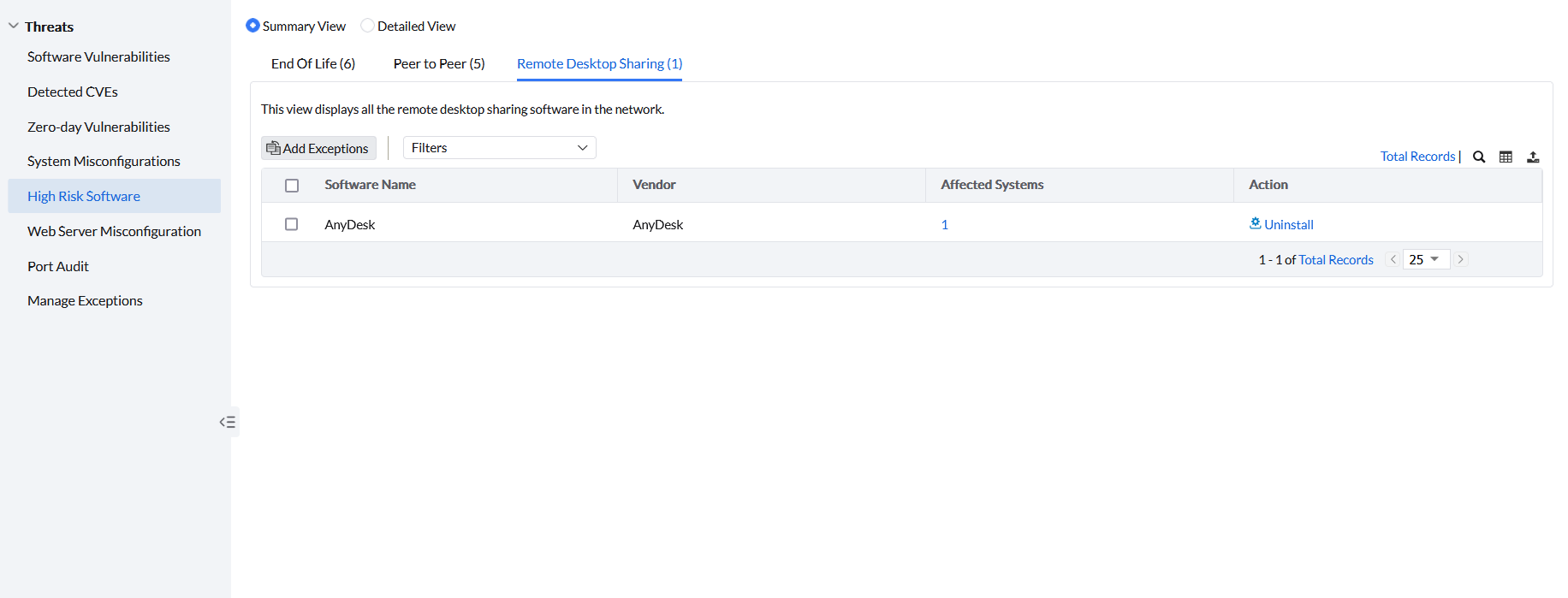
Under High Risk Software, click Remote Desktop Sharing to see all remote desktop sharing software installed across managed computers. The following details are listed for each software:
- Vendor
- Affected Systems — click the system count to view the individual systems where that specific software is installed.
Under the Action column, click Uninstall to uninstall the software. If you want to remove it from this view without uninstalling, click Add Exceptions.
Audit and Eliminate Peer-to-Peer Software
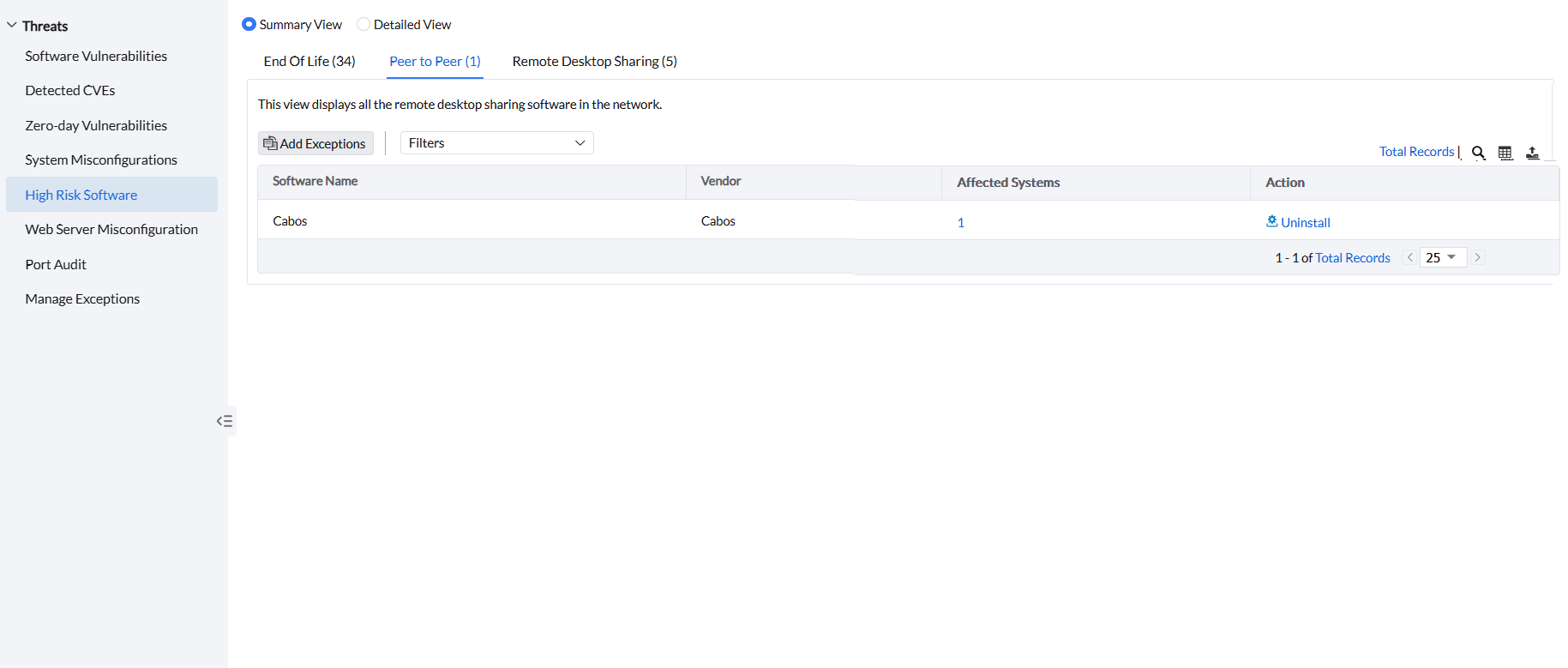
Employees might use peer-to-peer software to share and receive files to and from other computers on the internet. These applications pose a threat to network security as they open certain ports to facilitate file sharing, making it difficult to verify whether the source of the file is free from malware and viruses. Additionally, shared directories can be accessed by anyone on the internet, increasing the risk of corporate data and personal information leakage. It is therefore advised to uninstall peer-to-peer software from your network systems if they are not required for any business-critical tasks.
Under High Risk Software, click Peer to Peer to see all peer-to-peer software installed across managed computers. The following details are listed for each software:
- Vendor
- Affected Systems — click the system count to view the individual systems where that specific software is installed.
Under the Action column, click Uninstall to uninstall the software. If you want to remove it from this view without uninstalling, click Add Exceptions.