- Free Edition
- Quick Links
- Exchange Mailbox Reports
- Mailbox Size Reports
- Mailbox Properties Reports
- Mailbox Status Reports
- Mailbox Permission Reports
- Mailbox Content Reports
- Mailbox Logon by Users
- Inactive Mailboxes Reports
- Mailbox Enabled Users
- Office 365 Mailbox Reports
- Room Mailbox Reports
- Shared Mailbox Reports
- Exchange Mailbox Permissions
- Shared Mailbox Permissions
- Calendar Permission Reports
- Export Mailbox Permissions Reports
- Export Mailbox Size Reports
- Export Exchange Mailbox Reports
- Export Public Folder Lists
- Exchange Server Monitoring
- Client Access Server Health
- Exchange Server Monitoring Tool
- Exchange Server Monitoring Reports
- Exchange Service Health Monitoring
- DAG Monitoring Reports
- Connectivity Monitoring Reports
- Mail Flow Health Monitoring
- Exchange Database Monitoring
- Storage Monitoring Reports
- Email Queue Monitoring
- Replication Health Monitoring
- Exchange Audit Reports
- Exchange Server Auditing
- Exchange Server Auditing and Alerting
- Exchange Server Compliance Reporting
- Exchange Audit and Compliance Tool
- Exchange Admin Audit Logging
- Non-Owner Mailbox
Logon Reports - Mailbox Permission Changes Reports
- Mailbox Property Changes Reports
- Exchange Database Changes Reports
- Server Configuration Changes Reports
- Exchange Mailbox Audit Logging
- Exchange Traffic Reports
- Exchange Office 365 Reports
- Other Reports
- Mailbox Content Search
- Skype for Business server reporting
- Outlook Web Access Reports
- ActiveSync Reports
- Mailbox and Public Store Reports
- Distribution Lists Report
- Server Storage Tracking Reports
- Public Folder Reports
- Public Folder Content Report
- Email Non-Delivery Reports
- Retention Policy Reports
- Email Non Delivery Reports
- Exchange Migration
- Resources
- Related Products
- ADManager Plus Active Directory Management & Reporting
- ADAudit Plus Hybrid AD, cloud, and file auditing and security
- ADSelfService Plus Identity security with MFA, SSO, and SSPR
- EventLog Analyzer Real-time Log Analysis & Reporting
- M365 Manager Plus Microsoft 365 Management & Reporting Tool
- SharePoint Manager Plus SharePoint Reporting and Auditing
- DataSecurity Plus File server auditing & data discovery
- RecoveryManager Plus Enterprise backup and recovery tool
- AD360 Integrated Identity & Access Management
- Log360 Comprehensive SIEM and UEBA
- AD Free Tool Active Directory Free Tool
If an organization's email messaging pattern were to be followed, it would record massive numbers each day. Statistics on inbound messages, internal messages, and more influence many strategic decisions in the organization. Verticals, categories, departments, teams, and units are a few collective terms that reflect how organizations have been segregated organically to perform specialized tasks independently. These departments record extensive internal and external communication through email.
ManageEngine Exchange Reporter Plus tracks these emails and helps Exchange professionals get granular numbers that aid in-depth analysis of a department’s communication trends. Exchange Mailbox Traffic (by Department) provides size- and count-related data on email communications for each department. The reports under this category include the following:
Number of Messages Sent from Department
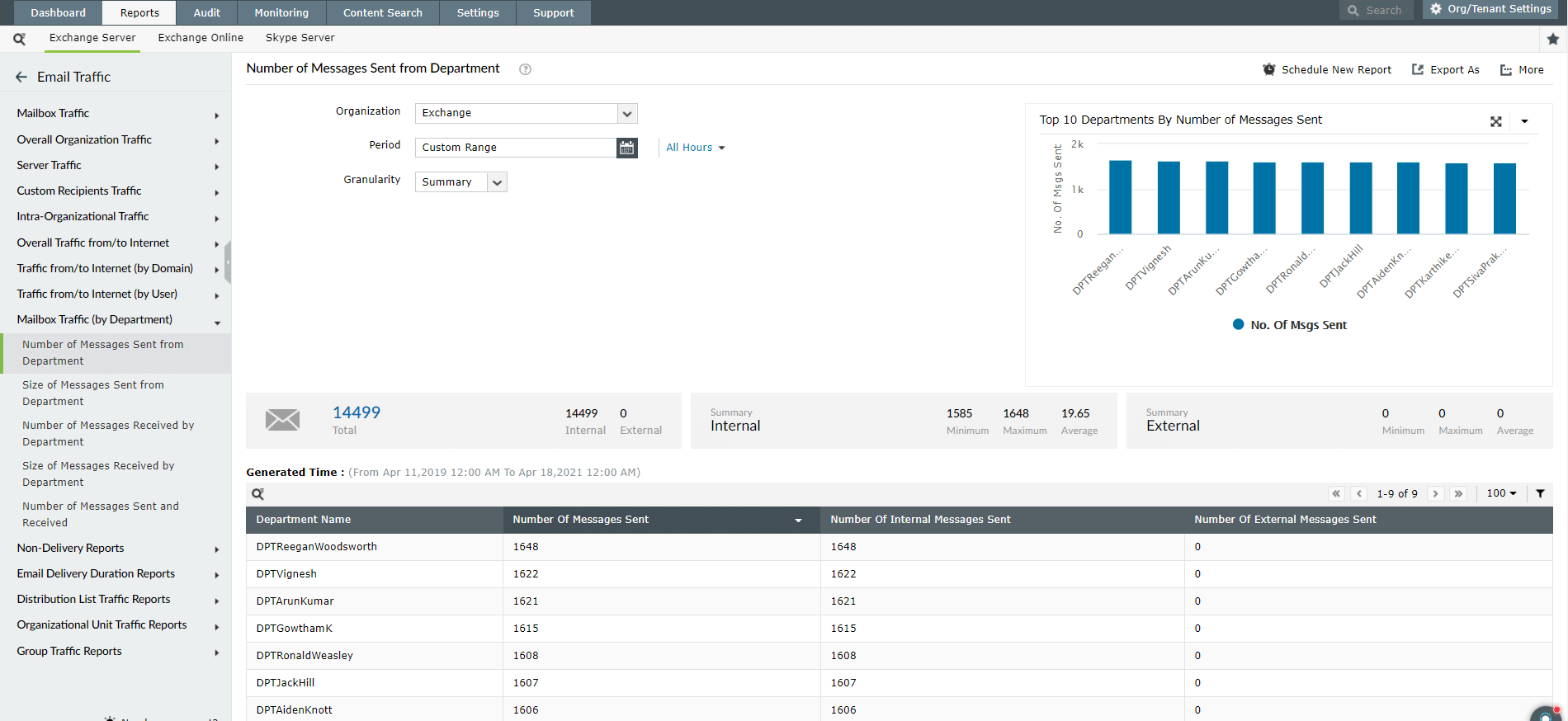
- Lists the top five departments, based on the number of messages sent in a given period.
- Gives the total count of emails sent and categorizes them based on internal and external destination.
- Provides specific data such as maximum and minimum message count and daily averages.
- Shows a date-wise list of total sent message counts from each department.
Size of Messages Sent from Department
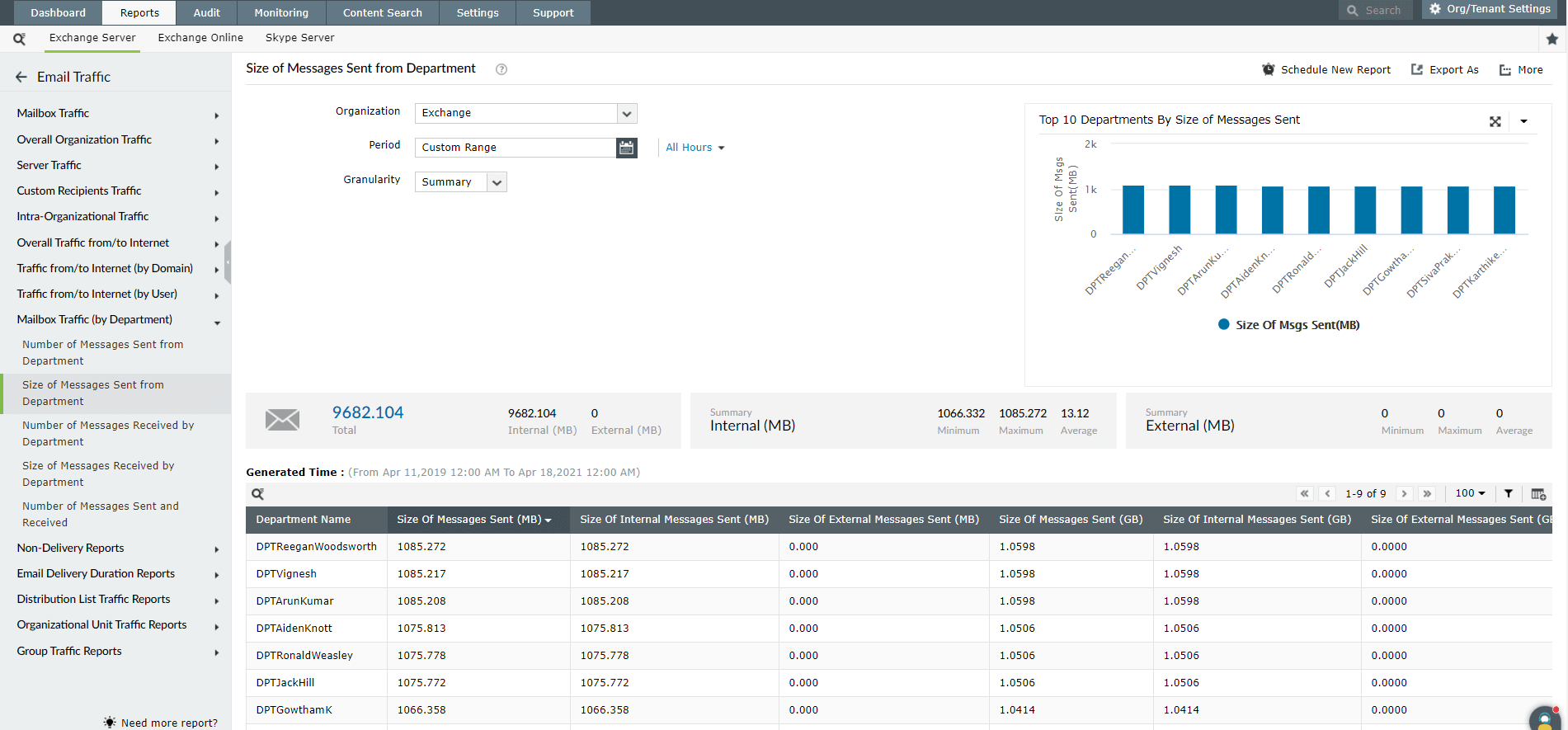
- Lists the top five departments based on the total size of all messages sent in a given period.
- Gives the total size of emails sent, and categorizes them based on internal and external destination.
- Provides specific data such as maximum and minimum message size, as well as the daily average size of sent messages.
Report on and audit Exchange Online using Exchange Reporter Plus.
Number of Messages Received by Department
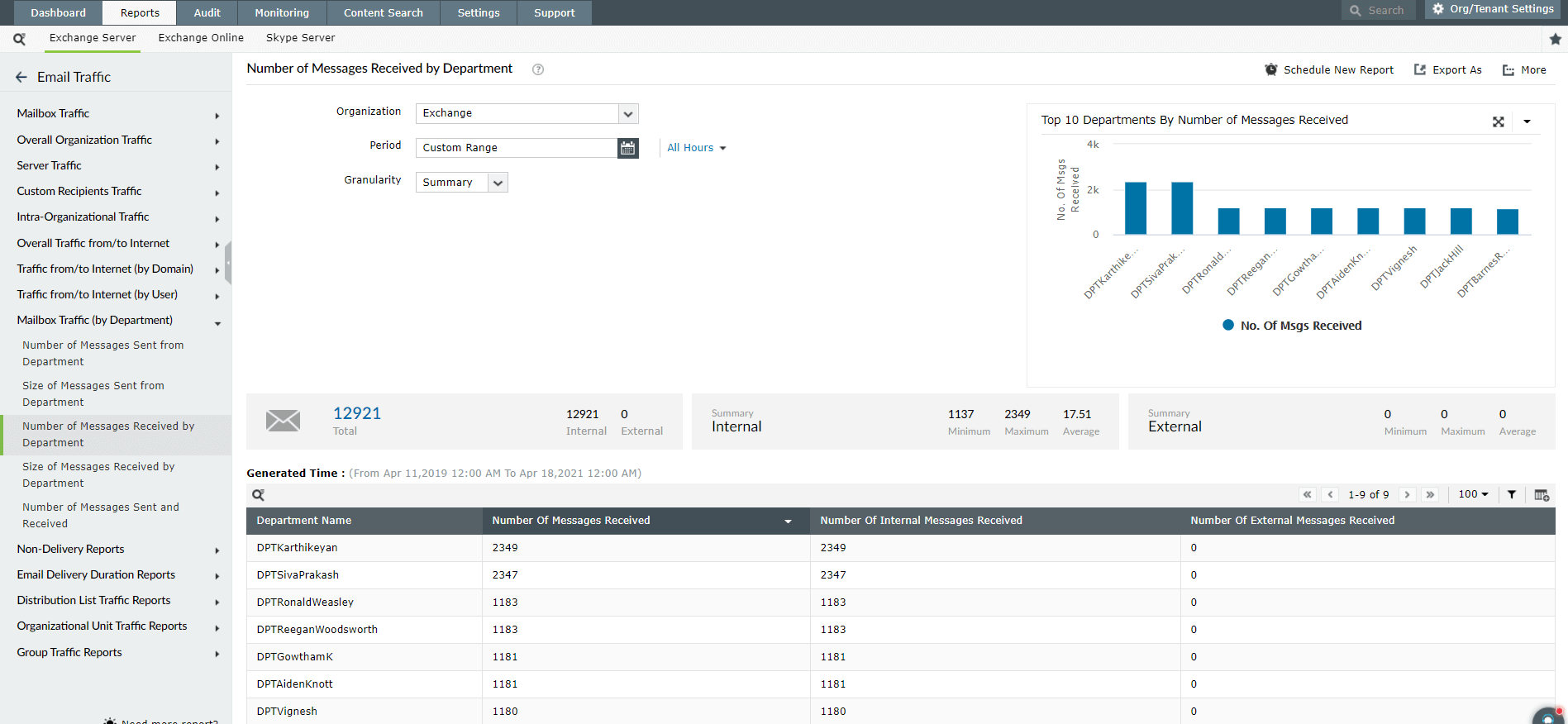
- Lists the top five departments based on the total size of all messages sent in a given period.
- Gives the total size of emails sent, and categorizes them based on internal and external communication.
- Provides specific data like maximum and minimum message size, and daily average size of sent messages.
Size of Messages Received by Department
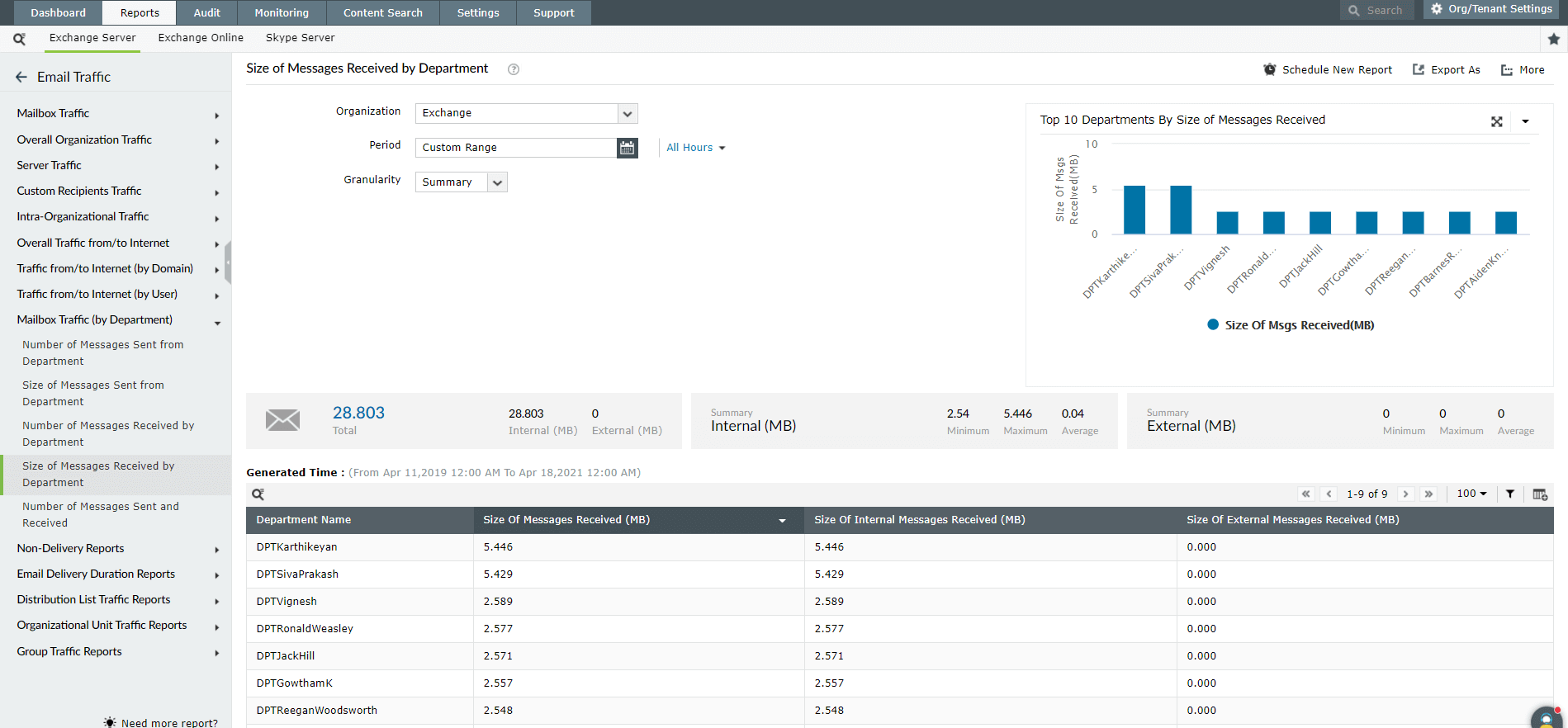
- Lists the top five departments based on the total size of all messages received in a given period.
- Gives the total size of emails received, and categorizes them based on internal and external communication.
- Provides specific data like maximum and minimum message size and daily average size of received messages.
Get details about the mailing activities of each department using these reports. You can also monitor traffic over business and non-business hours based on your requirements. These reports are configurable on server versions 2003, 2007, 2010, 2013, and 2016. They can also be exported to desired locations, or emailed to you in formats such as CSV, PDF (Adobe Acrobat), XLS (Excel), and HTML.
Analyze and gain granular insights on your organization's mail traffic.
Download a free trial now! Request demo