
Self-service password reset best practices for Active Directory
Every help desk password reset is a security event. When IT staff verify identity using insecure data like employee ID or date of birth, the door is open for an account takeover. Also, with the volume most enterprises operate, the cost, in IT time, user downtime, and security exposure, adds up fast.
This guide covers the best practice for secure password reset per current standards, where common enterprise practice is now out of step with authoritative guidance from NIST and OWASP, and how ADSSP can make passwords more secure.
Best practices:
- Replace security questions with multi-factor authentication
Security questions remain in use across many AD environments despite being formally deprecated by NIST. OWASP flags them as insufficient when used as a sole reset mechanism, permitting them only as an additional layer when combined with stronger mechanisms. Their answers are frequently guessable, publicly available, or obtainable through social engineering.
The current standard requires MFA-based identity verification for password reset. Acceptable methods include TOTP authenticator apps, hardware security keys, push notification authentication, and biometric verification paired with a device-bound credential.
For higher-risk accounts such as privileged users, administrators, and remote workers, phishing-resistant authentication is specifically required. Under NIST SP 800-63B-4, properly configured FIDO2/WebAuthn authenticators are the primary example of phishing-resistant MFA. They bind the authentication to the origin, eliminating the risk of credential interception through real-time phishing or adversary-in-the-middle attacks. However, TOTP and SMS OTP do not meet this bar; a user can be tricked into entering a valid code on a spoofed site.
- Reassess SMS OTP as a reset verification method
NIST SP 800-63B-4 §3.2.9 defines exactly one restricted authenticator: “the use of the PSTN for out-of-band authentication”—which covers both SMS and voice OTP delivered over the public telephone network. It is not categorically prohibited, but its use comes with formal obligations: Organizations must conduct a documented risk assessment, offer users an alternative authenticator, and maintain a migration plan as risk from SIM swapping, number porting, and interception continues to grow.
In practice, SMS OTP should not be the sole or default verification method for password reset flows on sensitive or privileged accounts. AAL2 systems must offer at least one phishing-resistant authenticator option—such as FIDO2/WebAuthn, hardware tokens, or authenticator apps—and organizations relying primarily on SMS should treat migration to stronger methods as an active priority rather than a future consideration.
- Use cryptographically secure, time-limited reset tokens
Reset tokens must be generated using a CSPRNG. Predictable values, GUIDs from insecure PRNG functions, values derived from known inputs like an MD5 hash of the user’s email, can be brute-forced. OWASP’s Web Security Testing Guide specifies a minimum of 128 bits of entropy (32 hex characters) to make online attacks impractical.
Tokens should expire within 15 to 60 minutes, be single-use, linked to exactly one user account, and stored securely rather than in plaintext.
- Only trigger resets upon evidence of compromise
NIST SP 800-63B Revision 4, finalized in July 2025, formally removed the option for organizations to require periodic password rotation. Arbitrary expiration drives trivial incremental changes and password reuse, neither of which adds meaningful security.
The current standard: Only prompt a reset when there is actual evidence of compromise, such as a credential appearing in a known breach. Organizations still running 90-day rotation cycles are now explicitly out of step with NIST SP 800-63B along with PCI DSS, HIPAA, SOC 2, and ISO 27001.
- Enforce a strong password policy at the point of reset
Many AD environments apply different rules across self-service resets, admin resets, and account creation. It’s this inconsistency that creates exploitable gaps. NIST SP 800-63B Revision 4 defines the current baseline:
- Length over complexity. Under the final SP 800-63B-4, 15 characters is the minimum for passwords used as a single factor. Eight is permitted as the minimum when the password is secure additionally with MFA.
- Support passphrases. Systems should support passwords up to at least 64 characters. Multiple random words strung together achieve high entropy through length and are easier for users to remember.
- Breach screening is required. Every password set through a reset must be checked against known-compromised credential databases. A breached credential is unacceptable regardless of length or composition.
- Enable paste in password fields. NIST Rev. 4 recommends permitting paste functionality in all password fields, including reset forms. Blocking paste prevents password manager autofill and pushes users toward weaker, manually typed credentials.
- Display policy rules in real time. Showing users which requirements are met as they type reduces failed reset attempts and the support contacts that follow.
- Handle session invalidation after reset
If existing sessions remain valid after an AD password reset, an attacker holding a stolen session token retains full access despite the credential change. OWASP presents two acceptable approaches: ask the user whether they want to invalidate all existing sessions, or invalidate them automatically. Silently preserving all active sessions is not acceptable.
OWASP also advises against automatically logging the user in after a successful reset, as this adds complexity to session handling code and increases the likelihood of vulnerabilities. The user should authenticate fresh through the standard login flow.
- Store new passwords with modern hashing algorithms
Every password set through a reset flow must be stored using a modern adaptive hashing algorithm with a unique per-user salt. OWASP’s current priority order:
- Argon2id (preferred): memory-hard, side-channel resistant
- scrypt: acceptable fallback if Argon2id is unavailable
- bcrypt: legacy systems only, where neither Argon2id nor scrypt is available; work factor of 10 or more
- PBKDF2 (HMAC-SHA-256, 600,000+ iterations): only where FIPS-140 compliance is required
MD5, SHA-1, and unsalted SHA-256 are not acceptable under any circumstances.
- Notify users immediately after a reset occurs
OWASP requires that users receive a notification whenever their AD password is successfully reset, regardless of whether they initiated it. This notification is both a security control and an account takeover detection mechanism. If the user did not initiate the reset, that message is their only signal that something is wrong and their only prompt to act.
The notification should confirm the reset occurred and direct the user to contact support immediately if they did not request it. It must not contain the new password.
- Send proactive expiration notifications where rotation policies remain
Where Active Directory password expiration policies remain in force, in regulated environments that have not yet adopted NIST’s updated guidance, proactive password expiration notifications are essential. Users unaware of an impending expiration get locked out, generating help desk tickets and pressure to bypass verification steps.
Notifications staggered across multiple channels—email, SMS, or push—over several days before expiration give users time to act and reduce lockout-driven ticket volume.
- Reduce help desk risk with self-service password reset
AD does not include a native self-service password reset capability. Every forgotten AD password defaults to a help desk call, and every help desk reset is a potential social engineering attack surface. When staff verify identity over the phone using easily researched personal information, that process is exploitable.
Self-service password reset with MFA-based identity verification removes the help desk from the equation entirely. Users authenticate using factors only they control, policy is enforced consistently, and the per-incident cost drops to near zero.
How ADSelfService Plus implements these best practices
AD provides the identity foundation but leaves the reset experience largely to IT. ManageEngine ADSelfService Plus, an MFA, SSO, and self-service password reset solution for AD and Microsoft Entra ID, fills that gap, covering every best practice on this page with built-in controls, automation, and policy enforcement.
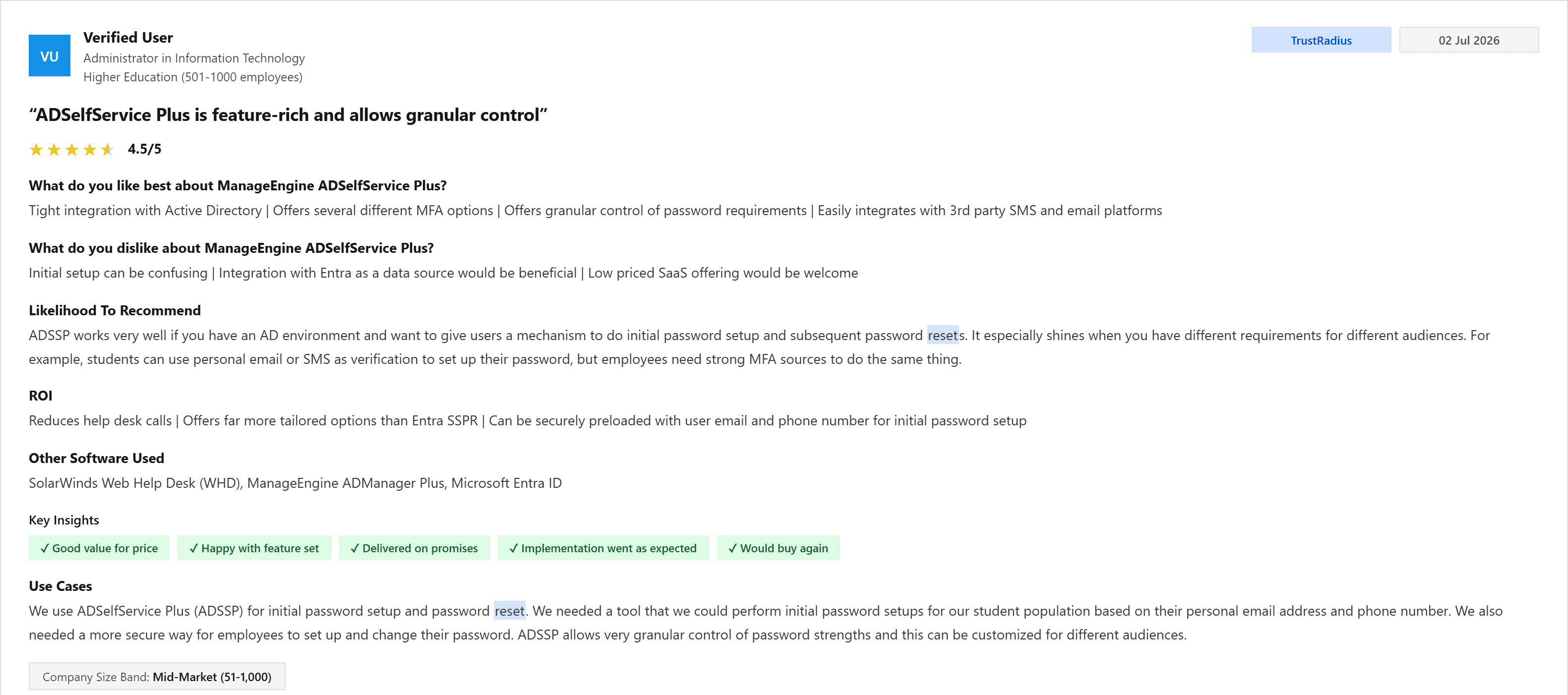
"We use ADSelfService Plus (ADSSP) for initial password setup and password reset. We needed a tool that we could perform initial password setups for our student population based on their personal email address and phone number. We also needed a more secure way for employees to set up and change their password. ADSSP allows very granular control of password strengths and this can be customized for different audiences."
—Administrator in information technology Source: TrustRadius
- MFA-based identity verification
ADSelfService Plus supports over 20 authentication methods for identity verification during a password reset, including FIDO passkeys, biometrics (fingerprint, Face ID, Android biometrics), YubiKey, Microsoft Authenticator, Google Authenticator, Duo Security, TOTP, RADIUS, SAML, and push notification authentication. Security questions are available as a supplementary option but are not required.
Admins can configure different authentication requirements for different user groups—applying stronger verification for privileged users, remote workers, and administrators than for standard accounts. Fine-grained policy control means verification strength scales with risk.
- Self-service
password reset from any location
ADSelfService Plus enables self-service AD password reset across every channel a modern workforce requires:
- Windows, macOS, and Linux login screens: Users can reset directly from the logon screen without needing to reach the network first
- Web portal: Accessible from any browser
- Mobile app: iOS and Android, for resets on the go
- Remote networks without VPN: Users working outside the corporate network can reset AD passwords and automatically update locally cached credentials, eliminating the VPN dependency that often blocks remote resets
- Breach-screened,
policy-enforced password setting
ADSelfService Plus includes a Password Policy Enforcer that applies at the point of reset. It blocks dictionary words, predictable patterns, repeated characters, palindromes, and strings derived from the username. It integrates directly with Have I Been Pwned to screen every new password against known-breached credential databases in real time—a credential that has appeared in a prior breach is rejected automatically.
Password policy requirements are displayed to users in real time as they type, so they can meet requirements without trial and error.
- Conditional
access for risk-based verification
ADSelfService Plus supports conditional access policies that adjust authentication requirements based on contextual risk signals—IP address, device type, geolocation, and business hours. A reset request from an unrecognized location outside office hours automatically triggers a stronger verification workflow, balancing convenience for normal conditions with tighter controls when signals suggest elevated risk.
- Post-reset notifications
ADSelfService Plus sends users automatic notifications upon a successful AD password reset—confirming the action and prompting them to contact IT if they did not initiate it. This satisfies the OWASP requirement for post-reset notification as an account takeover detection mechanism.
- Password
expiration notifications
ADSelfService Plus sends proactive AD password expiration notifications via email, SMS, and push notification, configurable across multiple reminder dates before expiration. Notification content, timing, and channels are fully customizable, reducing lockout-driven help desk tickets without requiring IT to track expiration dates across the directory manually.
- Audit
reporting and compliance
ADSelfService Plus generates detailed reports on every AD password reset event, including: who requested a reset, when, from which IP, which authentication methods were used, and whether the attempt succeeded or failed. These logs support compliance auditing against PCI DSS, HIPAA, SOC 2, NIST SP 800-63B, GDPR, NIS2, and CJIS, and integrate with SIEM platforms for real-time security monitoring.
- Active Directory and Microsoft Entra ID Support
For organizations running hybrid identity environments, ADSelfService Plus extends all self-service password reset capabilities to Microsoft Entra ID users alongside AD—the same MFA verification, password policy enforcement, breach screening, expiration notifications, and audit reporting from a single platform. Password synchronization across connected systems ensures a reset in one place propagates everywhere it needs to.
ADSelfService Plus turns each of the best practices on this page from a policy requirement into an enforced, automated reality—without adding friction for end users or workload for IT.
Simplify password management with ADSelfService Plus.
Self-service password management and single sign-on solution
ManageEngine ADSelfService Plus is an integrated self-service password management and single sign-on solution for Active Directory and cloud apps. Ensure endpoint security with stringent authentication controls including biometrics and advanced password policy controls.
 Free Download
- Related Products