

Worklog Additional Fields
You can configure the default work log record with additional fields to capture more information. You can configure various types of additional fields as described below.
|
Field Type |
Description |
|
Single line |
To capture single line information |
|
Pick list |
To capture information from a dropdown list |
|
Multi line |
To capture multi-line information |
|
Numeric |
To capture numeric information |
|
Date/Time |
To capture time/date related information. |
|
Decimal |
To capture numeric information in decimal format. |
To configure additional fields:
- Go to Admin
 > Helpdesk Customizer > Worklog-Additional Fields.
 - Click Add Field and select the required field type using the tabbed interface.
- Provide details such as label name, description, default value, and value length as applicable.
- Finally, click Save.
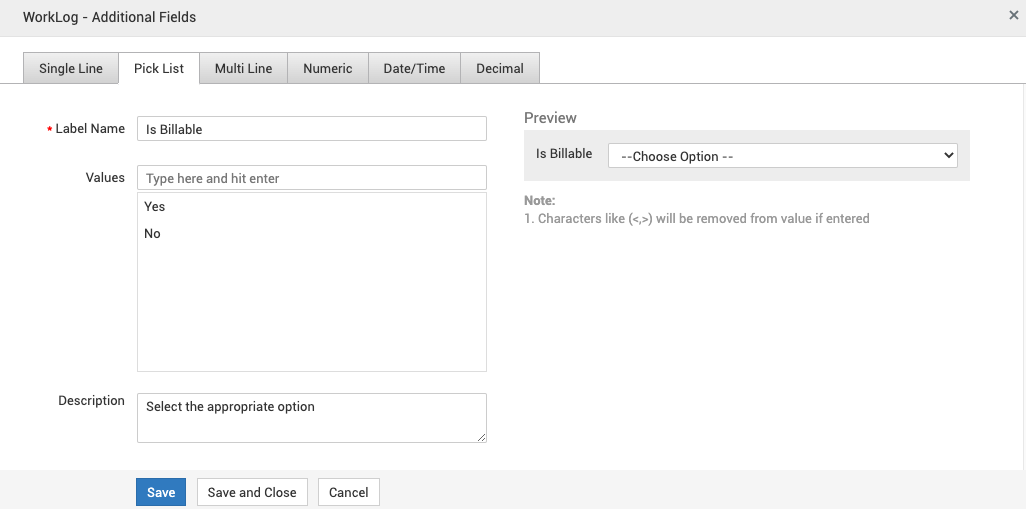
Sample configuration:
View, edit, or delete additional fields
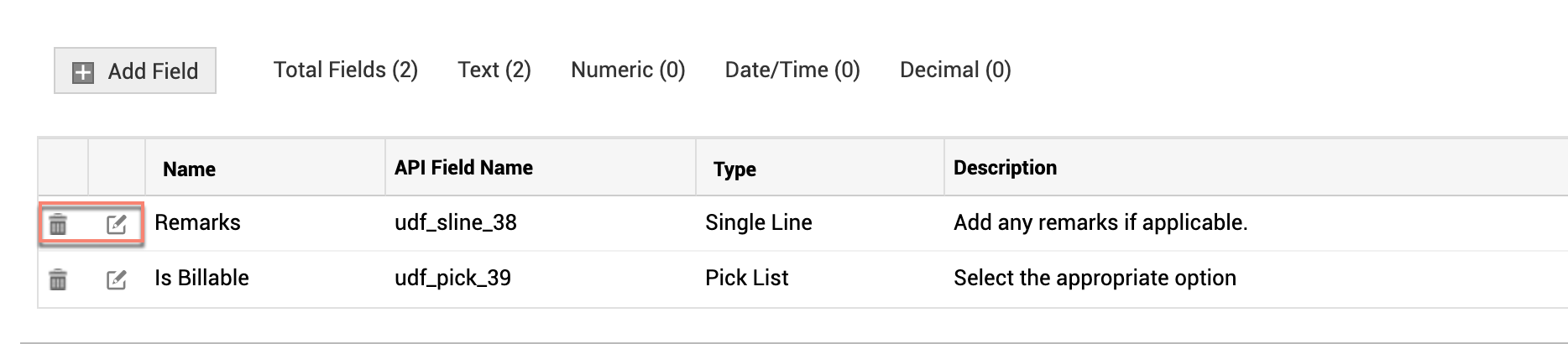
You can view work log additional fields and perform various actions under Admin >Helpdesk Customizer > Worklog-Additional Fields.
-
To edit a field, click the edit icon. Make necessary changes and click Save.
-
To delete a field, click the delete icon against the field.
In work log forms, the additional fields will appear under Additional Fields section.
Sample work log with additional fields:
