Troubleshoot 5200 upgrade
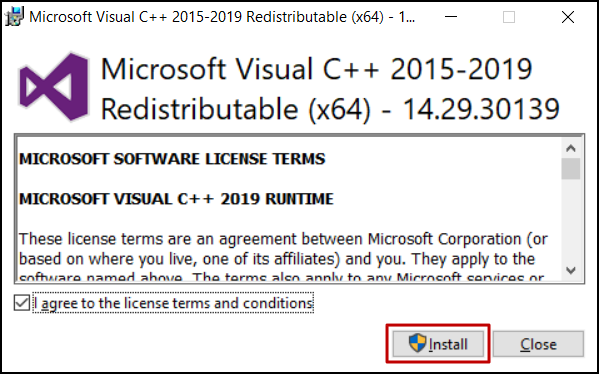
The 5200 upgrade process in Windows installation may fail when there is an issue in installing the dependent library (Microsoft Visual C++ 2015-2019 Redistributable x64) automatically. Install the library manually for a successful upgrade. Follow the steps below to do this. Please note that this library is mandatory for Windows servers to upgrade to 5200.
- Download the Microsoft Visual C++ 2015-2019 Redistributable x64 application.
- Double-click the downloaded file to start the installation.
In the installation page that appears, read and accept the terms and conditions, and click Install.
- On successful installation, restart the server to upgrade to the 5200 version. If you face any issues, please write to us at analyticsplus-support@manageengine.com.