AWS cost management with CloudSpend
Allocate AWS budgets, utilize tags, and create business units for cloud costs to track your AWS cost management journey. Bridge the gap between your engineering and finance teams with our advanced AWS billing and cost management tool.
Start 30-day free trialTry now, sign up in 30 seconds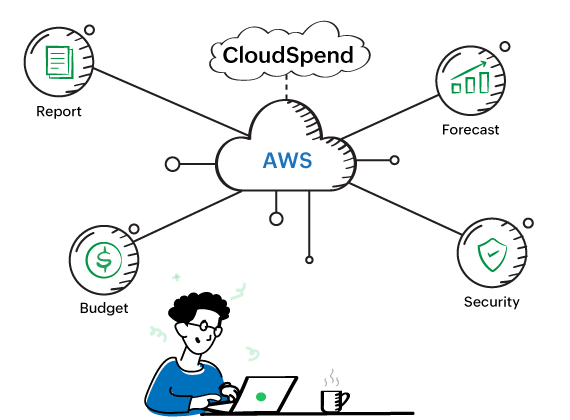
Why you should choose CloudSpend for AWS cost management?
Transparent and usage-based pricing
CloudSpend's pricing structure is based on your usage capacity and has a transparent pricing policy. Click here to know more about our pricing.
A granular view of your spending
Resource tagging and views help you have a macro view of your instances and let you take actions on the underutilized/non-utilized resources.
AI-driven anomaly detection
CloudSpend automatically identifies unexpected cost spikes and sends real-time alerts, ensuring that your cloud budget stays on track.
Get cost recommendations
CloudSpend suggests the cost and compliance recommendations that can help you cut costs and save maximum on your cloud.
Proactively AWS cost management tool by CloudSpend
AWS billing
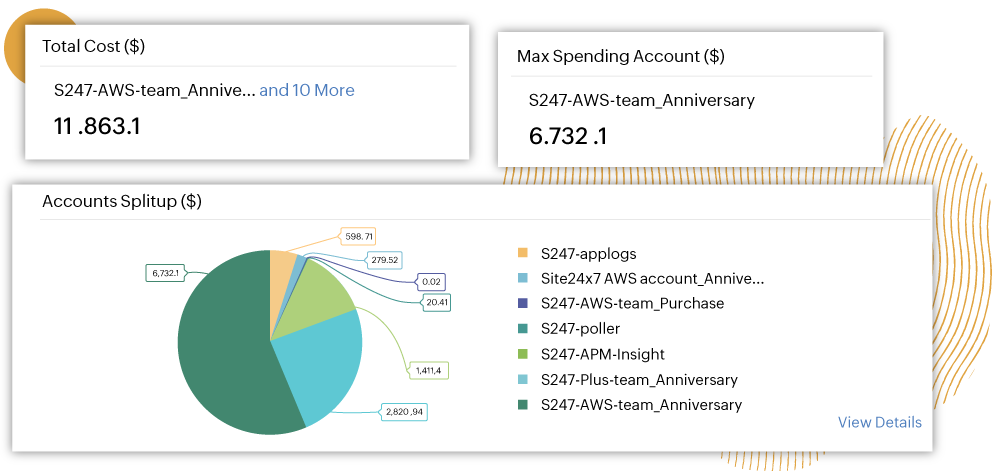
AWS cost optimization is easy with our automated bill processing, which extracts relevant cost categories—data transfer type, region, operation type, usage type, availability zone—to provide deep visibility into your AWS costs. This helps you obtain visibility on your cloud costs, so you can better understand your AWS billing and cost management.
AWS cost management
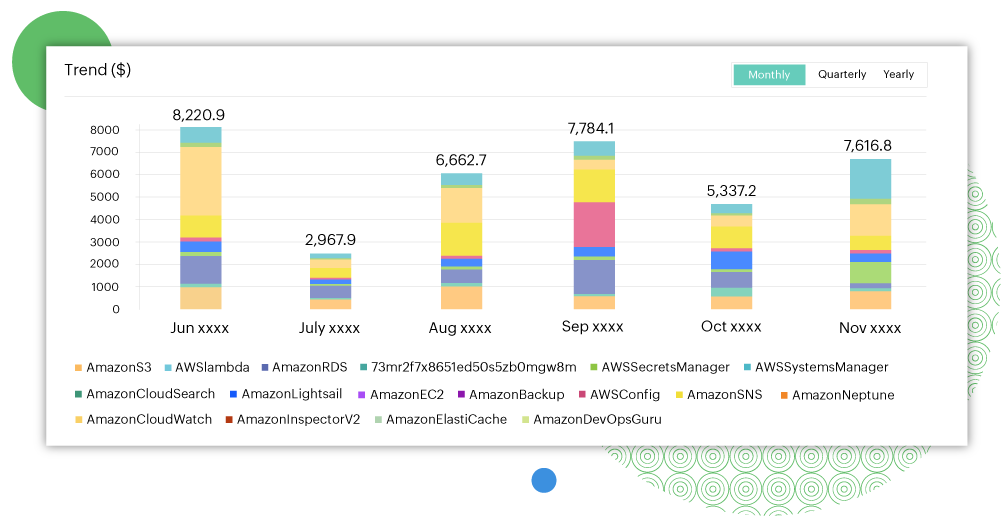
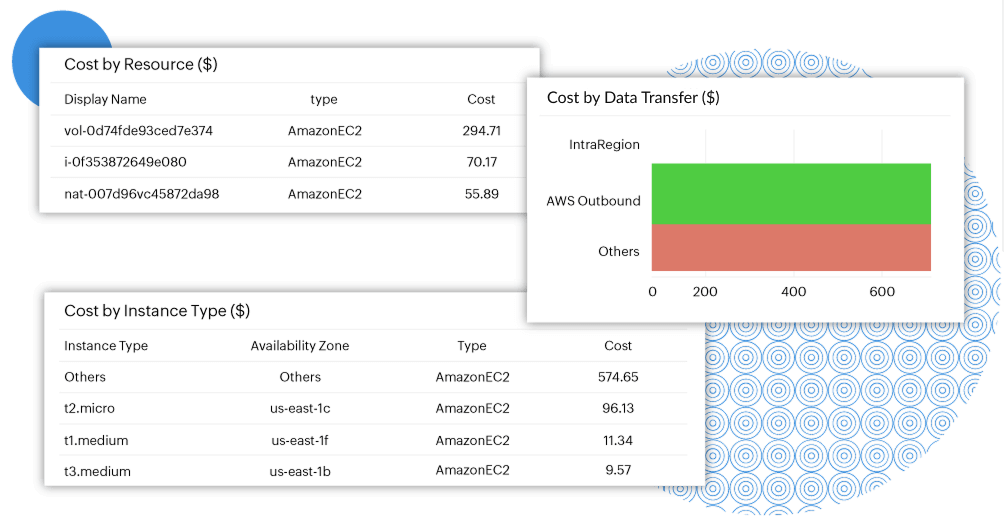
First, learn when and where you're accruing costs. Identify the top-three cost accruing services; analyze the monthly, yearly, or month-to-date spending; view cost distribution by region, instance-type, component, and data transfer; and more.
Cloud cost visibility
Perform ad-hoc analysis using various filtering and grouping dimensions. Break down spending by linked accounts while setting up your own dates or choosing from a predefined date range to segment data by time. Alternatively, you can use AWS-generated and user-defined tags to isolate and analyze subsets of your cloud costs.
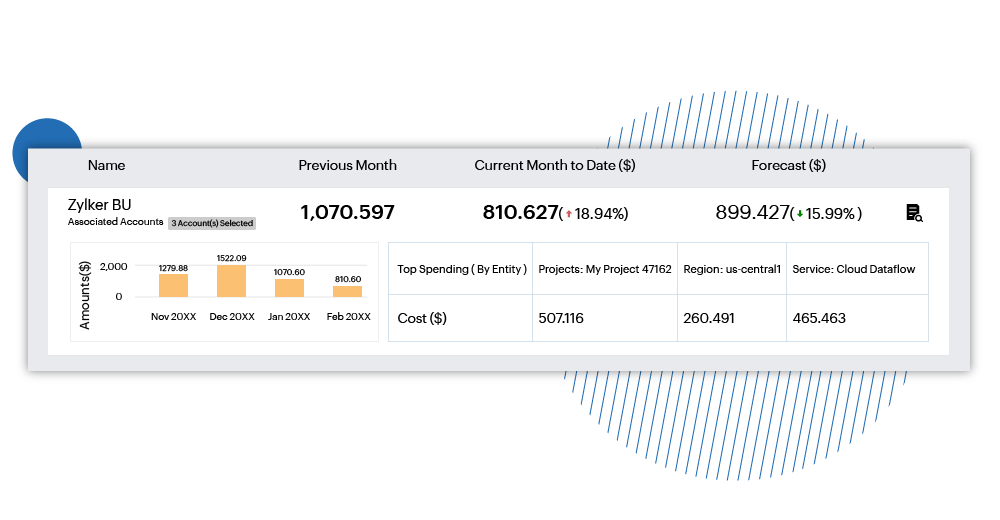
Drive cost accountability with Business Units
With CloudSpend, both account holders and AWS managed service providers (MSPs) can leverage native tags to allocate spending to one or more business units. You can track costs for different teams, projects, and customers using our AWS cost management tool. For example, you can account for the AWS services consumed during the testing, development, and production of a new app.
Featured Resources
Frequently asked questions about AWS cost management
What is AWS cost management?
AWS cost management is the practice of monitoring, analyzing, allocating, and optimizing cloud spending across Amazon Web Services. It covers everything from tracking compute, storage, and data transfer costs to setting budgets, identifying waste, and implementing savings strategies. Effective AWS cost management ensures that every dollar spent maps to a measurable business outcome — and that teams aren't surprised by their monthly bill.
Why is my AWS bill so high?
High AWS bills are typically caused by a handful of common issues: idle or overprovisioned EC2 instances that run 24/7 without matching actual demand, unattached EBS volumes that continue incurring charges after instances are terminated, forgotten S3 snapshots accumulating in storage, and data transfer (egress) costs that are easy to overlook. In large organizations, a lack of centralized visibility means orphaned resources go unnoticed for months. The first step to reducing your AWS bill is gaining clear, granular visibility into where costs are actually being generated.
What is AWS cost allocation and why does it matter?
AWS cost allocation is the process of attributing cloud spending to specific teams, projects, environments, or business units, rather than viewing costs as a single undifferentiated total. It matters because without allocation, optimization efforts frequently eliminate spend that was actually generating value. Cost allocation is typically achieved through resource tagging: every resource should carry tags for team, environment, application, and cost center at a minimum. Organizations that establish clean cost allocation tend to sustain AWS savings long-term, instead of repeating reduction cycles every quarter.
What is AWS cost anomaly detection?
AWS cost anomaly detection is the automated identification of unexpected cost spikes in your cloud environment. Instead of waiting for the end-of-month bill to discover overruns, anomaly detection monitors spending patterns continuously and alerts teams in real time when costs deviate from expected behavior. This is especially important in organizations running multiple accounts or teams, where a misconfiguration in one workload can silently inflate costs for days before anyone notices.
What are Reserved Instances and Savings Plans, and how do they reduce costs?
Reserved Instances (RIs) and Savings Plans are AWS commitment-based discount models that offer significant savings in exchange for committing to a minimum usage level over one or three years. Reserved Instances can reduce costs by up to 72% compared to on-demand pricing, while Spot Instances, which use spare AWS capacity, can offer discounts of up to 90%, though they can be reclaimed by AWS with little notice. These models work best for stable, predictable workloads where historical usage data gives teams confidence in their commitment level.
How do I reduce AWS costs without changing my architecture?
Most organizations can reduce AWS costs by 20-30% without making any architectural changes. The highest-impact, lowest-effort actions are: rightsizing overprovisioned EC2 instances using utilization data, shutting down non-production environments during off-hours, deleting unattached EBS volumes and unused snapshots, converting eligible on-demand workloads to Reserved Instances or Savings Plans, and applying cost allocation tags so waste can be traced to the team generating it. Identifying idle instances alone typically delivers a 10-15% cost reduction within days.
How does ManageEngine CloudSpend help reduce AWS costs?
ManageEngine CloudSpend is a cloud cost management tool that gives organizations granular visibility into their AWS spending across services, regions, accounts, and resource types. It uses AI-driven anomaly detection to surface unexpected cost spikes before they compound, and provides actionable optimization recommendations to eliminate waste. CloudSpend also supports business unit cost allocation, letting teams attribute spending to specific projects, customers, or environments using native and custom AWS tags. The result is a shared, transparent view of cloud costs that both engineering and finance teams can act on.