GCP cost management with CloudSpend
Google Cloud Platform(GCP) cost management can be complex if the costs are siloed and it becomes difficult to account for cloud wastage. CloudSpend adopts a methodical approach to collect insights, assess the impact, and helps you to track and manage billing for your entire organization to get the most value out of your GCP spending.
Start 30-day free trialTry now, sign up in 30 seconds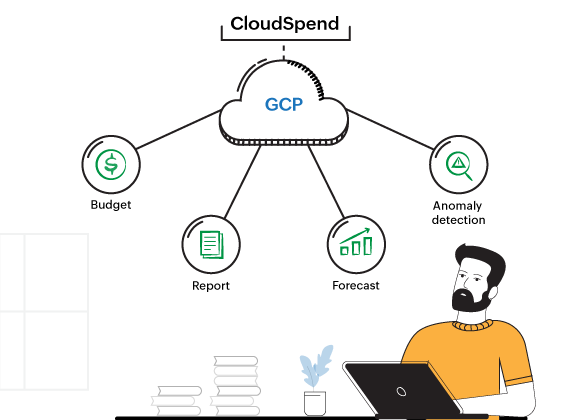
Why you should choose CloudSpend for Google cloud cost management?
Transparent and usage-based pricing
CloudSpend's pricing structure is based on your usage capacity and has a transparent pricing policy. Click here to know more about our pricing.
A granular view of your spending
Resource tagging and views help you have a macro view of your instances and let you take actions on the underutilized/non-utilized resources.
AI-driven anomaly detection
CloudSpend automatically identifies unexpected cost spikes and sends real-time alerts, ensuring that your cloud budget stays on track.
Get cost recommendations
CloudSpend suggests the cost and compliance recommendations that can help you cut costs and save maximum on your cloud.
Unleash visibility and control over your GCP cost management
Eliminate budgeting blues
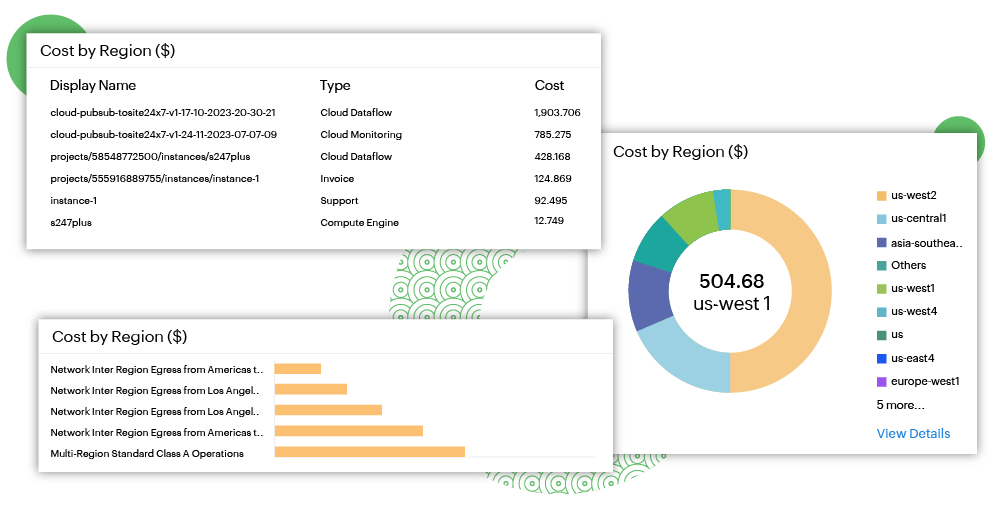
Set your budget goals with smart budget policy. Ease of workflows to manage engineering-led resource spin-offs to stay on top of your GCP infrastructure expenses. Our cloud cost management tool enables you to set up budgets and forecasts for your cost optimization journey.
Drive cost accountability across departments
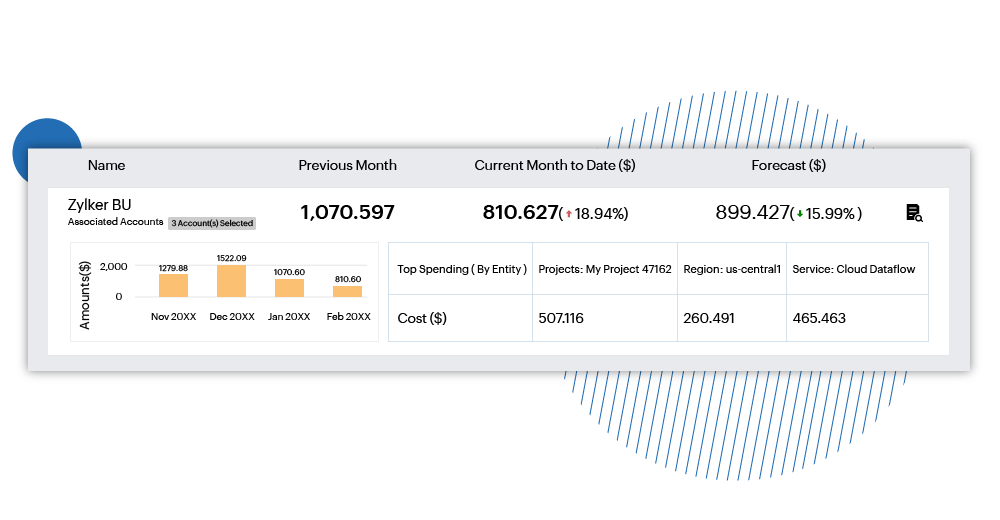
CloudSpend's Business Units(BU) allow you to have a 360 degree view of accruing cloud costs across departments and across multi-cloud. Reports can be automatically sent to department heads to make sure wastage is curbed at the BU level and CxOs are informed about any cost overruns.
Unlock intelligence and rightsize cloud
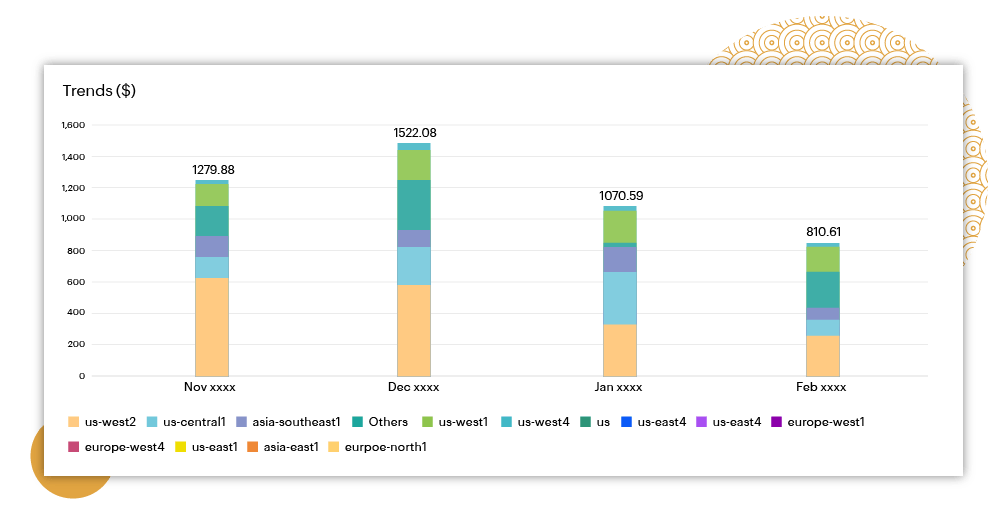
Wave goodbye to over provisioning and embrace the elegance of optimized cloud resources. Get personalized recommendations to cut costs without sacrificing the ability of your cloud infrastructure. Understand where your cloud is heading and transform insights into budgetory victories.
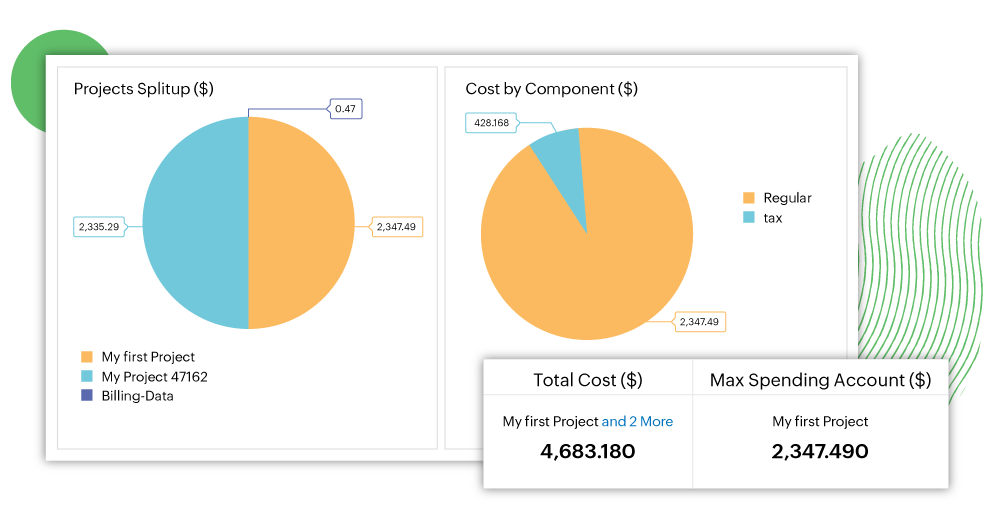
Reporting made easy
Solution reports helps you analyze spending behaviour, take infomed decision on your cloud infra and gives your engineering leaders a sense of relief. GCP custom reports for Kubernetes helps you identify gaps in Google Kubernetes Engine..


Frequently asked questions about GCP cost management
What is GCP cost management?
GCP cost management is the practice of monitoring, controlling, and optimizing cloud spending on Google Cloud Platform. It covers tracking costs across Compute Engine, Cloud Storage, BigQuery, GKE, and other services; allocating spend to teams or projects using labels; setting budgets and alerts; and applying discount strategies to reduce the overall bill. GCP cost management is especially important as organizations scale, because the platform's pay-as-you-go model can generate costs that grow faster than the engineering teams provisioning resources can track.
Why is my Google Cloud bill so high?
High GCP bills are typically driven by a small number of common issues: oversized Compute Engine VMs running below their provisioned capacity, forgotten dev or proof-of-concept instances nobody deleted, expensive BigQuery queries scanning far more data than necessary, unoptimized Cloud Storage tier usage (storing frequently changed data in the wrong storage class), and egress charges for data transferred between regions or to the internet. In organizations with many teams spinning up GCP resources independently, orphaned infrastructure can quietly accumulate costs for months without a centralized visibility layer.
What are GCP Committed Use Discounts (CUDs) and how do they work?
Committed Use Discounts (CUDs) are GCP's commitment-based pricing model where you agree to a minimum level of compute resources (measured in vCPUs, memory, or spend) for one or three years, in exchange for discounts of up to 57% off on-demand pricing. Resource-based CUDs apply to specific machine types, while spend-based CUDs offer more flexibility across services. CUDs are best suited for stable, long-running baseline workloads. For variable or fault-tolerant workloads, GCP Spot VMs (formerly Preemptible VMs) offer discounts of 60-91% off on-demand rates, with the trade-off that Google can reclaim the capacity with little notice.
What are GCP Sustained Use Discounts (SUDs) and how are they different from CUDs?
Sustained Use Discounts (SUDs) are automatic discounts that Google Cloud applies when a Compute Engine VM runs for more than 25% of a billing month with no commitment or upfront action required. The discount grows proportionally with usage, reaching up to 30% off for resources that run the full month. Unlike CUDs, SUDs carry no financial obligation and apply automatically. CUDs take priority over SUDs, so SUDs only apply to usage beyond your committed amounts. Organizations maximizing GCP savings typically layer both: CUDs for their predictable baseline, SUDs for flexible capacity above it.
How does GCP labels-based cost allocation work?
GCP labels are key-value tags you apply to cloud resources (VMs, storage buckets, BigQuery datasets, and more) to categorize them by team, project, environment, or cost center. Once applied, labels appear in billing exports and can be used to filter and group cost data in Google Cloud's Billing Reports or exported to BigQuery for custom analysis. Labels are the primary mechanism for cost attribution on GCP: without consistent labeling enforced at resource creation, it becomes very difficult to know which team or workload is driving costs, making waste elimination and chargeback reporting unreliable.
How do I reduce GCP costs without changing my application architecture?
The most impactful GCP cost reductions that don't require architectural changes are: rightsizing oversized Compute Engine VMs to match actual CPU and memory utilization, identifying and deleting idle VMs and persistent disks, switching eligible stable workloads from on-demand to Committed Use Discounts, moving infrequently accessed data from Standard to Nearline, Coldline, or Archive Cloud Storage classes using lifecycle policies, and switching BigQuery from on-demand to flat-rate pricing for high-volume, predictable query workloads. Most organizations find 20-30% savings available through these steps before any architectural work is needed.
How does ManageEngine CloudSpend support GCP cost management?
ManageEngine CloudSpend provides centralized visibility and control over GCP spending across projects, services, and regions. It automates bill ingestion and processing, surfaces AI-driven anomaly alerts when costs spike unexpectedly, and enables business unit cost allocation using GCP labels and custom groupings. CloudSpend also generates GCP-specific custom reports, including Kubernetes cost reports for GKE, that help engineering leaders understand where cloud spend is going and take informed action on rightsizing and waste elimination.
Can CloudSpend track GCP costs across multiple projects and departments?
Yes. CloudSpend's Business Units feature gives organizations a 360-degree view of GCP spending across departments, projects, and teams — all in one dashboard. Cost reports can be automatically distributed to department heads so waste is identified and addressed at the team level, and CxO-level overviews are available for budget governance and cost overrun alerts. This makes CloudSpend particularly useful for enterprises or Managed Service Partners managing GCP billing across multiple clients or internal business units simultaneously.
What is the GCP free tier and when do costs start?
Google Cloud offers a $300 free credit for new accounts, plus an always-free tier that includes select resource usage each month at no charge, such as one e2-micro Compute Engine VM in certain US regions, 5 GB of Cloud Storage, and 1 TiB of BigQuery queries per month. Costs begin when usage exceeds these free-tier thresholds. For organizations that have moved past the free tier and are running production workloads, proactive cost monitoring becomes essential, because GCP's pay-as-you-go model scales costs automatically with usage, and the free-tier safety net disappears quickly once real traffic arrives.