DataSecurity Plus' file server auditing software offers you clear visibility over every file access and
modification made by users within your file server environment.
Use the one-stop operational dashboard for a quick overview of recent file and folder access types. Use custom filters to analyze and investigate any sudden changes in access trends.
Selectively filter and monitor high-risk access types, such as file extension changes, renaming, deletions, permission changes, and file activities made during non-business hours.
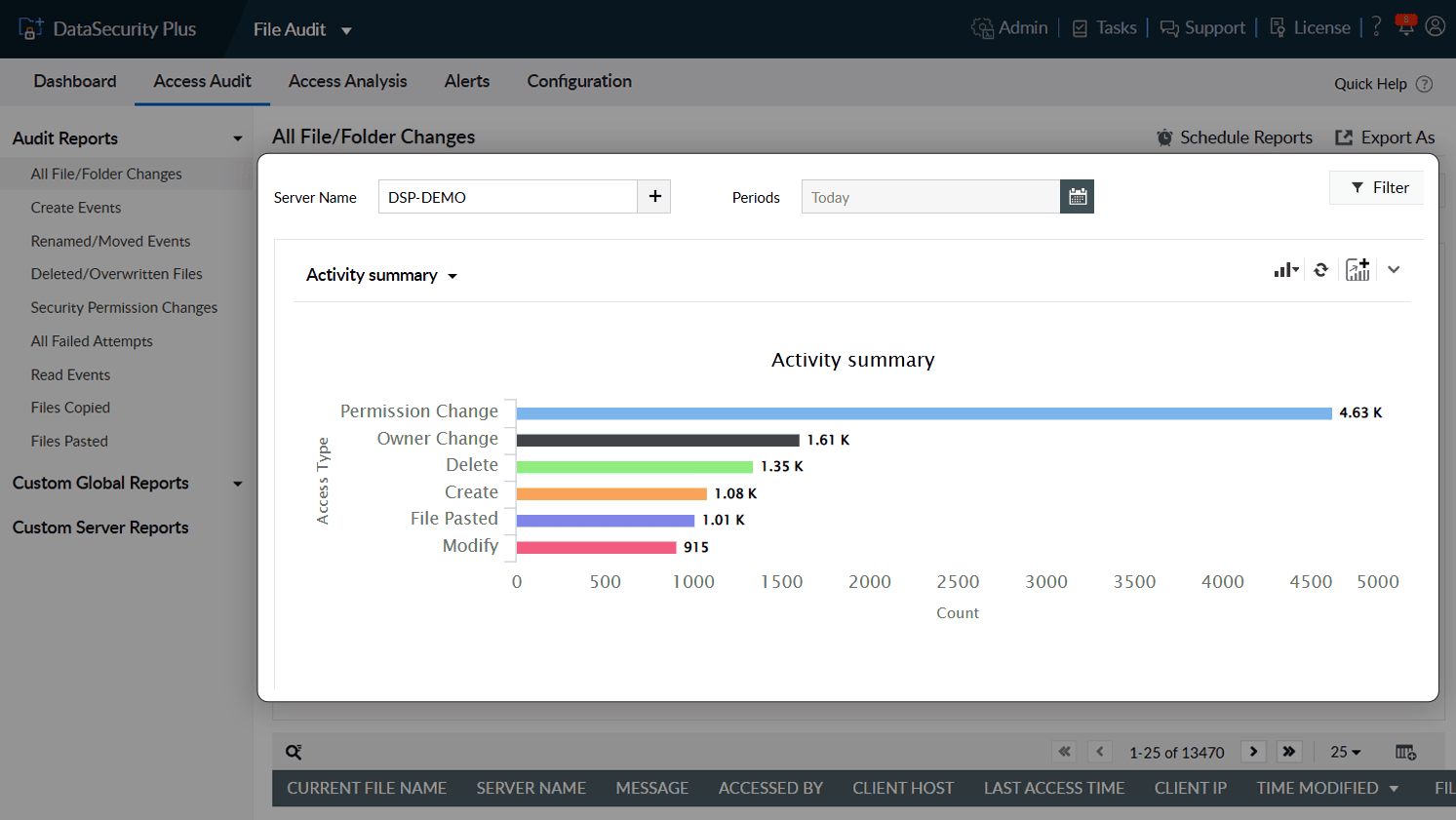
1.Get the big picture: Use the one-stop operational dashboard for a quick overview of recent file and folder access types. Use custom filters to analyze and investigate any sudden changes in access trends.
2.Warning signs to look out for: Selectively filter and monitor high-risk access types, such as file extension changes, renaming, deletions, permission changes, and file activities made during non-business hours.
Intentional or unintentional—track file deletions, moves, and permission changes. Reverse file name changes as required after comparing original and altered file names.
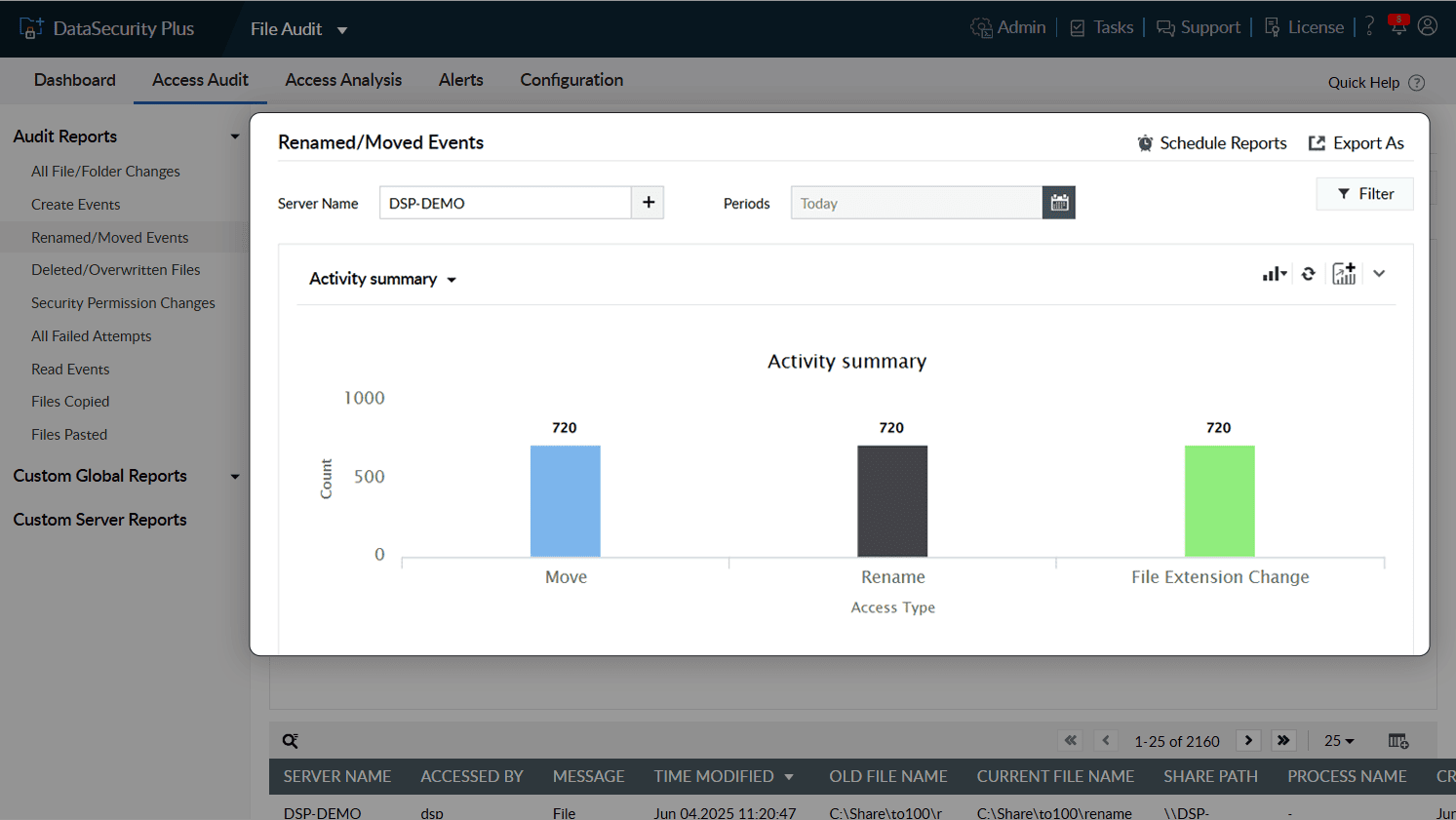
1.Stay on top of changes: Intentional or unintentional—track file deletions, moves, and permission changes. Reverse file name changes as required after comparing original and altered file names.
Generate alerts selectively by focusing on suspicious users or critical actions such as owner changes, permission changes, file deletions, or renaming events. Analyze events based on their severity and obtain detailed reports for each event.
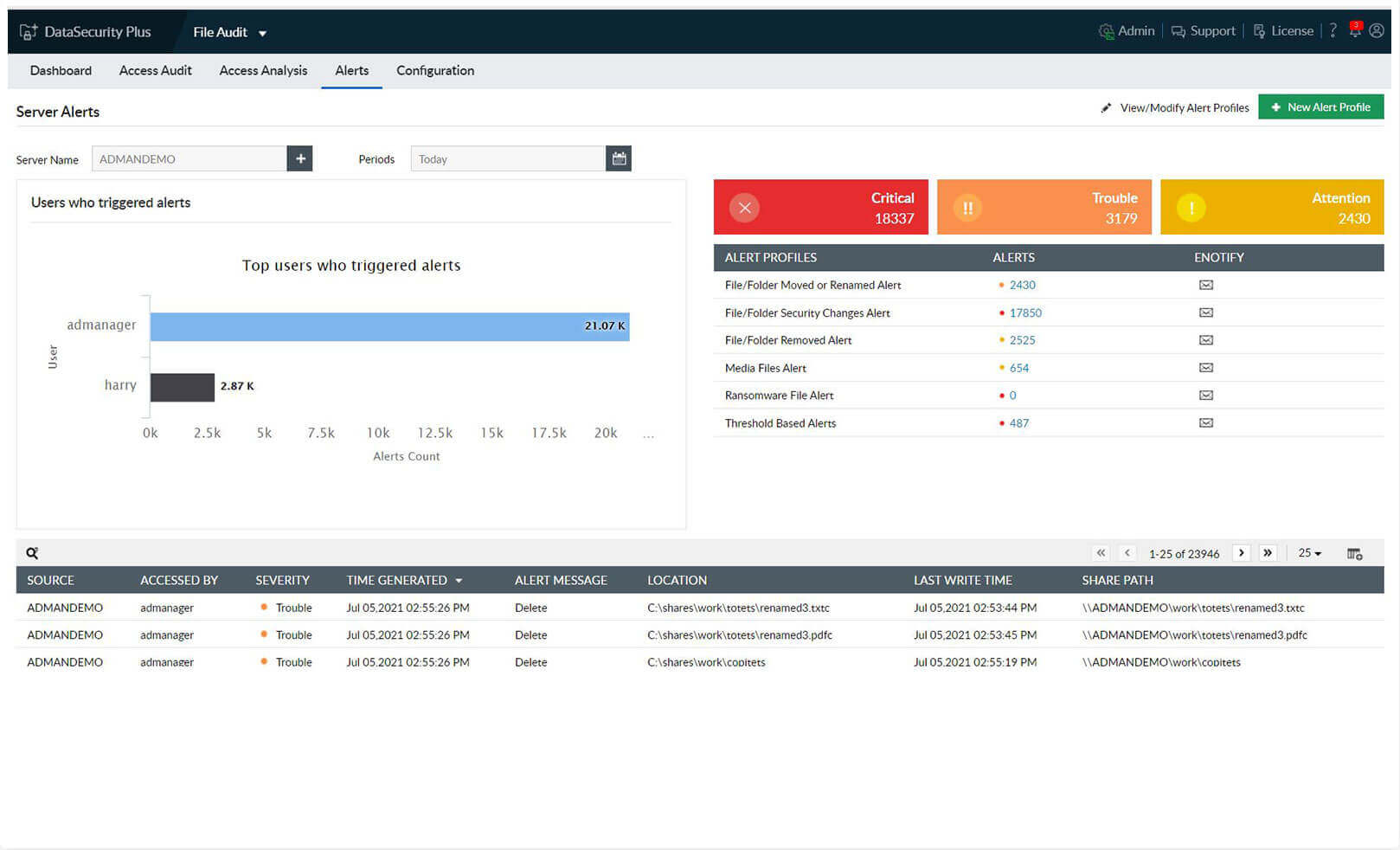
1.Choose your area of focus: Generate alerts selectively by focusing on suspicious users or critical actions such as owner changes, permission changes, file deletions, or renaming events. Analyze events based on their severity and obtain detailed reports for each event.
Speed up your incident detection with instant email notifications for malware attacks, especially ransomware, by detecting sudden spikes in file renaming and modification events.
Stop a ransomware infection within seconds by promptly shutting down an infected machine. Execute custom scripts to perform actions tailored to your organization's needs (e.g. disconnect the user session or lock the user account).
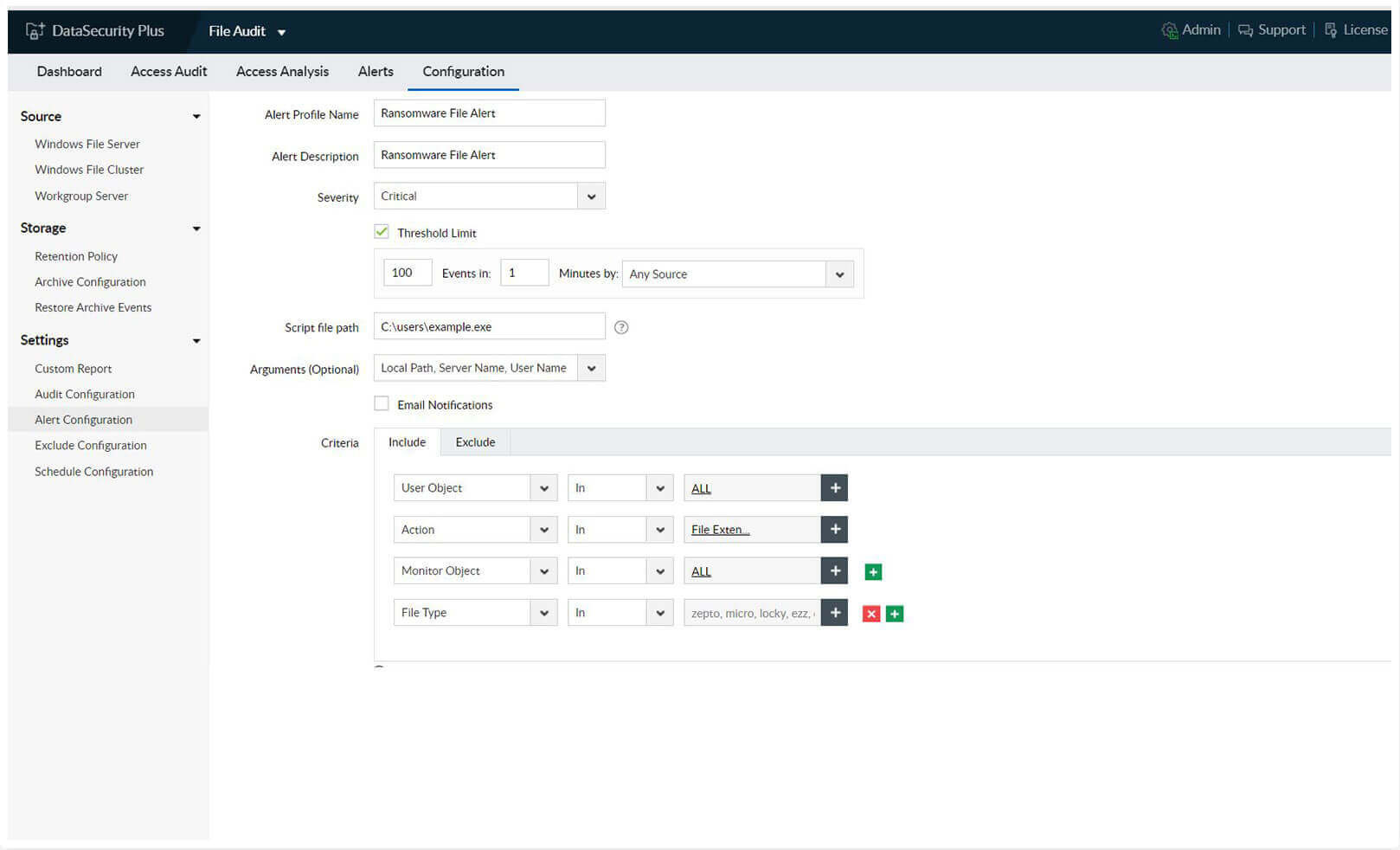
1.Track malware in real time: Speed up your incident detection with instant email notifications for malware attacks, especially ransomware, by detecting sudden spikes in file renaming and modification events.
2.Quarantine ransomware: Stop a ransomware infection within seconds by promptly shutting down an infected machine. Execute custom scripts to perform actions tailored to your organization's needs (e.g. disconnect the user session or lock the user account).
Generate reports at regular intervals to ensure consistent records are available to demonstrate compliance.
Archive old data to conserve storage space and easily retrieve it later for analysis, forensic investigations, or to present it to auditors and compliance teams.
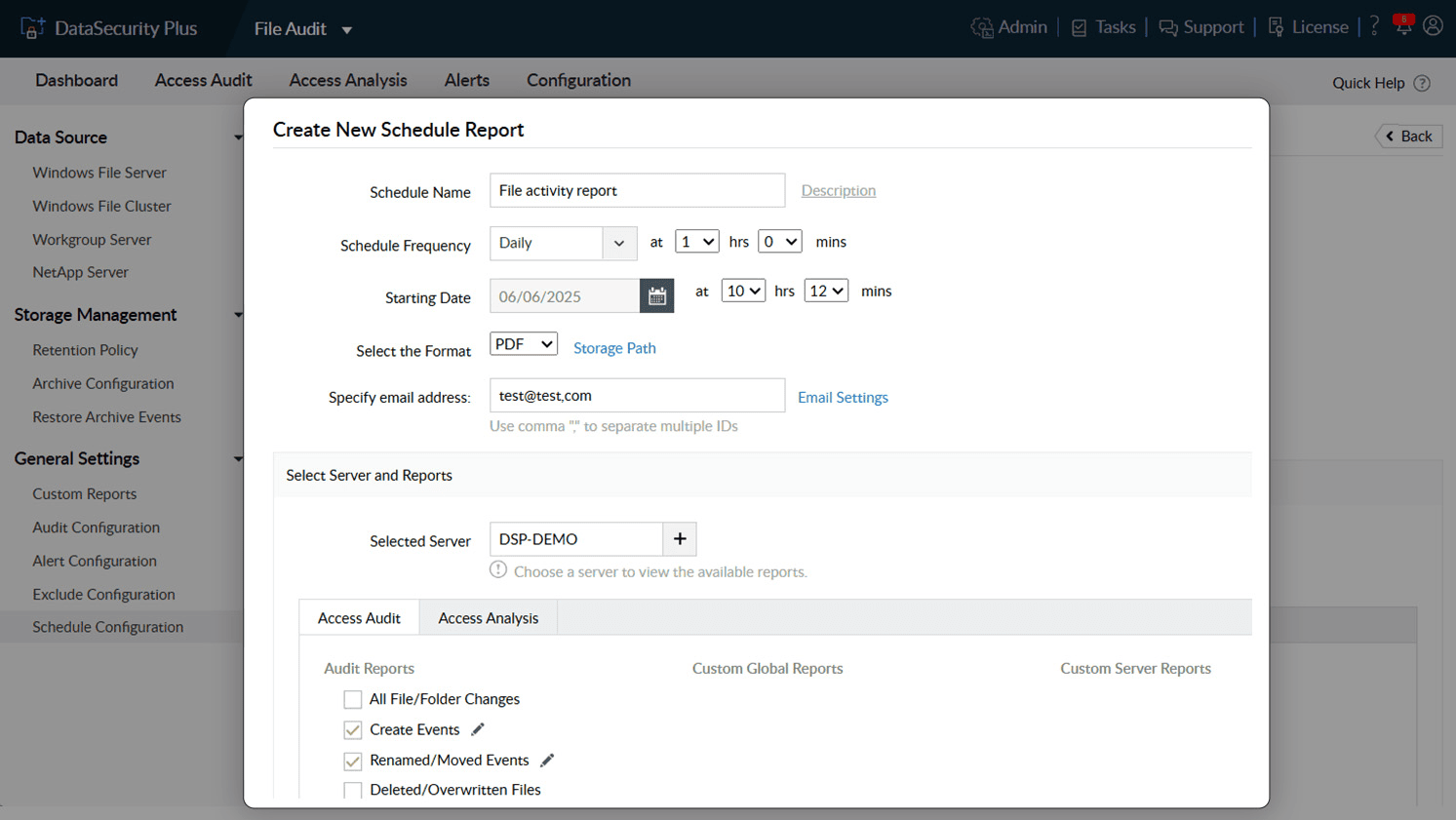
1.Maintain an easy audit trail Generate reports at regular intervals to ensure consistent records are available to demonstrate compliance.
2.Restore and analyze archived events Archive old data to conserve storage space and easily retrieve it later for analysis, forensic investigations, or to present it to auditors and compliance teams.
Thanks! One of our solution experts will get in touch with you shortly.
Detect, disrupt, and prevent sensitive data leaks via endpoints, i.e., USBs and email.
Learn MoreDiscover sensitive personal data, and classify files based on their level of vulnerability.
Learn MoreAnalyze file security permissions, optimize disk space usage, and manage junk files.
Learn MoreMonitor, analyze, and report on all file server accesses and modifications in real time.
Learn MoreReport on enterprise web traffic, and control the use of web applications.
Learn MorePerfect your DLP strategy with this detailed guide on developing an effective DLP plan.

