Customer Management
Customers in Endpoint Central MSP serve as the core organizational units around which the entire environment is structured. Each customer serves as a container for devices and users, enabling data isolation, enhanced security, and efficient endpoint management across different entities. This segmentation simplifies IT management for Managed Service Providers (MSPs), enabling them to apply targeted policies, automate tasks, and maintain clear operational boundaries. By managing customers individually, MSPs gain better oversight and control, leading to improved service delivery and operational efficiency.
Adding a Customer
To add a new customer:
- Navigate to the Admin tab and select Customers.
- Click Add Customer.
- Fill in the required details using the guided wizard, which includes the following sections:
General Details
Enter basic customer information, including contact and address details. You can assign users to manage the customer directly within this section.
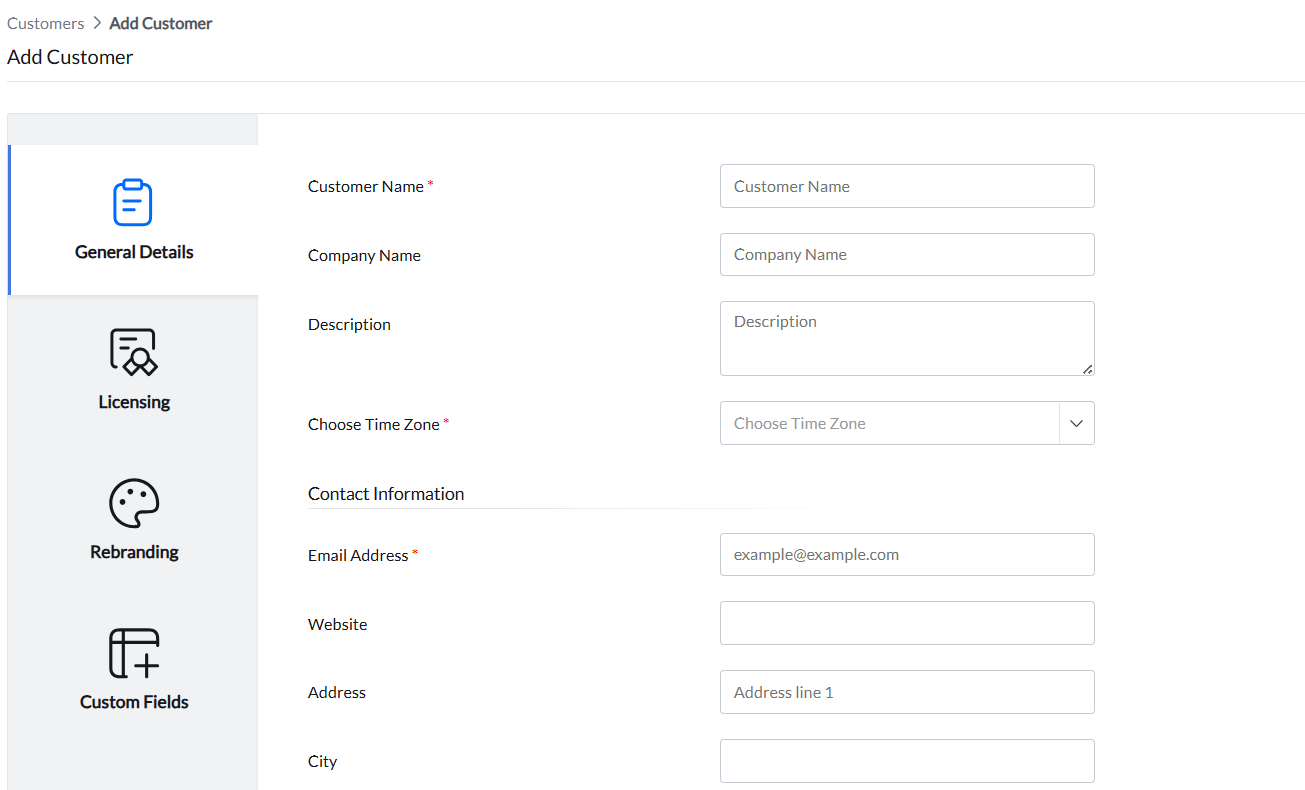
Alternatively, user assignment can be done later from the User Administration page.
Licensing Model
Endpoint Central MSP supports two licensing models:
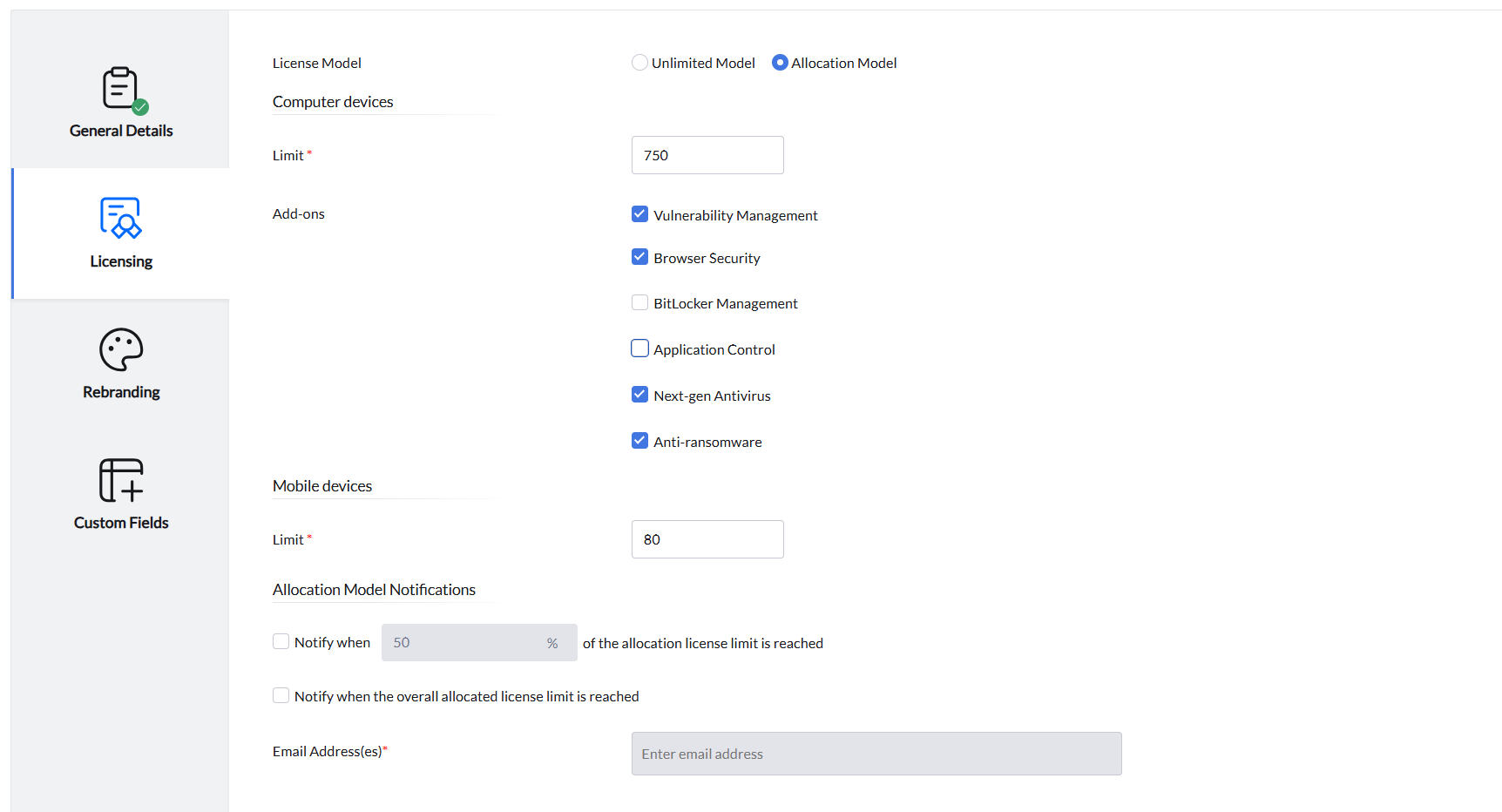
Allocation Model
MSPs can pre-allocate licenses to individual customers by specifying a limit for computers and mobile devices. This model helps control license distribution and prevent overuse.
Example: If an MSP has 100 licenses and allocates 10 to a customer, 90 remain available for managing other customers.
Features include:
- License allocation flexibility - MSP can set limit for either Computers, Mobile Devices or both for a Customer.
- License usage alerts when a customer exceeds a specified usage threshold. This proactive notification helps the administrator to assist in planning license upgrades.
Unlimited Model
In this model, endpoints consume licenses from the purchased license without imposing any limits on each customer. It is designed for flexibility and scalability.
Comparison: Allocation Model vs Unlimited Model
| Feature | Allocation Model | Unlimited Model |
|---|---|---|
| Predictable Billing | Yes | No |
| License Control per Customer | Yes | No |
| Overuse Prevention | Yes | No |
| Proactive Alerts | Yes | No |
Rebranding
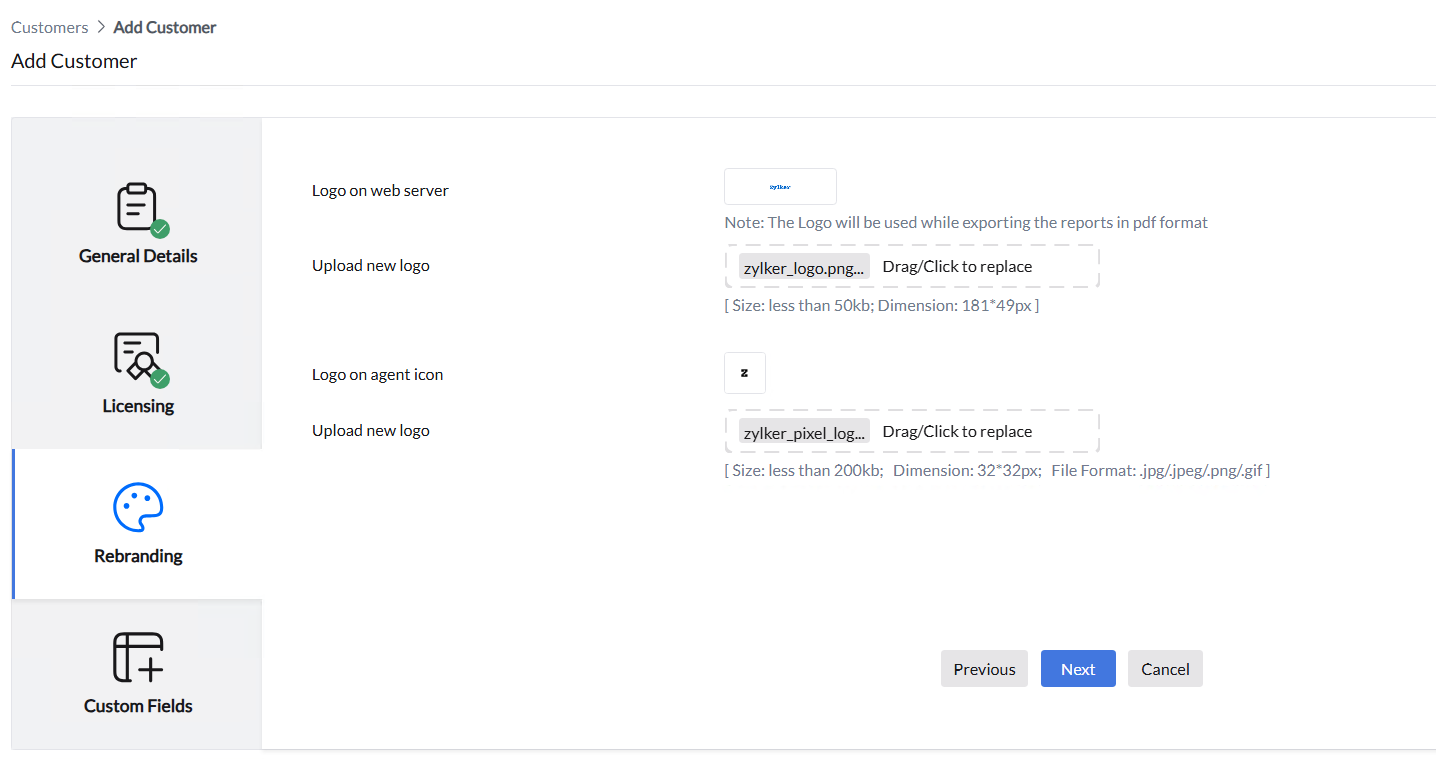
Endpoint Central MSP supports rebranding at the customer level. The name and logo can be configured as per customer's requirement for a personalized expereince. Customer-specific reports will also reflect this branding & logo, providing a personalized experience.
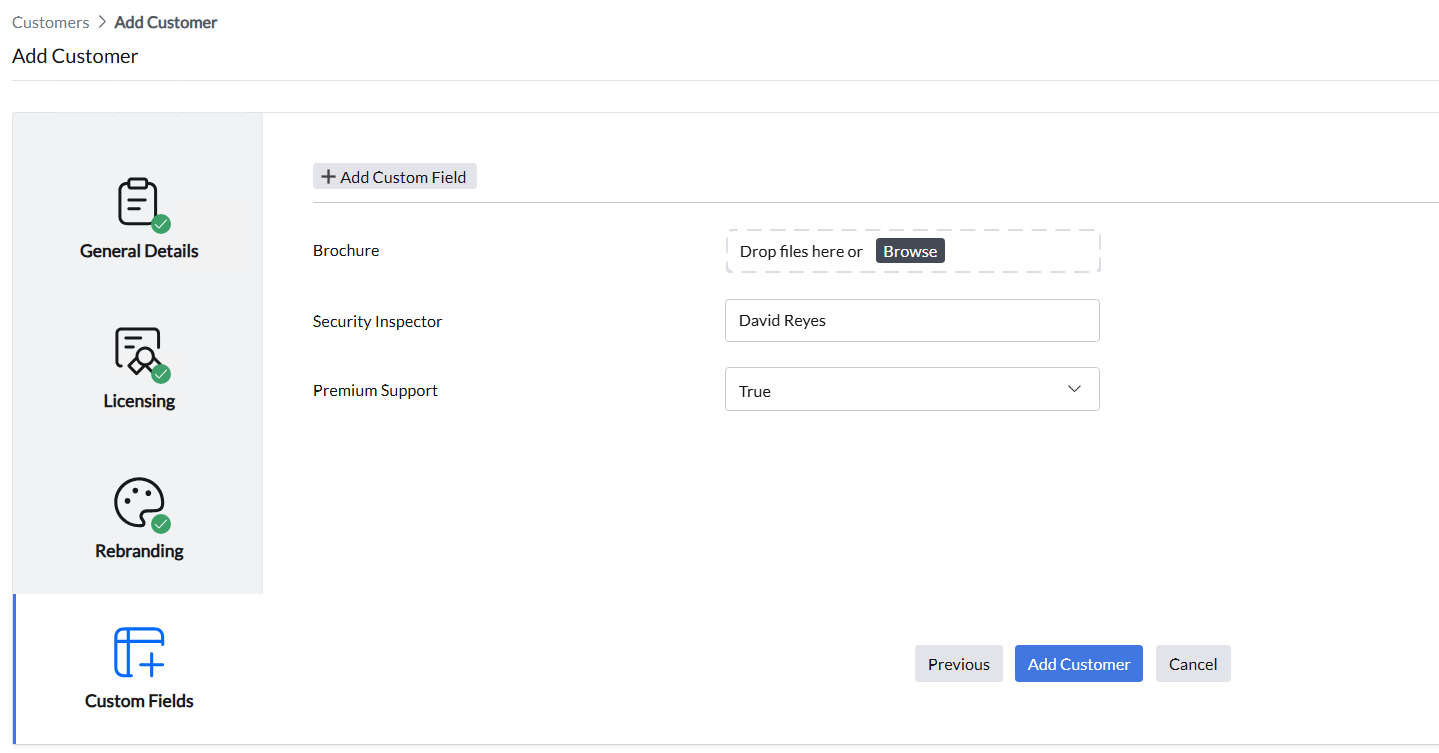
Custom Fields
MSPs can define custom fields to store additional customer-specific information. These fields can include text, numeric values, boolean options, or file attachments such as contracts or documents.