

- Home
- SIEM use cases
- Malicious Traffic
How to detect malicious traffic with Log360
In this page
Understanding the threat -What is malicious inbound traffic?
Malicious inbound traffic consists of any connection attempt from an external source that aims to exploit or gain unauthorized access to your network. This includes communications from known botnets, command-and-control (C2) servers, or any IP address associated with cybercriminal activity. It is the digital equivalent of a known burglar testing your doors and windows.
Category:
- External threat
Relevant MITRE ATT&CK® mapping
- TA0043 | Reconnaissance: E.g., T1595 | Active scanning
- TA0001 | Initial access: E.g., T1190 | Exploit public-facing application and T1133 | External remote services
Relevant compliance mapping
- CMMC SI.L1-3.14.4
- NIST SI-3 (Malware Protection)
- CIS 10.4 (IG1)
Scenario
A security analyst at Zylker IT, a midsize IT firm, investigates a critical ransomware alert. While backtracking the attack, they trace the origin to a public-facing RDP server and discover a series of connection denied events from a single IP address three weeks prior, which were initially dismissed as harmless internet noise.
The analyst checks the IP against a threat intelligence database and finds it has been on a known botnet list for months. Because the firm wasn't actively correlating logs with a real-time threat feed, this critical early warning was missed, allowing the attacker's automated brute-force attack campaign to succeed eventually and lead to a multi-million-pound breach.

What went wrong?
- A missed early warning: The connection denied events were the attacker's reconnaissance. Because this IP wasn't flagged as malicious, a critical early warning sign was missed.
- A successful breach: The unblocked, malicious IP was free to continue its automated brute-force attack until it succeeded, gaining the initial foothold.
- A breach escalation: This foothold was precisely what the attacker needed to move laterally, exfiltrate data, and ultimately deploy the ransomware that triggered the final alert.
How threat intelligence tools identify malicious traffic
Threat intelligence tools are essential for this detection. They work by:
- Subscribing to global, real-time databases of indicators of compromise.
- Maintaining massive lists of known bad IPs, malicious domains, and file hashes.
- Automatically correlating every single inbound log event with these lists.
This process instantly elevates a seemingly random connection denied log from noise to a high-priority threat alert, allowing analysts to block the attacker before they succeed.
While general regulations like the GDPR mandate appropriate technical measures, the PCI DSS v4.0 is more direct. Requirement 10 mandates logging and monitoring all access, and Requirement 6.4 calls for protecting public-facing web applications from known attacks. Using a threat intelligence tool is a fundamental best practice for meeting these compliance requirements.
Threats at the gate: Real-world trends
- Automated brute-force attacks at scale: Cybercriminals now leverage massive botnets, sometimes using millions of unique IPs, to launch coordinated, automated brute-force attacks against common enterprise weak points like VPNs, RDP, and firewalls.
- The industrialization of infostealers: There is a surging trend of Malware as a Service botnets dedicated to stealing credentials. These infostealers gain the initial access that is then sold on the dark web to ransomware groups.
Use case objective
To proactively identify and block connection attempts from known malicious sources (botnets, C2 servers, Tor nodes, etc.) before they lead to a successful breach, turn raw firewall logs into actionable threat defense.
Prerequisites
- You need logs from perimeter devices (firewalls, IDSs and IPSs, routers, etc.).
- You need logs from public-facing servers (e.g., Windows logs for RDP and Linux logs for SSH).
- The Log360 threat intelligence module must be enabled.
How to detect malicious traffic with Log30
Log360’s built-in threat intelligence feature is the primary tool for this use case.
- Real-time IP correlation: Log360 automatically correlates all inbound logs from your perimeter devices (firewalls, IDSs and IPSs, proxies, etc.) with its continuously updated threat database.
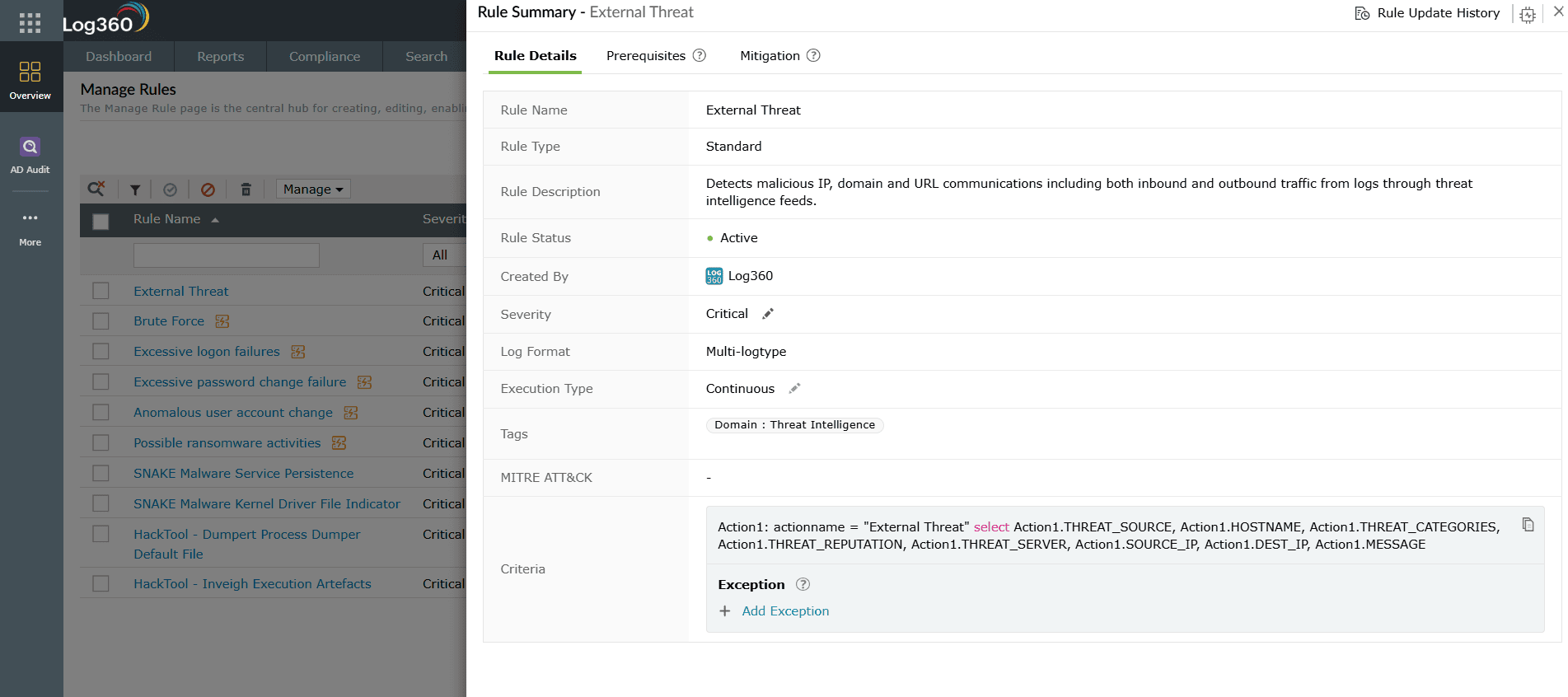
- Instant alerting: When an IP from your logs matches a known malicious IP, Log360 immediately generates a high-priority alert called the Default Threat. This instantly tells your analysts to investigate and block the source.
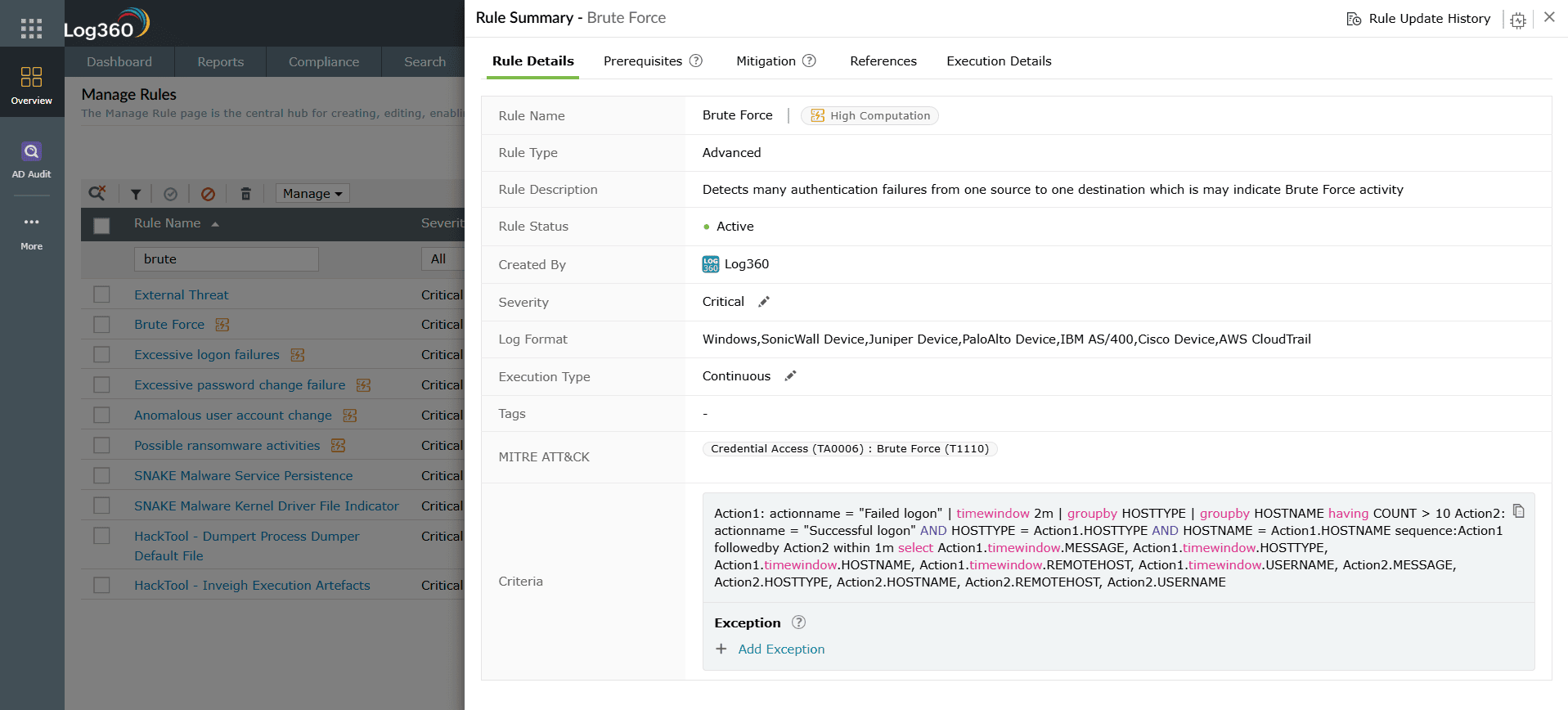
- Brute-force attack detection: Log360 also identifies malicious behavior. It can detect and send alerts on numerous failed attempts to log in to services like RDP or SSH from a single source, flagging a brute-force attack even if the IP is not yet on a threat list.


Next steps
- Automate responses: Configure automated workflows in Log360 to immediately add high-confidence malicious IPs to your firewall's blocklist.
- Investigate targets: When an alert is triggered, investigate the target asset to ensure it was not compromised.
- Harden the perimeter: Use Log360 reports to identify the most targeted ports and services and ensure that any that are not business-critical are disabled or placed behind a VPN with MFA.

